window Peugeot 307 Break Dag 2002 Owner's Manual
[x] Cancel search | Manufacturer: PEUGEOT, Model Year: 2002, Model line: 307 Break Dag, Model: Peugeot 307 Break Dag 2002Pages: 128, PDF Size: 2.64 MB
Page 2 of 128
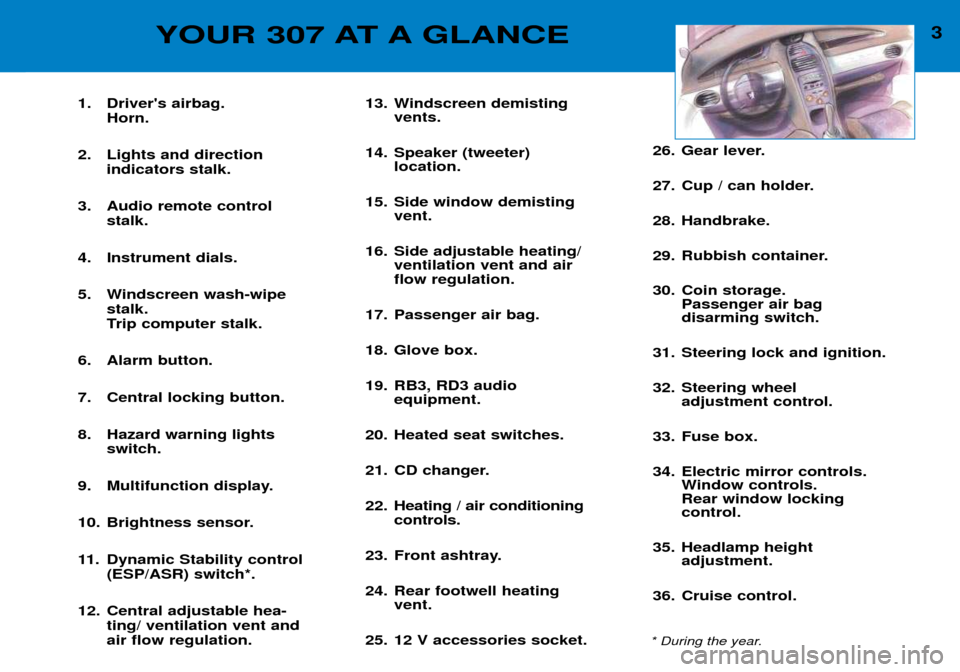
YOUR 307 AT A GLANCE
1. Driver's airbag. Horn.
2. Lights and direction indicators stalk.
3. Audio remote control stalk.
4. Instrument dials.
5. Windscreen wash-wipe stalk.
Trip computer stalk.
6. Alarm button.
7. Central locking button.
8. Hazard warning lights switch.
9. Multifunction display.
10. Brightness sensor.
11. Dynamic Stability control (ESP/ASR) switch*.
12. Central adjustable hea- ting/ ventilation vent and air flow regulation. 13. Windscreen demisting
vents.
14. Speaker (tweeter) location.
15. Side window demisting vent.
16. Side adjustable heating/ ventilation vent and air flow regulation.
17. Passenger air bag.
18. Glove box.
19. RB3, RD3 audio equipment.
20. Heated seat switches.
21. CD changer.
22. Heating / air conditioning controls.
23. Front ashtray.
24. Rear footwell heating vent.
25. 12 V accessories socket. 26. Gear lever.
27. Cup / can holder.
28. Handbrake.
29. Rubbish container.
30. Coin storage.
Passenger air bag disarming switch.
31. Steering lock and ignition.
32. Steering wheel adjustment control.
33. Fuse box.
34. Electric mirror controls. Window controls. Rear window lockingcontrol.
35. Headlamp height adjustment.
36. Cruise control.
* During the year. 3
Page 3 of 128
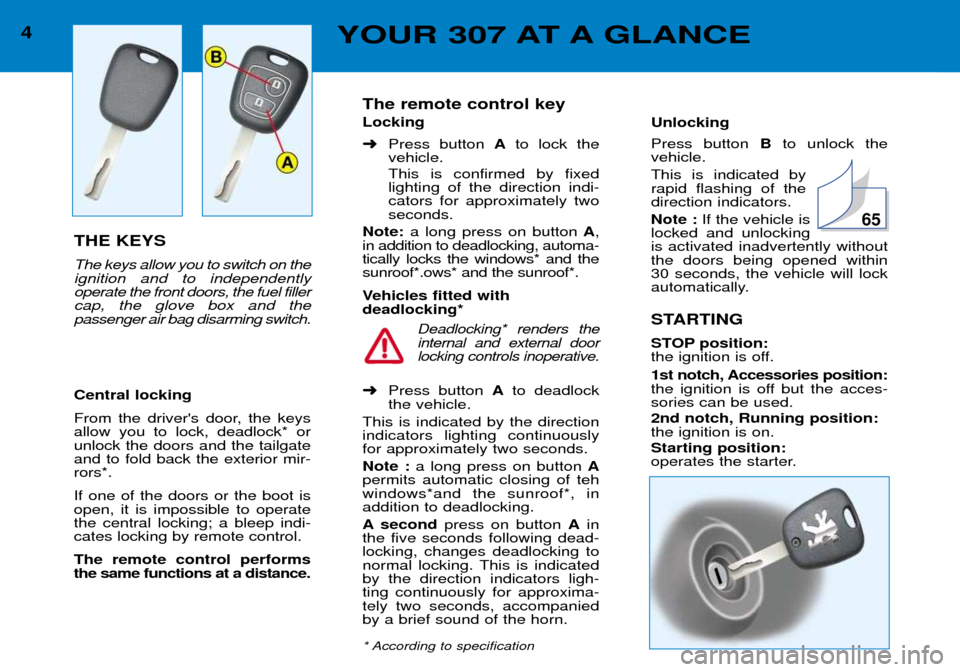
Unlocking Press button Bto unlock the
vehicle. This is indicated by rapid flashing of thedirection indicators. Note : If the vehicle is
locked and unlocking is activated inadvertently withoutthe doors being opened within 30 seconds, the vehicle will lock
automatically.
STARTING
STOP position:
the ignition is off.
1st notch, Accessories position:
the ignition is off but the acces-sories can be used. 2nd notch, Running position: the ignition is on. Starting position:
operates the starter.
The remote control key Locking ➜
Press button Ato lock the
vehicle. This is confirmed by fixed lighting of the direction indi-cators for approximately twoseconds.
Note: a long press on button A,
in addition to deadlocking, automa-tically locks the windows* and thesunroof*.ows* and the sunroof*.
Vehicles fitted with deadlocking*
Deadlocking* renders theinternal and external doorlocking controls inoperative.
➜ Press button Ato deadlock
the vehicle.
This is indicated by the directionindicators lighting continuouslyfor approximately two seconds. Note : a long press on button A
permits automatic closing of teh windows*and the sunroof*, inaddition to deadlocking.
A second press on button Ain
the five seconds following dead- locking, changes deadlocking to
normal locking. This is indicatedby the direction indicators ligh-ting continuously for approxima-tely two seconds, accompaniedby a brief sound of the horn.
* According to specification
65
YOUR 307 AT A GLANCE
THE KEYS The keys allow you to switch on the ignition and to independentlyoperate the front doors, the fuel fillercap, the glove box and thepassenger air bag disarming switch. Central locking
From the driver's door, the keys allow you to lock, deadlock* orunlock the doors and the tailgateand to fold back the exterior mir-rors*. If one of the doors or the boot is open, it is impossible to operatethe central locking; a bleep indi-cates locking by remote control. The remote control performs the same functions at a distance.
4
Page 8 of 128
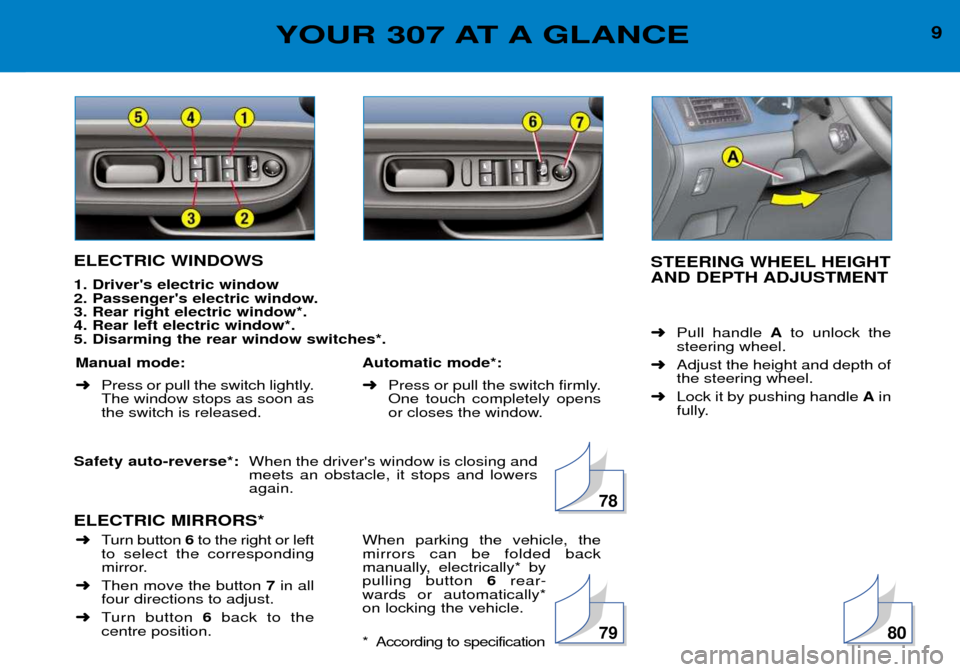
STEERING WHEEL HEIGHT
AND DEPTH ADJUSTMENT ➜Pull handle Ato unlock the
steering wheel.
➜ Adjust the height and depth of the steering wheel.
➜ Lock it by pushing handle Ain
fully.
ELECTRIC WINDOWS 1. Driver's electric window
2. Passenger's electric window.3. Rear right electric window*.4. Rear left electric window*.5. Disarming the rear window switches*. Safety auto-reverse*:
When the driver's window is closing and meets an obstacle, it stops and lowersagain.
ELECTRIC MIRRORS*
Manual mode: ➜ Press or pull the switch lightly. The window stops as soon asthe switch is released. Automatic mode*: ➜
Press or pull the switch firmly. One touch completely opens
or closes the window.
➜ Turn button 6to the right or left
to select the corresponding
mirror.
➜ Then move the button 7in all
four directions to adjust.
➜ Turn button 6back to the
centre position. When parking the vehicle, themirrors can be folded back
manually, electrically* bypulling button
6rear-
wards or automatically*on locking the vehicle.
* According to specification
78
7980
9YOUR 307 AT A GLANCE
Page 51 of 128

VENTILATION 1.Windscreen de-icing or demisting vents.
2. Front window de-icing or demisting vents.
3. Side vents.
4. Centre vents.
5. Air outlet to front footwells.
6. Air outlet to rear footwells*.
Advice on operation Place the air flow control at a level sufficient to ensure correct renewal of air in the passenger compartment. The ''OFF'' position cuts off all the air circulation in the passenger compartment.
Note : only use the ''OFF''position occasionally (risk of condensation).
For perfectly even air distribution, take care not to obstruct the exterior air intake grilles, the vents and the air ducts und er
the front seats, as well as the air extractor located in the boot. Check that the pollen filter is in good condition.
YOUR 307 IN DETAIL 51
Page 52 of 128
YOUR 307 IN DETAIL
52
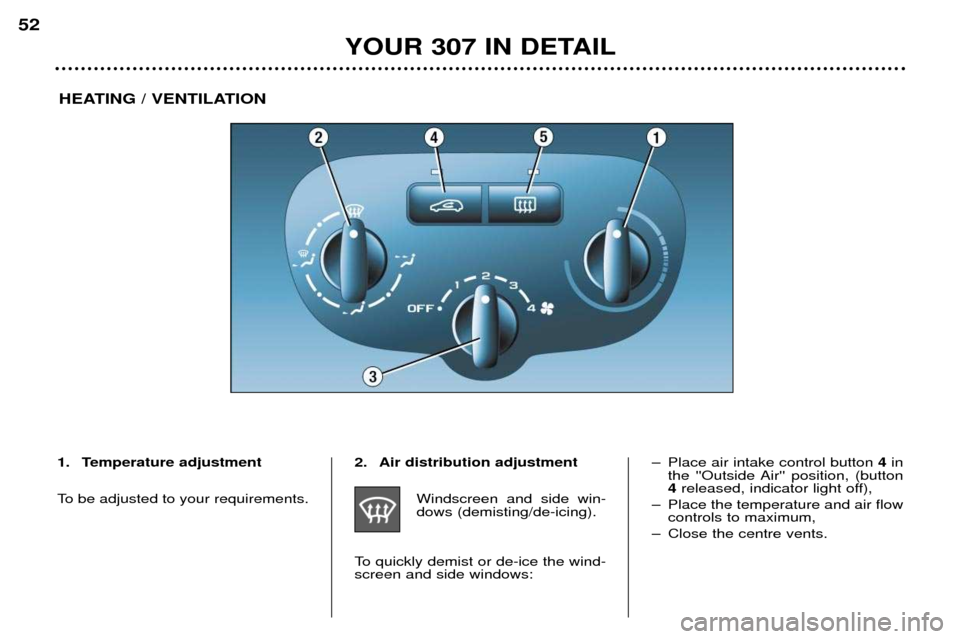
HEATING / VENTILATION
1. Temperature adjustment
To be adjusted to your requirements. 2. Air distribution adjustment
Windscreen and side win- dows (demisting/de-icing).
To quickly demist or de-ice the wind-screen and side windows: Ð Place air intake control button
4in
the ''Outside Air'' position, (button4 released, indicator light off),
Ð Place the temperature and air flow controls to maximum,
Ð Close the centre vents.
Page 53 of 128
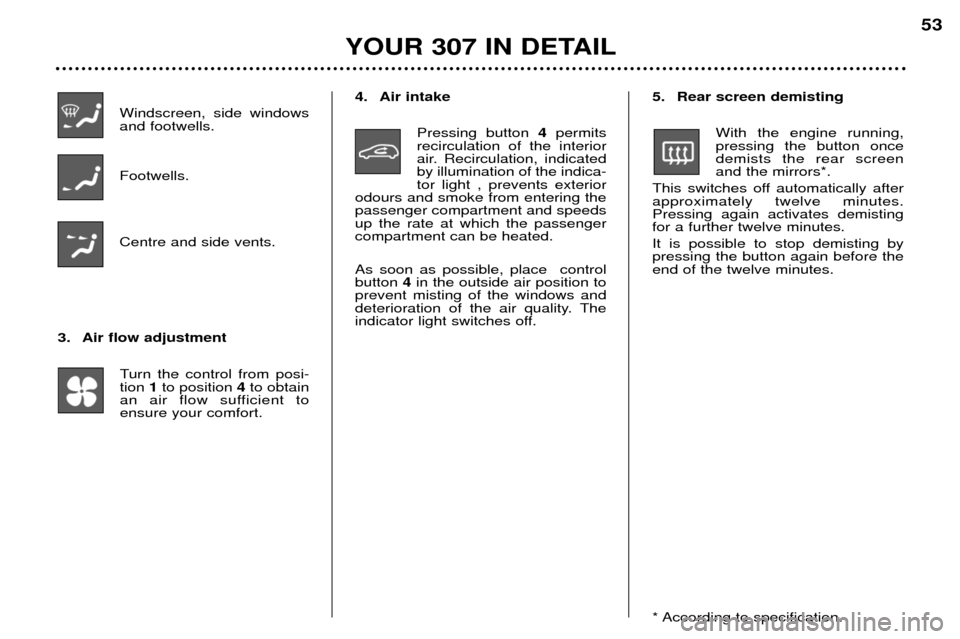
Windscreen, side windows and footwells. Footwells. Centre and side vents.
3. Air flow adjustment Turn the control from posi- tion 1to position 4to obtain
an air flow sufficient toensure your comfort. 4. Air intake
Pressing button 4permits
recirculation of the interior
air. Recirculation, indicatedby illumination of the indica-tor light , prevents exterior
odours and smoke from entering thepassenger compartment and speedsup the rate at which the passengercompartment can be heated. As soon as possible, place control button 4in the outside air position to
prevent misting of the windows and
deterioration of the air quality. The
indicator light switches off. 5. Rear screen demisting
With the engine running,pressing the button oncedemists the rear screenand the mirrors*.
This switches off automatically afterapproximately twelve minutes.Pressing again activates demistingfor a further twelve minutes. It is possible to stop demisting by pressing the button again before theend of the twelve minutes.
* According to specification.
YOUR 307 IN DETAIL 53
Page 55 of 128
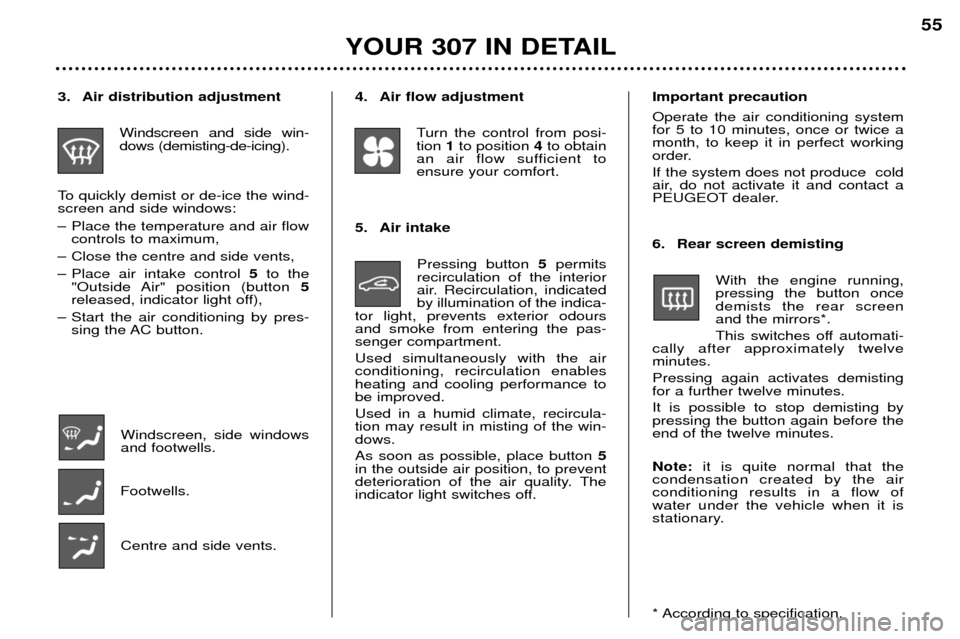
4. Air flow adjustmentTurn the control from posi- tion 1to position 4to obtain
an air flow sufficient toensure your comfort.
5. Air intake Pressing button 5permits
recirculation of the interior
air. Recirculation, indicatedby illumination of the indica-
tor light, prevents exterior odoursand smoke from entering the pas-senger compartment. Used simultaneously with the air conditioning, recirculation enablesheating and cooling performance tobe improved. Used in a humid climate, recircula- tion may result in misting of the win-dows. As soon as possible, place button 5
in the outside air position, to prevent
deterioration of the air quality. The
indicator light switches off.3. Air distribution adjustment
Windscreen and side win- dows (demisting-de-icing).
To quickly demist or de-ice the wind-screen and side windows:
Ð Place the temperature and air flow controls to maximum,
Ð Close the centre and side vents,
Ð Place air intake control 5to the
"Outside Air" position (button 5
released, indicator light off),
Ð Start the air conditioning by pres- sing the AC button.
Windscreen, side windows and footwells.
Footwells.
Centre and side vents. Important precaution Operate the air conditioning system for 5 to 10 minutes, once or twice amonth, to keep it in perfect working
order. If the system does not produce cold
air, do not activate it and contact a
PEUGEOT dealer.
6. Rear screen demisting
With the engine running, pressing the button oncedemists the rear screenand the mirrors*.
This switches off automati-
cally after approximately twelve minutes. Pressing again activates demisting for a further twelve minutes. It is possible to stop demisting by pressing the button again before theend of the twelve minutes. Note: it is quite normal that the
condensation created by the air conditioning results in a flow ofwater under the vehicle when it is
stationary.
* According to specification.
YOUR 307 IN DETAIL 55
Page 56 of 128
YOUR 307 IN DETAIL
56
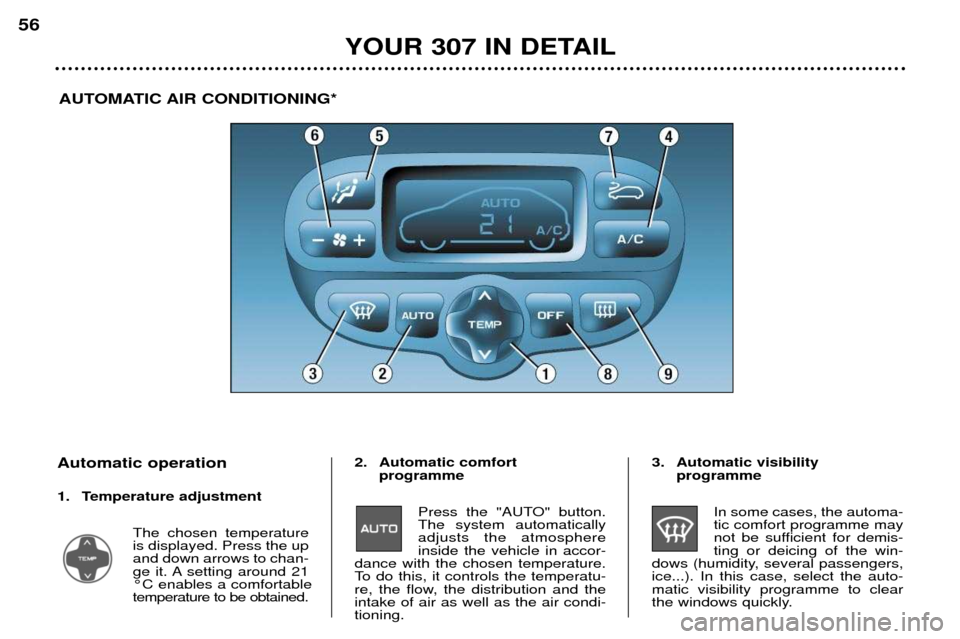
AUTOMATIC AIR CONDITIONING*
Automatic operation
1. Temperature adjustment The chosen temperature is displayed. Press the upand down arrows to chan-
ge it. A setting around 21¡C enables a comfortabletemperature to be obtained. 2. Automatic comfort
programme
Press the "AUTO" button.The system automaticallyadjusts the atmosphereinside the vehicle in accor-
dance with the chosen temperature.
To do this, it controls the temperatu-
re, the flow, the distribution and theintake of air as well as the air condi-tioning. 3. Automatic visibility
programme
In some cases, the automa-tic comfort programme may
not be sufficient for demis-ting or deicing of the win-
dows (humidity, several passengers,ice...). In this case, select the auto-matic visibility programme to clear
the windows quickly.
Page 64 of 128
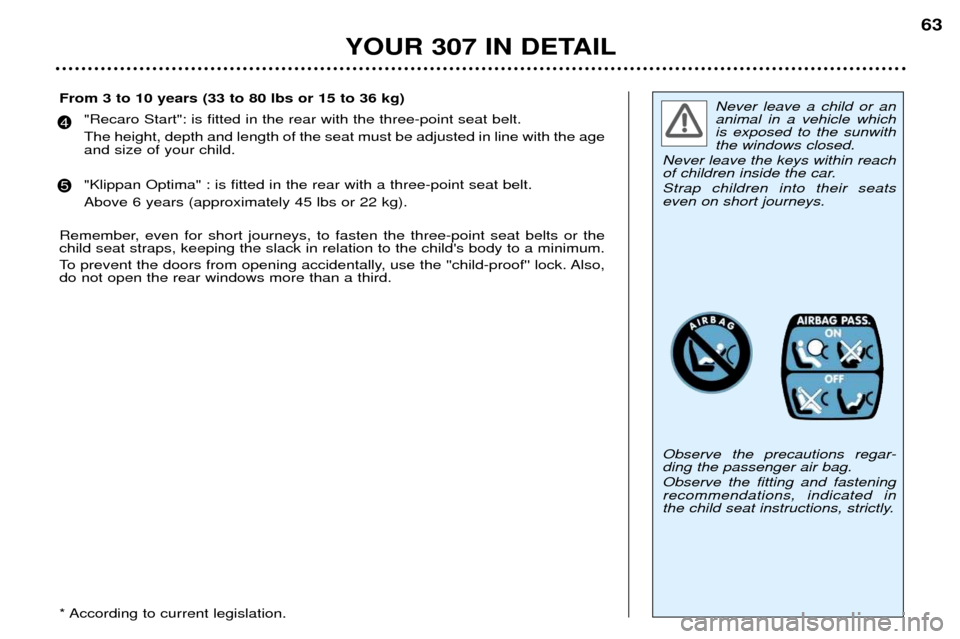
Never leave a child or an animal in a vehicle whichis exposed to the sunwiththe windows closed.
Never leave the keys within reach
of children inside the car. Strap children into their seats even on short journeys. Observe the precautions regar- ding the passenger air bag. Observe the fitting and fastening recommendations, indicated in
the child seat instructions, strictly.
YOUR 307 IN DETAIL 63
From 3 to 10 years (33 to 80 lbs or 15 to 36 kg) "Recaro Start": is fitted in the rear with the three-point seat belt. The height, depth and length of the seat must be adjusted in line with the age and size of your child. "Klippan Optima" : is fitted in the rear with a three-point seat belt. Above 6 years (approximately 45 lbs or 22 kg).
Remember, even for short journeys, to fasten the three-point seat belts or the child seat straps, keeping the slack in relation to the child's body to a minimum.
To prevent the doors from opening accidentally, use the ''child-proof'' lock. Also, do not open the rear windows more than a third.
* According to current legislation.
4
5
Page 66 of 128
65
THE KEYS The keys allow you to switch on the ignition and to independently opera-te the locks on the front doors, thefuel filler cap, the glove box and thepassenger air bag disarming switch. Central locking
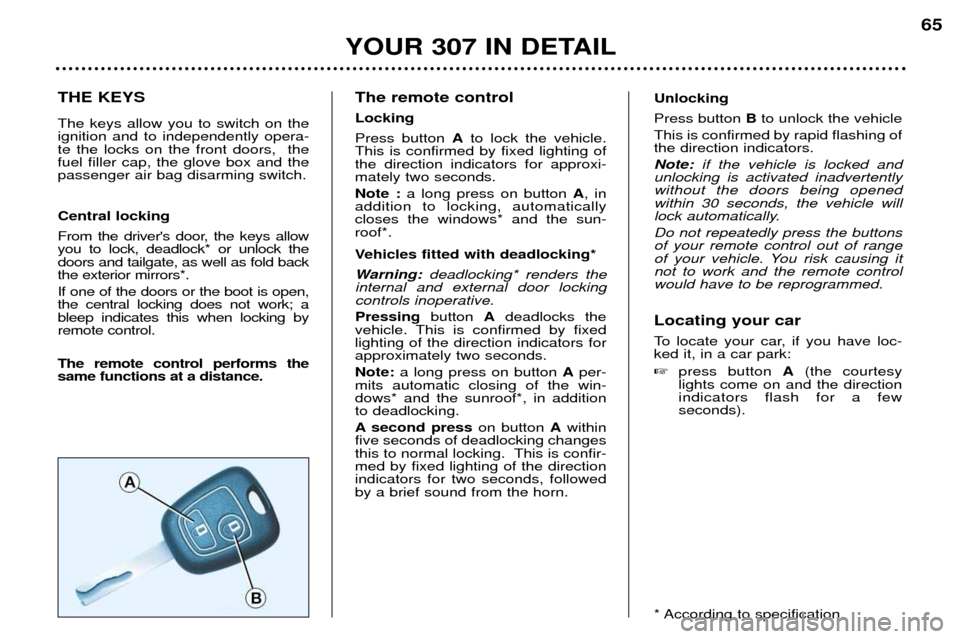
From the driver's door, the keys allow you to lock, deadlock* or unlock thedoors and tailgate, as well as fold backthe exterior mirrors*. If one of the doors or the boot is open, the central locking does not work; ableep indicates this when locking byremote control. The remote control performs the same functions at a distance.The remote control LockingPress button
Ato lock the vehicle.
This is confirmed by fixed lighting of the direction indicators for approxi-mately two seconds. Note : a long press on button A, in
addition to locking, automatically closes the windows* and the sun-roof*.
Vehicles fitted with deadlocking*
Warning: deadlocking* renders the
internal and external door locking controls inoperative. Pressing button Adeadlocks the
vehicle. This is confirmed by fixed lighting of the direction indicators forapproximately two seconds. Note: a long press on button Aper-
mits automatic closing of the win- dows* and the sunroof*, in additionto deadlocking.
A second press on button Awithin
five seconds of deadlocking changes
this to normal locking. This is confir-med by fixed lighting of the directionindicators for two seconds, followedby a brief sound from the horn.
YOUR 307 IN DETAIL
Unlocking Press button Bto unlock the vehicle
This is confirmed by rapid flashing of the direction indicators. Note: if the vehicle is locked and
unlocking is activated inadvertently without the doors being openedwithin 30 seconds, the vehicle will
lock automatically. Do not repeatedly press the buttons of your remote control out of range
of your vehicle. You risk causing itnot to work and the remote controlwould have to be reprogrammed. Locating your car
To locate your car, if you have loc- ked it, in a car park: press button A(the courtesy
lights come on and the direction indicators flash for a fewseconds).
* According to specification.