buttons Peugeot 308 2014 Owner's Manual - RHD (UK, Australia)
[x] Cancel search | Manufacturer: PEUGEOT, Model Year: 2014, Model line: 308, Model: Peugeot 308 2014Pages: 400, PDF Size: 10.01 MB
Page 4 of 400
.
.
ContentsVisual search
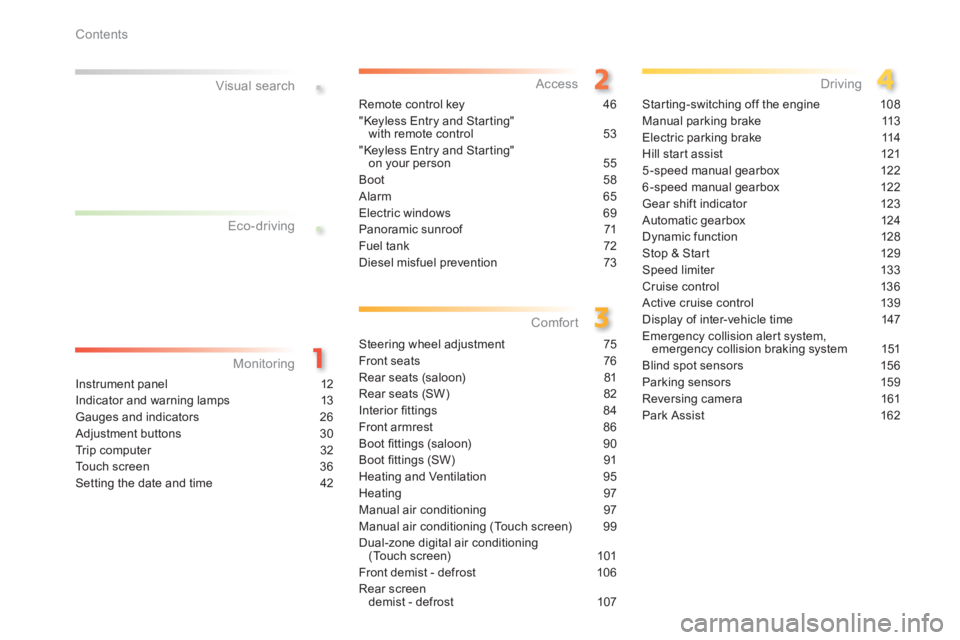
Instrument panel 12
Indicator and warning lamps 13
Gauges and indicators 26
Adjustment buttons 30
Trip computer 32
Touch screen 36
Setting the date and time 42
Remote control key 46
"Keyless Entry and Starting" with remote control 53
"Keyless Entry and Starting" on your person 55
Boot 58
Alarm 65
Electric windows 69
Panoramic sunroof 71
Fuel tank 72
Diesel misfuel prevention 73
Steering wheel adjustment 75
Front seats 76
Rear seats (saloon) 81
Rear seats (SW) 82
Interior fi ttings 84
Front armrest 86
Boot fi ttings (saloon) 90
Boot fi ttings (SW) 91
Heating and Ventilation 95
Heating 97
Manual air conditioning 97
Manual air conditioning (Touch screen) 99
Dual-zone digital air conditioning (Touch screen) 101
Front demist - defrost 106
Rear screen demist - defrost 107
Starting-switching off the engine 108
Manual parking brake 113
Electric parking brake 114
Hill start assist 121
5-speed manual gearbox 122
6-speed manual gearbox 122
Gear shift indicator 123
Automatic gearbox 124
Dynamic function 128
Stop & Start 129
Speed limiter 133
Cruise control 136
Active cruise control 139
Display of inter-vehicle time 147
Emergency collision alert system, emergency collision braking system 151
Blind spot sensors 156
Parking sensors 159
Reversing camera 161
Park Assist 162
Eco-driving
Monitoring Access
Comfort Driving
Page 14 of 400
12
Monitoring
Instrument panel
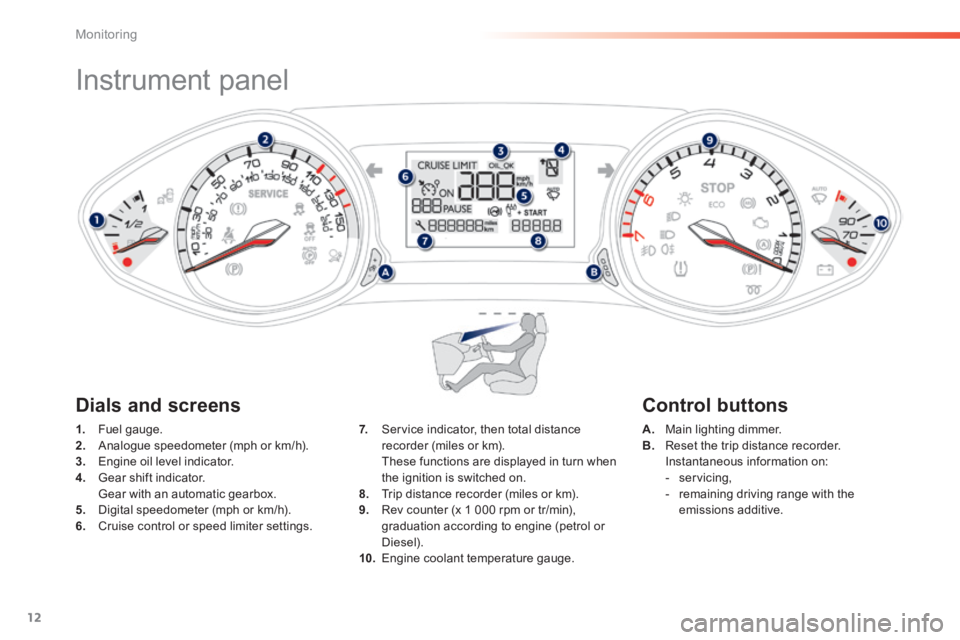
1. Fuel gauge. 2. Analogue speedometer (mph or km/h). 3. Engine oil level indicator. 4. Gear shift indicator. Gear with an automatic gearbox. 5. Digital speedometer (mph or km/h). 6. Cruise control or speed limiter settings.
A. Main lighting dimmer. B. Reset the trip distance recorder. Instantaneous information on: - servicing, - remaining driving range with the emissions additive.
7. Service indicator, then total distance recorder (miles or km). These functions are displayed in turn when the ignition is switched on. 8. Trip distance recorder (miles or km). 9. Rev counter (x 1 000 rpm or tr/min), graduation according to engine (petrol or
Diesel). 10. Engine coolant temperature gauge.
Dials and screens Control buttons
Page 33 of 400
31
1
Monitoring
Lighting dimmer control
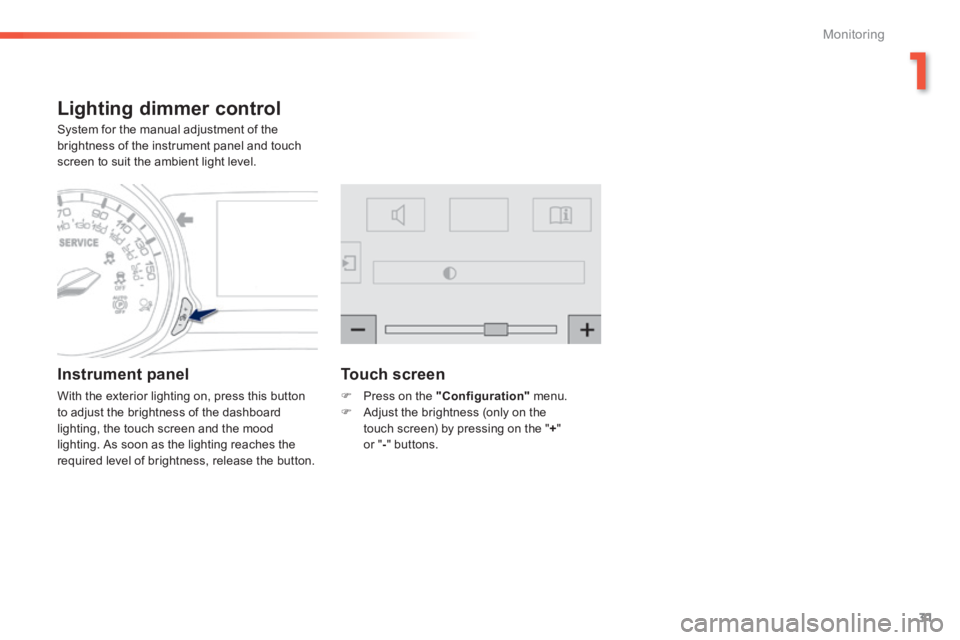
System for the manual adjustment of the brightness of the instrument panel and touch screen to suit the ambient light level.
Instrument panel
With the exterior lighting on, press this button to adjust the brightness of the dashboard lighting, the touch screen and the mood lighting. As soon as the lighting reaches the required level of brightness, release the button.
Touch screen
Press on the "Configuration" menu. Adjust the brightness (only on the touch screen) by pressing on the " + " or " - " buttons.
Page 36 of 400
34
Monitoring
Trip computer
System that gives you information on the current journey (range, fuel consumption…).
Information display in the
touch screen
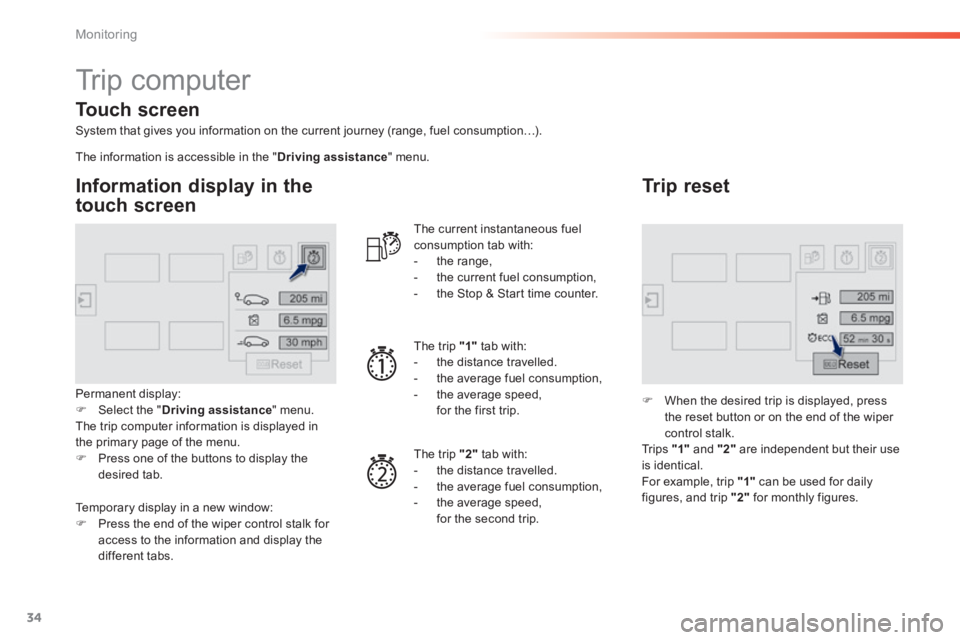
Permanent display: Select the " Driving assistance " menu. The trip computer information is displayed in the primary page of the menu. Press one of the buttons to display the desired tab.
The current instantaneous fuel consumption tab with: - the range, - the current fuel consumption, - the Stop & Start time counter.
The trip "1" tab with: - the distance travelled. - the average fuel consumption, - the average speed, for the first trip.
The trip "2" tab with:
- the distance travelled. - the average fuel consumption, - the average speed, for the second trip.
Trip reset
When the desired trip is displayed, press the reset button or on the end of the wiper
control stalk. Tr i p s "1" and "2" are independent but their use is identical. For example, trip "1" can be used for daily figures, and trip "2" for monthly figures.
The information is accessible in the " Driving assistance " menu.
Temporary display in a new window: Press the end of the wiper control stalk for
access to the information and display the different tabs.
Touch screen
Page 38 of 400
36
Monitoring
Touch screen
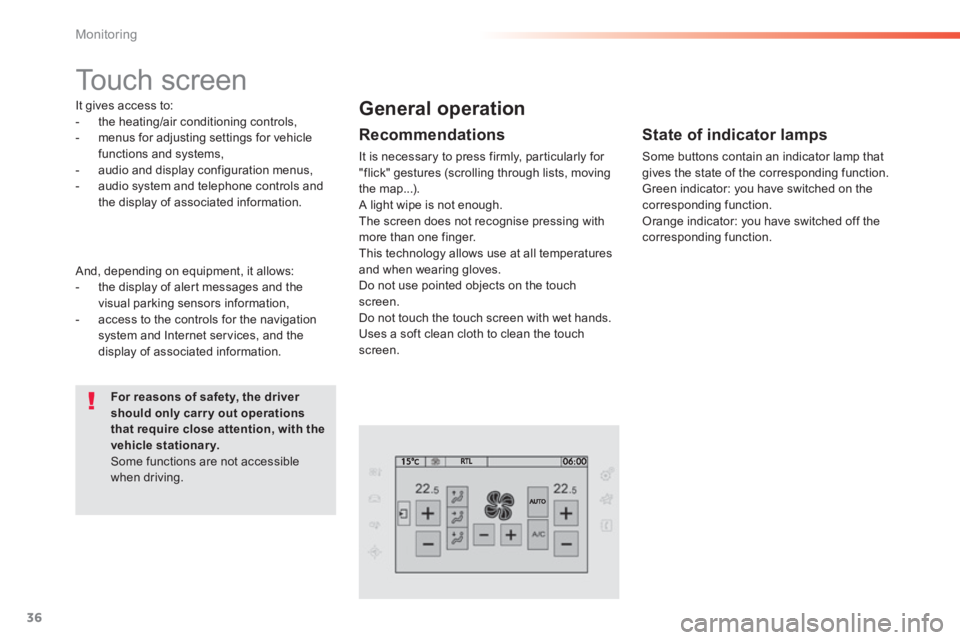
It gives access to: - the heating/air conditioning controls, - menus for adjusting settings for vehicle functions and systems, - audio and display configuration menus, - audio system and telephone controls and the display of associated information.
For reasons of safety, the driver should only carr y out operations that require close attention, with the vehicle stationary. Some functions are not accessible when driving.
General operation
Recommendations
It is necessary to press firmly, particularly for "flick" gestures (scrolling through lists, moving the map...). A light wipe is not enough. The screen does not recognise pressing with
more than one finger. This technology allows use at all temperatures and when wearing gloves. Do not use pointed objects on the touch screen. Do not touch the touch screen with wet hands. Uses a soft clean cloth to clean the touch screen.
And, depending on equipment, it allows: - the display of alert messages and the visual parking sensors information, - access to the controls for the navigation system and Internet services, and the display of associated information.
State of indicator lamps
Some buttons contain an indicator lamp that gives the state of the corresponding function. Green indicator: you have switched on the corresponding function. Orange indicator: you have switched off the corresponding function.
Page 39 of 400
37
1
Monitoring
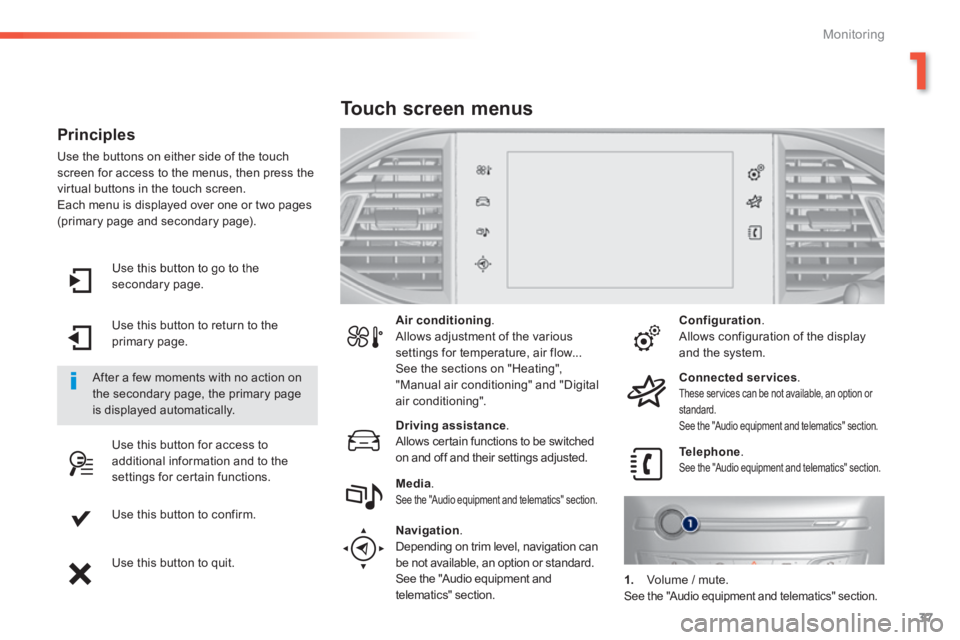
Use this button to go to the secondary page.
Use this button to return to the primary page.
Use this button for access to additional information and to the settings for certain functions.
Use this button to confirm.
Use this button to quit.
Principles
Use the buttons on either side of the touch screen for access to the menus, then press the virtual buttons in the touch screen. Each menu is displayed over one or two pages (primary page and secondary page).
After a few moments with no action on the secondary page, the primary page is displayed automatically.
Air conditioning . Allows adjustment of the various settings for temperature, air flow... See the sections on "Heating", "Manual air conditioning" and "Digital air conditioning".
Touch screen menus
Driving assistance . Allows certain functions to be switched on and off and their settings adjusted. Telephone . See the "Audio equipment and telematics" section. Media . See the "Audio equipment and telematics" section.
Navigation .
Depending on trim level, navigation can be not available, an option or standard. See the "Audio equipment and telematics" section.
Configuration . Allows configuration of the display and the system.
Connected services . These services can be not available, an option or standard. See the "Audio equipment and telematics" section.
1. Volume / mute. See the "Audio equipment and telematics" section.
Page 45 of 400
43
1
Monitoring
For more information on the Multimedia menu, refer to the "Audio
equipment and telematics" section.
Screen C
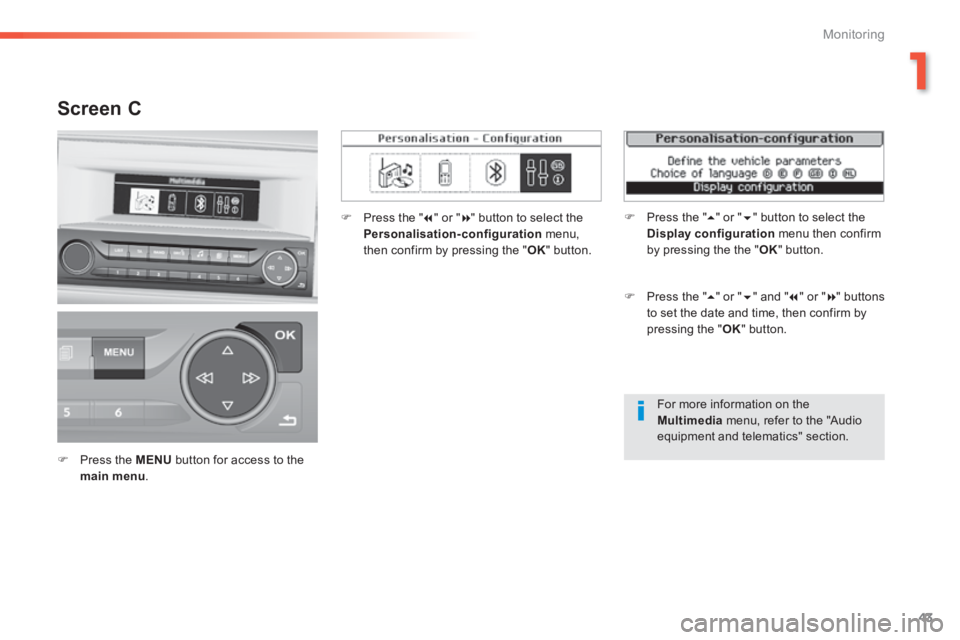
Press the MENU button for access to the main menu .
Press the " " or " " button to select the Personalisation-configuration menu, then confirm by pressing the " OK " button.
Press the " " or " " and " " or " " buttons to set the date and time, then confirm by pressing the " OK " button.
Press the " " or " " button to select the Display configuration menu then confirm by pressing the the " OK " button.
Page 46 of 400
44
Monitoring
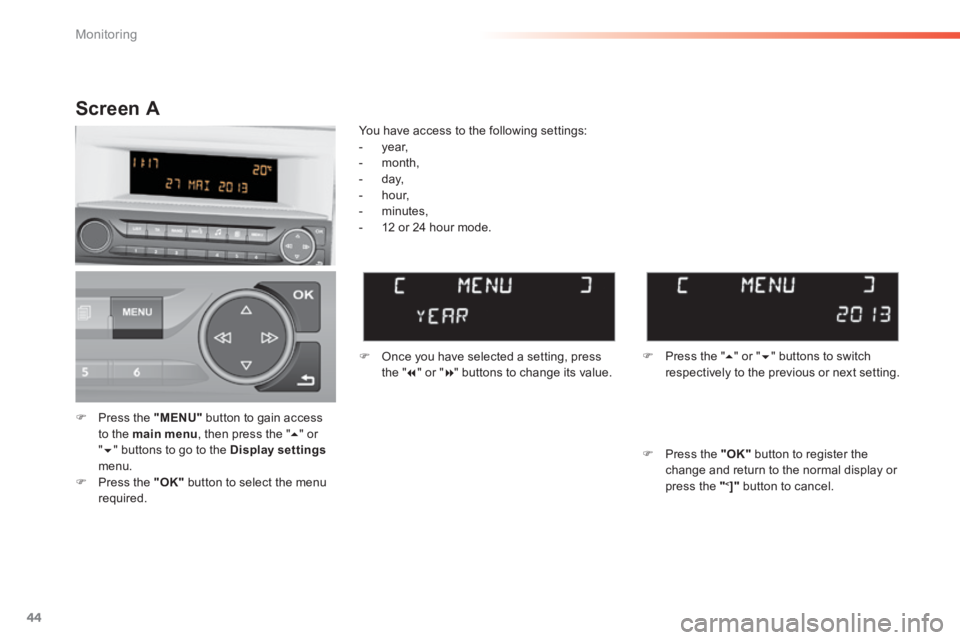
Press the "MENU" button to gain access to the main menu , then press the " " or " " buttons to go to the Display settingsmenu. Press the "OK" button to select the menu r e q u i r e d .
Once you have selected a setting, press t h e " " or " " buttons to change its value.
You have access to the following settings: - year, - month, - day, - hour, - minutes,
- 12 or 24 hour mode.
Screen A
Press the " " or " " buttons to switch respectively to the previous or next setting.
Press the "OK" button to register the change and return to the normal display or press the "<]" button to cancel.
Page 47 of 400
45
1
Monitoring
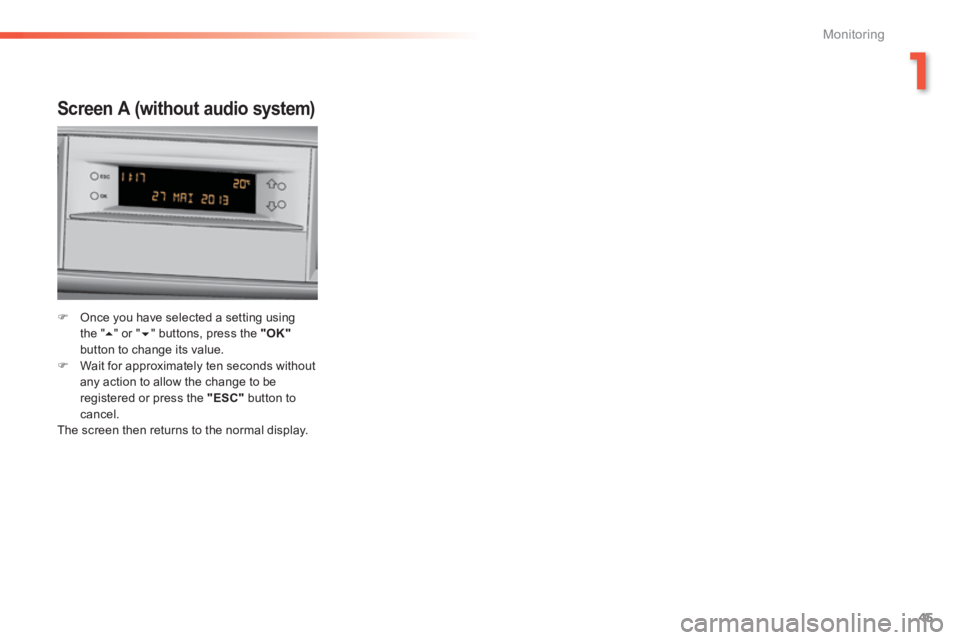
Screen A (without audio system)
Once you have selected a setting using t h e " " or " " buttons, press the "OK"button to change its value. Wait for approximately ten seconds without any action to allow the change to be registered or press the "ESC" button to cancel. The screen then returns to the normal display.
Page 56 of 400
54
Access
Unlocking the boot Locking
Locking is confirmed by fixed lighting of the direction indicators for a few seconds. Depending on your version, the door mirrors fold, the alarm is activated.
Press the closed padlock to lock the vehicle completely. Hold the button down until the windows close completely.
Press this button until the direction indicators flash rapidly. The vehicle is completely unlocked and if your vehicle has an alarm, it is deactivated.
This function allows you to identify your vehicle from a distance, particularly in poor light. Your vehicle must be locked.
Locating your vehicle
Press the closed padlock on the remote control. This will switch on the courtesy lamps and the direction indicators will flash for around ten seconds.
Driving with the doors locked may make access to the passenger compartment by the emergency services difficult in
the event of an emergency. Be aware of children when operating the windows.
As a safety measure (children on board), never leave the vehicle without taking the key for the Keyless Entry and Starting system, even for a short period. Guard against theft when the key for the Keyless Entry and Starting system is in the recognition zone with the vehicle unlocked. In order to preserve the charge of the cell battery in the remote control, the "hands-free" functions go into extended stand-by after 21 days of non-use. To restore these functions, press one of the remote control buttons or start the engine with the electronic key in the reader.
If a door or the boot is not properly closed, with the engine runningor the vehicle moving (speed above 6 mph (10 km/h)), a message appears for a few seconds.