buttons Peugeot 308 2014 Owner's Guide
[x] Cancel search | Manufacturer: PEUGEOT, Model Year: 2014, Model line: 308, Model: Peugeot 308 2014Pages: 400, PDF Size: 10.05 MB
Page 139 of 400
137
4
Driving
308_EN_CHAP04_CONDUITE_ED02-2013
Switching on
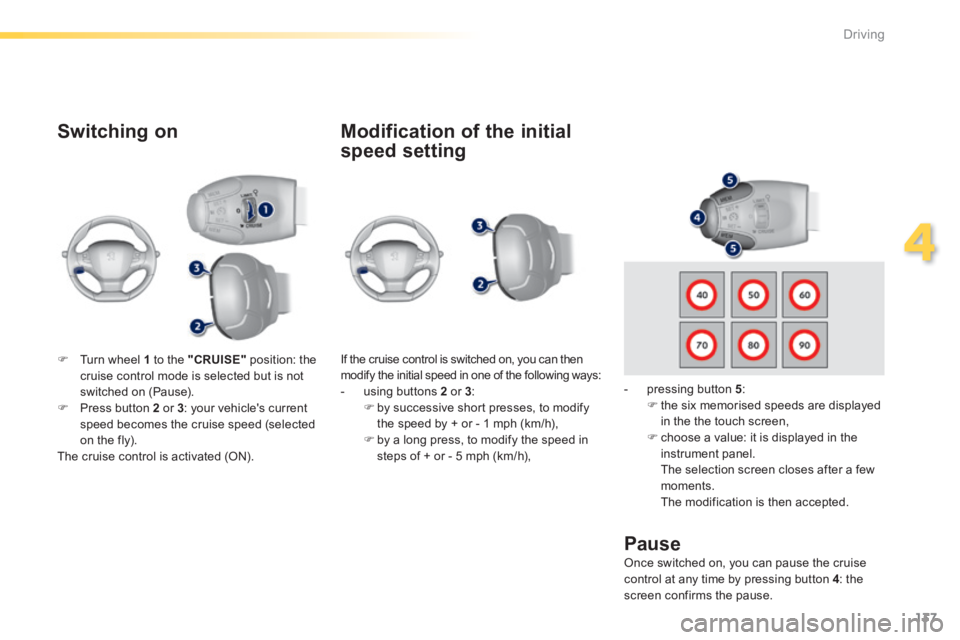
If the cruise control is switched on, you can then modify the initial speed in one of the following ways: - using buttons 2 or 3 : by successive short presses, to modify the speed by + or - 1 mph (km/h), by a long press, to modify the speed in steps of + or - 5 mph (km/h),
Pause
Turn wheel 1 to the "CRUISE" position: the cruise control mode is selected but is not switched on (Pause). Press button 2 or 3 : your vehicle's current speed becomes the cruise speed (selected on the fly). The cruise control is activated (ON).
Modification of the initial
speed setting
- pressing button 5 : the six memorised speeds are displayed in the the touch screen,
choose a value: it is displayed in the instrument panel. The selection screen closes after a few moments. The modification is then accepted.
Once switched on, you can pause the cruise control at any time by pressing button 4 : the screen confirms the pause.
Page 140 of 400
138
Driving
308_EN_CHAP04_CONDUITE_ED02-2013
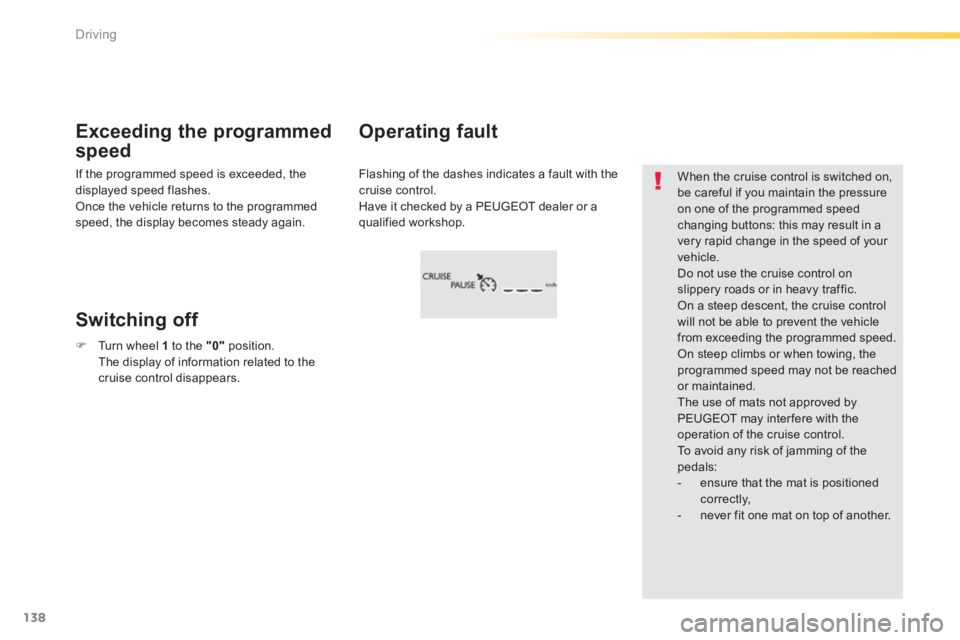
Flashing of the dashes indicates a fault with the cruise control. Have it checked by a PEUGEOT dealer or a qualified workshop.
Operating fault Exceeding the programmed
speed
Switching off
When the cruise control is switched on, be careful if you maintain the pressure on one of the programmed speed
changing buttons: this may result in a very rapid change in the speed of your vehicle. Do not use the cruise control on slippery roads or in heavy traffic. On a steep descent, the cruise control will not be able to prevent the vehicle from exceeding the programmed speed. On steep climbs or when towing, the programmed speed may not be reached or maintained. The use of mats not approved by PEUGEOT may inter fere with the operation of the cruise control. To avoid any risk of jamming of the pedals: - ensure that the mat is positioned c o r r e c t l y, - never fit one mat on top of another.
If the programmed speed is exceeded, the displayed speed flashes. Once the vehicle returns to the programmed speed, the display becomes steady again.
Turn wheel 1 to the "0" position. The display of information related to the cruise control disappears.
Page 143 of 400
141
4
Driving
308_EN_CHAP04_CONDUITE_ED02-2013
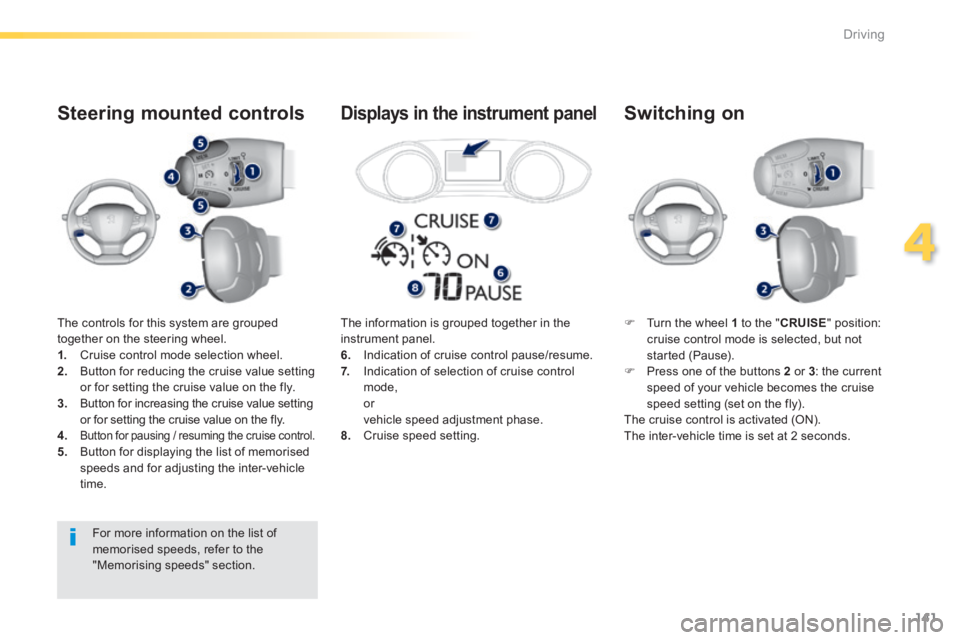
The controls for this system are grouped together on the steering wheel. 1. Cruise control mode selection wheel. 2. Button for reducing the cruise value setting or for setting the cruise value on the fly. 3. Button for increasing the cruise value setting or for setting the cruise value on the fly.
4.Button for pausing / resuming the cruise control. 5. Button for displaying the list of memorised speeds and for adjusting the inter-vehicle time.
Steering mounted controls
Turn the wheel 1 to the " CRUISE " position: cruise control mode is selected, but not started (Pause). Press one of the buttons 2 or 3 : the current speed of your vehicle becomes the cruise speed setting (set on the fly). The cruise control is activated (ON). The inter-vehicle time is set at 2 seconds.
Switching on
The information is grouped together in the instrument panel. 6. Indication of cruise control pause/resume. 7. Indication of selection of cruise control mode, or vehicle speed adjustment phase. 8. Cruise speed setting.
Displays in the instrument panel
For more information on the list of memorised speeds, refer to the "Memorising speeds" section.
Page 144 of 400
142
Driving
308_EN_CHAP04_CONDUITE_ED02-2013
Modification of the cruise
control speed and/or the
inter-vehicle time
Modification of the cruise
control speed only
Buttons 2 (SET+) and 3 (SET-)
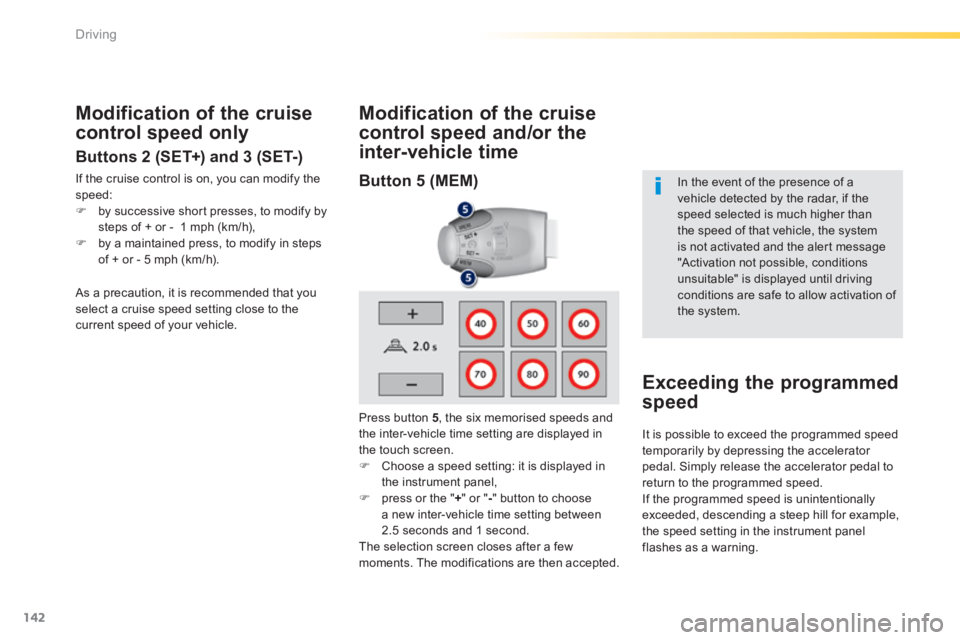
If the cruise control is on, you can modify the speed: by successive short presses, to modify by steps of + or - 1 mph (km/h), by a maintained press, to modify in steps of + or - 5 mph (km/h).
Press button 5 , the six memorised speeds and the inter-vehicle time setting are displayed in the touch screen. Choose a speed setting: it is displayed in the instrument panel, press or the " + " or " - " button to choose a new inter-vehicle time setting between 2.5 seconds and 1 second. The selection screen closes after a few moments. The modifications are then accepted.
In the event of the presence of a vehicle detected by the radar, if the speed selected is much higher than
the speed of that vehicle, the system is not activated and the alert message "Activation not possible, conditions unsuitable" is displayed until driving conditions are safe to allow activation of the system.
Exceeding the programmed
speed
As a precaution, it is recommended that you select a cruise speed setting close to the current speed of your vehicle.
It is possible to exceed the programmed speed temporarily by depressing the accelerator pedal. Simply release the accelerator pedal to return to the programmed speed. If the programmed speed is unintentionally exceeded, descending a steep hill for example, the speed setting in the instrument panel flashes as a warning.
Button 5 (MEM)
Page 148 of 400
146
Driving
308_EN_CHAP04_CONDUITE_ED02-2013
In the event of a fault with the active cruise control, you are alerted by an audible signal and display of the message message "Driving aid functions fault". Have the system checked by a PEUGEOT dealer or a qualified workshop.
When the cruise control is working, take care if making a maintained press on one of the cruise control programmed speed modification buttons: this can lead to a very quick change in the speed of your vehicle. Do not use the active cruise control on slippery sur faces or in heavy traffic. When descending a steep hill, the cruise control may not be able to prevent the vehicle from exceeding the programmed speed. When ascending a steep hill or when towing, it might not be possible to attain or maintain the programmed speed.
Operating fault
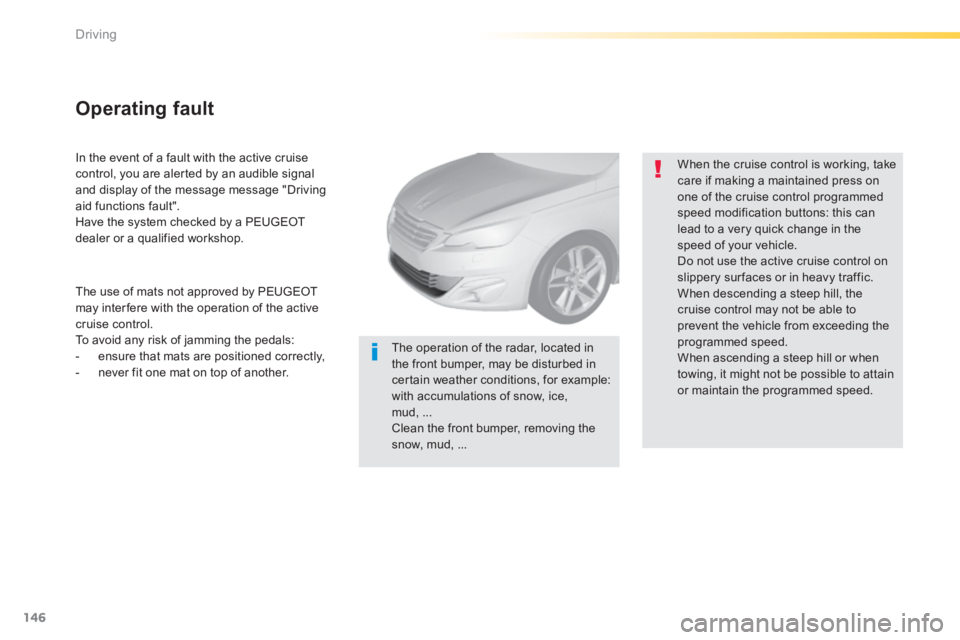
The operation of the radar, located in the front bumper, may be disturbed in certain weather conditions, for example: with accumulations of snow, ice, mud, ... Clean the front bumper, removing the snow, mud, ...
The use of mats not approved by PEUGEOT may inter fere with the operation of the active cruise control. To avoid any risk of jamming the pedals: - ensure that mats are positioned correctly, - never fit one mat on top of another.
Page 193 of 400
191
6
Safety
308_EN_CHAP06_SECURITE_ED02-2013
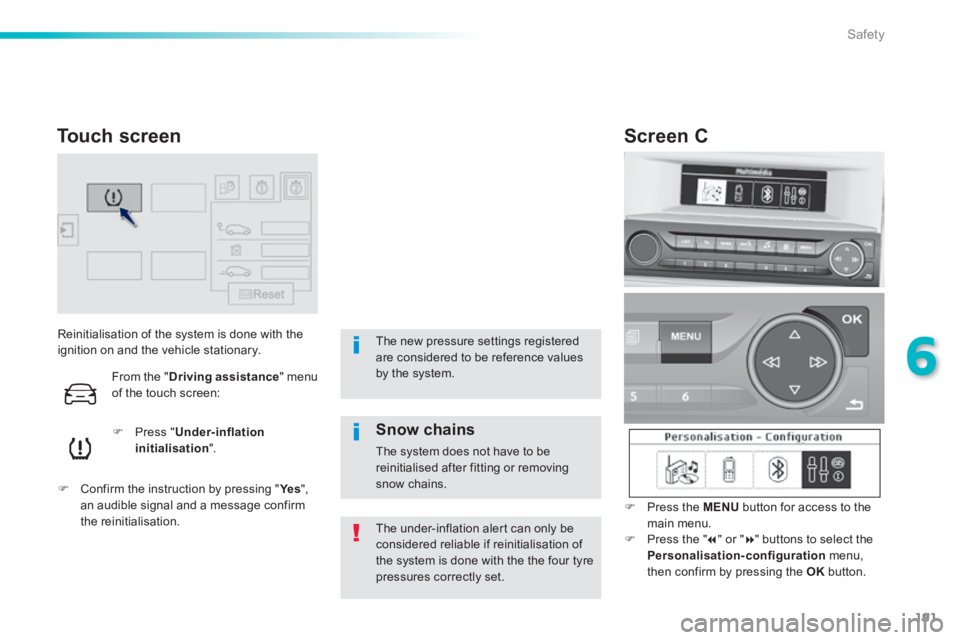
Reinitialisation of the system is done with the ignition on and the vehicle stationary.
Press " Under-inflation initialisation ".
Confirm the instruction by pressing " Ye s Confirm the instruction by pressing " Ye s Confirm the instruction by pressing " ", an audible signal and a message confirm the reinitialisation. The under-inflation alert can only be considered reliable if reinitialisation of the system is done with the the four tyre pressures correctly set.
Touch screen
The new pressure settings registered are considered to be reference values by the system.
Screen C
Press the MENU button for access to the main menu. Press the " " or " " buttons to select the Personalisation-configuration menu, then confirm by pressing the OK button.
Snow chains
The system does not have to be reinitialised after fitting or removing snow chains.
From the " Driving assistance " menu of the touch screen:
Page 297 of 400

01
308_EN_CHAP10C_SMEGPLUS_ED02-2013
Use the buttons on either side of the touch screen for access to the men\
us, then press the virtual buttons in the touch screen.
Each menu is displayed in one or two pages (primary page and secondary \
page).
GENERAL OPERATION
In very hot conditions, the system may go into stand-by (screen and sou\
nd completely off) for a minimum period of 5 minutes.
Secondary page
295
Primary page
Page 298 of 400
02
296
308_EN_CHAP10C_SMEGPLUS_ED02-2013
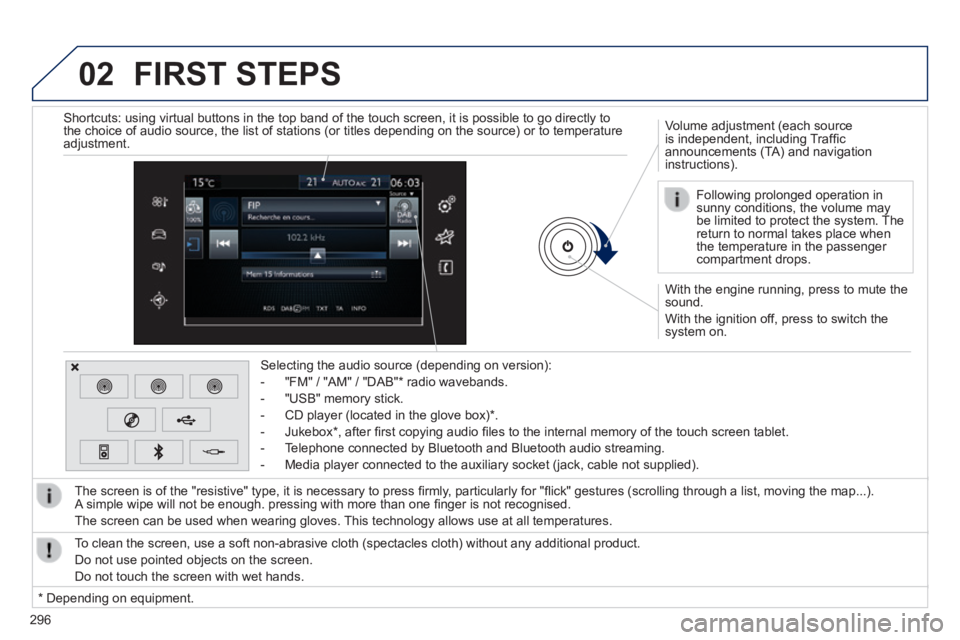
With the engine running, press to mute the sound.
With the ignition off, press to switch the system on.
Volume adjustment (each source is independent, including Traffi c announcements (TA) and navigation instructions).
Selecting the audio source (depending on version):
- "FM" / "AM" / "DAB" * radio wavebands.
- "USB" memory stick.
- CD player (located in the glove box) * .
- Jukebox * , after fi rst copying audio fi les to the internal memory of the touch screen tablet.
- Telephone connected by Bluetooth and Bluetooth audio streaming.
- Media player connected to the auxiliary socket (jack, cable not supplie\
d).
The screen is of the "resistive" type, it is necessary to press fi rmly, particularly for "fl ick" gestures (scrolling through a list, moving the map...). A simple wipe will not be enough. pressing with more than one fi nger is not recognised.
The screen can be used when wearing gloves. This technology allows use at all temperatures.
FIRST STEPS
* Depending on equipment.
To clean the screen, use a soft non-abrasive cloth (spectacles cloth) w\
ithout any additional product.
Do not use pointed objects on the screen.
Do not touch the screen with wet hands.
Following prolonged operation in sunny conditions, the volume may be limited to protect the system. The return to normal takes place when the temperature in the passenger compartment drops.
Shortcuts: using virtual buttons in the top band of the touch screen, it\
is possible to go directly to the choice of audio source, the list of stations (or titles depending o\
n the source) or to temperature adjustment.
Page 310 of 400
04
308
308_EN_CHAP10C_SMEGPLUS_ED02-2013
RADIO
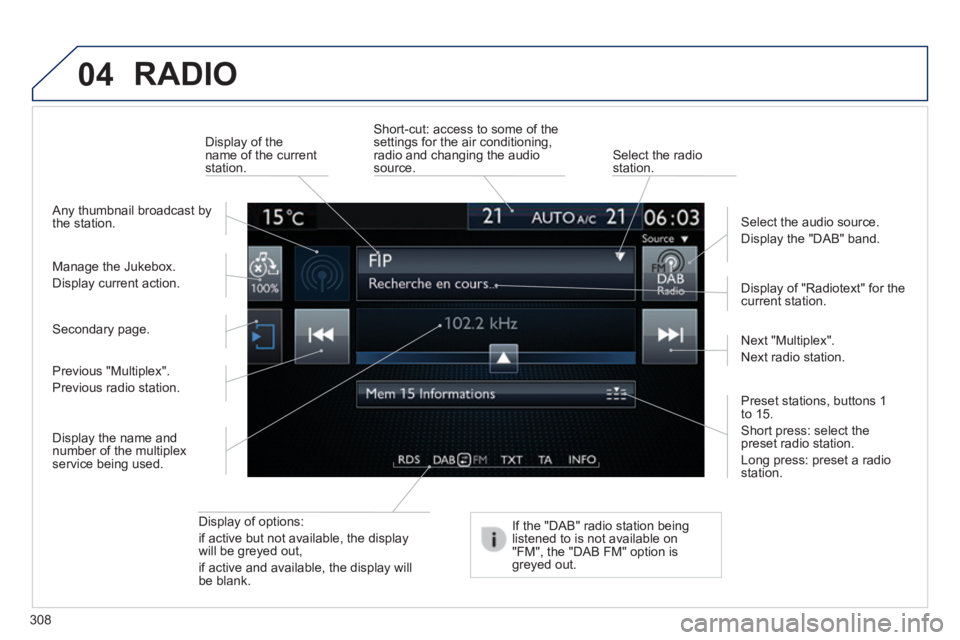
Display of options:
if active but not available, the display will be greyed out,
if active and available, the display will be blank.
Display of "Radiotext" for the current station.
Manage the Jukebox.
Display current action.
Select the audio source.
Display the "DAB" band.
Display of the name of the current station.
Short-cut: access to some of the settings for the air conditioning, radio and changing the audio source. Select the radio station.
If the "DAB" radio station being listened to is not available on "FM", the "DAB FM" option is greyed out.
Any thumbnail broadcast by the station.
Preset stations, buttons 1 to 15 .
Short press: select the preset radio station.
Long press: preset a radio station.
Next "Multiplex".
Next radio station.
Secondary page.
Display the name and number of the multiplex service being used.
Previous "Multiplex".
Previous radio station.
Page 315 of 400
04
313
308_EN_CHAP10C_SMEGPLUS_ED02-2013
Audio streaming
Streaming allows audio fi les on your telephone to be played via the vehicle's speakers.
Connect the telephone: see the " Telephone " section, then " Bluetooth ".
Choose the " Audio " or " All " profi le.
If play does not start automatically, it may be necessary to start the audio playback from the telephone.
Control is from the peripheral device or by using the audio system buttons.
Once connected in streaming mode, the telephone is considered to be a media source.
It is recommended that you activate " Repeat " on the Bluetooth peripheral.
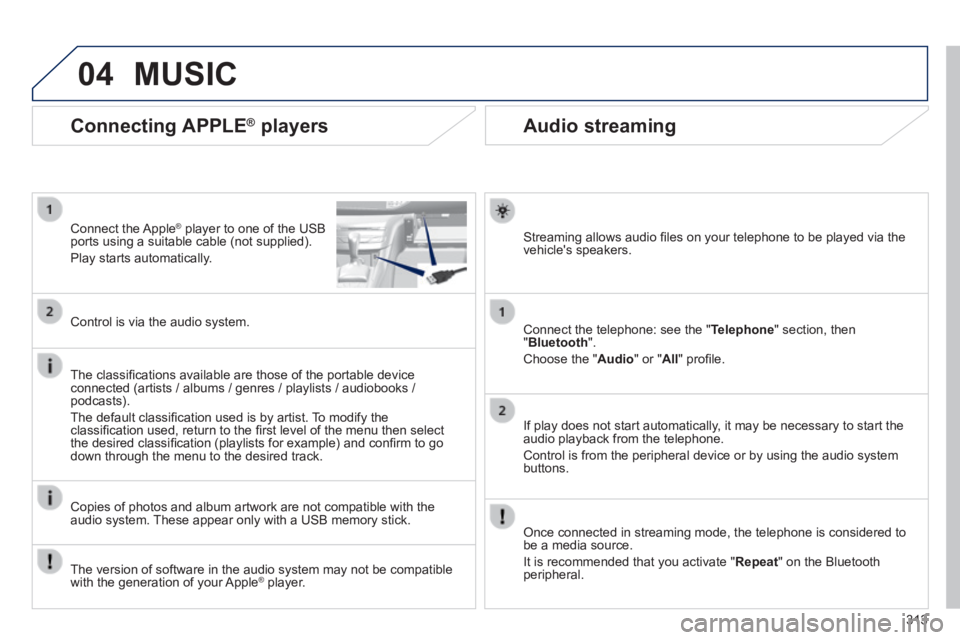
Connecting APPLE ® players
Connect the Apple ® player to one of the USB ® player to one of the USB ®
ports using a suitable cable (not supplied).
Play starts automatically.
Control is via the audio system.
The classifi cations available are those of the portable device connected (artists / albums / genres / playlists / audiobooks / podcasts).
The default classifi cation used is by artist. To modify the classifi cation used, return to the fi rst level of the menu then select the desired classifi cation (playlists for example) and confi rm to go down through the menu to the desired track.
Copies of photos and album artwork are not compatible with the audio system. These appear only with a USB memory stick.
MUSIC
The version of software in the audio system may not be compatible with the generation of your Apple ® player. ® player. ®