eco mode Peugeot 308 2014 Owner's Guide
[x] Cancel search | Manufacturer: PEUGEOT, Model Year: 2014, Model line: 308, Model: Peugeot 308 2014Pages: 400, PDF Size: 10.05 MB
Page 178 of 400
176
Visibility
308_EN_CHAP05_VISIBILITE_ED02-2013
In good or rainy weather, both day and night, the front foglamps and the
rear foglamps are prohibited. In these situations, the power of their beams may dazzle other drivers. They should only be used in fog or snow. In these weather conditions, it is your responsibility to switch on the foglamps and dipped headlamps manually as the sunshine sensor may detect sufficient light. Do not forget to switch off the front foglamps and the rear foglamps when they are no longer needed.
Lighting left on audible signal
An audible signal when a front door is opened warns the driver that the vehicle's exterior lighting is on, with the ignition off and in manual lighting mode. In this case, switching off the lighting stops the audible signal. With the ignition off, if the dipped headlamps remain on, the vehicle goes into "ECO" mode to avoid discharging the battery.
In some weather conditions (e.g. low temperature or humidity), the presence of misting on the internal sur face of the glass of the headlamps and rear lamps is normal; it disappears after the lamps have been on for a few minutes.
The lighting goes off when you switch off the ignition, but you can always switch it on again using the lighting control stalk.
Page 187 of 400
185
5
Visibility
308_EN_CHAP05_VISIBILITE_ED02-2013
Courtesy lamps
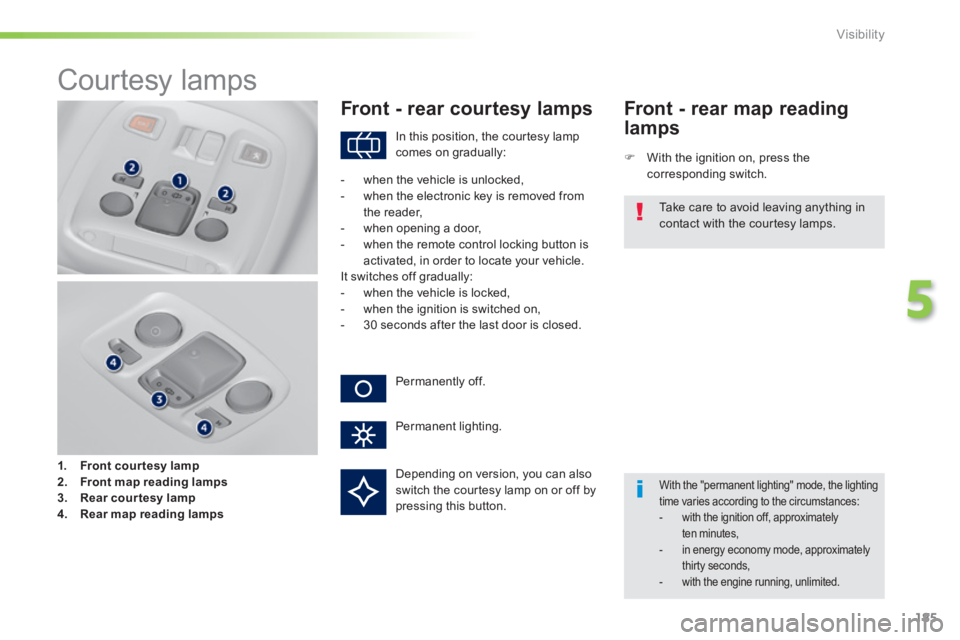
1. Front courtesy lamp2. Front map reading lamps3. Rear courtesy lamp4. Rear map reading lamps
Front - rear courtesy lamps
With the ignition on, press the corresponding switch.
Front - rear map reading
lamps
With the "permanent lighting" mode, the lighting time varies according to the circumstances: - with the ignition off, approximately ten minutes, - in energy economy mode, approximately thirty seconds, - with the engine running, unlimited.
In this position, the courtesy lamp comes on gradually:
Permanently off.
Permanent lighting.
- when the vehicle is unlocked, - when the electronic key is removed from the reader,
- when opening a door, - when the remote control locking button is activated, in order to locate your vehicle. It switches off gradually: - when the vehicle is locked, - when the ignition is switched on, - 30 seconds after the last door is closed.
Take care to avoid leaving anything in
contact with the courtesy lamps.
Depending on version, you can also switch the courtesy lamp on or off by pressing this button.
Page 257 of 400
255
7
Practical information
308_EN_CHAP07_INFO PR ATIQUES_ED02-2013
System which manages the duration of use of certain functions to conserve a sufficient level of charge in the battery. After the engine has stopped, you can still use functions such as the audio and telematics system, windscreen wipers, dipped beam headlamps, courtesy lamps, etc. for a maximum combined duration of about forty minutes.
Energy economy mode
Switching to economy
mode
A message then appears in the instrument panel screen indicating that the vehicle has switched to economy mode and the active functions are put on standby.
If a telephone call is being made at this time, it will be maintained for around 10 minutes with the Bluetooth hands-free system of your audio system.
Exiting economy mode
These functions are reactivated automatically next time the vehicle is driven. In order to restore the use of these functions immediately, start the engine and let it run: - for less than ten minutes, to use the equipment for approximately five minutes, - for more than ten minutes, to use the equipment for up to approximately thirty minutes. Let the engine run for the duration specified to ensure that the battery charge is sufficient. Do not repeatedly and continuously restart the engine in order to charge the battery. A flat battery prevents the engine from starting (refer to the "Battery" section).
Load reduction mode
System which manages the use of certain functions according to the level of charge remaining in the battery. When the vehicle is being driven, the load reduction function temporarily deactivates certain functions, such as the air conditioning, the heated rear screen... The deactivated functions are reactivated automatically as soon as conditions permit.
Page 295 of 400
293
308_EN_CHAP10C_SMEGPLUS_ED02-2013
The system is protected in such a way that it will only operate in your vehicle.
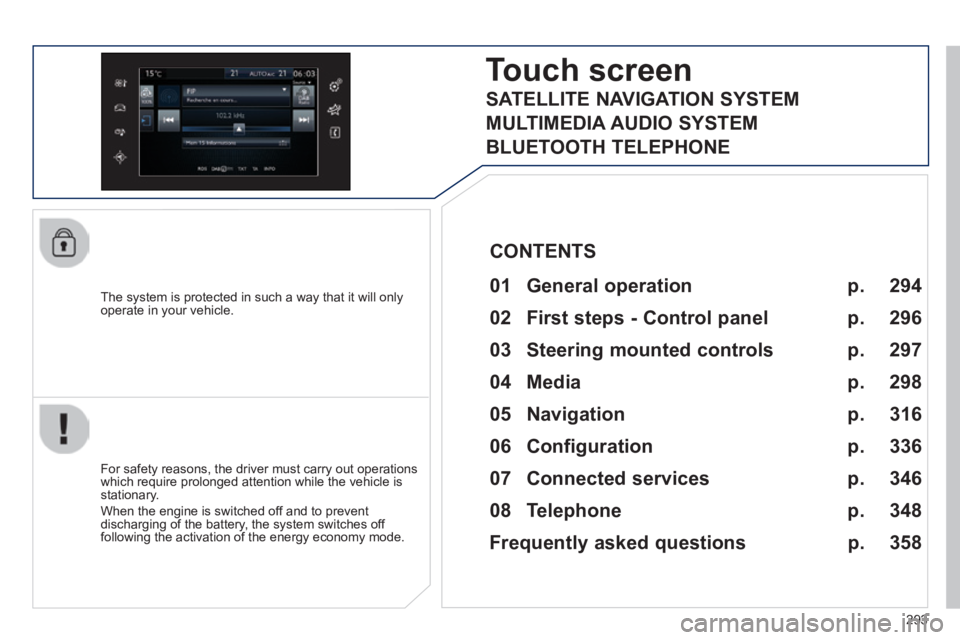
Touch screen
01 General operation
For safety reasons, the driver must carry out operations which require prolonged attention while the vehicle is stationary.
When the engine is switched off and to prevent discharging of the battery, the system switches off following the activation of the energy economy mode.
CONTENTS
02 First steps - Control panel
04 Media
05 Navigation
06 Configuration
07 Connected services
08 Telephone p.
p.
p.
p.
p.
p.
p.
Frequently asked questions p.
SATELLITE NAVIGATION SYSTEM
MULTIMEDIA AUDIO SYSTEM
BLUETOOTH TELEPHONE
294
296
316
298
336
346
348
358
03 Steering mounted controls
p. 297
Page 303 of 400
301
308_EN_CHAP10C_SMEGPLUS_ED02-2013
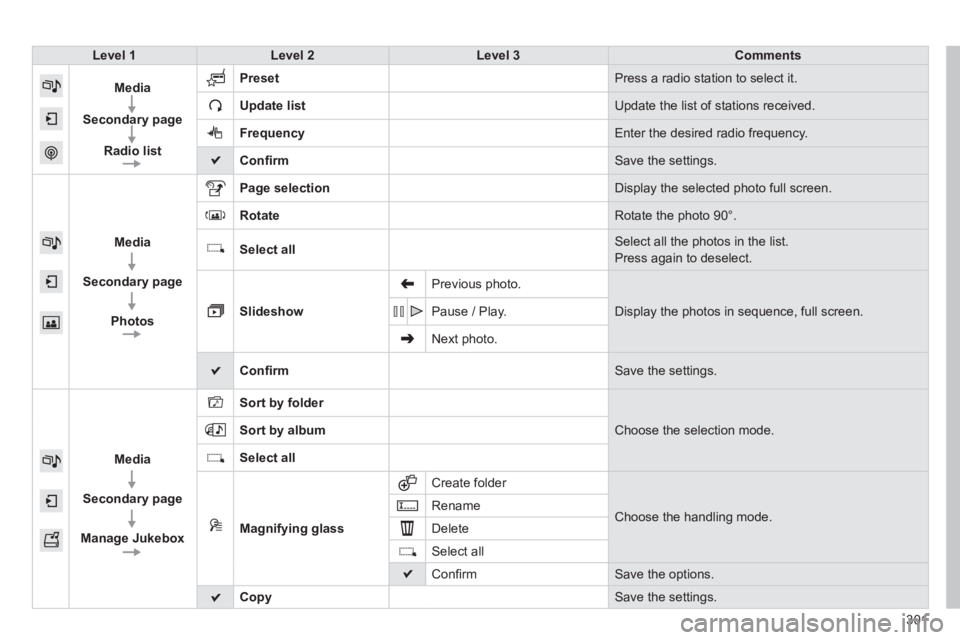
Level 1Level 2Level 3Comments
Media
Secondary page
Radio list
Preset Press a radio station to select it.
Update list Update the list of stations received.
Frequency Enter the desired radio frequency.
Confi rm Save the settings.
Media
Secondary page
Photos
Page selection Display the selected photo full screen.
Rotate Rotate the photo 90°.
Select all Select all the photos in the list.
Press again to deselect.
Slideshow
Previous photo.
Display the photos in sequence, full screen. Pause / Play.
Next photo.
Confi rm Save the settings.
Media
Secondary page
Manage Jukebox
Sort by folder
Choose the selection mode. Sort by album
Select all
Magnifying glass
Create folder
Choose the handling mode. Rename
Delete
Select all
Confi rm Save the options.
Copy Save the settings .
Page 306 of 400
 may prevent reception, even in RDS station tracki")
04
308_EN_CHAP10C_SMEGPLUS_ED02-2013
Selecting a station
The exterior environment (hills, buildings, tunnel, car park, below gro\
und...) may prevent reception, even in RDS station tracking mode. This phenomenon is normal in the propagation of radio waves and is in no\
way indicative of a fault with the audio system.
Select " List " in the primary page.
or
Select " Radio list " in the secondary page.
Press on Media to display the primary page.
or
Press on Media to display the primary page then go to the secondary page.
Select a radio station from the list offered. If necessary, select change of source.
Press Media to display the primary page then select " Memo ".
Select " FM Radio " or " AM Radio ".
OR
Select " Update list " to refresh the list.
RADIO
Select a preset radio station in the list.
304
Page 313 of 400
04
3 11
308_EN_CHAP10C_SMEGPLUS_ED02-2013
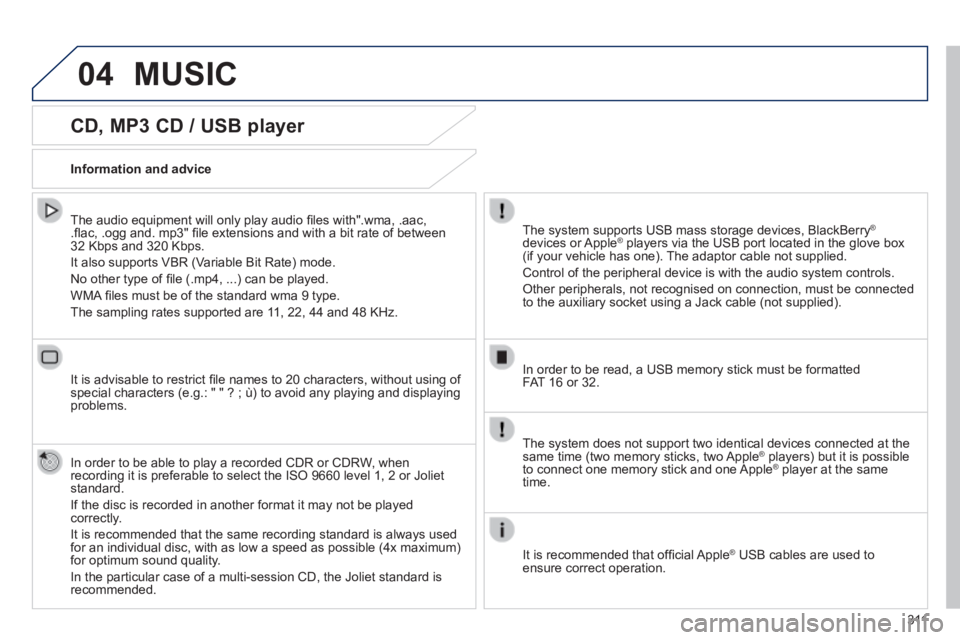
CD, MP3 CD / USB player
The audio equipment will only play audio fi les with".wma, .aac, .fl ac, .ogg and. mp3" fi le extensions and with a bit rate of between 32 Kbps and 320 Kbps.
It also supports VBR (Variable Bit Rate) mode.
No other type of fi le (.mp4, ...) can be played.
WMA fi les must be of the standard wma 9 type.
The sampling rates supported are 11, 22, 44 and 48 KHz.
It is advisable to restrict fi le names to 20 characters, without using of special characters (e.g.: " " ? ; ù) to avoid any playing and displ\
aying problems.
In order to be able to play a recorded CDR or CDRW, when recording it is preferable to select the ISO 9660 level 1, 2 or Joliet standard.
If the disc is recorded in another format it may not be played correctly.
It is recommended that the same recording standard is always used for an individual disc, with as low a speed as possible (4x maximum) for optimum sound quality.
In the particular case of a multi-session CD, the Joliet standard is recommended.
Information and advice
The system supports USB mass storage devices, BlackBerry ®
devices or Apple ® players via the USB port located in the glove box ® players via the USB port located in the glove box ®
(if your vehicle has one). The adaptor cable not supplied.
Control of the peripheral device is with the audio system controls.
Other peripherals, not recognised on connection, must be connected to the auxiliary socket using a Jack cable (not supplied).
In order to be read, a USB memory stick must be formatted FAT 16 or 32.
MUSIC
The system does not support two identical devices connected at the same time (two memory sticks, two Apple ® players) but it is possible ® players) but it is possible ®
to connect one memory stick and one Apple ® player at the same ® player at the same ®
time.
It is recommended that offi cial Apple ® USB cables are used to ® USB cables are used to ®
ensure correct operation.
Page 315 of 400
04
313
308_EN_CHAP10C_SMEGPLUS_ED02-2013
Audio streaming
Streaming allows audio fi les on your telephone to be played via the vehicle's speakers.
Connect the telephone: see the " Telephone " section, then " Bluetooth ".
Choose the " Audio " or " All " profi le.
If play does not start automatically, it may be necessary to start the audio playback from the telephone.
Control is from the peripheral device or by using the audio system buttons.
Once connected in streaming mode, the telephone is considered to be a media source.
It is recommended that you activate " Repeat " on the Bluetooth peripheral.
Connecting APPLE ® players
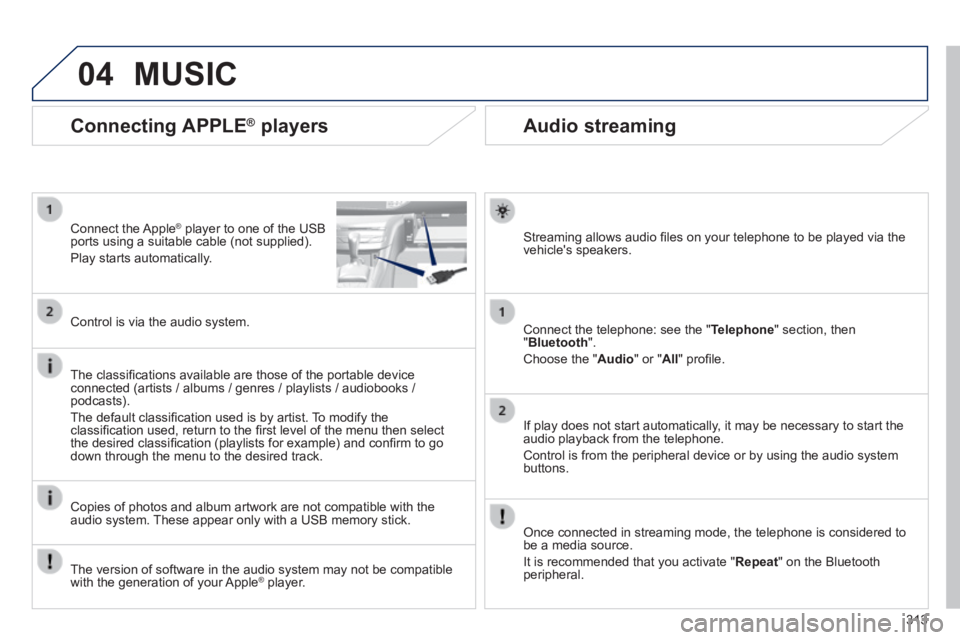
Connect the Apple ® player to one of the USB ® player to one of the USB ®
ports using a suitable cable (not supplied).
Play starts automatically.
Control is via the audio system.
The classifi cations available are those of the portable device connected (artists / albums / genres / playlists / audiobooks / podcasts).
The default classifi cation used is by artist. To modify the classifi cation used, return to the fi rst level of the menu then select the desired classifi cation (playlists for example) and confi rm to go down through the menu to the desired track.
Copies of photos and album artwork are not compatible with the audio system. These appear only with a USB memory stick.
MUSIC
The version of software in the audio system may not be compatible with the generation of your Apple ® player. ® player. ®
Page 336 of 400
05
308_EN_CHAP10C_SMEGPLUS_ED02-2013
Street names are visible on the map from the 100 m scale.
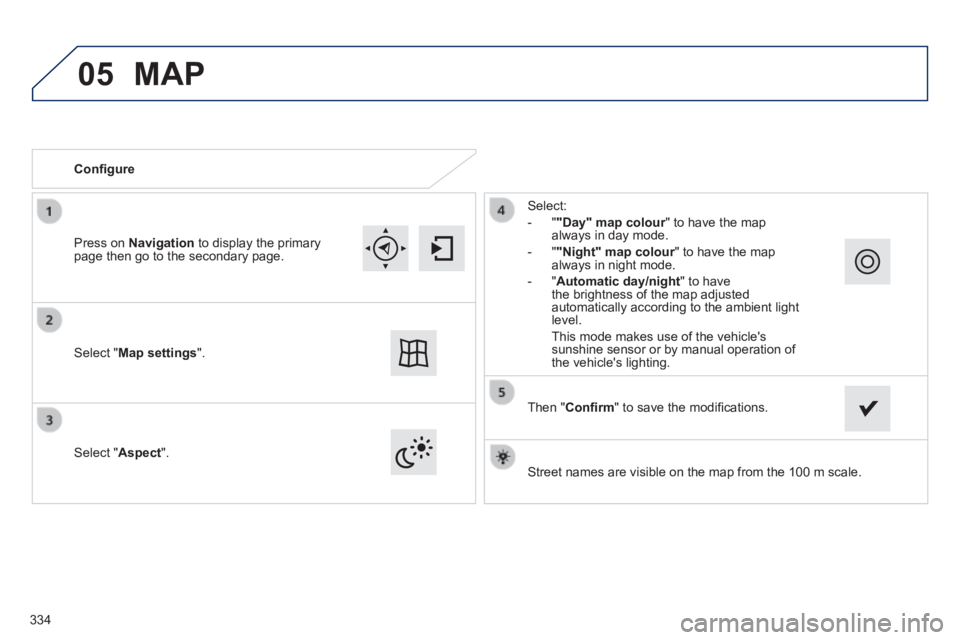
Confi gure
Select " Aspect ".
Select:
- " "Day" map colour " to have the map always in day mode.
- " "Night" map colour " to have the map "Night" map colour " to have the map "Night" map colouralways in night mode.
- " Automatic day/night " to have the brightness of the map adjusted automatically according to the ambient light level.
This mode makes use of the vehicle's sunshine sensor or by manual operation of the vehicle's lighting. Select " Map settings ".
Press on Navigation to display the primary page then go to the secondary page.
MAP
Then " Confi rm " to save the modifi cations.
334
Page 355 of 400
08
353
308_EN_CHAP10C_SMEGPLUS_ED02-2013
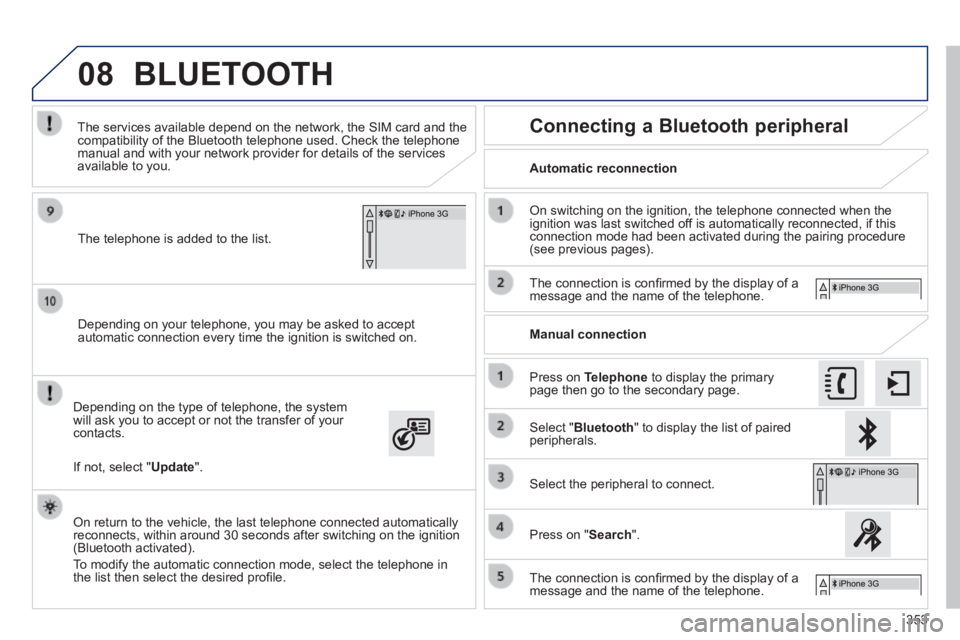
Depending on your telephone, you may be asked to accept automatic connection every time the ignition is switched on.
Depending on the type of telephone, the system will ask you to accept or not the transfer of your contacts.
The services available depend on the network, the SIM card and the compatibility of the Bluetooth telephone used. Check the telephone manual and with your network provider for details of the services available to you.
On return to the vehicle, the last telephone connected automatically reconnects, within around 30 seconds after switching on the ignition (Bluetooth activated).
To modify the automatic connection mode, select the telephone in the list then select the desired profi le.
The telephone is added to the list.
BLUETOOTH
If not, select " Update ".
Automatic reconnection
Connecting a Bluetooth peripheral
On switching on the ignition, the telephone connected when the ignition was last switched off is automatically reconnected, if this connection mode had been activated during the pairing procedure (see previous pages).
The connection is confi rmed by the display of a message and the name of the telephone.
Press on Telephone to display the primary page then go to the secondary page.
Manual connection
Select " Bluetooth " to display the list of paired peripherals.
Select the peripheral to connect.
Press on " Search ".
The connection is confi rmed by the display of a message and the name of the telephone.