lock PEUGEOT 308 2014 User Guide
[x] Cancel search | Manufacturer: PEUGEOT, Model Year: 2014, Model line: 308, Model: Peugeot 308 2014Pages: 389, PDF Size: 22.92 MB
Page 42 of 389
Monitoring
40
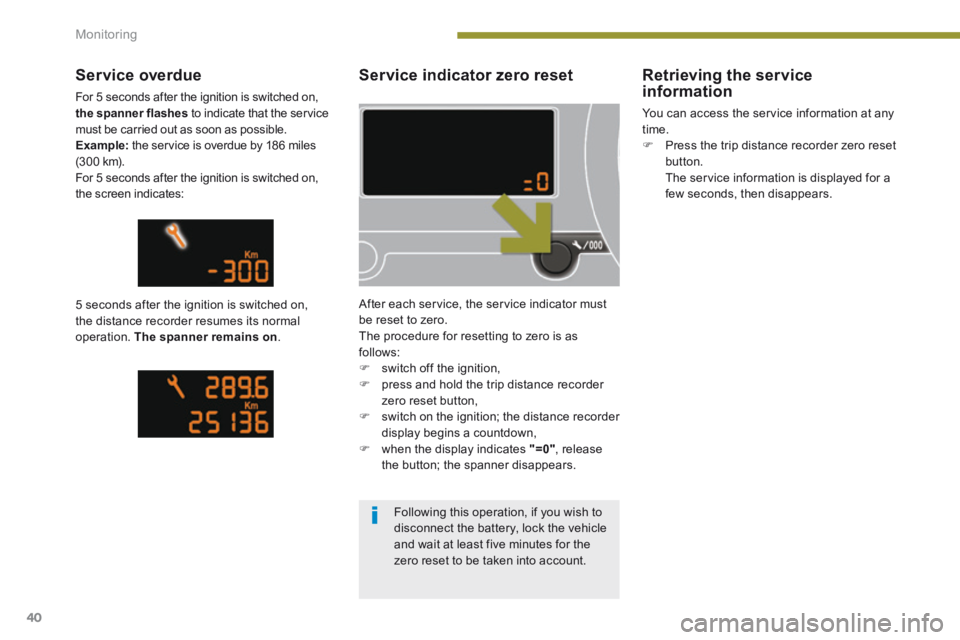
Service indicator zero reset
After each service, the service indicator must be reset to zero. The procedure for resetting to zero is as follows: switch off the ignition, press and hold the trip distance recorder zero reset button, switch on the ignition; the distance recorder display begins a countdown, when the display indicates "=0" , release the button; the spanner disappears.
Service overdue
For 5 seconds after the ignition is switched on, the spanner flashes to indicate that the service must be carried out as soon as possible. Example: the service is overdue by 186 miles (3 0 0 k m). For 5 seconds after the ignition is switched on, the screen indicates:
5 seconds after the ignition is switched on, the distance recorder resumes its normal operation. The spanner remains on .
Retrieving the service information
You can access the service information at any time. Press the trip distance recorder zero reset button. The service information is displayed for a few seconds, then disappears.
Following this operation, if you wish to disconnect the battery, lock the vehicle
and wait at least five minutes for the zero reset to be taken into account.
Page 44 of 389
Monitoring
42
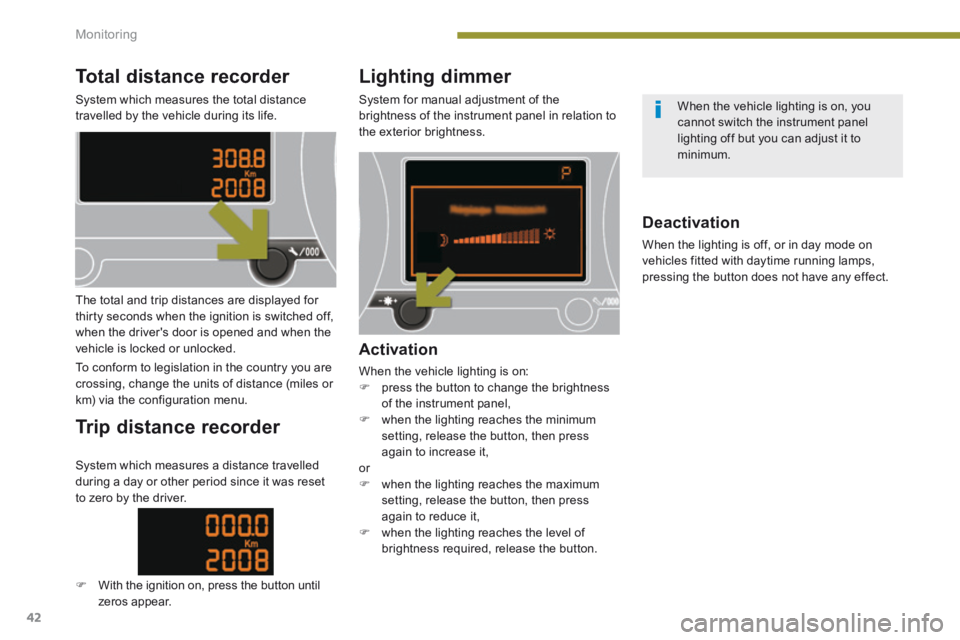
Total distance recorder
System which measures the total distance travelled by the vehicle during its life.
Lighting dimmer
System for manual adjustment of the brightness of the instrument panel in relation to the exterior brightness.
The total and trip distances are displayed for thirty seconds when the ignition is switched off, when the driver's door is opened and when the vehicle is locked or unlocked.
To conform to legislation in the country you are crossing, change the units of distance (miles or km) via the configuration menu.
Trip distance recorder
Activation
When the vehicle lighting is on: press the button to change the brightness of the instrument panel, when the lighting reaches the minimum setting, release the button, then press again to increase it, or when the lighting reaches the maximum setting, release the button, then press again to reduce it, when the lighting reaches the level of
brightness required, release the button.
Deactivation
When the lighting is off, or in day mode on vehicles fitted with daytime running lamps, pressing the button does not have any effect.
System which measures a distance travelled during a day or other period since it was reset to zero by the driver.
With the ignition on, press the button until zeros appear.
When the vehicle lighting is on, you cannot switch the instrument panel lighting off but you can adjust it to minimum.
Page 46 of 389
Multifunction screens
44
Vehicle confi guration
Options
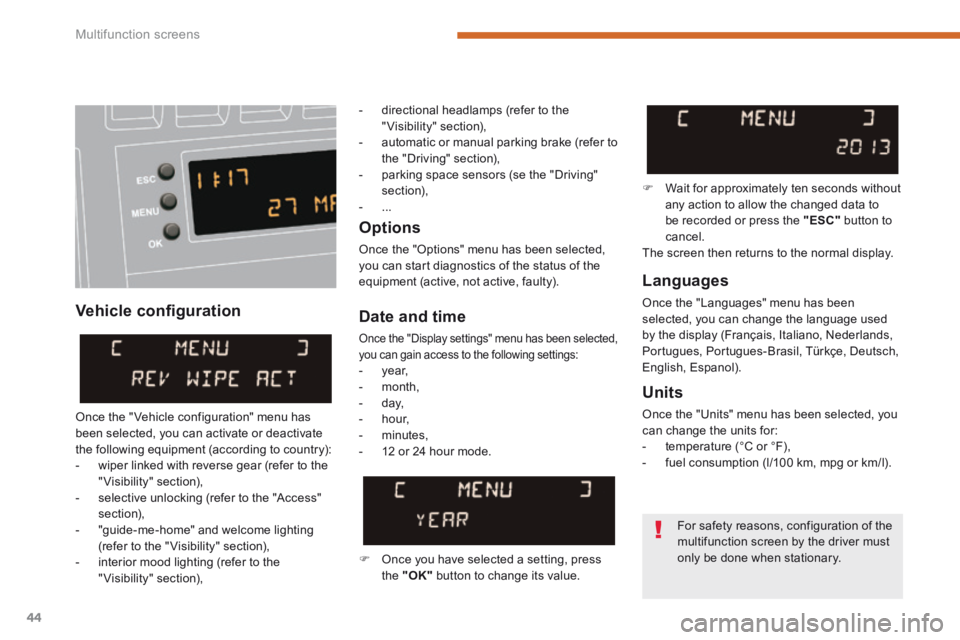
Once the "Options" menu has been selected, you can start diagnostics of the status of the equipment (active, not active, faulty). Languages
Once the "Languages" menu has been selected, you can change the language used by the display (Français, Italiano, Nederlands, Portugues, Portugues-Brasil, Türkçe, Deutsch, English, Espanol).
Date and time
Once the "Display settings" menu has been selected, you can gain access to the following settings: - year, - month, - day, - hour,
- minutes, - 12 or 24 hour mode.
Units
Once the "Units" menu has been selected, you can change the units for: - temperature (°C or °F), - fuel consumption (l/100 km, mpg or km/l).
Once you have selected a setting, press the "OK" button to change its value.
Wait for approximately ten seconds without any action to allow the changed data to be recorded or press the "ESC" button to cancel. The screen then returns to the normal display.
Once the " Vehicle configuration" menu has been selected, you can activate or deactivate the following equipment (according to country): - wiper linked with reverse gear (refer to the "Visibility" section), - selective unlocking (refer to the "Access" section), - "guide-me-home" and welcome lighting (refer to the " Visibility" section), - interior mood lighting (refer to the "Visibility" section),
For safety reasons, configuration of the
multifunction screen by the driver must only be done when stationary.
- directional headlamps (refer to the "Visibility" section), - automatic or manual parking brake (refer to the "Driving" section), - parking space sensors (se the "Driving" section), - ...
Page 48 of 389
Multifunction screens
46
Date and time Languages
Once the "Languages" menu has been selected, you can change the language used by the display.
Units
Once the "Units" menu has been selected, you can change the units of the following parameters: - temperature (°C or °F), - fuel consumption (l/100 km, mpg or km/l).
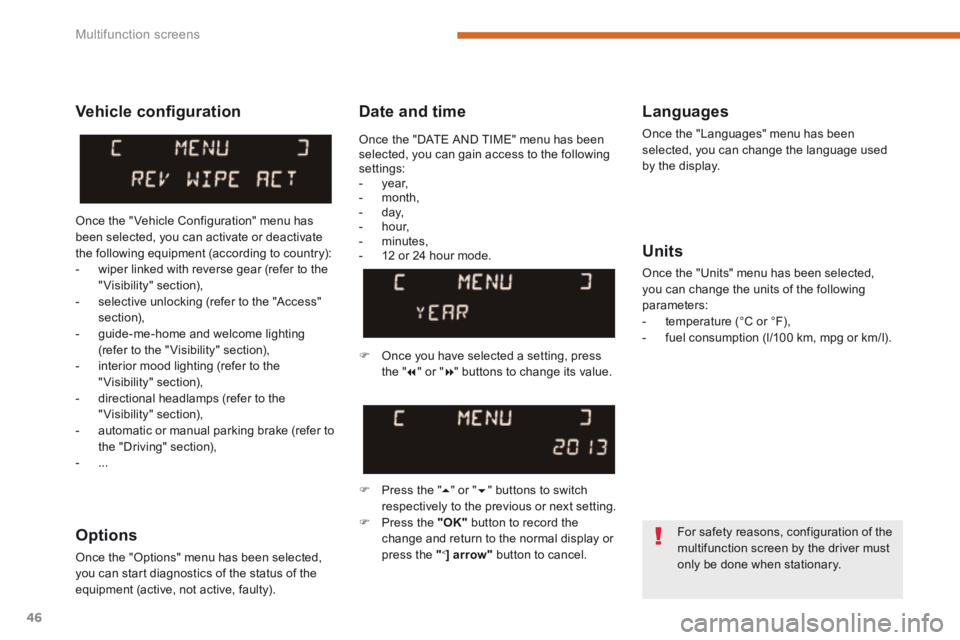
Once you have selected a setting, press t h e " " or " " buttons to change its value.
Press the " " or " " buttons to switch respectively to the previous or next setting. Press the "OK" button to record the
change and return to the normal display or press the " < ] arrow" button to cancel.
Vehicle confi guration
Once the " Vehicle Configuration" menu has been selected, you can activate or deactivate the following equipment (according to country): - wiper linked with reverse gear (refer to the "Visibility" section), - selective unlocking (refer to the "Access" section), - guide-me-home and welcome lighting (refer to the " Visibility" section), - interior mood lighting (refer to the "Visibility" section), - directional headlamps (refer to the "Visibility" section),
- automatic or manual parking brake (refer to the "Driving" section), - ...
Options
Once the "Options" menu has been selected, you can start diagnostics of the status of the equipment (active, not active, faulty).
For safety reasons, configuration of the multifunction screen by the driver must only be done when stationary.
Once the "DATE AND TIME" menu has been selected, you can gain access to the following settings: - year, - month, - day, - hour, - minutes, - 12 or 24 hour mode.
Page 50 of 389
Multifunction screens
48
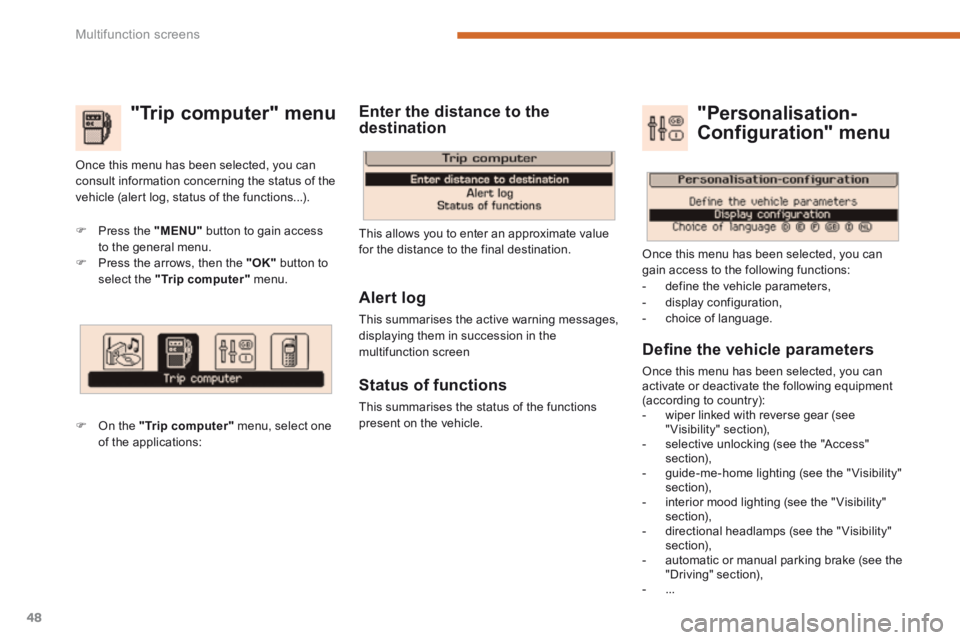
"Trip computer" menu
Press the "MENU" button to gain access to the general menu. Press the arrows, then the "OK" button to select the "Trip computer" menu.
On the "Trip computer" menu, select one of the applications:
This allows you to enter an approximate value for the distance to the final destination.
Once this menu has been selected, you can consult information concerning the status of the vehicle (alert log, status of the functions...).
Defi ne the vehicle parameters
Once this menu has been selected, you can activate or deactivate the following equipment (according to country): - wiper linked with reverse gear (see "Visibility" section), - selective unlocking (see the "Access" section), - guide-me-home lighting (see the " Visibility" section), - interior mood lighting (see the " Visibility" section), - directional headlamps (see the "Visibility" section), - automatic or manual parking brake (see the "Driving" section), - ...
"Personalisation-
Configuration" menu
Once this menu has been selected, you can gain access to the following functions: - define the vehicle parameters, - display configuration, - choice of language.
Alert log
This summarises the active warning messages, displaying them in succession in the multifunction screen
Status of functions
This summarises the status of the functions present on the vehicle.
Enter the distance to the destination
Page 53 of 389
2
Multifunction screens51
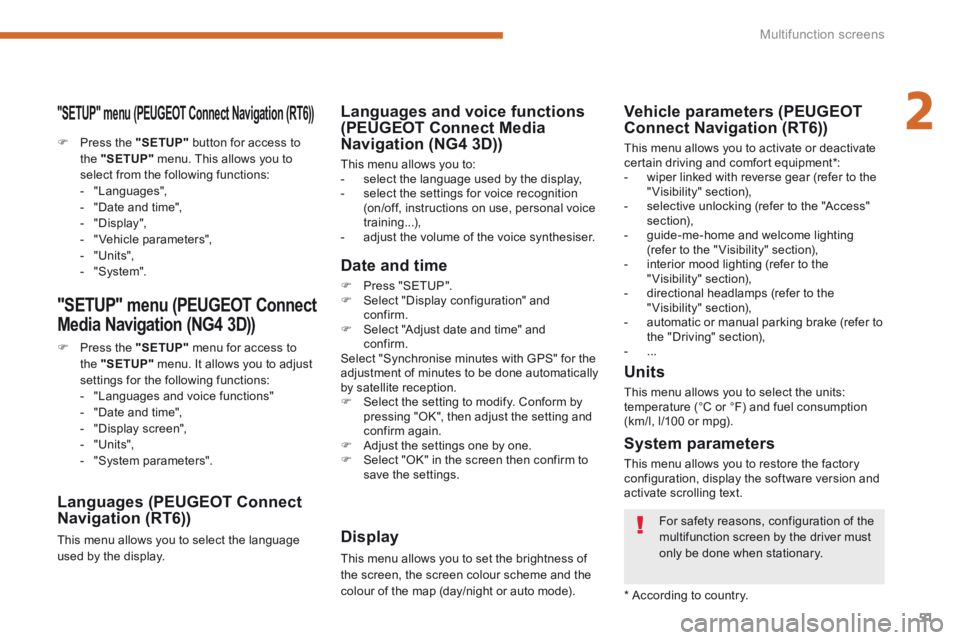
"SETUP" menu (PEUGEOT Connect Navigation (RT6))
Press the "SETUP" button for access to the "SETUP" menu. This allows you to select from the following functions: - "Languages", - "Date and time", - "Display", - " Vehicle parameters", - "Units", - "System".
"SETUP" menu (PEUGEOT Connect
Media Navigation (NG4 3D))
Press the "SETUP" menu for access to the "SETUP" menu . It allows you to adjust settings for the following functions: - "Languages and voice functions" - "Date and time", - "Display screen",
- "Units", - "System parameters".
Languages (PEUGEOT Connect Navigation (RT6))
This menu allows you to select the language used by the display.
Languages and voice functions (PEUGEOT Connect Media Navigation (NG4 3D))
This menu allows you to: - select the language used by the display, - select the settings for voice recognition (on/off, instructions on use, personal voice training...), - adjust the volume of the voice synthesiser.
Date and time
Press "SETUP". Select "Display configuration" and confirm. Select "Adjust date and time" and confirm. Select "Synchronise minutes with GPS" for the adjustment of minutes to be done automatically by satellite reception. Select the setting to modify. Conform by pressing "OK", then adjust the setting and confirm again. Adjust the settings one by one. Select "OK" in the screen then confirm to save the settings.
Display
This menu allows you to set the brightness of the screen, the screen colour scheme and the colour of the map (day/night or auto mode).
System parameters
This menu allows you to restore the factory configuration, display the software version and activate scrolling text.
For safety reasons, configuration of the multifunction screen by the driver must only be done when stationary.
* According to country.
Units
This menu allows you to select the units: temperature (°C or °F) and fuel consumption (km/l, l/100 or mpg).
Vehicle parameters (PEUGEOT Connect Navigation (RT6))
This menu allows you to activate or deactivate certain driving and comfort equipment * : - wiper linked with reverse gear (refer to the "Visibility" section), - selective unlocking (refer to the "Access" section), - guide-me-home and welcome lighting (refer to the " Visibility" section), - interior mood lighting (refer to the "Visibility" section), - directional headlamps (refer to the "Visibility" section), - automatic or manual parking brake (refer to the "Driving" section), - ...
Page 71 of 389
3
Comfort69
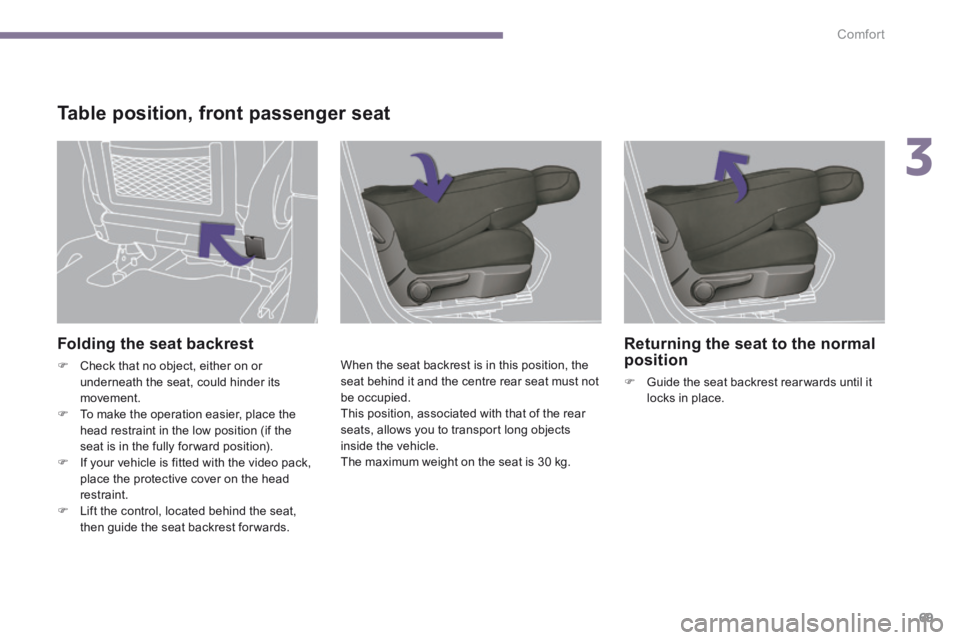
Folding the seat backrest
Check that no object, either on or underneath the seat, could hinder its movement. To make the operation easier, place the head restraint in the low position (if the seat is in the fully for ward position). If your vehicle is fitted with the video pack, place the protective cover on the head restraint. Lift the control, located behind the seat, then guide the seat backrest for wards.
When the seat backrest is in this position, the seat behind it and the centre rear seat must not be occupied. This position, associated with that of the rear seats, allows you to transport long objects inside the vehicle. The maximum weight on the seat is 30 kg.
Table position, front passenger seat
Returning the seat to the normal position
Guide the seat backrest rear wards until it locks in place.
Page 74 of 389
Comfort
72
Mirrors
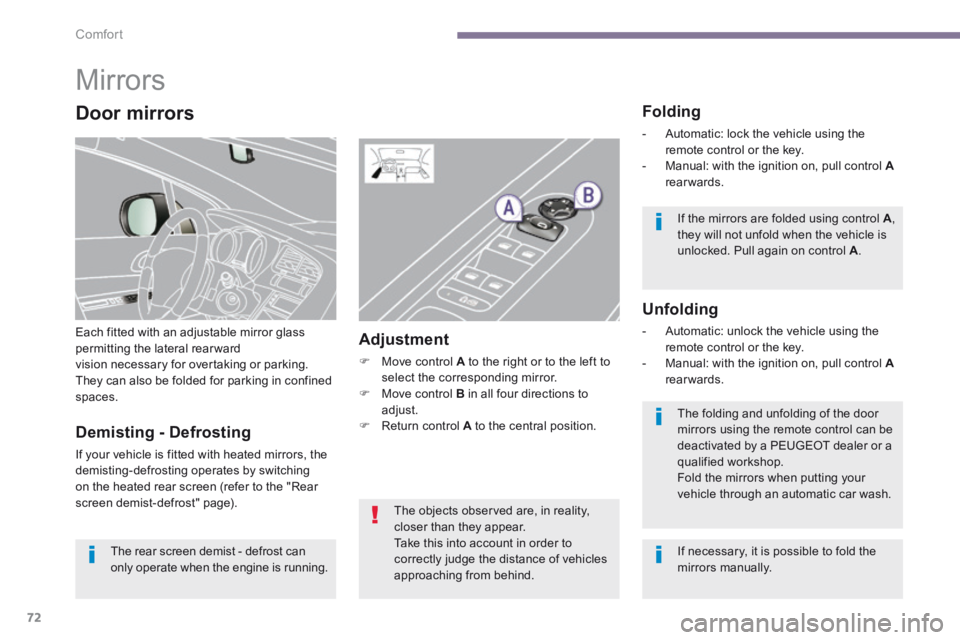
Each fitted with an adjustable mirror glass permitting the lateral rearwardvision necessary for overtaking or parking. They can also be folded for parking in confined spaces.
Folding
- Automatic: lock the vehicle using the remote control or the key. - Manual: with the ignition on, pull control A - Manual: with the ignition on, pull control A - Manual: with the ignition on, pull control rearwards.
Unfolding
- Automatic: unlock the vehicle using the remote control or the key. - Manual: with the ignition on, pull control A - Manual: with the ignition on, pull control A - Manual: with the ignition on, pull control rearwards.
Adjustment
Move control A to the right or to the left to select the corresponding mirror. Move control B in all four directions to adjust. Return control A to the central position. Demisting - Defrosting
If your vehicle is fitted with heated mirrors, the demisting-defrosting operates by switching on the heated rear screen (refer to the "Rear screen demist-defrost" page).
If the mirrors are folded using control A , they will not unfold when the vehicle is unlocked. Pull again on control A .
The folding and unfolding of the door mirrors using the remote control can be deactivated by a PEUGEOT dealer or a qualified workshop. Fold the mirrors when putting your vehicle through an automatic car wash.
The rear screen demist - defrost can only operate when the engine is running.
The objects observed are, in reality, closer than they appear.
Take this into account in order to correctly judge the distance of vehicles approaching from behind.
Door mirrors
If necessary, it is possible to fold the mirrors manually.
Page 76 of 389
Comfort
74
Steering wheel adjustment
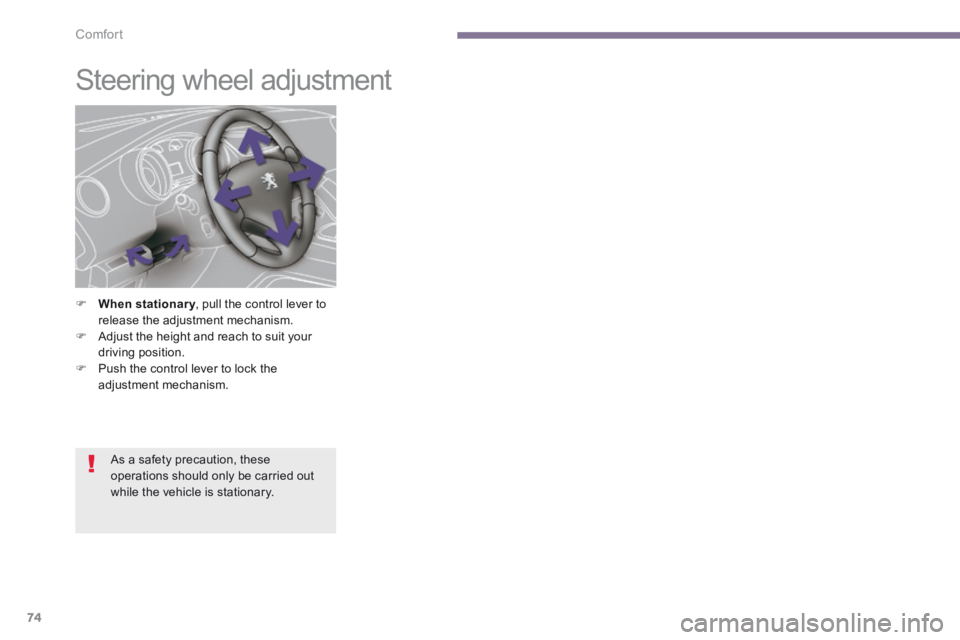
When stationary , pull the control lever to When stationary , pull the control lever to When stationaryrelease the adjustment mechanism. Adjust the height and reach to suit your driving position. Push the control lever to lock the adjustment mechanism.
As a safety precaution, these operations should only be carried out while the vehicle is stationary.
Page 77 of 389
4
Access75
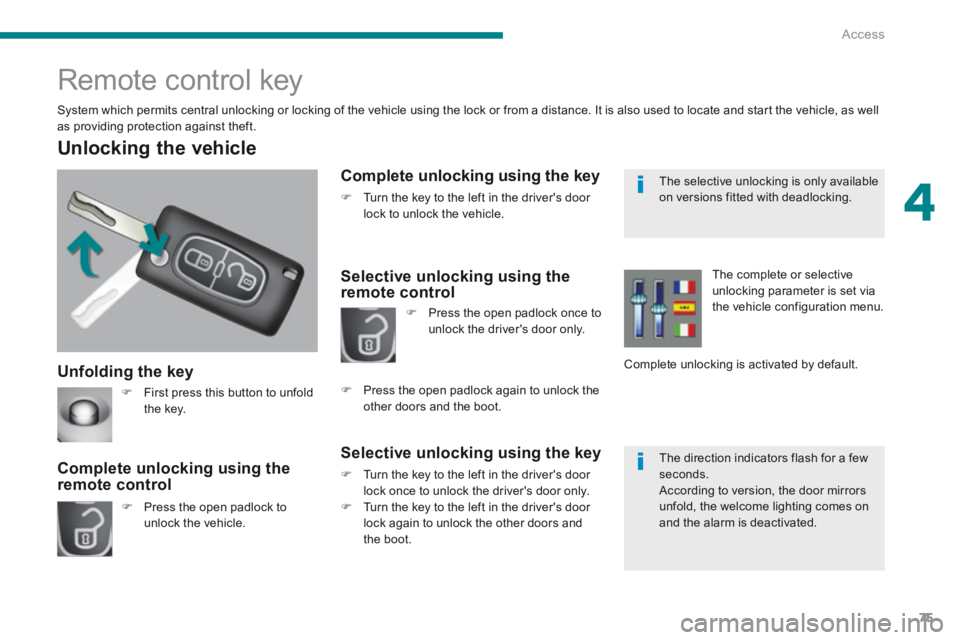
Unfolding the key
Unlocking the vehicle
Press the open padlock to unlock the vehicle.
Complete unlocking using the remote control
Remote control key
System which permits central unlocking or locking of the vehicle using the lock or from a distance. It is also used to locate and start the vehicle, as well as providing protection against theft.
Complete unlocking using the key
Turn the key to the left in the driver's door lock to unlock the vehicle.
Selective unlocking using the remote control
Selective unlocking using the key
Turn the key to the left in the driver's door lock once to unlock the driver's door only. Turn the key to the left in the driver's door lock again to unlock the other doors and
the boot.
Press the open padlock once to unlock the driver's door only.
Press the open padlock again to unlock the other doors and the boot.
The complete or selective unlocking parameter is set via the vehicle configuration menu.
Complete unlocking is activated by default.
First press this button to unfold the key.
The selective unlocking is only available on versions fitted with deadlocking.
The direction indicators flash for a few seconds. According to version, the door mirrors unfold, the welcome lighting comes on and the alarm is deactivated.