ESP Peugeot 308 2015 Owner's Guide
[x] Cancel search | Manufacturer: PEUGEOT, Model Year: 2015, Model line: 308, Model: Peugeot 308 2015Pages: 416, PDF Size: 11.81 MB
Page 102 of 416
100
308_en_Chap03_confort_ed01-2015
In order for these systems to be fully effective, follow the operation and maintenance
guidelines below:
F t
o o
btain an even air distribution, take care not to obstruct the exterior air intake grilles
located at the base of the windscreen, the nozzles, the vents and the air outlets, as well
as the air extractor located in the boot.
F
D
o not cover the sunshine sensor, located on the dashboard; this is used for regulation
of the air conditioning system.
F
O
perate the air conditioning system for at least 5 to 10 minutes, once or twice a month
to keep it in per fect working order.
F
e
n
sure that the passenger compartment filter is in good condition and have the filter
elements replaced regularly.
W
e recommend the use of a combined passenger compartment filter. t
h
anks to its
special active additive, it contributes to the purification of the air breathed by the
occupants and the cleanliness of the passenger compartment (reduction of allergic
symptoms, bad odours and greasy deposits).
F
t
o e
nsure correct operation of the air conditioning system, you are also advised to have
it checked regularly as recommended in the warranty and maintenance record.
F
I
f the system does not produce cold air, switch it off and contact a P
e
uge
Ot
dealer or
a qualified workshop.
Recommendations for ventilation and air conditioning
If after an extended stop in sunshine,
the interior temperature is very high, first
ventilate the passenger compartment for
a few moments.
Put the air flow control at a setting high
enough to quickly change the air in the
passenger compartment.
th
e air conditioning system does not
contain chlorine and does not present
any danger to the ozone layer.
th
e condensation created by the air
conditioning results in a discharge
of water under the vehicle which is
perfectly normal.
When towing the maximum load on a steep gradient in high temperatures, switching off the
air conditioning increases the available engine power and so improves the towing ability.
Stop & Start
the heating and air conditioning
systems only work when the engine
is running. t
o m
aintain a comfortable
temperature in the passenger
compartment, you can temporarily
deactivate the Stop & Start system (see
the corresponding section).
Comfort
Page 104 of 416
102
308_en_Chap03_confort_ed01-2015
Air distribution adjustment
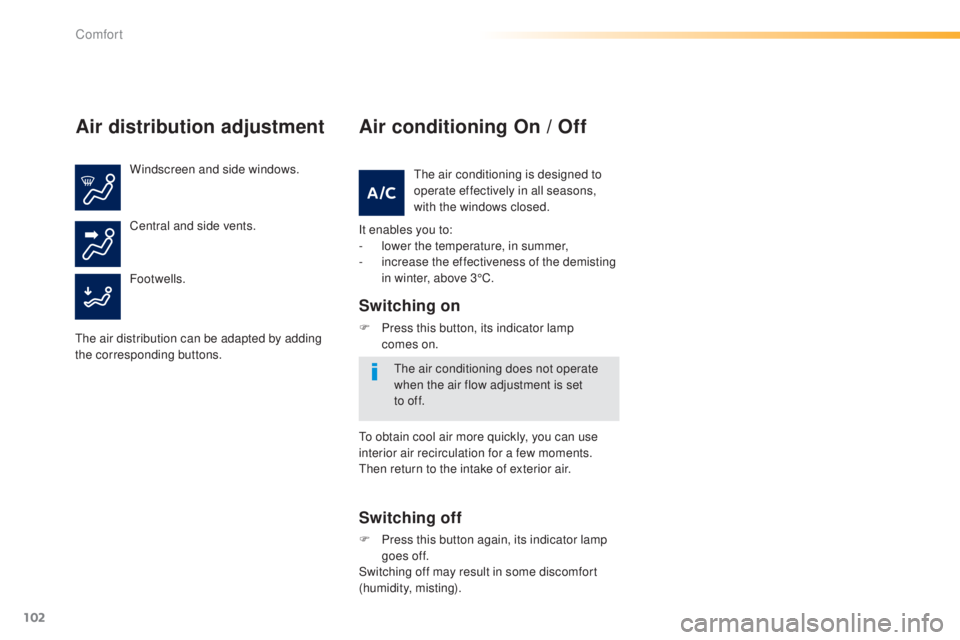
Windscreen and side windows.
Footwells. Central and side vents.
th
e air distribution can be adapted by adding
the corresponding buttons.
Air conditioning On / Off
It enables you to:
- l ower the temperature, in summer,
-
i
ncrease the effectiveness of the demisting
in winter, above 3°C.
Switching on
F Press this button, its indicator lamp comes on.
Switching off
F Press this button again, its indicator lamp goes off.
Switching off may result in some discomfort
(humidity, misting).
th
e air conditioning is designed to
operate effectively in all seasons,
with the windows closed.
th
e air conditioning does not operate
when the air flow adjustment is set
to
off.
to o
btain cool air more quickly, you can use
interior air recirculation for a few moments.
th
en return to the intake of exterior air.
Comfort
Page 107 of 416
105
308_en_Chap03_confort_ed01-2015
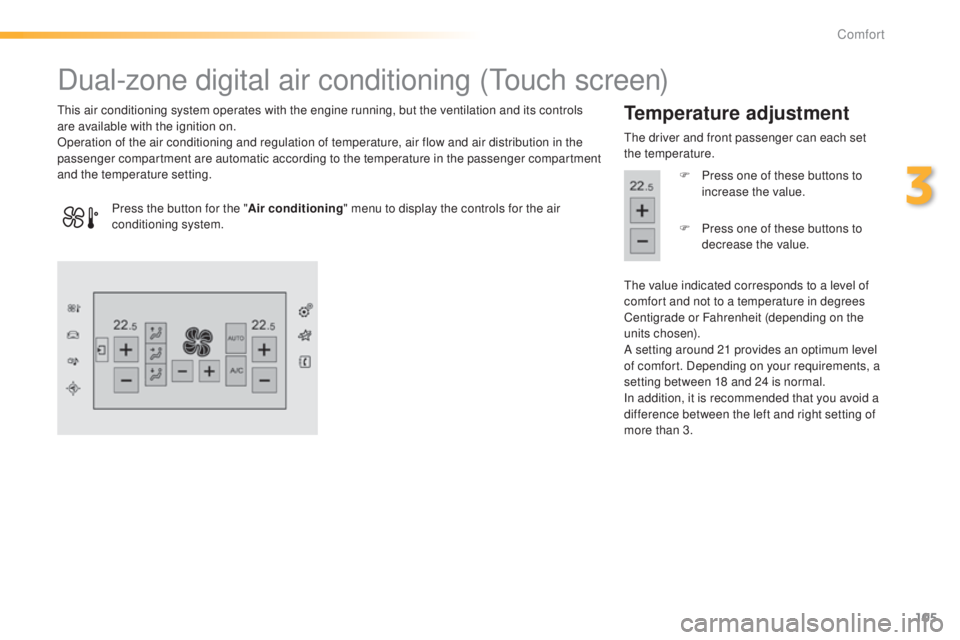
Dual-zone digital air conditioning (touch screen)
this air conditioning system operates with the engine running, but the ventilation and its controls
are available with the ignition on.
Operation of the air conditioning and regulation of temperature, air flow and air distribution in the
passenger compartment are automatic according to the temperature in the passenger compartment
and the temperature setting.Temperature adjustment
the driver and front passenger can each set
the temperature.
F
P
ress one of these buttons to
increase the value.
th
e value indicated corresponds to a level of
comfort and not to a temperature in degrees
Centigrade or Fahrenheit (depending on the
units chosen).
A setting around 21 provides an optimum level
of comfort. Depending on your requirements, a
setting between 18 and 24 is normal.
In addition, it is recommended that you avoid a
difference between the left and right setting of
more than 3.
Press the button for the "
Air conditioning" menu to display the controls for the air
conditioning system. F
P
ress one of these buttons to
decrease the value.
3
Comfort
Page 134 of 416
132
308_en_Chap04_conduite_ed01-2015
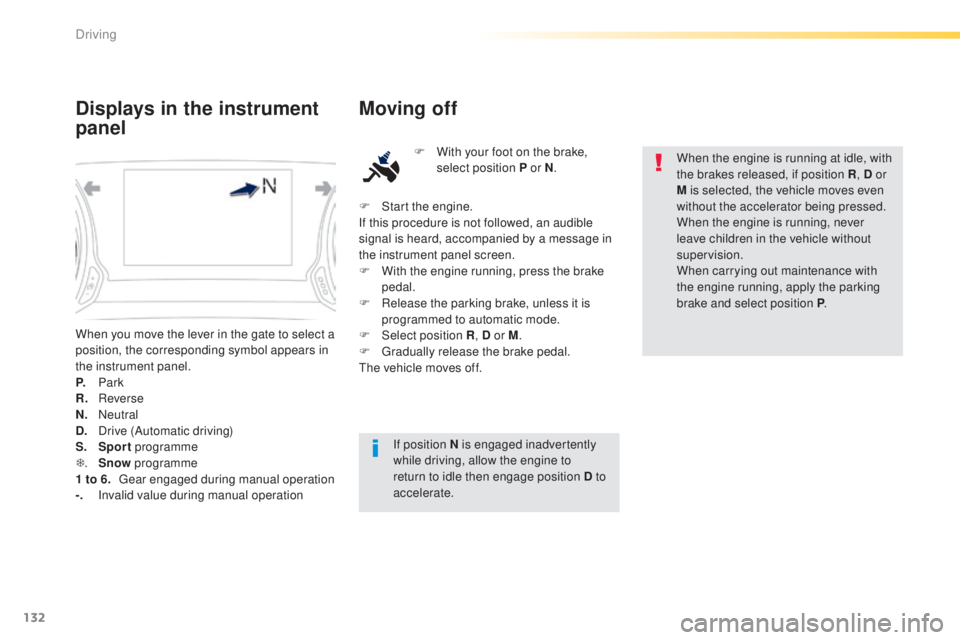
When you move the lever in the gate to select a
position, the corresponding symbol appears in
the instrument panel.
P.
Park
R.
R
everse
N.
N
eutral
D.
D
rive (Automatic driving)
S.
Sport programme
T .
S
now programme
1 to 6.
g
ea
r engaged during manual operation
-.
I
nvalid value during manual operation
Displays in the instrument
panel Moving off
F With your foot on the brake,
select position P or N .
If position N is engaged inadvertently
while driving, allow the engine to
return to idle then engage position D to
accelerate. When the engine is running at idle, with
the brakes released, if position R
, D or
M is selected, the vehicle moves even
without the accelerator being pressed.
When the engine is running, never
leave children in the vehicle without
supervision.
When carrying out maintenance with
the engine running, apply the parking
brake and select position P .
F
S
tart the engine.
If this procedure is not followed, an audible
signal is heard, accompanied by a message in
the instrument panel screen.
F
W
ith the engine running, press the brake
pedal.
F
R
elease the parking brake, unless it is
programmed to automatic mode.
F
Sel
ect position R , D or M.
F
g
r
adually release the brake pedal.
th
e vehicle moves off.
Driving
Page 141 of 416
139
308_en_Chap04_conduite_ed01-2015
Memorising speeds
Memorising
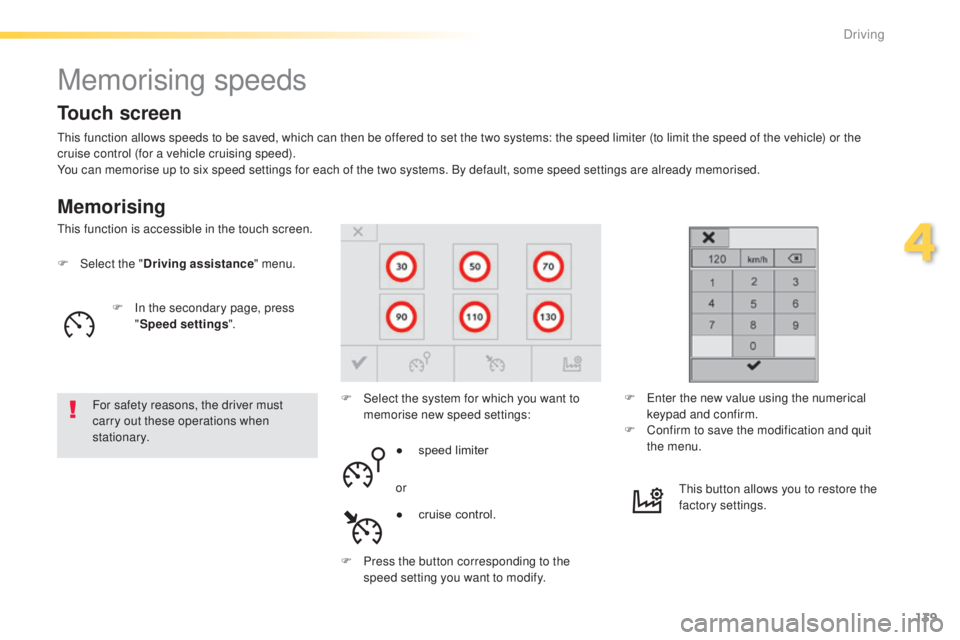
this function allows speeds to be saved, which can then be offered to set the two systems: the speed limiter (to limit the speed of the vehicle) or the
cruise control (for a vehicle cruising speed).
You can memorise up to six speed settings for each of the two systems. By default, some speed settings are already memorised.
F
Sel
ect the " Driving assistance " menu.
For safety reasons, the driver must
carry out these operations when
stationary. F
S
elect the system for which you want to
memorise new speed settings:
th
is function is accessible in the touch screen.
F
e
n
ter the new value using the numerical
keypad and confirm.
F
C
onfirm to save the modification and quit
the menu.
●
s
peed limiter
or
F
P
ress the button corresponding to the
speed setting you want to modify.
th
is button allows you to restore the
factory settings.
Touch screen
F In the secondary page, press "Speed settings ".
●
c
ruise control.
4
Driving
Page 143 of 416
141
308_en_Chap04_conduite_ed01-2015
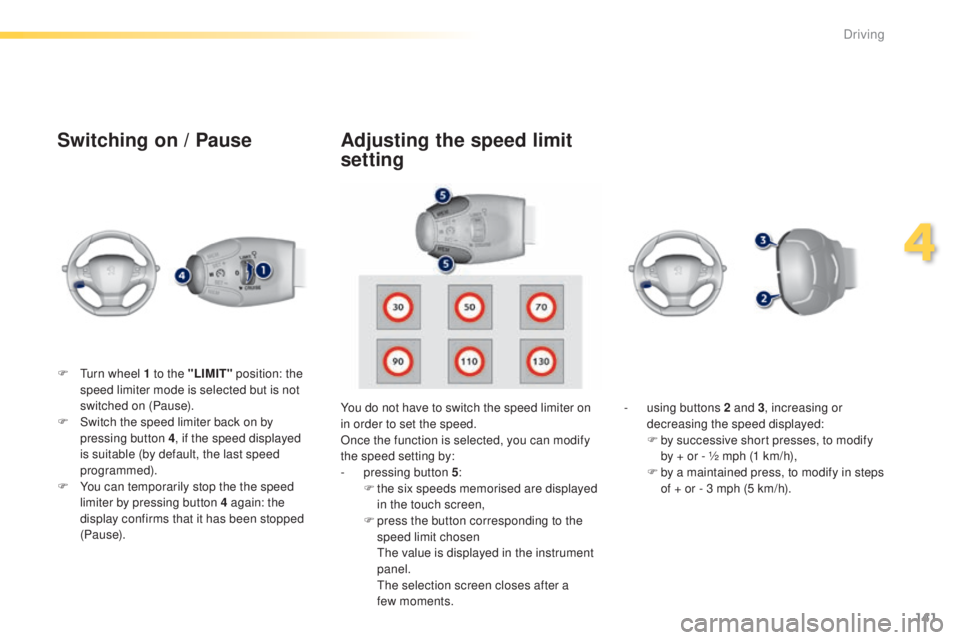
Switching on / Pause
F turn wheel 1 to the "LIMIT" position: the
speed limiter mode is selected but is not
switched on (Pause).
F
S
witch the speed limiter back on by
pressing button 4 , if the speed displayed
is suitable (by default, the last speed
programmed).
F
Y
ou can temporarily stop the the speed
limiter by pressing button 4 again: the
display confirms that it has been stopped
(Pause). You do not have to switch the speed limiter on
in order to set the speed.
Once the function is selected, you can modify
the speed setting by:
-
p
ressing button 5:
F
t
he six speeds memorised are displayed
in the touch screen,
F
p
ress the button corresponding to the
speed limit chosen
t
h
e value is displayed in the instrument
panel.
t
h
e selection screen closes after a
few
moments.-
u
sing buttons 2 and 3, increasing or
decreasing the speed displayed:
F
b
y successive short presses, to modify
by + or - ½ mph (1 km/h),
F
b
y a maintained press, to modify in steps
of + or - 3 mph (5 km/h).
Adjusting the speed limit
setting
4
Driving
Page 148 of 416
146
308_en_Chap04_conduite_ed01-2015
Active cruise control
this systems allows the vehicle's speed to be
maintained at a value set by the driver.
In addition it allows (when circumstances
permit) an inter-vehicle time that you have
selected to be maintained between your vehicle
and the one in front.Principles of operation
using a radar with a range of about 100 metres,
located at the front of the vehicle, this system
detects a vehicle running in front of your
vehicle.
It automatically adapts the speed of your
vehicle to that of the vehicle in front.
If the vehicle in front is running more slowly,
the system progressively reduces the speed of
your vehicle using just engine braking (as if the
driver had pressed the "-" b ut to n).
If your vehicle is too close to, or approaching
too quickly the vehicle in front, the cruise
control is automatically deactivated.
t
h
e
driver is then alerted by an audible signal,
accompanied by a message.
If the vehicle in front accelerates or changes
lane, the active cruise control progressively
accelerates your vehicle to return to the
programmed speed.
If the driver operates a direction indicator to
overtake a slower vehicle, the active cruise
control allows your vehicle to temporarily
approach the vehicle in front to assist the
overtaking manoeuvre, though never exceeding
the programmed speed.
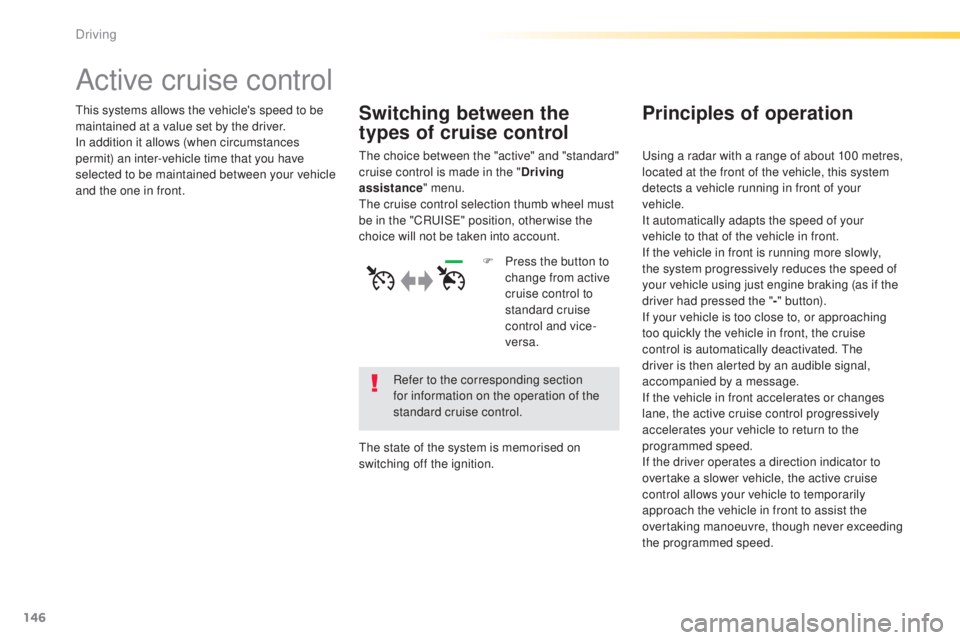
Switching between the
types of cruise control
the choice between the "active" and "standard"
cruise control is made in the " Driving
assistance " menu.
th
e cruise control selection thumb wheel must
be in the "CR
uI
S
e" p
osition, other wise the
choice will not be taken into account.
Refer to the corresponding section
for information on the operation of the
standard cruise control.
th
e state of the system is memorised on
switching off the ignition. F
P
ress the button to
change from active
cruise control to
standard cruise
control and vice-
versa.
Driving
Page 165 of 416
163
308_en_Chap04_conduite_ed01-2015
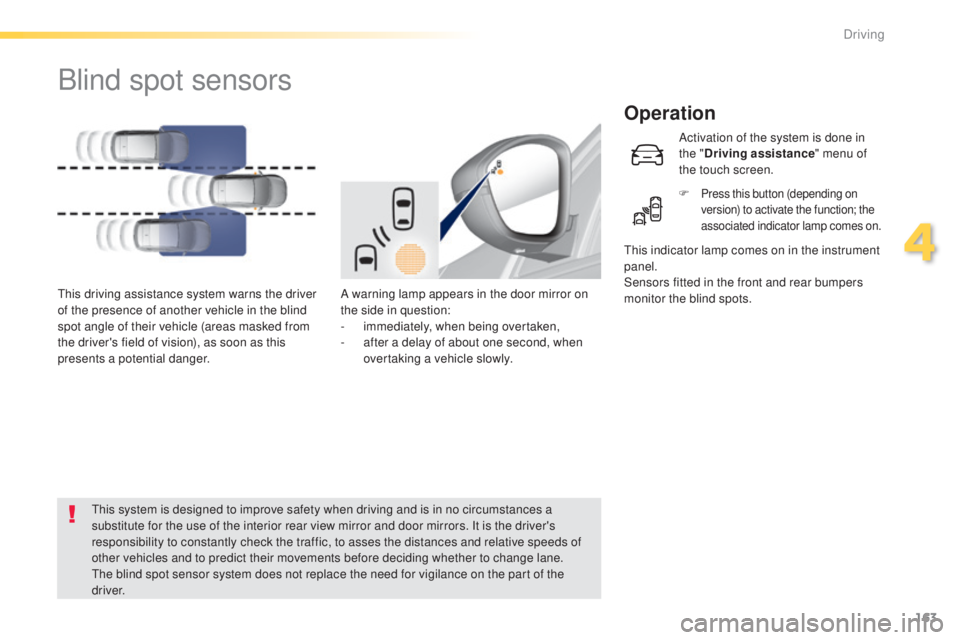
Blind spot sensors
Operation
A warning lamp appears in the door mirror on
the side in question:
-
i
mmediately, when being overtaken,
-
a
fter a delay of about one second, when
overtaking a vehicle slowly.th
is driving assistance system warns the driver
of the presence of another vehicle in the blind
spot angle of their vehicle (areas masked from
the driver's field of vision), as soon as this
presents a potential danger.
th
is indicator lamp comes on in the instrument
panel.
Sensors fitted in the front and rear bumpers
monitor the blind spots.
th
is system is designed to improve safety when driving and is in no circumstances a
substitute for the use of the interior rear view mirror and door mirrors. It is the driver's
responsibility to constantly check the traffic, to asses the distances and relative speeds of
other vehicles and to predict their movements before deciding whether to change lane.
th
e blind spot sensor system does not replace the need for vigilance on the part of the
driver. Activation of the system is done in
the "
Driving assistance " menu of
the touch screen.
F
Press this button (depending on
version) to activate the function; the
associated indicator lamp comes on.
4
Driving
Page 171 of 416
169
308_en_Chap04_conduite_ed01-2015
Reversing camera
Opening the tailgate causes the display
to disappear.
the
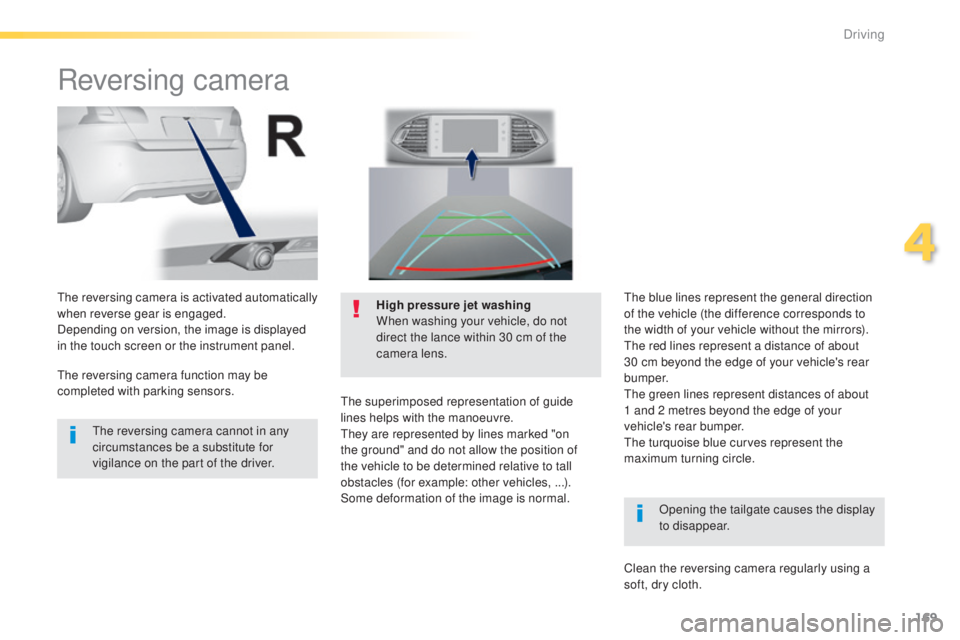
reversing camera is activated automatically
when reverse gear is engaged.
Depending on version, the image is displayed
in the touch screen or the instrument panel. High pressure jet washing
When washing your vehicle, do not
direct the lance within 30 cm of the
camera lens.
the
superimposed representation of guide
lines helps with the manoeuvre.
th
ey are represented by lines marked "on
the ground" and do not allow the position of
the vehicle to be determined relative to tall
obstacles (for example: other vehicles, ...).
Some deformation of the image is normal.
th
e reversing camera cannot in any
circumstances be a substitute for
vigilance on the part of the driver.
th
e reversing camera function may be
completed with parking sensors.
th
e blue lines represent the general direction
of the vehicle (the difference corresponds to
the width of your vehicle without the mirrors).
th
e red lines represent a distance of about
30 cm beyond the edge of your vehicle's rear
b u m p e r.
th
e green lines represent distances of about
1
and 2 metres beyond the edge of your
vehicle's rear bumper.
the
turquoise blue curves represent the
maximum turning circle.
Clean the reversing camera regularly using a
soft, dry cloth.
4
Driving
Page 178 of 416
176
308_en_Chap04_conduite_ed01-2015
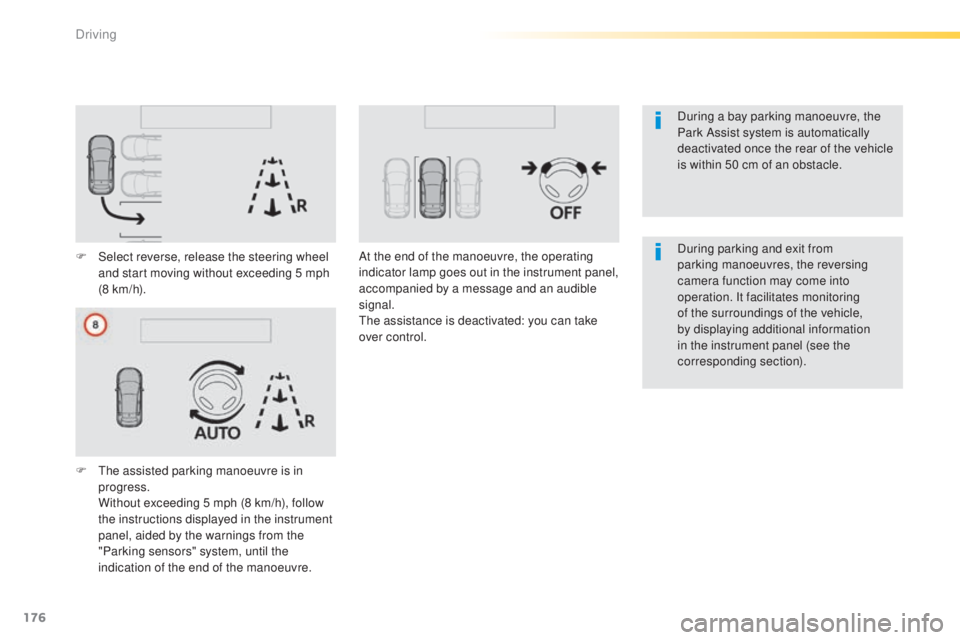
F Select reverse, release the steering wheel and start moving without exceeding 5 mph
(8 km/h).
F
t
h
e assisted parking manoeuvre is in
progress.
W
ithout exceeding 5 mph (8 km/h), follow
the instructions displayed in the instrument
panel, aided by the warnings from the
"Parking sensors" system, until the
indication of the end of the manoeuvre. At the end of the manoeuvre, the operating
indicator lamp goes out in the instrument panel,
accompanied by a message and an audible
signal.
th
e assistance is deactivated: you can take
over control. During parking and exit from
parking manoeuvres, the reversing
camera function may come into
operation. It facilitates monitoring
of the surroundings of the vehicle,
by displaying additional information
in the instrument panel (see the
corresponding section). During a bay parking manoeuvre, the
Park Assist system is automatically
deactivated once the rear of the vehicle
is within 50 cm of an obstacle.
Driving