touch screen Peugeot 308 2015 Owner's Manual
[x] Cancel search | Manufacturer: PEUGEOT, Model Year: 2015, Model line: 308, Model: Peugeot 308 2015Pages: 416, PDF Size: 11.81 MB
Page 5 of 416
.
308_en_Chap00a_sommaire_ed01-2015
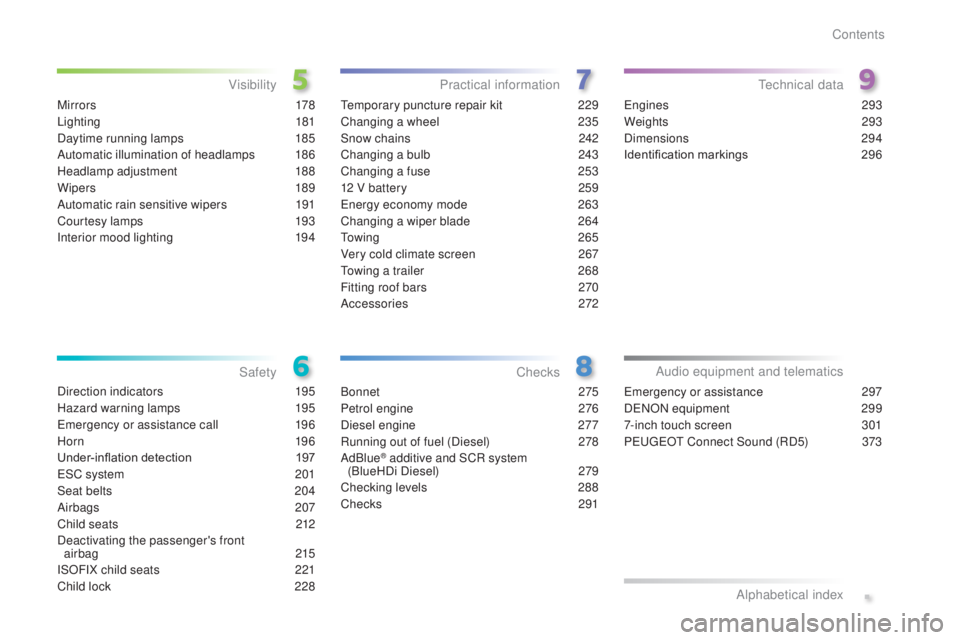
M i r r o r s 178
Lighting
181
Daytime running lamps
1
85
Automatic illumination of headlamps
1
86
Headlamp adjustment
1
88
Wipers
189
Automatic rain sensitive wipers
1
91
Courtesy lamps
1
93
Interior mood lighting
1
94te mporary puncture repair kit 2 29
Changing a wheel
2
35
Snow chains
2
42
Changing a bulb
2
43
Changing a fuse
2
53
12 V battery
2
59
en
ergy economy mode
26
3
Changing a wiper blade
2
64
to
w i n g
2 6 5
Very cold climate screen
2
67
to
wing a trailer
2
68
Fitting roof bars
2
70
Accessories
272
Bonnet
275
Petrol engine
2
76
Diesel engine
2
77
Running out of fuel (Diesel)
2
78
AdBlue
® additive and SCR system
(BlueHDi Diesel) 2 79
Checking levels
2
88
Checks
2
91
en
gines
293
Weights
2
93
Dimensions
2
94
Identification markings
2
96
Direction indicators
1
95
Hazard warning lamps
1
95
em
ergency or assistance call
1
96
Horn
19
6
Under-inflation detection 1
97
e
SC system
2
01
Seat belts
20
4
Airbags
207
Child seats
2
12
Deactivating the passenger's front airbag
215
ISOFIX child seats
2
21
Child lock
2
28
Visibility
Safety Practical information
Checkste chnical data
emergency or assistance 297
D
eN
ON equipment
2
99
7-inch touch screen
3
01
Peuge
O
t Connect Sound (RD5)
3
73
Audio equipment and telematics
Alphabetical index
Contents
Page 36 of 416
34
308_en_Chap01_controle-de-marche_ed01-2015
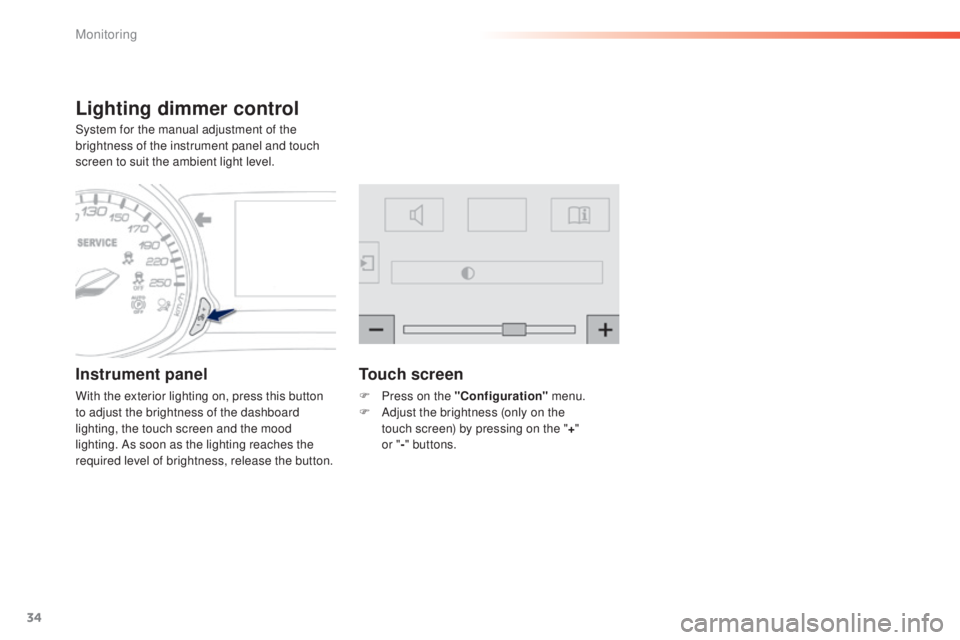
Lighting dimmer control
System for the manual adjustment of the
brightness of the instrument panel and touch
screen to suit the ambient light level.
Instrument panel
With the exterior lighting on, press this button
to adjust the brightness of the dashboard
lighting, the touch screen and the mood
lighting. As soon as the lighting reaches the
required level of brightness, release the button.
Touch screen
F Press on the "Configuration" menu.
F A djust the brightness (only on the
touch
screen) by pressing on the " +"
or " -"
buttons.
Monitoring
Page 39 of 416
37
308_en_Chap01_controle-de-marche_ed01-2015
tr i p c o m p u t e r
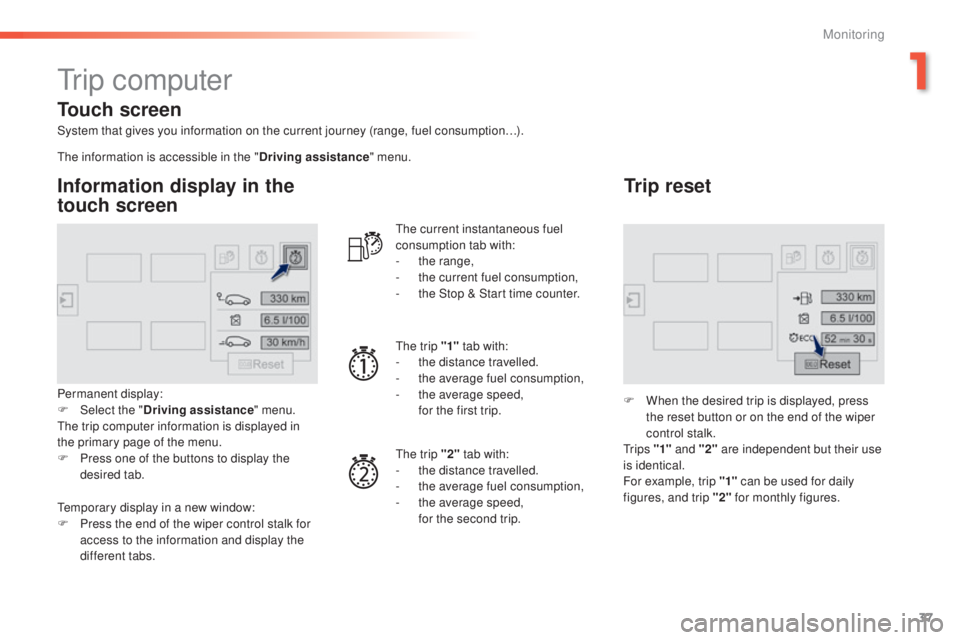
System that gives you information on the current journey (range, fuel consumption…).
Information display in the
touch screen
Permanent display:
F Sel ect the " Driving assistance " menu.
th
e trip computer information is displayed in
the primary page of the menu.
F
P
ress one of the buttons to display the
desired tab.
th
e current instantaneous fuel
consumption tab with:
-
t
he range,
-
t
he current fuel consumption,
-
t
he Stop & Start time counter.
th
e trip "1"
tab with:
-
t
he distance travelled.
- t he average fuel consumption,
- t he average speed,
f
or the first trip.
th
e trip "2" tab with:
-
t
he distance travelled.
-
t
he average fuel consumption,
-
t
he average speed,
f
or the second trip.
Trip reset
F When the desired trip is displayed, press the reset button or on the end of the wiper
control stalk.
t
r i p s "1" and "2" are independent but their use
is identical.
For example, trip "1" can be used for daily
figures, and trip "2" for monthly figures.
th
e information is accessible in the "
Driving assistance" menu.
te
mporary display in a new window:
F
P
ress the end of the wiper control stalk for
access to the information and display the
different tabs.
Touch screen
1
Monitoring
Page 41 of 416
39
308_en_Chap01_controle-de-marche_ed01-2015
touch screen
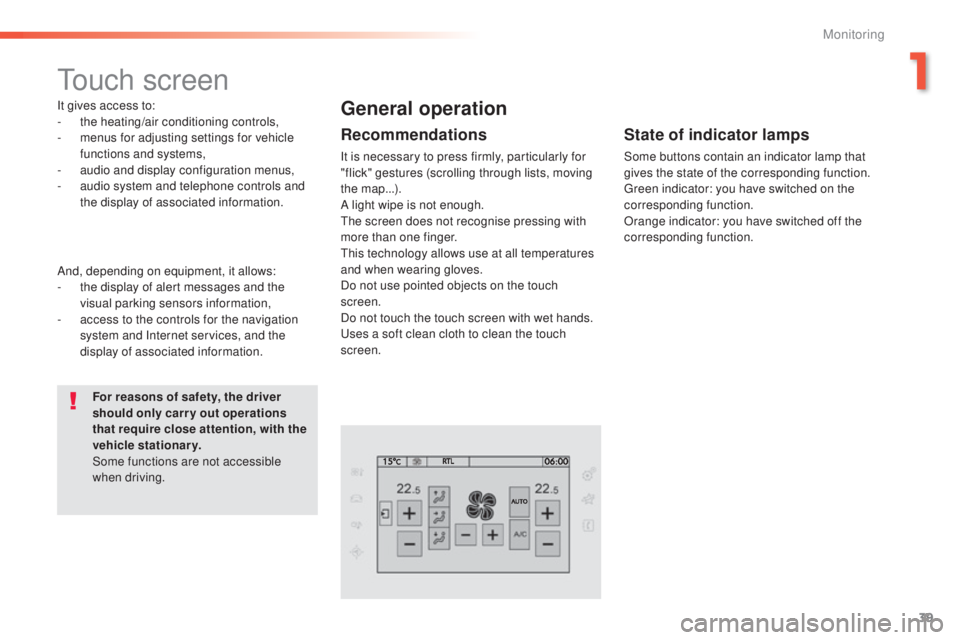
It gives access to:
- the heating/air conditioning controls,
-
m
enus for adjusting settings for vehicle
functions and systems,
-
a
udio and display configuration menus,
-
a
udio system and telephone controls and
the display of associated information.
For reasons of safety, the driver
should only carr y out operations
that require close attention, with the
vehicle stationary.
Some functions are not accessible
when driving.General operation
Recommendations
It is necessary to press firmly, particularly for
"flick" gestures (scrolling through lists, moving
the map...).
A light wipe is not enough.
th
e screen does not recognise pressing with
more than one finger.
th
is technology allows use at all temperatures
and when wearing gloves.
Do not use pointed objects on the touch
screen.
Do not touch the touch screen with wet hands.
us
es a soft clean cloth to clean the touch
screen.
And, depending on equipment, it allows:
-
t
he display of alert messages and the
visual parking sensors information,
-
a
ccess to the controls for the navigation
system and Internet services, and the
display of associated information.
State of indicator lamps
Some buttons contain an indicator lamp that
gives the state of the corresponding function.
gr
een indicator: you have switched on the
corresponding function.
Orange indicator: you have switched off the
corresponding function.
1
Monitoring
Page 42 of 416
40
308_en_Chap01_controle-de-marche_ed01-2015
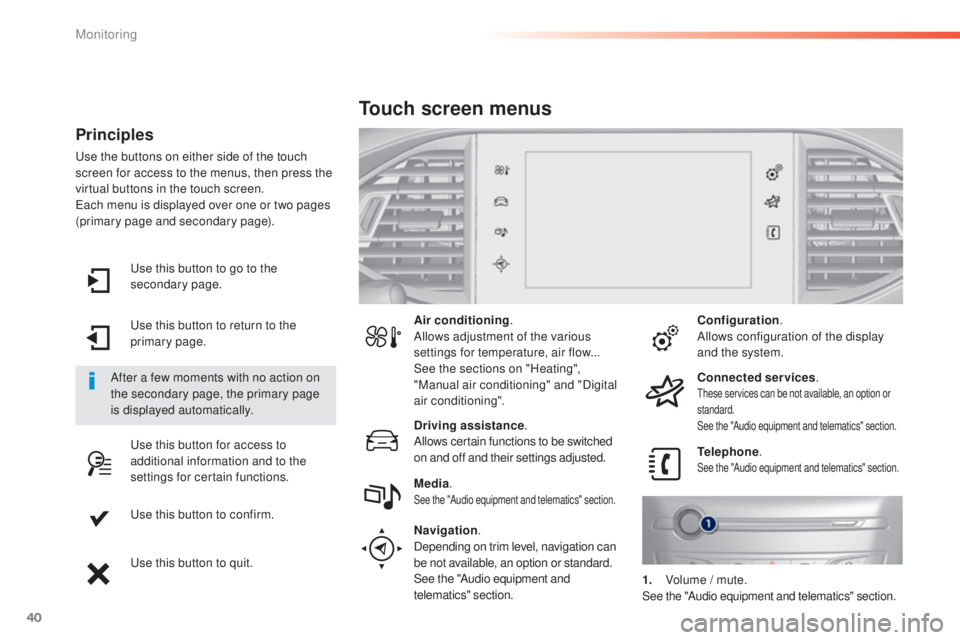
use this button to go to the
secondary page.
us
e this button to return to the
primary page.
us
e this button for access to
additional information and to the
settings for certain functions.
us
e this button to confirm.
us
e this button to quit.
Principles
use the buttons on either side of the touch
screen for access to the menus, then press the
virtual buttons in the touch screen.
ea
ch menu is displayed over one or two pages
(primary page and secondary page).
After a few moments with no action on
the secondary page, the primary page
is displayed automatically. Air conditioning
.
Allows adjustment of the various
settings for temperature, air flow...
See the sections on "Heating",
"Manual air conditioning" and "Digital
air conditioning".
Touch screen menus
Driving assistance .
Allows certain functions to be switched
on and off and their settings adjusted. Telephone
.
See the "Audio equipment and telematics" section.Media.See the "Audio equipment and telematics" section.
Navigation .
Depending on trim level, navigation can
be not available, an option or standard.
See the "Audio equipment and
telematics" section. Configuration
.
Allows configuration of the display
and the system.
Connected services .
these services can be not available, an option or
standard.
See the "Audio equipment and telematics" section.
1. Volume / mute.See the "Audio equipment and telematics" section.
Monitoring
Page 48 of 416
46
308_en_Chap01_controle-de-marche_ed01-2015
Touch screen
Setting the date and time
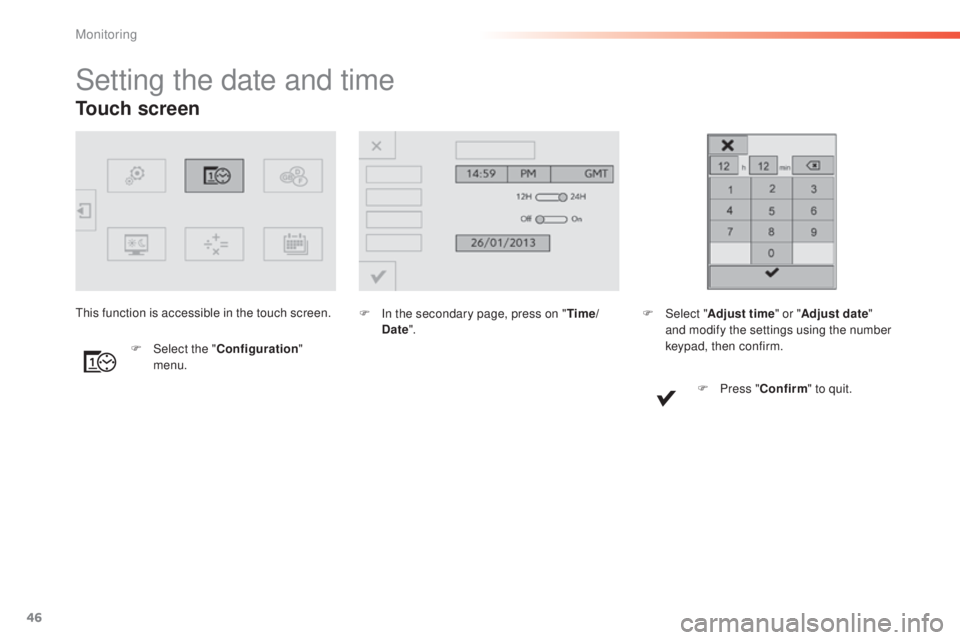
F In the secondary page, press on "Time/
Date ".
F
Sel
ect the " Configuration "
menu.th
is function is accessible in the touch screen.
F Sel ect "Adjust time " or "Adjust date"
and modify the settings using the number
keypad, then confirm.
F
P
ress "Confirm " to quit.
Monitoring
Page 101 of 416
99
308_en_Chap03_confort_ed01-2015
Heating and Ventilation
Air intake
the air circulating in the passenger compartment
is filtered and originates either from the outside via
the grille located at the base of the windscreen or
from the inside in air recirculation mode.
Controls
the incoming air follows various routes
depending on the controls selected by
the driver, the front passenger and rear
passengers, according to the level of
equipment.
th
e temperature control enables you to obtain
the level of comfort required by mixing the air of
the various circuits.
th
e air distribution control enables you to
select the air vents used in the passenger
compartment by the combined use of the
associated buttons.
th
e air flow control enables you to increase or
reduce the speed of the ventilation fan.
Depending on your vehicle, the controls are
accessible in the " Air conditioning" menu of
the touch screen or are grouped together on
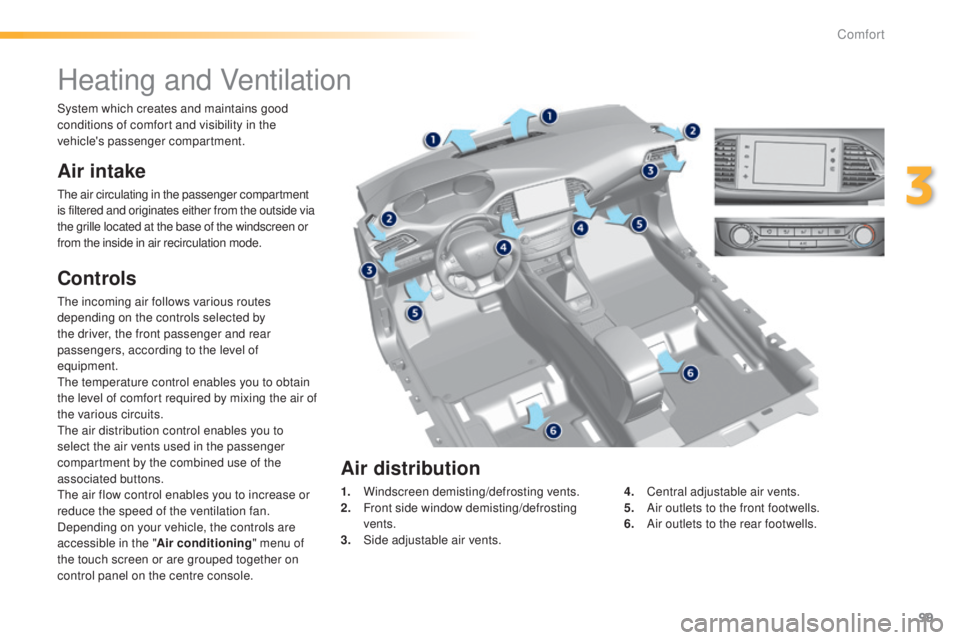
control panel on the centre console. 1.
W
indscreen demisting/defrosting vents.
2.
F
ront side window demisting/defrosting
vents.
3.
S
ide adjustable air vents.4.
C
entral adjustable air vents.
5.
A
ir outlets to the front footwells.
6.
A
ir outlets to the rear footwells.
Air distribution
System which creates and maintains good
conditions of comfort and visibility in the
vehicle's passenger compartment.
3
Comfort
Page 105 of 416
103
308_en_Chap03_confort_ed01-2015
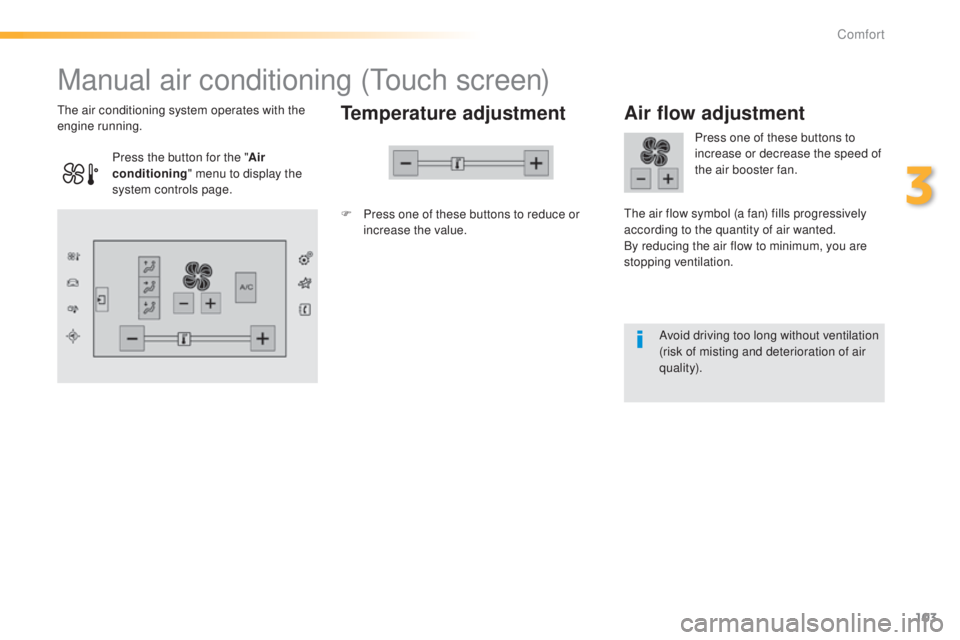
Manual air conditioning (touch screen)
Temperature adjustment
F Press one of these buttons to reduce or
increase the value.
th
e air conditioning system operates with the
engine running.
Air flow adjustment
Press one of these buttons to
increase or decrease the speed of
the air booster fan.
th
e air flow symbol (a fan) fills progressively
according to the quantity of air wanted.
By reducing the air flow to minimum, you are
stopping ventilation.
Avoid driving too long without ventilation
(risk of misting and deterioration of air
quality).
Press the button for the "
Air
conditioning " menu to display the
system controls page.
3
Comfort
Page 107 of 416
105
308_en_Chap03_confort_ed01-2015
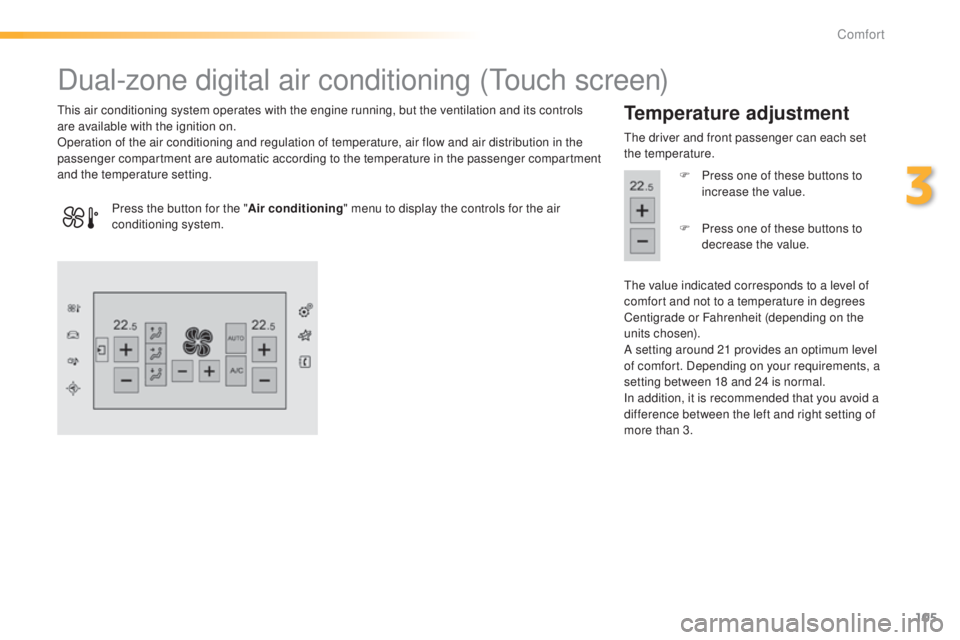
Dual-zone digital air conditioning (touch screen)
this air conditioning system operates with the engine running, but the ventilation and its controls
are available with the ignition on.
Operation of the air conditioning and regulation of temperature, air flow and air distribution in the
passenger compartment are automatic according to the temperature in the passenger compartment
and the temperature setting.Temperature adjustment
the driver and front passenger can each set
the temperature.
F
P
ress one of these buttons to
increase the value.
th
e value indicated corresponds to a level of
comfort and not to a temperature in degrees
Centigrade or Fahrenheit (depending on the
units chosen).
A setting around 21 provides an optimum level
of comfort. Depending on your requirements, a
setting between 18 and 24 is normal.
In addition, it is recommended that you avoid a
difference between the left and right setting of
more than 3.
Press the button for the "
Air conditioning" menu to display the controls for the air
conditioning system. F
P
ress one of these buttons to
decrease the value.
3
Comfort
Page 112 of 416
110
308_en_Chap03_confort_ed01-2015
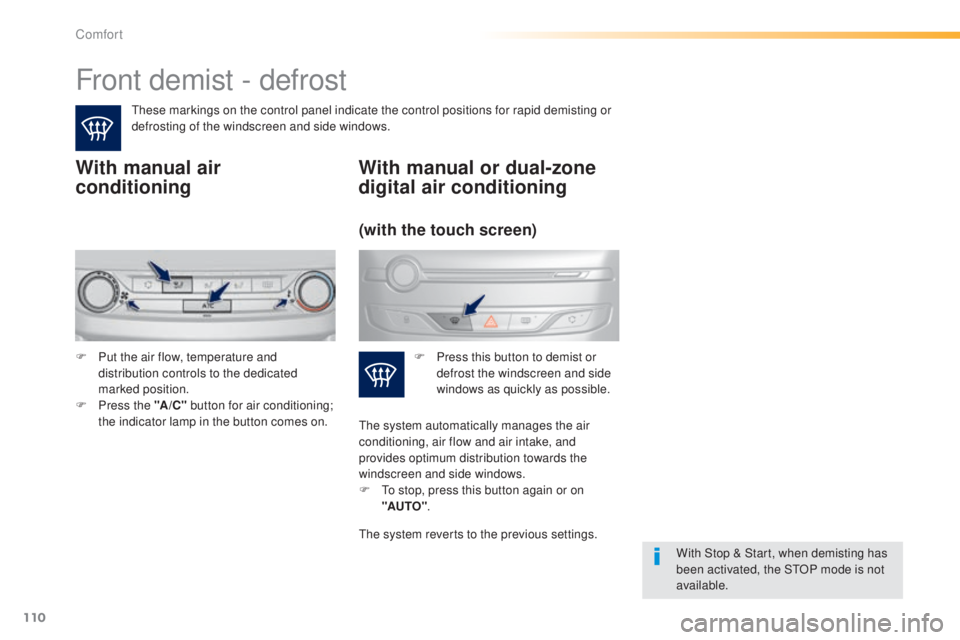
Front demist - defrost
these markings on the control panel indicate the control positions for rapid demisting or
defrosting of the windscreen and side windows.
With manual air
conditioning
With Stop & Start, when demisting has
been activated, the StOP mode is not
available.
With manual or dual-zone
digital air conditioning
F Put the air flow, temperature and distribution controls to the dedicated
marked position.
F
P
ress the "A /C " button for air conditioning;
the indicator lamp in the button comes on. F
P ress this button to demist or
defrost the windscreen and side
windows as quickly as possible.
(with the touch screen)
the system automatically manages the air
conditioning, air flow and air intake, and
provides optimum distribution towards the
windscreen and side windows.
F
t
o s
top, press this button again or on
"AUTO" .
the
system reverts to the previous settings.
Comfort