window Peugeot 308 2015 Owner's Manual
[x] Cancel search | Manufacturer: PEUGEOT, Model Year: 2015, Model line: 308, Model: Peugeot 308 2015Pages: 416, PDF Size: 11.81 MB
Page 4 of 416
.
.
308_en_Chap00a_sommaire_ed01-2015
Visual search
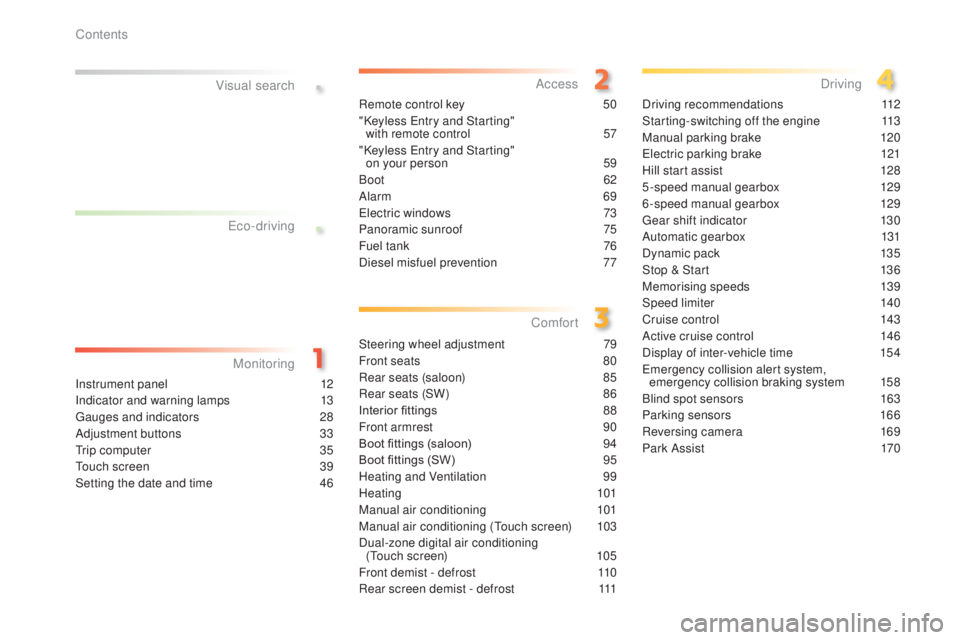
Instrument panel 12
Indicator and warning lamps
1
3
ga
uges and indicators
2
8
Adjustment buttons
3
3
tr
ip computer
3
5
to
uch screen
3
9
Setting the date and time
4
6Remote control key
5
0
"Keyless e
n
try and Starting"
with remote control
5
7
"Keyless e
n
try and Starting"
on your person
5
9
Boot
6
2
Alarm
6
9
el
ectric windows
7
3
Panoramic sunroof
7
5
Fuel tank
7
6
Diesel misfuel prevention
7
7
Steering wheel adjustment
7
9
Front seats
8
0
Rear seats (saloon) 8 5
Rear seats (SW) 8 6
Interior fittings
8
8
Front armrest
9
0
Boot fittings (saloon)
9
4
Boot fittings (SW)
9
5
Heating and Ventilation
9
9
Heating
101
Manual air conditioning
1
01
Manual air conditioning (
to
uch screen)
1
03
Dual-zone digital air conditioning (
to
uch screen)
1
05
Front demist - defrost
1
10
Rear screen demist - defrost
1
11Driving recommendations
1
12
Starting-switching off the engine
1
13
Manual parking brake
1
20
el
ectric parking brake
1
21
Hill start assist
1
28
5-speed manual gearbox
1
29
6-speed manual gearbox
1
29
ge
ar shift indicator
1
30
Automatic gearbox
1
31
Dynamic pack
1
35
Stop & Start
1
36
Memorising speeds
1
39
Speed limiter
1
40
Cruise control
1
43
Active cruise control
1
46
Display of inter-vehicle time
1
54em
ergency collision alert system,
emergency collision braking system 1 58
Blind spot sensors 1 63
Parking sensors
1
66
Reversing camera
1
69
Park Assist
1
70
eco-driving
M onitoring Access
Comfort Driving
Contents
Page 6 of 416
4
308_en_Chap00b_aide-visuelle_ed01-2015
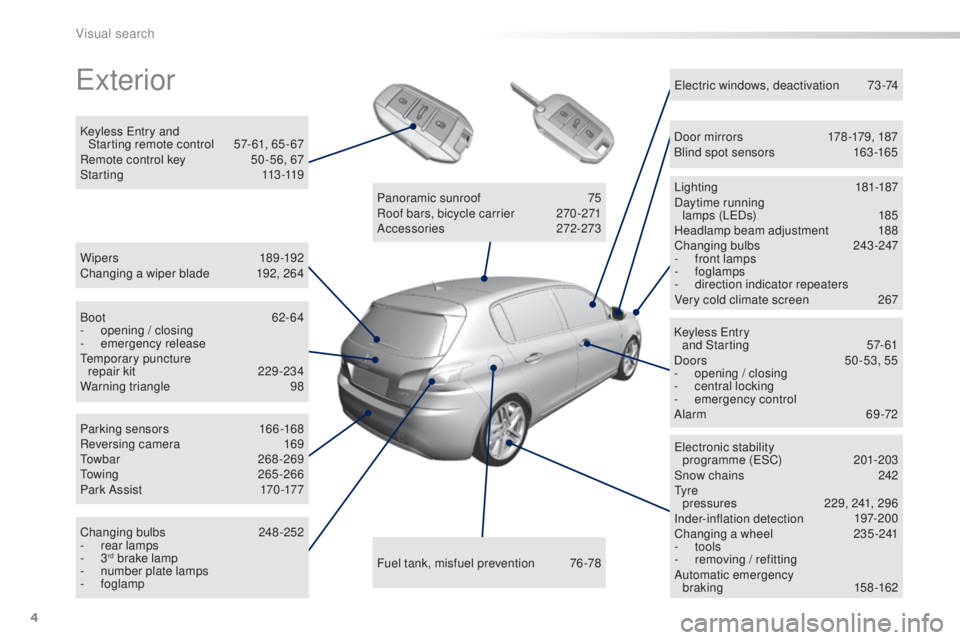
exterior
W ip e r s 18 9 -19 2
Changing a wiper blade 1 92, 264
Keyless
e
n
try and
Starting remote control
5
7- 61, 65 - 67
Remote control key
5
0 -56, 67
S t a r t i n g
113 -11 9
ele
ctronic stability
programme (
e
SC)
2
01-203
Snow chains
2
42
ty
r e
pressures
2
29, 241, 296
Inder-inflation detection
1
97-200
Changing a wheel
2
35-241
-
tools
-
r
emoving / refitting
Automatic emergency braking
158-162
Lighting
181-187
Daytime running lamps (L
eD
s)
1
85
Headlamp beam adjustment
1
88
Changing bulbs 2 43-247
- f ront lamps
-
foglamps
-
d
irection indicator repeaters
Very cold climate screen
2
67
el
ectric windows, deactivation
7
3-74
Keyless e
n
try
and Starting
5
7-61
Doors
50
-53, 55
-
ope
ning / closing
-
c
entral locking
-
em
ergency control
Alarm
69-72
Fuel tank, misfuel prevention
7
6-78
Panoramic sunroof
7
5
Roof bars, bicycle carrier
2
70 -271
Accessories
2
72-273
Boot
62-64
-
ope
ning / closing
-
em
ergency release
te
mporary puncture
repair kit
2
29-234
Warning triangle
9
8
Parking sensors
1
66-168
Reversing camera
1
69
to
wbar
268-269
to
wing
265-266
Pa r k A s s i s t
17
0 -17 7
Changing bulbs
2
48-252
-
r
ear lamps
-
3
rd brake lamp
-
n
umber plate lamps
-
foglamp Door mirrors
1
78 -179, 187
Blind spot sensors
1
63 -165
Visual search
Page 12 of 416
10
308_en_Chap00c_eco-conduite_ed01-2015
Optimise the use of your gearbox
With a manual gearbox, move off gently and change up without waiting.
During acceleration change up early.
With an automatic or electronic gearbox, give preference to automatic
mode and avoid pressing the accelerator pedal heavily or suddenly.
Control the use of your electrical
equipment
Before moving off, if the passenger compartment is too warm, ventilate it
by opening the windows and air vents before using the air conditioning.
Above 30 mph (50 km/h), close the windows and leave the air vents
open.
Remember to make use of equipment that can help keep the
temperature in the passenger compartment down (sunroof and window
blinds...).
Switch off the air conditioning, unless it has automatic regulation, as
soon as the desired temperature is attained.
Switch off the demisting and defrosting controls, if not automatic.
Switch off the heated seat as soon as possible.
Switch off the headlamps and front foglamps when the level of light
does not require their use.
Avoid running the engine before moving off, particularly in winter; your
vehicle will warm up much faster while driving.
As a passenger, if you avoid connecting your multimedia devices
(film, music, video game...), you will contribute towards limiting the
consumption of electrical energy, and so of fuel.
Disconnect your portable devices before leaving the vehicle.
eco-driving
eco-driving is a range of everyday practices that allow the motorist to optimise their fuel consumption and CO2 emissions.
Drive smoothly
Maintain a safe distance between vehicles, use engine braking
rather than the brake pedal, and press the accelerator progressively.
th
ese practices contribute towards a reduction in fuel consumption
and
CO
2 emissions and also helps reduce the background traffic noise.
If your vehicle has cruise control, make use of the system at speeds
above 25 mph (40 km/h) when the traffic is flowing well.
th
e gear shift indicator invites you engage the most suitable gear: as
soon as the indication is displayed in the instrument panel, follow it
straight away.
For vehicles fitted with an electronic or automatic gearbox, this
indicator appears only in manual mode.
eco-driving
Page 39 of 416
37
308_en_Chap01_controle-de-marche_ed01-2015
tr i p c o m p u t e r
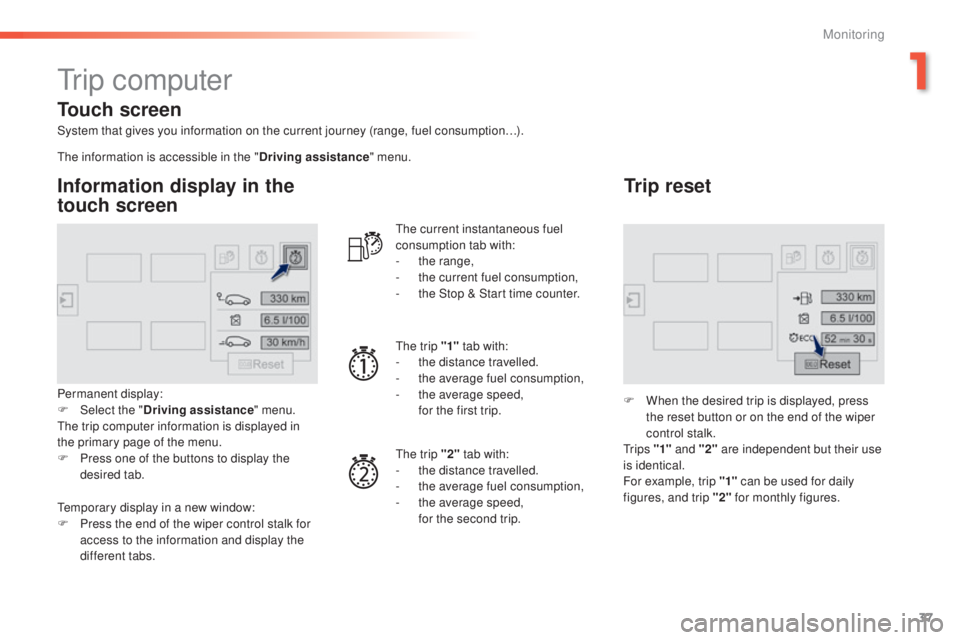
System that gives you information on the current journey (range, fuel consumption…).
Information display in the
touch screen
Permanent display:
F Sel ect the " Driving assistance " menu.
th
e trip computer information is displayed in
the primary page of the menu.
F
P
ress one of the buttons to display the
desired tab.
th
e current instantaneous fuel
consumption tab with:
-
t
he range,
-
t
he current fuel consumption,
-
t
he Stop & Start time counter.
th
e trip "1"
tab with:
-
t
he distance travelled.
- t he average fuel consumption,
- t he average speed,
f
or the first trip.
th
e trip "2" tab with:
-
t
he distance travelled.
-
t
he average fuel consumption,
-
t
he average speed,
f
or the second trip.
Trip reset
F When the desired trip is displayed, press the reset button or on the end of the wiper
control stalk.
t
r i p s "1" and "2" are independent but their use
is identical.
For example, trip "1" can be used for daily
figures, and trip "2" for monthly figures.
th
e information is accessible in the "
Driving assistance" menu.
te
mporary display in a new window:
F
P
ress the end of the wiper control stalk for
access to the information and display the
different tabs.
Touch screen
1
Monitoring
Page 54 of 416
52
308_en_Chap02_ouvertures_ed01-2015
Locking is confirmed by fixed
lighting of the direction indicators for
approximately two seconds.
According to version, the door mirrors
fold at the same time.
Driving with the doors locked may
render access for the emergency
services difficult in an emergency.
As a safety measure (children on
board), never leave the vehicle without
taking your key, even for a short period.
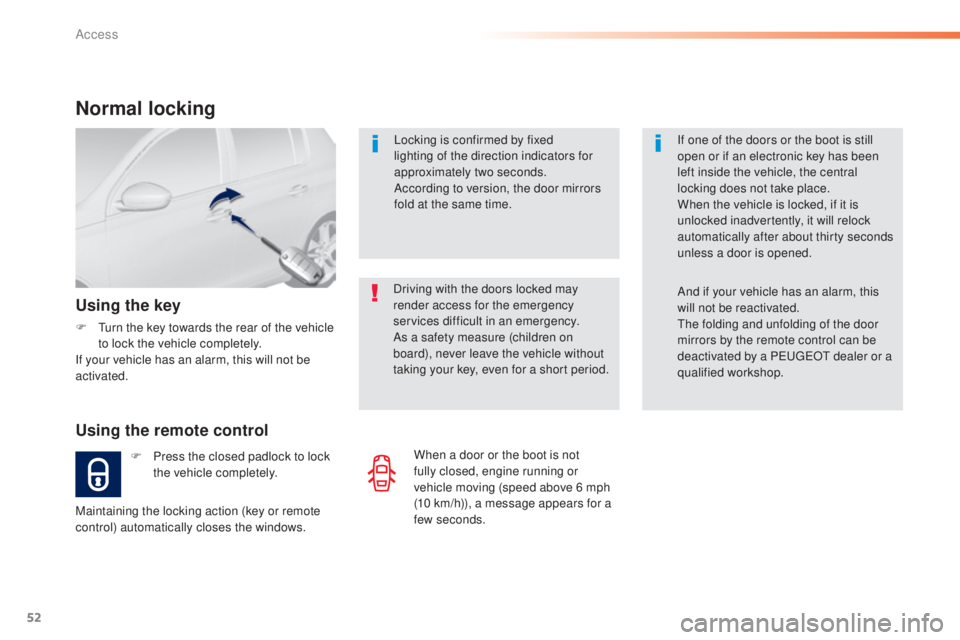
Normal locking
Using the remote control
F Press the closed padlock to lock the vehicle completely.
Using the key
F turn the key towards the rear of the vehicle to lock the vehicle completely.
If your vehicle has an alarm, this will not be
activated.
Maintaining the locking action (key or remote
control) automatically closes the windows. If one of the doors or the boot is still
open or if an electronic key has been
left inside the vehicle, the central
locking does not take place.
When the vehicle is locked, if it is
unlocked inadvertently, it will relock
automatically after about thirty seconds
unless a door is opened.
And if your vehicle has an alarm, this
will not be reactivated.th
e folding and unfolding of the door
mirrors by the remote control can be
deactivated by a P
e
uge
Ot
dealer or a
qualified workshop.
When a door or the boot is not
fully closed, engine running or
vehicle moving (speed above 6 mph
(10
km/h)), a message appears for a
few seconds.
Access
Page 60 of 416
58
308_en_Chap02_ouvertures_ed01-2015
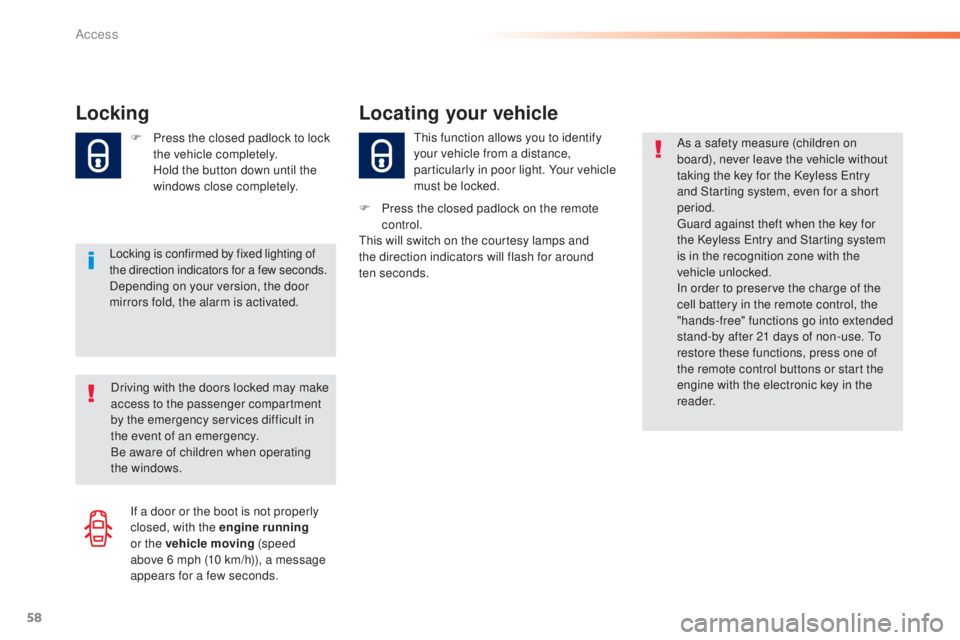
Locking
Locking is confirmed by fixed lighting of
the direction indicators for a few seconds.
Depending on your version, the door
mirrors fold, the alarm is activated. F
P
ress the closed padlock to lock
the vehicle completely.
H
old the button down until the
windows close completely.
th
is function allows you to identify
your vehicle from a distance,
particularly in poor light. Your vehicle
must be locked.
Locating your vehicle
F Press the closed padlock on the remote control.
th
is will switch on the courtesy lamps and
the direction indicators will flash for around
ten
seconds.
Driving with the doors locked may make
access to the passenger compartment
by the emergency services difficult in
the event of an emergency.
Be aware of children when operating
the windows. As a safety measure (children on
board), never leave the vehicle without
taking the key for the Keyless
e
n
try
and Starting system, even for a short
period.gu ard against theft when the key for
the Keyless
e
n
try and Starting system
is in the recognition zone with the
vehicle unlocked.
In order to preserve the charge of the
cell battery in the remote control, the
"hands-free" functions go into extended
stand-by after 21 days of non-use.
t
o
r
estore these functions, press one of
the remote control buttons or start the
engine with the electronic key in the
reader.
If a door or the boot is not properly
closed, with the engine running
or the vehicle moving (speed
above 6
mph (10 km/h)), a message
appears for a few seconds.
Access
Page 62 of 416
60
308_en_Chap02_ouvertures_ed01-2015
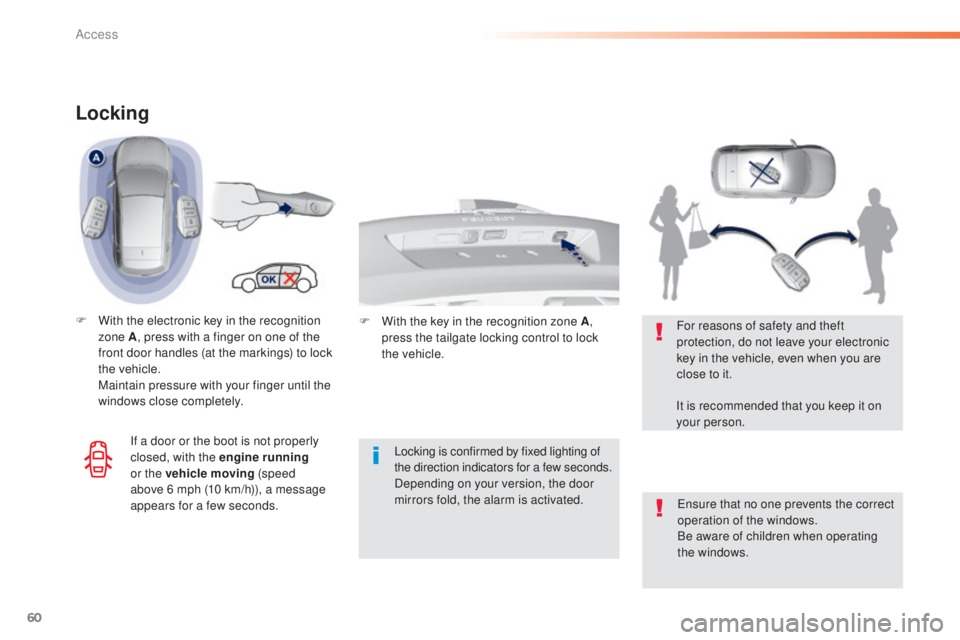
Locking
F With the electronic key in the recognition zone A , press with a finger on one of the
front door handles (at the markings) to lock
the vehicle.
M
aintain pressure with your finger until the
windows close completely.
Locking is confirmed by fixed lighting of
the direction indicators for a few
seconds.
Depending on your version, the door
mirrors fold, the alarm is activated.
en
sure that no one prevents the correct
operation of the windows.
Be aware of children when operating
the windows.
For reasons of safety and theft
protection, do not leave your electronic
key in the vehicle, even when you are
close to it.
It is recommended that you keep it on
your person.
If a door or the boot is not properly
closed, with the engine running
or the vehicle moving (speed
above 6
mph (10 km/h)), a message
appears for a few seconds. F
W ith the key in the recognition zone A,
press the tailgate locking control to lock
the
vehicle.
Access
Page 63 of 416
61
308_en_Chap02_ouvertures_ed01-2015
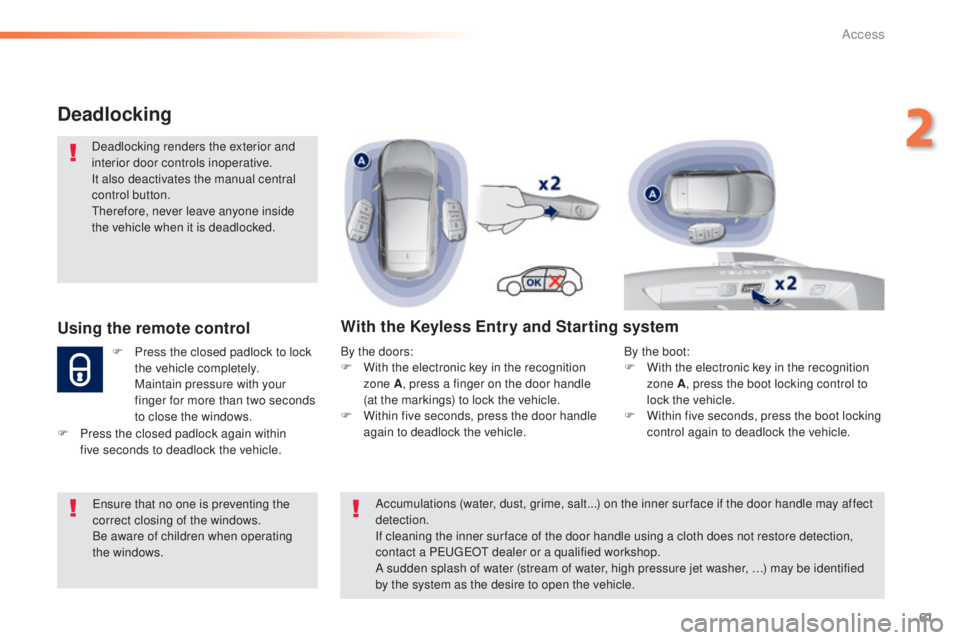
Deadlocking
Deadlocking renders the exterior and
interior door controls inoperative.
It also deactivates the manual central
control button.
th
erefore, never leave anyone inside
the vehicle when it is deadlocked.
Using the remote control
F Press the closed padlock to lock the vehicle completely.
M
aintain pressure with your
finger for more than two seconds
to close the windows.
With the Keyless Entry and Starting system
By the doors:
F W ith the electronic key in the recognition
zone A , press a finger on the door handle
(at the markings) to lock the vehicle.
F
W
ithin five seconds, press the door handle
again to deadlock the vehicle.
en
sure that no one is preventing the
correct closing of the windows.
Be aware of children when operating
the windows.
F
P
ress the closed padlock again within
five
seconds to deadlock the vehicle. Accumulations (water, dust, grime, salt...) on the inner sur face if the door handle may affect
detection.
If cleaning the inner sur face of the door handle using a cloth does not restore detection,
contact a P
e
uge
Ot
dealer or a qualified workshop.
A sudden splash of water (stream of water, high pressure jet washer, …) may be identified
by the system as the desire to open the vehicle. By the boot:
F
W ith the electronic key in the recognition
zone A , press the boot locking control to
lock the vehicle.
F
W
ithin five seconds, press the boot locking
control again to deadlock the vehicle.
2
Access
Page 71 of 416
69
308_en_Chap02_ouvertures_ed01-2015
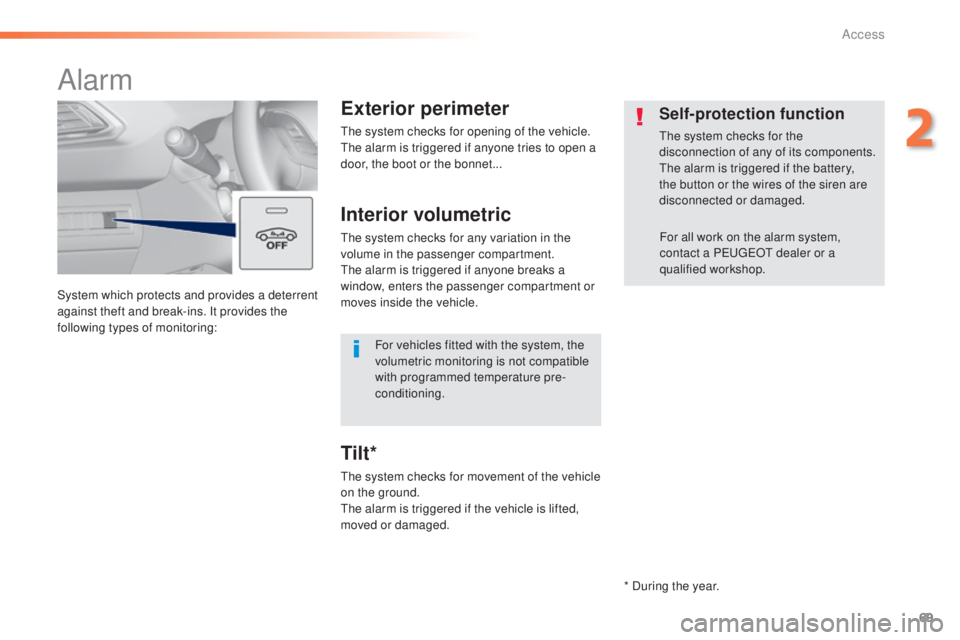
System which protects and provides a deterrent
against theft and break-ins. It provides the
following types of monitoring:
Alarm
Exterior perimeter
the system checks for opening of the vehicle.the alarm is triggered if anyone tries to open a
door, the boot or the bonnet...
Self-protection function
the system checks for the
disconnection of any of its components.
th
e alarm is triggered if the battery,
the button or the wires of the siren are
disconnected or damaged.
For all work on the alarm system,
contact a P
e
uge
Ot
dealer or a
qualified workshop.
Interior volumetric
the system checks for any variation in the
volume in the passenger compartment.
th
e alarm is triggered if anyone breaks a
window, enters the passenger compartment or
moves inside the vehicle.
th
e system checks for movement of the vehicle
on the ground.
th
e alarm is triggered if the vehicle is lifted,
moved or damaged.
Tilt*
For vehicles fitted with the system, the
volumetric monitoring is not compatible
with programmed temperature pre-
conditioning.
* During the year.
2
Access
Page 73 of 416
71
308_en_Chap02_ouvertures_ed01-2015
Protection - exterior
perimeter monitoring only
Volumetric monitoring
Deactivationthe tilt alarm is deactivated as well, if your
vehicle has it.
F
S
witch of the ignition and within
ten seconds press this button
until its indicator lamp is on fixed.
F
g
e
t out of the vehicle.
F
I
mmediately lock the vehicle using the
remote control or the "Keyless
e
n
try and
Starting" system.
Only the exterior perimeter protection system is
active: the indicator lamp in the button flashes
once per second.
to b
e effective, this deactivation must be done
every time the ignition is switched off.
Deactivate the interior volumetric monitoring
(and tilt monitoring if your vehicle has it) to
avoid unwanted triggering of the alarm in
certain cases such as:
-
o
ccupant(s) present in the vehicle,
-
l
eaving a window partially open,
-
w
ashing your vehicle,
-
c
hanging a wheel,
-
t
owing your vehicle,
-
t
ransport on a ferry. Reactivationth
e tilt alarm is reactivated as well, if your
vehicle has it.
F
D
eactivate the exterior perimeter
monitoring by unlocking the vehicle using
the remote control or the Keyless
e
n
try and
Starting system.
th
e indicator lamp in the button goes off.
F
R
eactivate the full alarm system by locking
the vehicle using the remote control or the
"Keyless
e
n
try and Starting" system.
th
e indicator lamp in the button flashes once
per second again.
2
Access