service indicator Peugeot 308 2016 Owner's Manual - RHD (UK, Australia)
[x] Cancel search | Manufacturer: PEUGEOT, Model Year: 2016, Model line: 308, Model: Peugeot 308 2016Pages: 398, PDF Size: 10.3 MB
Page 21 of 398
19
Warning / indicator lamp State Cause Action / Observations
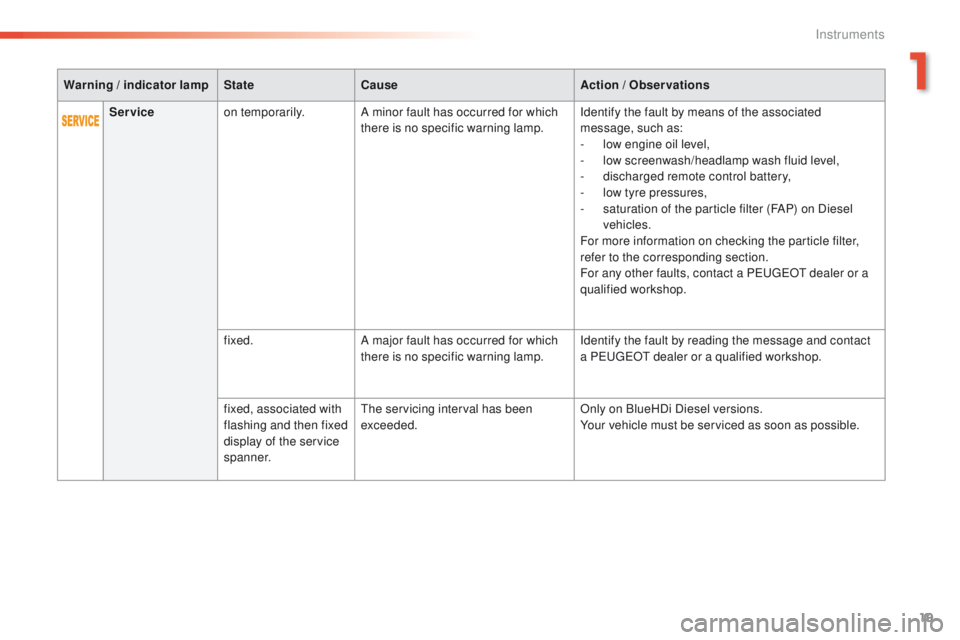
Service on temporarily. A minor fault has occurred for which
there is no specific warning lamp. Identify the fault by means of the associated
message, such as:
-
l
ow engine oil level,
-
l
ow screenwash/headlamp wash fluid level,
-
d
ischarged remote control battery,
-
l
ow tyre pressures,
-
s
aturation of the particle filter (FAP) on Diesel
vehicles.
For more information on checking the particle filter,
refer to the corresponding section.
For any other faults, contact a P
e
uge
Ot
dealer or a
qualified workshop.
fixed. A major fault has occurred for which
there is no specific warning lamp. Identify the fault by reading the message and contact
a P
e
uge
Ot
dealer or a qualified workshop.
fixed, associated with
flashing and then fixed
display of the service
spanner.
the
servicing interval has been
exceeded. Only on BlueHDi Diesel versions.
Your vehicle must be serviced as soon as possible.
1
Instruments
Page 30 of 398
28
Coolant temperature gauge
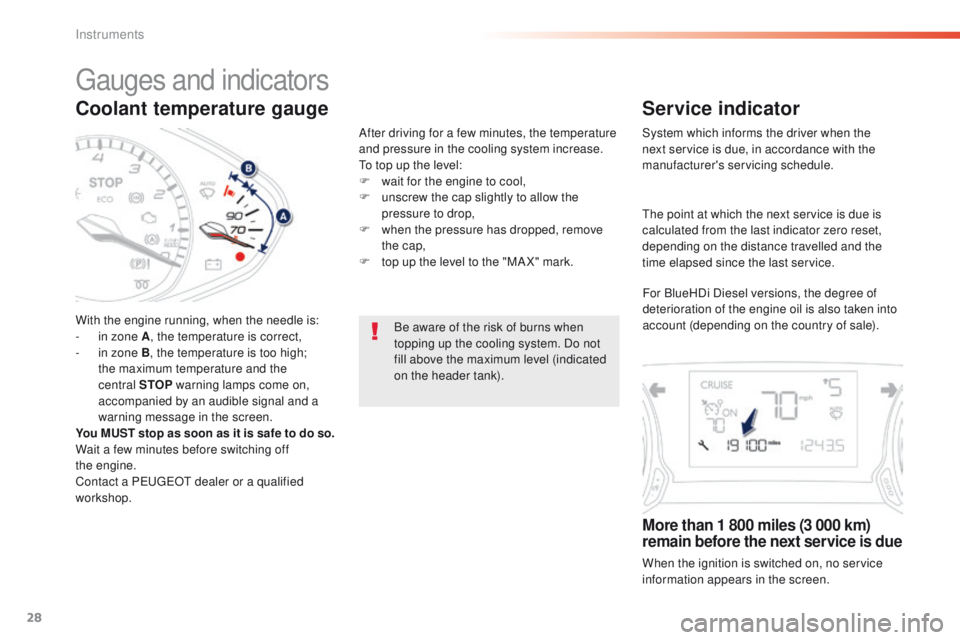
With the engine running, when the needle is:
- i n zone A , the temperature is correct,
-
i
n zone B, the temperature is too high;
the maximum temperature and the
central STOP warning lamps come on,
accompanied by an audible signal and a
warning message in the screen.
You MUST stop as soon as it is safe to do so.
Wait a few minutes before switching off
the
engine.
Contact a P
e
uge
Ot
dealer or a qualified
workshop. After driving for a few minutes, the temperature
and pressure in the cooling system increase.
to t
op up the level:
F
w
ait for the engine to cool,
F
u
nscrew the cap slightly to allow the
pressure to drop,
F
w
hen the pressure has dropped, remove
the cap,
F
t
op up the level to the "MA X" mark.
Be aware of the risk of burns when
topping up the cooling system. Do not
fill above the maximum level (indicated
on the header tank).
gauges and indicators
Service indicator
System which informs the driver when the
next service is due, in accordance with the
manufacturer's servicing schedule.
More than 1 800 miles (3 000 km)
remain before the next service is due
When the ignition is switched on, no service
information appears in the screen.
th
e point at which the next service is due is
calculated from the last indicator zero reset,
depending on the distance travelled and the
time elapsed since the last service.
For BlueHDi Diesel versions, the degree of
deterioration of the engine oil is also taken into
account (depending on the country of sale).
Instruments
Page 32 of 398
30
the distance remaining may be
weighted by the time factor, depending
on the driving conditions.
th
erefore, the spanner may also come
on if you have exceeded the period
since the last service, indicated in the
manufacturer's service schedule.
For BlueHDi Diesel versions, the
spanner may also be brought on earlier
than expected, depending on the
degree of deterioration of the engine oil
(depending on the country of sale).
th
e rate of deterioration of the engine
oil depends on the driving conditions in
which the vehicle is used.
Service indicator zero reset
Following this operation, if you wish to
disconnect the battery, lock the vehicle
and wait at least five minutes for the
zero reset to be registered.
Retrieving the service
information
You can access the service information at any
time.
F
P
ress the trip distance recorder zero reset
button.
t
h
e service information is displayed for a
few seconds, then disappears.
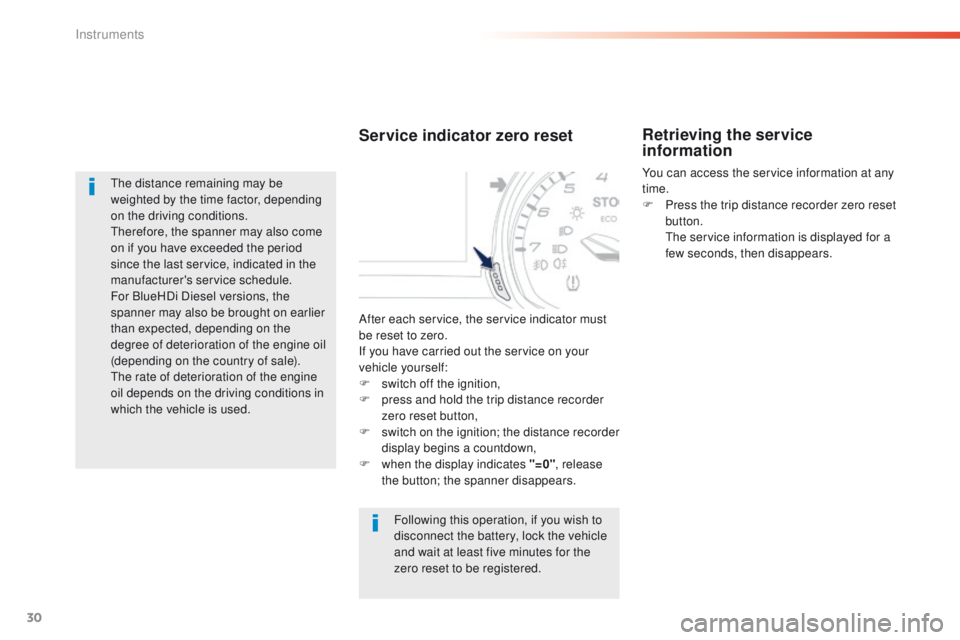
After each service, the service indicator must
be reset to zero.
If you have carried out the service on your
vehicle yourself:
F
s
witch off the ignition,
F
p
ress and hold the trip distance recorder
zero reset button,
F
s
witch on the ignition; the distance recorder
display begins a countdown,
F
w
hen the display indicates "=0" , release
the button; the spanner disappears.
Instruments
Page 33 of 398
31
Engine oil level indicator
On versions fitted with an electric oil gauge,
information on the oil level is displayed in the
instrument panel for a few seconds when the
ignition is switched on, at the same time as the
service information.
th
e level read will only be correct if
the vehicle is on level ground and the
engine has been off for more than
30
minutes.
Oil level correct
this is indicated by a message in the
instrument panel.
Oil level incorrect
this is indicated by a message in the
instrument panel.
If the low oil level is confirmed by a check using
the dipstick, the level must be topped up to
avoid damage to the engine.
Oil level indicator fault
this is indicated by a message in the
instrument panel. Contact a Pe ugeOt dealer
or a qualified workshop.
Dipstick
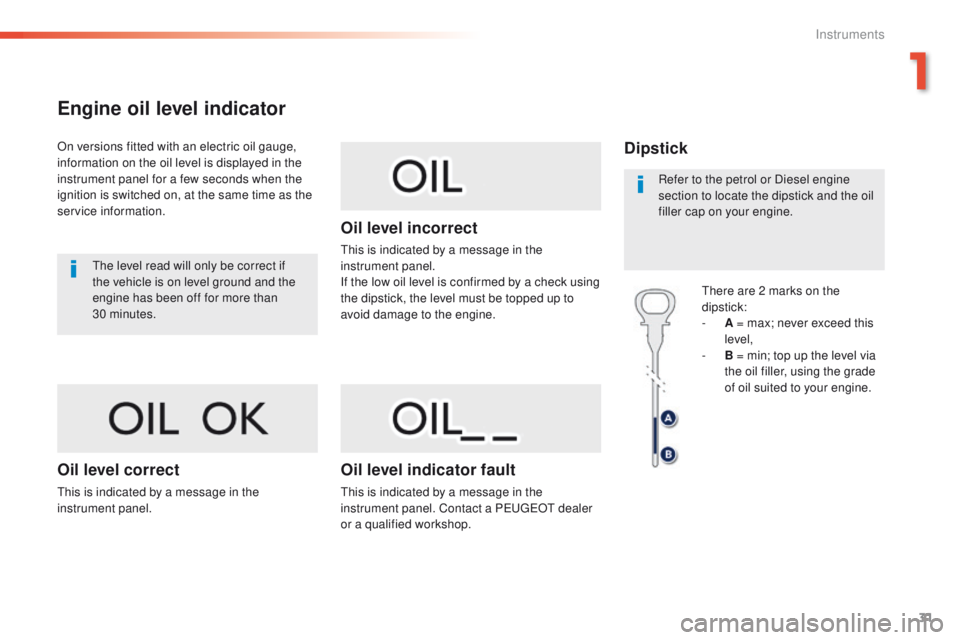
there are 2 marks on the
dipstick:
-
A
= max; never exceed this
level,
-
B
= min; top up the level via
the oil filler, using the grade
of oil suited to your engine.
Refer to the petrol or Diesel engine
section to locate the dipstick and the oil
filler cap on your engine.
1
Instruments
Page 39 of 398
37
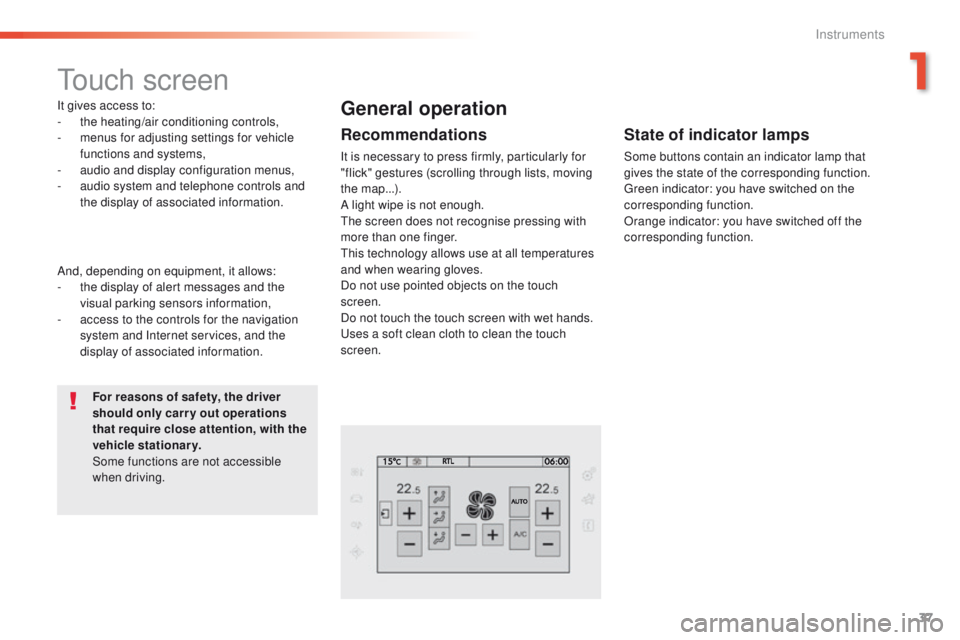
touch screen
It gives access to:
- the heating/air conditioning controls,
-
m
enus for adjusting settings for vehicle
functions and systems,
-
a
udio and display configuration menus,
-
a
udio system and telephone controls and
the display of associated information.
For reasons of safety, the driver
should only carr y out operations
that require close attention, with the
vehicle stationary.
Some functions are not accessible
when driving.General operation
Recommendations
It is necessary to press firmly, particularly for
"flick" gestures (scrolling through lists, moving
the map...).
A light wipe is not enough.
th
e screen does not recognise pressing with
more than one finger.
th
is technology allows use at all temperatures
and when wearing gloves.
Do not use pointed objects on the touch
screen.
Do not touch the touch screen with wet hands.
us
es a soft clean cloth to clean the touch
screen.
And, depending on equipment, it allows:
-
t
he display of alert messages and the
visual parking sensors information,
-
a
ccess to the controls for the navigation
system and Internet services, and the
display of associated information.
State of indicator lamps
Some buttons contain an indicator lamp that
gives the state of the corresponding function.
gr
een indicator: you have switched on the
corresponding function.
Orange indicator: you have switched off the
corresponding function.
1
Instruments
Page 51 of 398
49
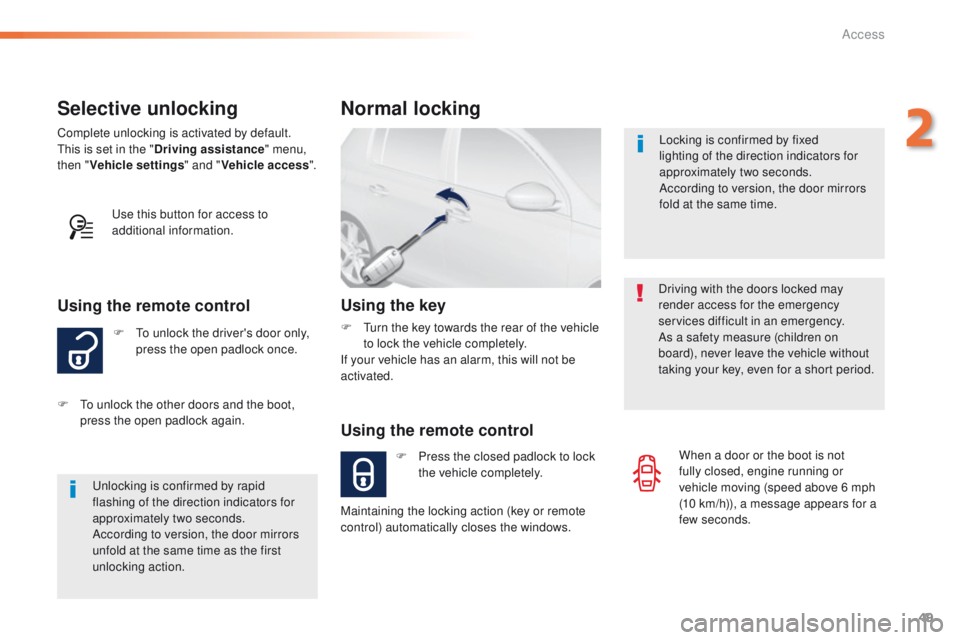
Selective unlocking
F to unlock the driver's door only, press the open padlock once.
Using the remote control
Complete unlocking is activated by default.this is set in the " Driving assistance " menu,
then " Vehicle settings " and "Vehicle access ".
un
locking is confirmed by rapid
flashing of the direction indicators for
approximately two seconds.
According to version, the door mirrors
unfold at the same time as the first
unlocking action.
F
t
o u
nlock the other doors and the boot,
press the open padlock again.
us
e this button for access to
additional information. Locking is confirmed by fixed
lighting of the direction indicators for
approximately two seconds.
According to version, the door mirrors
fold at the same time.
Driving with the doors locked may
render access for the emergency
services difficult in an emergency.
As a safety measure (children on
board), never leave the vehicle without
taking your key, even for a short period.
Normal locking
Using the remote control
F Press the closed padlock to lock the vehicle completely.
Using the key
F turn the key towards the rear of the vehicle to lock the vehicle completely.
If your vehicle has an alarm, this will not be
activated.
Maintaining the locking action (key or remote
control) automatically closes the windows. When a door or the boot is not
fully closed, engine running or
vehicle moving (speed above 6 mph
(10
km/h)), a message appears for a
few seconds.
2
Access
Page 56 of 398
54
"Keyless entry and Starting" with remote
control
Complete unlocking Selective unlocking
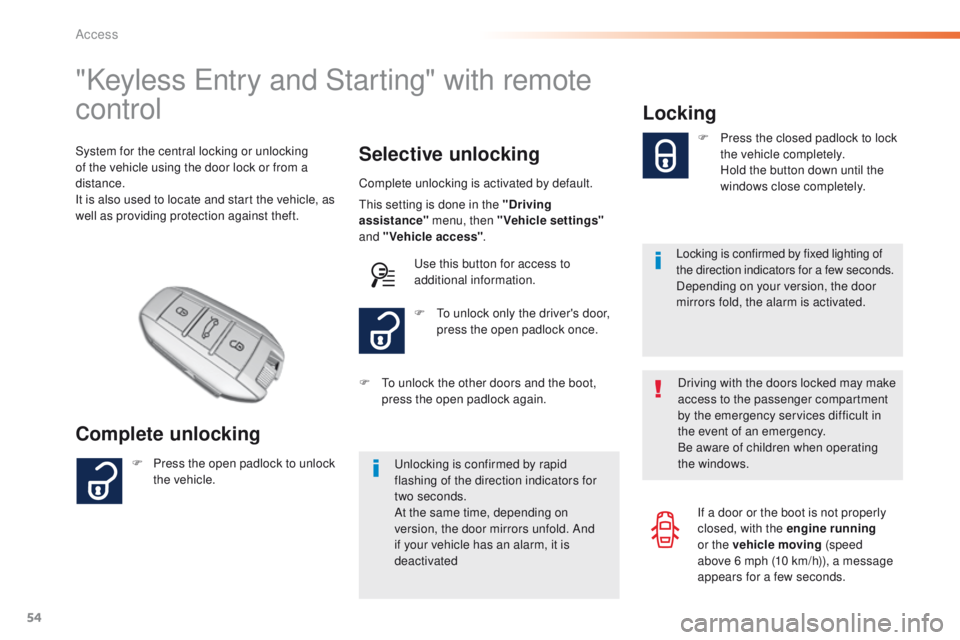
System for the central locking or unlocking
of the vehicle using the door lock or from a
distance.
It is also used to locate and start the vehicle, as
well as providing protection against theft.
Complete unlocking is activated by default.
un
locking is confirmed by rapid
flashing of the direction indicators for
two
seconds.
At the same time, depending on
version, the door mirrors unfold. And
if your vehicle has an alarm, it is
deactivated F
t
o u
nlock only the driver's door,
press the open padlock once.
F
P
ress the open padlock to unlock
the vehicle. F
t
o u
nlock the other doors and the boot,
press the open padlock again.
th
is setting is done in the "Driving
assistance" menu, then "Vehicle settings"
and "Vehicle access" .
us
e this button for access to
additional information.
Locking
Locking is confirmed by fixed lighting of
the direction indicators for a few seconds.
Depending on your version, the door
mirrors fold, the alarm is activated. F
P
ress the closed padlock to lock
the vehicle completely.
H
old the button down until the
windows close completely.
Driving with the doors locked may make
access to the passenger compartment
by the emergency services difficult in
the event of an emergency.
Be aware of children when operating
the windows. If a door or the boot is not properly
closed, with the engine running
or the vehicle moving (speed
above 6
mph (10 km/h)), a message
appears for a few seconds.
Access
Page 121 of 398
119
Automatic operation of
hazard warning lamps
Hazard warning lamps
When braking in an emergency, depending on
the rate of deceleration, as well as when the
ABS regulation is invoked or in the event of an
impact, the hazard warning lamps come on
automatically.
th
ey switch off automatically the first time you
accelerate.
F
Y
ou can also switch them off by pressing
the button.
emergency or
assistance call
this system allows you to make an emergency
or assistance call to the emergency services or
to the dedicated P
e
uge
Ot
service.
For more information on the use of this
function, refer to the "Audio equipment
and telematics" section.
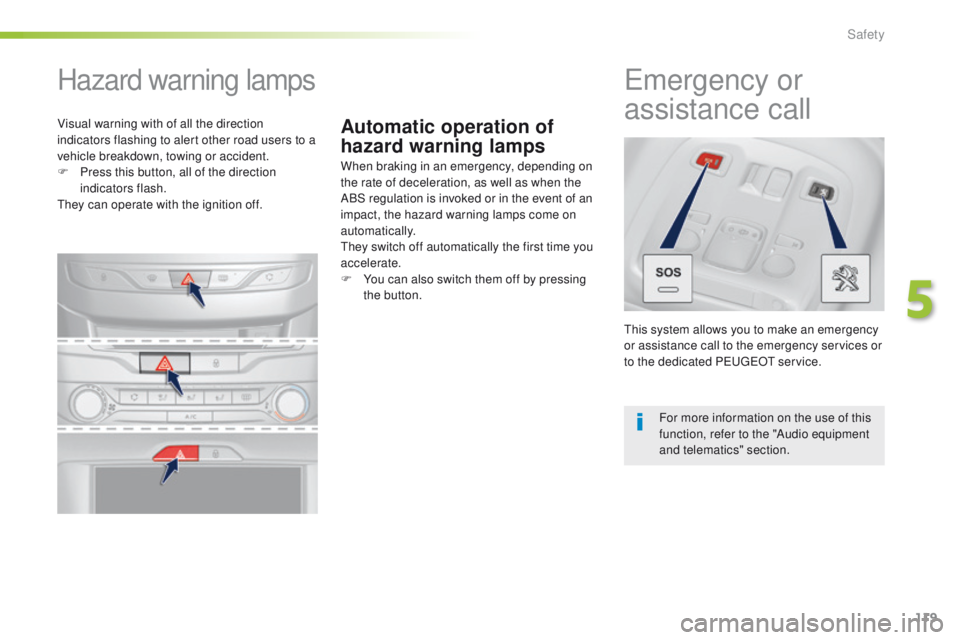
Visual warning with of all the direction
indicators flashing to alert other road users to a
vehicle breakdown, towing or accident.
F
P
ress this button, all of the direction
indicators flash.
th
ey can operate with the ignition off.
5
Safety
Page 161 of 398
159
Emergency braking
In the event of a failure of the main service
brake or in an exceptional situation (e.g. driver
taken ill, under instruction, etc) a continuous
pull on the control lever will brake the vehicle.
Braking takes place while the control lever is
being pulled. It is interrupted if the control lever
is released.
th
e ABS and DSC systems provide stability of
the vehicle during emergency braking.
If the emergency braking malfunctions, the
message "Parking brake control faulty" will be
displayed.
the
emergency braking should only be
used in an exceptional situation.
Repeat this procedure to reactivate automatic
operation.
Reactivation of automatic operation is
confirmed by the indicator lamp in the
instrument panel going off.
Deactivating automatic operation
In some situations, such as very cold weather
or towing (caravan, recovery), it may be
necessary to deactivate automatic operation of
the system.
F
S
tart the engine.
F
A
pply the parking brake with the control
lever, if it is released.
F
t
a
ke your foot off the brake pedal.
F
P
ush and hold the control lever in the
release direction for at least 10 seconds
and no more than 15 seconds.
F
R
elease the control lever.
F
P
ress and hold the brake pedal.
F
P
ull the control lever in the apply direction
for 2 seconds.
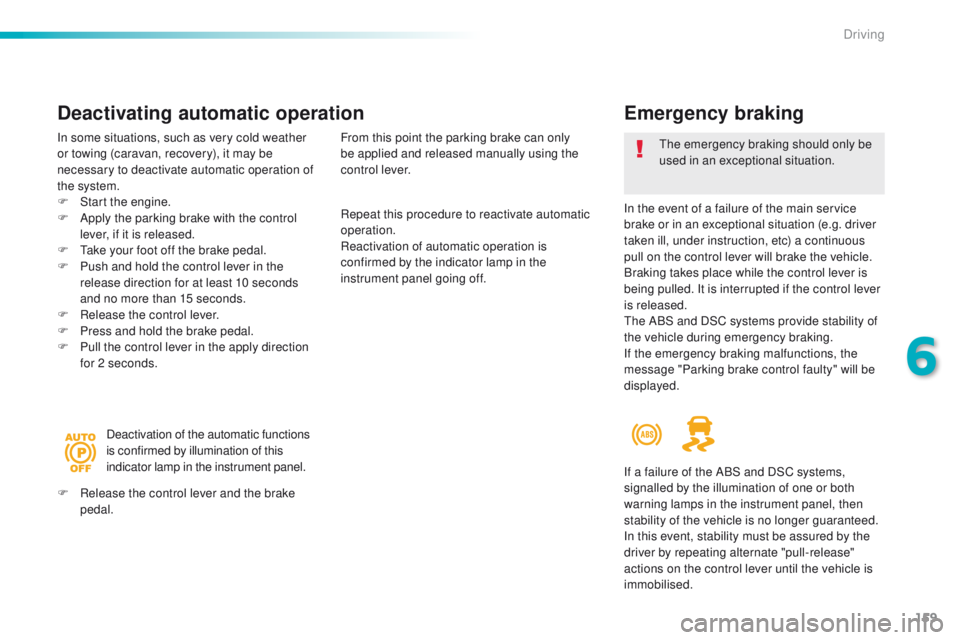
Deactivation of the automatic functions
is confirmed by illumination of this
indicator lamp in the instrument panel.
F
R
elease the control lever and the brake
pedal. From this point the parking brake can only
be applied and released manually using the
control lever.
If a failure of the ABS and DSC systems,
signalled by the illumination of one or both
warning lamps in the instrument panel, then
stability of the vehicle is no longer guaranteed.
In this event, stability must be assured by the
driver by repeating alternate "pull-release"
actions on the control lever until the vehicle is
immobilised.
6
Driving
Page 231 of 398
229
Checking levels
take care when working under the bonnet, as certain areas of the engine may be extremely hot (risk of burns) and the cooling fan could start at
any time (even with the ignition off).
Engine oil level
the check is carried out either when
the ignition is switched on using the
oil level indicator in the instrument
panel for vehicles so equipped, or
using the dipstick.Checking using the dipstick
F Locate the dipstick in the engine compartment of your vehicle.
For more information on the petrol or Diesel
engine, refer to the corresponding section.
F
t
a
ke the dipstick by its coloured grip and
remove it completely.
F
W
ipe the end of the dipstick using a clean
non-fluffy cloth.
F
R
efit the dipstick and push fully down, then
pull it out again to make the visual check:
the correct level is between the marks A
and B .
Check all of these levels regularly, in line with the manufacturer's service schedule.
t
o
p them up if necessary, unless other wise indicated.
If a level drops significantly, have the corresponding system checked by a P
e
uge
Ot
dealer or a qualified workshop.
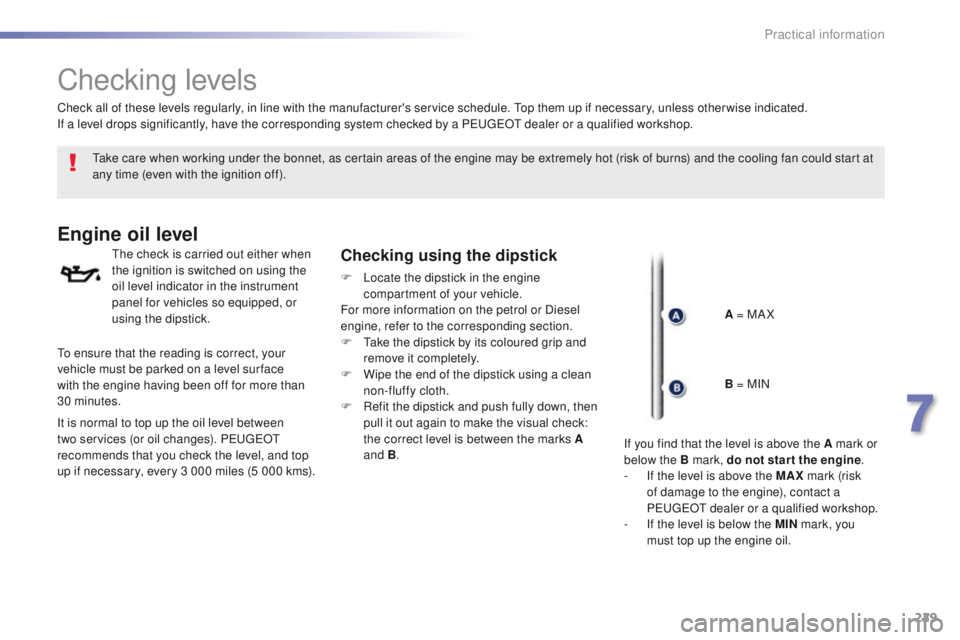
A = MA X
to e
nsure that the reading is correct, your
vehicle must be parked on a level sur face
with the engine having been off for more than
30
minutes.
It is normal to top up the oil level between
two services (or oil changes). P
e
uge
Ot
recommends that you check the level, and top
up if necessary, every 3 000 miles (5 000 kms). B = MIN
If you find that the level is above the A mark or
below the B mark, do not star t the engine .
-
I
f the level is above the MAX mark (risk
of damage to the engine), contact a
P
e
uge
Ot
dealer or a qualified workshop.
-
I
f the level is below the MIN mark, you
must top up the engine oil.
7
Practical information