ECO mode Peugeot 308 2016 User Guide
[x] Cancel search | Manufacturer: PEUGEOT, Model Year: 2016, Model line: 308, Model: Peugeot 308 2016Pages: 398, PDF Size: 9.38 MB
Page 173 of 398
171
308_en_Chap06_conduite_ed02-2015
Going into engine START mode
the "ECO" w arning lamp goes off
and the engine starts automatically:
-
Wi
th a manual gearbox , when you fully
depress the clutch pedal. StARt m
ode is invoked automatically
when:
Special cases: START invoked
automatically
- you open the driver's door,
- you unfasten the driver's seat belt,
-
th
e speed of the vehicle exceeds 15 mph
(25 km/h) or 2 mph (3 km/h) (depending on
the engine) with a manual gearbox,
-
th
e speed of the vehicle exceeds 2 mph
(3
k
m/h) with an automatic gearbox,
-
th
e electric parking brake is being applied,
-
som
e special conditions (battery charge,
engine temperature, braking assistance,
ambient temperature...) where the engine is
needed for control of a system. If the system has been deactivated
in S
tOP m
ode, the engine restarts
immediately.
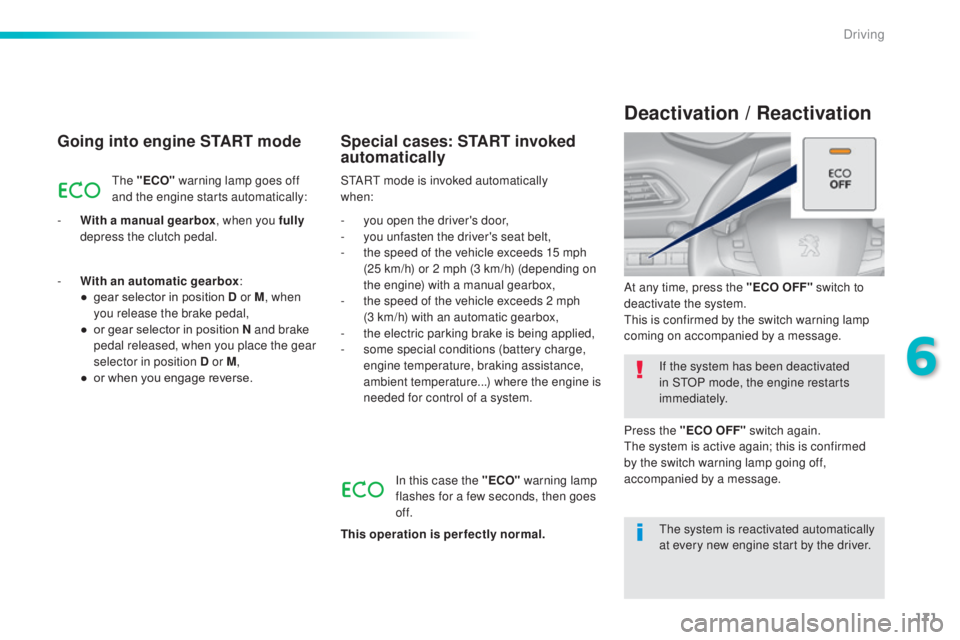
At any time, press the "ECO OFF" switch to
deactivate the system.
thi
s is confirmed by the switch warning lamp
coming on accompanied by a message.
Deactivation / Reactivation
In this case the "ECO" warning lamp
flashes for a few seconds, then goes
of f.
This operation is perfectly normal.
-
Wi
th an automatic gearbox
:
●
ge
ar selector in position D or M
, when
you release the brake pedal,
●
or g
ear selector in position N and brake
pedal released, when you place the gear
selector in position D or M ,
●
or w
hen you engage reverse.
the s
ystem is reactivated automatically
at every new engine start by the driver.
Press the "ECO OFF" switch again.
the s
ystem is active again; this is confirmed
by the switch warning lamp going off,
accompanied by a message.
6
Driving
Page 179 of 398
177
308_en_Chap06_conduite_ed02-2015
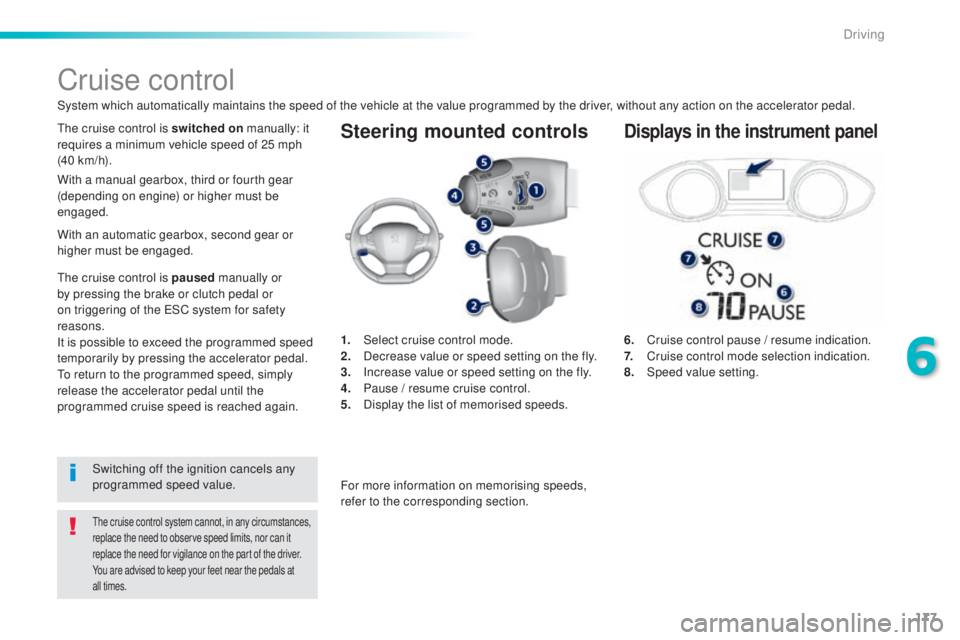
Steering mounted controls
6. Cruise control pause / resume indication.
7. Cr uise control mode selection indication.
8.
Speed
value setting.
Cruise control
System which automatically maintains the speed of the vehicle at the value programmed by the driver, without any action on the accelerator pedal.
the cruise control system cannot, in any circumstances,
r eplace the need to observe speed limits, nor can it
replace the need for vigilance on the part of the driver.
You are advised to keep your feet near the pedals at
all times.
the cruise control is switched on m anually: it
requires a minimum vehicle speed of 25 mph
(40 km/h).
1.
Selec
t cruise control mode.
2.
De
crease value or speed setting on the fly.
3.
In
crease value or speed setting on the fly.
4.
Pa
use / resume cruise control.
5.
Dis
play the list of memorised speeds.Displays in the instrument panel
Switching off the ignition cancels any
programmed speed value.
the c
ruise control is paused
manually or
by pressing the brake or clutch pedal or
on triggering of the
eS
C system for safety
reasons.
It is possible to exceed the programmed speed
temporarily by pressing the accelerator pedal.
to re
turn to the programmed speed, simply
release the accelerator pedal until the
programmed cruise speed is reached again. With a manual gearbox, third or fourth gear
(depending on engine) or higher must be
engaged.
For more information on memorising speeds,
refer to the corresponding section.
With an automatic gearbox, second gear or
higher must be engaged.
6
Driving
Page 180 of 398
178
308_en_Chap06_conduite_ed02-2015
Switching on
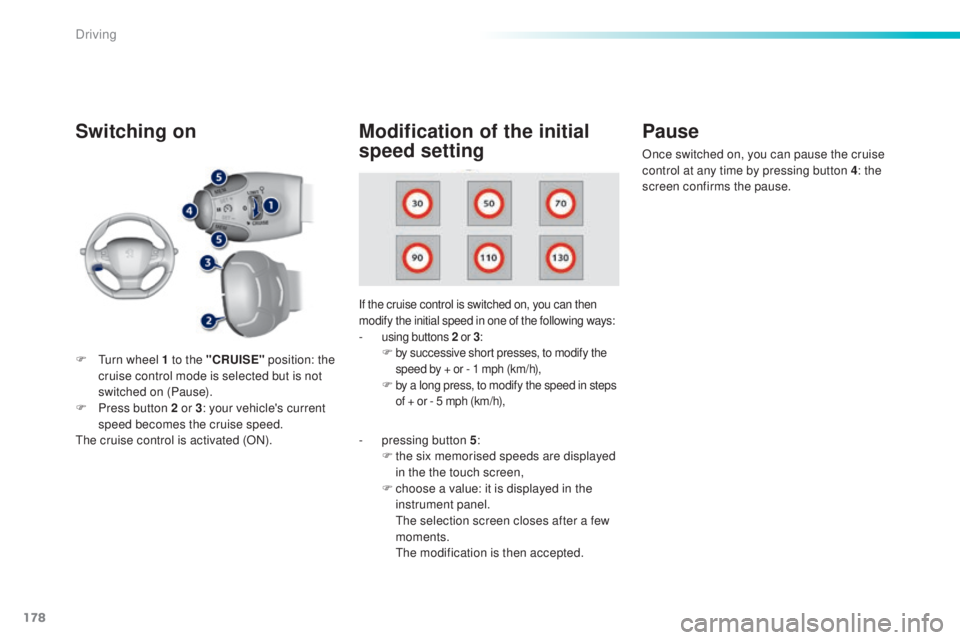
If the cruise control is switched on, you can then
modify the initial speed in one of the following ways:
- using buttons 2 o r 3:F by successive short presses, to modify the
s peed by + or - 1 mph (km/h),
F by a long press, to modify the speed in steps
o f + or - 5 mph (km/h),
Pause
F turn wheel 1 to the "CRUISE" p osition: the
cruise control mode is selected but is not
switched on (Pause).
F
Pr
ess button 2 or 3 : your vehicle's current
speed becomes the cruise speed.
the c
ruise control is activated (ON).
Modification of the initial
speed setting
- pressing button 5 :
F th e six memorised speeds are displayed
in the the touch screen,
F
ch
oose a value: it is displayed in the
instrument panel.
the s
election screen closes after a few
moments.
the m
odification is then accepted. Once switched on, you can pause the cruise
control at any time by pressing button 4: the
screen confirms the pause.
Driving
Page 182 of 398
180
308_en_Chap06_conduite_ed02-2015
Active cruise control
this systems allows the vehicle's speed to be
m aintained at a value set by the driver.
In addition it allows (when circumstances
permit) an inter-vehicle time that you have
selected to be maintained between your vehicle
and the one in front.Principles of
operation
using a radar with a range of about 100 metres,
l ocated at the front of the vehicle, this system
detects a vehicle running in front of your
vehicle.
It automatically adapts the speed of your
vehicle to that of the vehicle in front.
If the vehicle in front is running more slowly,
the system progressively reduces the speed of
your vehicle using just engine braking (as if the
driver had pressed the " -" b ut to n).
If your vehicle is too close to, or approaching
too quickly the vehicle in front, the cruise
control is automatically deactivated.
the
d
river is then alerted by an audible signal,
accompanied by a message.
If the vehicle in front accelerates or changes
lane, the active cruise control progressively
accelerates your vehicle to return to the
programmed speed.
If the driver operates a direction indicator to
overtake a slower vehicle, the active cruise
control allows your vehicle to temporarily
approach the vehicle in front to assist the
overtaking manoeuvre, though never exceeding
the programmed speed.
Switching between the
types of cruise control
the choice between the "active" and "standard"
c ruise control is made in the " Driving
assistance " menu.
the c
ruise control selection thumb wheel must
be in the "CR
uISe" po
sition, other wise the
choice will not be taken into account.
For more information on the
"standard" cruise control, refer to the
corresponding section.
the s
tate of the system is memorised on
switching off the ignition. F
Pr
ess the button to
change from active
cruise control to
standard cruise
control and vice-
versa.
the a
ctive cruise control operates by
day and at night, in fog or moderate
rainfall.the sy stem does not act on the braking
system, but works only with engine
braking.
the r
egulation range is limited: there will
no longer be any adjustment of speed if
the difference between the programmed
speed setting and the speed of the
vehicle in front becomes too high.
the s
election of this system deactivates
the display of inter-vehicle time.
If the difference between the
programmed speed setting and the
speed of the vehicle in front is too
great, the speed cannot be adjusted:
the cruise control is automatically
deactivated.
Driving
Page 183 of 398
181
308_en_Chap06_conduite_ed02-2015
the active cruise control is switched on m anually,
it requires that the speed of the vehicle be between
25 mph (40 km/h) and 90 mph (150 km/h).
General points
the active cruise control can be paused
m anually with the control, or automatically:
-
by p
ressing the brake or clutch pedal,
-
in t
he event of operation of the
eS
C, for
safety reasons,
-
in t
he event of an action of the electric
parking brake control,
-
wh
en an inter-vehicle time threshold is
reached (calculated according to the
relative speeds of your vehicle and the
vehicle in front and the inter-vehicle time
setting chosen),
-
wh
en the distance between your vehicle
and the one in front becomes to small,
-
wh
en the speed of the vehicle in front is
to
l
ow,
-
wh
en the speed of your vehicle becomes
too low.
the a
ctive cruise control cannot in any
circumstances replace the observation
of speed limits, nor the need for the
vigilance on the part of the driver.
It is recommended that you always keep
your feet close to the pedals.
the i
nter-vehicle time setting is
memorised when switching off the
ignition.
With a manual gearbox, third or fourth gear
(depending on engine) or higher must be
engaged.
With an automatic gearbox, second gear or
higher must be engaged.
If the cruise speed setting is above 90 mph
(150 km/h), the active cruise control switches to
normal cruise control mode (without automatic
adjustment of the safety inter-vehicle distance).
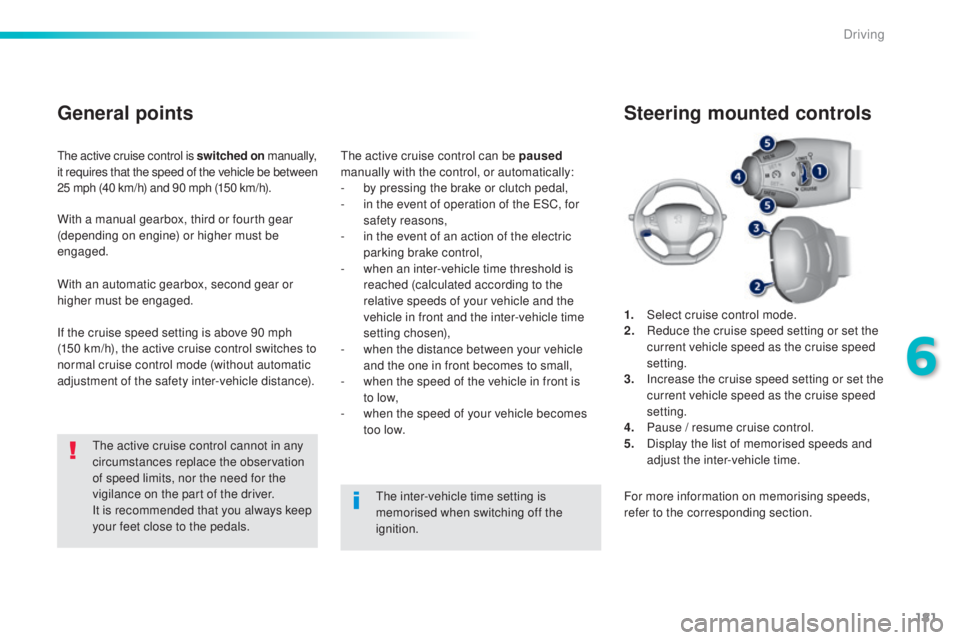
1.
Selec
t cruise control mode.
2.
Re
duce the cruise speed setting or set the
current vehicle speed as the cruise speed
setting.
3.
In
crease the cruise speed setting or set the
current vehicle speed as the cruise speed
setting.
4.
Pa
use / resume cruise control.
5.
Di
splay the list of memorised speeds and
adjust the inter-vehicle time.
Steering mounted controls
For more information on memorising speeds,
refer to the corresponding section.
6
Driving
Page 184 of 398
182
308_en_Chap06_conduite_ed02-2015
the active cruise control must be selected in
t he " Driving assistance " menu.
F
t
ur
n the wheel 1 to the " CRUISE" position:
cruise control mode is selected, but not
started (Pause).
F
Pr
ess one of the buttons 2 or 3 : the current
speed of your vehicle becomes the cruise
speed setting.
the c
ruise control is activated (ON).
By default, the inter-vehicle time is set at
2
se
conds.
Otherwise, the last setting made will be used
when switching on the system.
Switching on
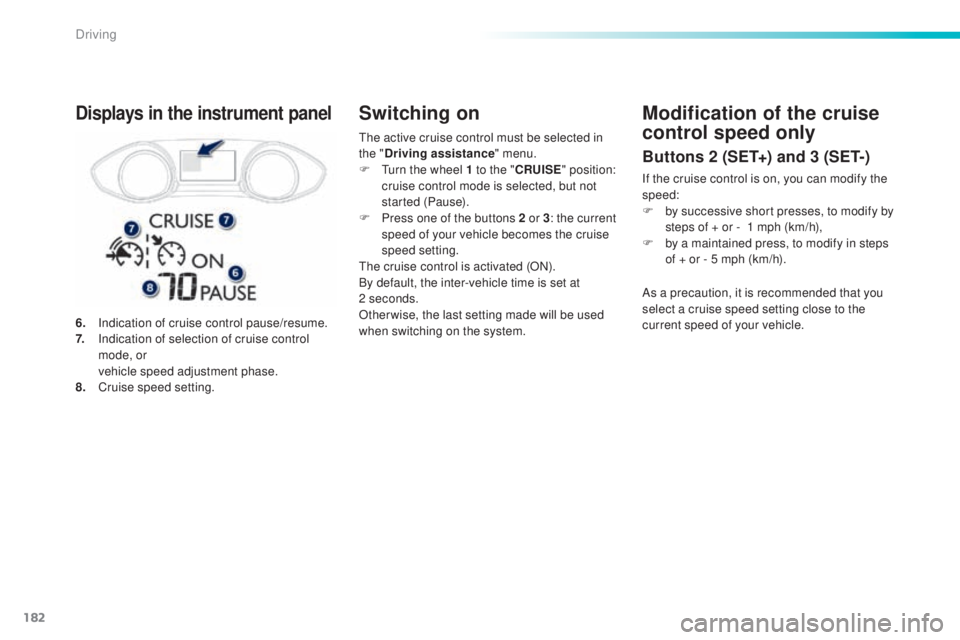
6. Indication of cruise control pause/resume.
7. In dication of selection of cruise control
mode, or
ve
hicle speed adjustment phase.
8.
Cr
uise speed setting.
Displays in the instrument panelModification of the cruise
control speed only
Buttons 2 (SET+) and 3 (SET-)
If the cruise control is on, you can modify the
speed:
F
by s
uccessive short presses, to modify by
steps of + or -
1 m
ph (km/h),
F
by a m
aintained press, to modify in steps
of + or - 5 mph (km/h).
As a precaution, it is recommended that you
select a cruise speed setting close to the
current speed of your vehicle.
Driving
Page 199 of 398
197
308_en_Chap06_conduite_ed02-2015
F to deactivate the system, press
t his button again; its indicator lamp
goes off as well as the associated
indicator in the instrument panel
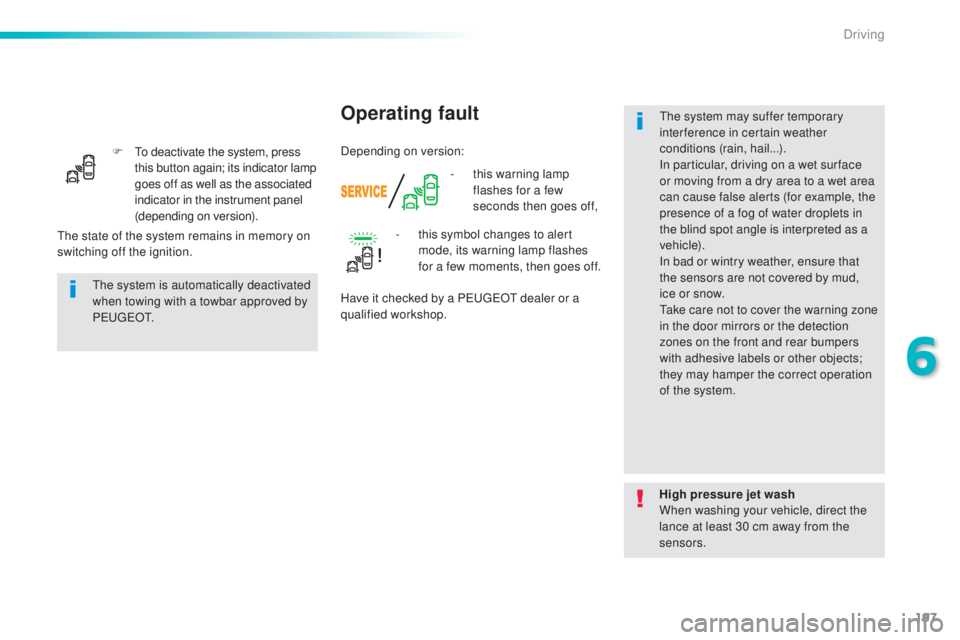
(depending on version). -
th
is warning lamp
flashes for a few
seconds then goes off,
Operating fault
the system is automatically deactivated
w hen towing with a towbar approved by
P
e u
g e
Ot.
H
igh pressure jet wash
When washing your vehicle, direct the
lance at least 30 cm away from the
sensors.
the s
tate of the system remains in memory on
switching off the ignition. -
th
is symbol changes to alert
mode, its warning lamp flashes
for a few moments, then goes off.
Have it checked by a Peu geOt d ealer or a
qualified workshop.
the s
ystem may suffer temporary
interference in certain weather
conditions (rain, hail...).
In particular, driving on a wet sur face
or moving from a dry area to a wet area
can cause false alerts (for example, the
presence of a fog of water droplets in
the blind spot angle is interpreted as a
vehicle).
In bad or wintry weather, ensure that
the sensors are not covered by mud,
ice or snow.
tak
e care not to cover the warning zone
in the door mirrors or the detection
zones on the front and rear bumpers
with adhesive labels or other objects;
they may hamper the correct operation
of the system.
Depending on version:
6
Driving
Page 201 of 398
199
308_en_Chap06_conduite_ed02-2015
the system will be deactivated
a utomatically if a trailer is being
towed or a bicycle carrier is fitted on
a towbar (vehicle fitted with a towbar
installed in line with the manufacturer's
recommendations).
Deactivation / Activation of
the front and rear parking
sensors
the system is deactivated in the
" D
riving assistance " menu of the
touch screen.
F
Pr
ess this button.
the i
ndicator
lamp in the button comes on.
Pressing this button again reactivates the function.
the i
ndicator lamp in the button goes off.
the p
arking sensors are deactivated
while the Park Assist system is
measuring a space.
For more information on Park Assist,
refer to the corresponding section. High pressure jet wash
When washing your vehicle, do not
direct the lance within 30 cm of the
sensors.
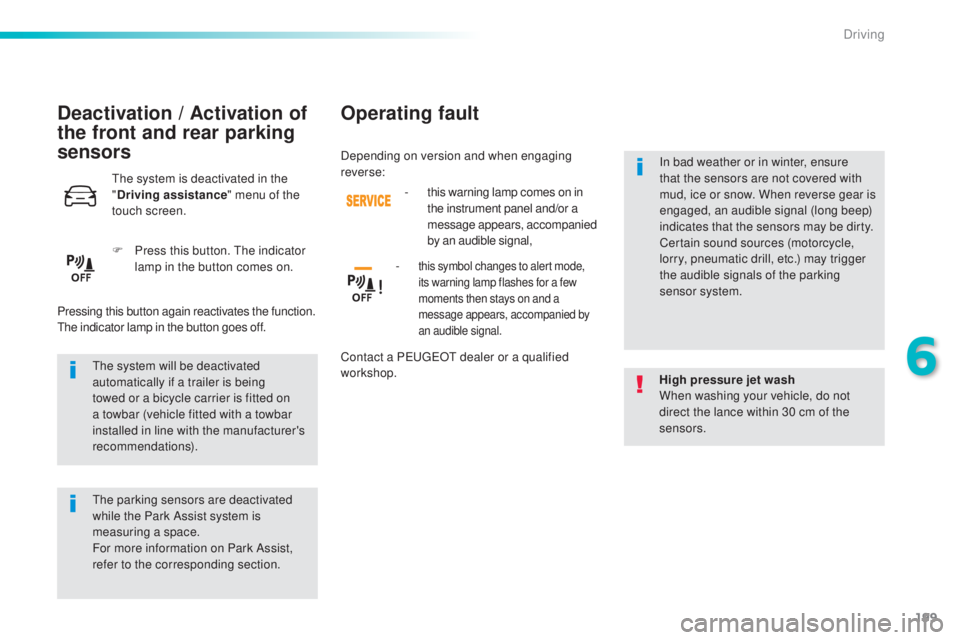
Operating fault
- this warning lamp comes on in
t
he instrument panel and/or a
message appears, accompanied
by an audible signal,
-
this symbol changes to alert mode,
its warning lamp flashes for a few
moments then stays on and a
message appears, accompanied by
an audible signal.
Contact a Peu geOt d ealer or a qualified
workshop. In bad weather or in winter, ensure
that the sensors are not covered with
mud, ice or snow. When reverse gear is
engaged, an audible signal (long beep)
indicates that the sensors may be dirty.
Certain sound sources (motorcycle,
lorry, pneumatic drill, etc.) may trigger
the audible signals of the parking
sensor system.
Depending on version and when engaging
reverse:
6
Driving
Page 221 of 398
219
308_en_Chap07_info-pratiques_ed02-2015
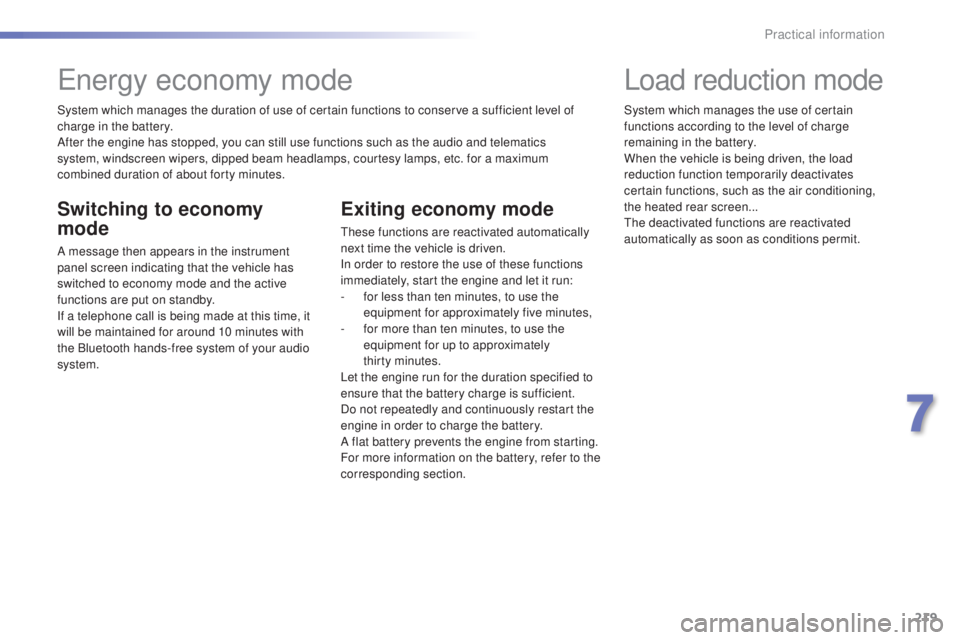
System which manages the duration of use of certain functions to conserve a sufficient level of
charge in the battery.
After the engine has stopped, you can still use functions such as the audio and telematics
system,
w
indscreen wipers, dipped beam headlamps,
c
ourtesy lamps, etc. for a maximum
combined duration of about forty minutes.
energy economy mode
Switching to economy
mode
A message then appears in the instrument
panel screen indicating that the vehicle has
switched to economy mode and the active
functions are put on standby.
If a telephone call is being made at this time, it
will be maintained for around 10 minutes with
the Bluetooth hands-free system of your audio
system.
Exiting economy mode
these functions are reactivated automatically
n ext time the vehicle is driven.
In order to restore the use of these functions
immediately, start the engine and let it run:
-
fo
r less than ten minutes, to use the
equipment for approximately five minutes,
-
fo
r more than ten minutes, to use the
equipment for up to approximately
thirty
m
inutes.
Let the engine run for the duration specified to
ensure that the battery charge is sufficient.
Do not repeatedly and continuously restart the
engine in order to charge the battery.
A flat battery prevents the engine from starting.
For more information on the battery, refer to the
corresponding section.
Load reduction mode
System which manages the use of certain
functions according to the level of charge
remaining in the battery.
When the vehicle is being driven, the load
reduction function temporarily deactivates
certain functions, such as the air conditioning,
the heated rear screen...
the d
eactivated functions are reactivated
automatically as soon as conditions permit.
7
Practical information
Page 283 of 398
281
308_en_Chap09_caracteristiques-techniques_ed02-2015
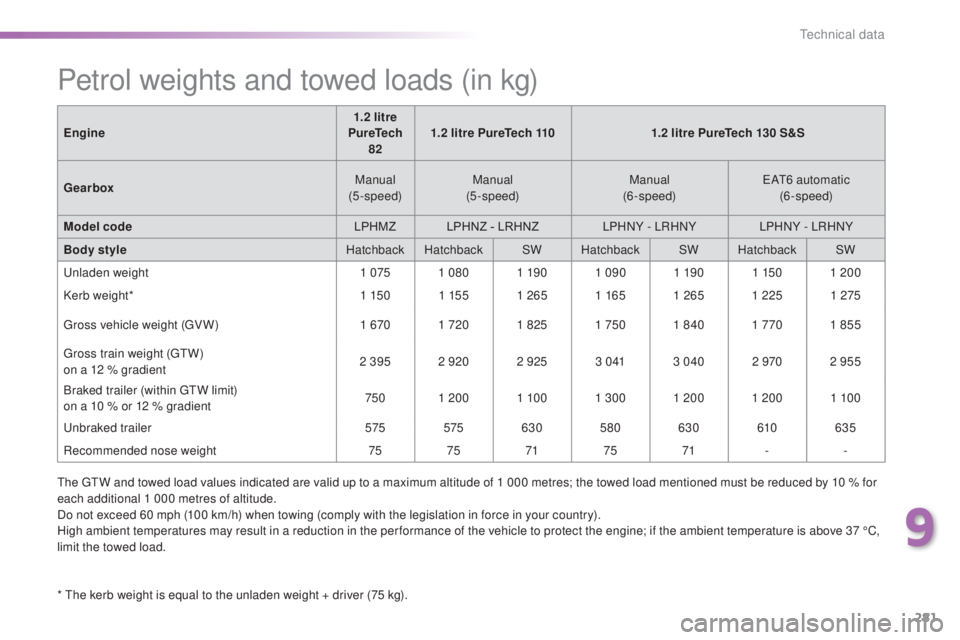
Petrol weights and towed loads (in kg)
* the kerb weight is equal to the unladen weight + driver (75 kg).
En gine
1.2 litre
PureTech 82 1.2 litre PureTech 110
1.2 litre PureTech 130 S&S
Gearbox Manual
(5-speed) Manual
(5-speed) Manual
(6-speed)
eAt6 au
tomatic
(6-speed)
Model code LPHMZLPHNZ - LRHNZ LPHNY - LRHNY LPHNY - LRHNY
Body style Hatchback HatchbackSWHatchback SWHatchback SW
unl
aden weight
1 0751 080 1 19 01 090 1 19 01 1501 200
Kerb weight* 1 150 1 1551 2651 1651 265 1 225 1 275
gro
ss vehicle weight (
gV W
)
1 6701 720 1 825 1 7501 840 1 7701 855
gro
ss train weight (
gtW)
o
n a 12 % gradient
2 395 2 920 2 925
3 0 413 040 2 9702 955
Braked trailer (within
g
t
W li
mit)
on a 10 % or 12 % gradient 750
1 200 1 10 01 300 1 200 1 200 1 10 0
unbr
aked trailer
575 575630580 630 610635
Recommended nose weight 7575 7175 71 --
the g
t
W an
d towed load values indicated are valid up to a maximum altitude of 1 000 metres; the towed load mentioned must be reduced by 10 % for
each additional 1 000 metres of altitude.
Do not exceed 60 mph (100 km/h) when towing (comply with the legislation in force in your country).
High ambient temperatures may result in a reduction in the per formance of the vehicle to protect the engine; if the ambient temperature is above 37 °C,
limit the towed load.
9
technical data