audio Peugeot 308 2016 User Guide
[x] Cancel search | Manufacturer: PEUGEOT, Model Year: 2016, Model line: 308, Model: Peugeot 308 2016Pages: 398, PDF Size: 9.38 MB
Page 270 of 398
268
308_en_Chap08_en-cas-de-panne_ed02-2015
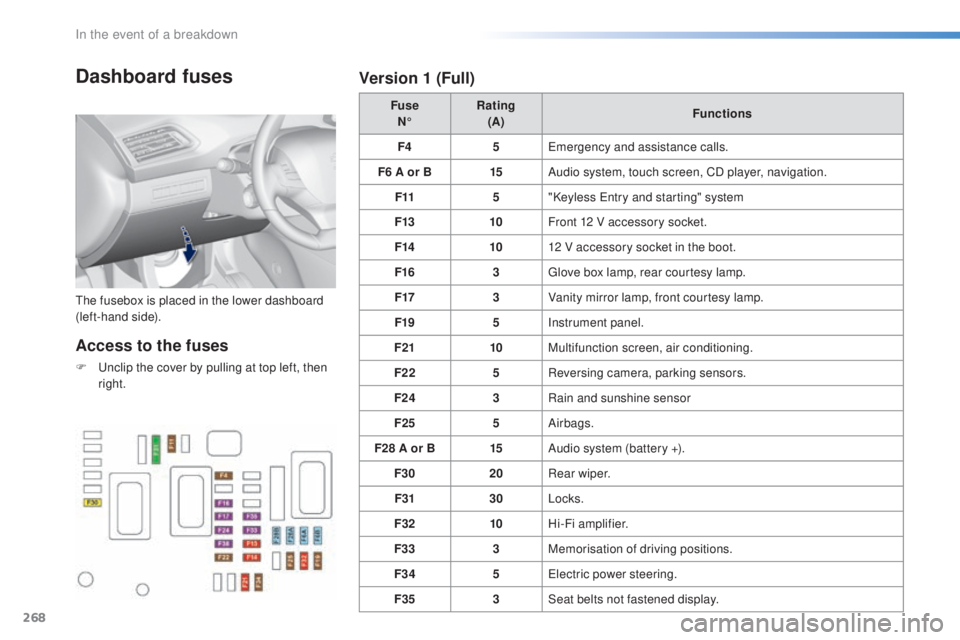
Dashboard fuses
the fusebox is placed in the lower dashboard
( left-hand side). Fuse
N° Rating
(A) Functions
F4 5
eme
rgency and assistance calls.
F6 A or B 15Audio system, touch screen, CD player, navigation.
F11 5"Keyless
ent
ry and starting" system
F13 10Front 12 V accessory socket.
F14 1012 V accessory socket in the boot.
F16 3
glov
e box lamp, rear courtesy lamp.
F17 3Vanity mirror lamp, front courtesy lamp.
F19 5Instrument panel.
F21 10Multifunction screen, air conditioning.
F22 5Reversing camera, parking sensors.
F24 3Rain and sunshine sensor
F25 5Airbags.
F28 A or B 15Audio system (battery +).
F30 20Rear wiper.
F31 30Locks.
F32 10Hi-Fi amplifier.
F33 3Memorisation of driving positions.
F34 5
ele
ctric power steering.
F35 3Seat belts not fastened display.
Access to the fuses
F unclip the cover by pulling at top left, then
r ight.
Version 1 (Full)
In the event of a breakdown
Page 271 of 398
269
308_en_Chap08_en-cas-de-panne_ed02-2015
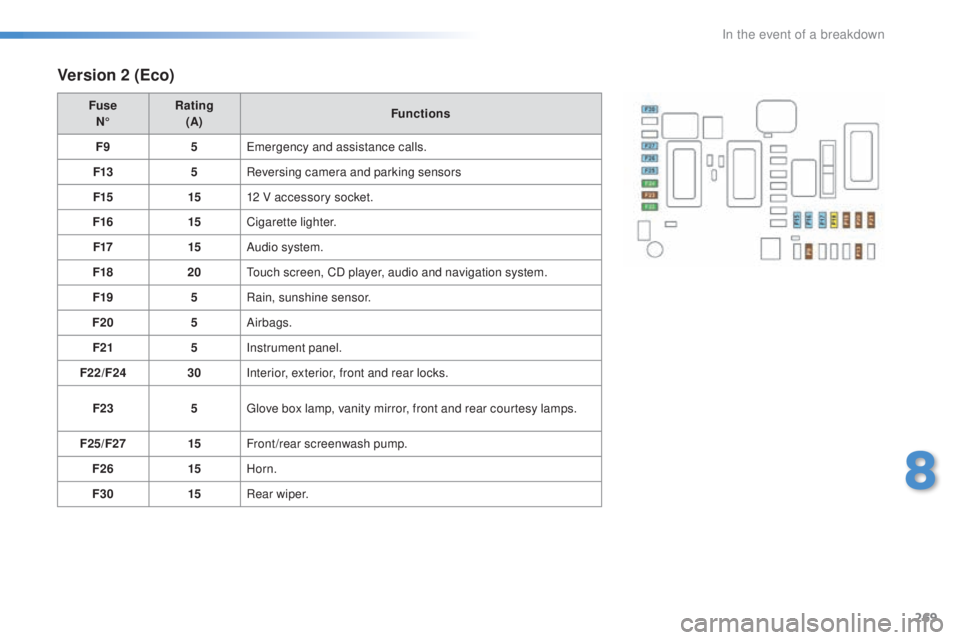
Version 2 (Eco)
Fuse
N° Rating
(A) Functions
F9 5
eme
rgency and assistance calls.
F13 5Reversing camera and parking sensors
F15 1512 V accessory socket.
F16 15Cigarette lighter.
F17 15Audio system.
F18 20
tou
ch screen, CD player, audio and navigation system.
F19 5Rain, sunshine sensor.
F20 5Airbags.
F21 5Instrument panel.
F22/F24 30Interior, exterior, front and rear locks.
F23 5
glov
e box lamp, vanity mirror, front and rear courtesy lamps.
F25/F27 15Front/rear screenwash pump.
F26 15Horn.
F30 15Rear wiper.
8
In the event of a breakdown
Page 298 of 398
296
308_en_Chap10a_BtA_ed02-2015
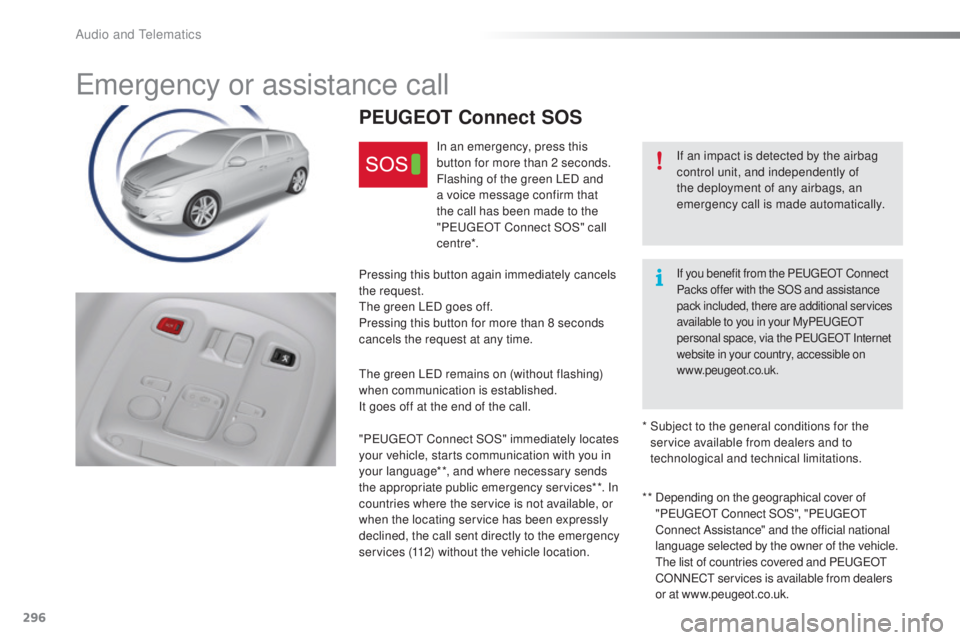
emergency or assistance call
If an impact is detected by the airbag
control unit, and independently of
the deployment of any airbags, an
emergency call is made automatically.
PEUGEOT Connect SOS
In an emergency, press this
button for more than 2 seconds.
Flashing of the green L
eD an
d
a voice message confirm that
the call has been made to the
" Peuge
Ot C
onnect SOS" call
c e nt re*.
Pressing this button again immediately cancels
the request.
the g
reen L
eD go
es off.
Pressing this button for more than 8 seconds
cancels the request at any time.
the g
reen L
eD re
mains on (without flashing)
when communication is established.
It goes off at the end of the call.
" Peuge
Ot C
onnect SOS" immediately locates
your vehicle, starts communication with you in
your language**, and where necessary sends
the appropriate public emergency services**. In
countries where the service is not available, or
when the locating service has been expressly
declined, the call sent directly to the emergency
services (112) without the vehicle location. * *
De
pending on the geographical cover of
" Peuge
Ot C
onnect SOS", "Peuge
Ot
C
onnect Assistance" and the official national
language selected by the owner of the vehicle.
t
he l
ist of countries covered and P
eu
ge
Ot
CO
NN
eCt se
rvices is available from dealers
or at www.peugeot.co.uk.
*
Su
bject to the general conditions for the
service available from dealers and to
technological and technical limitations.
If you benefit from the PeugeOt C onnect
Packs offer with the SOS and assistance
pack included, there are additional services
available to you in your My Peuge
Ot
p
ersonal space, via the P
eu
ge
Ot I
nternet
website in your country, accessible on
www.peugeot.co.uk.
Audio and telematics
Page 299 of 398
297
308_en_Chap10a_BtA_ed02-2015
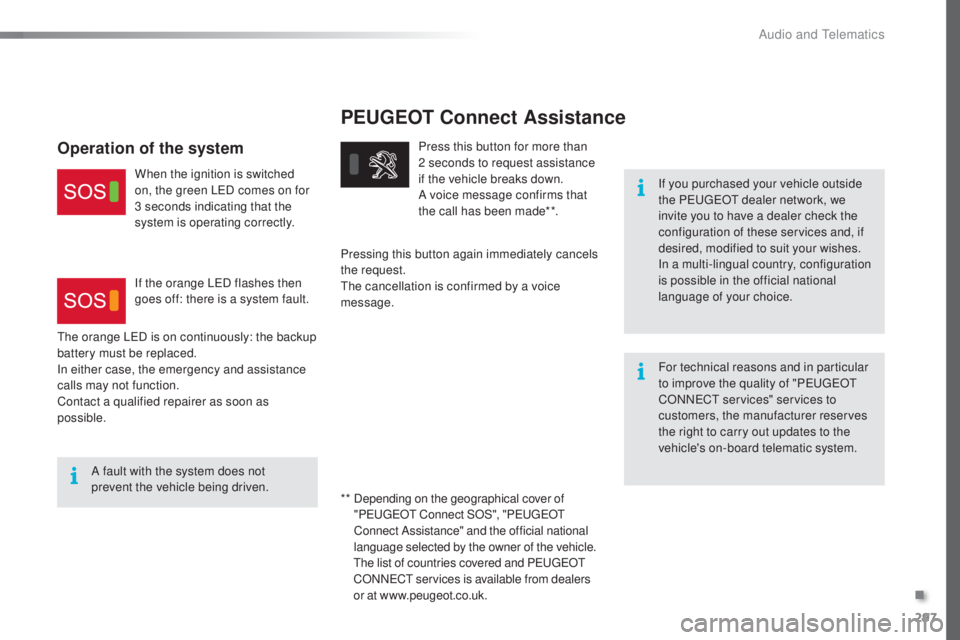
PEUGEOT Connect Assistance
If you purchased your vehicle outside
the Peu
geOt d ealer network, we
invite you to have a dealer check the
configuration of these services and, if
desired, modified to suit your wishes.
In a multi-lingual country, configuration
is possible in the official national
language of your choice.
For technical reasons and in particular
to improve the quality of "P
eu
ge
Ot
C
ONN
eCt s
ervices" services to
customers, the manufacturer reserves
the right to carry out updates to the
vehicle's on-board telematic system.
A fault with the system does not
prevent the vehicle being driven. Press this button for more than
2
s
econds to request assistance
if the vehicle breaks down.
A voice message confirms that
the call has been made**.
Pressing this button again immediately cancels
the request.
the c
ancellation is confirmed by a voice
message.
the o
range L
eD is o
n continuously: the backup
battery must be replaced.
In either case, the emergency and assistance
calls may not function.
Contact a qualified repairer as soon as
possible.
Operation of the system
When the ignition is switched
on, the green LeD co mes on for
3 seconds indicating that the
system is operating correctly.
If the orange L
eD fl
ashes then
goes off: there is a system fault.
* *
De
pending on the geographical cover of
" Peuge
Ot C
onnect SOS", "Peuge
Ot
C
onnect Assistance" and the official national
language selected by the owner of the vehicle.
the l
ist of countries covered and P
eu
ge
Ot
CO
NN
eCt se
rvices is available from dealers
or at www.peugeot.co.uk.
.
Audio and telematics
Page 300 of 398
298
308_en_Chap10b_DeNON_ed02-2015
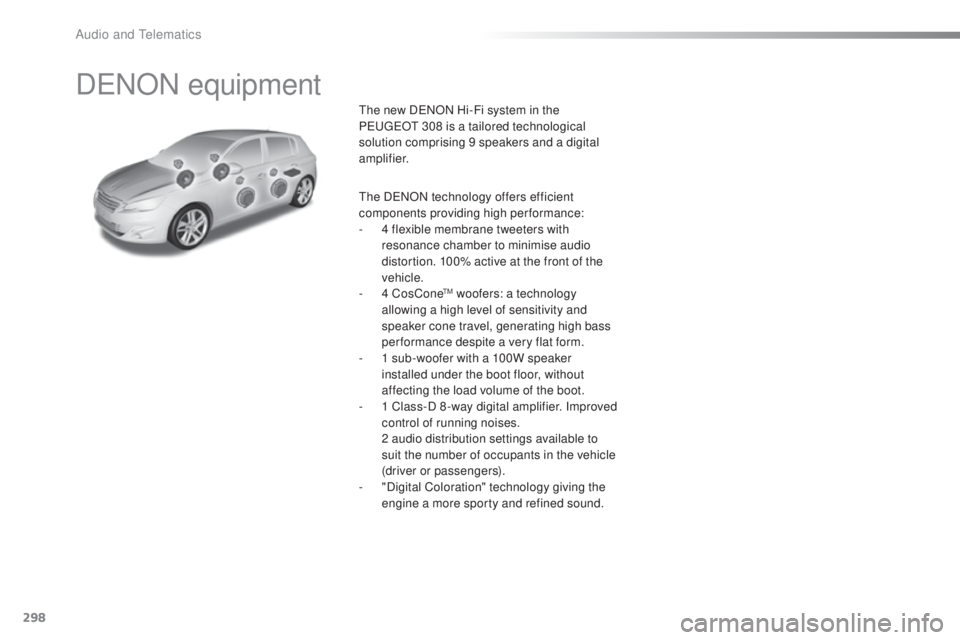
DeNON equipment
the new DeNON Hi-Fi system in the
Peu geOt 3 08 is a tailored technological
solution comprising 9 speakers and a digital
amplifier.
the DeNO
N technology offers efficient
components providing high per formance:
-
4 fl
exible membrane tweeters with
resonance chamber to minimise audio
distortion. 100% active at the front of the
vehicle.
-
4 Co
sCone
tM woofers: a technology
allowing a high level of sensitivity and
speaker cone travel, generating high bass
performance despite a very flat form.
-
1 su
b-woofer with a 100W speaker
installed under the boot floor, without
affecting the load volume of the boot.
-
1 Cl
ass-D 8 -way digital amplifier. Improved
control of running noises.
2 au
dio distribution settings available to
suit the number of occupants in the vehicle
(driver or passengers).
-
"D
igital Coloration" technology giving the
engine a more sporty and refined sound.
Audio and telematics
Page 301 of 398
299
308_en_Chap10c_SMegplus_ed02-2015
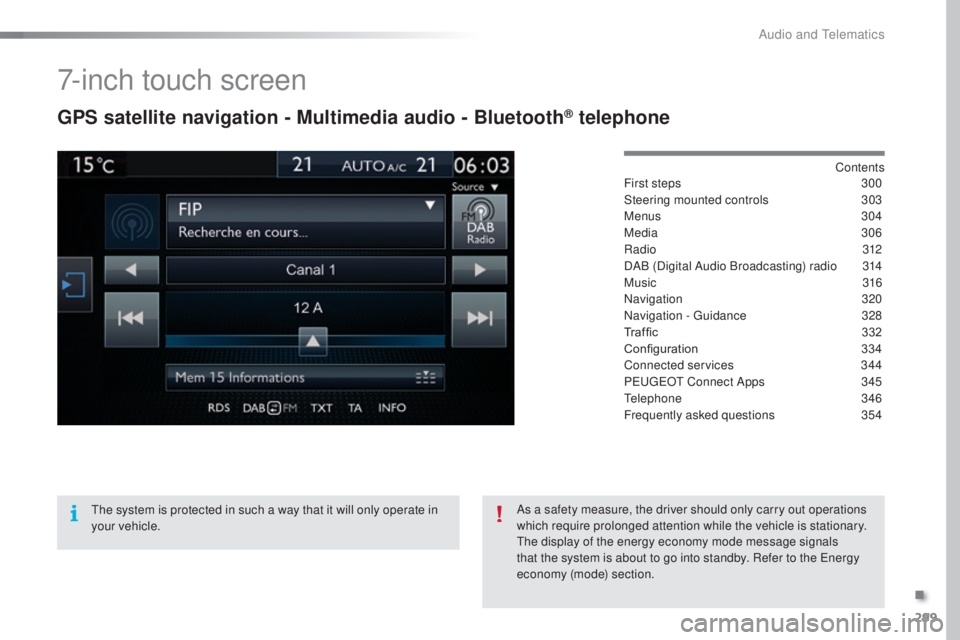
7-inch touch screen
GPS satellite navigation - Multimedia audio - Bluetooth® telephone
Contents
First steps 30 0
Steering mounted controls
30
3
Menus
3
04
Media
3
06
Radio
3
12
DAB (Digital Audio Broadcasting) radio
31
4
Music
3
16
Navigation
32
0
Navigation -
guid
ance
32
8
Traffic
332
C
onfiguration
33
4
Connected services
34
4
P
eu
ge
Ot C
onnect Apps
34
5
tele
phone
34
6
Frequently asked questions
35
4
the s
ystem is protected in such a way that it will only operate in
your vehicle. As a safety measure, the driver should only carry out operations
which require prolonged attention while the vehicle is stationary.
the d
isplay of the energy economy mode message signals
that the system is about to go into standby. Refer to the
ene
rgy
economy (mode) section.
.
Audio and telematics
Page 302 of 398
300
308_en_Chap10c_SMegplus_ed02-2015
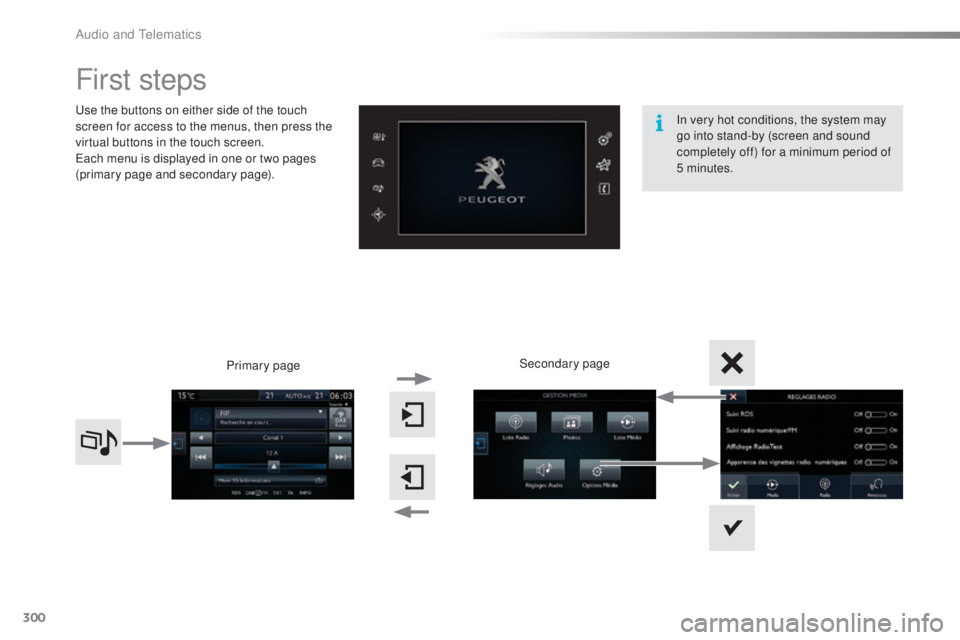
First steps
use the buttons on either side of the touch
s creen for access to the menus, then press the
virtual buttons in the touch screen.
eac
h menu is displayed in one or two pages
(primary page and secondary page).
Secondary page
Primary page In very hot conditions, the system may
go into stand-by (screen and sound
completely off) for a minimum period of
5 minutes.
Audio and telematics
Page 303 of 398
301
308_en_Chap10c_SMegplus_ed02-2015
With the engine running, press to
mute the sound.
With the ignition off, press to switch
the system on.
Volume adjustment (each source
is independent, including
tra
ffic
announcements (
tA)
and navigation
instructions).
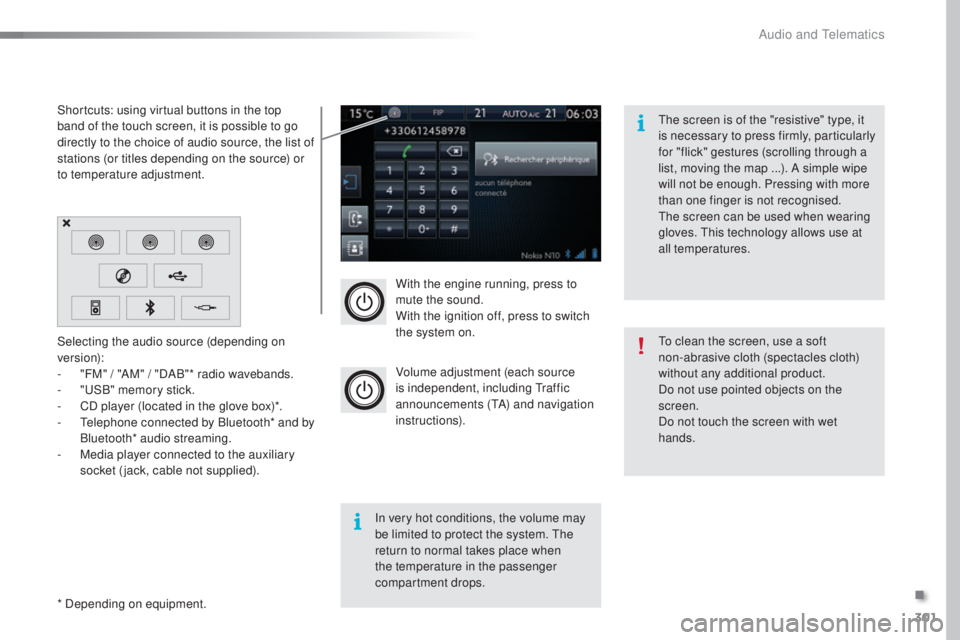
Selecting the audio source (depending on
version):
-
"F
M" / "AM" / "DAB"* radio wavebands.
-
"uSB
" memory stick.
-
CD p
layer (located in the glove box)*.
-
t
el
ephone connected by Bluetooth* and by
Bluetooth* audio streaming.
-
Me
dia player connected to the auxiliary
socket (jack, cable not supplied).
* Depending on equipment. Shortcuts: using virtual buttons in the top
band of the touch screen, it is possible to go
directly to the choice of audio source, the list of
stations (or titles depending on the source) or
to temperature adjustment.
the s
creen is of the "resistive" type, it
is necessary to press firmly, particularly
for "flick" gestures (scrolling through a
list, moving the map ...). A simple wipe
will not be enough. Pressing with more
than one finger is not recognised.
the s
creen can be used when wearing
gloves.
thi
s technology allows use at
all temperatures.
In very hot conditions, the volume may
be limited to protect the system.
the
r
eturn to normal takes place when
the temperature in the passenger
compartment drops.
to cl
ean the screen, use a soft
non-abrasive cloth (spectacles cloth)
without any additional product.
Do not use pointed objects on the
screen.
Do not touch the screen with wet
hands.
.
Audio and telematics
Page 305 of 398
303
308_en_Chap10c_SMegplus_ed02-2015
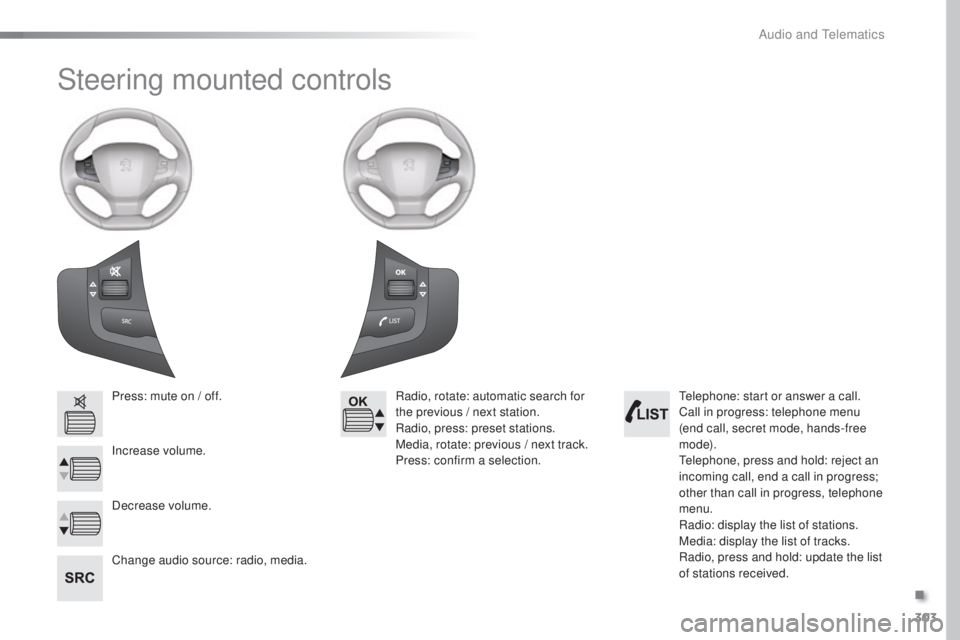
Steering mounted controls
Press: mute on / off.
Increase volume.
Change audio source: radio, media.Radio, rotate: automatic search for
the previous / next station.
Radio, press: preset stations.
Media, rotate: previous / next track.
Press: confirm a selection.
Decrease volume.tel ephone: start or answer a call.
Call in progress: telephone menu
(end call, secret mode, hands-free
m o d e).
tel
ephone, press and hold: reject an
incoming call, end a call in progress;
other than call in progress, telephone
menu.
Radio: display the list of stations.
Media: display the list of tracks.
Radio, press and hold: update the list
of stations received.
.
Audio and telematics
Page 306 of 398
304
308_en_Chap10c_SMegplus_ed02-2015
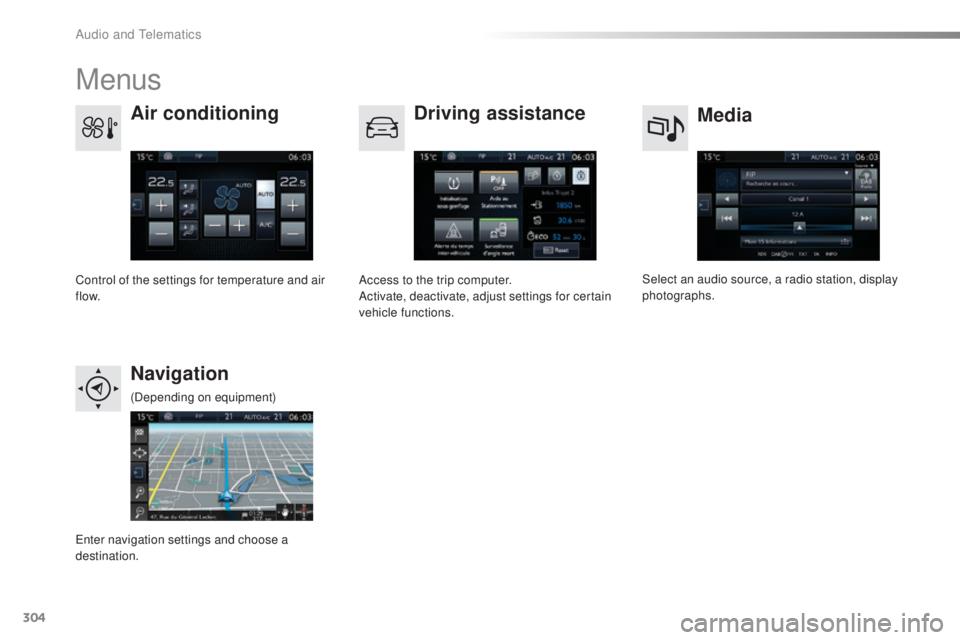
Menus
Media
Air conditioning
Driving assistance
Navigation
Select an audio source, a radio station, display
photographs.
Control of the settings for temperature and air
f low. Access to the trip computer.
Activate, deactivate, adjust settings for certain
vehicle functions.
ent
er navigation settings and choose a
destination. (Depending on equipment)
Audio and telematics