language PEUGEOT 308 2016 User Guide
[x] Cancel search | Manufacturer: PEUGEOT, Model Year: 2016, Model line: 308, Model: Peugeot 308 2016Pages: 344, PDF Size: 12.23 MB
Page 254 of 344
252
3008_en_Chap12a_BTA_ed01-2015
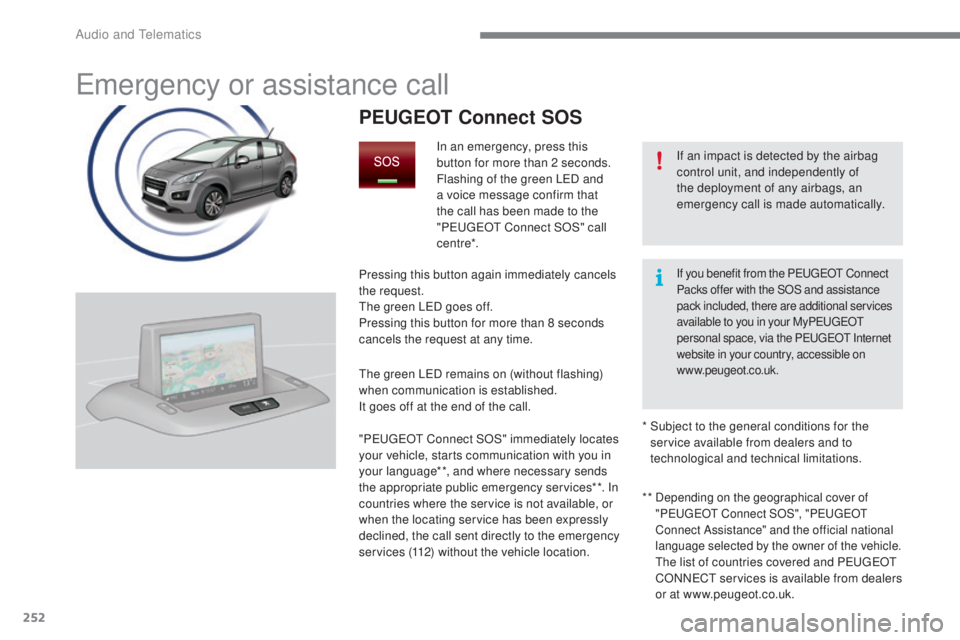
Emergency or assistance call
If an impact is detected by the airbag
control unit, and independently of
the deployment of any airbags, an
emergency call is made automatically.
PEUGEOT Connect SOS
In an emergency, press this
button for more than 2 seconds.
Flashing of the green LED and
a voice message confirm that
the call has been made to the
"P
E
UGEOT
C
onnect SOS" call
c e nt re*.
Pressing this button again immediately cancels
the request.
The green LED goes off.
Pressing this button for more than 8 seconds
cancels the request at any time.
The green LED remains on (without flashing)
when communication is established.
It goes off at the end of the call.
" P
E
UGEOT
C
onnect SOS" immediately locates
your vehicle, starts communication with you in
your language**, and where necessary sends
the appropriate public emergency services**. In
countries where the service is not available, or
when the locating service has been expressly
declined, the call sent directly to the emergency
services (112) without the vehicle location. **
Depending on the geographical cover of
"
PE
UGEOT C onnect SOS", " PE
UGEOT
C
onnect Assistance" and the official national
language selected by the owner of the vehicle.
The list of countries covered and PEUGEOT
CONNECT services is available from dealers
or at www.peugeot.co.uk.
*
S
ubject to the general conditions for the
service available from dealers and to
technological and technical limitations.
If you benefit from the PE UGEOT C onnect
Packs offer with the SOS and assistance
pack included, there are additional services
available to you in your My P
E
UGEOT
p
ersonal space, via the PEUGEOT Internet
website in your country, accessible on
www.peugeot.co.uk.
Audio and Telematics
Page 255 of 344
253
3008_en_Chap12a_BTA_ed01-2015
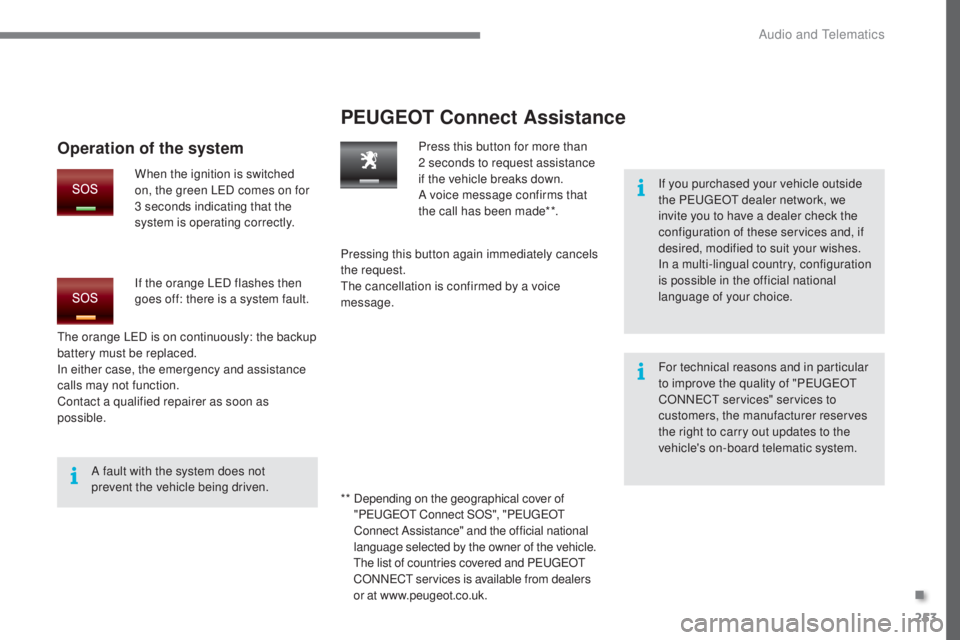
PEUGEOT Connect Assistance
If you purchased your vehicle outside
the PEUGEOT dealer network, we
invite you to have a dealer check the
configuration of these services and, if
desired, modified to suit your wishes.
In a multi-lingual country, configuration
is possible in the official national
language of your choice.
For technical reasons and in particular
to improve the quality of "PEUGEOT
CONNECT services" services to
customers, the manufacturer reserves
the right to carry out updates to the
vehicle's on-board telematic system.
A fault with the system does not
prevent the vehicle being driven. Press this button for more than
2
seconds to request assistance
if the vehicle breaks down.
A voice message confirms that
the call has been made**.
Pressing this button again immediately cancels
the request.
The cancellation is confirmed by a voice
message.
The orange LED is on continuously: the backup
battery must be replaced.
In either case, the emergency and assistance
calls may not function.
Contact a qualified repairer as soon as
possible.
Operation of the system
When the ignition is switched
on, the green LED comes on for
3 seconds indicating that the
system is operating correctly.
If the orange LED flashes then
goes off: there is a system fault.
* *
D
epending on the geographical cover of
" P
E
UGEOT
C
onnect SOS", "P
E
UGEOT
C
onnect Assistance" and the official national
language selected by the owner of the vehicle.
The list of countries covered and PEUGEOT
CONNECT services is available from dealers
or at www.peugeot.co.uk.
.
Audio and Telematics
Page 305 of 344
11
303
3008_en_Chap12b_RT6-2-8_ed01-2015
2
3
3
1
4
2
2
1
4
4
2
2
Night mode
Auto Day/Night
Adjust luminosity
Set date and time
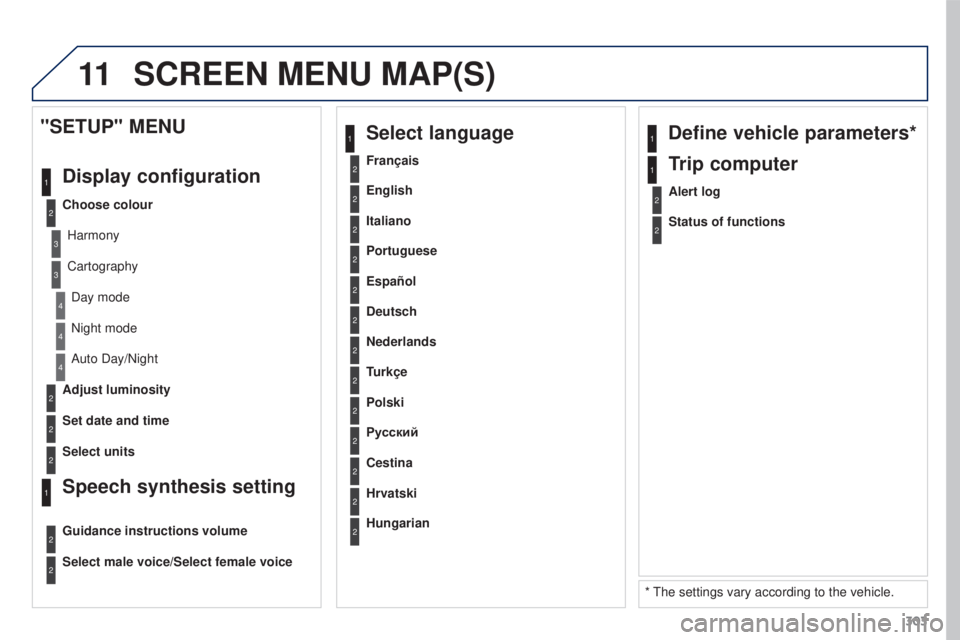
"SETUP" MENU
Display configuration
Choose colourHarmony
CartographyDay mode
Speech synthesis setting
Guidance instructions volume
Select male voice/Select female voice
2Select units
1Define vehicle parameters*
* The settings vary according to the vehicle.
2Alert log
1Trip computer
2Status of functions
2Français
1Select language
2English
2Italiano
2Portuguese
2Español
2Deutsch
2Nederlands
2
2
Turkçe
Cestina
2
2
Polski
Hrvatski
2
2
Русский
Hungarian
SCREEN MENU MAP(S)
Page 316 of 344
03
314
3008_en_Chap12c_RD45_ed01_2015
MAIN MENU
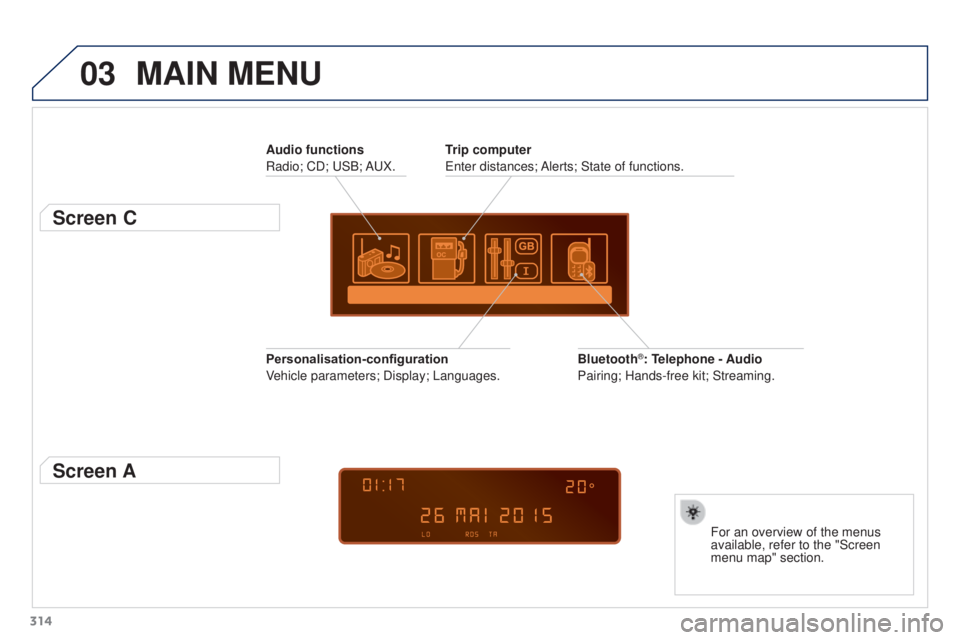
Audio functions
Radio; CD; USB; AUX.
Screen C
For an overview of the menus
available, refer to the "Screen
menu map" section.
Trip computer
Enter distances; Alerts; State of functions.
Bluetooth
®: Telephone - Audio
Pairing; Hands-free kit; Streaming.
Personalisation-configuration
Vehicle parameters; Display; Languages.
Screen A
Page 327 of 344
07
325
3008_en_Chap12c_RD45_ed01_2015
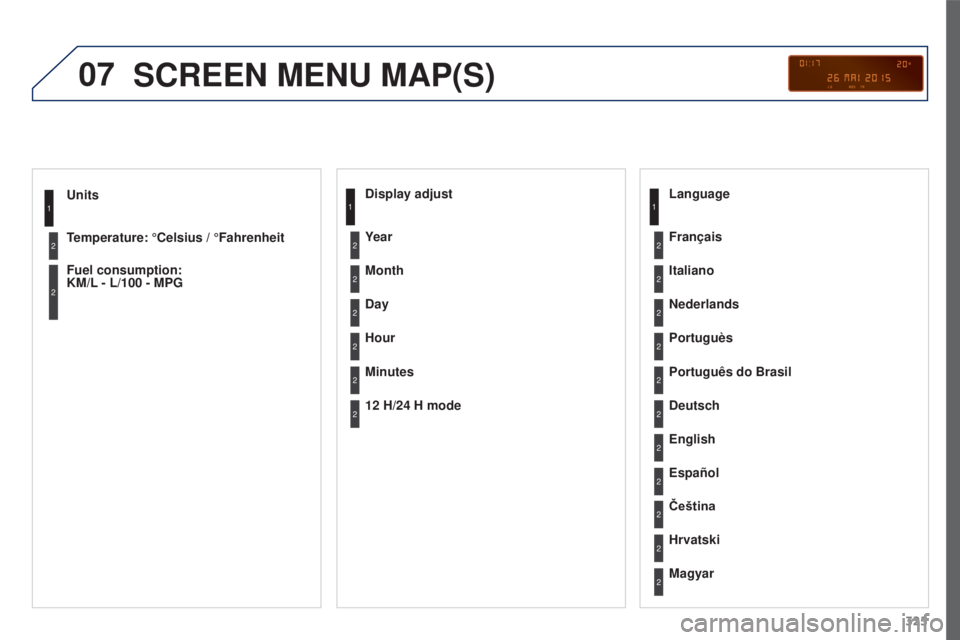
Units
Temperature: °Celsius / °Fahrenheit
Fuel consumption:
KM/L
- L/100 - MPG1
2
2
SCREEN MENU MAP(S)
Display adjust
Month
Day
Hour
Minutes Year
12 H/24 H mode Language
Italiano
Nederlands
Portuguès
Português do Brasil Français
Deutsch
Čeština English
Hrvatski Español
Magyar1
2
2
2
2
2
2
2
1
2
2
2
2
2
2
2
2
2
2
Page 330 of 344
07
328
3008_en_Chap12c_RD45_ed01_2015
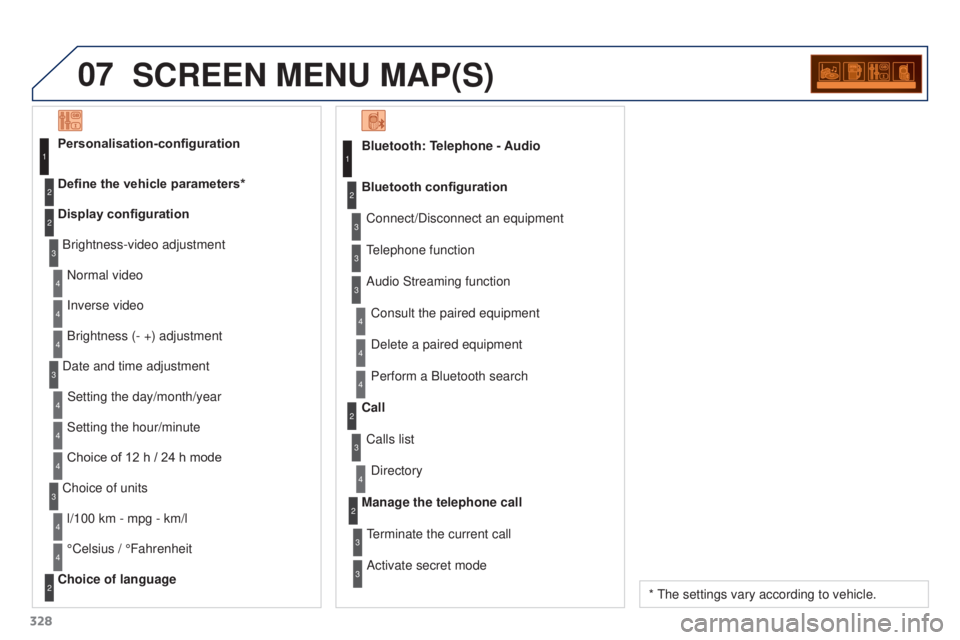
SCREEN MENU MAP(S)
Bluetooth: Telephone - AudioConnect/Disconnect an equipment
Consult the paired equipment
Bluetooth configuration
Telephone function
Audio Streaming functionDelete a paired equipment
Perform a Bluetooth search
Calls list
Call
Directory
Terminate the current call
Manage the telephone call
Activate secret mode1
2
3
3
3
4
4
4
2
3
4
2
3
3
Brightness-video adjustment
Display configuration Define the vehicle parameters* Personalisation-configuration
Normal video
Inverse video
Brightness (- +) adjustment
Date and time adjustment Setting the day/month/year
Setting the hour/minute
Choice of 12 h
/ 24 h mode
Choice of units l/100 km - mpg - km/l
°Celsius
/ °Fahrenheit
Choice of language
1
2
4
3
2
4
4
3
4
4
2
3
4
4
4
* The settings vary according to vehicle.