display PEUGEOT 308 2016 Owner's Manual
[x] Cancel search | Manufacturer: PEUGEOT, Model Year: 2016, Model line: 308, Model: Peugeot 308 2016Pages: 344, PDF Size: 12.23 MB
Page 41 of 344
39
3008_en_Chap01_controle-marche_ed01-2015
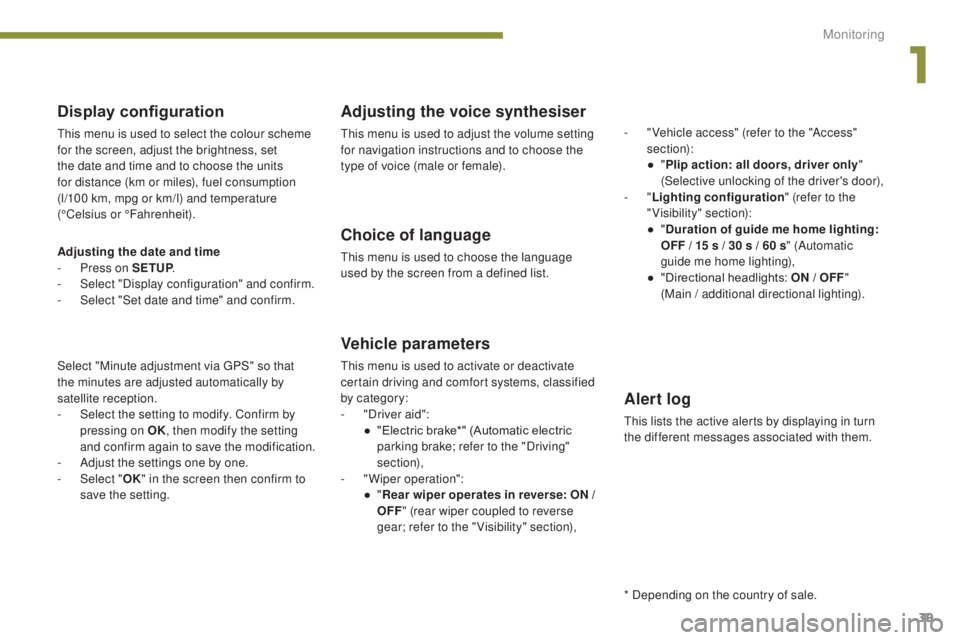
Display configuration
This menu is used to select the colour scheme
for the screen, adjust the brightness, set
the date and time and to choose the units
for distance (km or miles), fuel consumption
(l/100 km, mpg or km/l) and temperature
(°Celsius or °Fahrenheit).
Adjusting the voice synthesiser
This menu is used to adjust the volume setting
for navigation instructions and to choose the
type of voice (male or female).
Choice of language
This menu is used to choose the language
used by the screen from a defined list.
Vehicle parameters
This menu is used to activate or deactivate
certain driving and comfort systems, classified
by category:
-
"
Driver aid":
●
"
Electric brake*" (Automatic electric
parking brake; refer to the "Driving"
section),
-
"
Wiper operation":
●
"R
ear wiper operates in reverse: ON /
OFF " (rear wiper coupled to reverse
gear; refer to the " Visibility" section), -
"
Vehicle access" (refer to the "Access"
section):
●
"
P
lip action: all doors, driver only
"
(Selective unlocking of the driver's door),
- "
Lighting configuration " (refer to the
"Visibility" section):
●
"
D
uration of guide me home lighting:
OFF / 15 s / 30 s / 60 s
" (Automatic
guide me home lighting),
●
"
Directional headlights: ON / OFF
"
(Main / additional directional lighting).
Alert log
This lists the active alerts by displaying in turn
the different messages associated with them.
* Depending on the country of sale.
Adjusting the date and time
-
P
ress on SETUP
.
-
Sel
ect "Display configuration" and confirm.
-
S
elect "Set date and time" and confirm.
Select "Minute adjustment via GPS" so that
the
minutes are adjusted automatically by
satellite reception.
-
S
elect the setting to modify. Confirm by
pressing on OK , then modify the setting
and confirm again to save the modification.
-
A
djust the settings one by one.
-
Sel
ect " OK" in the screen then confirm to
save the setting.
1
Monitoring
Page 42 of 344
40
3008_en_Chap01_controle-marche_ed01-2015
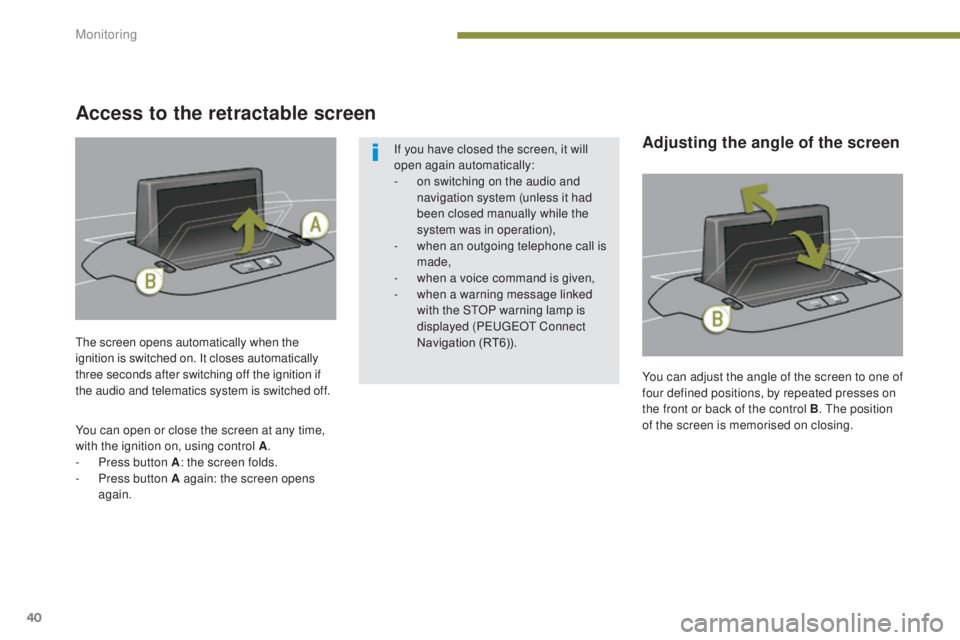
You can adjust the angle of the screen to one of
four defined positions, by repeated presses on
the front or back of the control B. The position
of the screen is memorised on closing.
The screen opens automatically when the
ignition is switched on. It closes automatically
three seconds after switching off the ignition if
the audio and telematics system is switched off.
You can open or close the screen at any time,
with the ignition on, using control A
.
-
P
ress button A : the screen folds.
-
P
ress button A again: the screen opens
again. If you have closed the screen, it will
open again automatically:
-
o
n switching on the audio and
navigation system (unless it had
been closed manually while the
system was in operation),
-
w
hen an outgoing telephone call is
made,
-
w
hen a voice command is given,
-
w
hen a warning message linked
with the STOP warning lamp is
displayed (PEUGEOT Connect
Navigation (RT6)).
Access to the retractable screen
Adjusting the angle of the screen
Monitoring
Page 43 of 344
41
3008_en_Chap01_controle-marche_ed01-2015
Tr i p c o m p u t e r
When the range falls below 20 miles (30 km),
dashes are displayed. After filling with at least
5 litres of fuel, the range is recalculated and is
displayed when it exceeds 60 miles (100 km).
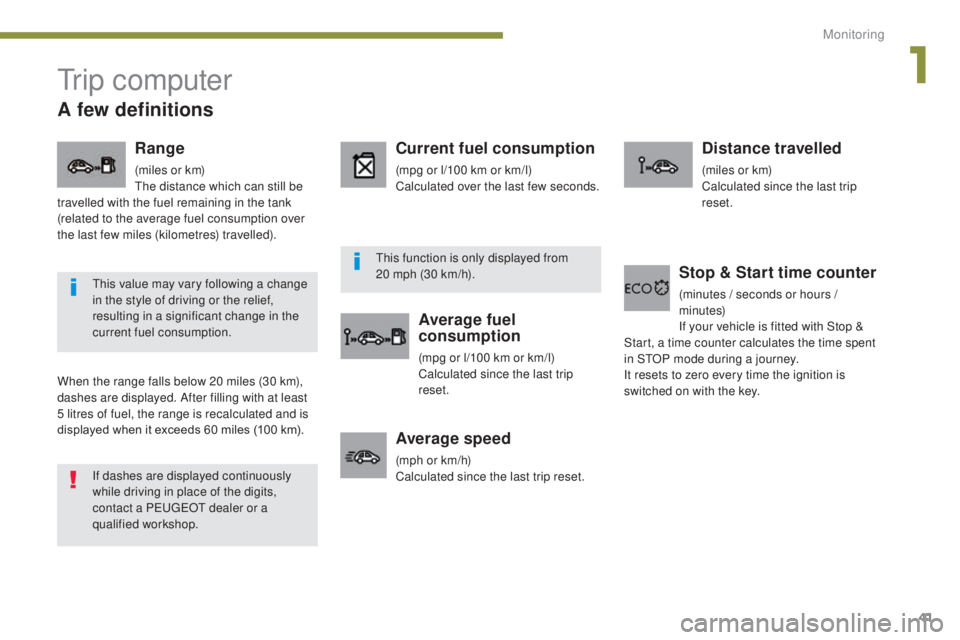
Range
(miles or km)
The distance which can still be
travelled with the fuel remaining in the tank
(related to the average fuel consumption over
the last few miles (kilometres) travelled).
Current fuel consumption
(mpg or l/100 km or km/l)
Calculated over the last few seconds.
Average fuel
consumption
(mpg or l/100 km or km/l)
Calculated since the last trip
reset.
Distance travelled
(miles or km)
Calculated since the last trip
reset.
Average speed
(mph or km/h)
Calculated since the last trip reset.
Stop & Start time counter
(minutes / seconds or hours /
m inutes)
If your vehicle is fitted with Stop &
Start, a time counter calculates the time spent
in STOP mode during a journey.
It resets to zero every time the ignition is
switched on with the key.
If dashes are displayed continuously
while driving in place of the digits,
contact a PEUGEOT dealer or a
qualified workshop. This value may vary following a change
in the style of driving or the relief,
resulting in a significant change in the
current fuel consumption. This function is only displayed from
20
mph (30 km/h).
A few definitions
1
Monitoring
Page 44 of 344
42
3008_en_Chap01_controle-marche_ed01-2015
Tr i p c o m p u t e r
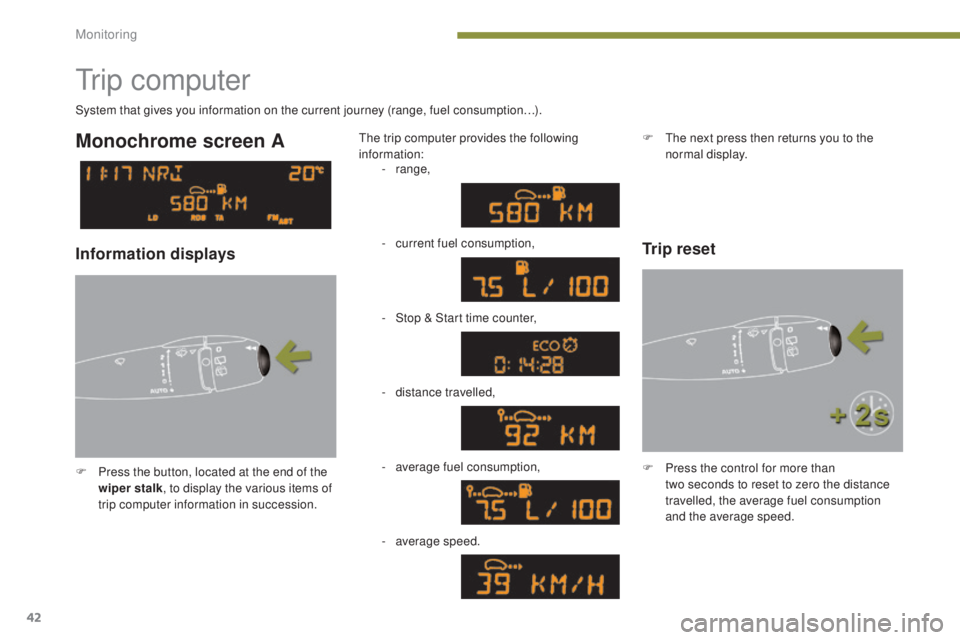
F Press the button, located at the end of the wiper stalk , to display the various items of
trip computer information in succession. The trip computer provides the following
information:
System that gives you information on the current journey (range, fuel consumption…).
Monochrome screen A
Information displays
-
range,
-
c
urrent fuel consumption,
-
S
top & Start time counter,
-
d
istance travelled,
-
a
verage fuel consumption,
Trip reset
F The next press then returns you to the normal display.
-
a
verage speed. F
P
ress the control for more than
two
seconds to reset to zero the distance
travelled, the average fuel consumption
and the average speed.
Monitoring
Page 45 of 344
43
3008_en_Chap01_controle-marche_ed01-2015
Monochrome screen C
Tr i p c o m p u t e r
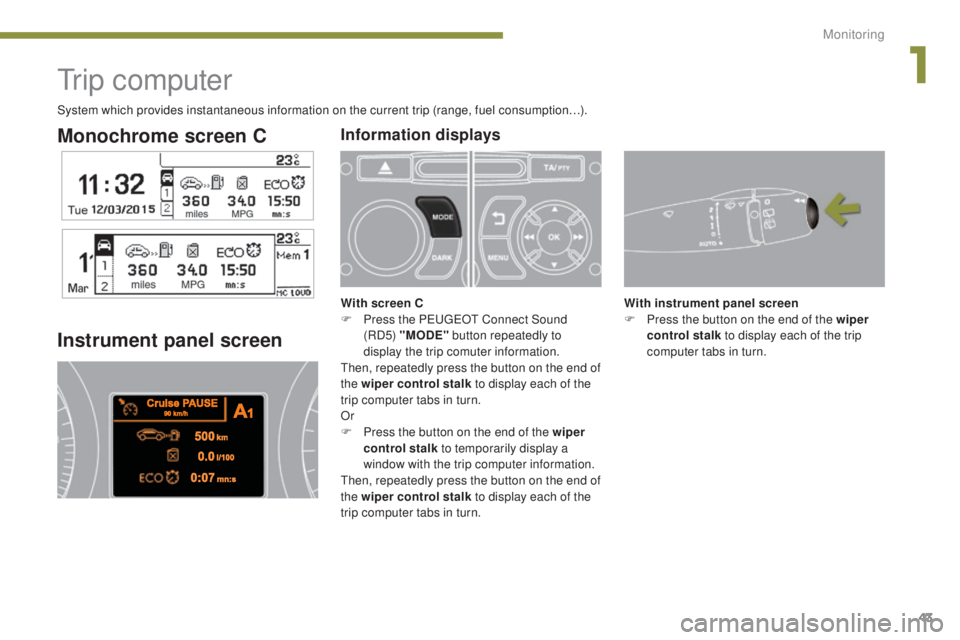
Instrument panel screen
With instrument panel screen
F P ress the button on the end of the wiper
control stalk to display each of the trip
computer tabs in turn.
Information displays
With screen C
F P ress the PEUGEOT Connect Sound
(RD5) "MODE" button repeatedly to
display the trip comuter information.
Then, repeatedly press the button on the end of
the wiper control stalk to display each of the
trip computer tabs in turn.
Or
F
P
ress the button on the end of the wiper
control stalk to temporarily display a
window with the trip computer information.
Then, repeatedly press the button on the end of
the wiper control stalk to display each of the
trip computer tabs in turn.
System which provides instantaneous information on the current trip (range, fuel consumption…).
1
Monitoring
Page 46 of 344
44
3008_en_Chap01_controle-marche_ed01-2015
Depending on your vehicle's equipment, the
trip computer information appears in the
monochrome C screen or in the instrument
panel screen.
-
T
he current information with:
●
t
he range,
●
t
he current fuel consumption,
●
t
he distance remaining to be travelled or
the Stop & Start time counter.
-
T
he trip "1" tab with:
●
t
he average speed,
f
or the first trip,
●
t
he average fuel consumption,
-
T
he trip "2" tab with:
●
t
he average speed,
f
or the second trip,
●
t
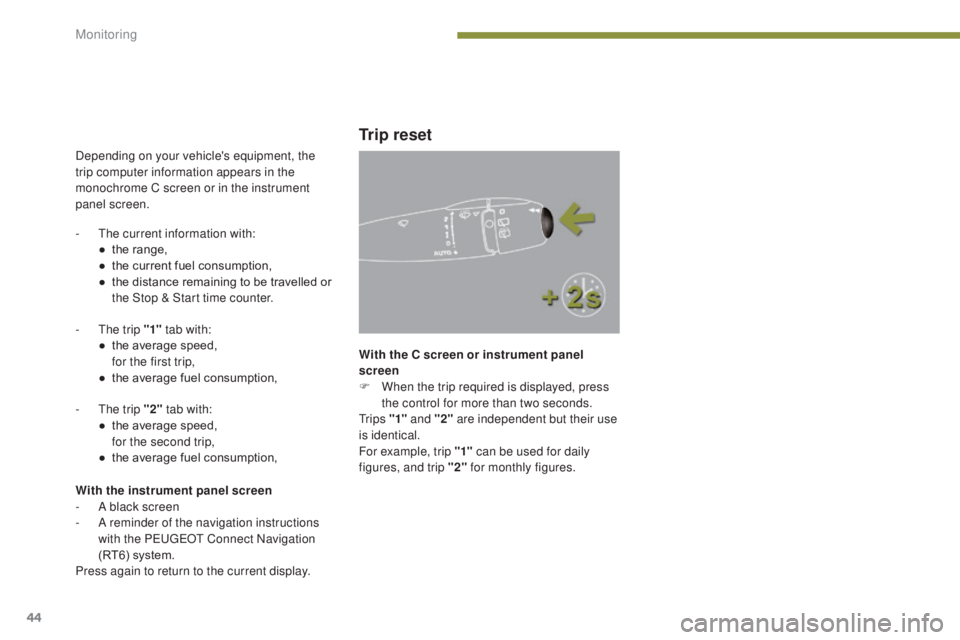
he average fuel consumption, With the C screen or instrument panel
screen
F
W
hen the trip required is displayed, press
the control for more than two seconds.
Tr i p s "1" and "2" are independent but their use
is identical.
For example, trip "1" can be used for daily
figures, and trip "2" for monthly figures.
Trip reset
With the instrument panel screen
-
A b lack screen
-
A r
eminder of the navigation instructions
with the PEUGEOT Connect Navigation
(RT6) system.
Press again to return to the current display.
Monitoring
Page 57 of 344
55
3008_en_Chap02_ouvertures_ed01-2015
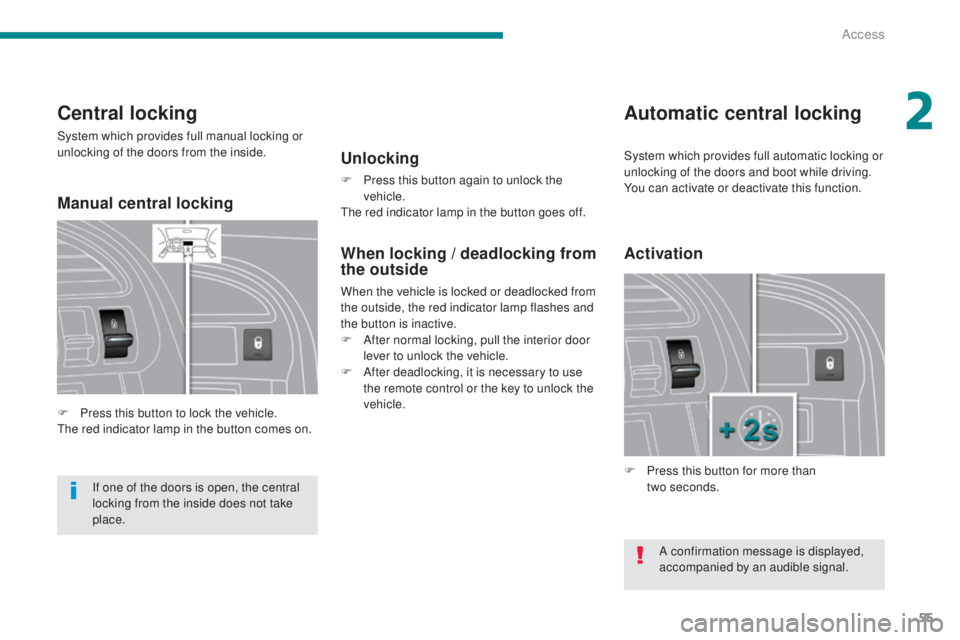
Central locking
System which provides full manual locking or
unlocking of the doors from the inside.
F
P
ress this button to lock the vehicle.
The red indicator lamp in the button comes on.
Automatic central locking
Unlocking
F Press this button again to unlock the vehicle.
The red indicator lamp in the button goes off.
Activation
F Press this button for more than two seconds.
If one of the doors is open, the central
locking from the inside does not take
place.
When locking / deadlocking from
the outside
When the vehicle is locked or deadlocked from
the outside, the red indicator lamp flashes and
the button is inactive.
F
A
fter normal locking, pull the interior door
lever to unlock the vehicle.
F
A
fter deadlocking, it is necessary to use
the remote control or the key to unlock the
vehicle.
A confirmation message is displayed,
accompanied by an audible signal.
System which provides full automatic locking or
unlocking of the doors and boot while driving.
You can activate or deactivate this function.
Manual central locking
2
Access
Page 58 of 344
56
3008_en_Chap02_ouvertures_ed01-2015
Automatic locking
Above 6 mph (10 km/h), the doors and boot
lock automatically.
If one of the doors is open, the automatic
central locking does not take place.
If the boot is open, the automatic central
locking of the doors is active.
Deactivation
F Press this button again for more than two seconds.
Unlocking
F Above 6 mph (10 km/h), press this button to unlock the doors and boot temporarily.
In the event of an impact, the doors
unlock automatically.
Back-up control
System allowing the doors to be locked and
unlocked manually in the event of a malfunction
of the central locking system or battery failure.
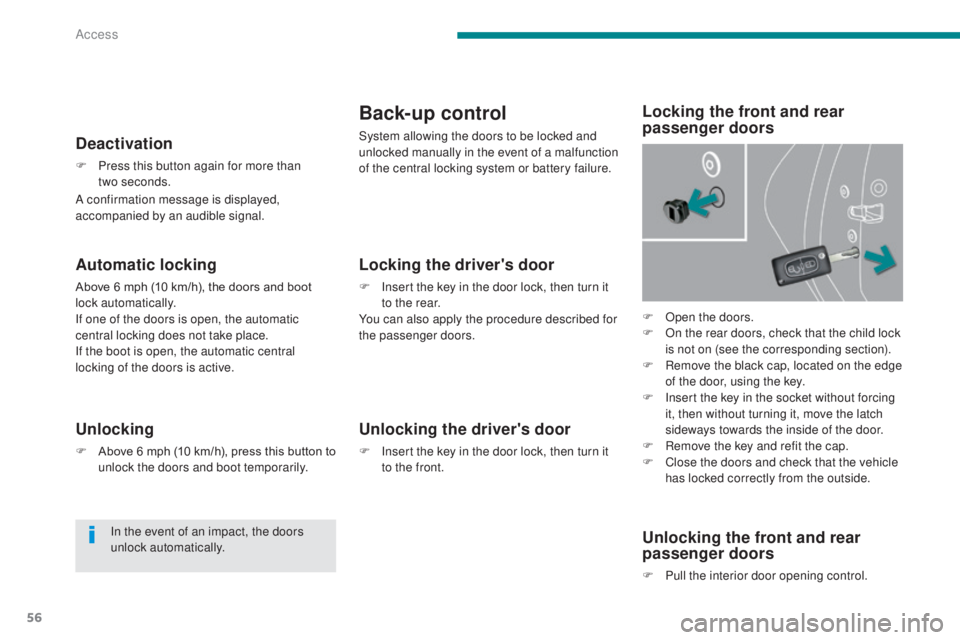
F
O
pen the doors.
F
O
n the rear doors, check that the child lock
is not on (see the corresponding section).
F
R
emove the black cap, located on the edge
of the door, using the key.
F
I
nsert the key in the socket without forcing
it, then without turning it, move the latch
sideways towards the inside of the door.
F
R
emove the key and refit the cap.
F
C
lose the doors and check that the vehicle
has locked correctly from the outside.
Locking the driver's door
F Insert the key in the door lock, then turn it to the rear.
You can also apply the procedure described for
the passenger doors.
Unlocking the driver's door
F Insert the key in the door lock, then turn it to the front.
Locking the front and rear
passenger doors
Unlocking the front and rear
passenger doors
F Pull the interior door opening control.
A confirmation message is displayed,
accompanied by an audible signal.
Access
Page 66 of 344
64
3008_en_Chap03_confort_ed01-2015
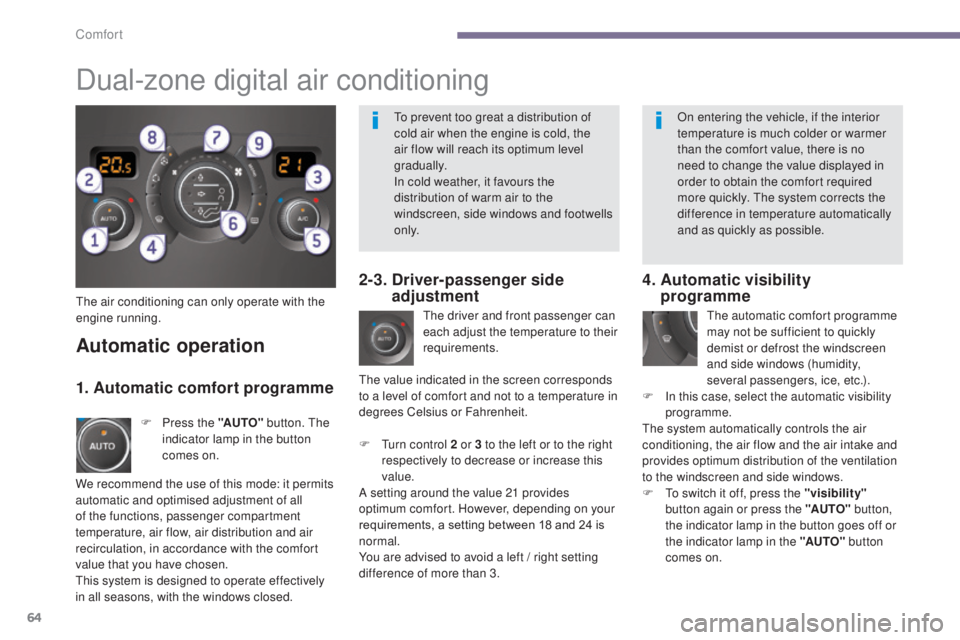
The air conditioning can only operate with the
engine running.The driver and front passenger can
each adjust the temperature to their
requirements.
F
T
urn control 2 or 3 to the left or to the right
respectively to decrease or increase this
value.
A setting around the value 21 provides
optimum comfort. However, depending on your
requirements, a setting between 18 and 24 is
normal.
You are advised to avoid a left
/ right setting
difference of more than 3.
4. Automatic visibility programme
The automatic comfort programme
may not be sufficient to quickly
demist or defrost the windscreen
and side windows (humidity,
several passengers, ice, etc.).
F
I
n this case, select the automatic visibility
programme.
The system automatically controls the air
conditioning, the air flow and the air intake and
provides optimum distribution of the ventilation
to the windscreen and side windows.
F
T
o switch it off, press the "visibility"
button again or press the "AUTO" button,
the indicator lamp in the button goes off or
the indicator lamp in the "AUTO" button
comes on.
Automatic operation
F Press the "AUTO" button. The
indicator lamp in the button
comes on.
2-3. Driver-passenger side adjustment
Dual-zone digital air conditioning
We recommend the use of this mode: it permits
automatic and optimised adjustment of all
of the functions, passenger compartment
temperature, air flow, air distribution and air
recirculation, in accordance with the comfort
value that you have chosen.
This system is designed to operate effectively
in all seasons, with the windows closed. The value indicated in the screen corresponds
to a level of comfort and not to a temperature in
degrees Celsius or Fahrenheit.
1. Automatic comfort programme
To prevent too great a distribution of
cold air when the engine is cold, the
air flow will reach its optimum level
gradually.
In cold weather, it favours the
distribution of warm air to the
windscreen, side windows and footwells
o n l y.
On entering the vehicle, if the interior
temperature is much colder or warmer
than the comfort value, there is no
need to change the value displayed in
order to obtain the comfort required
more quickly. The system corrects the
difference in temperature automatically
and as quickly as possible.
Comfort
Page 67 of 344
65
3008_en_Chap03_confort_ed01-2015
Manual operation
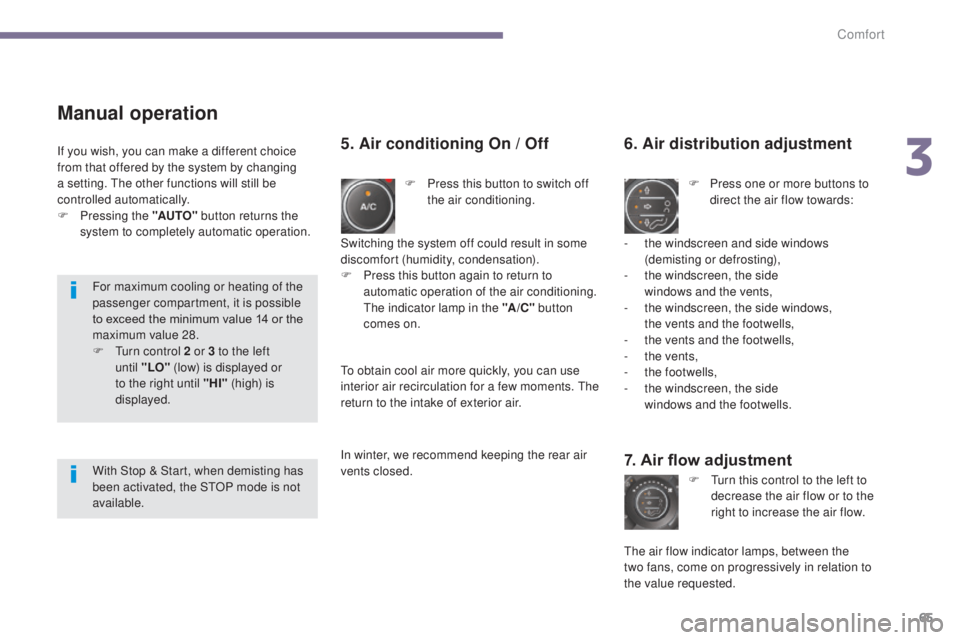
F Press this button to switch off the air conditioning.
6. Air distribution adjustment
F Press one or more buttons to direct the air flow towards:
7. Air flow adjustment
F Turn this control to the left to decrease the air flow or to the
right to increase the air flow.
5. Air conditioning On / Off
- the windscreen and side windows (demisting or defrosting),
-
t
he windscreen, the side
windows and the vents,
-
t
he windscreen, the side windows,
the vents and the footwells,
-
t
he vents and the footwells,
-
t
he vents,
-
t
he footwells,
-
t
he windscreen, the side
windows and the footwells.
The air flow indicator lamps, between the
two
fans, come on progressively in relation to
the value requested.
Switching the system off could result in some
discomfort (humidity, condensation).
F
P
ress this button again to return to
automatic operation of the air conditioning.
The indicator lamp in the "A /C " button
comes on.
If you wish, you can make a different choice
from that offered by the system by changing
a setting. The other functions will still be
controlled automatically.
F
P
ressing the "AUTO"
button returns the
system to completely automatic operation.
To obtain cool air more quickly, you can use
interior air recirculation for a few moments. The
return to the intake of exterior air.
In winter, we recommend keeping the rear air
vents closed.
For maximum cooling or heating of the
passenger compartment, it is possible
to exceed the minimum value 14 or the
maximum value 28.
F
T
urn control 2 or 3 to the left
until
"LO" (low) is displayed or
to the right until "HI" (high) is
displayed.
With Stop & Start, when demisting has
been activated, the STOP mode is not
available.
3
Comfort