instrument panel Peugeot 308 2017 Service Manual
[x] Cancel search | Manufacturer: PEUGEOT, Model Year: 2017, Model line: 308, Model: Peugeot 308 2017Pages: 392, PDF Size: 10.16 MB
Page 172 of 392
170
308_en_Chap06_conduite_ed01-2016
Stop & Start
Operation
Going into engine STOP mode
- With a manual gearbox, with the speed
below 12 mph (20 km/h) or with the vehicle
stationary (depending on the engine), when
you put the gear lever into neutral and
release the clutch pedal.
Never refuel with the engine in S
tO
P
mode; you must switch off the ignition. For your comfort, during parking
manoeuvres, S
tO
P mode is not
available for a few seconds after
coming out of reverse gear.
th
e Stop & Start system does not affect
the functionality of the vehicle, such as
for example, braking, power steering...
A slight delay between the vehicle
stopping and the engine cutting out may
be noticed.
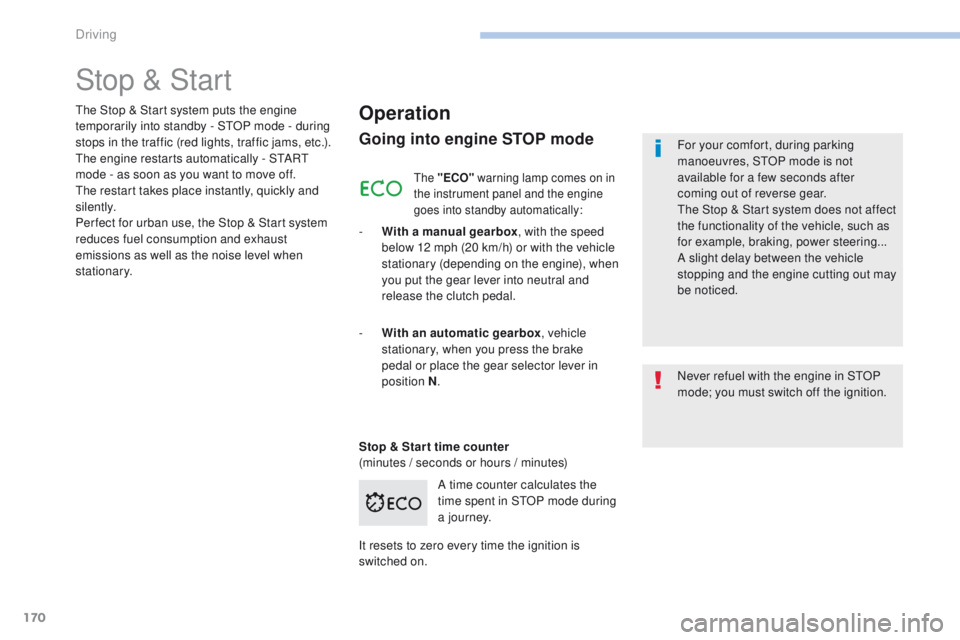
A time counter calculates the
time spent in S
tO
P mode during
a j o u r n ey.
th
e Stop & Start system puts the engine
temporarily into standby - S
tO
P mode - during
stops in the traffic (red lights, traffic jams, etc.).
th
e engine restarts automatically - S
tA
R
t
mode - as soon as you want to move off.
th
e restart takes place instantly, quickly and
silently.
Per fect for urban use, the Stop & Start system
reduces fuel consumption and exhaust
emissions as well as the noise level when
stationary.
Stop & Star t time counter
(minutes / seconds or hours / minutes) -
W
ith an automatic gearbox , vehicle
stationary, when you press the brake
pedal or place the gear selector lever in
position
N.
It resets to zero every time the ignition is
switched on.
the "ECO" warning lamp comes on in
the instrument panel and the engine
goes into standby automatically:
Driving
Page 174 of 392
172
308_en_Chap06_conduite_ed01-2016
Operating fault
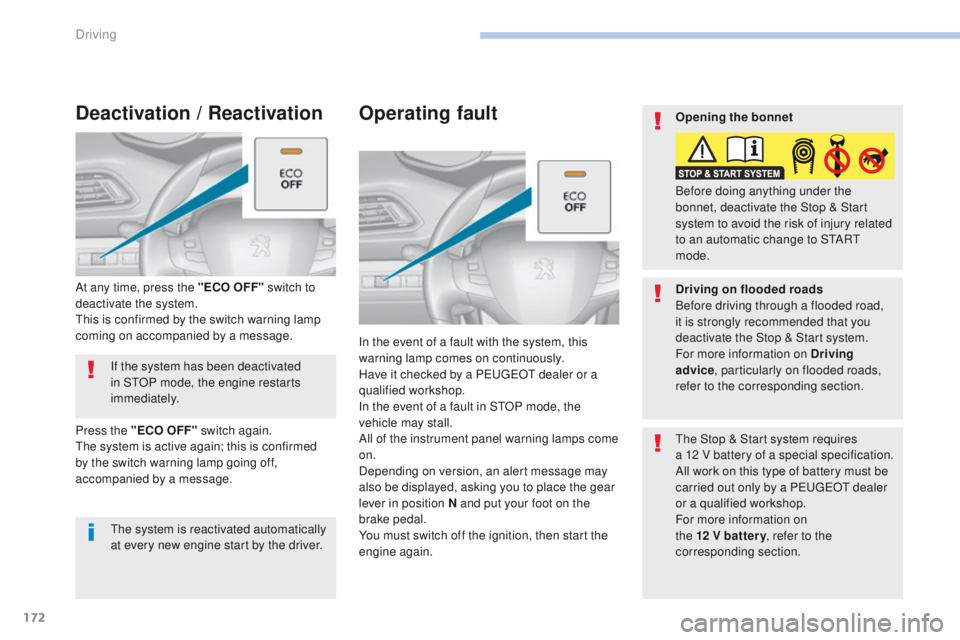
In the event of a fault with the system, this
warning lamp comes on continuously.
Have it checked by a P
e
uge
Ot
dealer or a
qualified workshop.
In the event of a fault in S
tO
P mode, the
vehicle may stall.
All of the instrument panel warning lamps come
on.
Depending on version, an alert message may
also be displayed, asking you to place the gear
lever in position N and put your foot on the
brake pedal.
You must switch off the ignition, then start the
engine again.
th
e Stop & Start system requires
a 12
V battery of a special specification.
All work on this type of battery must be
carried out only by a P
e
uge
Ot
dealer
or a qualified workshop.
For more information on
the 12 V batter y , refer to the
corresponding section.
If the system has been deactivated
in S
tO
P mode, the engine restarts
immediately.
At any time, press the "ECO OFF" switch to
deactivate the system.
th
is is confirmed by the switch warning lamp
coming on accompanied by a message.
Deactivation / Reactivation
the system is reactivated automatically
at every new engine start by the driver.
Press the "ECO OFF" switch again.
th
e system is active again; this is confirmed
by the switch warning lamp going off,
accompanied by a message. Opening the bonnet
Driving on flooded roads
Before driving through a flooded road,
it is strongly recommended that you
deactivate the Stop & Start system.
For more information on Driving
advice
, particularly on flooded roads,
refer to the corresponding section. Before doing anything under the
bonnet, deactivate the Stop & Start
system to avoid the risk of injury related
to an automatic change to S
tA
R
t
mode.
Driving
Page 176 of 392
174
308_en_Chap06_conduite_ed01-2016
Steering mounted controls
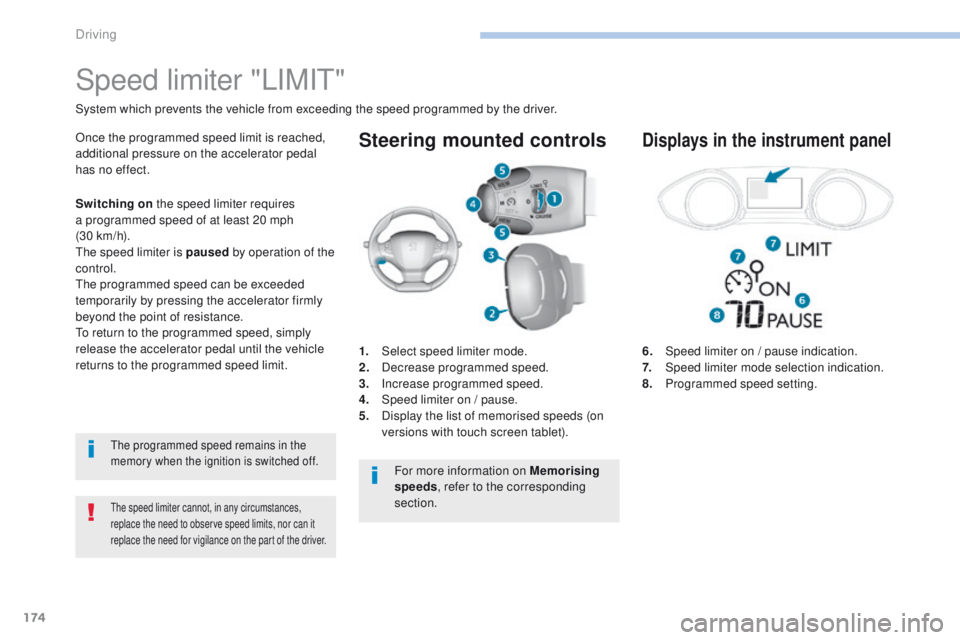
6. Speed limiter on / pause indication.
7. Speed limiter mode selection indication.
8.
P
rogrammed speed setting.
Speed limiter "LIMIt"
System which prevents the vehicle from exceeding the speed programmed by the driver.
the speed limiter cannot, in any circumstances,
replace the need to observe speed limits, nor can it
replace the need for vigilance on the part of the driver.
Once the programmed speed limit is reached,
additional pressure on the accelerator pedal
has no effect.
1.
Sel
ect speed limiter mode.
2.
D
ecrease programmed speed.
3.
In
crease programmed speed.
4.
S
peed limiter on / pause.
5.
D
isplay the list of memorised speeds (on
versions with touch screen tablet).Displays in the instrument panel
S witching on the speed limiter requires
a programmed speed of at least 20 mph
(30
km/h).
th
e speed limiter is paused by operation of the
control.
th
e programmed speed can be exceeded
temporarily by pressing the accelerator firmly
beyond the point of resistance.
to r
eturn to the programmed speed, simply
release the accelerator pedal until the vehicle
returns to the programmed speed limit.
the programmed speed remains in the
memory when the ignition is switched off.
For more information on Memorising
speeds , refer to the corresponding
section.
Driving
Page 177 of 392
175
308_en_Chap06_conduite_ed01-2016
Switching on / Pause
F turn the thumbwheel 1 to the "LIMIT"
position: the speed limiter mode is selected
but is not switched on (Pause).
F
S
witch the speed limiter back on by
pressing button 4 , if the speed displayed
is suitable (by default, the last speed
programmed).
F
Y
ou can temporarily stop the speed limiter
by pressing button 4 again: the display
confirms that it has been stopped (Pause). You do not have to switch the speed limiter on
in order to set the speed.
Once the function is selected, you can modify
the speed setting by:
-
u
sing buttons 2 and 3, increasing or
decreasing the speed displayed:
F
b
y successive short presses, to modify
by + or - 1 mph (1 km/h),
F
b
y a maintained press, to modify in steps
of + or - 5 mph (5 km/h). -
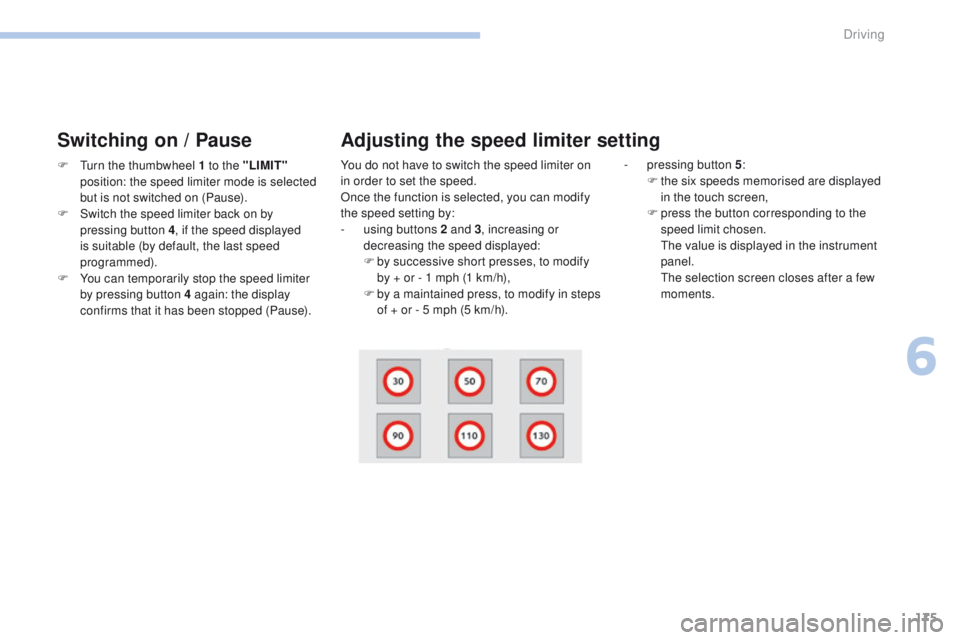
p ressing button 5
:
F t he six speeds memorised are displayed
in the touch screen,
F
p
ress the button corresponding to the
speed limit chosen.
t
h
e value is displayed in the instrument
panel.
t
h
e selection screen closes after a few
moments.
Adjusting the speed limiter setting
6
Driving
Page 179 of 392
177
308_en_Chap06_conduite_ed01-2016
Steering mounted controls
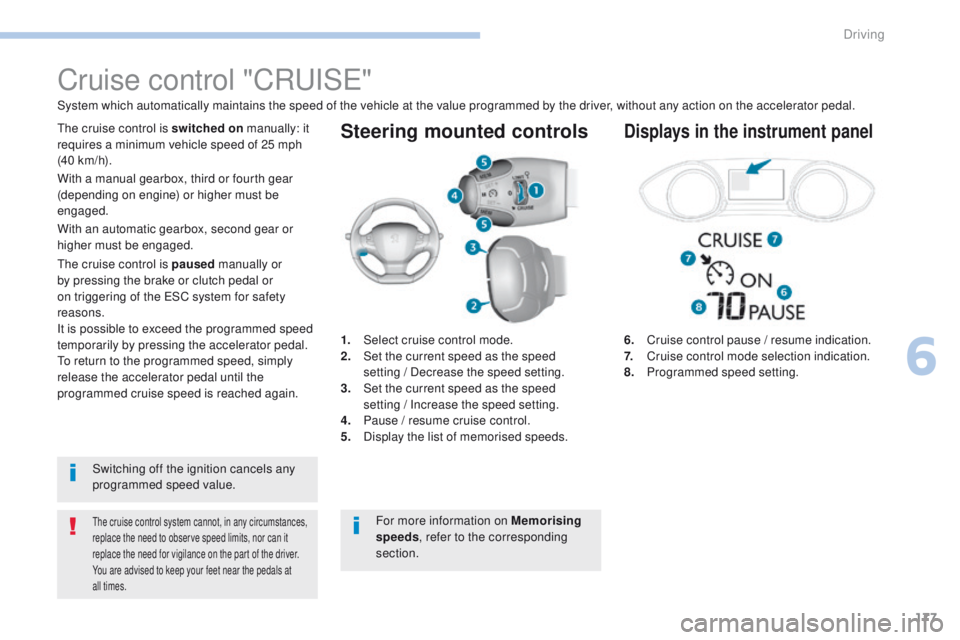
6. Cruise control pause / resume indication.
7. Cruise control mode selection indication.
8.
P
rogrammed speed setting.
Cruise control "CRu ISe"
System which automatically maintains the speed of the vehicle at the value programmed by the driver, without any action on the accelerator pedal.
the cruise control system cannot, in any circumstances,
replace the need to observe speed limits, nor can it
replace the need for vigilance on the part of the driver.
You are advised to keep your feet near the pedals at
all times.
the cruise control is switched on manually: it
requires a minimum vehicle speed of 25 mph
(40 km/h).
1.
Sel
ect cruise control mode.
2.
S
et the current speed as the speed
setting
/ Decrease the speed setting.
3.
S
et the current speed as the speed
setting
/ Increase the speed setting.
4.
P
ause / resume cruise control.
5.
D
isplay the list of memorised speeds.Displays in the instrument panel
Switching off the ignition cancels any
programmed speed value.
th
e cruise control is paused
manually or
by pressing the brake or clutch pedal or
on triggering of the e SC system for safety
reasons.
It is possible to exceed the programmed speed
temporarily by pressing the accelerator pedal.
to r
eturn to the programmed speed, simply
release the accelerator pedal until the
programmed cruise speed is reached again. With a manual gearbox, third or fourth gear
(depending on engine) or higher must be
engaged.
With an automatic gearbox, second gear or
higher must be engaged.
For more information on Memorising
speeds, refer to the corresponding
section.
6
Driving
Page 180 of 392
178
308_en_Chap06_conduite_ed01-2016
Switching on / Pause
If the cruise control is switched on, you can then
modify the cruise speed in one of the following ways:
- using buttons 2 or 3:
F b y successive short presses, to modify
the speed by + or - 1 mph (km/h),
F
b
y a long press, to modify the speed in
steps of + or - 5 mph (km/h),
Exceeding the programmed
speed
F turn wheel 1 to the "CRUISE" position: the
cruise control mode is selected but is not
switched on (Pause).
F
P
ress button 2 or 3 : your vehicle's current
speed becomes the cruise speed.
th
e cruise control is activated (ON).
Modification of the cruise
speed setting
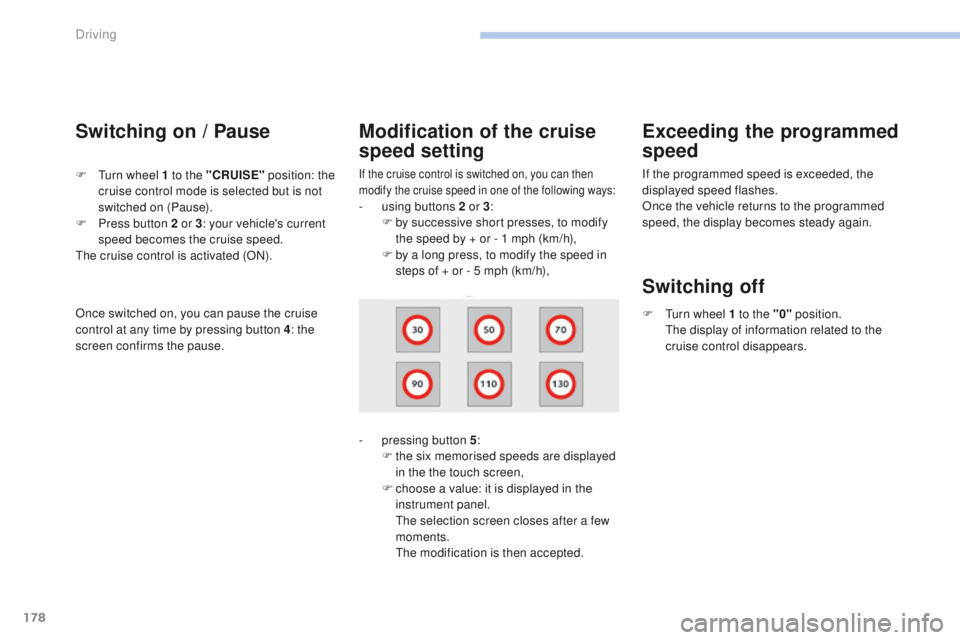
- pressing button 5 :
F t he six memorised speeds are displayed
in the the touch screen,
F
c
hoose a value: it is displayed in the
instrument panel.
t
h
e selection screen closes after a few
moments.
t
he
modification is then accepted. If the programmed speed is exceeded, the
displayed speed flashes.
Once the vehicle returns to the programmed
speed, the display becomes steady again.
Switching off
F turn wheel 1 to the "0"
position.
th e display of information related to the
cruise control disappears.
Once switched on, you can pause the cruise
control at any time by pressing button 4: the
screen confirms the pause.
Driving
Page 184 of 392
182
308_en_Chap06_conduite_ed01-2016
the dynamic cruise control must be selected in
the "Driving assistance " menu.
F
t
u
rn the wheel 1 to the " CRUISE" position:
cruise control mode is selected, but not
started (Pause).
F
P
ress one of the buttons 2 or 3 : the current
speed of your vehicle becomes the cruise
speed setting.
th
e cruise control is activated (ON).
By default, the inter-vehicle time is set at
2
seconds.
Otherwise, the last setting made will be used
when switching on the system.
Switching on
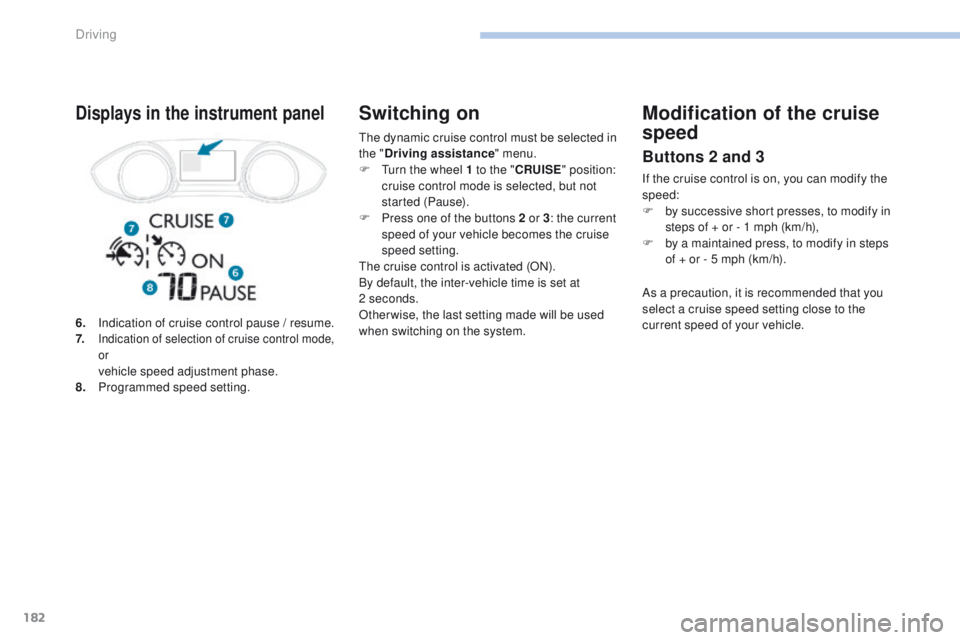
6. Indication of cruise control pause / resume.
7. Indication of selection of cruise control mode,
or
vehicle speed adjustment phase.
8. P rogrammed speed setting.
Displays in the instrument panelModification of the cruise
speed
Buttons 2 and 3
If the cruise control is on, you can modify the
speed:
F
b
y successive short presses, to modify in
steps of + or - 1 mph (km/h),
F
b
y a maintained press, to modify in steps
of
+ or - 5 mph (km/h).
As a precaution, it is recommended that you
select a cruise speed setting close to the
current speed of your vehicle.
Driving
Page 185 of 392
183
308_en_Chap06_conduite_ed01-2016
Modification of the cruise control speed and/or the
inter-vehicle time
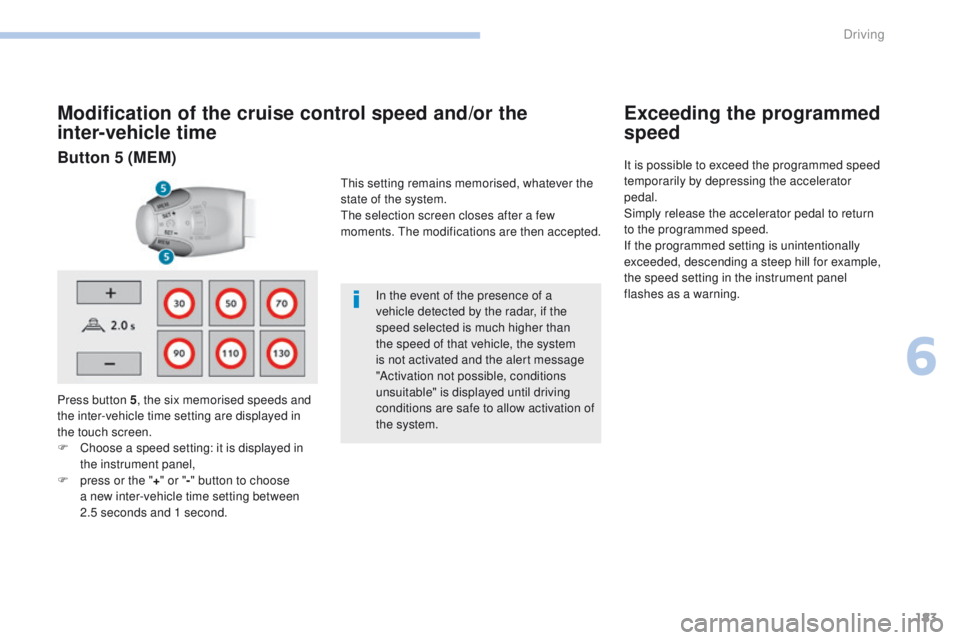
Press button 5, the six memorised speeds and
the inter-vehicle time setting are displayed in
the touch screen.
F
C
hoose a speed setting: it is displayed in
the instrument panel,
F
p
ress or the " +" or " -" button to choose
a new inter-vehicle time setting between
2.5
seconds and 1 second. In the event of the presence of a
vehicle detected by the radar, if the
speed selected is much higher than
the speed of that vehicle, the system
is not activated and the alert message
"Activation not possible, conditions
unsuitable" is displayed until driving
conditions are safe to allow activation of
the system.
Exceeding the programmed
speed
It is possible to exceed the programmed speed
temporarily by depressing the accelerator
pedal.
Simply release the accelerator pedal to return
to the programmed speed.
If the programmed setting is unintentionally
exceeded, descending a steep hill for example,
the speed setting in the instrument panel
flashes as a warning.Button 5 (MEM)
this setting remains memorised, whatever the
state of the system.
th
e selection screen closes after a few
moments.
t
h
e modifications are then accepted.
6
Driving
Page 186 of 392
184
308_en_Chap06_conduite_ed01-2016
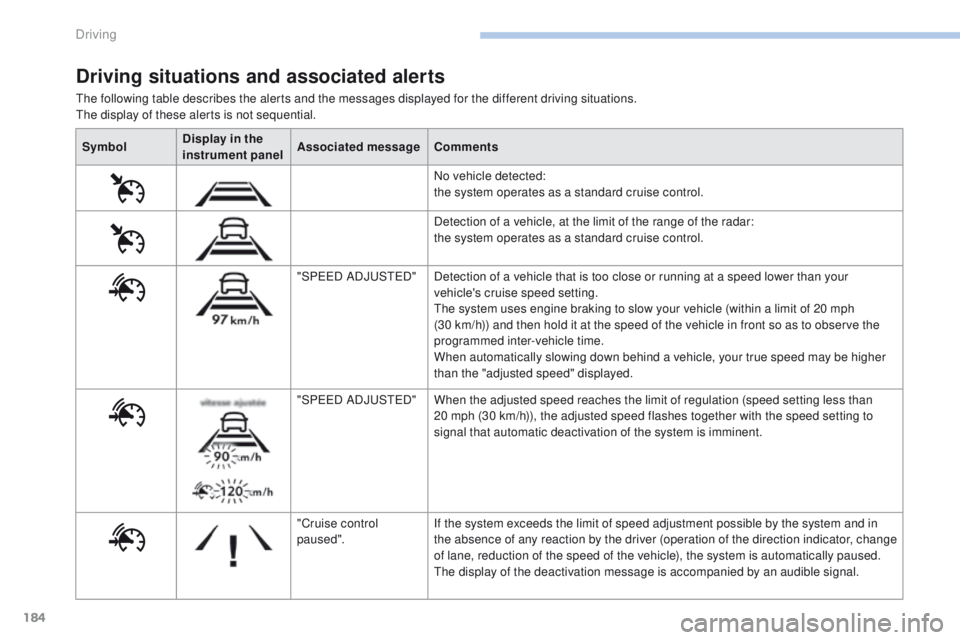
the following table describes the alerts and the messages displayed for the different driving situations.the display of these alerts is not sequential.
Driving situations and associated alerts
Symbol Display in the
instrument panel Associated message
Comments
No vehicle detected:
the system operates as a standard cruise control.
Detection of a vehicle, at the limit of the range of the radar:
the system operates as a standard cruise control.
"SP
ee
D
ADJ
uSt
e
D
"Detection of a vehicle that is too close or running at a speed lower than your
vehicle's cruise speed setting.
th
e system uses engine braking to slow your vehicle (within a limit of 20 mph
(30
km/h)) and then hold it at the speed of the vehicle in front so as to observe the
programmed inter-vehicle time.
When automatically slowing down behind a vehicle, your true speed may be higher
than the "adjusted speed" displayed.
"SP
ee
D
ADJ
uSt
e
D
"When the adjusted speed reaches the limit of regulation (speed setting less than
20
mph (30 km/h)), the adjusted speed flashes together with the speed setting to
signal that automatic deactivation of the system is imminent.
"Cruise control
paused". If the system exceeds the limit of speed adjustment possible by the system and in
the absence of any reaction by the driver (operation of the direction indicator, change
of lane, reduction of the speed of the vehicle), the system is automatically paused.
th
e display of the deactivation message is accompanied by an audible signal.
Driving
Page 189 of 392
187
308_en_Chap06_conduite_ed01-2016
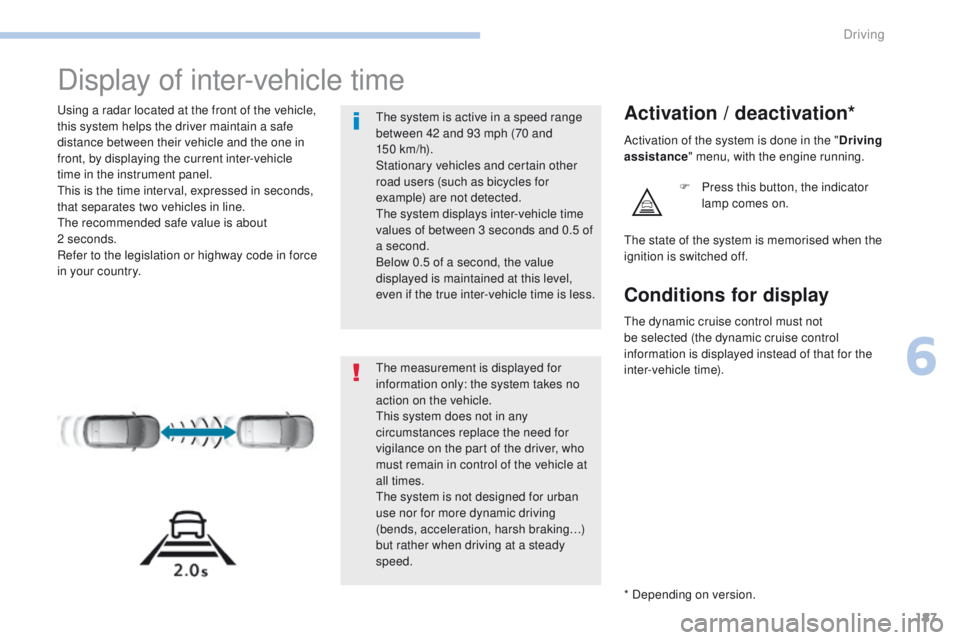
Display of inter-vehicle time
using a radar located at the front of the vehicle,
this system helps the driver maintain a safe
distance between their vehicle and the one in
front, by displaying the current inter-vehicle
time in the instrument panel.
th
is is the time interval, expressed in seconds,
that separates two vehicles in line.
th
e recommended safe value is about
2
seconds.
Refer to the legislation or highway code in force
in your country.Activation / deactivation*
F Press this button, the indicator lamp comes on.
th
e measurement is displayed for
information only: the system takes no
action on the vehicle.
th
is system does not in any
circumstances replace the need for
vigilance on the part of the driver, who
must remain in control of the vehicle at
all times.
th
e system is not designed for urban
use nor for more dynamic driving
(bends, acceleration, harsh braking…)
but rather when driving at a steady
speed.
th
e system is active in a speed range
between 42 and 93 mph (70 and
150
km/h).
Stationary vehicles and certain other
road users (such as bicycles for
example) are not detected.
th
e system displays inter-vehicle time
values of between 3 seconds and 0.5 of
a second.
Below 0.5 of a second, the value
displayed is maintained at this level,
even if the true inter-vehicle time is less.
th
e state of the system is memorised when the
ignition is switched off. Activation of the system is done in the " Driving
assistance " menu, with the engine running.
* Depending on version.
Conditions for display
the dynamic cruise control must not
be selected (the dynamic cruise control
information is displayed instead of that for the
inter-vehicle time).
6
Driving