warning Peugeot 308 2017 Workshop Manual
[x] Cancel search | Manufacturer: PEUGEOT, Model Year: 2017, Model line: 308, Model: Peugeot 308 2017Pages: 392, PDF Size: 10.16 MB
Page 174 of 392
172
308_en_Chap06_conduite_ed01-2016
Operating fault
In the event of a fault with the system, this
warning lamp comes on continuously.
Have it checked by a P
e
uge
Ot
dealer or a
qualified workshop.
In the event of a fault in S
tO
P mode, the
vehicle may stall.
All of the instrument panel warning lamps come
on.
Depending on version, an alert message may
also be displayed, asking you to place the gear
lever in position N and put your foot on the
brake pedal.
You must switch off the ignition, then start the
engine again.
th
e Stop & Start system requires
a 12
V battery of a special specification.
All work on this type of battery must be
carried out only by a P
e
uge
Ot
dealer
or a qualified workshop.
For more information on
the 12 V batter y , refer to the
corresponding section.
If the system has been deactivated
in S
tO
P mode, the engine restarts
immediately.
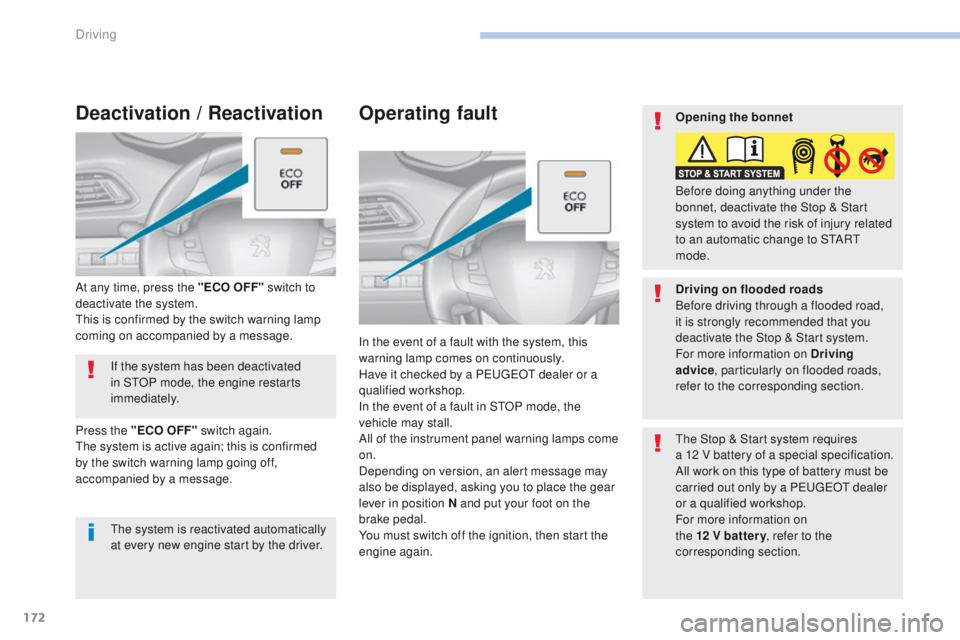
At any time, press the "ECO OFF" switch to
deactivate the system.
th
is is confirmed by the switch warning lamp
coming on accompanied by a message.
Deactivation / Reactivation
the system is reactivated automatically
at every new engine start by the driver.
Press the "ECO OFF" switch again.
th
e system is active again; this is confirmed
by the switch warning lamp going off,
accompanied by a message. Opening the bonnet
Driving on flooded roads
Before driving through a flooded road,
it is strongly recommended that you
deactivate the Stop & Start system.
For more information on Driving
advice
, particularly on flooded roads,
refer to the corresponding section. Before doing anything under the
bonnet, deactivate the Stop & Start
system to avoid the risk of injury related
to an automatic change to S
tA
R
t
mode.
Driving
Page 185 of 392
183
308_en_Chap06_conduite_ed01-2016
Modification of the cruise control speed and/or the
inter-vehicle time
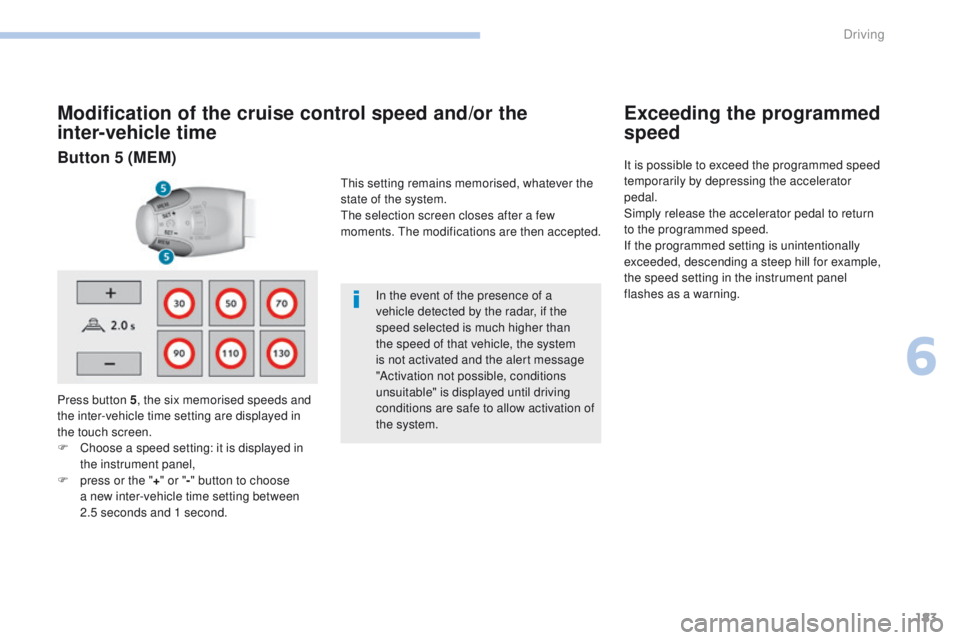
Press button 5, the six memorised speeds and
the inter-vehicle time setting are displayed in
the touch screen.
F
C
hoose a speed setting: it is displayed in
the instrument panel,
F
p
ress or the " +" or " -" button to choose
a new inter-vehicle time setting between
2.5
seconds and 1 second. In the event of the presence of a
vehicle detected by the radar, if the
speed selected is much higher than
the speed of that vehicle, the system
is not activated and the alert message
"Activation not possible, conditions
unsuitable" is displayed until driving
conditions are safe to allow activation of
the system.
Exceeding the programmed
speed
It is possible to exceed the programmed speed
temporarily by depressing the accelerator
pedal.
Simply release the accelerator pedal to return
to the programmed speed.
If the programmed setting is unintentionally
exceeded, descending a steep hill for example,
the speed setting in the instrument panel
flashes as a warning.Button 5 (MEM)
this setting remains memorised, whatever the
state of the system.
th
e selection screen closes after a few
moments.
t
h
e modifications are then accepted.
6
Driving
Page 191 of 392
189
308_en_Chap06_conduite_ed01-2016
the vehicle being followed may not be detected
in certain conditions such as, for example:
-
w
hen turning,
-
w
hen changing lane,
-
w
hen the vehicle in front is out of the range
of the sensor (maximum range: around
10 0
m).
Operating limits
In the event of a fault with the system,
this warning lamp is displayed
accompanied by a message.
Operating fault
Have the system checked by a Pe ugeOt
dealer or a qualified workshop.
At the first use of the system after
repair, a message may be displayed
indicating that the system is initialising.
th
e system is not available while this is
in progress. As soon as the message
disappears the system is operational
again. If the message does not
disappear, contact a P
e
uge
Ot
dealer
or a qualified workshop.
th
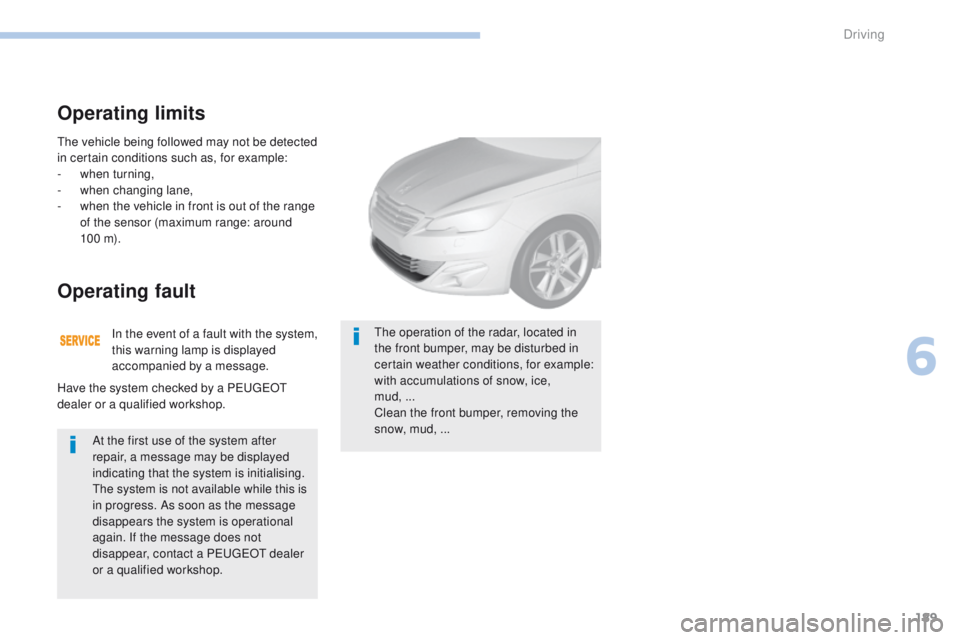
e operation of the radar, located in
the front bumper, may be disturbed in
certain weather conditions, for example:
with accumulations of snow, ice,
mud, ...
Clean the front bumper, removing the
snow, mud,
...
6
Driving
Page 192 of 392
190
308_en_Chap06_conduite_ed01-2016
emergency collision alert system and emergency collision braking system
Emergency collision alert
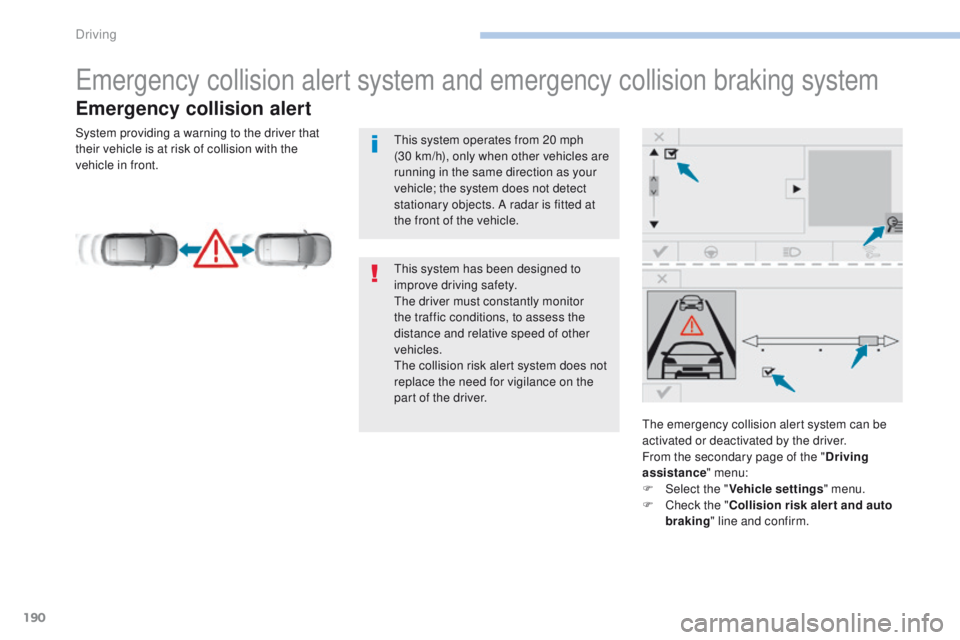
the emergency collision alert system can be
activated or deactivated by the driver.
From the secondary page of the "Driving
assistance " menu:
F
Sel
ect the " Vehicle settings " menu.
F
C
heck the " Collision risk alert and auto
braking " line and confirm.
th
is system has been designed to
improve driving safety.
th
e driver must constantly monitor
the traffic conditions, to assess the
distance and relative speed of other
vehicles.
th
e collision risk alert system does not
replace the need for vigilance on the
part of the driver.
th
is system operates from 20 mph
(30
km/h), only when other vehicles are
running in the same direction as your
vehicle; the system does not detect
stationary objects. A radar is fitted at
the front of the vehicle.
System providing a warning to the driver that
their vehicle is at risk of collision with the
vehicle in front.
Driving
Page 195 of 392
193
308_en_Chap06_conduite_ed01-2016
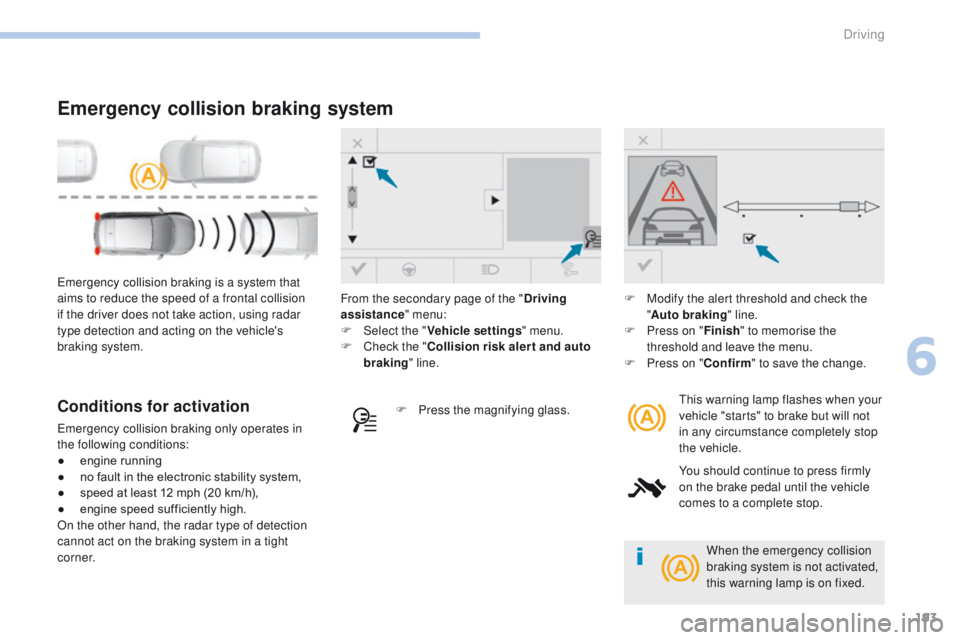
emergency collision braking is a system that
aims to reduce the speed of a frontal collision
if the driver does not take action, using radar
type detection and acting on the vehicle's
braking system.
Emergency collision braking system
this warning lamp flashes when your
vehicle "starts" to brake but will not
in any circumstance completely stop
the vehicle.
You should continue to press firmly
on the brake pedal until the vehicle
comes to a complete stop.Conditions for activation
emergency collision braking only operates in
the following conditions:
●
e
ngine running
●
n
o fault in the electronic stability system,
●
s
peed at least 12 mph (20 km/h),
●
e
ngine speed sufficiently high.
On the other hand, the radar type of detection
cannot act on the braking system in a tight
c o r n e r. F
P
ress the magnifying glass.F
M
odify the alert threshold and check the
" Auto braking " line.
F
P
ress on "
Finish" to memorise the
threshold and leave the menu.
F
P
ress on "
Confirm" to save the change.
From the secondary page of the "
Driving
assistance " menu:
F
Sel
ect the "
Vehicle settings " menu.
F
C
heck the "
Collision risk alert and auto
braking " line.
When the emergency collision
braking system is not activated,
this warning lamp is on fixed.
6
Driving
Page 196 of 392
194
308_en_Chap06_conduite_ed01-2016
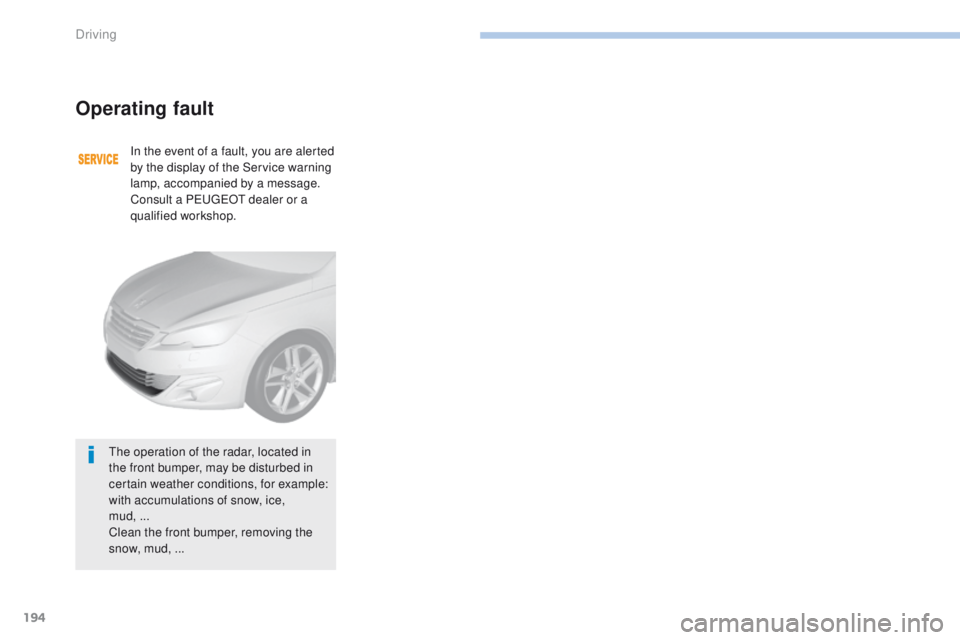
Operating fault
In the event of a fault, you are alerted
by the display of the Service warning
lamp, accompanied by a message.
Consult a P
e
uge
Ot
dealer or a
qualified workshop.
th
e operation of the radar, located in
the front bumper, may be disturbed in
certain weather conditions, for example:
with accumulations of snow, ice,
mud,
...
Clean the front bumper, removing the
snow, mud,
...
Driving
Page 197 of 392
195
308_en_Chap06_conduite_ed01-2016
Blind spot monitoring system
Operation
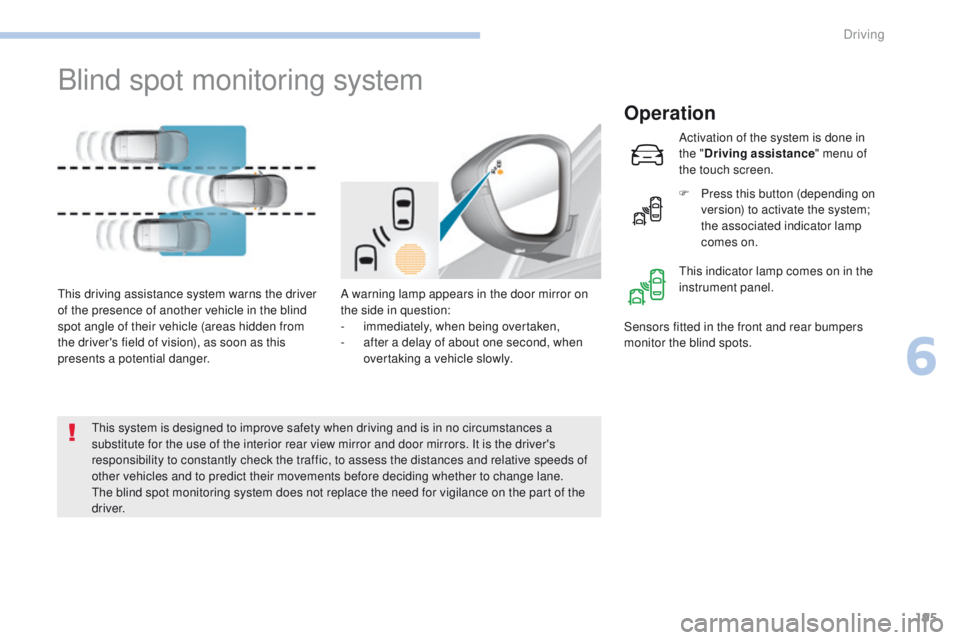
A warning lamp appears in the door mirror on
the side in question:
-
i
mmediately, when being overtaken,
-
a
fter a delay of about one second, when
overtaking a vehicle slowly.th
is driving assistance system warns the driver
of the presence of another vehicle in the blind
spot angle of their vehicle (areas hidden from
the driver's field of vision), as soon as this
presents a potential danger. Sensors fitted in the front and rear bumpers
monitor the blind spots.
th
is system is designed to improve safety when driving and is in no circumstances a
substitute for the use of the interior rear view mirror and door mirrors. It is the driver's
responsibility to constantly check the traffic, to assess the distances and relative speeds of
other vehicles and to predict their movements before deciding whether to change lane.
th
e blind spot monitoring system does not replace the need for vigilance on the part of the
driver. Activation of the system is done in
the "
Driving assistance " menu of
the touch screen.
F
P
ress this button (depending on
version) to activate the system;
the associated indicator lamp
comes on.
th
is indicator lamp comes on in the
instrument panel.
6
Driving
Page 198 of 392
196
308_en_Chap06_conduite_ed01-2016
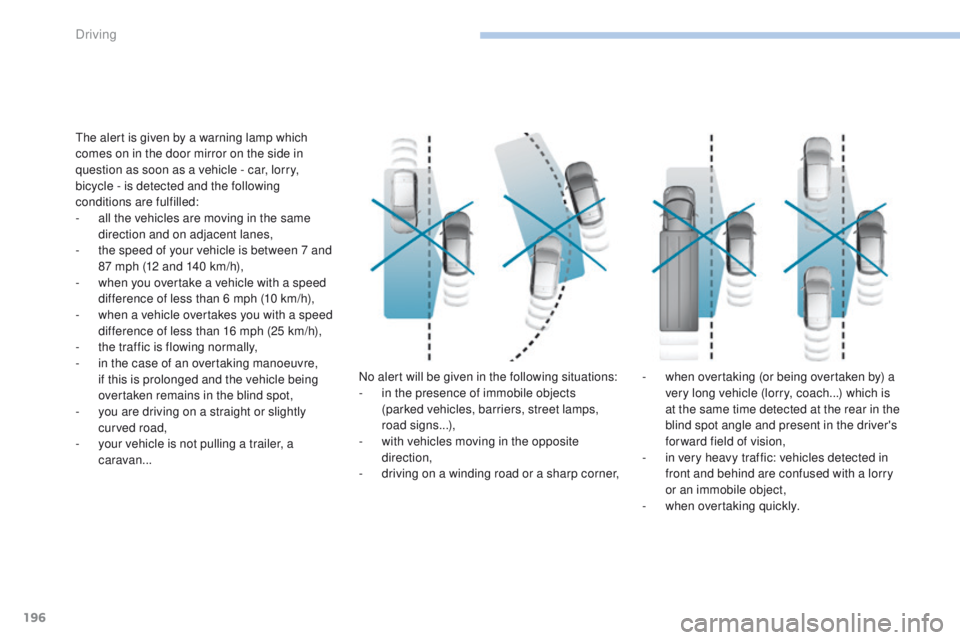
the alert is given by a warning lamp which
comes on in the door mirror on the side in
question as soon as a vehicle - car, lorry,
bicycle - is detected and the following
conditions are fulfilled:
-
a
ll the vehicles are moving in the same
direction and on adjacent lanes,
-
t
he speed of your vehicle is between 7 and
87 mph (12 and 140 km/h),
-
w
hen you overtake a vehicle with a speed
difference of less than 6 mph (10 km/h),
-
w
hen a vehicle overtakes you with a speed
difference of less than 16 mph (25 km/h),
-
t
he traffic is flowing normally,
-
i
n the case of an overtaking manoeuvre,
if this is prolonged and the vehicle being
overtaken remains in the blind spot,
-
y
ou are driving on a straight or slightly
curved road,
-
y
our vehicle is not pulling a trailer, a
caravan... No alert will be given in the following situations:
-
i
n the presence of immobile objects
(parked vehicles, barriers, street lamps,
road signs...),
-
w
ith vehicles moving in the opposite
direction,
-
d
riving on a winding road or a sharp corner,-
w
hen overtaking (or being overtaken by) a
very long vehicle (lorry, coach...) which is
at the same time detected at the rear in the
blind spot angle and present in the driver's
forward field of vision,
-
i
n very heavy traffic: vehicles detected in
front and behind are confused with a lorry
or an immobile object,
-
w
hen overtaking quickly.
Driving
Page 199 of 392
197
308_en_Chap06_conduite_ed01-2016
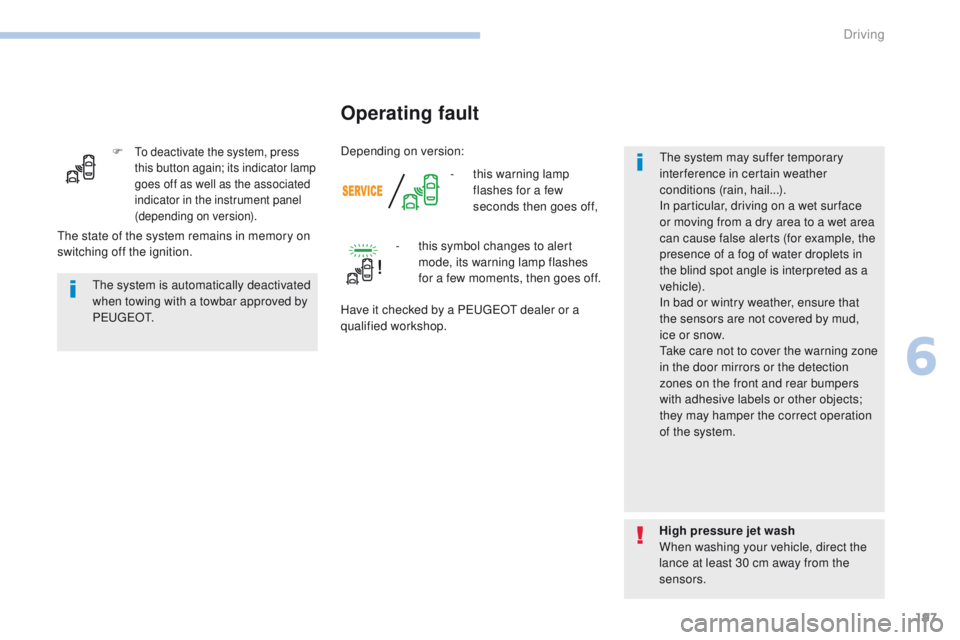
F to deactivate the system, press
this button again; its indicator lamp
goes off as well as the associated
indicator in the instrument panel
(depending on version).
- this warning lamp flashes for a few
seconds then goes off,
Operating fault
the system is automatically deactivated
when towing with a towbar approved by
P
e
u g e
Ot
.
High pressure jet wash
When washing your vehicle, direct the
lance at least 30 cm away from the
sensors.
th
e state of the system remains in memory on
switching off the ignition. -
t
his symbol changes to alert
mode, its warning lamp flashes
for a few moments, then goes off.
Have it checked by a P
e
uge
Ot
dealer or a
qualified workshop.
th
e system may suffer temporary
interference in certain weather
conditions (rain, hail...).
In particular, driving on a wet sur face
or moving from a dry area to a wet area
can cause false alerts (for example, the
presence of a fog of water droplets in
the blind spot angle is interpreted as a
vehicle).
In bad or wintry weather, ensure that
the sensors are not covered by mud,
ice or snow.
ta
ke care not to cover the warning zone
in the door mirrors or the detection
zones on the front and rear bumpers
with adhesive labels or other objects;
they may hamper the correct operation
of the system.
Depending on version:
6
Driving
Page 201 of 392
199
308_en_Chap06_conduite_ed01-2016
the system will be deactivated
automatically if a trailer is being
towed or a bicycle carrier is fitted on
a towbar (vehicle fitted with a towbar
installed in line with the manufacturer's
recommendations).
Deactivation / Activation of
the front and rear parking
sensors
the system is deactivated in the
"Driving assistance " menu of the
touch screen.
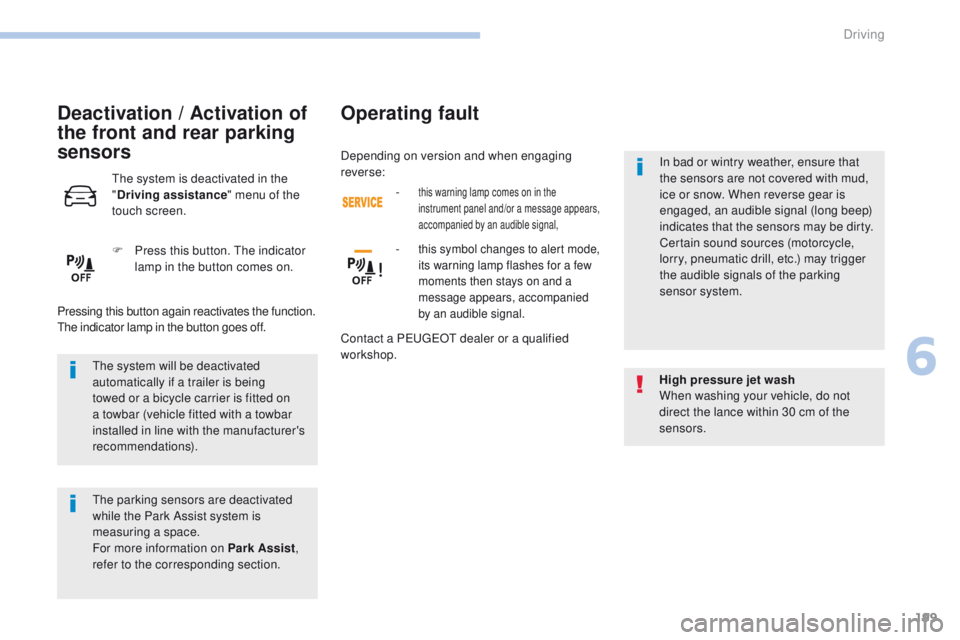
F
P
ress this button. t
h
e indicator
lamp in the button comes on.
Pressing this button again reactivates the function.
th
e indicator lamp in the button goes off.
the
parking sensors are deactivated
while the Park Assist system is
measuring a space.
For more information on Park Assist ,
refer to the corresponding section. High pressure jet wash
When washing your vehicle, do not
direct the lance within 30 cm of the
sensors.
Operating fault
- this warning lamp comes on in the
instrument panel and/or a message appears,
accompanied by an audible signal,
- this symbol changes to alert mode,
its warning lamp flashes for a few
moments then stays on and a
message appears, accompanied
by an audible signal.
Contact a Pe
ugeOt dealer or a qualified
workshop. In bad or wintry weather, ensure that
the sensors are not covered with mud,
ice or snow. When reverse gear is
engaged, an audible signal (long beep)
indicates that the sensors may be dirty.
Certain sound sources (motorcycle,
lorry, pneumatic drill, etc.) may trigger
the audible signals of the parking
sensor system.
Depending on version and when engaging
reverse:
6
Driving