ignition Peugeot 308 2017 Repair Manual
[x] Cancel search | Manufacturer: PEUGEOT, Model Year: 2017, Model line: 308, Model: Peugeot 308 2017Pages: 392, PDF Size: 10.16 MB
Page 160 of 392
158
308_en_Chap06_conduite_ed01-2016
Immobilising the vehicle
with the engine running
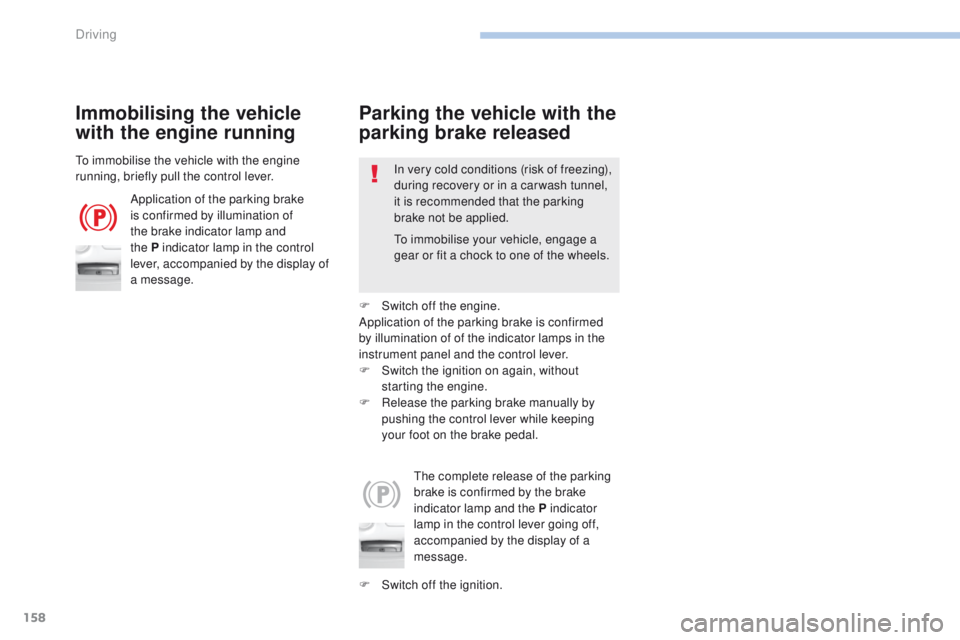
Application of the parking brake
is confirmed by illumination of
the brake indicator lamp and
the P indicator lamp in the control
lever, accompanied by the display of
a message.
th
e complete release of the parking
brake is confirmed by the brake
indicator lamp and the P indicator
lamp in the control lever going off,
accompanied by the display of a
message.
to i
mmobilise the vehicle with the engine
running, briefly pull the control lever. In very cold conditions (risk of freezing),
during recovery or in a car wash tunnel,
it is recommended that the parking
brake not be applied.
Parking the vehicle with the
parking brake released
F Switch off the ignition.
to
immobilise your vehicle, engage a
gear or fit a chock to one of the wheels.
F
S
witch off the engine.
Application of the parking brake is confirmed
by illumination of of the indicator lamps in the
instrument panel and the control lever.
F
S
witch the ignition on again, without
starting the engine.
F
R
elease the parking brake manually by
pushing the control lever while keeping
your foot on the brake pedal.
Driving
Page 170 of 392
168
308_en_Chap06_conduite_ed01-2016
F Select position M for sequential changing
of the six gears.
F
P
ull towards the + sign and release to
change up a gear.
F
P
ush towards the - sign and release to
change down a gear.
It is only possible to change from one gear to
another if the vehicle speed and engine speed
permit; otherwise, the gearbox will operate
temporarily in automatic mode.
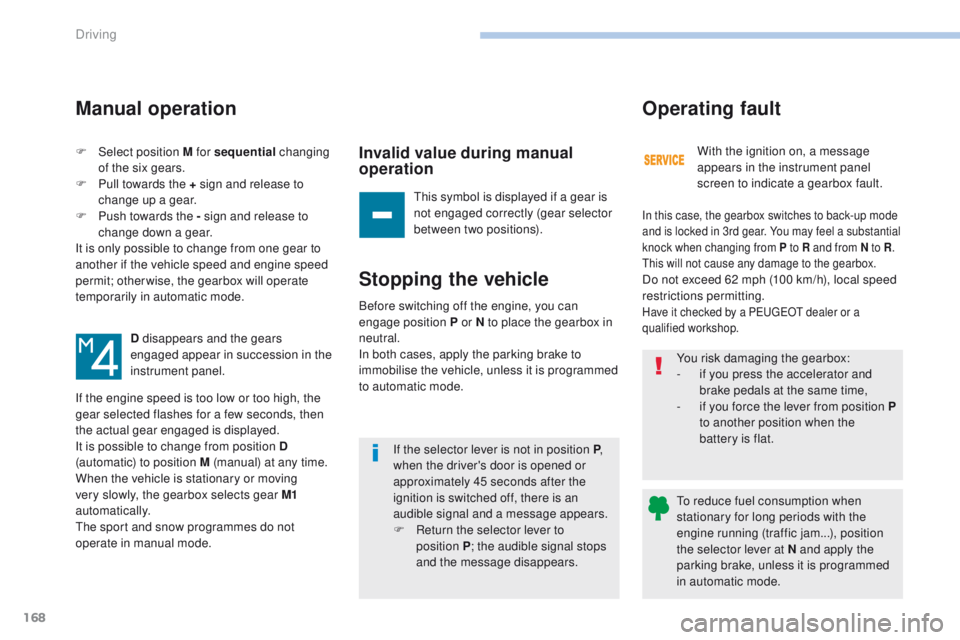
D disappears and the gears
engaged appear in succession in the
instrument panel.
If the engine speed is too low or too high, the
gear selected flashes for a few seconds, then
the actual gear engaged is displayed.
It is possible to change from position D
(automatic) to position M (manual) at any time.
When the vehicle is stationary or moving
very slowly, the gearbox selects gear M1
automatically.
th
e sport and snow programmes do not
operate in manual mode.
Manual operation
Invalid value during manual
operation
this symbol is displayed if a gear is
not engaged correctly (gear selector
between two positions).
Stopping the vehicle
If the selector lever is not in position P ,
w hen the driver's door is opened or
approximately 45 seconds after the
ignition is switched off, there is an
audible signal and a message appears.
F
R
eturn the selector lever to
position
P; the audible signal stops
and the message disappears. With the ignition on, a message
appears in the instrument panel
screen to indicate a gearbox fault.
Operating fault
In this case, the gearbox switches to back-up mode
and is locked in 3rd gear. You may feel a substantial
knock when changing from P to R and from N to R
.
th
is will not cause any damage to the gearbox.
Do not exceed 62 mph (100 km/h), local speed
restrictions permitting.
Have it checked by a Pe ugeOt dealer or a
qualified workshop.Before switching off the engine, you can
engage position P or N to place the gearbox in
neutral.
In both cases, apply the parking brake to
immobilise the vehicle, unless it is programmed
to automatic mode. You risk damaging the gearbox:
-
i
f you press the accelerator and
brake pedals at the same time,
-
i
f you force the lever from position P
to another position when the
battery is flat.
to r
educe fuel consumption when
stationary for long periods with the
engine running (traffic jam...), position
the selector lever at N and apply the
parking brake, unless it is programmed
in automatic mode.
Driving
Page 172 of 392
170
308_en_Chap06_conduite_ed01-2016
Stop & Start
Operation
Going into engine STOP mode
- With a manual gearbox, with the speed
below 12 mph (20 km/h) or with the vehicle
stationary (depending on the engine), when
you put the gear lever into neutral and
release the clutch pedal.
Never refuel with the engine in S
tO
P
mode; you must switch off the ignition. For your comfort, during parking
manoeuvres, S
tO
P mode is not
available for a few seconds after
coming out of reverse gear.
th
e Stop & Start system does not affect
the functionality of the vehicle, such as
for example, braking, power steering...
A slight delay between the vehicle
stopping and the engine cutting out may
be noticed.
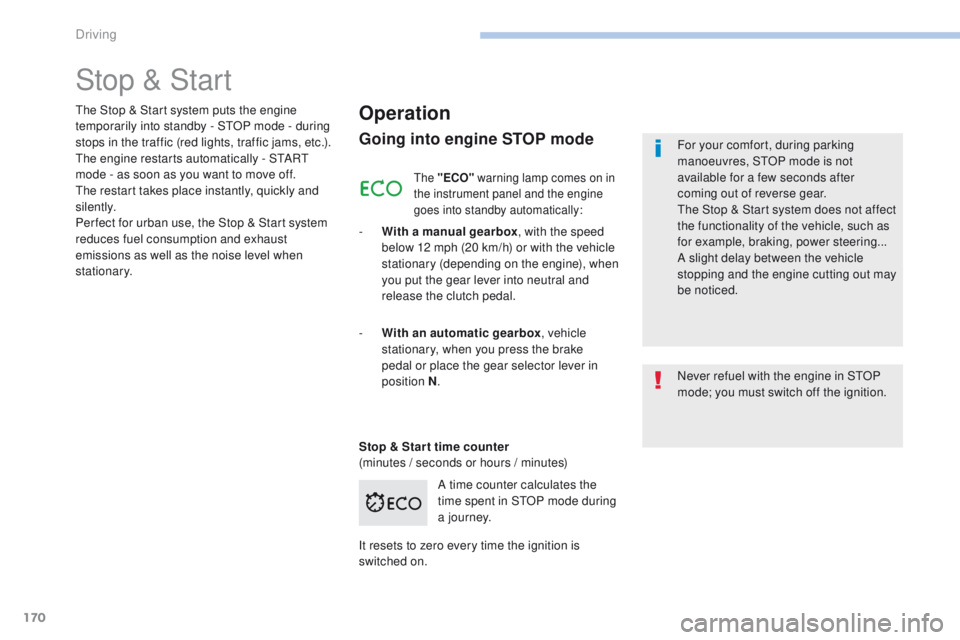
A time counter calculates the
time spent in S
tO
P mode during
a j o u r n ey.
th
e Stop & Start system puts the engine
temporarily into standby - S
tO
P mode - during
stops in the traffic (red lights, traffic jams, etc.).
th
e engine restarts automatically - S
tA
R
t
mode - as soon as you want to move off.
th
e restart takes place instantly, quickly and
silently.
Per fect for urban use, the Stop & Start system
reduces fuel consumption and exhaust
emissions as well as the noise level when
stationary.
Stop & Star t time counter
(minutes / seconds or hours / minutes) -
W
ith an automatic gearbox , vehicle
stationary, when you press the brake
pedal or place the gear selector lever in
position
N.
It resets to zero every time the ignition is
switched on.
the "ECO" warning lamp comes on in
the instrument panel and the engine
goes into standby automatically:
Driving
Page 174 of 392
172
308_en_Chap06_conduite_ed01-2016
Operating fault
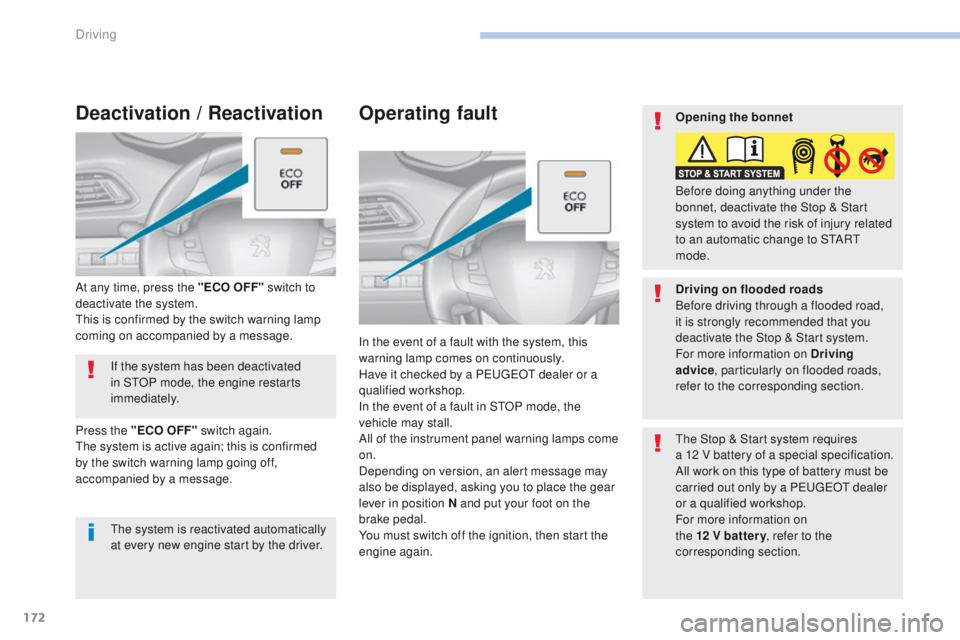
In the event of a fault with the system, this
warning lamp comes on continuously.
Have it checked by a P
e
uge
Ot
dealer or a
qualified workshop.
In the event of a fault in S
tO
P mode, the
vehicle may stall.
All of the instrument panel warning lamps come
on.
Depending on version, an alert message may
also be displayed, asking you to place the gear
lever in position N and put your foot on the
brake pedal.
You must switch off the ignition, then start the
engine again.
th
e Stop & Start system requires
a 12
V battery of a special specification.
All work on this type of battery must be
carried out only by a P
e
uge
Ot
dealer
or a qualified workshop.
For more information on
the 12 V batter y , refer to the
corresponding section.
If the system has been deactivated
in S
tO
P mode, the engine restarts
immediately.
At any time, press the "ECO OFF" switch to
deactivate the system.
th
is is confirmed by the switch warning lamp
coming on accompanied by a message.
Deactivation / Reactivation
the system is reactivated automatically
at every new engine start by the driver.
Press the "ECO OFF" switch again.
th
e system is active again; this is confirmed
by the switch warning lamp going off,
accompanied by a message. Opening the bonnet
Driving on flooded roads
Before driving through a flooded road,
it is strongly recommended that you
deactivate the Stop & Start system.
For more information on Driving
advice
, particularly on flooded roads,
refer to the corresponding section. Before doing anything under the
bonnet, deactivate the Stop & Start
system to avoid the risk of injury related
to an automatic change to S
tA
R
t
mode.
Driving
Page 176 of 392
174
308_en_Chap06_conduite_ed01-2016
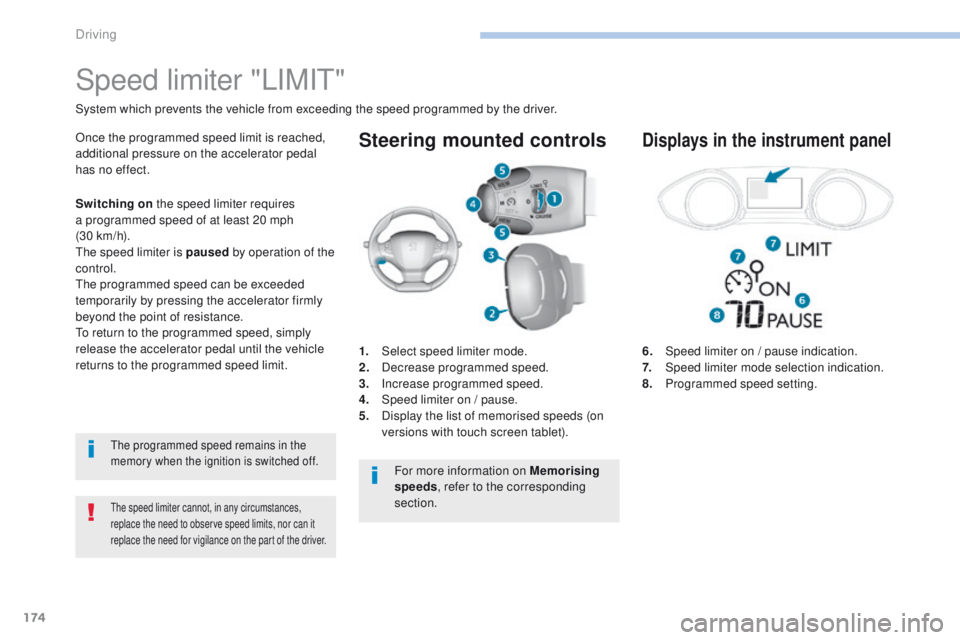
Steering mounted controls
6. Speed limiter on / pause indication.
7. Speed limiter mode selection indication.
8.
P
rogrammed speed setting.
Speed limiter "LIMIt"
System which prevents the vehicle from exceeding the speed programmed by the driver.
the speed limiter cannot, in any circumstances,
replace the need to observe speed limits, nor can it
replace the need for vigilance on the part of the driver.
Once the programmed speed limit is reached,
additional pressure on the accelerator pedal
has no effect.
1.
Sel
ect speed limiter mode.
2.
D
ecrease programmed speed.
3.
In
crease programmed speed.
4.
S
peed limiter on / pause.
5.
D
isplay the list of memorised speeds (on
versions with touch screen tablet).Displays in the instrument panel
S witching on the speed limiter requires
a programmed speed of at least 20 mph
(30
km/h).
th
e speed limiter is paused by operation of the
control.
th
e programmed speed can be exceeded
temporarily by pressing the accelerator firmly
beyond the point of resistance.
to r
eturn to the programmed speed, simply
release the accelerator pedal until the vehicle
returns to the programmed speed limit.
the programmed speed remains in the
memory when the ignition is switched off.
For more information on Memorising
speeds , refer to the corresponding
section.
Driving
Page 179 of 392
177
308_en_Chap06_conduite_ed01-2016
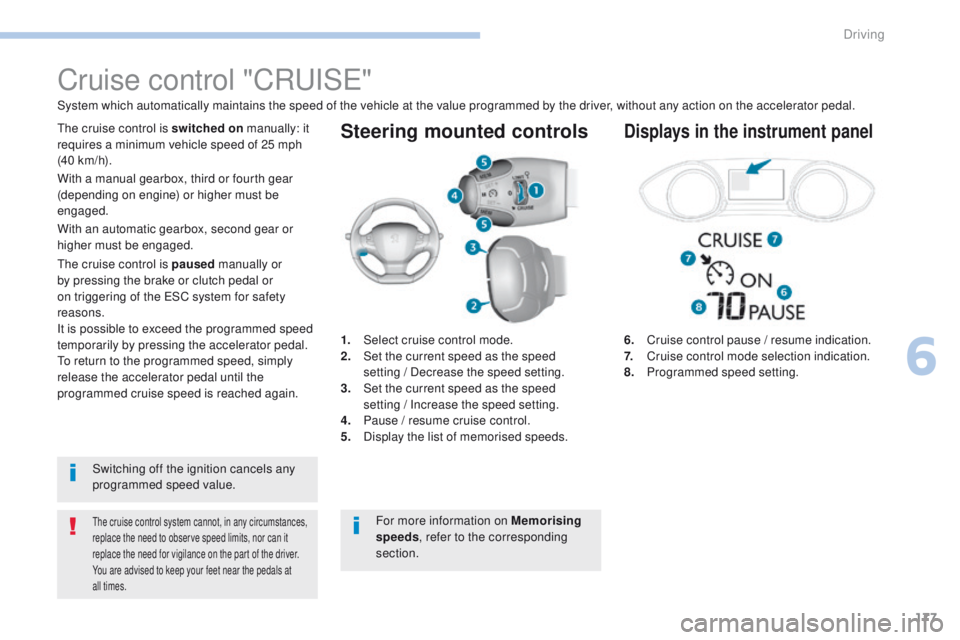
Steering mounted controls
6. Cruise control pause / resume indication.
7. Cruise control mode selection indication.
8.
P
rogrammed speed setting.
Cruise control "CRu ISe"
System which automatically maintains the speed of the vehicle at the value programmed by the driver, without any action on the accelerator pedal.
the cruise control system cannot, in any circumstances,
replace the need to observe speed limits, nor can it
replace the need for vigilance on the part of the driver.
You are advised to keep your feet near the pedals at
all times.
the cruise control is switched on manually: it
requires a minimum vehicle speed of 25 mph
(40 km/h).
1.
Sel
ect cruise control mode.
2.
S
et the current speed as the speed
setting
/ Decrease the speed setting.
3.
S
et the current speed as the speed
setting
/ Increase the speed setting.
4.
P
ause / resume cruise control.
5.
D
isplay the list of memorised speeds.Displays in the instrument panel
Switching off the ignition cancels any
programmed speed value.
th
e cruise control is paused
manually or
by pressing the brake or clutch pedal or
on triggering of the e SC system for safety
reasons.
It is possible to exceed the programmed speed
temporarily by pressing the accelerator pedal.
to r
eturn to the programmed speed, simply
release the accelerator pedal until the
programmed cruise speed is reached again. With a manual gearbox, third or fourth gear
(depending on engine) or higher must be
engaged.
With an automatic gearbox, second gear or
higher must be engaged.
For more information on Memorising
speeds, refer to the corresponding
section.
6
Driving
Page 182 of 392
180
308_en_Chap06_conduite_ed01-2016
Dynamic cruise control "CRuISe"
this systems allows the vehicle's speed to be
maintained at a value set by the driver.
In addition it allows (when circumstances
permit) an inter-vehicle time that you have
selected to be maintained between your vehicle
and the one in front.Principles of operation
using a radar with a range of about 100 metres,
located at the front of the vehicle, this system
detects a vehicle running in front of your
vehicle.
It automatically adapts the speed of your
vehicle to that of the vehicle in front.
If the vehicle in front is running more slowly,
the system progressively reduces the speed of
your vehicle using just engine braking (as if the
driver had pressed the "-" b ut to n).
If your vehicle is too close to, or approaching
too quickly the vehicle in front, the dynamic
cruise control is automatically deactivated.
th
e driver is then alerted by an audible signal,
accompanied by a message.
If the vehicle in front accelerates or changes
lane, the dynamic cruise control progressively
accelerates your vehicle to return to the
programmed speed.
If the driver operates a direction indicator to
overtake a slower vehicle, the dynamic cruise
control allows your vehicle to temporarily
approach the vehicle in front to assist the
overtaking manoeuvre, though never exceeding
the programmed speed.
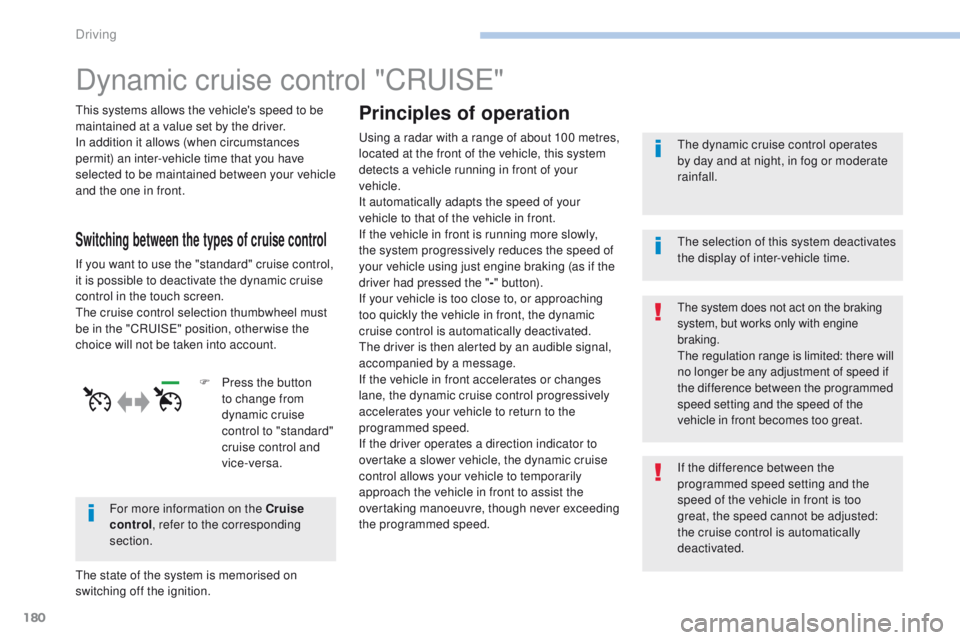
Switching between the types of cruise control
If you want to use the "standard" cruise control,
it is possible to deactivate the dynamic cruise
control in the touch screen.
th
e cruise control selection thumbwheel must
be in the "CR
uI
S
e" p
osition, other wise the
choice will not be taken into account.
For more information on the Cruise
control , refer to the corresponding
section.
th
e state of the system is memorised on
switching off the ignition. F
P
ress the button
to change from
dynamic cruise
control to "standard"
cruise control and
vice-versa.
th
e dynamic cruise control operates
by day and at night, in fog or moderate
rainfall.
the system does not act on the braking
system, but works only with engine
braking.
the regulation range is limited: there will
no longer be any adjustment of speed if
the difference between the programmed
speed setting and the speed of the
vehicle in front becomes too great.
th
e selection of this system deactivates
the display of inter-vehicle time.
If the difference between the
programmed speed setting and the
speed of the vehicle in front is too
great, the speed cannot be adjusted:
the cruise control is automatically
deactivated.
Driving
Page 183 of 392
181
308_en_Chap06_conduite_ed01-2016
the dynamic cruise control is switched on
manually, it requires that the speed of the
vehicle be between 25 mph (40 km/h) and
90
mph (150 km/h).
General points
the dynamic cruise control can be paused
manually with the control, or automatically:
-
b
y pressing the brake or clutch pedal,
-
i
n the event of operation of the e SC, for
safety reasons,
-
i
n the event of an action on the electric
parking brake control,
-
w
hen an inter-vehicle time threshold is
reached (calculated according to the
relative speeds of your vehicle and the
vehicle in front and the inter-vehicle time
setting chosen),
-
w
hen the distance between your vehicle
and the one in front becomes too small,
-
w
hen the speed of the vehicle in front is
too
low,
-
w
hen the speed of your vehicle becomes
too low.
the dynamic cruise control cannot in any
circumstances replace the observation
of speed limits, nor the need for the
vigilance on the part of the driver.
It is recommended that you always keep
your feet close to the pedals.
the inter-vehicle time setting is
memorised when switching off the
ignition.
With a manual gearbox, third or fourth gear
(depending on engine) or higher must be
engaged.
With an automatic gearbox, second gear or
higher must be engaged.
If the cruise speed setting is above 90 mph
(150 km/h), the dynamic cruise control switches
to normal cruise control mode (without
automatic adjustment of the safety inter-vehicle
distance).
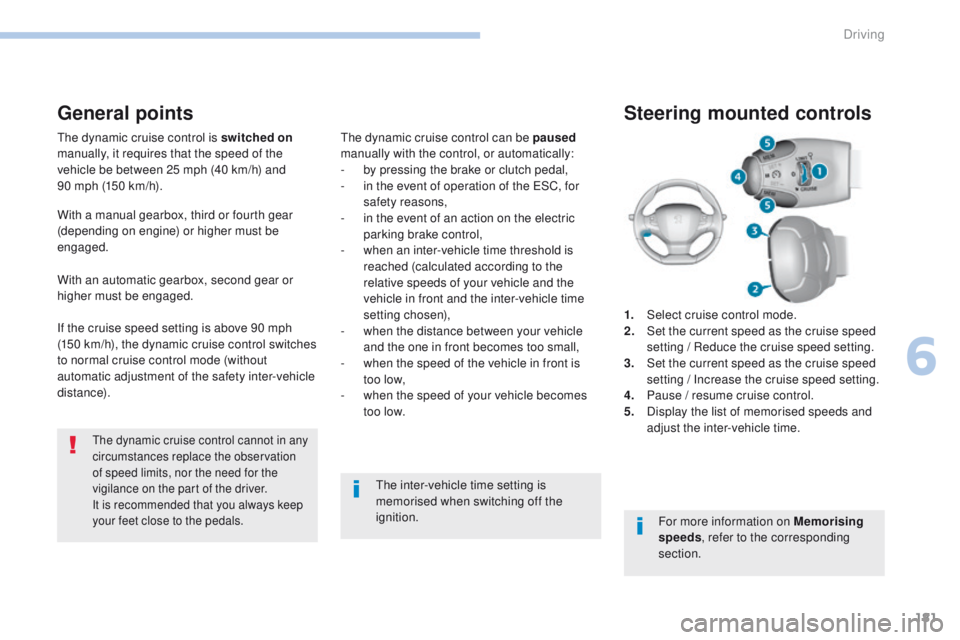
1.
Sel
ect cruise control mode.
2.
S
et the current speed as the cruise speed
setting / Reduce the cruise speed setting.
3.
S
et the current speed as the cruise speed
setting / Increase the cruise speed setting.
4.
P
ause / resume cruise control.
5.
D
isplay the list of memorised speeds and
adjust the inter-vehicle time.
Steering mounted controls
For more information on Memorising
speeds , refer to the corresponding
section.
6
Driving
Page 189 of 392
187
308_en_Chap06_conduite_ed01-2016
Display of inter-vehicle time
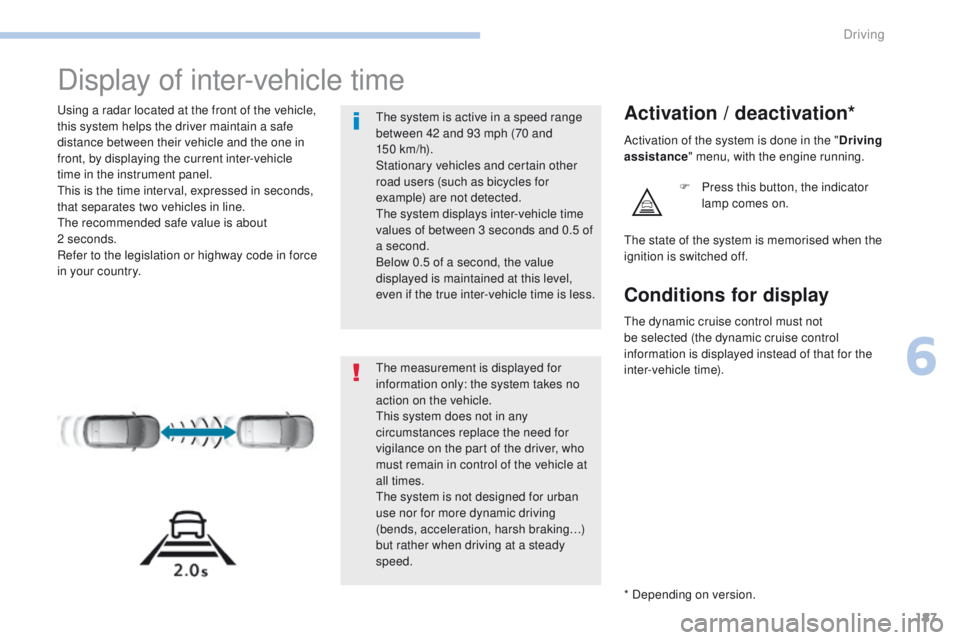
using a radar located at the front of the vehicle,
this system helps the driver maintain a safe
distance between their vehicle and the one in
front, by displaying the current inter-vehicle
time in the instrument panel.
th
is is the time interval, expressed in seconds,
that separates two vehicles in line.
th
e recommended safe value is about
2
seconds.
Refer to the legislation or highway code in force
in your country.Activation / deactivation*
F Press this button, the indicator lamp comes on.
th
e measurement is displayed for
information only: the system takes no
action on the vehicle.
th
is system does not in any
circumstances replace the need for
vigilance on the part of the driver, who
must remain in control of the vehicle at
all times.
th
e system is not designed for urban
use nor for more dynamic driving
(bends, acceleration, harsh braking…)
but rather when driving at a steady
speed.
th
e system is active in a speed range
between 42 and 93 mph (70 and
150
km/h).
Stationary vehicles and certain other
road users (such as bicycles for
example) are not detected.
th
e system displays inter-vehicle time
values of between 3 seconds and 0.5 of
a second.
Below 0.5 of a second, the value
displayed is maintained at this level,
even if the true inter-vehicle time is less.
th
e state of the system is memorised when the
ignition is switched off. Activation of the system is done in the " Driving
assistance " menu, with the engine running.
* Depending on version.
Conditions for display
the dynamic cruise control must not
be selected (the dynamic cruise control
information is displayed instead of that for the
inter-vehicle time).
6
Driving
Page 199 of 392
197
308_en_Chap06_conduite_ed01-2016
F to deactivate the system, press
this button again; its indicator lamp
goes off as well as the associated
indicator in the instrument panel
(depending on version).
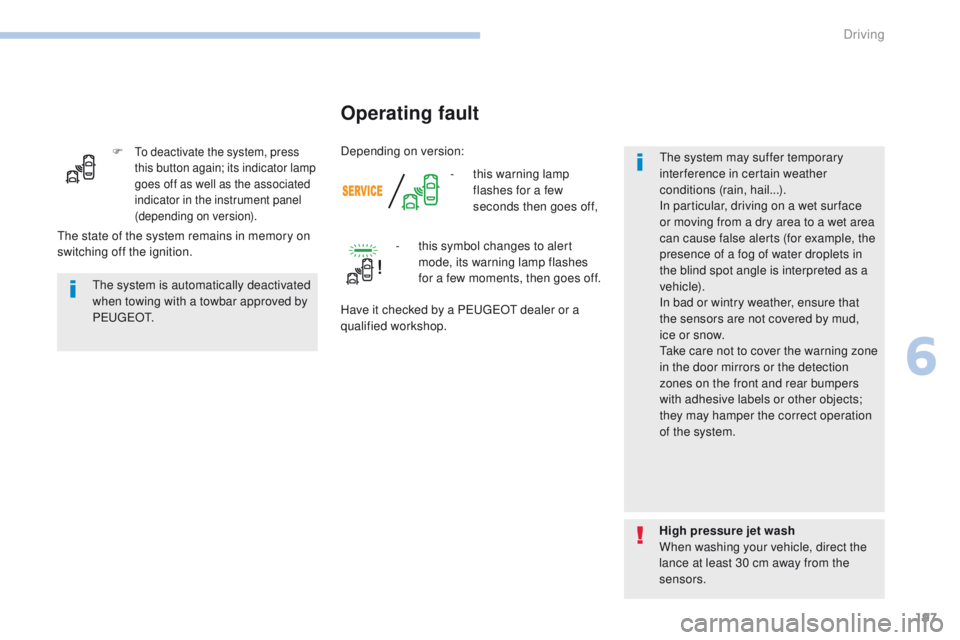
- this warning lamp flashes for a few
seconds then goes off,
Operating fault
the system is automatically deactivated
when towing with a towbar approved by
P
e
u g e
Ot
.
High pressure jet wash
When washing your vehicle, direct the
lance at least 30 cm away from the
sensors.
th
e state of the system remains in memory on
switching off the ignition. -
t
his symbol changes to alert
mode, its warning lamp flashes
for a few moments, then goes off.
Have it checked by a P
e
uge
Ot
dealer or a
qualified workshop.
th
e system may suffer temporary
interference in certain weather
conditions (rain, hail...).
In particular, driving on a wet sur face
or moving from a dry area to a wet area
can cause false alerts (for example, the
presence of a fog of water droplets in
the blind spot angle is interpreted as a
vehicle).
In bad or wintry weather, ensure that
the sensors are not covered by mud,
ice or snow.
ta
ke care not to cover the warning zone
in the door mirrors or the detection
zones on the front and rear bumpers
with adhesive labels or other objects;
they may hamper the correct operation
of the system.
Depending on version:
6
Driving