display PEUGEOT 308 2017 Owners Manual
[x] Cancel search | Manufacturer: PEUGEOT, Model Year: 2017, Model line: 308, Model: Peugeot 308 2017Pages: 566, PDF Size: 16.05 MB
Page 259 of 566
257
3008-2_en_Chap06_conduite_ed01-2016
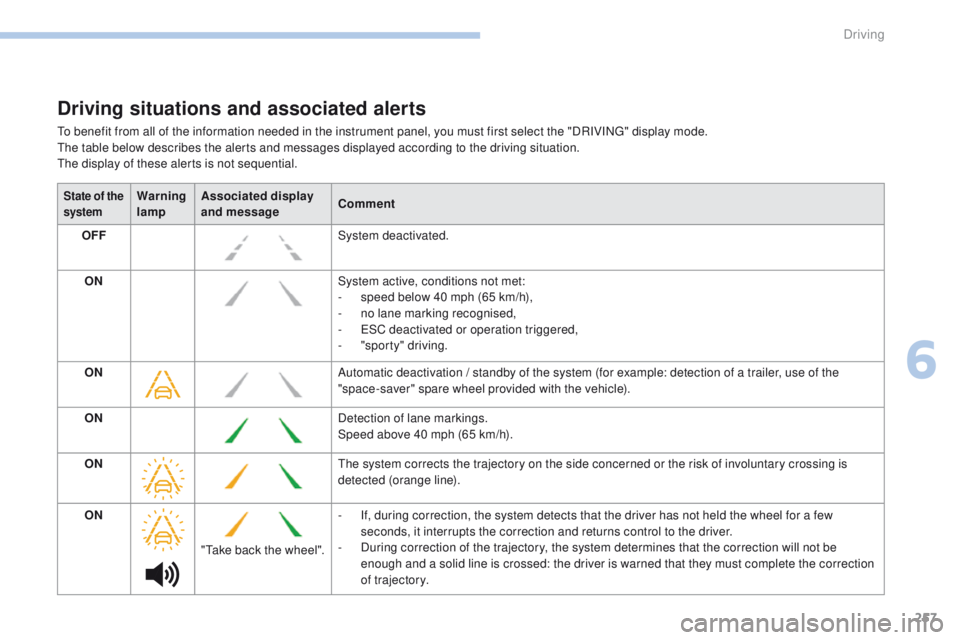
Driving situations and associated alerts
To benefit from all of the information needed in the instrument panel, you must first select the "DRIVING" display mode.
The table below describes the alerts and messages displayed according to the driving situation.
The display of these alerts is not sequential.
State of the
systemWarning
lampAssociated display
and message
Comment
OFF System deactivated.
ON System active, conditions not met:
-
s
peed below 40 mph (65 km/h),
-
n
o lane marking recognised,
-
E
SC deactivated or operation triggered,
-
"
sporty" driving.
ON Automatic deactivation / standby of the system (for example: detection of a trailer, use of the
"space-saver" spare wheel provided with the vehicle).
ON Detection of lane markings.
Speed above 40 mph (65 km/h).
ON The system corrects the trajectory on the side concerned or the risk of involuntary crossing is
detected (orange line).
ON "Take back the wheel". -
I
f, during correction, the system detects that the driver has not held the wheel for a few
seconds, it interrupts the correction and returns control to the driver.
-
D
uring correction of the trajectory, the system determines that the correction will not be
enough and a solid line is crossed: the driver is warned that they must complete the correction
of trajectory.
6
Driving
Page 261 of 566
259
3008-2_en_Chap06_conduite_ed01-2016
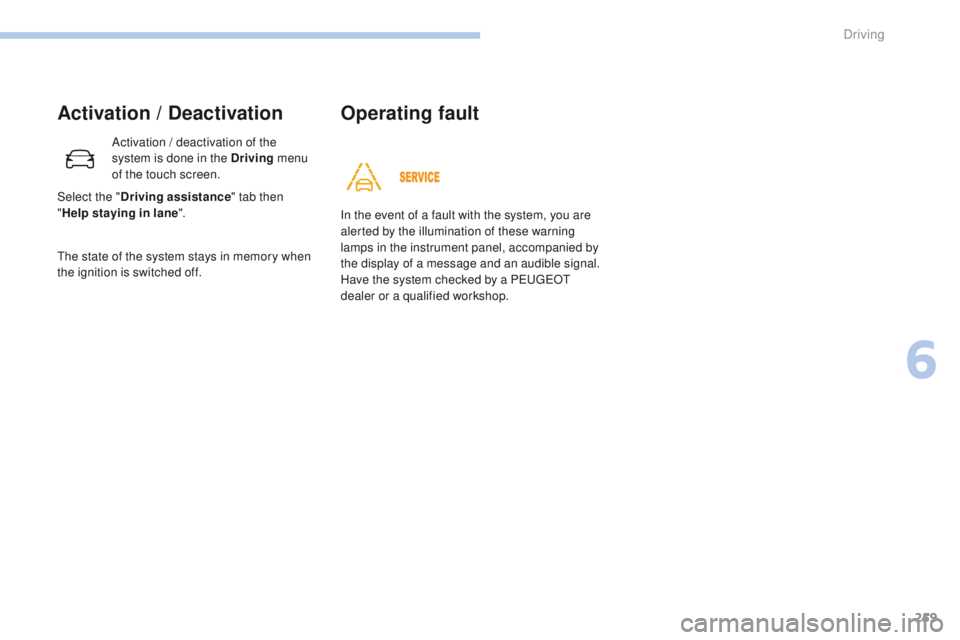
Activation / Deactivation
Activation / deactivation of the
system is done in the Driving menu
of the touch screen.
The state of the system stays in memory when
the ignition is switched off. In the event of a fault with the system, you are
alerted by the illumination of these warning
lamps in the instrument panel, accompanied by
the display of a message and an audible signal.
Have the system checked by a PEUGEOT
dealer or a qualified workshop.
Operating fault
Select the "
Driving assistance " tab then
" Help staying in lane ".
6
Driving
Page 264 of 566
262
3008-2_en_Chap06_conduite_ed01-2016
Operating fault
High pressure jet wash
When washing your vehicle, direct the
lance at least 30 cm away from the
sensors.The system may suffer temporary
interference in certain weather
conditions (rain, hail...).
In particular, driving on a wet sur face
or moving from a dry area to a wet area
can cause false alerts (for example, the
presence of a fog of water droplets in
the blind spot angle is interpreted as a
vehicle).
In bad or wintry weather, ensure that
the sensors are not covered by mud, ice
or snow.
Take care not to cover the warning zone
in the door mirrors or the detection
zones on the front and rear bumpers
with adhesive labels or other objects;
they may hamper the correct operation
of the system.
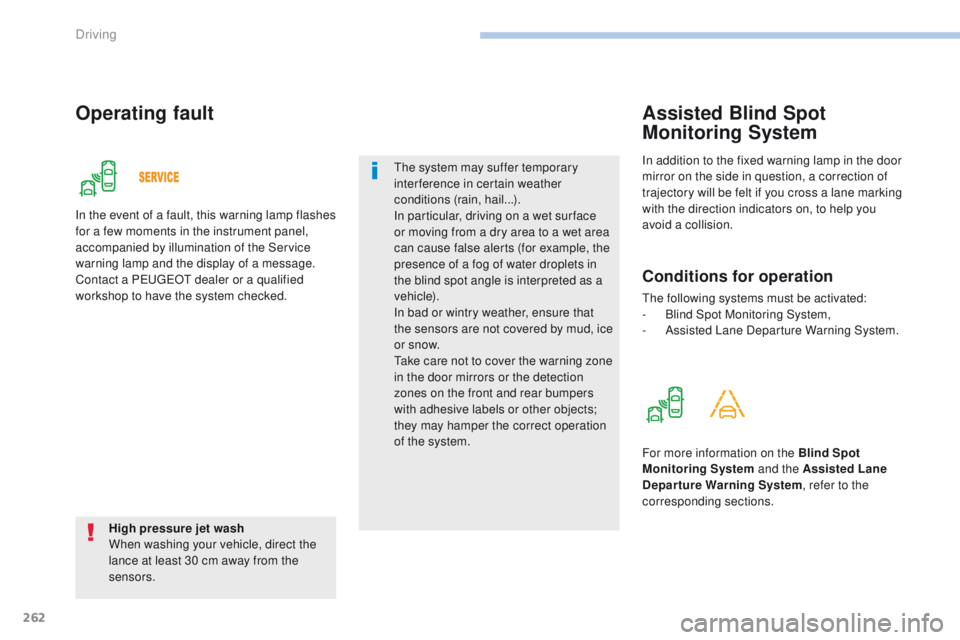
In the event of a fault, this warning lamp flashes
for a few moments in the instrument panel,
accompanied by illumination of the Service
warning lamp and the display of a message.
Contact a PEUGEOT dealer or a qualified
workshop to have the system checked.
In addition to the fixed warning lamp in the door
mirror on the side in question, a correction of
trajectory will be felt if you cross a lane marking
with the direction indicators on, to help you
avoid a collision.
Assisted Blind Spot
Monitoring System
Conditions for operation
The following systems must be activated:
-
B lind Spot Monitoring System,
-
A
ssisted Lane Departure Warning System.
For more information on the Blind Spot
Monitoring System and the Assisted Lane
Departure Warning System , refer to the
corresponding sections.
Driving
Page 265 of 566
263
3008-2_en_Chap06_conduite_ed01-2016
Parking sensors
This system indicates the proximity of an
obstacle (examples: pedestrian, vehicle, tree,
gate) which comes within the field of detection
of sensors located in the bumper.
Certain types of obstacle (examples: stake,
roadworks cone) detected initially will no longer
be detected at the end of the manoeuvre, if
they are located in blind spots in the sensors'
field of detection.
This system cannot in any circumstances replace
the need for vigilance on the part of the driver.
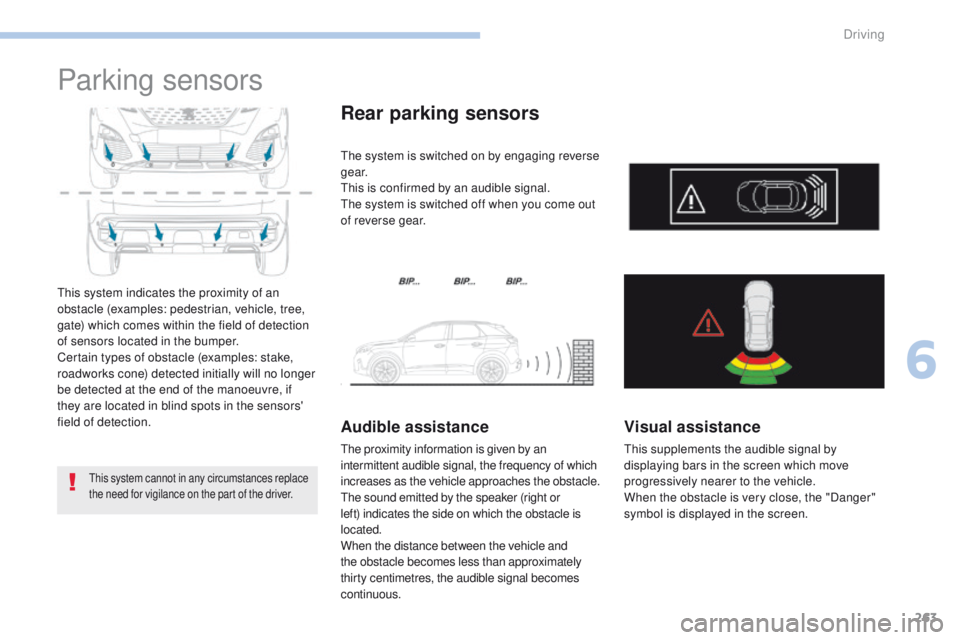
Rear parking sensors
The system is switched on by engaging reverse
g e a r.
This is confirmed by an audible signal.
The system is switched off when you come out
of reverse gear.
Audible assistance
The proximity information is given by an
intermittent audible signal, the frequency of which
increases as the vehicle approaches the obstacle.
The sound emitted by the speaker (right or
left) indicates the side on which the obstacle is
located.
When the distance between the vehicle and
the obstacle becomes less than approximately
thirty centimetres, the audible signal becomes
continuous.
Visual assistance
This supplements the audible signal by
displaying bars in the screen which move
progressively nearer to the vehicle.
When the obstacle is very close, the "Danger"
symbol is displayed in the screen.
6
Driving
Page 266 of 566
264
3008-2_en_Chap06_conduite_ed01-2016
Front parking sensors
The system will be deactivated
automatically if a trailer is being
towed or a bicycle carrier is fitted on
a towbar (vehicle fitted with a towbar
installed in line with the manufacturer's
recommendations).In bad or wintry weather, ensure that
the sensors are not covered with mud,
ice or snow. When reverse gear is
engaged, an audible signal (long beep)
indicates that the sensors may be dirty.
Certain sound sources (motorcycle,
lorry, pneumatic drill, etc.) may trigger
the audible signals of the parking
sensor system.
The sound emitted by the speaker (front
or rear) indicates whether the obstacle
is in front or behind.
Deactivation / Activation
The deactivation or activation of the system
is done in the vehicle parameters menu in the
screen.
The state of the system is held in memory when
the ignition is switched off.
The parking sensors are deactivated while the
Park Assist system is measuring a space.
For more information on Park Assist
, refer to
the corresponding section.
Operating fault
High pressure jet wash
When washing your vehicle, do not
direct the lance within 30 cm of the
sensors. In the event of a fault, when reverse
gear is engaged this warning lamp
comes on in the instrument panel,
accompanied by the display of a
message and an audible signal
(short beep).
Contact a PEUGEOT dealer or a qualified
workshop to have the system checked.
In addition to the rear parking sensors, the
front parking sensors are triggered when an
obstacle is detected in front and the speed of
the vehicle is still below 6 mph (10 km/h).
The front parking sensors are interrupted if
the vehicle stops for more than three seconds
in for ward gear, if no further obstacles are
detected or when the speed of the vehicle
exceeds 6 mph (10 km/h).
Driving
Page 267 of 566
265
3008-2_en_Chap06_conduite_ed01-2016
Panoramic vision
General points
Visiopark 1 - Visiopark 2
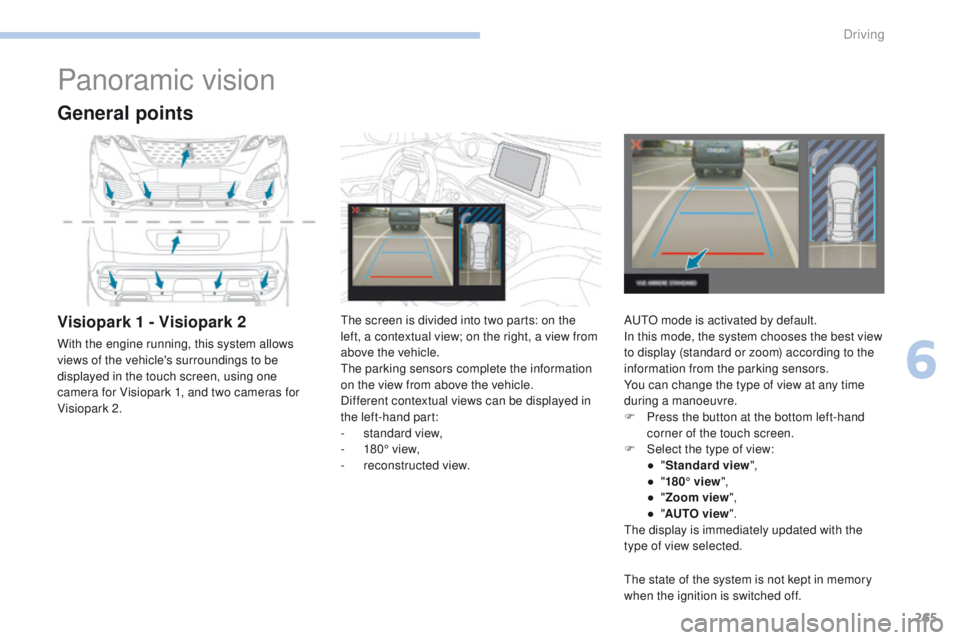
With the engine running, this system allows
views of the vehicle's surroundings to be
displayed in the touch screen, using one
camera for Visiopark 1, and two cameras for
Visiopark 2.The screen is divided into two parts: on the
left, a contextual view; on the right, a view from
above the vehicle.
The parking sensors complete the information
on the view from above the vehicle.
Different contextual views can be displayed in
the left-hand part:
-
s
tandard view,
-
1
80° view,
-
r
econstructed view.AUTO mode is activated by default.
In this mode, the system chooses the best view
to display (standard or zoom) according to the
information from the parking sensors.
You can change the type of view at any time
during a manoeuvre.
F
P
ress the button at the bottom left-hand
corner of the touch screen.
F
Sel
ect the type of view:
●
"St
andard view",
●
"1
80° view",
●
"Z
oom view",
●
"AU
TO view".
The display is immediately updated with the
type of view selected.
The state of the system is not kept in memory
when the ignition is switched off.
6
Driving
Page 269 of 566
267
3008-2_en_Chap06_conduite_ed01-2016
Visiopark 1
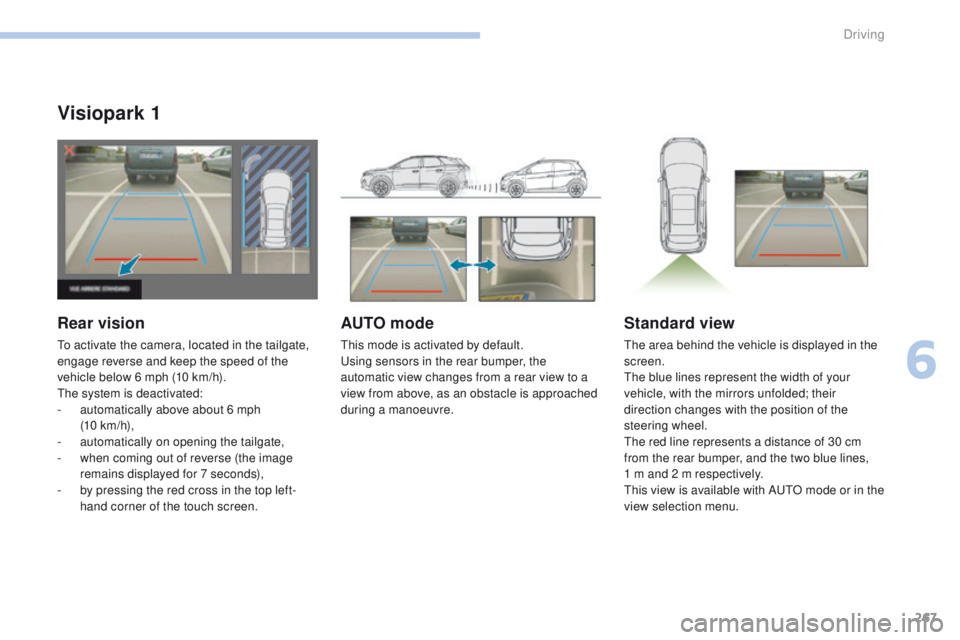
Rear vision
To activate the camera, located in the tailgate,
engage reverse and keep the speed of the
vehicle below 6 mph (10 km/h).
The system is deactivated:
-
a
utomatically above about 6 mph
(10 km/h),
-
a
utomatically on opening the tailgate,
-
w
hen coming out of reverse (the image
remains displayed for 7 seconds),
-
b
y pressing the red cross in the top left-
hand corner of the touch screen.
AUTO mode
This mode is activated by default.
Using sensors in the rear bumper, the
automatic view changes from a rear view to a
view from above, as an obstacle is approached
during a manoeuvre.
Standard view
The area behind the vehicle is displayed in the
screen.
The blue lines represent the width of your
vehicle, with the mirrors unfolded; their
direction changes with the position of the
steering wheel.
The red line represents a distance of 30 cm
from the rear bumper, and the two blue lines,
1 m and 2 m respectively.
This view is available with AUTO mode or in the
view selection menu.
6
Driving
Page 271 of 566
269
3008-2_en_Chap06_conduite_ed01-2016
Visiopark 2
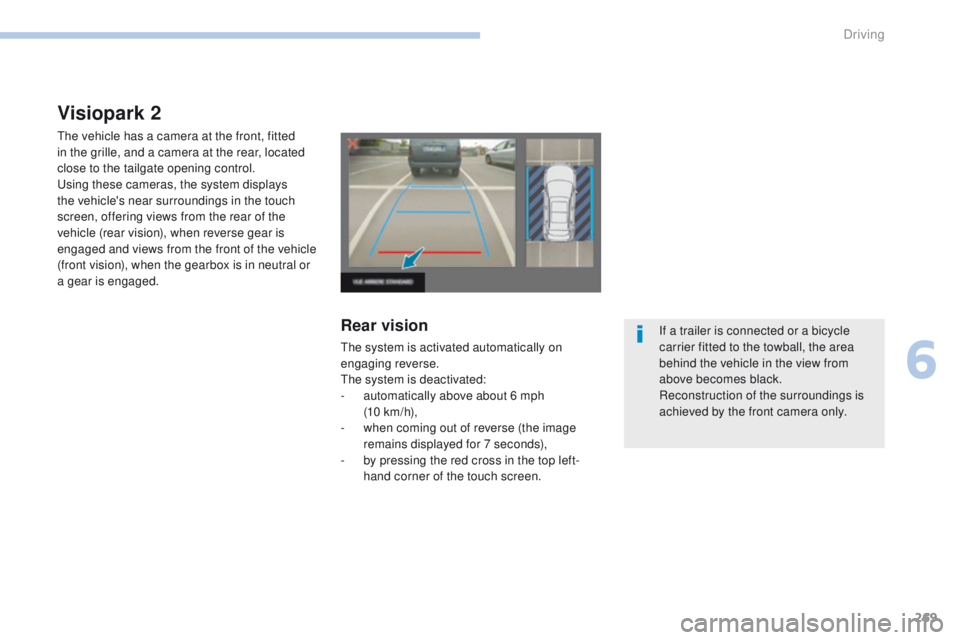
The vehicle has a camera at the front, fitted
in the grille, and a camera at the rear, located
close to the tailgate opening control.
Using these cameras, the system displays
the vehicle's near surroundings in the touch
screen, offering views from the rear of the
vehicle (rear vision), when reverse gear is
engaged and views from the front of the vehicle
(front vision), when the gearbox is in neutral or
a gear is engaged.
Rear vision
The system is activated automatically on
engaging reverse.
The system is deactivated:
-
a
utomatically above about 6 mph
(10 km/h),
-
w
hen coming out of reverse (the image
remains displayed for 7 seconds),
-
b
y pressing the red cross in the top left-
hand corner of the touch screen. If a trailer is connected or a bicycle
carrier fitted to the towball, the area
behind the vehicle in the view from
above becomes black.
Reconstruction of the surroundings is
achieved by the front camera only.
6
Driving
Page 272 of 566
270
3008-2_en_Chap06_conduite_ed01-2016
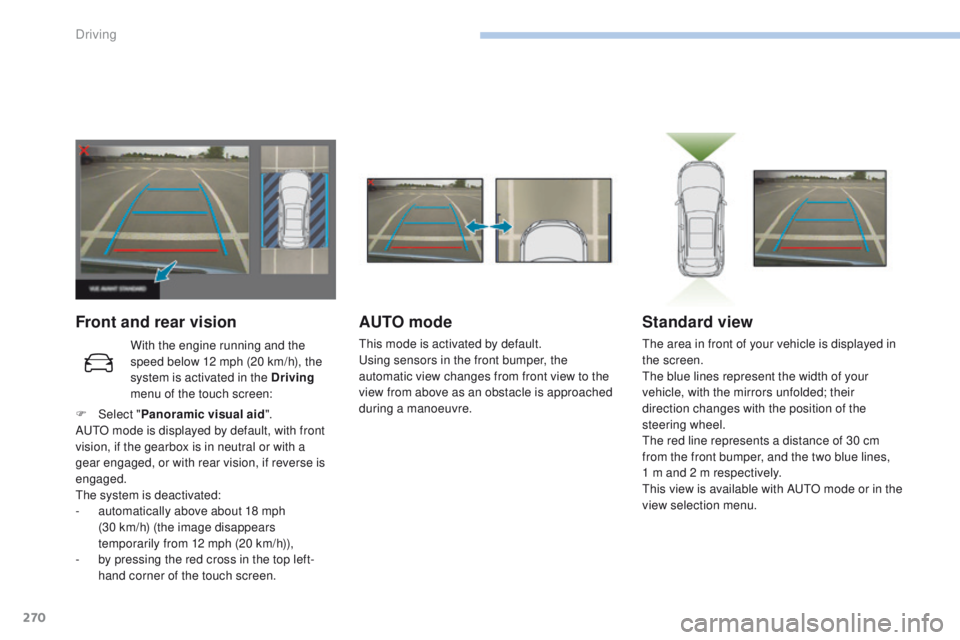
Front and rear visionAUTO mode
This mode is activated by default.
Using sensors in the front bumper, the
automatic view changes from front view to the
view from above as an obstacle is approached
during a manoeuvre.
Standard view
The area in front of your vehicle is displayed in
the screen.
The blue lines represent the width of your
vehicle, with the mirrors unfolded; their
direction changes with the position of the
steering wheel.
The red line represents a distance of 30 cm
from the front bumper, and the two blue lines,
1 m and 2 m respectively.
This view is available with AUTO mode or in the
view selection menu.
With the engine running and the
speed below 12 mph (20 km/h), the
system is activated in the Driving
menu of the touch screen:
F
Sel
ect " Panoramic visual aid ".
AUTO mode is displayed by default, with front
vision, if the gearbox is in neutral or with a
gear engaged, or with rear vision, if reverse is
engaged.
The system is deactivated:
-
a
utomatically above about 18 mph
(30
km/h) (the image disappears
temporarily from 12 mph (20 km/h)),
-
b
y pressing the red cross in the top left-
hand corner of the touch screen.
Driving
Page 275 of 566
273
3008-2_en_Chap06_conduite_ed01-2016
The Park Assist system takes control
of the power steering for a maximum
of 4 manoeuvre cycles. The function
is deactivated after these 4 cycles.
If you think that your vehicle is not
positioned correctly, you should then
take control of the steering to carry out
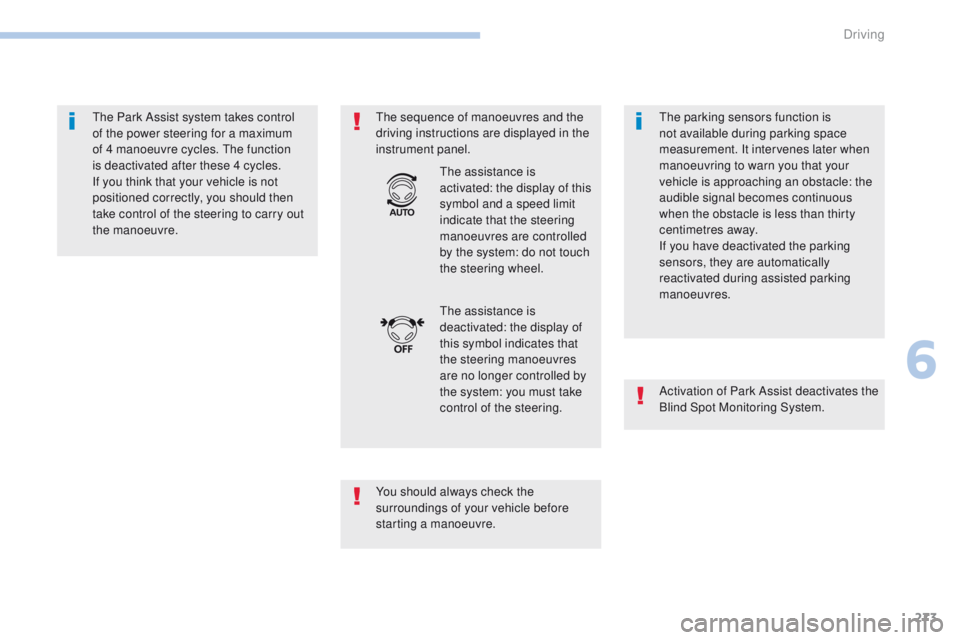
the manoeuvre.The sequence of manoeuvres and the
driving instructions are displayed in the
instrument panel.
You should always check the
surroundings of your vehicle before
starting a manoeuvre.The assistance is
deactivated: the display of
this symbol indicates that
the steering manoeuvres
are no longer controlled by
the system: you must take
control of the steering. The assistance is
activated: the display of this
symbol and a speed limit
indicate that the steering
manoeuvres are controlled
by the system: do not touch
the steering wheel.
The parking sensors function is
not available during parking space
measurement. It intervenes later when
manoeuvring to warn you that your
vehicle is approaching an obstacle: the
audible signal becomes continuous
when the obstacle is less than thirty
centimetres away.
If you have deactivated the parking
sensors, they are automatically
reactivated during assisted parking
manoeuvres.
Activation of Park Assist deactivates the
Blind Spot Monitoring System.
6
Driving