buttons Peugeot 308 2018 User Guide
[x] Cancel search | Manufacturer: PEUGEOT, Model Year: 2018, Model line: 308, Model: Peugeot 308 2018Pages: 324, PDF Size: 10.72 MB
Page 42 of 324
40
Unlocking the vehicle
With the remote control
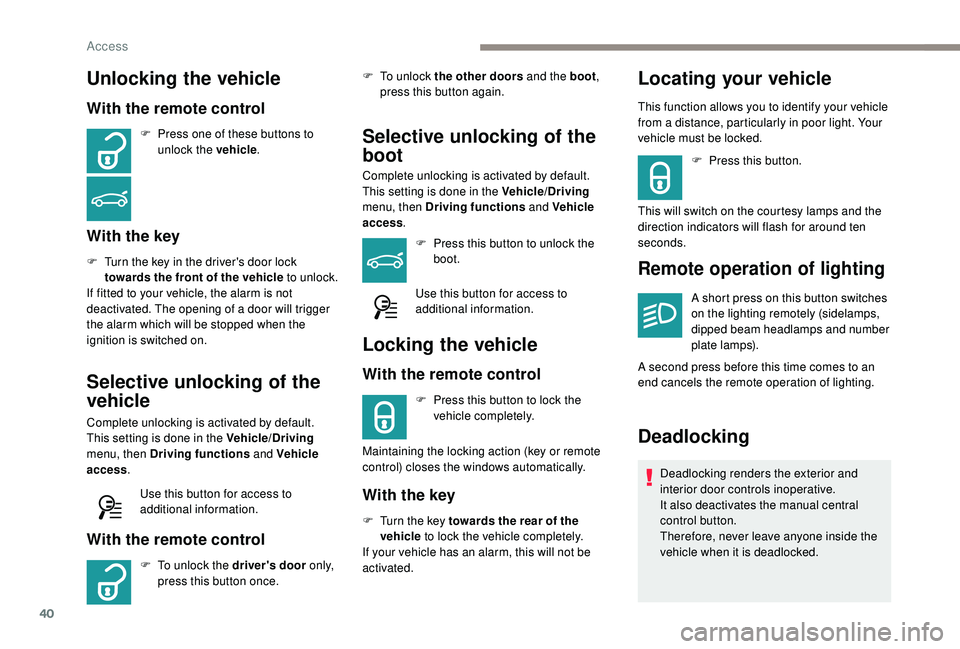
F Press one of these buttons to unlock the vehicle .
With the key
F Turn the key in the driver's door lock
towards the front of the vehicle to unlock.
If fitted to your vehicle, the alarm is not
deactivated. The opening of a door will trigger
the alarm which will be stopped when the
ignition is switched on.
Selective unlocking of the
vehicle
Complete unlocking is activated by default.
This setting is done in the Vehicle/Driving
menu, then Driving functions and Vehicle
access .
Use this button for access to
additional information.
With the remote control
F To unlock the driver's door o n l y,
press this button once. F
T
o unlock the other doors and the boot
,
press this button again.
Selective unlocking of the
boot
Complete unlocking is activated by default.
This setting is done in the Vehicle/Driving
menu, then Driving functions and Vehicle
access .
F
P
ress this button to unlock the
boot.
Use this button for access to
additional information.
Locking the vehicle
With the remote control
F Press this button to lock the vehicle completely.
Maintaining the locking action (key or remote
control) closes the windows automatically.
With the key
F Turn the key towards the rear of the vehicle to lock the vehicle completely.
If your vehicle has an alarm, this will not be
activated.
Locating your vehicle
This function allows you to identify your vehicle
from a distance, particularly in poor light. Your
vehicle must be locked.
F
P
ress this button.
This will switch on the courtesy lamps and the
direction indicators will flash for around ten
seconds.
Remote operation of lighting
A short press on this button switches
on the lighting remotely (sidelamps,
dipped beam headlamps and number
plate lamps).
A second press before this time comes to an
end cancels the remote operation of lighting.
Deadlocking
Deadlocking renders the exterior and
interior door controls inoperative.
It also deactivates the manual central
control button.
Therefore, never leave anyone inside the
vehicle when it is deadlocked.
Access
Page 45 of 324
43
If one of the doors or the boot is still open
or if the electronic key for the K eyless
Entry and Starting system has been left
inside the vehicle, the central locking does
not take place.
If the vehicle is unlocked inadvertently and
if no action is taken at the doors or boot,
the vehicle will automatically lock itself
again after about 30
seconds.
If fitted to your vehicle, the alarm is not
reactivated.
The automatic folding and unfolding of
the door mirrors can be deactivated by a
PEUGEOT dealer or a qualified workshop.
As a safety measure (children on board),
never leave the vehicle without taking the
electronic key for the
K
eyless Entry and
Starting system with you, even for a short
period.
Be aware of the risk of theft when the
electronic key for the
K
eyless Entry and
Starting system is in one of the defined
zones with the vehicle unlocked. In order to preser ve the battery in the
electronic key and the vehicle's battery,
the "hands-free" functions are put into
long-term standby after 21 days without
use. To restore these functions, press
one of the remote control buttons or start
the engine with the electronic key in the
reader.
For more information on Star ting -
switching off the engine with "
Keyless
Entr y and Star ting ", refer to the
corresponding section.
Locking/unlocking from
the inside
Automatic central locking
of the doors
The doors can lock automatically while driving
(speed above 6 mph [10 km/h]).
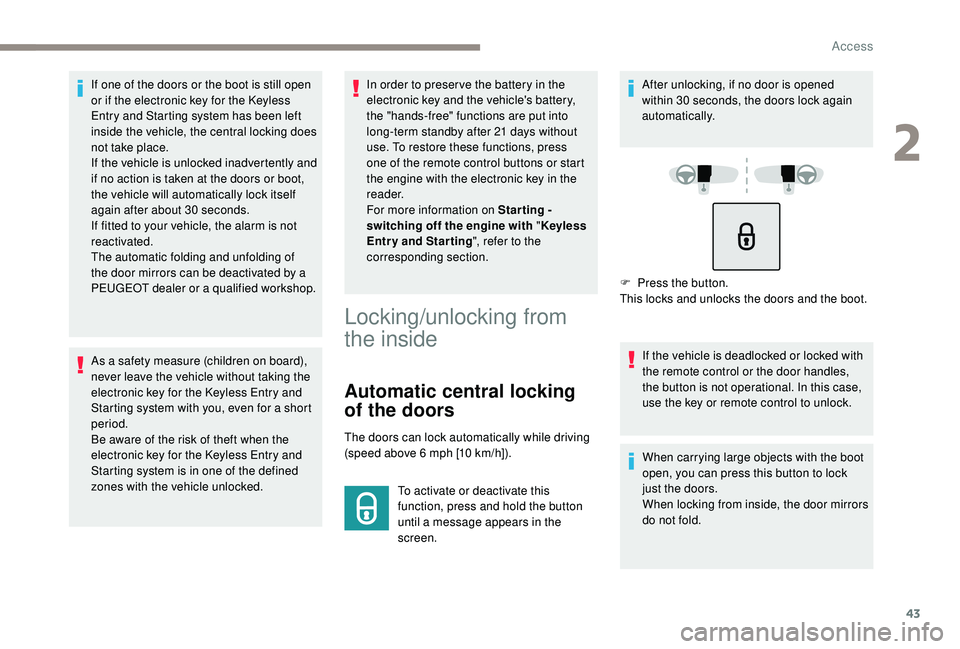
To activate or deactivate this
function, press and hold the button
until a message appears in the
screen. After unlocking, if no door is opened
within 30
seconds, the doors lock again
automatically.
F
P
ress the button.
This locks and unlocks the doors and the boot.
If the vehicle is deadlocked or locked with
the remote control or the door handles,
the button is not operational. In this case,
use the key or remote control to unlock.
When carrying large objects with the boot
open, you can press this button to lock
just the doors.
When locking from inside, the door mirrors
do not fold.
2
Access
Page 46 of 324
44
Advice
Remote control
The high frequency remote control is a
sensitive system; do not operate it while
it is in your pocket as there is a possibility
that it may unlock the vehicle, without you
being aware of it.
Do not press the buttons of your remote
control out of range and out of sight of
your vehicle. The remote control may stop
working and would have to be reinitialised.
The remote control does not operate when
the key is in the ignition, even when the
ignition is switched off.
Electrical interference
The
K
eyless Entry and Starting electronic
key may not operate if close to certain
electronic devices: telephone, laptop
computer, strong magnetic fields, etc.
Anti-theft protection
Do not make any modifications to the
electronic engine immobiliser system; this
could cause malfunctions.
Do not forget to turn the steering wheel to
engage the steering lock. Locking the vehicle
Driving with the doors locked may render
access by the emergency services to the
interior more difficult in an emergency.
As a safety precaution (with children on
board), remove the key from the ignition or
take the electronic key when you leave the
vehicle, even for a short time.
Lost keys, remote control, electronic
key
Go to a PEUGEOT dealer with the
vehicle's registration document, your
personal identification documents and if
possible, the label bearing the key code.
The PEUGEOT dealer will be able to
retrieve the key code and the transponder
code required to order a new key.
Purchasing a second-hand vehicle
Have the key codes memorised by a
PEUGEOT dealer, to ensure that the keys
in your possession are the only ones
which can start the vehicle.
Back-up procedures
Lost keys, remote control,
electronic key
Visit a PEUGEOT dealer with the vehicle's
registration certificate, your personal
identification documents and if possible, the
label bearing the key code.
The PEUGEOT dealer will be able to retrieve
the key code and the transponder code
required to order a new key
Total unlocking/locking of
the vehicle with the key
Use these procedures in the following cases:
-
r emote control cell battery flat,
-
r
emote control fault,
-
v
ehicle in an area subject to strong
electromagnetic interference.
In the first case, you can also replace the
remote control cell battery.
In the second case, you can also reinitialise the
remote control.
Refer to the corresponding sections.
F
I
nsert the key in the door lock.
F
T
urn the key towards the front of the vehicle
to unlock it, or towards the rear to lock it.
Access
Page 55 of 324
53
Cushion height and angle
Storing driving positions
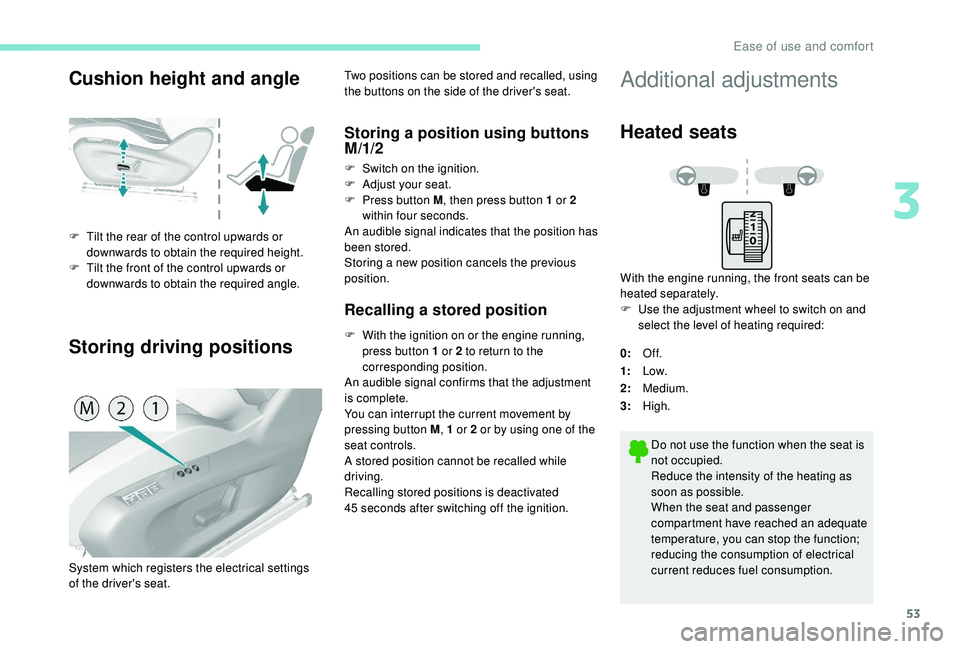
F Tilt the rear of the control upwards or downwards to obtain the required height.
F
T
ilt the front of the control upwards or
downwards to obtain the required angle. Two positions can be stored and recalled, using
the buttons on the side of the driver's seat.
Storing a position using buttons
M/1/2
F Switch on the ignition.
F
Adj ust your seat.
F
P
ress button M , then press button 1 or 2
within four seconds.
An audible signal indicates that the position has
been stored.
Storing a new position cancels the previous
position.
Recalling a stored position
F With the ignition on or the engine running, press button 1 or 2 to return to the
corresponding position.
An audible signal confirms that the adjustment
is complete.
You can interrupt the current movement by
pressing button M , 1 or 2 or by using one of the
seat controls.
A stored position cannot be recalled while
driving.
Recalling stored positions is deactivated
45
seconds after switching off the ignition.
System which registers the electrical settings
of the driver's seat.
Additional adjustments
Heated seats
With the engine running, the front seats can be
heated separately.
F
U
se the adjustment wheel to switch on and
select the level of heating required:
0: Of f.
1: Low.
2: Medium.
3: High.
Do not use the function when the seat is
not occupied.
Reduce the intensity of the heating as
soon as possible.
When the seat and passenger
compartment have reached an adequate
temperature, you can stop the function;
reducing the consumption of electrical
current reduces fuel consumption.
3
Ease of use and comfort
Page 66 of 324
64
High load (SW)
Luggage retaining net
This allows the use of the entire loading
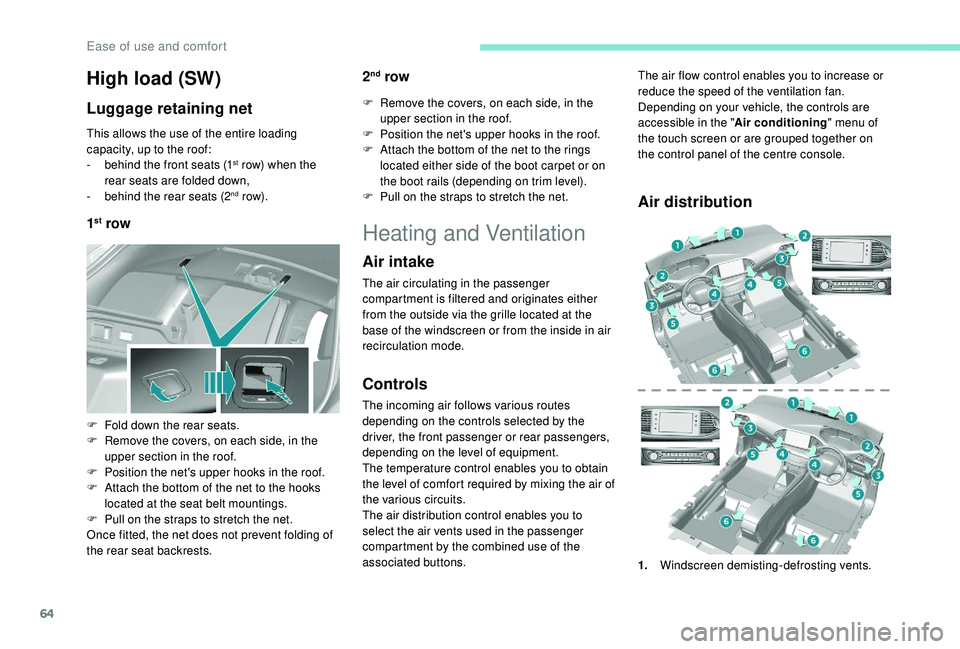
capacity, up to the roof:
-
b
ehind the front seats (1
st row) when the
rear seats are folded down,
-
b
ehind the rear seats (2
nd row).
1st row 2
nd row
F Remove the covers, on each side, in the
upper section in the roof.
F
P
osition the net's upper hooks in the roof.
F
A
ttach the bottom of the net to the rings
located either side of the boot carpet or on
the boot rails (depending on trim level).
F
P
ull on the straps to stretch the net.
F
F
old down the rear seats.
F
R
emove the covers, on each side, in the
upper section in the roof.
F
P
osition the net's upper hooks in the roof.
F
A
ttach the bottom of the net to the hooks
located at the seat belt mountings.
F
P
ull on the straps to stretch the net.
Once fitted, the net does not prevent folding of
the rear seat backrests.
Heating and Ventilation
Air intake
The air circulating in the passenger
compartment is filtered and originates either
from the outside via the grille located at the
base of the windscreen or from the inside in air
recirculation mode.
Controls
The incoming air follows various routes
depending on the controls selected by the
driver, the front passenger or rear passengers,
depending on the level of equipment.
The temperature control enables you to obtain
the level of comfort required by mixing the air of
the various circuits.
The air distribution control enables you to
select the air vents used in the passenger
compartment by the combined use of the
associated buttons.
Air distribution
The air flow control enables you to increase or
reduce the speed of the ventilation fan.
Depending on your vehicle, the controls are
accessible in the " Air conditioning" menu of
the touch screen or are grouped together on
the control panel of the centre console.
1. Windscreen demisting-defrosting vents.
Ease of use and comfort
Page 68 of 324
66
Stop & Star t
The heating and air conditioning systems
only work when the engine is running.
Temporarily deactivate the Stop &
Start system to maintain a comfortable
temperature in the passenger
compartment.
For more information on Stop & Star t,
refer to the corresponding section.
Manual air conditioning
The air conditioning system operates only with
the engine running.
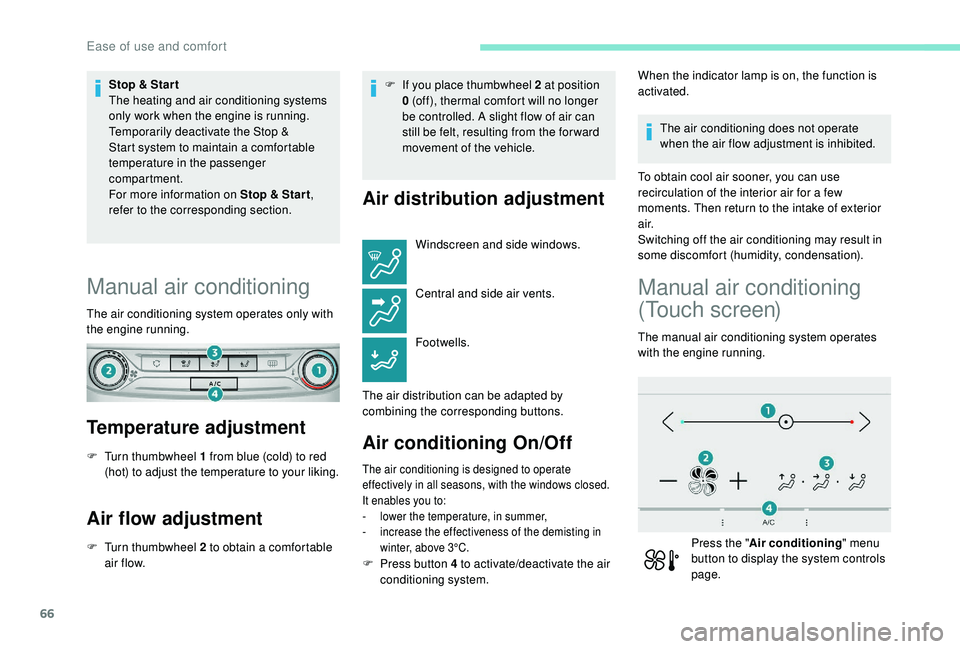
Temperature adjustment
F Turn thumbwheel 1 from blue (cold) to red (hot) to adjust the temperature to your liking.
Air flow adjustment
F Turn thumbwheel 2 to obtain a comfortable air f low. F
I
f you place thumbwheel 2 at position
0 (off), thermal comfort will no longer
be controlled. A slight flow of air can
still be felt, resulting from the for ward
movement of the vehicle.
Air distribution adjustment
Windscreen and side windows.
Central and side air vents.
Footwells.
The air distribution can be adapted by
combining the corresponding buttons.
Air conditioning On/Off
The air conditioning is designed to operate
effectively in all seasons, with the windows closed.
It enables you to:
-
l
ower the temperature, in summer,
-
i
ncrease the effectiveness of the demisting in
winter, above 3°C.
When the indicator lamp is on, the function is
activated.
The air conditioning does not operate
when the air flow adjustment is inhibited.
To obtain cool air sooner, you can use
recirculation of the interior air for a few
moments. Then return to the intake of exterior
a i r.
Switching off the air conditioning may result in
some discomfort (humidity, condensation).
Manual air conditioning
(Touch screen)
The manual air conditioning system operates
with the engine running.
Press the " Air conditioning " menu
button to display the system controls
page.
F
P
ress button 4 to activate/deactivate the air
conditioning system.
Ease of use and comfort
Page 69 of 324
67
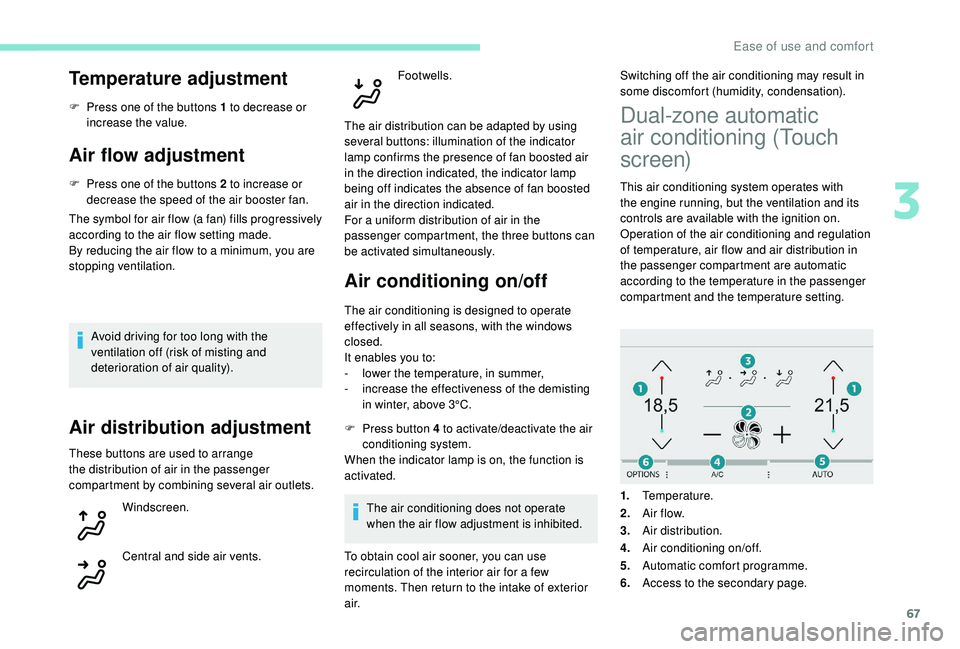
Temperature adjustment
F Press one of the buttons 1 to decrease or increase the value.
Air flow adjustment
F Press one of the buttons 2 to increase or decrease the speed of the air booster fan.
The symbol for air flow (a fan) fills progressively
according to the air flow setting made.
By reducing the air flow to a minimum, you are
stopping ventilation.
Avoid driving for too long with the
ventilation off (risk of misting and
deterioration of air quality).
Air distribution adjustment
These buttons are used to arrange
the distribution of air in the passenger
compartment by combining several air outlets. Windscreen.
Central and side air vents. Footwells.
The air distribution can be adapted by using
several buttons: illumination of the indicator
lamp confirms the presence of fan boosted air
in the direction indicated, the indicator lamp
being off indicates the absence of fan boosted
air in the direction indicated.
For a uniform distribution of air in the
passenger compartment, the three buttons can
be activated simultaneously.
Air conditioning on/off
The air conditioning is designed to operate
effectively in all seasons, with the windows
closed.
It enables you to:
-
l
ower the temperature, in summer,
-
i
ncrease the effectiveness of the demisting
in winter, above 3°C.
F
P
ress button 4 to activate/deactivate the air
conditioning system.
When the indicator lamp is on, the function is
activated.
The air conditioning does not operate
when the air flow adjustment is inhibited. Switching off the air conditioning may result in
some discomfort (humidity, condensation).
To obtain cool air sooner, you can use
recirculation of the interior air for a few
moments. Then return to the intake of exterior
a i r.
Dual-zone automatic
air conditioning (Touch
screen)
This air conditioning system operates with
the engine running, but the ventilation and its
controls are available with the ignition on.
Operation of the air conditioning and regulation
of temperature, air flow and air distribution in
the passenger compartment are automatic
according to the temperature in the passenger
compartment and the temperature setting.
1. Temperature.
2. A ir f low.
3. Air distribution.
4. Air conditioning on/off.
5. Automatic comfort programme.
6. Access to the secondary page.
3
Ease of use and comfort
Page 70 of 324

68
Press the "Air conditioning " menu
button to display the controls for the
air conditioning system.
Temperature adjustment
The driver and front passenger can each set
the temperature.
F
P
ress one of the buttons 1 to increase or
decrease the air flow.
The value displayed corresponds to a level of
comfort and not to a precise temperature.
It is recommended that you avoid a
difference between the left and right setting
of more than 3.
Automatic comfort
programme
F Press the button 5 to activate/deactivate the automatic mode of the air conditioning
system.
When the indicator lamp in the button is on, the
air conditioning system operates automatically:
the system manages the temperature, air
flow and air distribution in the passenger
compartment in an optimum way depending on
the comfort level you have selected. It is possible to modulate the
intensity of the automatic comfort
programme by choosing one of
three mode settings offered in
a secondary page of the "
Air
conditioning " menu.
To change the current setting, shown by the
green indicator lamp, press the button for the
desired mode:
"Soft": provides soft and quiet
operation by limiting air flow.
"Normal": offers the best
compromise between a comfortable
temperature and quiet operation
(default setting).
"Fast": provides strong and effective
air f low. This setting is associated with AUTO mode
only. However, on deactivation of AUTO mode,
the indicator for the last setting remains on.
Changing the setting does not reactivate AUTO
mode if deactivated.
In cold conditions and when the engine is
cold, to limit distribution of cold air in the
passenger compartment, the air flow will
change gradually until the comfort setting
is reached.
On entering the vehicle, if the interior
temperature is much colder or warmer
than the comfort value setting, there is
no need to alter the value displayed in
order to reach more quickly the required
level of comfort. The system automatically
corrects the temperature difference.
Manual control
You can manually adjust one or more of these
settings, while retaining automatic control of
the other functions:
-
a
ir flow,
-
a
ir distribution.
As soon as you modify a setting, the indicator
lamp in the " AUTO" button goes off.
Ease of use and comfort
Page 71 of 324
69
F Press the AUTO button again to activate the automatic comfort
programme again.
Air flow adjustment
F Press one of the buttons 2 to increase or decrease the speed of the fan.
The air flow symbol (a fan) is filled in
progressively as the speed of the fan is
increased.
By reducing the air flow to minimum, you are
stopping ventilation.
" OFF " is displayed alongside the fan.
Avoid driving for too long with the
ventilation off (risk of misting and
deterioration of air quality).
Air distribution adjustment
You can modulate the distribution of air in the
passenger compartment using these three buttons.
Windscreen.
Central and side air vents.
Footwells. Each press on a button activates or deactivates
the function. The indicator lamp is on when the
button is activated. For a uniform distribution in
the passenger compartment, all three buttons
can be pressed simultaneously.
In AUTO mode, the indicator lamps in all three
buttons are off.
Air conditioning on/off
The air conditioning is designed to operate
effectively in all seasons, with the windows
closed.
It enables you to:
-
l
ower the temperature, in summer,
-
i
ncrease the effectiveness of the demisting
in winter, above 3°C.
F
P
ress button 4 to activate/deactivate the air
conditioning system.
When the indicator lamp under the button is on,
the air conditioning function is activated.
The air conditioning does not operate when the
air flow adjustment is set to off.
Ventilation function with the
ignition on
When the ignition is switched on, you can use
the ventilation system to adjust the air flow
and air distribution settings in the passenger
compartment for a duration that depends on
the battery charge. This function does not operate the air
conditioning.
"Mono" function
The comfort setting for the passenger's side
can be indexed to the driver's comfort setting
(mono-zone).
From the secondary page of the "
Air
conditioning " menu:
F
P
ress this button to activate/
deactivate the "Mono" function.
The indicator lamp in the button
is on when the function is
activated.
The function is deactivated automatically when
the passenger uses their temperature setting
buttons.
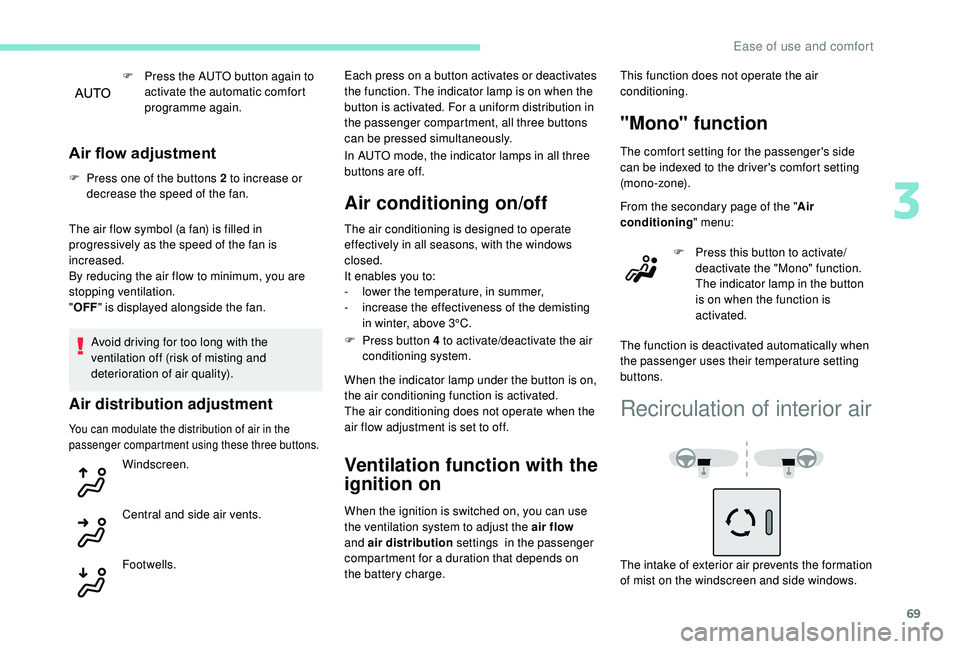
Recirculation of interior air
The intake of exterior air prevents the formation
of mist on the windscreen and side windows.
3
Ease of use and comfort
Page 88 of 324
86
Geolocation
If you purchased your vehicle outside the
PEUGEOT dealer network, we invite you
to have a dealer check the configuration of
these ser vices and, if desired, modify it to
suit your wishes. In a multilingual country,
configuration is possible in the official
national language of your choice.
For technical reasons and, in particular,
to improve the quality of PEUGEOT
CONNECT ser vices to customers, the
manufacturer reser ves the right to carry
out updates to the vehicle's on-board
telematic system.
To reactivate geolocation, simultaneously press
the "Peugeot Connect SOS" and "Peugeot
Connect Assistance" buttons again, followed
by a press on "Peugeot Connect Assistance"
to confirm. If you benefit from the Peugeot Connect
Packs offer with the SOS and assistance
pack included, there are additional
ser vices available to you in your personal
space, via the website for your country.
You can deactivate geolocation by
simultaneously pressing the "Peugeot Connect
SOS" and "Peugeot Connect Assistance"
buttons, followed by pressing "Peugeot
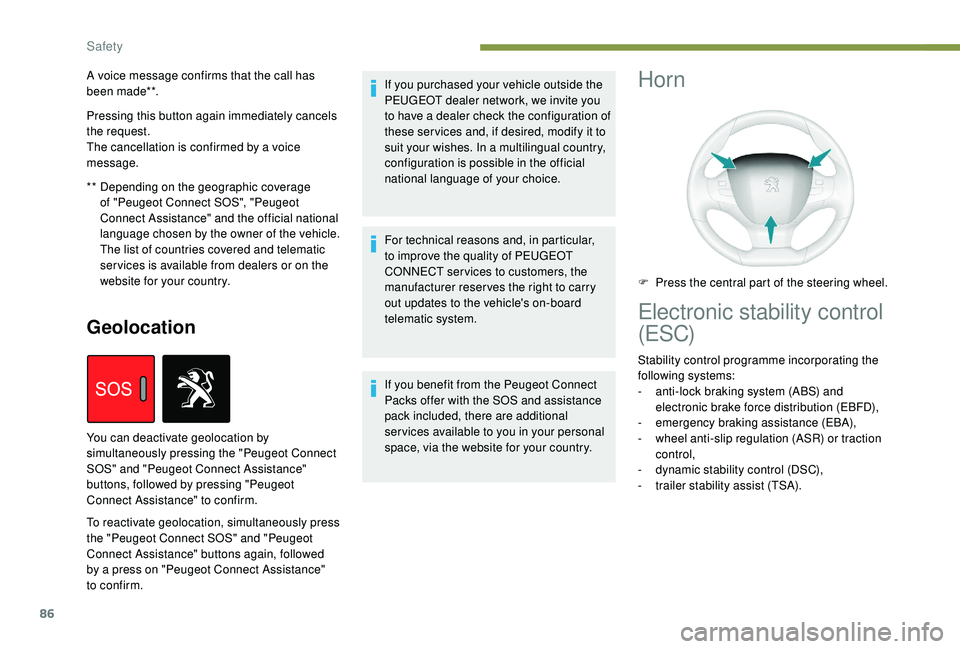
Connect Assistance" to confirm.Horn
F Press the central part of the steering wheel.
Electronic stability control
(ESC)
Stability control programme incorporating the
following systems:
-
a
nti-lock braking system (ABS) and
electronic brake force distribution (EBFD),
-
em
ergency braking assistance (EBA),
-
w
heel anti-slip regulation (ASR) or traction
control,
-
d
ynamic stability control (DSC),
-
t
railer stability assist (TSA).
**
D
epending on the geographic coverage
of "Peugeot Connect SOS", "Peugeot
Connect Assistance" and the official national
language chosen by the owner of the vehicle.
The list of countries covered and telematic
ser vices is available from dealers or on the
website for your country.
A voice message confirms that the call has
been made**.
Pressing this button again immediately cancels
the request.
The cancellation is confirmed by a voice
message.
Safety