stop start Peugeot 308 2018 User Guide
[x] Cancel search | Manufacturer: PEUGEOT, Model Year: 2018, Model line: 308, Model: Peugeot 308 2018Pages: 324, PDF Size: 10.72 MB
Page 31 of 324
29
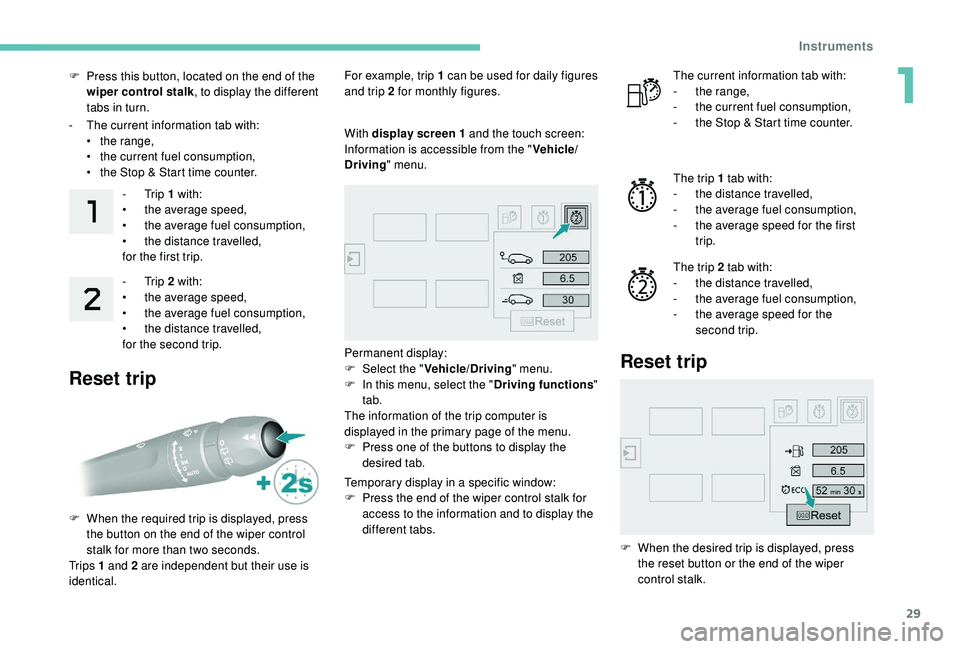
F Press this button, located on the end of the wiper control stalk , to display the different
tabs in turn.
-
T
he current information tab with:
•
t
he range,
•
t
he current fuel consumption,
•
t
he Stop & Start time counter.-
Trip 1 with:
•
t
he average speed,
•
t
he average fuel consumption,
•
t
he distance travelled,
for the first trip.
-
Trip 2 with:
•
t
he average speed,
•
t
he average fuel consumption,
•
t
he distance travelled,
for the second trip.
Reset trip
For example, trip 1 can be used for daily figures
and trip 2 for monthly figures.
F
W
hen the required trip is displayed, press
the button on the end of the wiper control
stalk for more than two seconds.
Tr i p s 1 and 2 are independent but their use is
identical. With display screen
1 and the touch screen:
Information is accessible from the " Vehicle/
Driving " menu.
Permanent display:
F
Sel
ect the " Vehicle/Driving " menu.
F
I
n this menu, select the " Driving functions"
tab.
The information of the trip computer is
displayed in the primary page of the menu.
F
P
ress one of the buttons to display the
desired tab.
Temporary display in a specific window:
F
P
ress the end of the wiper control stalk for
access to the information and to display the
different tabs. The current information tab with:
-
t he range,
-
t
he current fuel consumption,
-
t
he Stop & Start time counter.
The trip 1 tab with:
-
t
he distance travelled,
-
t
he average fuel consumption,
-
t
he average speed for the first
trip.
The trip 2 tab with:
-
t
he distance travelled,
-
t
he average fuel consumption,
-
t
he average speed for the
second trip.
Reset trip
F When the desired trip is displayed, press the reset button or the end of the wiper
control stalk.
1
Instruments
Page 32 of 324
30
Tr i p s 1 and 2 are independent but their use is
identical.
For example, trip 1 can be used for daily figures
and trip 2 for monthly figures.
Trip computer, some
definitions
Range
(miles or km)
The distance which can still be
travelled with the fuel remaining in
the tank (related to the average fuel
consumption over the last few miles
(kilometres) travelled).
This value may fluctuate if a change
of driving style or terrain results in a
significant change in the current fuel
consumption.
Dashes are displayed when the range falls
below 19
miles (30 km). After filling with at least
5
litres of fuel, the range is recalculated and is
displayed if it exceeds 62
miles (100 km).
If dashes are displayed continuously while
driving in place of the digits, contact a
PEUGEOT dealer or a qualified workshop.
Current fuel consumption
(mpg or km/l or l/100 km)
C alculated during the last few
seconds.
This function is only displayed from
19
mph (30 km/h).
Average fuel consumption
(mpg or km/l or l/100 km)
C alculated since the last time the
trip recorder was reset to zero.
Average speed
(mph or km/h)
Calculated since the last time the
trip recorder was reset to zero.
Distance travelled
(miles or km)
Calculated since the last time the
trip recorder was reset to zero.
Stop & Start time counter
(minutes/seconds or hours/
minutes)
A time counter calculates the time
spent in STOP mode during a
j o u r n ey.
It resets to zero every time the
ignition is switched on.
Monochrome screen C
Displays in the screen
This displays the following information:
- t he time,
-
t
he date,
-
t
he exterior temperature (this flashes if
there is a risk of ice),
-
par
king sensor information,
-
t
he audio source being listened to,
-
t
elephone or hands-free kit information,
-
t
he trip computer,
-
a
lert messages,
-
s
ettings menus for the screen and the
vehicle equipment.
Controls
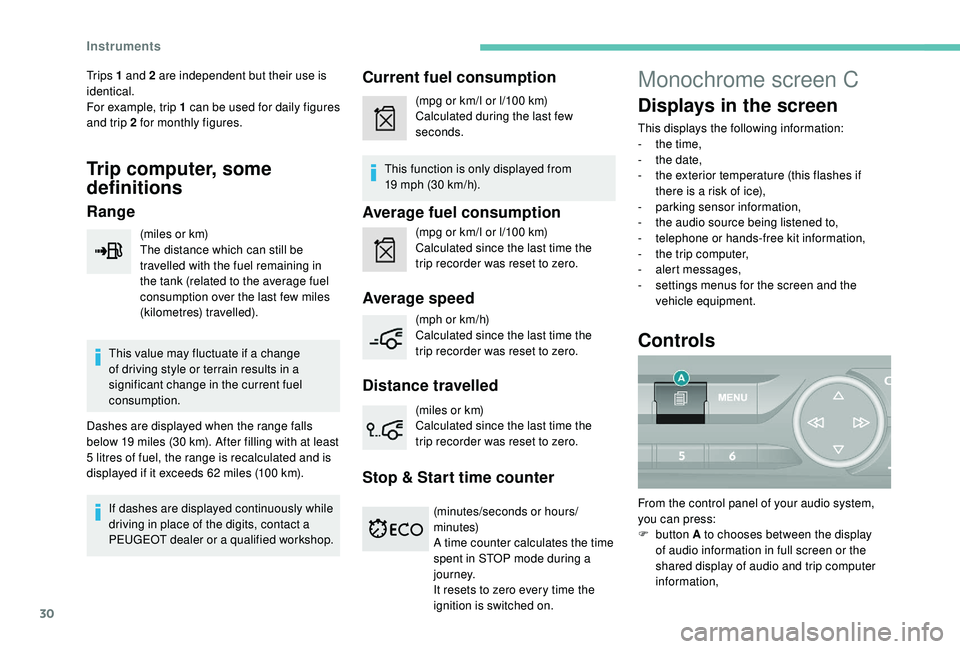
From the control panel of your audio system,
you can press:
F
button A to chooses between the display
of audio information in full screen or the
shared display of audio and trip computer
information,
Instruments
Page 46 of 324
44
Advice
Remote control
The high frequency remote control is a
sensitive system; do not operate it while
it is in your pocket as there is a possibility
that it may unlock the vehicle, without you
being aware of it.
Do not press the buttons of your remote
control out of range and out of sight of
your vehicle. The remote control may stop
working and would have to be reinitialised.
The remote control does not operate when
the key is in the ignition, even when the
ignition is switched off.
Electrical interference
The
K
eyless Entry and Starting electronic
key may not operate if close to certain
electronic devices: telephone, laptop
computer, strong magnetic fields, etc.
Anti-theft protection
Do not make any modifications to the
electronic engine immobiliser system; this
could cause malfunctions.
Do not forget to turn the steering wheel to
engage the steering lock. Locking the vehicle
Driving with the doors locked may render
access by the emergency services to the
interior more difficult in an emergency.
As a safety precaution (with children on
board), remove the key from the ignition or
take the electronic key when you leave the
vehicle, even for a short time.
Lost keys, remote control, electronic
key
Go to a PEUGEOT dealer with the
vehicle's registration document, your
personal identification documents and if
possible, the label bearing the key code.
The PEUGEOT dealer will be able to
retrieve the key code and the transponder
code required to order a new key.
Purchasing a second-hand vehicle
Have the key codes memorised by a
PEUGEOT dealer, to ensure that the keys
in your possession are the only ones
which can start the vehicle.
Back-up procedures
Lost keys, remote control,
electronic key
Visit a PEUGEOT dealer with the vehicle's
registration certificate, your personal
identification documents and if possible, the
label bearing the key code.
The PEUGEOT dealer will be able to retrieve
the key code and the transponder code
required to order a new key
Total unlocking/locking of
the vehicle with the key
Use these procedures in the following cases:
-
r emote control cell battery flat,
-
r
emote control fault,
-
v
ehicle in an area subject to strong
electromagnetic interference.
In the first case, you can also replace the
remote control cell battery.
In the second case, you can also reinitialise the
remote control.
Refer to the corresponding sections.
F
I
nsert the key in the door lock.
F
T
urn the key towards the front of the vehicle
to unlock it, or towards the rear to lock it.
Access
Page 49 of 324
47
Closing
If a door or the boot is not closed
correctly with the engine running or the
vehicle moving (speed above 6 mph
(10
km/h)), a message appears for a
few seconds.
Boot
Opening
F With the vehicle unlocked or with the electronic key of the K eyless Entry and
Starting system in the recognition zone,
press the central tailgate control.
F
L
ift the tailgate.
For more information on the Remote control
or
K
eyless Entr y and Star ting , refer to the
corresponding section.
In the event of a fault or difficulties
encountered in manoeuvring the tailgate
when opening or closing it, have it
quickly checked by a PEUGEOT dealer
or a qualified workshop to stop this issue
getting worse and so as to not cause the
tailgate to drop, and serious injuries.
Closing
F Lower the tailgate using one of the interior grab handles.
If the tailgate is not closed correctly (the lock
has two positions): with the engine running or
when moving (speed above 6
mph (10 km/h),
a message appears for a few seconds.
In the event of a fault or difficulties felt in
manoeuvring the tailgate when opening
or closing it, have it quickly checked by a
PEUGEOT dealer or a qualified workshop
to stop this issue getting worse and so
as to not cause the tailgate to drop, and
serious injuries.
Back-up release
System allowing the mechanical unlocking
of the boot in the event of a battery or central
locking system malfunction.
Unlocking Locking after closing
If the fault persists after closing again, the boot
will remain locked. F
F
old the rear seats to gain access to the
lock from inside the boot.
F
I
nsert a small screwdriver into hole A of the
lock to unlock the boot.
F
M
ove the latch to the right.
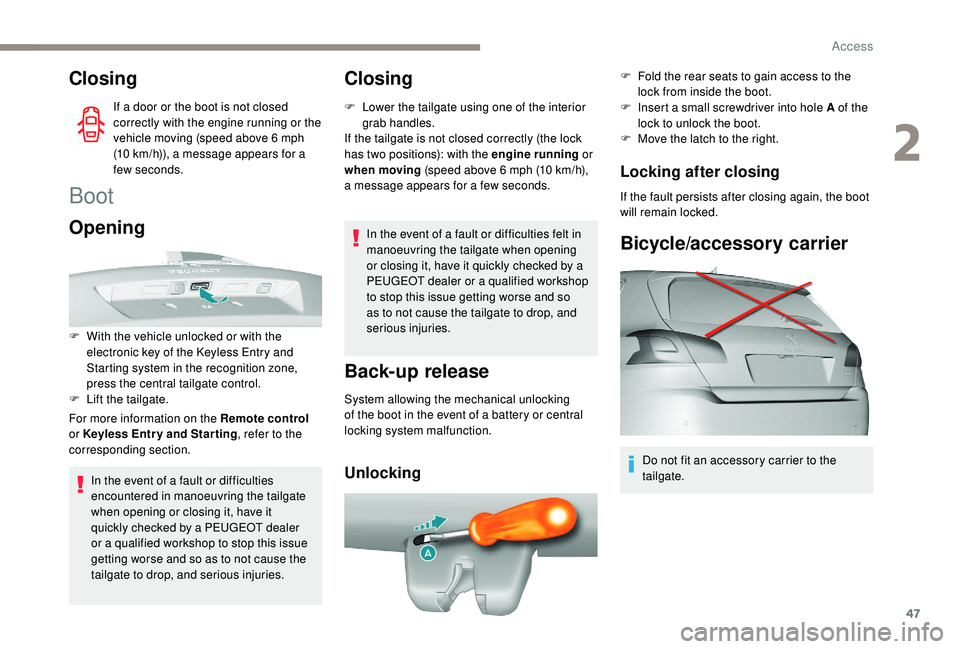
Bicycle/accessory carrier
Do not fit an accessory carrier to the
tailgate.
2
Access
Page 51 of 324
49
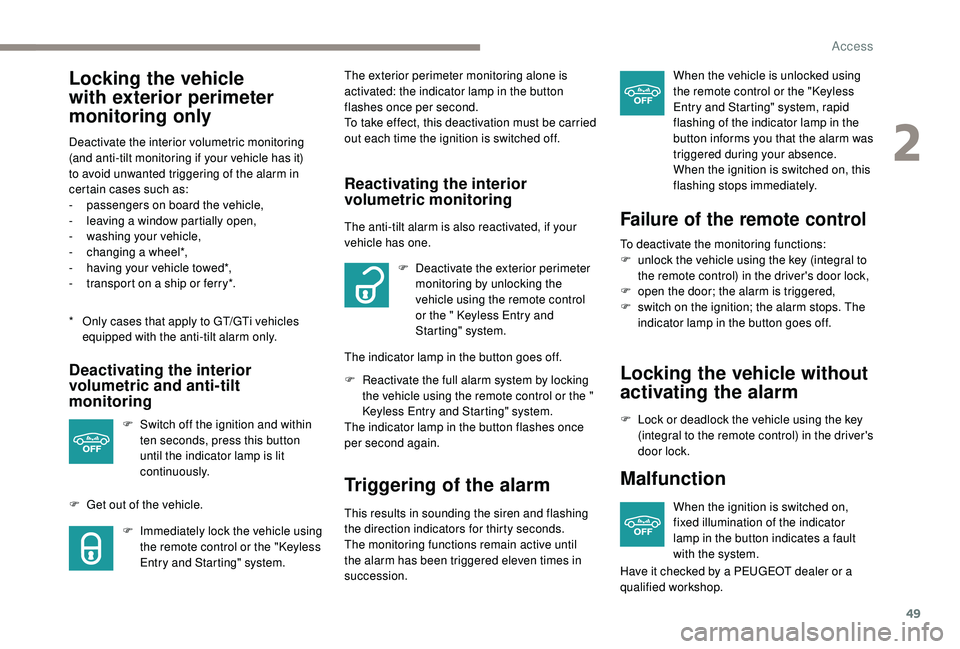
Locking the vehicle
with exterior perimeter
monitoring only
* Only cases that apply to GT/GTi vehicles equipped with the anti-tilt alarm only.
Deactivate the interior volumetric monitoring
(and anti-tilt monitoring if your vehicle has it)
to avoid unwanted triggering of the alarm in
certain cases such as:
-
p
assengers on board the vehicle,
-
l
eaving a window partially open,
-
w
ashing your vehicle,
-
c
hanging a wheel*,
-
h
aving your vehicle towed*,
-
t
ransport on a ship or ferry*.
Deactivating the interior
volumetric and anti-tilt
monitoring
F Switch off the ignition and within
ten seconds, press this button
until the indicator lamp is lit
continuously.
F
G
et out of the vehicle. F
I
mmediately lock the vehicle using
the remote control or the "
K
eyless
Entry and Starting" system. The exterior perimeter monitoring alone is
activated: the indicator lamp in the button
flashes once per second.
To take effect, this deactivation must be carried
out each time the ignition is switched off.
Reactivating the interior
volumetric monitoring
The anti-tilt alarm is also reactivated, if your
vehicle has one.
F
D
eactivate the exterior perimeter
monitoring by unlocking the
vehicle using the remote control
or the
" K
eyless Entry and
Starting" system.
The indicator lamp in the button goes off.
F
R
eactivate the full alarm system by locking
the vehicle using the remote control or the
"
K
eyless Entry and Starting" system.
The indicator lamp in the button flashes once
per second again.
Triggering of the alarm
This results in sounding the siren and flashing
the direction indicators for thirty seconds.
The monitoring functions remain active until
the alarm has been triggered eleven times in
succession. When the vehicle is unlocked using
the remote control or the "
K
eyless
Entry and Starting" system, rapid
flashing of the indicator lamp in the
button informs you that the alarm was
triggered during your absence.
When the ignition is switched on, this
flashing stops immediately.
Failure of the remote control
To deactivate the monitoring functions:
F u nlock the vehicle using the key (integral to
the remote control) in the driver's door lock,
F
o
pen the door; the alarm is triggered,
F
s
witch on the ignition; the alarm stops. The
indicator lamp in the button goes off.
Locking the vehicle without
activating the alarm
F Lock or deadlock the vehicle using the key (integral to the remote control) in the driver's
door lock.
Malfunction
When the ignition is switched on,
fixed illumination of the indicator
lamp in the button indicates a fault
with the system.
Have it checked by a PEUGEOT dealer or a
qualified workshop.
2
Access
Page 56 of 324
54
Prolonged use at the highest setting is
not recommended for those with sensitive
skin.
There is a risk of burns for people whose
perception of heat is impaired (illness,
taking medication, etc.).
There is a risk of overheating the system if
material with insulating properties is used,
such as cushions or seat covers.
Do not use the system:
-
i
f wearing damp clothing,
-
i
f child seats are fitted.
To avoid breaking the heating element in
the seat:
-
d
o not place heavy objects on the seat,
-
d
o not kneel or stand on the seat,
-
d
o not place sharp objects on the seat,
-
d
o not spill liquids onto the seat.
To avoid the risk of short-circuit:
-
d
o not use liquid products for cleaning
the seat,
-
n
ever use the heating function when
the seat is damp.Electric lumbar adjustment
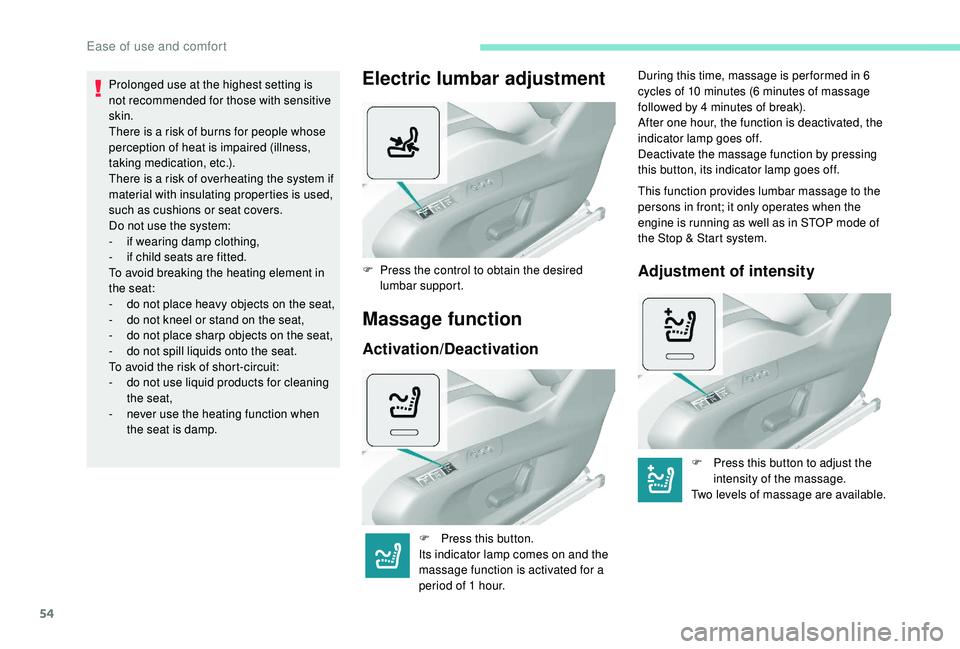
F Press the control to obtain the desired lumbar support.
Massage function
Activation/Deactivation
F Press this button.
Its indicator lamp comes on and the
massage function is activated for a
period of 1
hour. During this time, massage is per formed in 6
cycles of 10
minutes (6 minutes of massage
followed by 4 minutes of break).
After one hour, the function is deactivated, the
indicator lamp goes off.
Deactivate the massage function by pressing
this button, its indicator lamp goes off.
This function provides lumbar massage to the
persons in front; it only operates when the
engine is running as well as in STOP mode of
the Stop & Start system.
Adjustment of intensity
F Press this button to adjust the intensity of the massage.
Two levels of massage are available.
Ease of use and comfort
Page 62 of 324
60
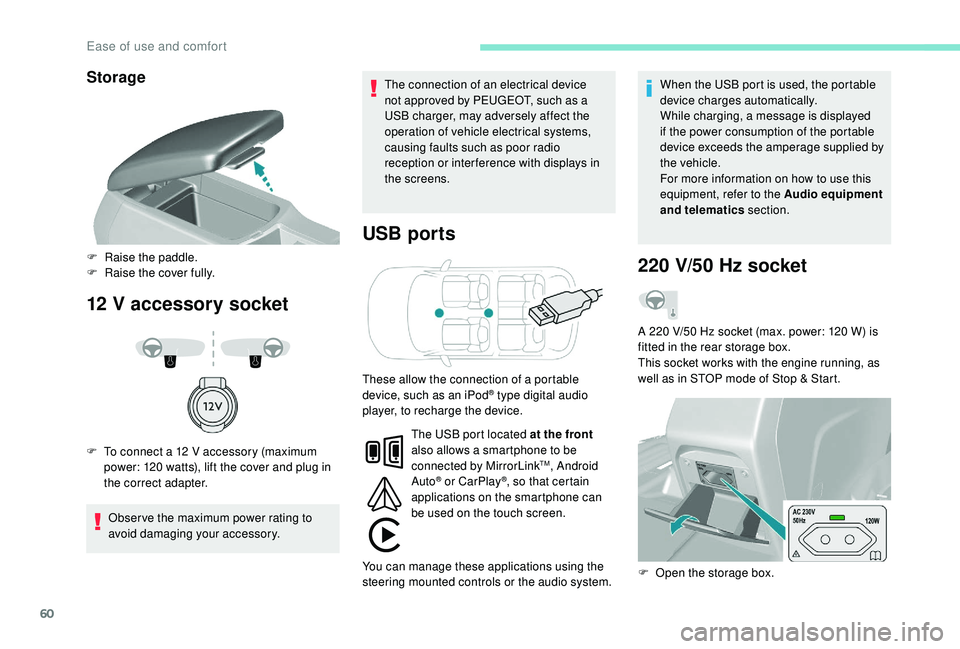
Storage
12 V accessory socket USB ports
Obser ve the maximum power rating to
avoid damaging your accessory. The connection of an electrical device
not approved by PEUGEOT, such as a
USB charger, may adversely affect the
operation of vehicle electrical systems,
causing faults such as poor radio
reception or inter ference with displays in
the screens.
When the USB port is used, the portable
device charges automatically.
While charging, a message is displayed
if the power consumption of the portable
device exceeds the amperage supplied by
the vehicle.
For more information on how to use this
equipment, refer to the Audio equipment
and telematics
section.
F
Ra
ise the paddle.
F
R
aise the cover fully.
F
T
o connect a 12 V accessory (maximum
power: 120 watts), lift the cover and plug in
the correct adapter.
220 V/50 Hz socket
A 220 V/50 Hz socket (max. power: 120 W) is
f itted in the rear storage box.
This socket works with the engine running, as
well as in STOP mode of Stop & Start.
These allow the connection of a portable
device, such as an iPod
® type digital audio
player, to recharge the device.
F
O
pen the storage box.
The USB port located at the front
also allows a smartphone to be
connected by MirrorLink
TM, Android
Auto® or CarPlay®, so that certain
applications on the smartphone can
be used on the touch screen.
You can manage these applications using the
steering mounted controls or the audio system.
Ease of use and comfort
Page 68 of 324
66
Stop & Star t
The heating and air conditioning systems
only work when the engine is running.
Temporarily deactivate the Stop &
Start system to maintain a comfortable
temperature in the passenger
compartment.
For more information on Stop & Star t,
refer to the corresponding section.
Manual air conditioning
The air conditioning system operates only with
the engine running.
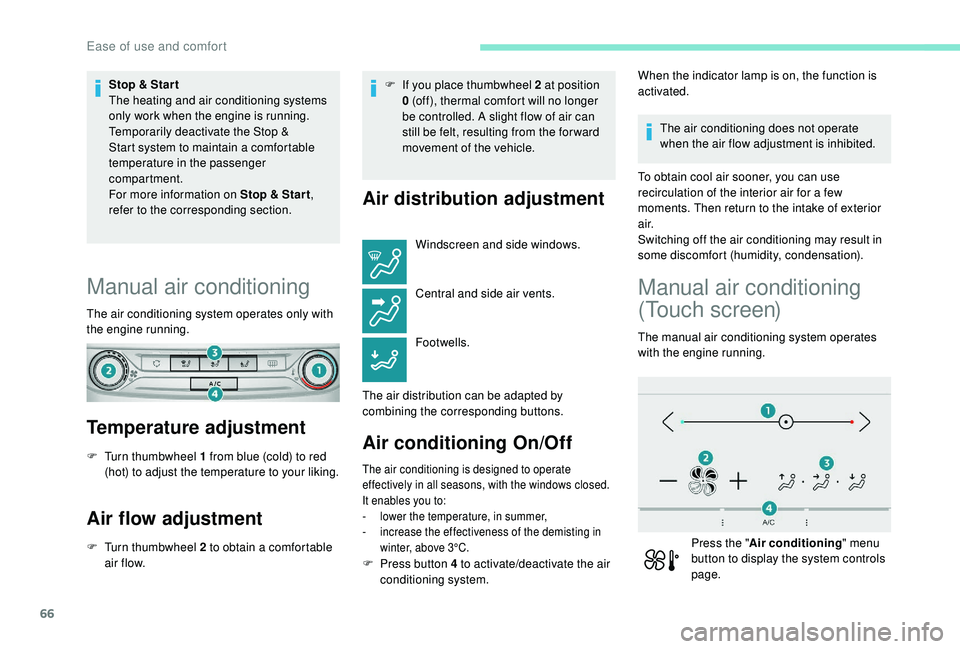
Temperature adjustment
F Turn thumbwheel 1 from blue (cold) to red (hot) to adjust the temperature to your liking.
Air flow adjustment
F Turn thumbwheel 2 to obtain a comfortable air f low. F
I
f you place thumbwheel 2 at position
0 (off), thermal comfort will no longer
be controlled. A slight flow of air can
still be felt, resulting from the for ward
movement of the vehicle.
Air distribution adjustment
Windscreen and side windows.
Central and side air vents.
Footwells.
The air distribution can be adapted by
combining the corresponding buttons.
Air conditioning On/Off
The air conditioning is designed to operate
effectively in all seasons, with the windows closed.
It enables you to:
-
l
ower the temperature, in summer,
-
i
ncrease the effectiveness of the demisting in
winter, above 3°C.
When the indicator lamp is on, the function is
activated.
The air conditioning does not operate
when the air flow adjustment is inhibited.
To obtain cool air sooner, you can use
recirculation of the interior air for a few
moments. Then return to the intake of exterior
a i r.
Switching off the air conditioning may result in
some discomfort (humidity, condensation).
Manual air conditioning
(Touch screen)
The manual air conditioning system operates
with the engine running.
Press the " Air conditioning " menu
button to display the system controls
page.
F
P
ress button 4 to activate/deactivate the air
conditioning system.
Ease of use and comfort
Page 72 of 324
70
F Press this button to activate/deactivate the function.
When the indicator lamp is on, the function is
activated.
Avoid prolonged use of recirculation
of interior air – Risk of misting and
deterioration of air quality!
The system activates automatically when
reverse gear is engaged.
Front demist –
defrost
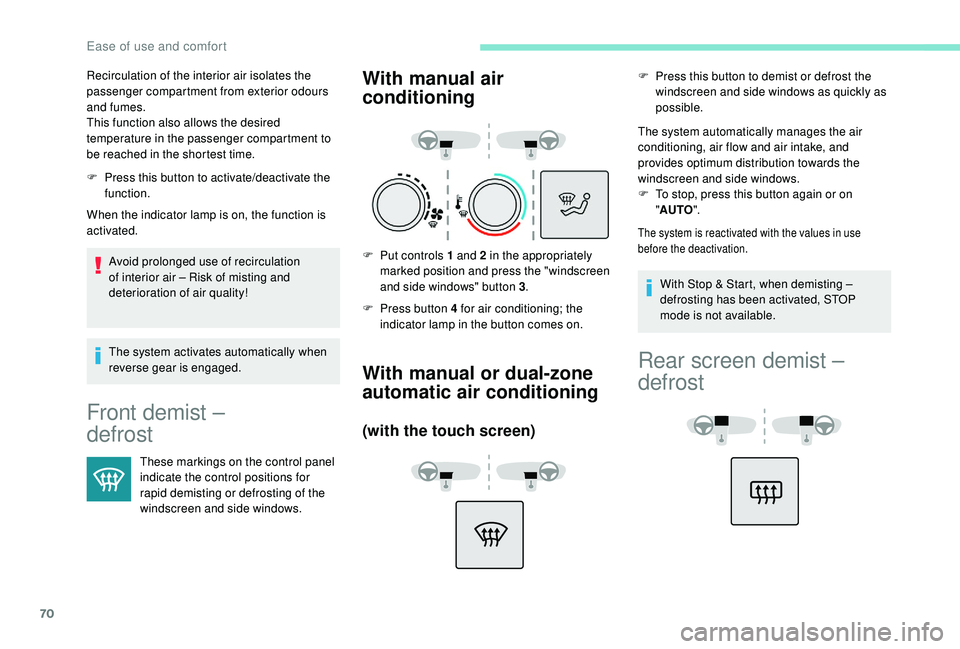
These markings on the control panel
indicate the control positions for
rapid demisting or defrosting of the
windscreen and side windows.
With manual air
conditioning
F Put controls 1 and 2 in the appropriately marked position and press the "windscreen
and side windows" button 3 .
F
P
ress button 4 for air conditioning; the
indicator lamp in the button comes on.
With manual or dual-zone
automatic air conditioning
(with the touch screen)
F Press this button to demist or defrost the windscreen and side windows as quickly as
possible.
The system automatically manages the air
conditioning, air flow and air intake, and
provides optimum distribution towards the
windscreen and side windows.
F
T
o stop, press this button again or on
" AUTO ".
The system is reactivated with the values in use
before the deactivation.
Recirculation of the interior air isolates the
passenger compartment from exterior odours
and fumes.
This function also allows the desired
temperature in the passenger compartment to
be reached in the shortest time.
With Stop & Start, when demisting –
defrosting has been activated, STOP
mode is not available.
Rear screen demist –
defrost
Ease of use and comfort
Page 111 of 324
109
Driving recommendations
Observe the driving regulations and remain
vigilant whatever the traffic conditions.
Pay close attention to the traffic and keep your
hands on the wheel so that you are ready to
react at any time to any eventuality.
As a safety measure, the driver should only
carry out any operations that require close
attention when the vehicle is stationary.
On a long journey, taking a break every two
hours is strongly recommended.
In difficult weather, drive smoothly, anticipate
the need to brake and increase the distance
from other vehicles.
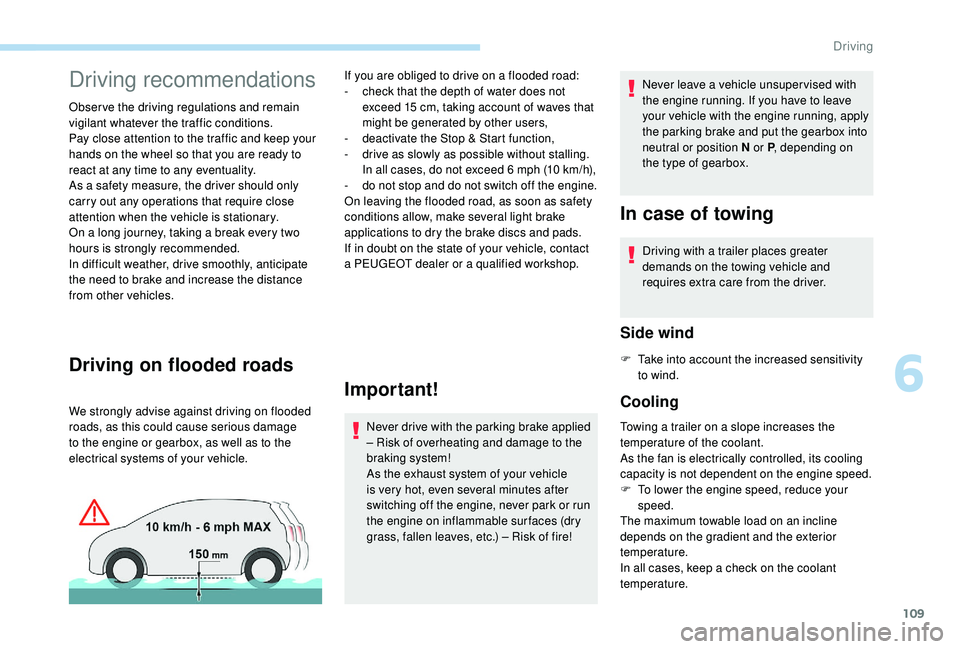
Driving on flooded roads
We strongly advise against driving on flooded
roads, as this could cause serious damage
to the engine or gearbox, as well as to the
electrical systems of your vehicle.
Important!
Never drive with the parking brake applied
– Risk of overheating and damage to the
braking system!
As the exhaust system of your vehicle
is very hot, even several minutes after
switching off the engine, never park or run
the engine on inflammable sur faces (dry
grass, fallen leaves, etc.) – Risk of fire!Never leave a vehicle unsuper vised with
the engine running. If you have to leave
your vehicle with the engine running, apply
the parking brake and put the gearbox into
neutral or position N or P
, depending on
the type of gearbox.
In case of towing
If you are obliged to drive on a flooded road:
- c heck that the depth of water does not
exceed 15
cm, taking account of waves that
might be generated by other users,
-
d
eactivate the Stop & Start function,
-
d
rive as slowly as possible without stalling.
In all cases, do not exceed 6
mph (10 km/h),
-
d
o not stop and do not switch off the engine.
On leaving the flooded road, as soon as safety
conditions allow, make several light brake
applications to dry the brake discs and pads.
If in doubt on the state of your vehicle, contact
a PEUGEOT dealer or a qualified workshop. Driving with a trailer places greater
demands on the towing vehicle and
requires extra care from the driver.
Side wind
F Take into account the increased sensitivity
to wind.
Cooling
Towing a trailer on a slope increases the
temperature of the coolant.
As the fan is electrically controlled, its cooling
capacity is not dependent on the engine speed.
F
T
o lower the engine speed, reduce your
speed.
The maximum towable load on an incline
depends on the gradient and the exterior
temperature.
In all cases, keep a check on the coolant
temperature.
6
Driving