navigation Peugeot 308 2021 Owner's Guide
[x] Cancel search | Manufacturer: PEUGEOT, Model Year: 2021, Model line: 308, Model: Peugeot 308 2021Pages: 244, PDF Size: 8.21 MB
Page 221 of 244
219
PEUGEOT Connect Nav
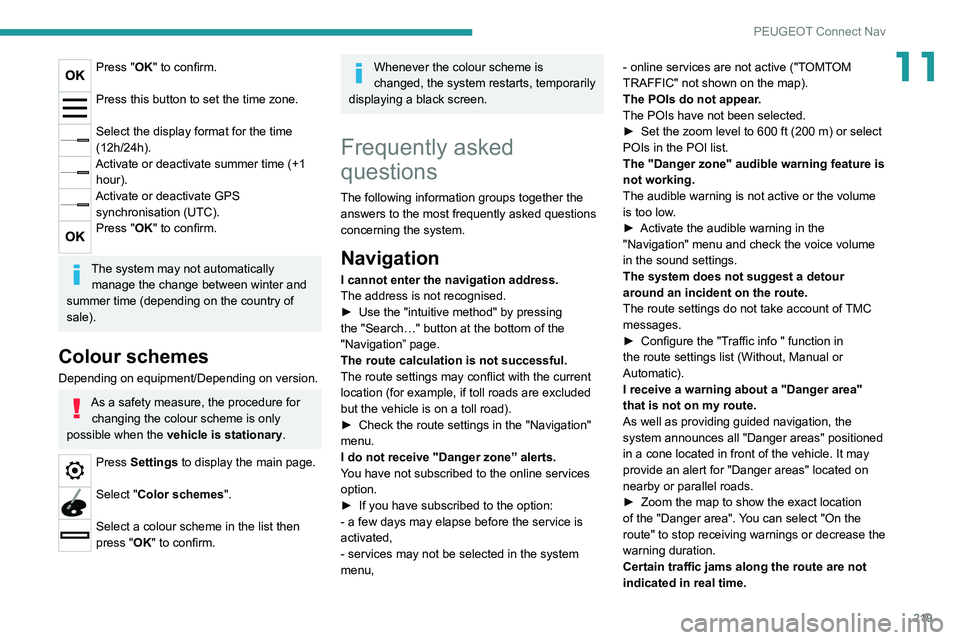
11Press "OK" to confirm.
Press this button to set the time zone.
Select the display format for the time
(12h/24h).
Activate or deactivate summer time (+1 hour).
Activate or deactivate GPS synchronisation (UTC).
Press "OK" to confirm.
The system may not automatically manage the change between winter and
summer time (depending on the country of
sale).
Colour schemes
Depending on equipment/Depending on version.
As a safety measure, the procedure for changing the colour scheme is only
possible when the vehicle is stationary.
Press Settings to display the main page.
Select "Color schemes ".
Select a colour scheme in the list then
press "OK" to confirm.
Whenever the colour scheme is
changed, the system restarts, temporarily
displaying a black screen.
Frequently asked
questions
The following information groups together the answers to the most frequently asked questions
concerning the system.
Navigation
I cannot enter the navigation address.
The address is not recognised.
►
Use the "intuitive method" by pressing
the "Search…" button at the bottom of the
"Navigation” page.
The route calculation is not successful.
The route settings may conflict with the current
location (for example, if toll roads are excluded
but the vehicle is on a toll road).
►
Check the route settings in the "Navigation"
menu.
I do not receive "Danger zone” alerts.
Y
ou have not subscribed to the online services
option.
►
If you have subscribed to the option:
- a few days may elapse before the service is
activated,
- services may not be selected in the system
menu, - online services are not active ("T
OMTOM
TRAFFIC" not shown on the map).
The POIs do not appear.
The POIs have not been selected.
►
Set the zoom level to 600 ft (200 m) or select
POIs in the POI list.
The "Danger zone" audible warning feature is
not working.
The audible warning is not active or the volume
is too low
.
►
Activate the audible warning in the
"Navigation" menu and check the voice volume
in the sound settings.
The system does not suggest a detour
around an incident on the route.
The route settings do not take account of
TMC
messages.
►
Configure the "T
raffic info " function in
the route settings list (Without, Manual or
Automatic).
I receive a warning about a "Danger area"
that is not on my route.
As well as providing guided navigation, the
system announces all "Danger areas" positioned
in a cone located in front of the vehicle. It may
provide an alert for "Danger areas" located on
nearby or parallel roads.
►
Zoom the map to show the exact location
of the "Danger area".
You can select "On the
route" to stop receiving warnings or decrease the
warning duration.
Certain traffic jams along the route are not
indicated in real time.
Page 222 of 244
220
PEUGEOT Connect Nav
On starting, a few minutes may elapse before
the system begins to receive traffic information.
►
W
ait until traffic information is being received
correctly (traffic information icons shown on the
map).
In certain countries, only major routes
(motorways, etc.) are listed for the traffic
information.
This is perfectly normal. The system is
dependent on the traffic information available.
The altitude is not displayed.
On starting, GPS initialisation may take up to
3 minutes to receive more than 4 satellites
correctly.
►
W
ait until the system has started up
completely so that there is GPS coverage by at
least 4
satellites.
Depending on the geographical environment
(tunnel, etc.) or the weather, the conditions of
reception of the GPS signal may vary.
This behaviour is normal. The system is
dependent on the GPS signal reception
conditions.
My navigation is no longer connected.
During start-up and in certain geographical
areas, the connection may be unavailable.
►
Check that the online services are activated
(settings, contract).
Radio
The reception quality of the tuned radio
station gradually deteriorates or the station presets are not working (no sound, 87.5 MHz
is displayed, etc.).
The vehicle is too far from the selected station’s
transmitter, or no transmitter is present in the
geographical area.
►
Activate the "RDS" function by means of the
short-cut menu to enable the system to check
whether there is a more powerful transmitter in
the geographical area.
The aerial is missing or has been damaged
(for example while entering a car wash or
underground car park).
►
Have the aerial checked by a dealer
.
The environment (hills, buildings, tunnels,
basement car parks, etc.) is blocking reception,
including in RDS mode.
This is a perfectly normal phenomenon, and is
not indicative of an audio system malfunction.
I cannot find some radio stations in the list of
stations received.
The name of the radio station changes.
The station is no longer received or its name has
changed in the list.
Some radio stations send other information
in place of their name (the title of the song for
example).
The system interprets these details as the station
name.
►
Press the "Update list" button in the "Radio
stations” secondary menu.
Media
Playback of my USB memory stick starts only
after a very long wait (around 2 to 3 minutes).
Some files supplied with the memory stick may
greatly slow down access to reading the memory
stick (multiplication by 10 of the cataloguing
time).
►
Delete the files supplied with the memory
stick and limit the number of sub-folders in the
file structure on the memory stick.
There may be an extended pause after
inserting a USB stick.
The system reads a variety of data (folder
, title,
artist, etc.). This can take from a few seconds to
a few minutes.
This is perfectly normal.
Some characters in information about the
currently playing media may not be displayed
correctly.
The audio system is unable to process certain
types of character.
►
Use standard characters to name tracks and
folders.
Playback of streaming files does not start.
The connected device does not automatically
launch playback.
►
Start playback from the device.
T
rack names and playing times are not
displayed on the audio streaming screen.
The Bluetooth profile does not allow the transfer
of this information.
Page 227 of 244
225
Alphabetical index
Key with remote control 19–21, 82
Kit, hands-free
192–193, 214–215
Kit, puncture repair
150, 154–156
Kit, temporary puncture
repair
40, 150–151, 153–157
L
Labels 4
Labels, identification
183
Lams with Full LED technology
54
Lane departure warning active
115, 120
LEDs - Light-emitting diodes
51
Level, brake fluid
143
Level, Diesel additive
144
Level, engine coolant
15, 143
Level, engine oil
14, 142
Level, headlamp wash
55
Levels and checks
141–143
Level, screenwash fluid
55, 143
Light-emitting diodes - LEDs
51
Lighting
49
Lighting dimmer
17
Lighting, exterior
50
Lighting, guide-me home
20, 53
Lighting, interior
48–49
Lighting, mood
49
Lighting, welcome
53
Loading
140
Load reduction mode
140
Locating your vehicle
20
Locking 23
Long objects, transporting
39
Low fuel level
131–132
Luggage retaining strap
40
Lumbar
31, 33
M
Maintenance (advice) 148
Maintenance, routine
101, 144
Manoeuvring aids (recommendations)
100
Map reading lamps
48–49
Markings, identification
183
Massage function
33
Mat
38, 101
Menu
191
Menus (audio)
186–187, 199–200
Messages
216
Messages, quick
217
Mirror, rear view
34
Mirrors, door
33–34, 119
Misfuel prevention
132
Mountings, ISOFIX
74–75
N
Navigation 204–206
Navigation, connected
207–209
Net, high load retaining
42
Number plate lamps
166
O
Obstacle detection 121
Oil change
142
Oil consumption
142
OIl, engine
142
On-board tools
150–151
Opening the bonnet
141
Opening the boot
20–21, 25
Opening the doors
19, 21, 25
P
Pads, brake 145–146
Paint
149, 183
Paint colour code
183
Panoramic glass sunroof
47–48
Parcel shelf, rear
40–41
Park Assist
124–125, 127
Parking brake
85, 145–146
Parking brake, electric
86–88, 145
Parking sensors, audible and visual
121
Parking sensors, front
121
Parking sensors, rear
121
Personalisation
7
Plates, identification
183
Player, Apple®
190, 214
Player, USB
189, 213
Port, USB
37, 39, 189, 209, 213
Pressures, tyres
145, 153, 157, 160, 183
Pre-tensioning seat belts
65