fuse PEUGEOT 308 2023 Owners Manual
[x] Cancel search | Manufacturer: PEUGEOT, Model Year: 2023, Model line: 308, Model: PEUGEOT 308 2023Pages: 260, PDF Size: 7.97 MB
Page 5 of 260
3
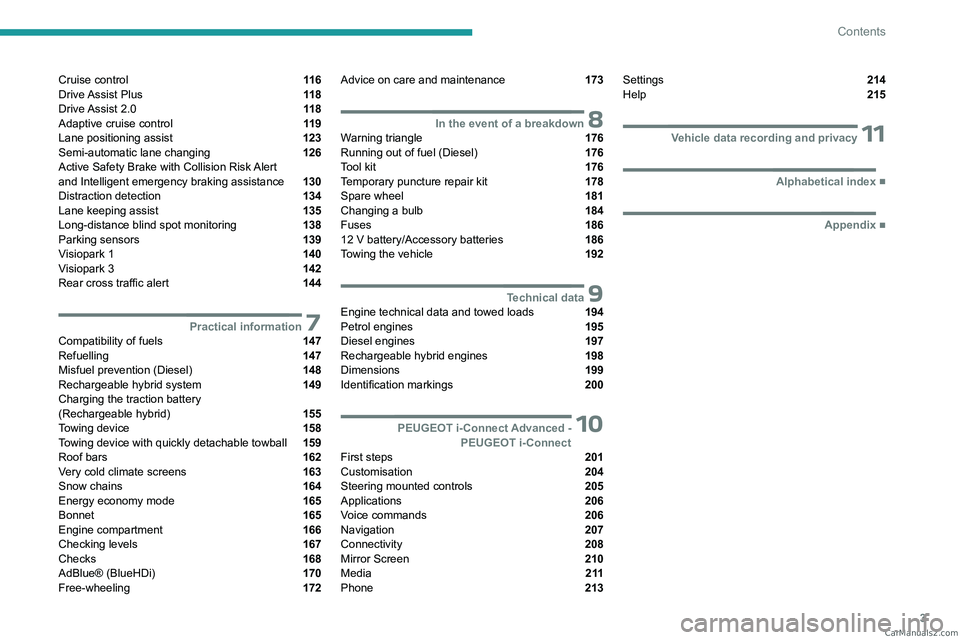
Contents
Cruise control 11 6
Drive Assist Plus 11 8
Drive Assist 2.0 11 8
Adaptive cruise control 11 9
Lane positioning assist 123
Semi-automatic lane changing 126
Active Safety Brake with Collision Risk Alert
and Intelligent emergency braking assistance
130
Distraction detection 134
Lane keeping assist 135
Long-distance blind spot monitoring 138
Parking sensors 139
Visiopark 1 140
Visiopark 3 142
Rear cross traffic alert 144
7Practical informationCompatibility of fuels 147
Refuelling 147
Misfuel prevention (Diesel) 148
Rechargeable hybrid system 149
Charging the traction battery
(Rechargeable hybrid)
155
Towing device 158
Towing device with quickly detachable towball 159
Roof bars 162
Very cold climate screens 163
Snow chains 164
Energy economy mode 165
Bonnet 165
Engine compartment 166
Checking levels 167
Checks 168
AdBlue® (BlueHDi) 170
Free-wheeling 172
Advice on care and maintenance 173
8In the event of a breakdownWarning triangle 176
Running out of fuel (Diesel) 176
Tool kit 176
Temporary puncture repair kit 178
Spare wheel 181
Changing a bulb 184
Fuses 186
12
V battery/Accessory batteries 186
Towing the vehicle 192
9Technical dataEngine technical data and towed loads 194
Petrol engines 195
Diesel engines 197
Rechargeable hybrid engines 198
Dimensions 199
Identification markings 200
10 PEUGEOT i-Connect Advanced -PEUGEOT i-Connect
First steps 201
Customisation 204
Steering mounted controls 205
Applications 206
Voice commands 206
Navigation 207
Connectivity 208
Mirror Screen 210
Media 2 11
Phone 213
Settings 214
Help 215
11Vehicle data recording and privacy
■
Alphabetical index
■
Appendix CarM an uals 2 .c o m
Page 6 of 260
4
Overview
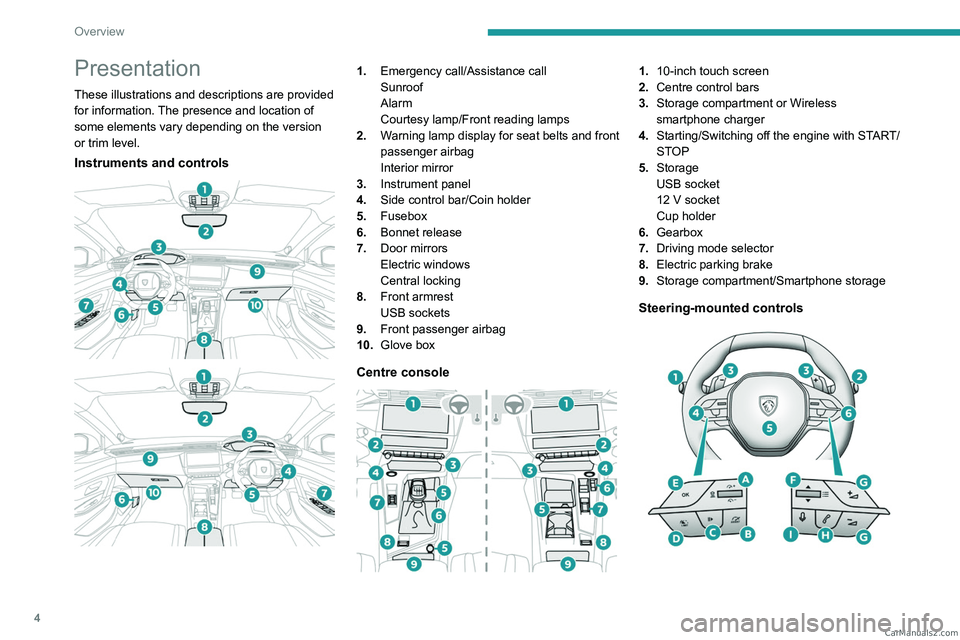
Presentation
These illustrations and descriptions are provided
for information. The presence and location of
some elements vary depending on the version
or trim level.
Instruments and controls
1. Emergency call/Assistance call
Sunroof
Alarm
Courtesy lamp/Front reading lamps
2. Warning lamp display for seat belts and front
passenger airbag
Interior mirror
3. Instrument panel
4. Side control bar/Coin holder
5. Fusebox
6. Bonnet release
7. Door mirrors
Electric windows
Central locking
8. Front armrest
USB sockets
9. Front passenger airbag
10. Glove box
Centre console
1.10-inch touch screen
2. Centre control bars
3. Storage compartment or Wireless
smartphone charger
4. Starting/Switching off the engine with START/
STOP
5. Storage
USB socket
12
V socket
Cup holder
6. Gearbox
7. Driving mode selector
8. Electric parking brake
9. Storage compartment/Smartphone storage
Steering-mounted controls
CarM an uals 2 .c o m
Page 78 of 260
76
Safety
General safety
recommendations
Do not remove the labels attached in
different places on your vehicle. They
include safety warnings as well as
identification information for the vehicle.
Depending on country regulations,
certain safety equipment may be
mandatory: high visibility safety vests,
warning triangles, breathalysers, spare bulbs,
spare fuses, fire extinguisher, first aid kit, mud
flaps at the rear of the vehicle, etc.
Installing electrical accessories:
– The fitting of electrical equipment or
accessories not approved by PEUGEOT
may
cause excessive current consumption and
faults and failures with the electrical system
of your vehicle. Contact a PEUGEOT dealer
for information on the range of approved
accessories.
–
As a safety measure, access to the
diagnostic socket, used for the vehicle's
electronic systems, is reserved strictly for
PEUGEOT
dealers or qualified workshops,
equipped with the special tools required (risk
of malfunctions of the vehicle's electronic
systems that could cause breakdowns or
serious accidents). The Manufacturer cannot
be held responsible if this advice is not
followed.
–
Any modification or adaptation not intended
or authorised by PEUGEOT
or carried out
without meeting the technical requirements
defined by the Manufacturer will result in the
suspension of the commercial warranty.
Installation of accessory radio
communication transmitters
Before installing a radio communication
transmitter with an external aerial, you must
without fail contact a PEUGEOT dealer for
the specification of transmitters which can
be fitted (frequency, maximum power, aerial
position, specific installation requirements),
in line with the Vehicle Electromagnetic
Compatibility Directive (2004/104/EC).
Declarations of conformity for radio
equipment
The relevant certificates are available on the
brand website:
http://public.servicebox.peugeot.com/APddb/
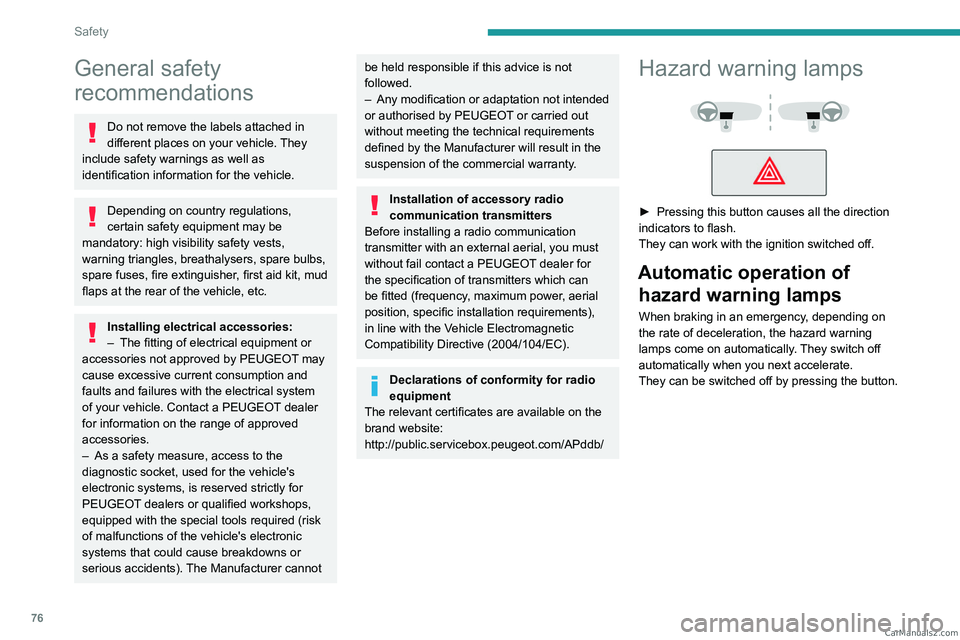
Hazard warning lamps
► Pressing this button causes all the direction
indicators to flash.
They can work with the ignition switched off.
Automatic operation of hazard warning lamps
When braking in an emergency, depending on
the rate of deceleration, the hazard warning
lamps come on automatically. They switch off
automatically when you next accelerate.
They can be switched off by pressing the button. CarM an uals 2 .c o m
Page 123 of 260
121
Driving
6– when a risk of engine stalling is detected with
a manual gearbox.
–
by depressing the clutch pedal for more than
10 seconds.
–
by using the electric parking brake.
–
by unfastening the seat belt.
–
by opening the driver's door
.
►
Press
2-I I> or 4-OK to reactivate cruise
control.
With a manual gearbox, the driver should
depress the accelerator pedal to move off, then,
when above 19 mph (30
km/h), reactivate the
system by pressing 2-I I> or 4-OK.
With an automatic gearbox, following braking
that has brought the vehicle to a complete stop,
if the traffic conditions do not allow the vehicle
to begin moving again within 3
seconds of
stopping, press
2-I I>
or the accelerator pedal to
move off.
Cruise control remains active after
changing gear, regardless of the gearbox
type.
When cruise control is paused and the
driver tries to reactivate it, the message
"Activation refused, conditions unsuitable "
is temporarily displayed if reactivation is
impossible (required conditions not met).
Changing the programmed speed setting
with the Road signs recognition function
► Press 4-OK to accept the speed suggested
by the function on the instrument panel, then
press again to confirm.
If the selected speed is far from the
current vehicle speed, a strong
acceleration or deceleration is felt.
Changing the inter-vehicle distance
► Press 3 to display the distance setting
thresholds (" Distant", "Normal" or "Close"),
then make successive short presses upwards/
downwards to select a threshold.
After a few seconds, the option is accepted and
will be memorised when the ignition is switched
off.
The driver must keep a sufficient safety distance
from the vehicle in front.
Temporarily exceeding the speed setting
► Depress the accelerator pedal. The system
is suspended as long as the acceleration is
maintained. When the accelerator pedal is
released, the speed setting flashes while the
current vehicle speed is above the speed setting.
Deselecting the system
► Press successively on 1-ASSIST until OFF
mode is displayed on the instrument panel.
►
After a few seconds, cruise control mode
is deselected.
The Driving aids mini-view
disappears.
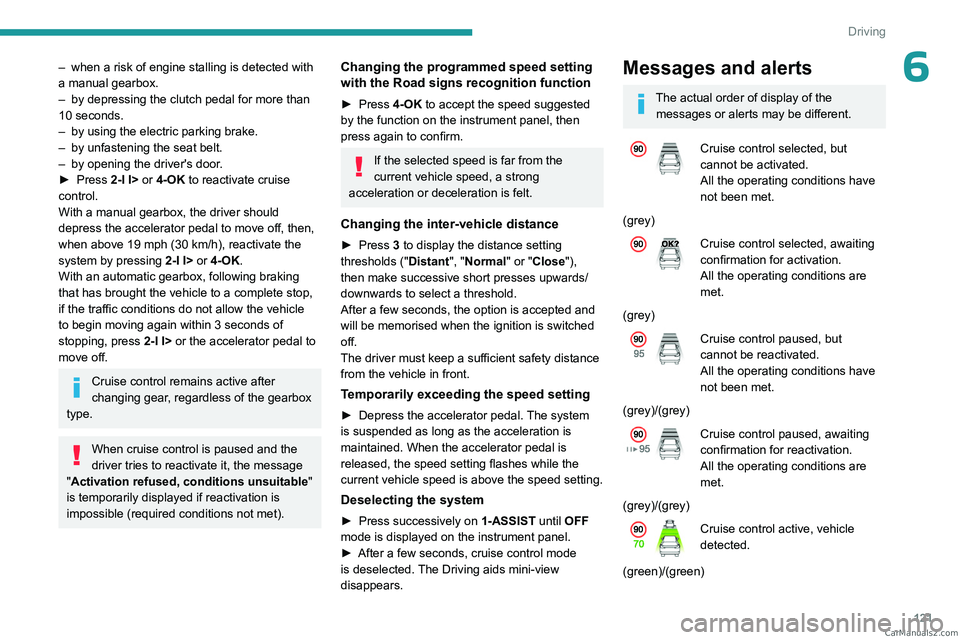
Messages and alerts
The actual order of display of the messages or alerts may be different.
Cruise control selected, but
cannot be activated.
All the operating conditions have
not been met.
(grey)
Cruise control selected, awaiting
confirmation for activation.
All the operating conditions are
met.
(grey)
Cruise control paused, but
cannot be reactivated.
All the operating conditions have
not been met.
(grey)/(grey)
Cruise control paused, awaiting
confirmation for reactivation.
All the operating conditions are
met.
(grey)/(grey)
Cruise control active, vehicle
detected.
(green)/(green) CarM an uals 2 .c o m
Page 124 of 260
122
Driving
Cruise control suspended,
following brief acceleration by
the driver.
(green)/(grey)
(orange)
"Take back control"
►
Brake or accelerate, depending on the
context.
(red)
"Take back control"
►
T
ake back control of the vehicle
immediately: the system cannot manage the
current driving situation.
"Activation refused, conditions
unsuitable "
The system refuses to activate cruise control, as
the necessary conditions are not fulfilled.
Stop & Go function
The system has brought the
vehicle to a complete stop.
(green)/(green)
Within 3 seconds of stopping, the vehicle
gradually and automatically begins moving
again.
Beyond 3 seconds of stopping, the driver must
accelerate or press 2-I I> to move off.
If the driver takes no action after the
vehicle has been stopped, the electric
parking brake is applied automatically after
about 5 minutes.
While the vehicle is immobilised, the
following recommendations apply:
–
The driver should not leave the vehicle.
–
Do not open the boot.
–
Do not drop off or pick up passengers.
–
Do not engage reverse gear
.
When restarting the vehicle, beware of
cyclists, pedestrians or animals who are
not taken into account by the system.
The driver must monitor their surroundings.
Operating limits
Cruise control operates by day and night, in dry
weather or moderate rainfall.
Certain situations cannot be managed by the
system and require driver intervention.
Cases not taken into account by the system:
–
Pedestrians, cyclists, animals.
–
Stationary vehicles (e.g.
traffic jams,
breakdown).
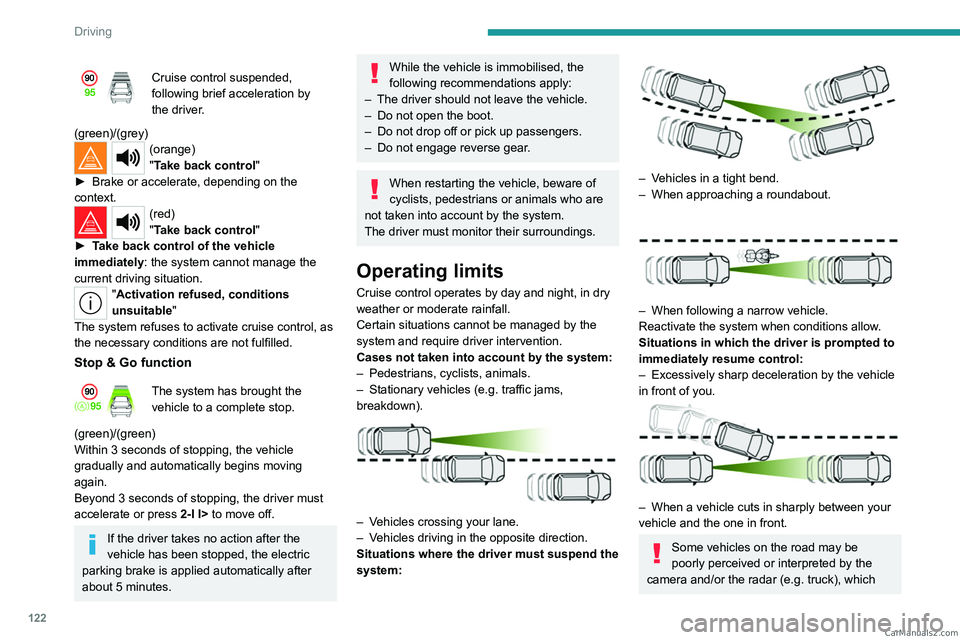
– Vehicles crossing your lane.
– V ehicles driving in the opposite direction.
Situations where the driver must suspend the
system:
– Vehicles in a tight bend.
– When approaching a roundabout.
– When following a narrow vehicle.
Reactivate the system when conditions allow .
Situations in which the driver is prompted to
immediately resume control:
–
Excessively sharp deceleration by the vehicle
in front of you.
– When a vehicle cuts in sharply between your
vehicle and the one in front.
Some vehicles on the road may be
poorly perceived or interpreted by the
camera and/or the radar (e.g.
truck), which CarM an uals 2 .c o m
Page 130 of 260
128
Driving
The driver must hold the steering wheel correctly.
As soon as the semi-automatic lane change
begins, the system directs the vehicle to the
target lane by small actions on the steering to
position it in the destination lane.
You can feel the steering wheel moving.
Interrupting the lane change
It is possible that while changing lane, the
necessary conditions for the operation of the
system
may no longer be met.
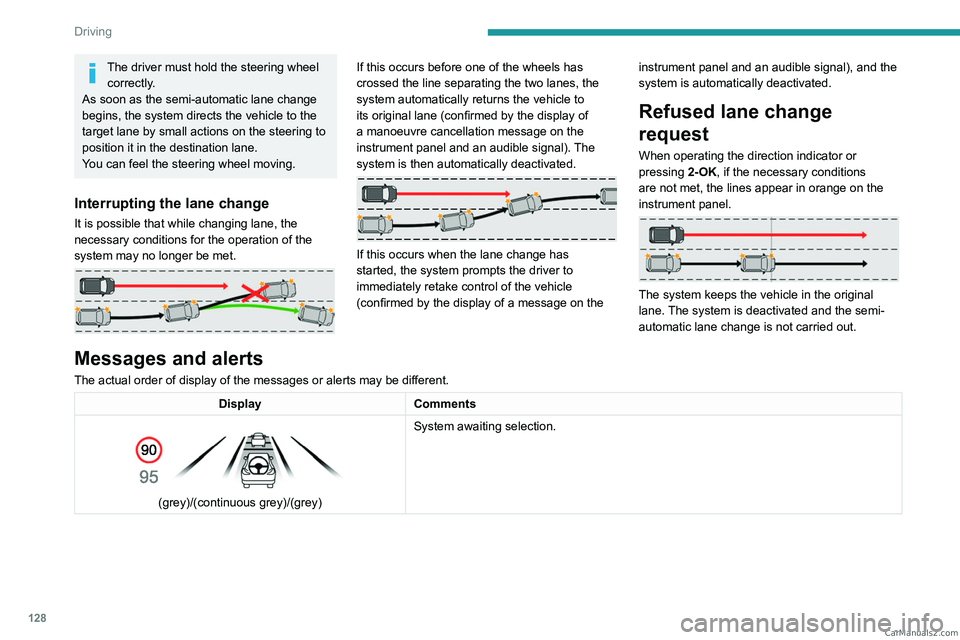
If this occurs before one of the wheels has
crossed the line separating the two lanes, the
system automatically returns the vehicle to
its original lane (confirmed by the display of
a manoeuvre cancellation message on the
instrument panel and an audible signal). The
system is then automatically deactivated.
If this occurs when the lane change has
started, the system prompts the driver to
immediately retake control of the vehicle
(confirmed by the display of a message on the instrument panel and an audible signal), and the
system is automatically deactivated.
Refused lane change
request
When operating the direction indicator or
pressing
2-OK, if the necessary conditions
are not met, the lines appear in orange on the
instrument panel.
The system keeps the vehicle in the original
lane. The system is deactivated and the semi-
automatic lane change is not carried out.
Messages and alerts
The actual order of display of the messages or alerts may be different.
Display Comments
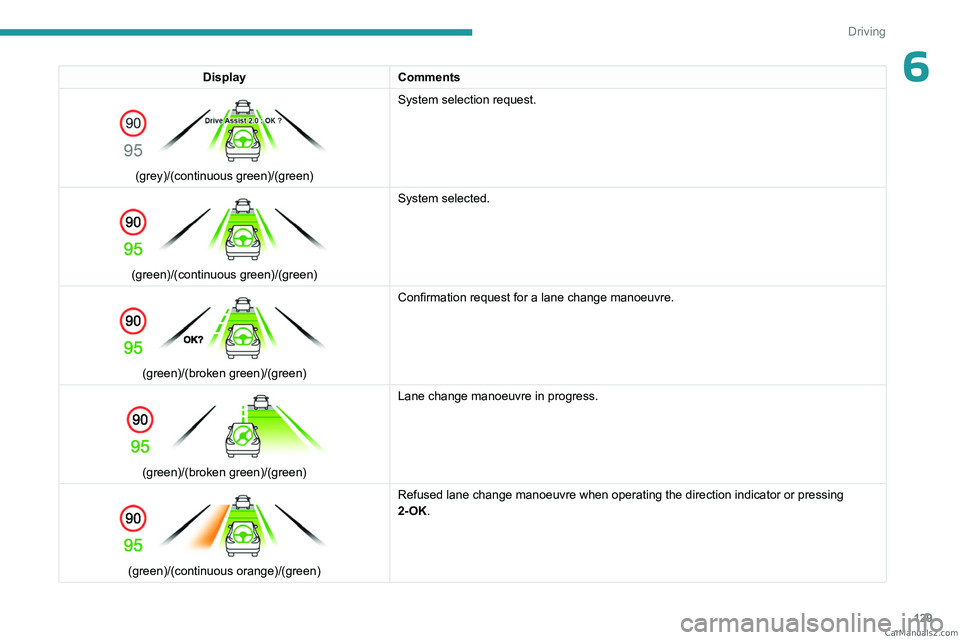
(grey)/(continuous grey)/(grey) System awaiting selection. CarM an uals 2 .c o m
Page 131 of 260
129
Driving
6DisplayComments
(grey)/(continuous green)/(green) System selection request.
(green)/(continuous green)/(green) System selected.
(green)/(broken green)/(green)Confirmation request for a lane change manoeuvre.
(green)/(broken green)/(green)Lane change manoeuvre in progress.
(green)/(continuous orange)/(green) Refused lane change manoeuvre when operating the direction indicator or \
pressing
2-OK. CarM an uals 2 .c o m
Page 168 of 260
166
Practical information
When the engine is hot, handle the
exterior safety catch and the bonnet stay
with care (risk of burns), using the protected
area.
When the bonnet is open, take care not to
damage the safety catch.
Do not open the bonnet under very windy
conditions.
Cooling of the engine when stopped
The engine cooling fan may start after
the engine has been switched off.
Take care with objects or clothing that
could be caught in the blades of the fan!
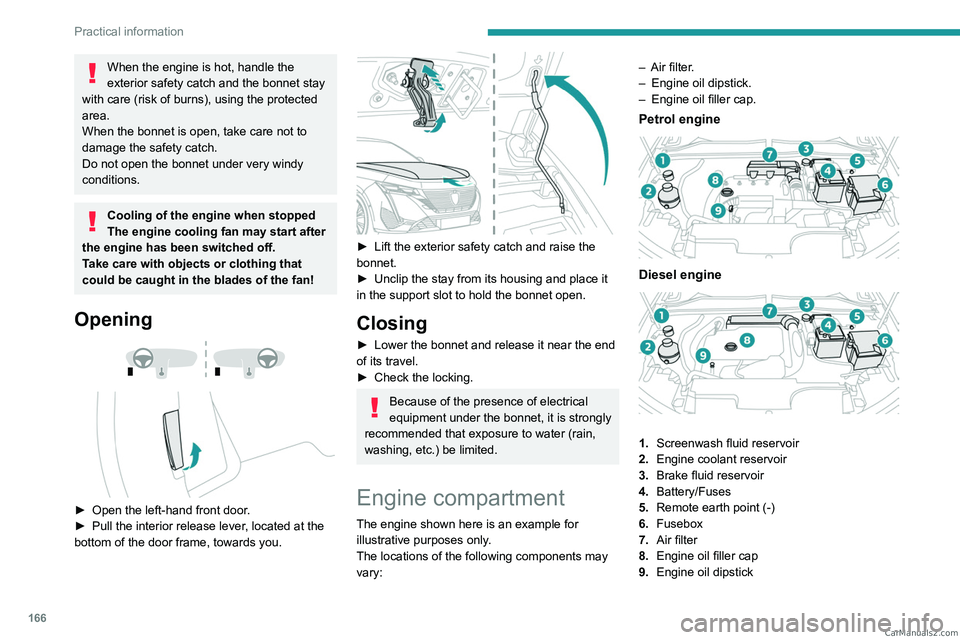
Opening
► Open the left- hand front door.
► Pull the interior release lever , located at the
bottom of the door frame, towards you.
► Lift the exterior safety catch and raise the
bonnet.
►
Unclip the stay from its housing and place it
in the support slot to hold the bonnet open.
Closing
► Lower the bonnet and release it near the end
of its travel.
►
Check the locking.
Because of the presence of electrical
equipment under the bonnet, it is strongly
recommended that exposure to water (rain,
washing, etc.) be limited.
Engine compartment
The engine shown here is an example for
illustrative purposes only.
The locations of the following components may
vary: –
Air filter
.
–
Engine oil dipstick.
–
Engine oil filler cap.
Petrol engine
Diesel engine
1.
Screenwash fluid reservoir
2. Engine coolant reservoir
3. Brake fluid reservoir
4. Battery/Fuses
5. Remote earth point (-)
6. Fusebox
7. Air filter
8. Engine oil filler cap
9. Engine oil dipstick CarM an uals 2 .c o m
Page 188 of 260
186
In the event of a breakdown
4.Foglamps (P21W)
5. Reversing lamps (W16W)
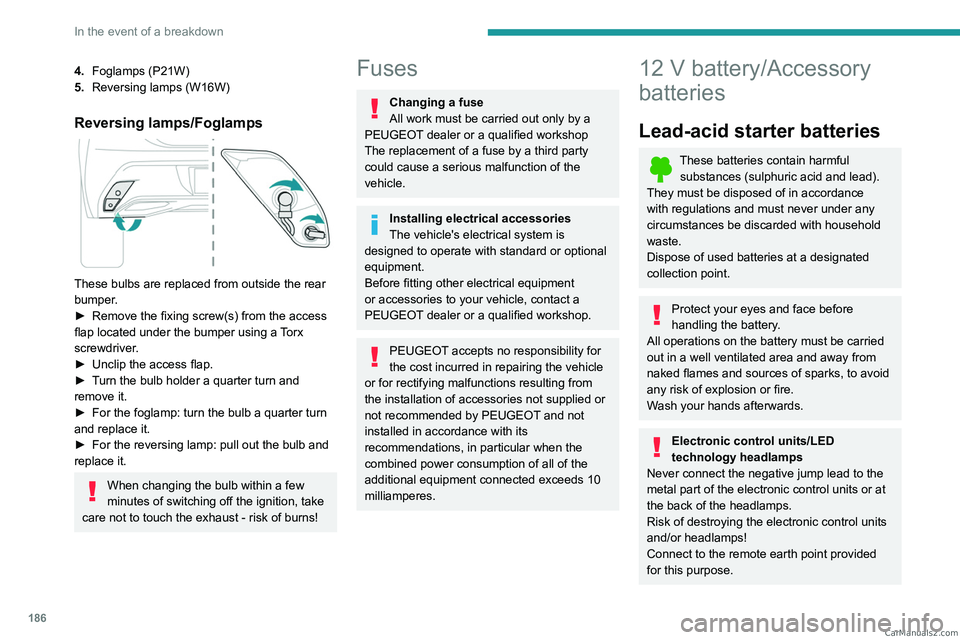
Reversing lamps/Foglamps
These bulbs are replaced from outside the rear
bumper.
►
Remove the fixing screw(s) from the access
flap located under the bumper using a
Torx
screwdriver.
►
Unclip the access flap.
►
T
urn the bulb holder a quarter turn and
remove it.
►
For the foglamp: turn the bulb a quarter turn
and replace it.
►
For the reversing lamp: pull out the bulb and
replace it.
When changing the bulb within a few
minutes of switching off the ignition, take
care not to touch the exhaust - risk of burns!
Fuses
Changing a fuse
All work must be carried out only by a
PEUGEOT dealer or a qualified workshop
The replacement of a fuse by a third party
could cause a serious malfunction of the
vehicle.
Installing electrical accessories
The vehicle's electrical system is
designed to operate with standard or optional
equipment.
Before fitting other electrical equipment
or accessories to your vehicle, contact a
PEUGEOT dealer or a qualified workshop.
PEUGEOT accepts no responsibility for
the cost incurred in repairing the vehicle
or for rectifying malfunctions resulting from
the installation of accessories not supplied or
not recommended by PEUGEOT and not
installed in accordance with its
recommendations, in particular when the
combined power consumption of all of the
additional equipment connected exceeds 10
milliamperes.
12 V battery/Accessory
batteries
Lead-acid starter batteries
These batteries contain harmful
substances (sulphuric acid and lead).
They must be disposed of in accordance
with regulations and must never under any
circumstances be discarded with household
waste.
Dispose of used batteries at a designated
collection point.
Protect your eyes and face before
handling the battery.
All operations on the battery must be carried
out in a well ventilated area and away from
naked flames and sources of sparks, to avoid
any risk of explosion or fire.
Wash your hands afterwards.
Electronic control units/LED
technology headlamps
Never connect the negative jump lead to the
metal part of the electronic control units or at
the back of the headlamps.
Risk of destroying the electronic control units
and/or headlamps!
Connect to the remote earth point provided
for this purpose. CarM an uals 2 .c o m
Page 207 of 260
205
PEUGEOT i-Connect Advanced - PEUGEOT i-Connect
10Organising the Widgets on a home
page (HOME)
To move a Widget, press and hold it, then drag it
to the desired location.
Adding a page
To add a page, press "Page" on the left of the screen.
Press the back arrow to return to the
previous page.
Deleting a Widget
To move a Widget to the bin, press and hold it, then drag it to the bin.
Personalising the
instrument panel
Press the pencil in the "Customize
Driver Information" part.
The modification of the organisation of the
different Widget is displayed on the instrument
panel in real time.
A Widget is a reduced window of an application or service.
Adding a Widget
To add a Widget, press "Widget" on the left of the screen.
Or
Press one of these buttons on the screen.
Select the desired Widget.Press the back arrow to return to the
previous page.
Deleting a Widget
To move a Widget to the bin, press and hold it, then drag it to the bin.
Personalising i-Toggles
(depending on equipment)
In the central screen, display the page containing
the button that you want to include.
The shortcuts are used to access an application (air conditioning page, radio
page, etc.) or to perform an action (set the
temperature to 21°, call a selected directory
contact, etc.).
Press and hold the shortcut you want to
replace.
A panel is displayed on the central screen with
all of the eligible shortcuts in boxes.
A notification also informs you of the next step to
perform.
Select the new shortcut required. It will be
duplicated in i-Toggles and will replace the one
originally selected. A notification also informs you
of this.
To exit this function at any time, press this button or press the main "Home" button.
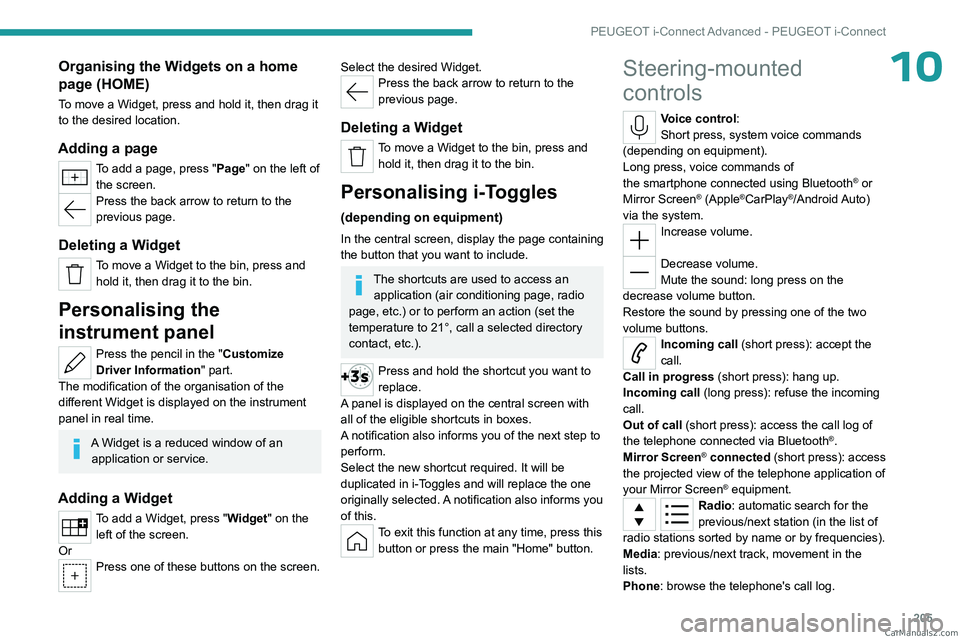
Steering-mounted
controls
Voice control:
Short press, system voice commands
(depending on equipment).
Long press, voice commands of
the
smartphone connected using Bluetooth
® or
Mirror Screen® (Apple®CarPlay®/Android Auto)
via the system.
Increase volume.
Decrease volume.
Mute the sound: long press on the
decrease volume button.
Restore the sound by pressing one of the two
volume buttons.
Incoming call (short press): accept the
call.
Call in progress (short press): hang up.
Incoming call (long press): refuse the incoming
call.
Out of call (short press): access the call log of
the telephone connected via
Bluetooth
®.
Mirror Screen® connected (short press): access
the projected view of the telephone application of
your Mirror Screen
® equipment.Radio: automatic search for the
previous/next station (in the list of
radio stations sorted by name or by frequencies).
Media: previous/next track, movement in the
lists.
Phone: browse the telephone's call log. CarM an uals 2 .c o m