ECO mode PEUGEOT 4007 2007.5 Owner's Manual
[x] Cancel search | Manufacturer: PEUGEOT, Model Year: 2007.5, Model line: 4007, Model: PEUGEOT 4007 2007.5Pages: 221, PDF Size: 13.99 MB
Page 169 of 221
11
i
i
i
AUDIO EQUIPMENT and TELEMATICS
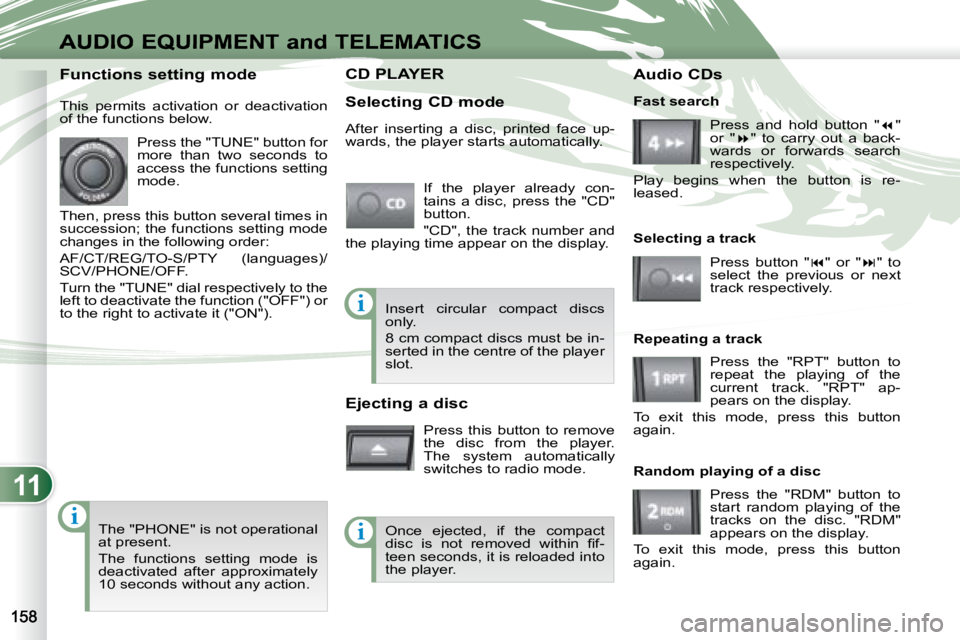
CD PLAYER CD PLAYER
Selecting CD mode If the player already con-
tains a disc, press the "CD"
button.
"CD", the track number and
the playing time appear on the display.
Functions setting mode
This permits activation or deactivation
of the functions below.
Press the "TUNE" button for
more than two seconds to
access the functions setting
mode.
Then, press this button several times in
succession; the functions setting mode
changes in the following order:
AF/CT/REG/TO-S/PTY (languages)/
SCV/PHONE/OFF.
Turn the "TUNE" dial respectively to the
left to deactivate the function ("OFF") or
to the right to activate it ("ON").
The "PHONE" is not operational
at present.
The functions setting mode is
deactivated after approximately
10 seconds without any action. After inserting a disc, printed face up-
wards, the player starts automatically.
Ejecting a disc
Press this button to remove
the disc from the player.
The system automatically
switches to radio mode. Fast search
Press and hold button " "
or " " to carry out a back-
wards or forwards search
respectively.
Play begins when the button is re-
leased.
Selecting a track
Press button " " or " " to
select the previous or next
track respectively.
Repeating a track Press the "RPT" button to
repeat the playing of the
current track. "RPT" ap-
pears on the display.
To exit this mode, press this button
again.
Random playing of a disc
Press the "RDM" button to
start random playing of the
tracks on the disc. "RDM"
appears on the display.
To exit this mode, press this button
again.
Insert circular compact discs
only.
8 cm compact discs must be in-
serted in the centre of the player
slot.
Once ejected, if the compact
disc is not removed within fi f-
teen seconds, it is reloaded into
the player. Audio CDs
Page 170 of 221
11
i
i
i
AUDIO EQUIPMENT and TELEMATICS
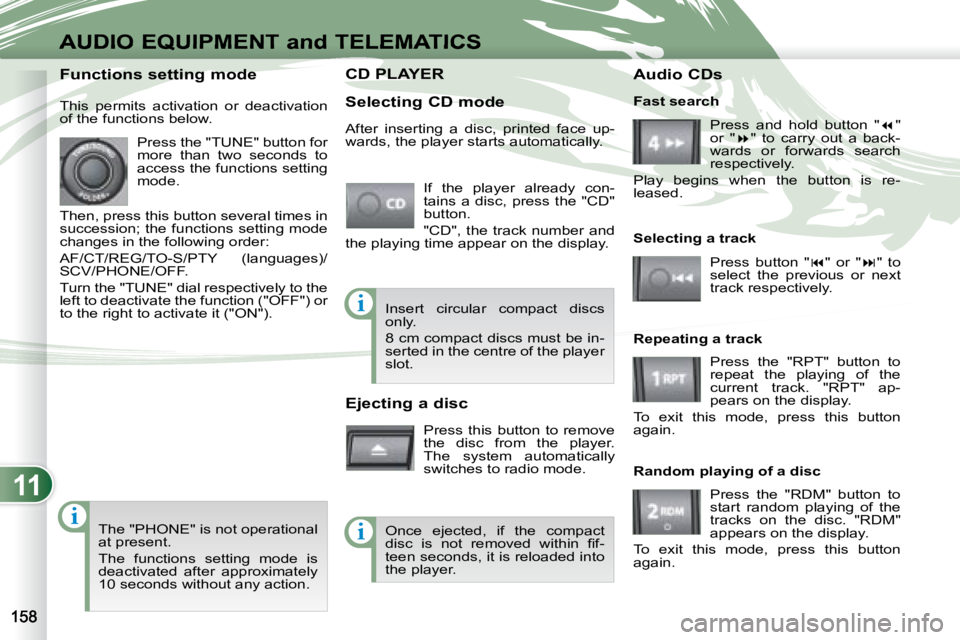
CD PLAYER CD PLAYER
Selecting CD mode If the player already con-
tains a disc, press the "CD"
button.
"CD", the track number and
the playing time appear on the display.
Functions setting mode
This permits activation or deactivation
of the functions below.
Press the "TUNE" button for
more than two seconds to
access the functions setting
mode.
Then, press this button several times in
succession; the functions setting mode
changes in the following order:
AF/CT/REG/TO-S/PTY (languages)/
SCV/PHONE/OFF.
Turn the "TUNE" dial respectively to the
left to deactivate the function ("OFF") or
to the right to activate it ("ON").
The "PHONE" is not operational
at present.
The functions setting mode is
deactivated after approximately
10 seconds without any action. After inserting a disc, printed face up-
wards, the player starts automatically.
Ejecting a disc
Press this button to remove
the disc from the player.
The system automatically
switches to radio mode. Fast search
Press and hold button " "
or " " to carry out a back-
wards or forwards search
respectively.
Play begins when the button is re-
leased.
Selecting a track
Press button " " or " " to
select the previous or next
track respectively.
Repeating a track Press the "RPT" button to
repeat the playing of the
current track. "RPT" ap-
pears on the display.
To exit this mode, press this button
again.
Random playing of a disc
Press the "RDM" button to
start random playing of the
tracks on the disc. "RDM"
appears on the display.
To exit this mode, press this button
again.
Insert circular compact discs
only.
8 cm compact discs must be in-
serted in the centre of the player
slot.
Once ejected, if the compact
disc is not removed within fi f-
teen seconds, it is reloaded into
the player. Audio CDs
Page 171 of 221
11
ii
AUDIO EQUIPMENT and TELEMATICSEQUIPMENT and TELEMA
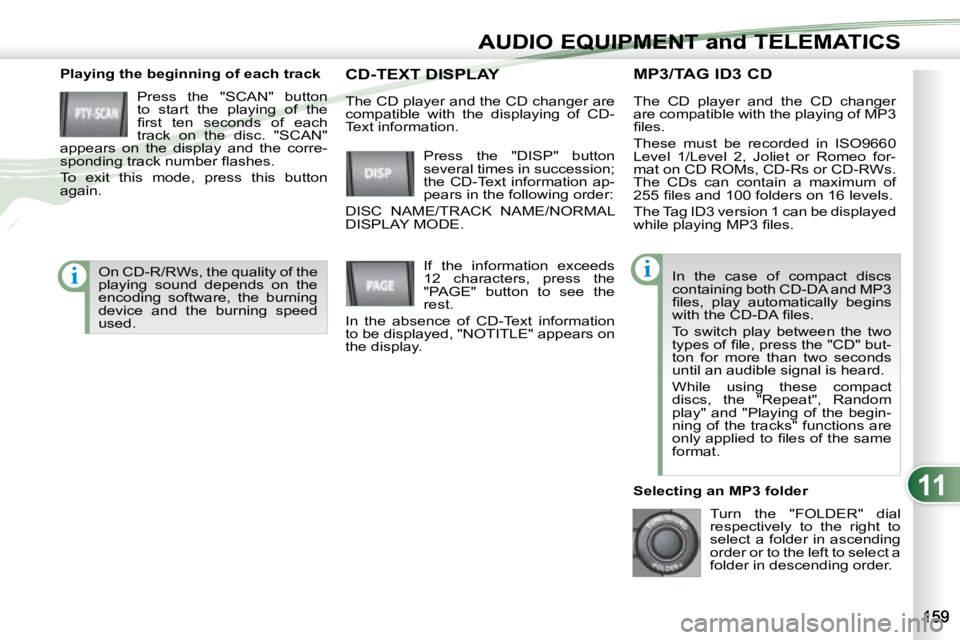
MP3/TAG ID3 CD
Playing the beginning of each track
Press the "SCAN" button
to start the playing of the
fi rst ten seconds of each
track on the disc. "SCAN"
appears on the display and the corre-
sponding track number fl ashes.
To exit this mode, press this button
again. The CD player and the CD changer
are compatible with the playing of MP3
fi les.
These must be recorded in ISO9660
Level 1/Level 2, Joliet or Romeo for-
mat on CD ROMs, CD-Rs or CD-RWs.
The CDs can contain a maximum of
255 fi les and 100 folders on 16 levels.
The Tag ID3 version 1 can be displayed
while playing MP3 fi les.
In the case of compact discs
containing both CD-DA and MP3
fi les, play automatically begins
with the CD-DA fi les.
To switch play between the two
types of fi le, press the "CD" but-
ton for more than two seconds
until an audible signal is heard.
While using these compact
discs, the "Repeat", Random
play" and "Playing of the begin-
ning of the tracks" functions are
only applied to fi les of the same
format.
Selecting an MP3 folder Turn the "FOLDER" dial
respectively to the right to
select a folder in ascending
order or to the left to select a
folder in descending order.
Press the "DISP" button
several times in succession;
the CD-Text information ap-
pears in the following order:
DISC NAME/TRACK NAME/NORMAL
DISPLAY MODE. CD-TEXT DISPLAY CD-TEXT DISPLAY
If the information exceeds
12 characters, press the
"PAGE" button to see the
rest.
In the absence of CD-Text information
to be displayed, "NOTITLE" appears on
the display.
The CD player and the CD changer are
compatible with the displaying of CD-
Text information.
On CD-R/RWs, the quality of the
playing sound depends on the
encoding software, the burning
device and the burning speed
used.
Page 172 of 221
11
i
AUDIO EQUIPMENT and TELEMATICS
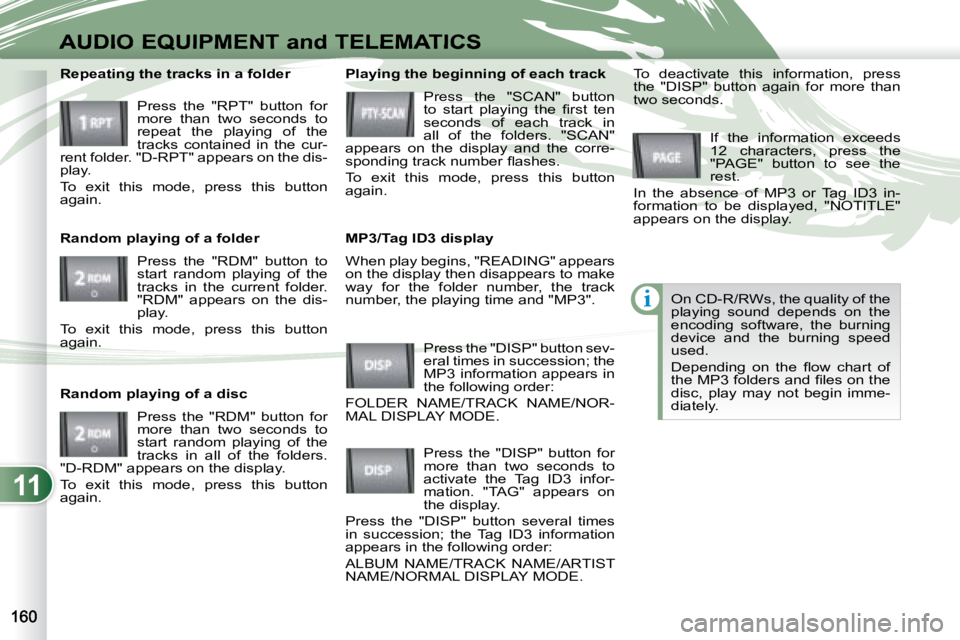
When play begins, "READING" appears
on the display then disappears to make
way for the folder number, the track
number, the playing time and "MP3".
Playing the beginning of each track
Press the "SCAN" button
to start playing the fi rst ten
seconds of each track in
all of the folders. "SCAN"
appears on the display and the corre-
sponding track number fl ashes.
To exit this mode, press this button
again.
MP3/Tag ID3 display
Press the "DISP" button sev-
eral times in succession; the
MP3 information appears in
the following order:
FOLDER NAME/TRACK NAME/NOR-
MAL DISPLAY MODE. If the information exceeds
12 characters, press the
"PAGE" button to see the
rest.
In the absence of MP3 or Tag ID3 in-
formation to be displayed, "NOTITLE"
appears on the display.
Press the "DISP" button for
more than two seconds to
activate the Tag ID3 infor-
mation. "TAG" appears on
the display.
Press the "DISP" button several times
in succession; the Tag ID3 information
appears in the following order:
ALBUM NAME/TRACK NAME/ARTIST
NAME/NORMAL DISPLAY MODE. To deactivate this information, press
the "DISP" button again for more than
two seconds.
Repeating the tracks in a folder
Press the "RPT" button for
more than two seconds to
repeat the playing of the
tracks contained in the cur-
rent folder. "D-RPT" appears on the dis-
play.
To exit this mode, press this button
again.
Random playing of a folder
Press the "RDM" button to
start random playing of the
tracks in the current folder.
"RDM" appears on the dis-
play.
To exit this mode, press this button
again.
Random playing of a disc
Press the "RDM" button for
more than two seconds to
start random playing of the
tracks in all of the folders.
"D-RDM" appears on the display.
To exit this mode, press this button
again. On CD-R/RWs, the quality of the
playing sound depends on the
encoding software, the burning
device and the burning speed
used.
Depending on the fl ow chart of
the MP3 folders and fi les on the
disc, play may not begin imme-
diately.
Page 173 of 221
11
i
i
AUDIO EQUIPMENT and TELEMATICSEQUIPMENT and TELEMA
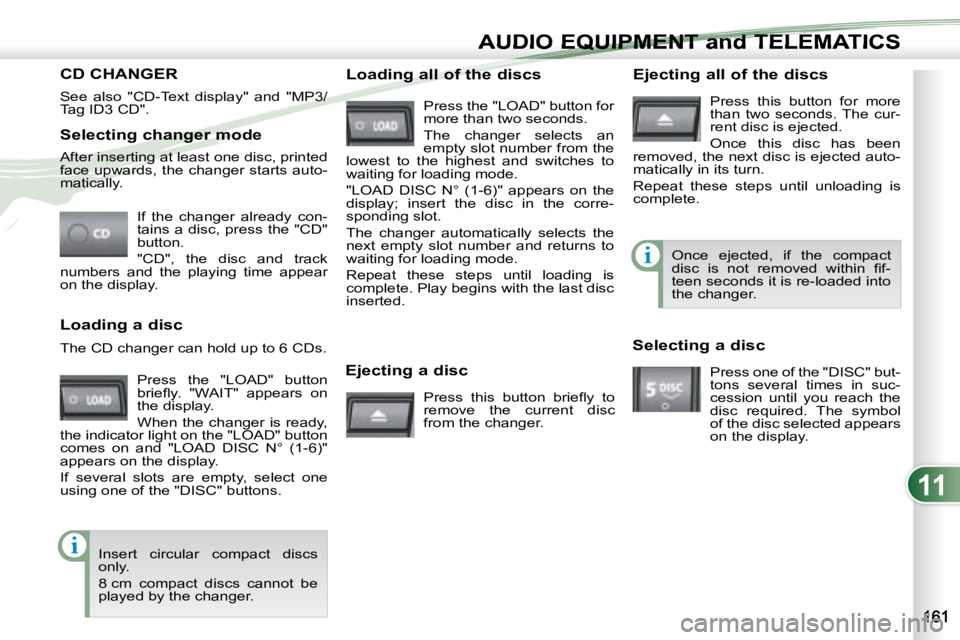
Selecting changer mode If the changer already con-
tains a disc, press the "CD"
button.
"CD", the disc and track
numbers and the playing time appear
on the display.
After inserting at least one disc, printed
face upwards, the changer starts auto-
matically.
Ejecting a disc Press this button briefl y to
remove the current disc
from the changer. Once ejected, if the compact
disc is not removed within fi f-
teen seconds it is re-loaded into
the changer.
Loading a disc
Press the "LOAD" button
briefl y. "WAIT" appears on
the display.
When the changer is ready,
the indicator light on the "LOAD" button
comes on and "LOAD DISC N° (1-6)"
appears on the display.
If several slots are empty, select one
using one of the "DISC" buttons.
The CD changer can hold up to 6 CDs.
Insert circular compact discs
only.
8 cm compact discs cannot be
played by the changer. Loading all of the discs Ejecting all of the discs
Press this button for more
than two seconds. The cur-
rent disc is ejected.
Once this disc has been
removed, the next disc is ejected auto-
matically in its turn.
Repeat these steps until unloading is
complete.
Selecting a disc Press one of the "DISC" but-
tons several times in suc-
cession until you reach the
disc required. The symbol
of the disc selected appears
on the display.
See also "CD-Text display" and "MP3/
Tag ID3 CD".
Press the "LOAD" button for
more than two seconds.
The changer selects an
empty slot number from the
lowest to the highest and switches to
waiting for loading mode.
"LOAD DISC N° (1-6)" appears on the
display; insert the disc in the corre-
sponding slot.
The changer automatically selects the
next empty slot number and returns to
waiting for loading mode.
Repeat these steps until loading is
complete. Play begins with the last disc
inserted.
CD CHANGER
Page 174 of 221
11
i
AUDIO EQUIPMENT and TELEMATICS
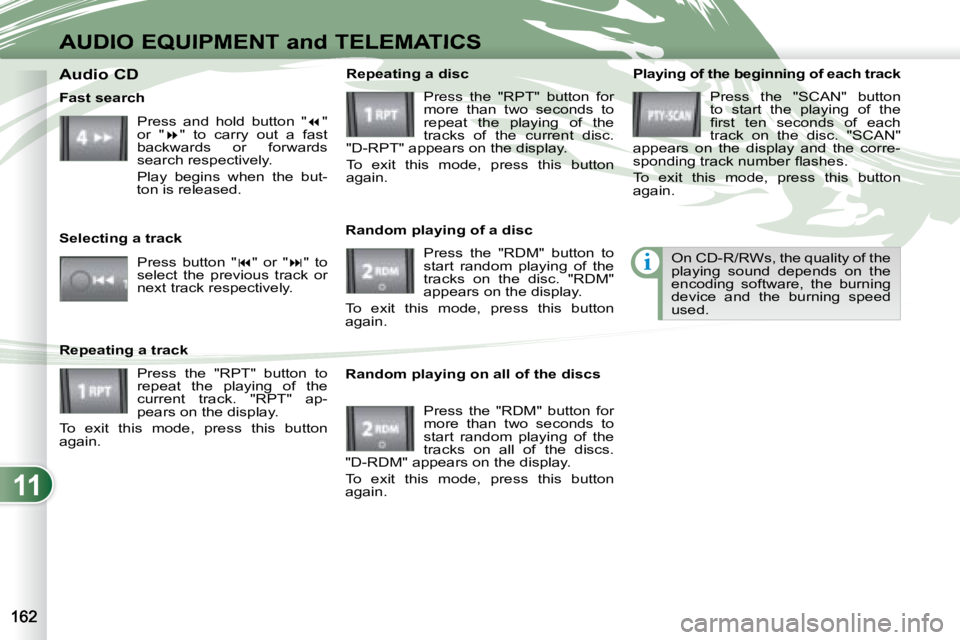
Playing of the beginning of each track Press the "SCAN" button
to start the playing of the
fi rst ten seconds of each
track on the disc. "SCAN"
appears on the display and the corre-
sponding track number fl ashes.
To exit this mode, press this button
again.
On CD-R/RWs, the quality of the
playing sound depends on the
encoding software, the burning
device and the burning speed
used.
Random playing on all of the discs Press the "RDM" button for
more than two seconds to
start random playing of the
tracks on all of the discs.
"D-RDM" appears on the display.
To exit this mode, press this button
again.
Fast search
Press and hold button " "
or " " to carry out a fast
backwards or forwards
search respectively.
Play begins when the but-
ton is released.
Selecting a track Press button " " or " " to
select the previous track or
next track respectively.
Repeating a track Press the "RPT" button to
repeat the playing of the
current track. "RPT" ap-
pears on the display.
To exit this mode, press this button
again. Random playing of a disc
Press the "RDM" button to
start random playing of the
tracks on the disc. "RDM"
appears on the display.
To exit this mode, press this button
again. Repeating a disc
Press the "RPT" button for
more than two seconds to
repeat the playing of the
tracks of the current disc.
"D-RPT" appears on the display.
To exit this mode, press this button
again.
Audio CD
Page 189 of 221
11
ABCDE
G
HIJK
LMN
F
AUDIO EQUIPMENT and TELEMATICSEQUIPMENT and TELEMA
Information displayed in Radio mode
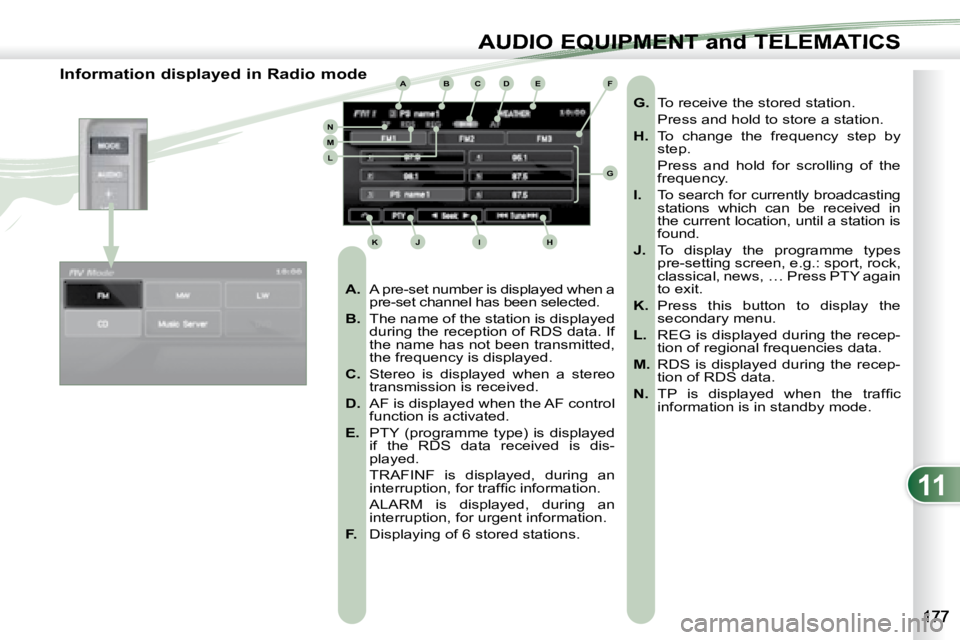
A. A pre-set number is displayed when a
pre-set channel has been selected.
B. The name of the station is displayed
during the reception of RDS data. If
the name has not been transmitted,
the frequency is displayed.
C. Stereo is displayed when a stereo
transmission is received.
D. AF is displayed when the AF control
function is activated.
E. PTY (programme type) is displayed
if the RDS data received is dis-
played.
TRAFINF is displayed, during an interruption, for traffi c information.
ALARM is displayed, during an interruption, for urgent information.
F. Displaying of 6 stored stations.
G. To receive the stored station.
Press and hold to store a station.
H. To change the frequency step by
step.
Press and hold for scrolling of the frequency.
I. To search for currently broadcasting
stations which can be received in
the current location, until a station is
found.
J. To display the programme types
pre-setting screen, e.g.: sport, rock,
classical, news, … Press PTY again
to exit.
K. Press this button to display the
secondary menu.
L. REG is displayed during the recep-
tion of regional frequencies data.
M. RDS is displayed during the recep-
tion of RDS data.
N. TP is displayed when the traffi c
information is in standby mode.
Page 193 of 221
11
ABC
DE
F
GHI
J
K
L
M
AUDIO EQUIPMENT and TELEMATICSEQUIPMENT and TELEMA
Information displayed in CD mode and recording a CD
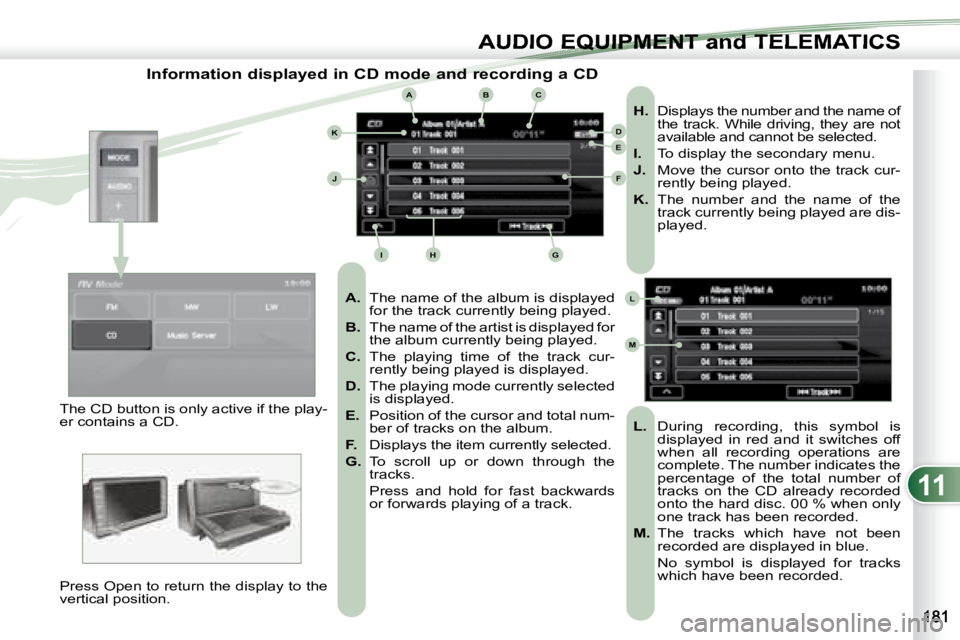
A. The name of the album is displayed
for the track currently being played.
B. The name of the artist is displayed for
the album currently being played.
C. The playing time of the track cur-
rently being played is displayed.
D. The playing mode currently selected
is displayed.
E. Position of the cursor and total num-
ber of tracks on the album.
F. Displays the item currently selected.
G. To scroll up or down through the
tracks.
Press and hold for fast backwards or forwards playing of a track.
H. Displays the number and the name of
the track. While driving, they are not
available and cannot be selected.
I. To display the secondary menu.
J. Move the cursor onto the track cur-
rently being played.
K. The number and the name of the
track currently being played are dis-
played.
L. During recording, this symbol is
displayed in red and it switches off
when all recording operations are
complete. The number indicates the
percentage of the total number of
tracks on the CD already recorded
onto the hard disc. 00 % when only
one track has been recorded.
M. The tracks which have not been
recorded are displayed in blue.
No symbol is displayed for tracks which have been recorded.
The CD button is only active if the play-
er contains a CD.
Press Open to return the display to the
vertical position.
Page 194 of 221
11
AUDIO EQUIPMENT and TELEMATICS
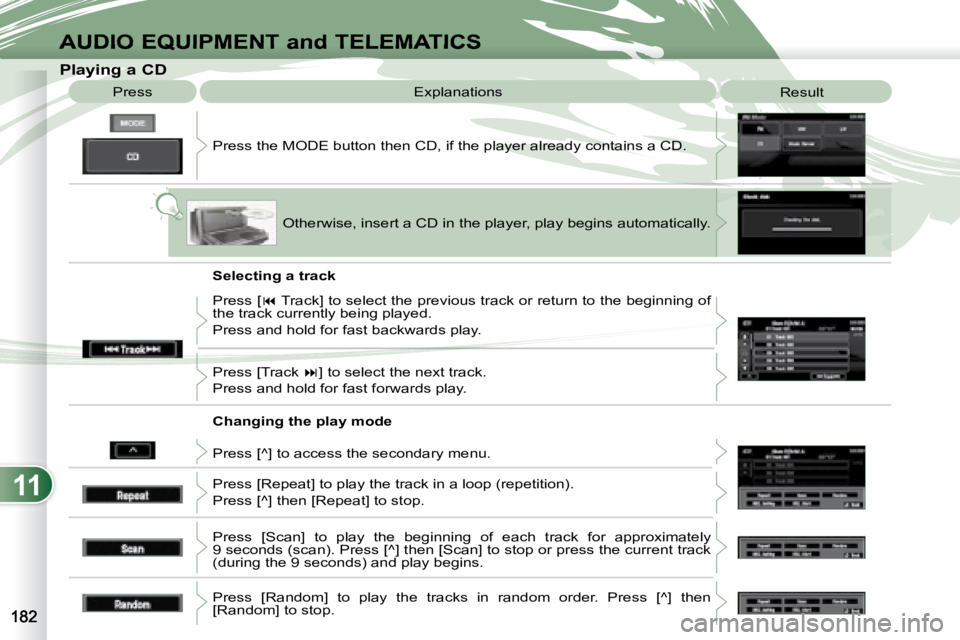
Playing a CD Press the MODE button then CD, if the player already contains a CD.
Press
Explanations
Result
Otherwise, insert a CD in the player, play begins automati cally.
Press [ Track] to select the previous track or return to the beginning of
the track currently being played.
Press and hold for fast backwards play.
Press [Track ] to select the next track.
Press and hold for fast forwards play.
Press [^] to access the secondary menu.
Press [Repeat] to play the track in a loop (repetition).
Press [^] then [Repeat] to stop.
Press [Scan] to play the beginning of each track for approximatel y
9 seconds (scan). Press [^] then [Scan] to stop or press the current track
(during the 9 seconds) and play begins.
Press [Random] to play the tracks in random order. Press [^] then
[Random] to stop.
Selecting a track
Changing the play mode
Page 199 of 221
11
ABCD
E
F
G
HIJK
L
M
AUDIO EQUIPMENT and TELEMATICSEQUIPMENT and TELEMA
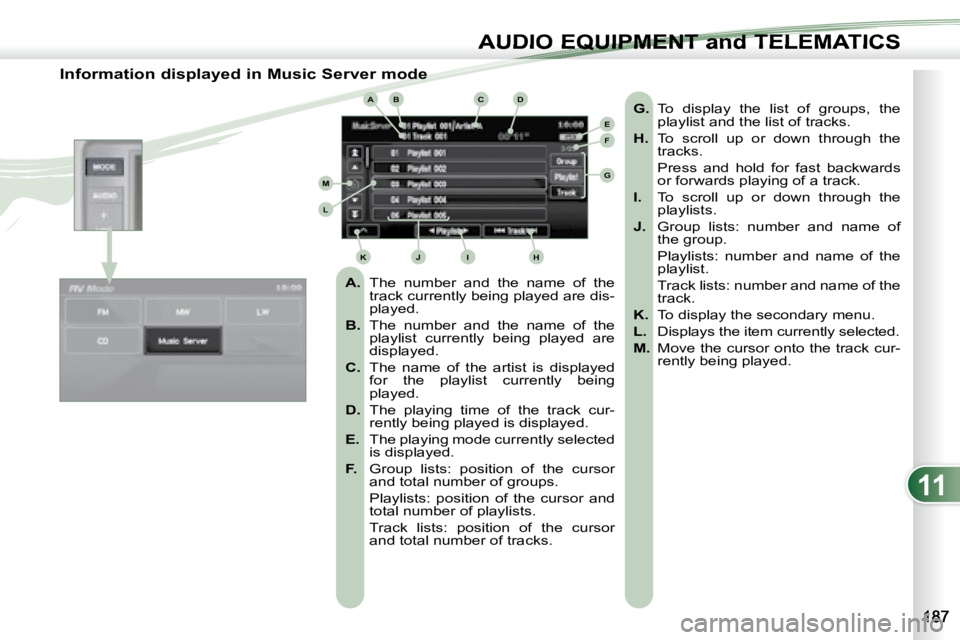
Information displayed in Music Server mode
A. The number and the name of the
track currently being played are dis-
played.
B. The number and the name of the
playlist currently being played are
displayed.
C. The name of the artist is displayed
for the playlist currently being
played.
D. The playing time of the track cur-
rently being played is displayed.
E. The playing mode currently selected
is displayed.
F. Group lists: position of the cursor
and total number of groups.
Playlists: position of the cursor and total number of playlists.
Track lists: position of the cursor and total number of tracks.
G. To display the list of groups, the
playlist and the list of tracks.
H. To scroll up or down through the
tracks.
Press and hold for fast backwards or forwards playing of a track.
I. To scroll up or down through the
playlists.
J. Group lists: number and name of
the group.
Playlists: number and name of the playlist.
Track lists: number and name of the track.
K. To display the secondary menu.
L. Displays the item currently selected.
M. Move the cursor onto the track cur-
rently being played.