11
AUDIO EQUIPMENT and TELEMATICS
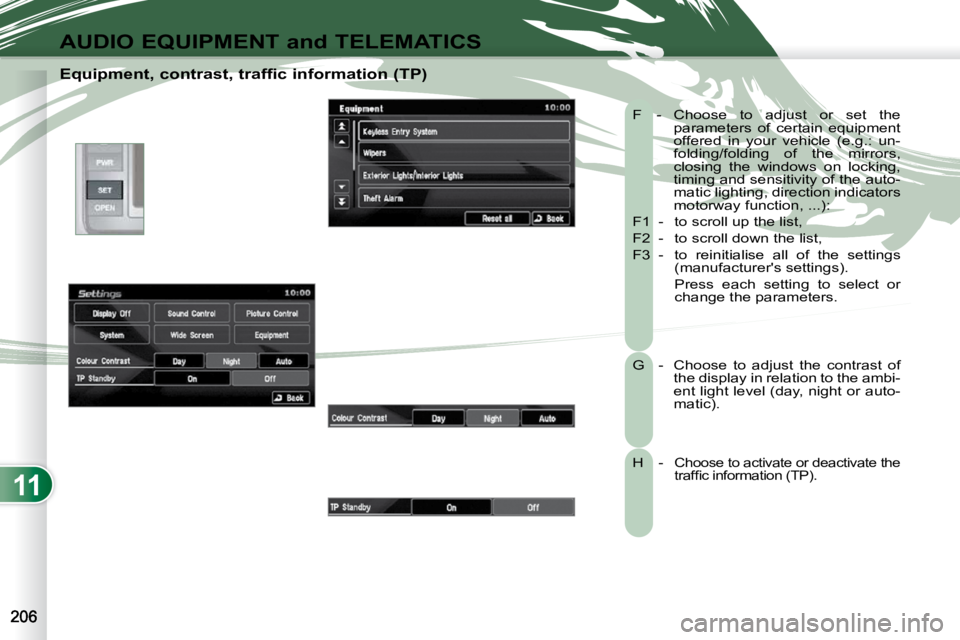
Equipment, contrast, traffic information (TP) F - Choose to adjust or set the parameters of certain equipment
offered in your vehicle (e.g.: un-
folding/folding of the mirrors,
closing the windows on locking,
timing and sensitivity of the auto-
matic lighting, direction indicators
motorway function, ...):
F1 - to scroll up the list,
F2 - to scroll down the list,
F3 - to reinitialise all of the settings (manufacturer's settings).
Press each setting to select or change the parameters.
G - Choose to adjust the contrast of the display in relation to the ambi-
ent light level (day, night or auto-
matic).
H - Choose to activate or deactivate the traffi c information (TP).
11
AUDIO EQUIPMENT and TELEMATICS
HANDS-FREE TELEPHONE HANDS-FREE TELEPHONE
What is the Bluetooth®
hands-free telephone with voice recognition?
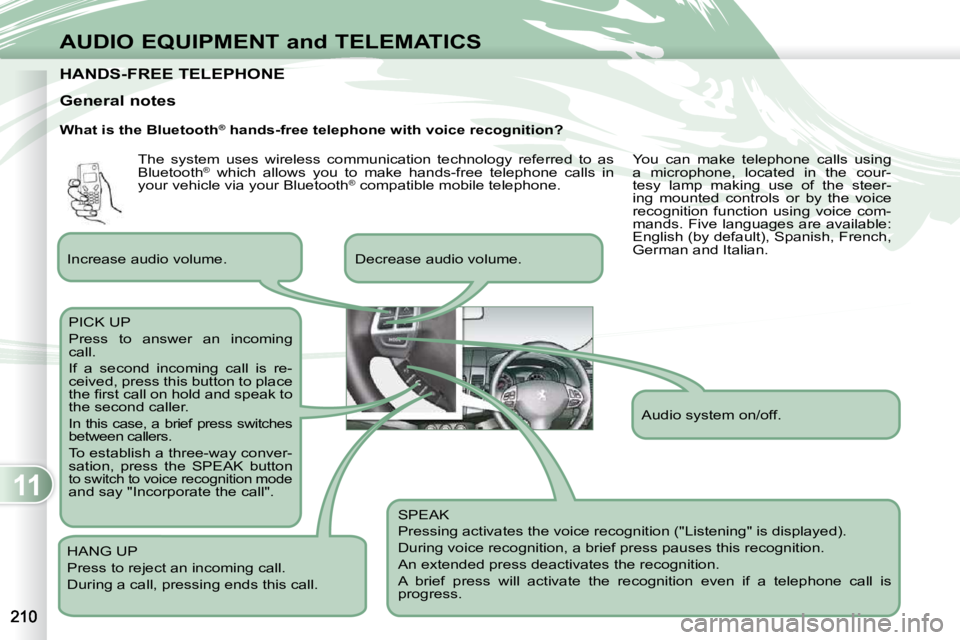
SPEAK
Pressing activates the voice recognition ("Listening" is displayed).
During voice recognition, a brief press pauses this recognition.
An extended press deactivates the recognition.
A brief press will activate the recognition even if a telep hone call is
progress.
Decrease audio volume.
PICK UP
Press to answer an incoming
call.
If a second incoming call is re-
ceived, press this button to place
the fi rst call on hold and speak to
the second caller.
In this case, a brief press switches
between callers.
To establish a three-way conver-
sation, press the SPEAK button
to switch to voice recognition mode and say "Incorporate the call".
HANG UP
Press to reject an incoming call.
During a call, pressing ends this call.
General notes
Increase audio volume. Audio system on/off.
The system uses wireless communication technology referred to as
Bluetooth
®
which allows you to make hands-free telephone calls in
your vehicle via your Bluetooth ®
compatible mobile telephone. You can make telephone calls using
a microphone, located in the cour-
tesy lamp making use of the steer-
ing mounted controls or by the voice
recognition function using voice com-
mands. Five languages are available:
English (by default), Spanish, French,
German and Italian.