wheel PEUGEOT 4008 2015 Owner's Manual
[x] Cancel search | Manufacturer: PEUGEOT, Model Year: 2015, Model line: 4008, Model: PEUGEOT 4008 2015Pages: 389, PDF Size: 15.89 MB
Page 118 of 389
116
4008_en_Chap04_conduite_ed01-2014
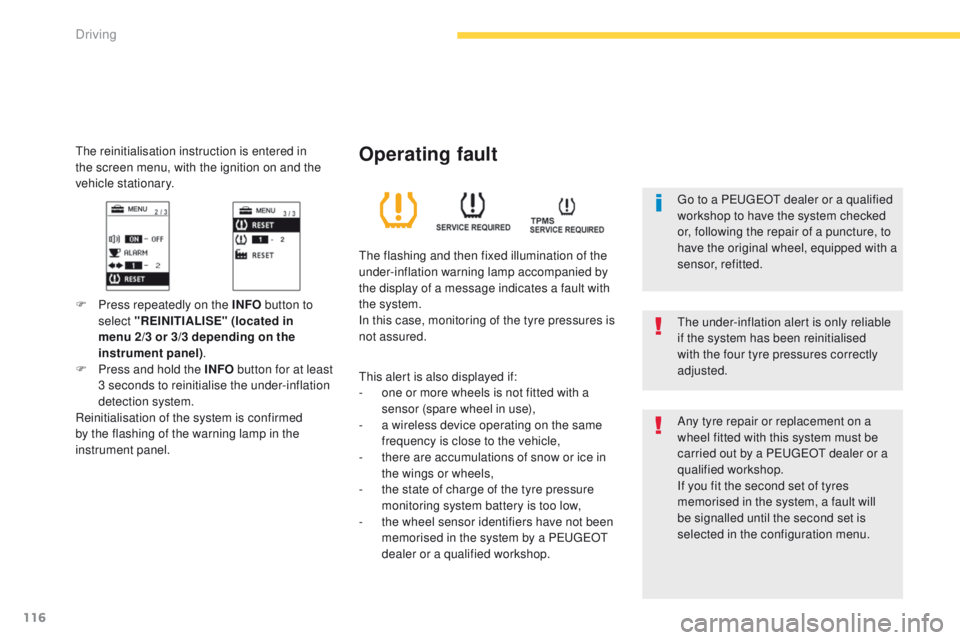
the reinitialisation instruction is entered in
the screen menu, with the ignition on and the
vehicle stationary.
F Press repeatedly on the INFO button to
select "REINITIALISE" (located in
menu 2/3 or 3/3 depending on the
instrument panel) .
F
P
ress and hold the INFO button for at least
3 seconds to reinitialise the under-inflation
detection system.
Reinitialisation of the system is confirmed
by the flashing of the warning lamp in the
instrument panel.
th
e under-inflation alert is only reliable
if the system has been reinitialised
with the four tyre pressures correctly
adjusted.
Operating fault
the flashing and then fixed illumination of the
under-inflation warning lamp accompanied by
the display of a message indicates a fault with
the system.
In this case, monitoring of the tyre pressures is
not assured.
th
is alert is also displayed if:
-
o
ne or more wheels is not fitted with a
sensor (spare wheel in use),
-
a w
ireless device operating on the same
frequency is close to the vehicle,
-
t
here are accumulations of snow or ice in
the wings or wheels,
-
t
he state of charge of the tyre pressure
monitoring system battery is too low,
-
t
he wheel sensor identifiers have not been
memorised in the system by a P
e
uge
Ot
dealer or a qualified workshop. Any tyre repair or replacement on a
wheel fitted with this system must be
carried out by a P
e
uge
Ot
dealer or a
qualified workshop.
If you fit the second set of tyres
memorised in the system, a fault will
be signalled until the second set is
selected in the configuration menu.
go t
o a P
e
uge
Ot
dealer or a qualified
workshop to have the system checked
or, following the repair of a puncture, to
have the original wheel, equipped with a
sensor, refitted.
Driving
Page 120 of 389
118
4008_en_Chap04_conduite_ed01-2014
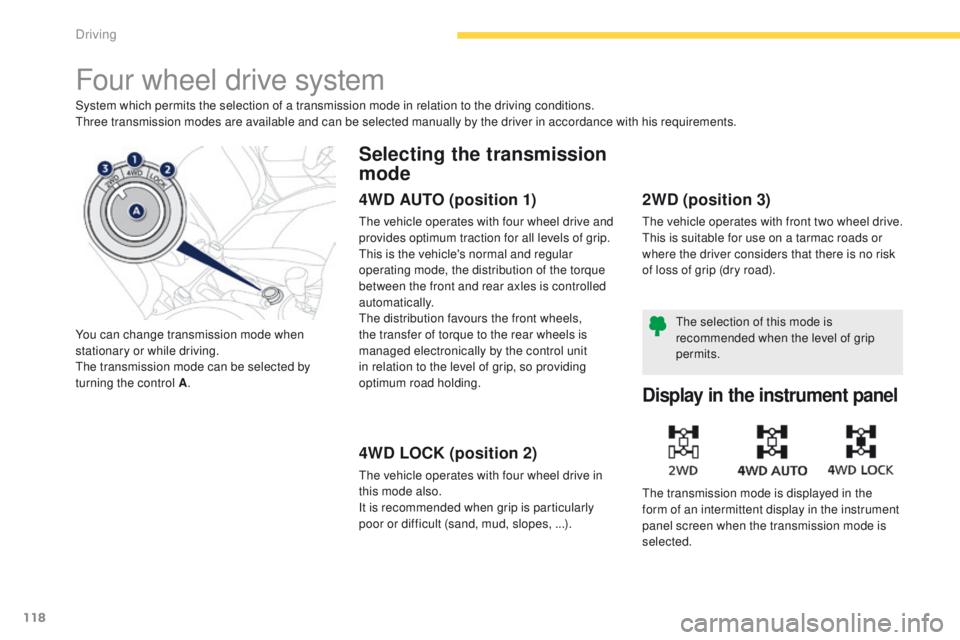
Four wheel drive system
System which permits the selection of a transmission mode in relation to the driving conditions.three transmission modes are available and can be selected manually by the driver in accordance with his requirements.
You can change transmission mode when
stationary or while driving.
th
e transmission mode can be selected by
turning the control A .
Selecting the transmission
mode
4WD AUTO (position 1)
the vehicle operates with four wheel drive and
provides optimum traction for all levels of grip.
th
is is the vehicle's normal and regular
operating mode, the distribution of the torque
between the front and rear axles is controlled
automatically.
th
e distribution favours the front wheels,
the transfer of torque to the rear wheels is
managed electronically by the control unit
in relation to the level of grip, so providing
optimum road holding.
4WD LOCK (position 2)
the vehicle operates with four wheel drive in
this mode also.
It is recommended when grip is particularly
poor or difficult (sand, mud, slopes, ...).
2WD (position 3)
the vehicle operates with front two wheel drive.th is is suitable for use on a tarmac roads or
where the driver considers that there is no risk
of loss of grip (dry road).
Display in the instrument panel
the transmission mode is displayed in the
form of an intermittent display in the instrument
panel screen when the transmission mode is
selected.
th
e selection of this mode is
recommended when the level of grip
permits.
Driving
Page 121 of 389
119
4008_en_Chap04_conduite_ed01-2014
As the engine torque is applied to all
four wheels, the condition of the tyres
has a considerable impact on the
performance of the vehicle.
en
sure that all four tyres are in good
condition.
Avoid driving the vehicle in sandy or
muddy areas or in other areas in which
the wheels could spin.
Spinning the wheels places the
transmission components under
pressure and could cause a serious
malfunction.
Do not drive the vehicle through deep
water.
Avoid driving over excessively uneven
terrain (risk of scraping under the body
or of grounding on crossing a bridge).
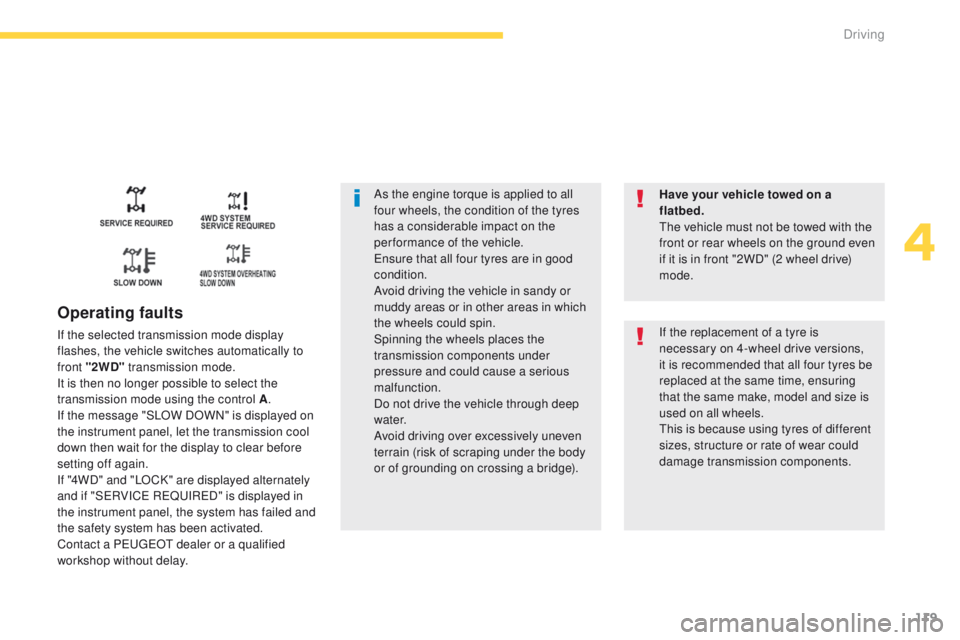
Operating faults
If the selected transmission mode display
flashes, the vehicle switches automatically to
front "2WD" transmission mode.
It is then no longer possible to select the
transmission mode using the control A .
If the message "SLOW DOWN" is displayed on
the instrument panel, let the transmission cool
down then wait for the display to clear before
setting off again.
If "4WD" and "LOCK" are displayed alternately
and if "S
eR
VIC
e
R
eQuI
R
eD
" is displayed in
the instrument panel, the system has failed and
the safety system has been activated.
Contact a P
e
uge
Ot
dealer or a qualified
workshop without delay. Have your vehicle towed on a
flatbed.
th
e vehicle must not be towed with the
front or rear wheels on the ground even
if it is in front "2WD" (2 wheel drive)
mode.If the replacement of a tyre is
necessary on 4-wheel drive versions,
it is recommended that all four tyres be
replaced at the same time, ensuring
that the same make, model and size is
used on all wheels.
th
is is because using tyres of different
sizes, structure or rate of wear could
damage transmission components.
4
Driving
Page 122 of 389
120
4008_en_Chap04_conduite_ed01-2014
Cruise control
System which automatically maintains the vehicle speed at the value programmed by the driver, without any action on the accelerator pedal.
th
e cruise control is switched on manually:
the vehicle speed must be at least 25 mph
(40 km/h) and second gear or higher must be
engaged in the case of a manual gearbox.
th
e cruise control is switched off manually, by
an action on the brake or clutch pedal or if the
ASC system is triggered.
th
e programmed speed can be exceeded
temporarily by pressing the accelerator pedal.
th
e cruise control cannot, in any
circumstances, take the place of the
need to comply with speed limits or of the
vigilance and responsibility of the driver.
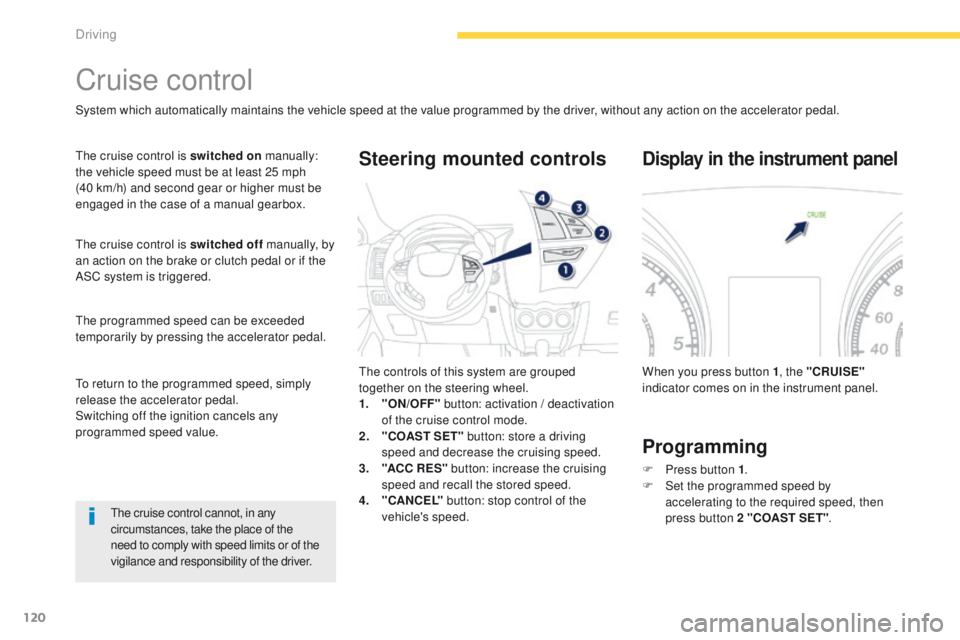
th
e controls of this system are grouped
together on the steering wheel.
1.
"
ON/OFF" button: activation / deactivation
of the cruise control mode.
2.
"
COAST SET" button: store a driving
speed and decrease the cruising speed.
3.
"A
CC R ES" button: increase the cruising
speed and recall the stored speed.
4.
"C
ANCEL" button: stop control of the
vehicle's speed.
Steering mounted controls
When you press button 1 , the "CRUISE"
indicator comes on in the instrument panel.
Display in the instrument panel
Programming
F Press button 1 .
F S et the programmed speed by
accelerating
to the required speed, then
press button 2 "COAST SET" .
to r
eturn to the programmed speed, simply
release the accelerator pedal.
Switching off the ignition cancels any
programmed speed value.
Driving
Page 143 of 389
141
4008_en_Chap06_securite_ed01-2014
Direction indicators
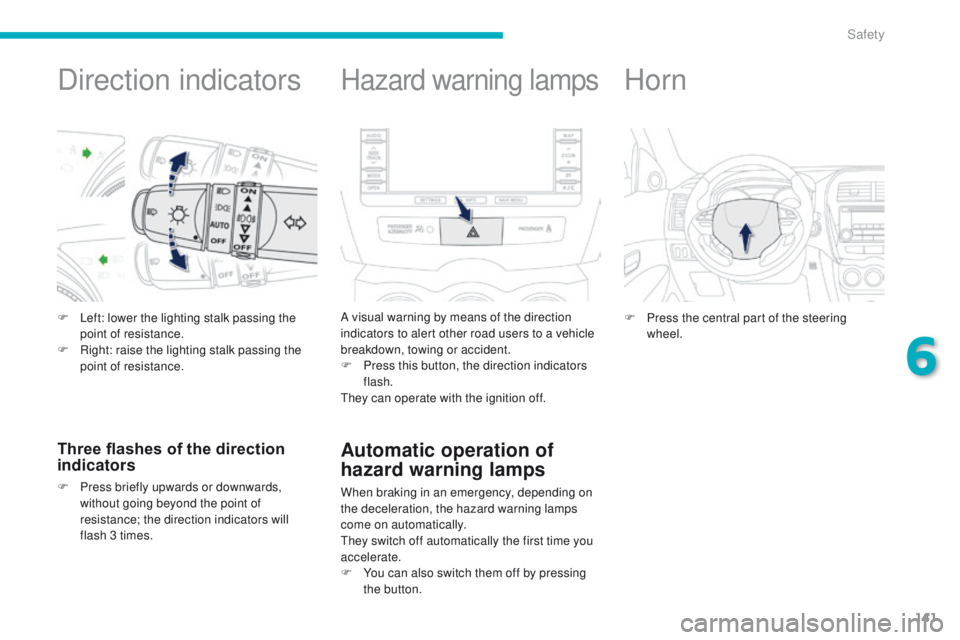
F Left: lower the lighting stalk passing the point of resistance.
F
R
ight: raise the lighting stalk passing the
point of resistance.
Three flashes of the direction
indicators
F Press briefly upwards or downwards, without going beyond the point of
resistance; the direction indicators will
flash 3 times.
Hazard warning lamps
A visual warning by means of the direction
indicators to alert other road users to a vehicle
breakdown, towing or accident.
F
P
ress this button, the direction indicators
flash.
th
ey can operate with the ignition off.
Automatic operation of
hazard warning lamps
When braking in an emergency, depending on
the deceleration, the hazard warning lamps
come on automatically.
th
ey switch off automatically the first time you
accelerate.
F
Y
ou can also switch them off by pressing
the button.
Horn
F Press the central part of the steering wheel.
6
Safety
Page 144 of 389
142
4008_en_Chap06_securite_ed01-2014
group of supplementary systems which help
you to obtain optimum braking in complete
safety in emergency situations:
-
a
nti-lock braking system (ABS),
-
e
lectronic brake force distribution (
eB
FD).
Braking assistance systems
Anti-lock braking system
and electronic brake force
distribution
Linked systems which improve the stability and
manoeuvrability of your vehicle when braking,
in particular on poor or slippery sur faces.
Activation
the anti-lock braking system is active if the
vehicle speed is higher than 6 mph (10 km/h).
It is deactivated when the vehicle speed falls
below 3
mph (5 km/h).
th
e anti-lock braking system comes into
operation automatically when there is a risk of
wheel lock.
Normal operation of the ABS may make itself
felt by slight vibration of the brake pedal.
Operating fault
When the vehicle is stationary
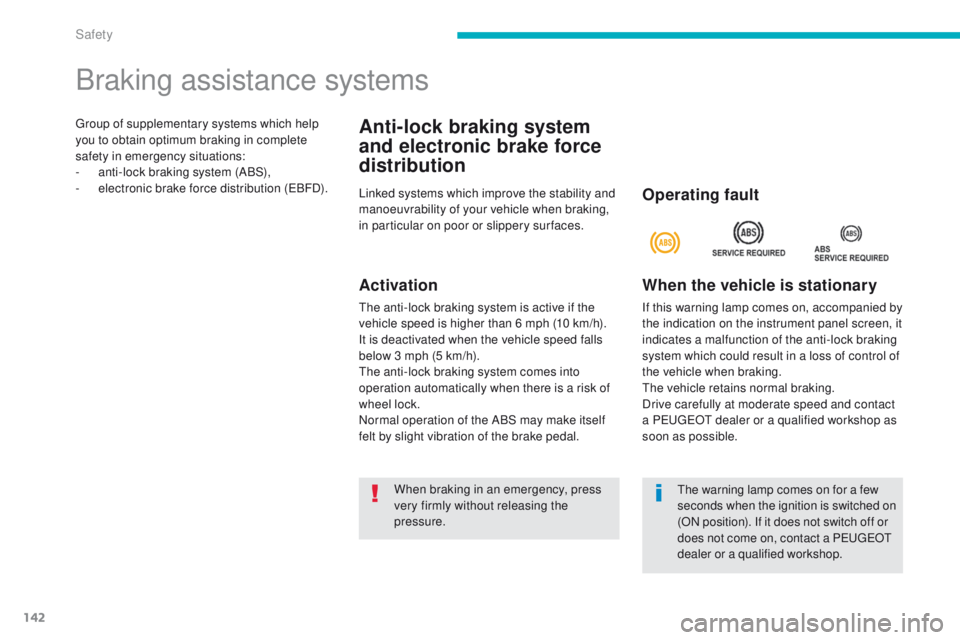
If this warning lamp comes on, accompanied by
the indication on the instrument panel screen, it
indicates a malfunction of the anti-lock braking
system which could result in a loss of control of
the vehicle when braking.
th
e vehicle retains normal braking.
Drive carefully at moderate speed and contact
a P
e
uge
Ot
dealer or a qualified workshop as
soon as possible.
When braking in an emergency, press
very firmly without releasing the
pressure.
th
e warning lamp comes on for a few
seconds when the ignition is switched on
(ON position). If it does not switch off or
does not come on, contact a P
e
uge
Ot
d
ealer or a qualified workshop.
Safety
Page 145 of 389
143
4008_en_Chap06_securite_ed01-2014
When the vehicle is moving
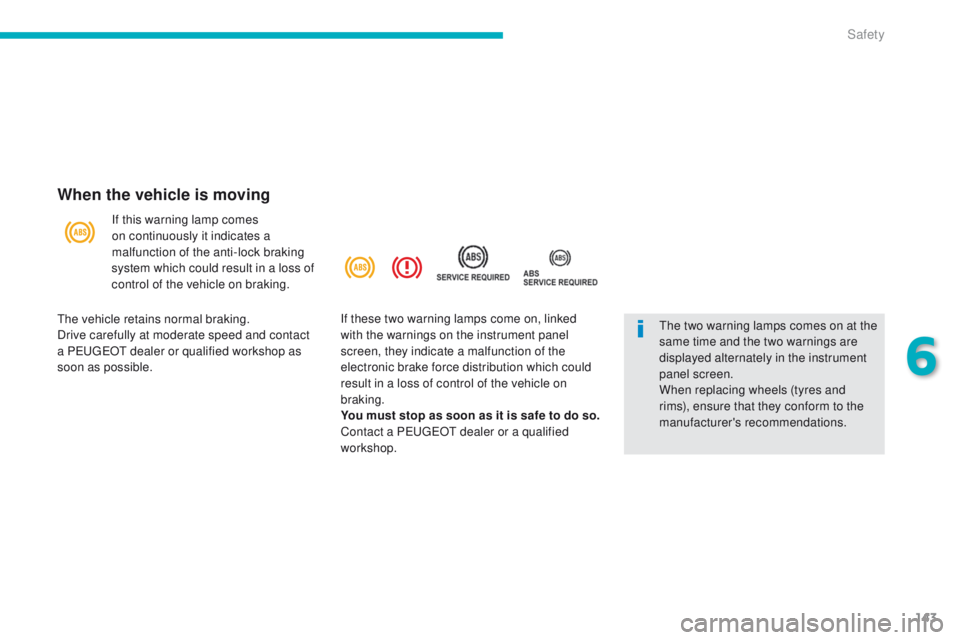
If this warning lamp comes
on continuously it indicates a
malfunction of the anti-lock braking
system which could result in a loss of
control of the vehicle on braking.
th
e two warning lamps comes on at the
same time and the two warnings are
displayed alternately in the instrument
panel screen.
When replacing wheels (tyres and
rims), ensure that they conform to the
manufacturer's recommendations.
th
e vehicle retains normal braking.
Drive carefully at moderate speed and contact
a P
e
uge
Ot
dealer or qualified workshop as
soon as possible. If these two warning lamps come on, linked
with the warnings on the instrument panel
screen, they indicate a malfunction of the
electronic brake force distribution which could
result in a loss of control of the vehicle on
braking.
You must stop as soon as it is safe to do so.
Contact a P
e
uge
Ot
dealer or a qualified
workshop.
6
Safety
Page 146 of 389
144
4008_en_Chap06_securite_ed01-2014
Associated systems which guarantee the directional stability of the vehicle within the limits of the laws of physics:
- t raction control (tC L),
-
a
ctive stability control (ASC).
Traction control and active stability control
traction control optimises traction to prevent
wheel spin, by acting on the brakes of the
driving wheels and on the engine.
Active stability control acts on the brake of one
or more wheels and on the engine to keep the
vehicle on the trajectory required by the driver.Activation
these systems are activated automatically
each time the vehicle is started.
th
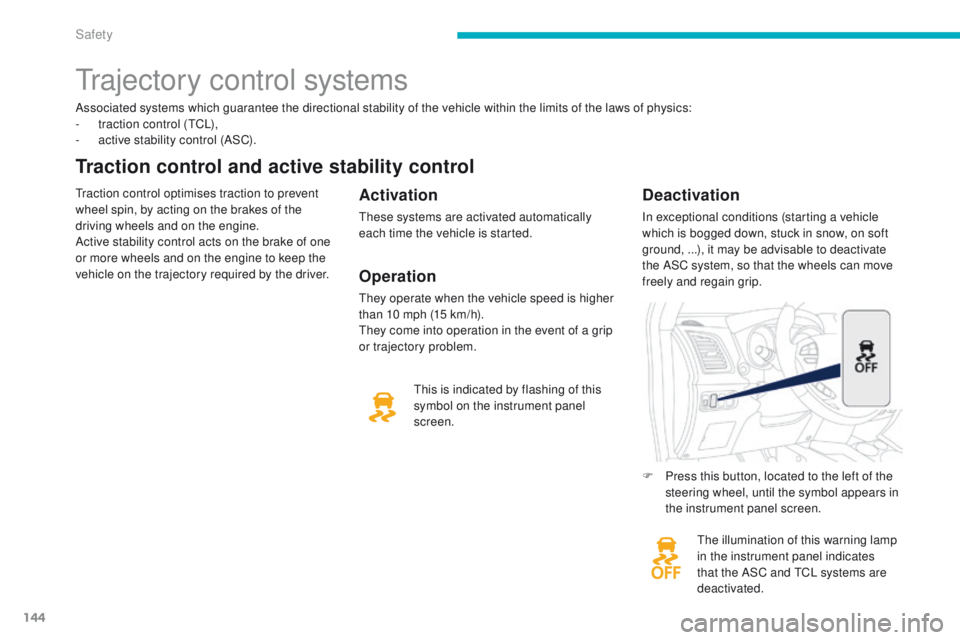
e illumination of this warning lamp
in the instrument panel indicates
that the ASC and
t
C
L systems are
deactivated.
Deactivation
In exceptional conditions (starting a vehicle
which is bogged down, stuck in snow, on soft
ground, ...), it may be advisable to deactivate
the ASC system, so that the wheels can move
freely and regain grip.
th
is is indicated by flashing of this
symbol on the instrument panel
screen.
trajectory control systems
F Press this button, located to the left of the steering wheel, until the symbol appears in
the instrument panel screen.
Operation
they operate when the vehicle speed is higher
than 10 mph (15 km/h).
th
ey come into operation in the event of a grip
or trajectory problem.
Safety
Page 152 of 389
150
4008_en_Chap06_securite_ed01-2014
Airbags
System designed to contribute towards
improving the safety of the occupants (with
the exception of the rear centre passenger)
in the event of violent collisions. t
h
e airbags
supplement the action of the force-limiting
seat belts (with the exception of the centre rear
passenger).
If a collision occurs, the electronic detectors
record and analyse the front and side impacts
sustained in the impact detection zones:
-
i
n the case of a serious impact, the airbags
are deployed instantly and contribute
towards better protection of the occupants
of the vehicle (with the exception of the
rear centre passenger); immediately after
the impact, the airbags deflate rapidly so
that they do not hinder visibility or the exit
of the occupants,
-
i
n the case of a minor or rear impact or in
certain roll-over conditions, the airbags
may not be deployed; the seat belt
alone contributes towards ensuring your
protection in these situations.
The airbags do not operate when the
ignition is switched off.
th
is equipment will only deploy once.
If a second impact occurs (during the
same or a subsequent accident), the
airbag will not be deployed again. Deployment of one or more of the
airbags is accompanied by a slight
emission of smoke and a noise, due
to the activation of the pyrotechnic
cartridge incorporated in the system.
th
is smoke is not harmful, but sensitive
individuals may experience slight
irritation.
th
e noise of detonation related to the
deployment of one or more airbags may
result in a slight loss of hearing for a
short time.
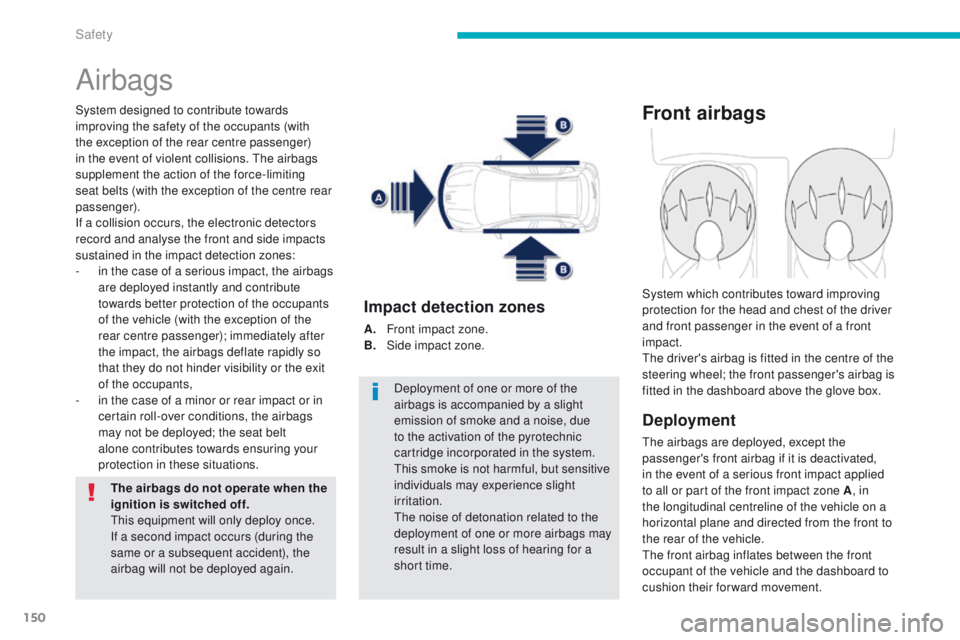
Impact detection zones
A. Front impact zone.
B. S ide impact zone.
Front airbags
Deployment
the airbags are deployed, except the
passenger's front airbag if it is deactivated,
in the event of a serious front impact applied
to all or part of the front impact zone A , in
the longitudinal centreline of the vehicle on a
horizontal plane and directed from the front to
the rear of the vehicle.
th
e front airbag inflates between the front
occupant of the vehicle and the dashboard to
cushion their forward movement. System which contributes toward improving
protection for the head and chest of the driver
and front passenger in the event of a front
impact.
th
e driver's airbag is fitted in the centre of the
steering wheel; the front passenger's airbag is
fitted in the dashboard above the glove box.
Safety
Page 156 of 389
154
4008_en_Chap06_securite_ed01-2014
Sit in a normal upright position.
Wear a correctly adjusted seat belt.
Do not leave anything between the
occupants and the airbags (a child, pet,
object...). t
h
is could hamper the operation of
the airbags or injure the occupants.
After an accident or if the vehicle has been
stolen or broken into, have the airbag
systems checked.
All work on the airbag system must be
carried out by a P
e
uge
Ot
dealer or a
qualified workshop.
ev
en if all of the precautions mentioned
are observed, a risk of injury or of minor
burns to the head, chest or arms when an
airbag is deployed cannot be ruled out.
t
h
e
bag inflates almost instantly (within a few
milliseconds) then deflates within the same
time discharging the hot gas via openings
provided for this purpose.
Knee airbag*
Do not sit with your knees any nearer to the
steering wheel than necessary.
Front airbags
Do not drive holding the steering wheel by its
spokes or resting your hands on the centre
part of the wheel.
Passengers must not place their feet on the
dashboard.
Do not smoke as deployment of the airbags
can cause burns or the risk of injury from a
cigarette or pipe.
Never remove or pierce the steering wheel or
hit it violently.
Do not fit or attach anything to the steering
wheel or dashboard, this could cause
injuries with deployment of the airbags.
For the airbags to be fully effective, observe the following safety rules:
Lateral airbags
use only approved covers on the seats,
compatible with the deployment the lateral
airbags. For information on the range of seat
covers suitable for your vehicle, you can
contact a P
e
uge
Ot
dealer.
Refer to the "Accessories" section.
Do not fix or attach anything to the seat
backs (clothing...).
t
h
is could cause injury
to the chest or arms if the lateral airbag is
deployed.
Do not sit with the upper part of the body any
nearer to the door than necessary.
* According to country.
Curtain airbags
Do not fix or attach anything to the roof. th is
could cause injury to the head if the curtain
airbag is deployed.
If fitted on your vehicle, do not remove the
grab handles installed on the roof, they play
a part in securing the curtain airbags.
Avoid attaching a heavy object to the key as
it could become a dangerous projectile if the
airbag were deployed.
Safety