instrument panel PEUGEOT 4008 2017 User Guide
[x] Cancel search | Manufacturer: PEUGEOT, Model Year: 2017, Model line: 4008, Model: PEUGEOT 4008 2017Pages: 368, PDF Size: 12.22 MB
Page 51 of 368
49
4008_en_Chap01_Instruments-de-bord_ed01-2016
System screen
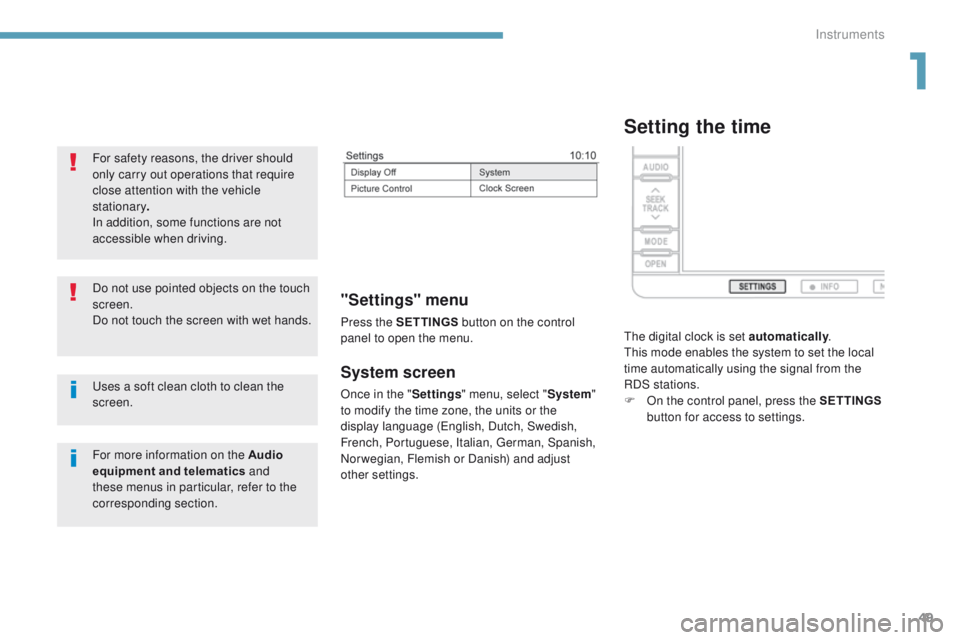
Once in the "Settings" menu, select " System"
to modify the time zone, the units or the
display language (
en
glish, Dutch, Swedish,
French, Portuguese, Italian,
g
e
rman, Spanish,
Norwegian, Flemish or Danish) and adjust
other settings.
"Settings" menu
Press the S ETTINGS button on the control
panel to open the menu.
uses a soft clean cloth to clean the
screen. Do not use pointed objects on the touch
screen.
Do not touch the screen with wet hands. For safety reasons, the driver should
only carry out operations that require
close attention with the vehicle
stationary .
In addition, some functions are not
accessible when driving.
For more information on the Audio
equipment and telematics and
these menus in particular, refer to the
corresponding section.
Setting the time
the digital clock is set automatically .th
is mode enables the system to set the local
time automatically using the signal from the
RDS stations.
F
O
n the control panel, press the SETTINGS
button for access to settings.
1
Instruments
Page 53 of 368
51
4008_en_Chap01_Instruments-de-bord_ed01-2016
Lighting dimmer
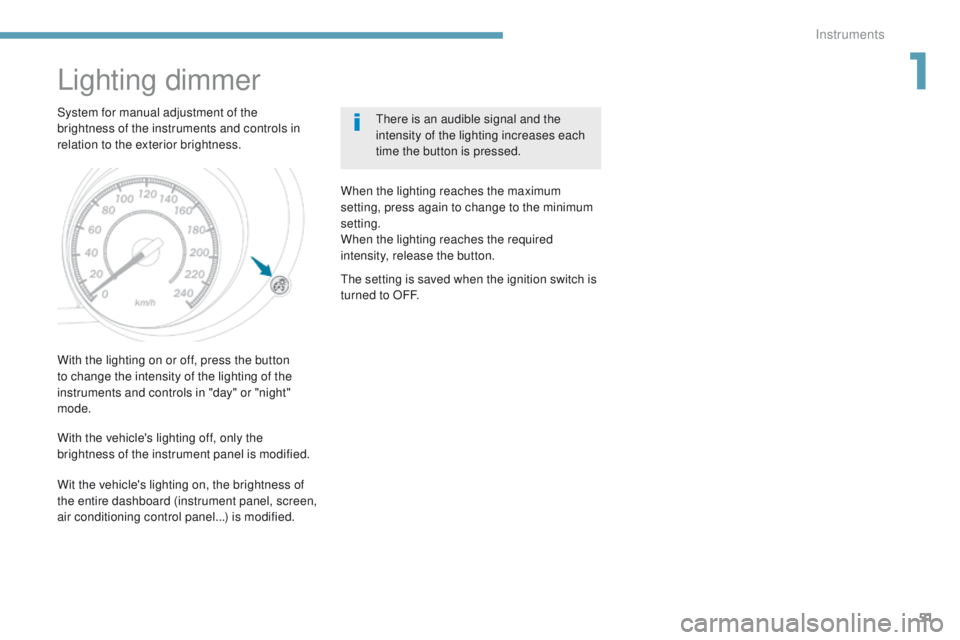
System for manual adjustment of the
brightness of the instruments and controls in
relation to the exterior brightness.there is an audible signal and the
intensity of the lighting increases each
time the button is pressed.
With the lighting on or off, press the button
to change the intensity of the lighting of the
instruments and controls in "day" or "night"
mode. When the lighting reaches the maximum
setting, press again to change to the minimum
setting.
When the lighting reaches the required
intensity, release the button.
With the vehicle's lighting off, only the
brightness of the instrument panel is modified.
th
e setting is saved when the ignition switch is
turned to OFF.
Wit the vehicle's lighting on, the brightness of
the entire dashboard (instrument panel, screen,
air conditioning control panel...) is modified.
1
Instruments
Page 62 of 368
60
4008_en_Chap02_ouvertures_ed01-2016
With the Keyless entry and Starting system, a
message appears in the instrument panel when
replacement of the battery is needed.
Changing the batteries
Do not throw the remote control
batteries away, they contain metals
which are harmful to the environment.
ta
ke them to an approved collection
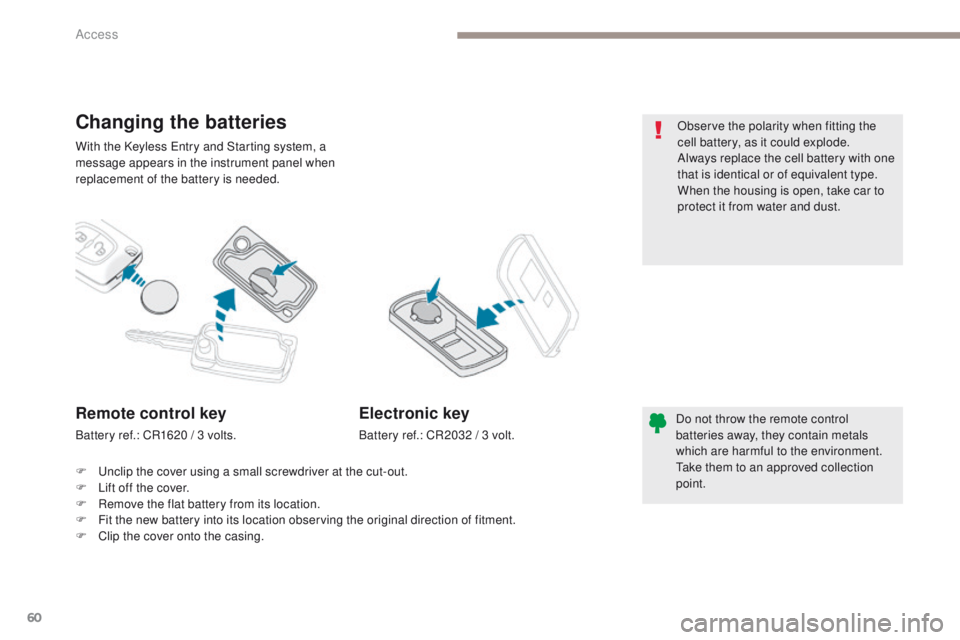
point.Remote control key
Battery ref.: CR1620 / 3 volts.
Electronic key
Battery ref.: CR2032 / 3 volt.
F
u
n
clip the cover using a small screwdriver at the cut-out.
F
L
ift off the cover.
F
R
emove the flat battery from its location.
F
F
it the new battery into its location observing the original direction of fitment.
F
C
lip the cover onto the casing. Observe the polarity when fitting the
cell battery, as it could explode.
Always replace the cell battery with one
that is identical or of equivalent type.
When the housing is open, take car to
protect it from water and dust.
Access
Page 64 of 368
62
4008_en_Chap02_ouvertures_ed01-2016
Opening
Doors
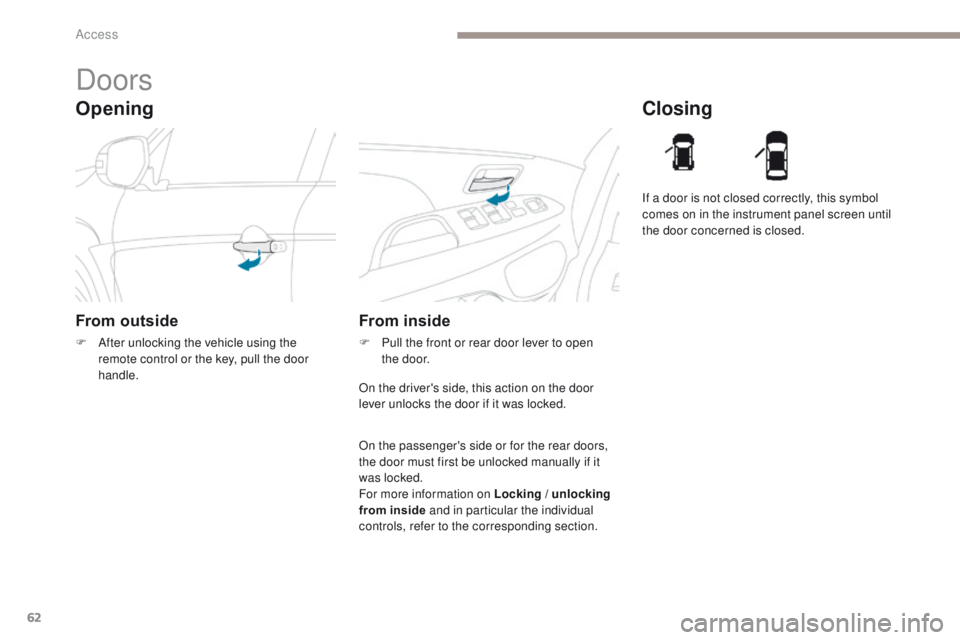
From outside
F After unlocking the vehicle using the remote control or the key, pull the door
handle.
Closing
From inside
F Pull the front or rear door lever to open the door. If a door is not closed correctly, this symbol
comes on in the instrument panel screen until
the door concerned is closed.
On the driver's side, this action on the door
lever unlocks the door if it was locked.
On the passenger's side or for the rear doors,
the door must first be unlocked manually if it
was locked.
For more information on Locking / unlocking
from inside and in particular the individual
controls, refer to the corresponding section.
Access
Page 65 of 368
63
4008_en_Chap02_ouvertures_ed01-2016
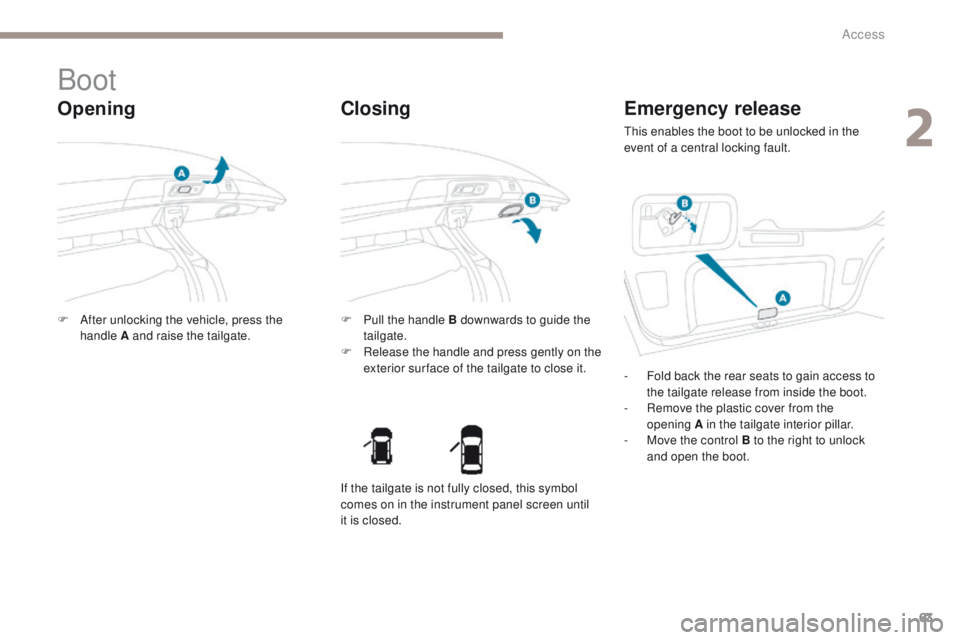
Boot
Opening
F After unlocking the vehicle, press the handle A and raise the tailgate. F
P ull the handle B downwards to guide the
tailgate.
F
R
elease the handle and press gently on the
exterior sur face of the tailgate to close it.
Closing Emergency release
this enables the boot to be unlocked in the
event of a central locking fault.
-
F
old back the rear seats to gain access to
the tailgate release from inside the boot.
-
R
emove the plastic cover from the
opening
A in the tailgate interior pillar.
-
M
ove the control B to the right to unlock
and open the boot.
If the tailgate is not fully closed, this symbol
comes on in the instrument panel screen until
it is closed.
2
Access
Page 69 of 368
67
4008_en_Chap02_ouvertures_ed01-2016
Triggering of the alarm
this is indicated by sounding of the siren
and flashing of the direction indicators for
thirty
seconds.
A message then appears in the instrument
panel screen while the siren is operating.
When the ignition is next switched on
(ON
mode if your vehicle has the "Keyless
en
try and Starting" system), an audible signal
sounds four times to inform you that the alarm
was triggered during your absence.
Complete deactivation of
the alarm
F Switch off the ignition (OFF mode if your vehicle has the "Keyless en try and
Starting" system).
F
R
emove the key from the ignition switch,
if your vehicle does not have the "Keyless
en
try and Starting" system.
F
O
pen the driver's door.
F
P
lace the lighting control stalk in
the
"OFF "
position.
F
P
ull the wiper control stalk towards you and
hold.
A
fter about ten seconds there is an audible
signal.
F
W
hen the audible signal stops, continue to
hold the wiper stalk pulled towards you and
press the remote control locking button.
You can completely deactivate the alarm
system.
t
o d
o this, proceed as follows:
F th e state of the system is then signalled to
you by the number of beeps:
O
ne beep: the alarm system is completely
deactivated.
t
w
o beeps: the alarm system is activated.
e
a
ch new press of the remote control
locking button changes the state of the
system.
2
Access
Page 102 of 368
100
4008_en_Chap04_conduite_ed01-2016
For Diesel vehicles, when
the engine is cold, starting
does not take place until the
pre-heater warning lamp has
gone of f.
If one of the starting conditions is not
met, a reminder message appears in
the instrument panel screen. In some
circumstances, it is necessary to
turn the steering wheel slightly while
pressing the "
START/STOP " button
to assist unlocking of the steering;
a message warns you when this is
needed.
th
e presence of the electronic key in
the defined zone is essential. For safety
reasons, do not leave this area when
the engine is running.
Switching off using the
electronic key
If the vehicle is not immobilised, the
engine will not switch off.
th
is message is displayed
when the driver's door is
opened and the vehicle is not
in "OFF" mode.
F
P
ress the " START/STOP " button again to
change to "OFF" mode.
F
Imm
obilise the vehicle.
F
P
lace the gear lever in neutral for vehicles
fitted with a manual gearbox, or on P for
vehicles fitted with a CV
t
gearbox.
F
W
ith the electronic key inside the vehicle,
press the " START/STOP " button.
the
engine switches off.
th
e steering locks when a door is opened or on
locking the vehicle.
ea
ch attempt at starting takes around
15
seconds. If the engine does not start, press
the " START/STOP " button once more to try
again.
the presence of the electronic key
in the vehicle is essential only for
switching on the ignition and for starting
the engine. Once the engine has
started, make sure that the electronic
key remains with the vehicle until the
end of the journey: otherwise you would
not be able to lock the vehicle.
Switching off the engine leads to a loss
of braking assistance.
Driving
Page 104 of 368
102
4008_en_Chap04_conduite_ed01-2016
Anti-theft protection
Electronic engine immobiliser
the keys contain an electronic chip which has
a secret code. When the ignition is switched
on, this code must be recognised in order for
starting to be possible.
th
is electronic engine immobiliser locks the
engine management system a few minutes
after the ignition is switched off and prevents
starting of the engine by anyone who does not
have the key.
In the event of a malfunction, you are informed
by a message in the instrument panel screen.
In this case, your vehicle does not start; contact
a P
e
uge
Ot
dealer if required.
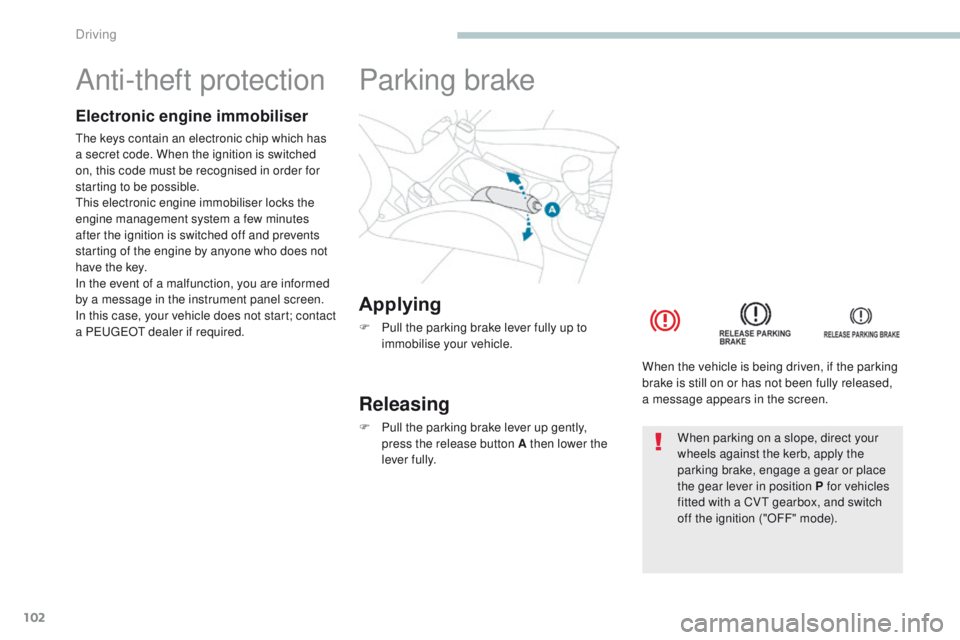
Applying
F Pull the parking brake lever fully up to immobilise your vehicle.
Parking brake
Releasing
F Pull the parking brake lever up gently, press the release button A then lower the
lever fully. When the vehicle is being driven, if the parking
brake is still on or has not been fully released,
a message appears in the screen.When parking on a slope, direct your
wheels against the kerb, apply the
parking brake, engage a gear or place
the gear lever in position P for vehicles
fitted with a CV
t
gearbox, and switch
off the ignition ("OFF" mode).
Driving
Page 106 of 368
104
4008_en_Chap04_conduite_ed01-2016
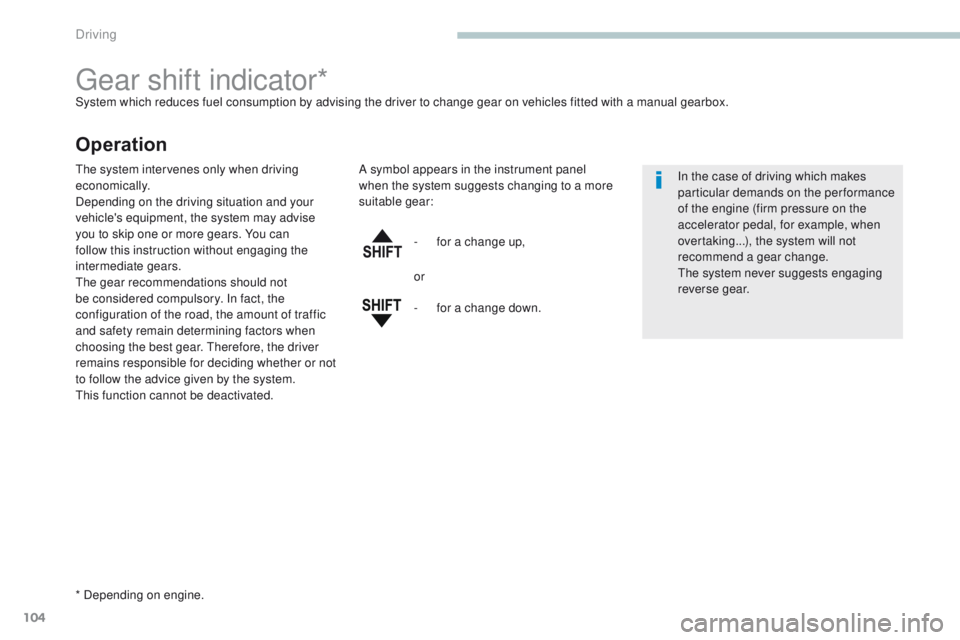
gear shift indicator*System which reduces fuel consumption by advising the driver to change gear on vehicles fitted with a manual gearbox.
Operation
* Depending on engine.-
f
or a change up,
In the case of driving which makes
particular demands on the performance
of the engine (firm pressure on the
accelerator pedal, for example, when
overtaking...), the system will not
recommend a gear change.
the
system never suggests engaging
reverse gear.
the
system intervenes only when driving
economically.
Depending on the driving situation and your
vehicle's equipment, the system may advise
you to skip one or more gears. You can
follow this instruction without engaging the
intermediate gears.
th
e gear recommendations should not
be considered compulsory. In fact, the
configuration of the road, the amount of traffic
and safety remain determining factors when
choosing the best gear. t
her
efore, the driver
remains responsible for deciding whether or not
to follow the advice given by the system.
th
is function cannot be deactivated. A symbol appears in the instrument panel
when the system suggests changing to a more
suitable gear:
or
-
f
or a change down.
Driving
Page 108 of 368
106
4008_en_Chap04_conduite_ed01-2016
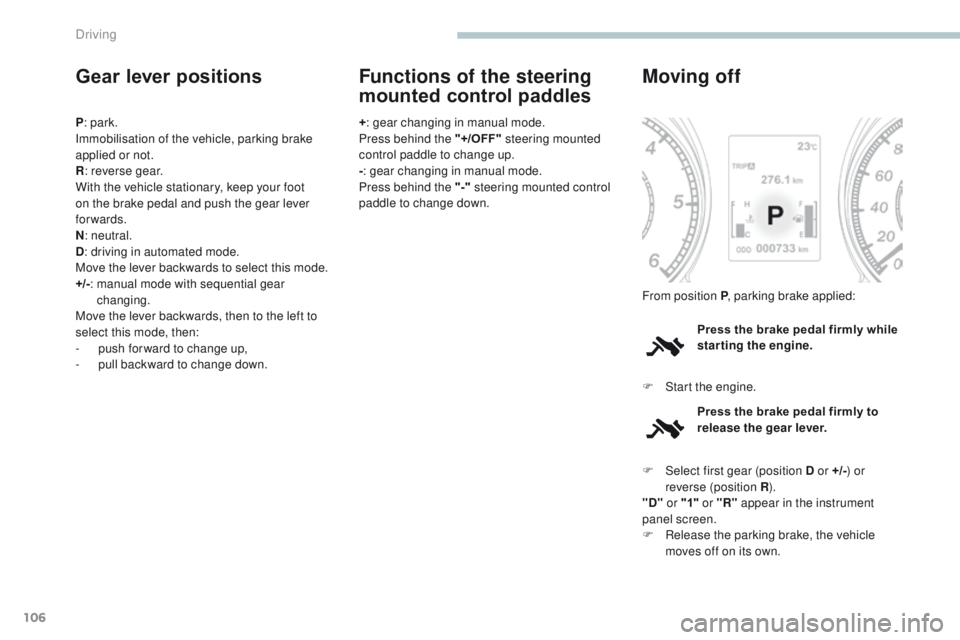
Gear lever positions
P: park.
Immobilisation of the vehicle, parking brake
applied or not.
R : reverse gear.
With the vehicle stationary, keep your foot
on the brake pedal and push the gear lever
forwards.
N : neutral.
D : driving in automated mode.
Move the lever backwards to select this mode.
+/- :
m
anual mode with sequential gear
changing.
Move the lever backwards, then to the left to
select this mode, then:
-
p
ush forward to change up,
-
p
ull backward to change down. +
: gear changing in manual mode.
Press behind the "+/OFF" steering mounted
control paddle to change up.
- : gear changing in manual mode.
Press behind the "-" steering mounted control
paddle to change down.
Functions of the steering
mounted control paddles
Press the brake pedal firmly while
starting the engine.
Moving off
F Start the engine. From position P , parking brake applied:
Press the brake pedal firmly to
release the gear lever.
F
Sel
ect first gear (position D or +/- ) or
reverse (position R ).
"D" or "1" or "R" appear in the instrument
panel screen.
F
R
elease the parking brake, the vehicle
moves off on its own.
Driving