ECO mode PEUGEOT 4008 2017 Workshop Manual
[x] Cancel search | Manufacturer: PEUGEOT, Model Year: 2017, Model line: 4008, Model: PEUGEOT 4008 2017Pages: 368, PDF Size: 12.22 MB
Page 315 of 368
313
4008_en_Chap10d_Mitsu4_ed01-2016
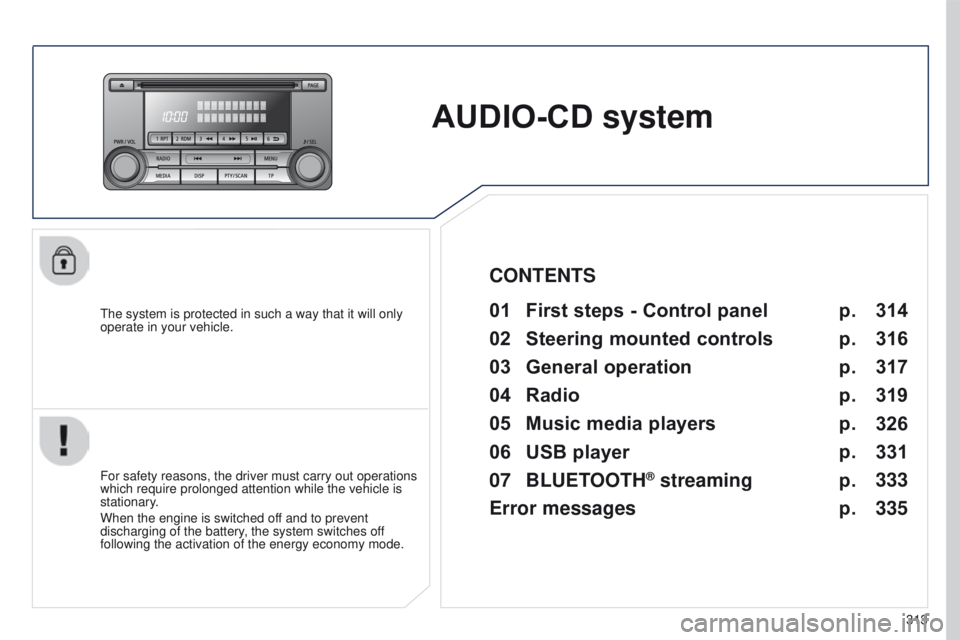
AUDIO-CD system
the system is protected in such a way that it will only
operate in your vehicle.01 First steps - Control panel
For safety reasons, the driver must carry out operations
which require prolonged attention while the vehicle is
stationary.
When the engine is switched off and to prevent
discharging of the battery, the system switches off
following the activation of the energy economy mode.
CONTENTS
02
Steering
mounted controls
03
General
operation
04
Radio
05
Music
media players
06
USB
player
07
BLUETOOTH
® streaming
Error messages p.
p.
p.
p.
p.
p.
p.
p. 314
316
317
319
326
331
333
335
Page 317 of 368
01
315
4008_en_Chap10d_Mitsu4_ed01-2016
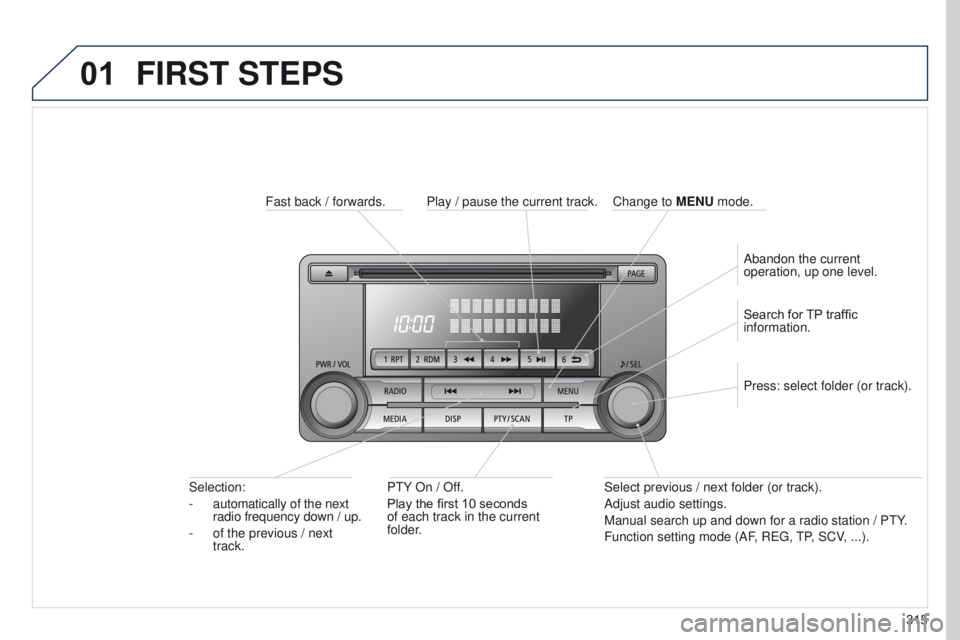
FIRST STEPS
Fast back / forwards.P t Y On / Off.
Play the first 10 seconds
of each track in the current
folder.
Selection:
-
automatically of the next
radio frequency down / up.
-
of the previous / next
track. Select previous / next folder (or track).
Adjust audio settings.
Manual search up and down for a radio station / P
t Y.
Function setting mode (AF, R
eg ,
t
P, SCV, ...).
Press: select folder (or track). Search for TP traffic
information.
Play / pause the current track.
Abandon the current
operation, up one level.
Change to
MENU mode.
Page 319 of 368
03
317
4008_en_Chap10d_Mitsu4_ed01-2016
GENERAL OPERATION
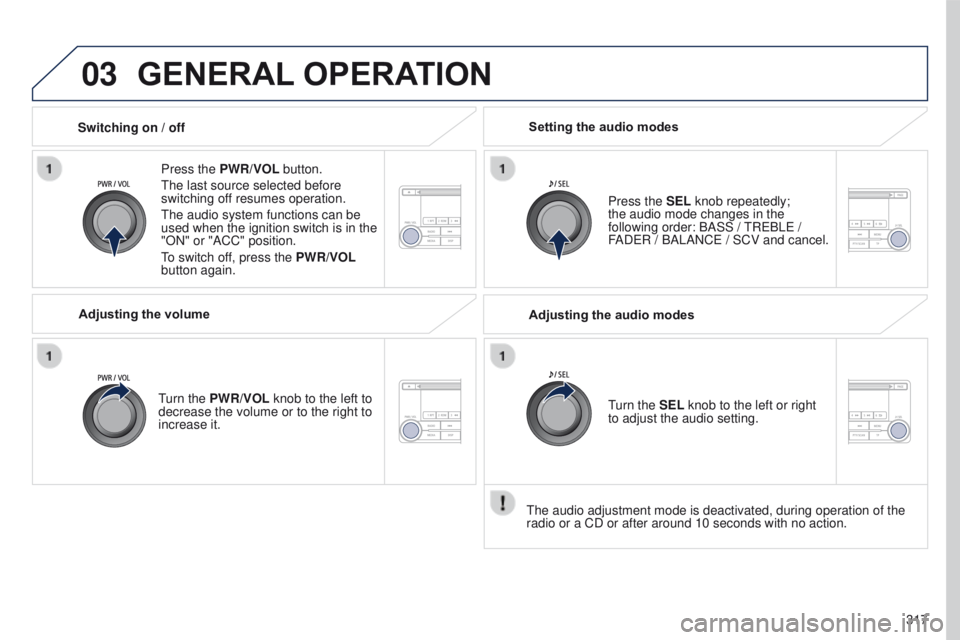
Press the PWR/VOL button.
t
he last source selected before
switching off resumes operation.
t
he audio system functions can be
used when the ignition switch is in the
"ON" or "ACC" position.
to switch of
f, press the PWR/VOL
button again.
Adjusting the volume
turn the
PWR/VOL knob to the left to
decrease the volume or to the right to
increase it. Press the SEL knob repeatedly;
the
audio mode changes in the
following order: BASS /
t
R e BL e /
FAD
e R / BALANC e / SCV and cancel.
Setting the audio modes
Switching on / off
t
he audio adjustment mode is deactivated, during operation of the
radio or a CD or after around 10 seconds with no action. Adjusting the audio modes
turn the
SEL knob to the left or right
to adjust the audio setting.
Page 323 of 368
04
321
4008_en_Chap10d_Mitsu4_ed01-2016
RADIO
the "Radio Data System" (RDS) function on the FM waveband
permits:
-
access to the display of information, such as the name of the
station, ...
-
listening to the same station while travelling through dif
ferent
regions,
-
temporary tuning to traffic information announcements.
Most FM stations use RDS.
t
hese stations transmit non-audible
data in addition to their programmes.
t
he data transmitted in this way allows you access to various
functions, mainly displaying of the name of the station, automatic
retuning to alternative frequencies or temporary retuning to traffic
information announcements.
RDS allows you to continue listening to the same station by means
of alternative frequencies that carry the same station. However, in
certain conditions, RDS alternative frequencies may not be provided
throughout the country. Radio stations do not cover the whole country,
which explains the loss of reception of the station during a journey. "AF" alternative frequencies
Your radio automatically checks and selects the best frequency for
the radio station to which it is tuned (if the station broadcasts on
several transmitters or frequencies).
t
he frequency of a radio station covers approximately 30 miles
(50 km).
t
he change from one frequency to another explains the
temporary loss of reception during a journey.
If the station to which you are listening does not have several
frequencies in the region in which you are currently located, you can
deactivate alternative frequencies.
Some stations are organised in a network.
In different regions, they broadcast different or shared programmes
depending on the time of day.
You can follow:
-
a regional station only
,
-
the entire network, with the possibility that you will be listening
to a dif
ferent programme.
REG regional mode
On long distance journeys, when the stored station becomes weak,
the radio searches first for another frequency for the same station
(AF).
t
hen, if this fails, it searches for a frequency broadcasting the
regional programme (R
eg ). If this also fails, the radio returns to the
stored station.
RDS
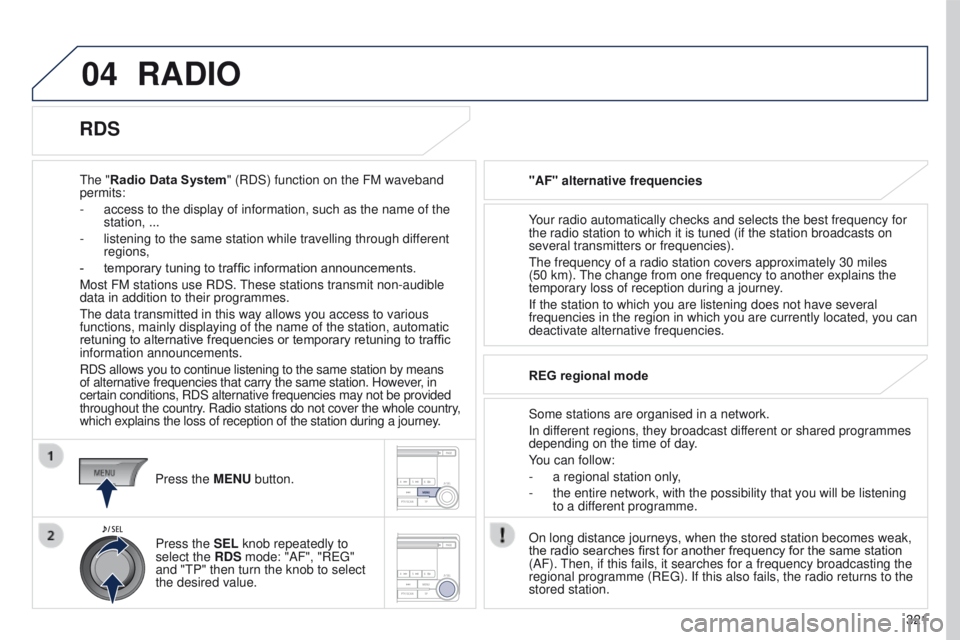
Press the MENU button.
Press the SEL knob repeatedly to
select the RDS mode: "AF", "R
eg "
and "
t P" then turn the knob to select
the desired value.
Page 325 of 368
04
323
4008_en_Chap10d_Mitsu4_ed01-2016
RADIO
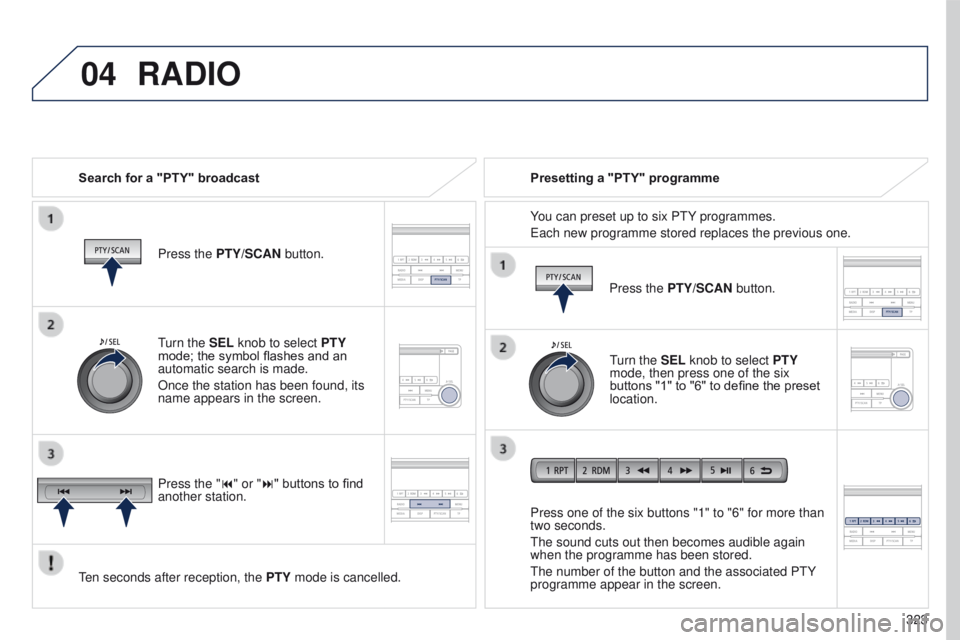
Search for a "PTY" broadcastPress the PTY/SCAN button.
ten seconds after reception, the PTY
mode is cancelled. Press one of the six buttons "1" to "6" for more than
two seconds.
t
he sound cuts out then becomes audible again
when the programme has been stored.
t
he number of the button and the associated P t Y
programme appear in the screen. Presetting a "PTY" programme
You can preset up to six P
t Y programmes.
e
ach new programme stored replaces the previous one.
turn the
SEL knob to select PTY
mode; the symbol flashes and an
automatic search is made.
Once the station has been found, its
name appears in the screen.
Press the "9" or ":" buttons to find
another station. Press the PTY/SCAN button.
turn the
SEL knob to select PTY
mode, then press one of the six
buttons "1" to "6" to define the preset
location.
Page 326 of 368
04
324
4008_en_Chap10d_Mitsu4_ed01-2016
RADIO
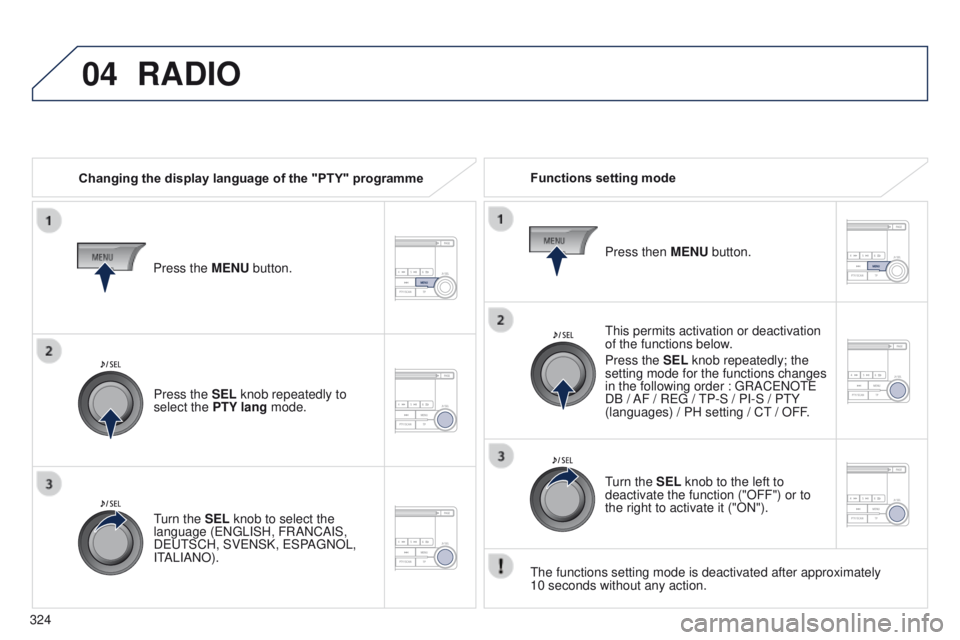
Changing the display language of the "PTY" programmeFunctions setting mode
t
his permits activation or deactivation
of the functions below.
Press the SEL knob repeatedly; the
setting mode for the functions changes
in the following order
: g RAC e NO te
DB / AF / R
eg /
t
P-S / PI-S / P t Y
(languages) / PH setting / C
t / OFF.
t
he functions setting mode is deactivated after approximately
10
seconds without any action.
Press the MENU button.
Press the SEL knob repeatedly to
select the PTY lang mode.
turn the
SEL knob to select the
language (
e N g LISH, FRANCAIS,
D
eut SCH, SV e NSK, e SPA g NOL,
I
t
ALIANO). Press then
MENU button.
turn the
SEL knob to the left to
deactivate the function ("OFF") or to
the right to activate it ("ON").
Page 328 of 368
05
326
4008_en_Chap10d_Mitsu4_ed01-2016
MUSIC MEDIA PLAYERS
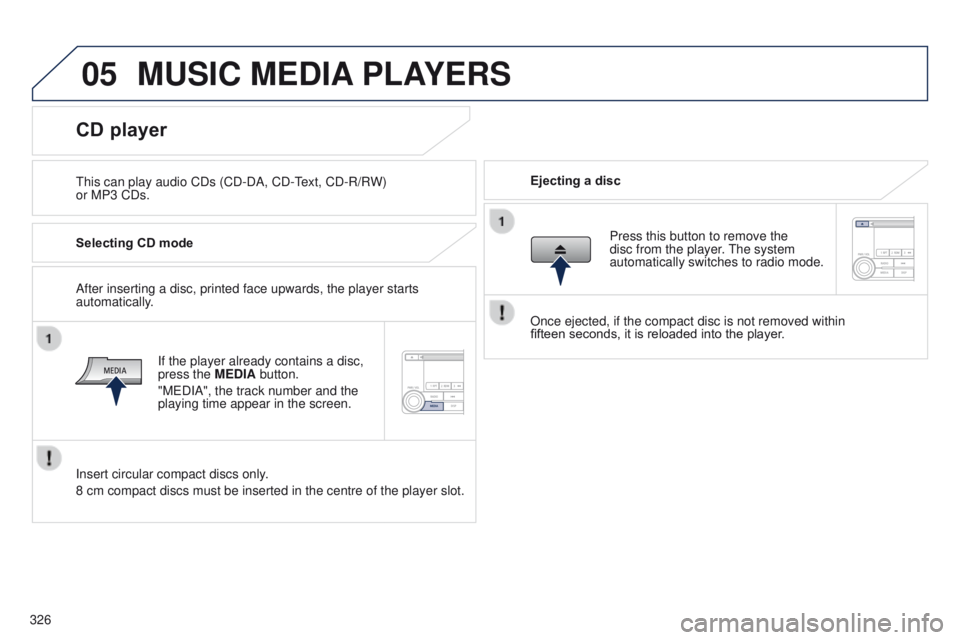
this can play audio CDs (CD-DA, CD-text, CD-R/R W)
or MP3 CDs. Ejecting a disc
CD player
Selecting CD mode
If the player already contains a disc,
press the MEDIA button.
"M
e DIA", the track number and the
playing time appear in the screen.
Insert circular compact discs only.
8 cm compact discs must be inserted in the centre of the player slot. After inserting a disc, printed face upwards, the player starts
automatically. Press this button to remove the
disc from the player. t
he system
automatically switches to radio mode.
Once ejected, if the compact disc is not removed within
fifteen
seconds, it is reloaded into the player.
Page 329 of 368
05
327
4008_en_Chap10d_Mitsu4_ed01-2016
MUSIC MEDIA PLAYERS
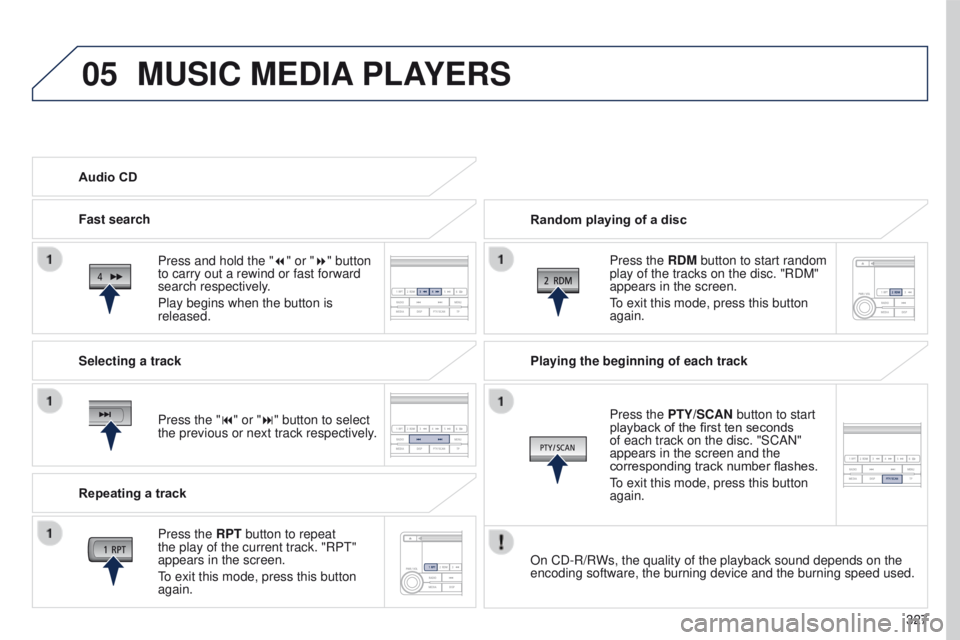
Random playing of a disc
Press the RDM button to start random
play of the tracks on the disc. "RDM"
appears in the screen.
to exit this mode, press this button
again.
Audio CD
Press and hold the " 7
" or "8" button
to carry out a rewind or fast forward
search respectively.
Play begins when the button is
released.
Fast search
Press the "9" or ":" button to select
the previous or next track respectively.
Selecting a track
Press the RPT button to repeat
the play of the current track. "RP
t
"
appears in the screen.
to exit this mode, press this button
again.
Repeating a track Playing the beginning of each track
Press the
PTY/SCAN button to start
playback of the first ten seconds
of each track on the disc. "SCAN"
appears in the screen and the
corresponding track number flashes.
to exit this mode, press this button
again.
On CD-R/R
Ws, the quality of the playback sound depends on the
encoding software, the burning device and the burning speed used.
Page 331 of 368
05
329
4008_en_Chap10d_Mitsu4_ed01-2016
MUSIC MEDIA PLAYERS
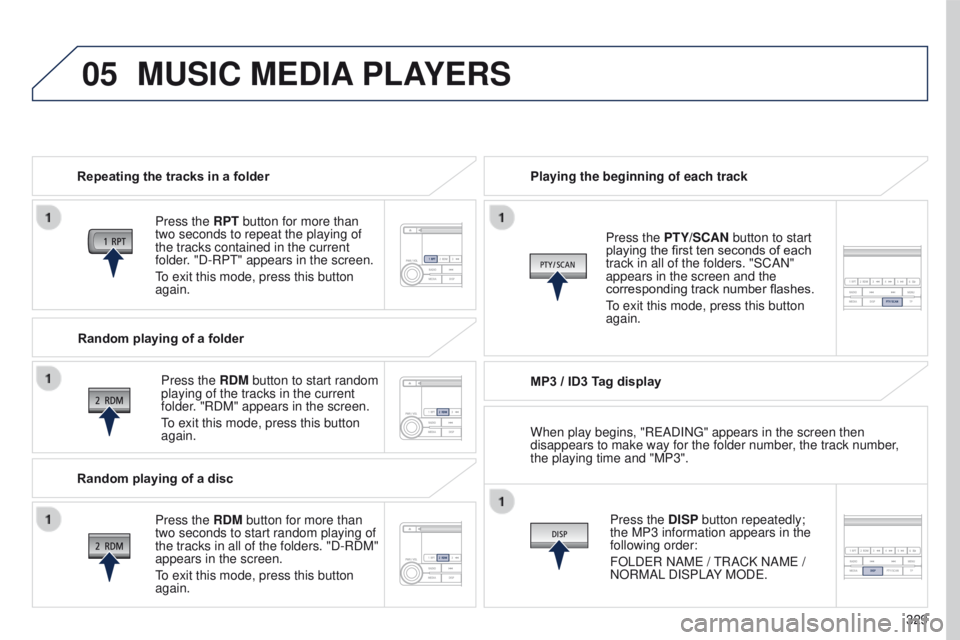
Repeating the tracks in a folder
Press the RPT button for more than
two seconds to repeat the playing of
the tracks contained in the current
folder. "D-RP
t " appears in the screen.
to exit this mode, press this button
again.
Press the
RDM button to start random
playing of the tracks in the current
folder. "RDM" appears in the screen.
to exit this mode, press this button
again. Playing the beginning of each track
MP3 / ID3 T
ag displayPress the DISP button repeatedly;
the MP3 information appears in the
following order:
FOLD
e R NAM e /
t
RACK NAM e /
NORMAL DISPLAY MOD
e .
Press the PTY/SCAN button to start
playing the first ten seconds of each
track in all of the folders. "SCAN"
appears in the screen and the
corresponding track number flashes.
to exit this mode, press this button
again.
Random playing of a folder
Random playing of a disc Press the
RDM button for more than
two seconds to start random playing of
the tracks in all of the folders. "D-RDM"
appears in the screen.
to exit this mode, press this button
again. When play begins, "R
e ADIN g " appears in the screen then
disappears to make way for the folder number, the track number,
the playing time and "MP3".
Page 332 of 368
05
330
4008_en_Chap10d_Mitsu4_ed01-2016
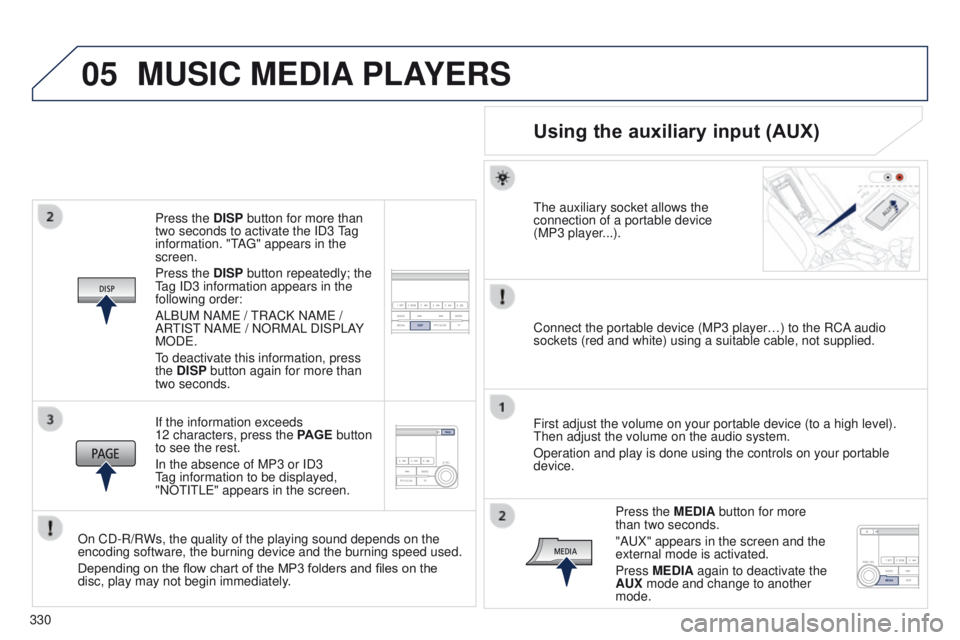
Press the DISP button for more than
two seconds to activate the ID3 tag
information. "
t
A
g " appears in the
screen.
Press the DISP button repeatedly; the
tag ID3 information appears in the
following order:
ALB
u M NAM e /
t
RACK NAM e /
AR
t
IS t
NAM
e / NORMAL DISPLAY
MOD
e .
to deactivate this information, press
the
DISP button again for more than
two seconds.
If the information exceeds
12 characters, press the PAGE button
to see the rest.
In the absence of MP3 or ID3
tag information to be displayed,
"NO
t I t L e " appears in the screen.
On CD-R/RWs, the quality of the playing sound depends on the
encoding software, the burning device and the burning speed used.
Depending on the flow chart of the MP3 folders and files on the
disc, play may not begin immediately.
MUSIC MEDIA PLAYERS
Using the auxiliary input (AUX)
the auxiliary socket allows the
connection of a portable device
(MP3 player
...).
Connect the portable device (MP3 player…) to the RCA audio
sockets (red and white) using a suitable cable, not supplied.
First adjust the volume on your portable device (to a high level).
t
hen adjust the volume on the audio system.
Operation and play is done using the controls on your portable
device.
Press the MEDIA button for more
than two seconds.
"A
u X" appears in the screen and the
external mode is activated.
Press MEDIA again to deactivate the
AUX mode and change to another
mode.