navigation Peugeot 407 2009 User Guide
[x] Cancel search | Manufacturer: PEUGEOT, Model Year: 2009, Model line: 407, Model: Peugeot 407 2009Pages: 250, PDF Size: 14.81 MB
Page 214 of 250
192
1
2
3
4
6
7
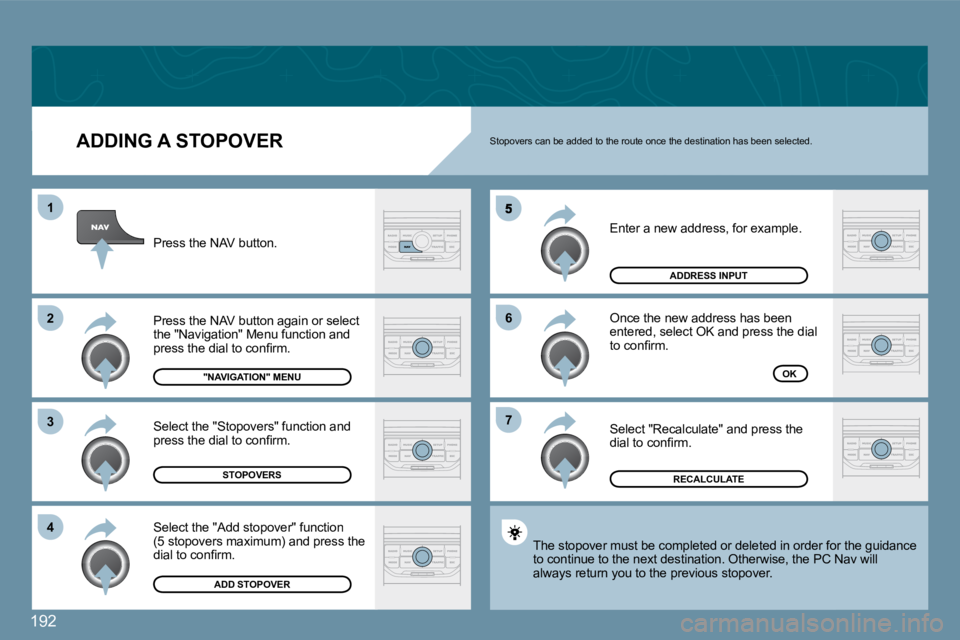
ADDING A STOPOVER
Enter a new address, for example.
Once the new address has been entered, select OK and press the dial to confi rm.
Select "Recalculate" and press the dial to confi rm.
Press the NAV button.
Press the NAV button again or select the "Navigation" Menu function and press the dial to confi rm.
Select the "Add stopover" function(5 stopovers maximum) and press the dial to confi rm.
Select the "Stopovers" function and press the dial to confi rm.
"NAVIGATION" MENU
STOPOVERS
ADD STOPOVER
ADDRESS INPUT
OK
The stopover must be completed or deleted in order for the guidance The stopover must be completed or deleted in order for the guidance to continue to the next destination. Otherwise, the PC N PC Nav will always return you to the previous stopover.
Stopovers can be added to the route once the destination has been selected.
RECALCULATE
Page 215 of 250
193
03
1
2
3
4
7
8
6
5
NAVIGATION - GUIDANCE
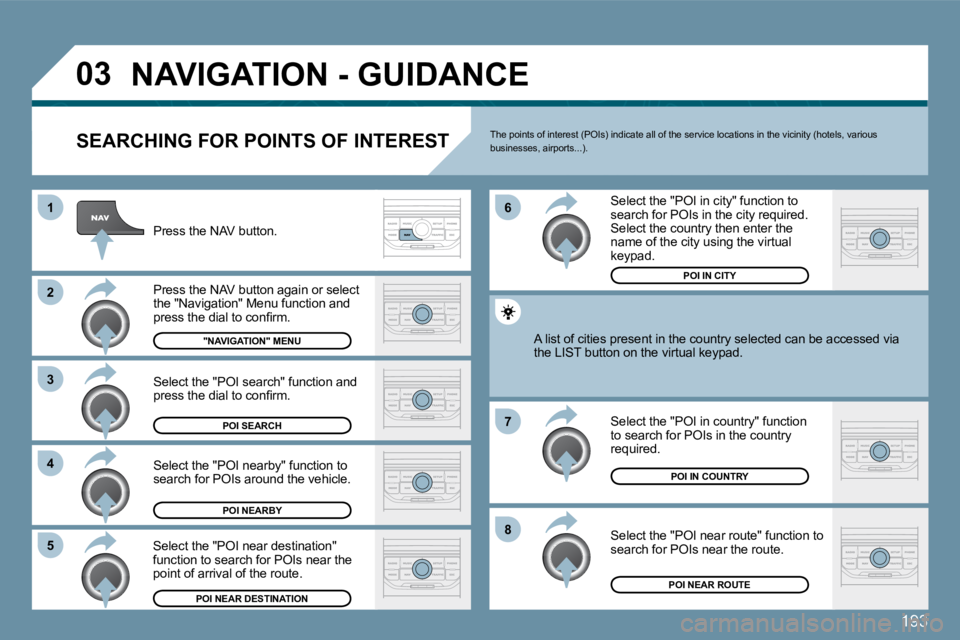
SEARCHING FOR POINTS OF INTEREST
Press the NAV button.
Press the NAV button again or select the "Navigation" Menu function and press the dial to confi rm.
Select the "POI nearby" function to search for POIs around the vehicle.
Select the "POI search" function and press the dial to confi rm.
"NAVIGATION" MENU
POI SEARCH
POI NEARBY
Select the "POI in city" function to search for POIs in the city required. Select the country then enter the name of the city using the virtual keypad.
Select the "POI near route" function to search for POIs near the route.
Select the "POI in country" function to search for POIs in the country required.
Select the "POI near destination" function to search for POIs near the point of arrival of the route.
POI NEAR DESTINATION
POI IN COUNTRY
POI NEAR ROUTE
A list of cities present in the country selected can be accbe accessed via the LIST button on the virtual keypad.
POI IN CITY
The points of interest (POIs) indicate all of the service locations in the vicinity (hotels, various businesses, airports...).
Page 217 of 250
195
03
6
4
5
1
2
3
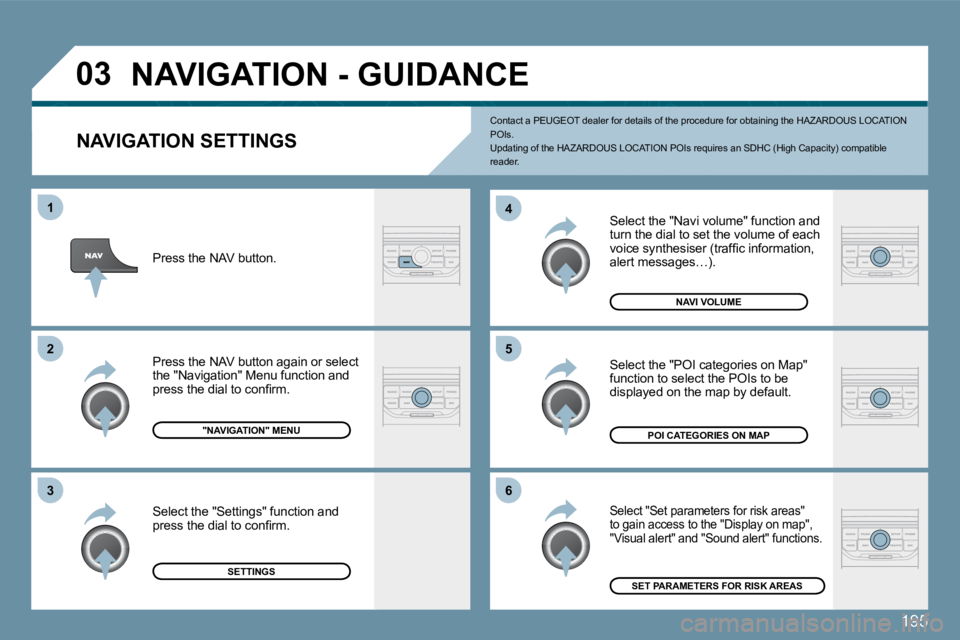
NAVIGATION SETTINGS
Select the "Navi volume" function and turn the dial to set the volume of each voice synthesiser (traffi c information, alert messages…).
Select "Set parameters for risk areas" to gain access to the "Display on map", "Visual alert" and "Sound alert" functions.
Select the "POI categories on Map" function to select the POIs to be displayed on the map by default.
NAVI VOLUME
Press the NAV button.
Press the NAV button again or select the "Navigation" Menu function and press the dial to confi rm.
Select the "Settings" function and press the dial to confi rm.
"NAVIGATION" MENU
SETTINGS
POI CATEGORIES ON MAP
SET PARAMETERS FOR RISK AREAS
NAVIGATION - GUIDANCE
Contact a PEUGEOT dealer for details of the procedure for obtaining the HAZARDOUS LOCATION POIs. Updating of the HAZARDOUS LOCATION POIs requires a n SDHC (High Capacity) compatible reader.
Page 229 of 250
207
1
2
4
2
3
4
2
3
4
4
4
4
4
4
4
4
4
4
4
3
3
3
3
24
4
4
3
3
3
3
4
4
4
2
3
3
3
3
3
3
3
3
4
4
4
4
4
4
4
2
3
2
3
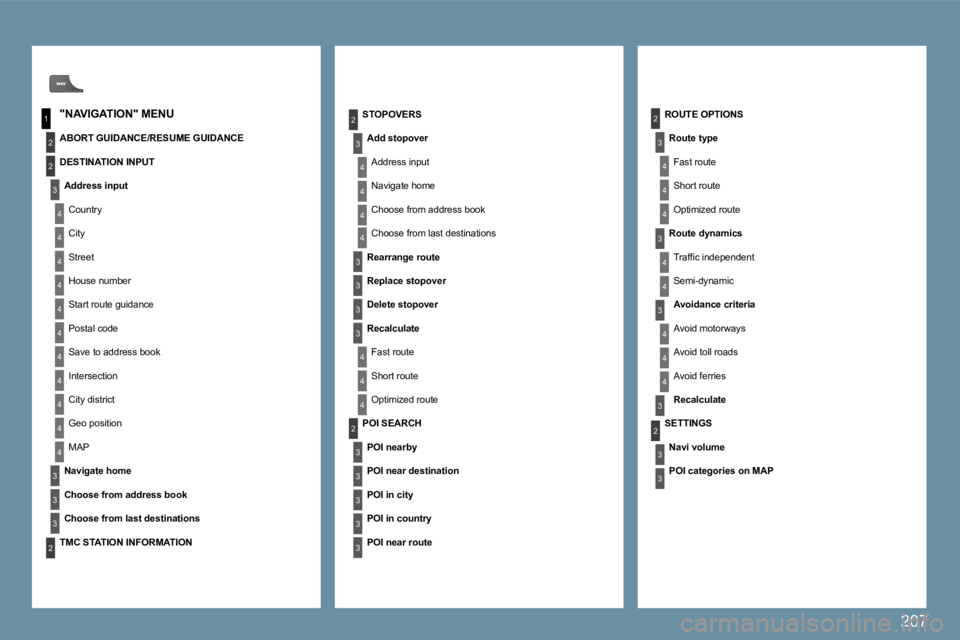
ROUTE OPTIONS
Route type
Fast route
Short route
Optimized route
STOPOVERS
Add stopover
Address input
Navigate home
Choose from address book
Choose from last destinations
Rearrange route
Replace stopover
Delete stopover
Recalculate
Fast route
Short route
Optimized route
"NAVIGATION" MENU
ABORT GUIDANCE/RESUME GUIDANCE
DESTINATION INPUT
Address input
Country
City
Street
House number
Start route guidance
Postal code
Save to address book
Intersection
City district
Geo position
MAP
Navigate home
Choose from address book
Choose from last destinations
POI SEARCH
POI nearby
POI near destination
POI in city
POI in country
POI near route
Route dynamics
Traffi c independent
Semi-dynamic
Avoidance criteria
Avoid motorways
Avoid toll roads
Avoid ferries
Recalculate
TMC STATION INFORMATION
SETTINGS
Navi volume
POI categories on MAP