ECO mode PEUGEOT 5008 2010.5 Owner's Guide
[x] Cancel search | Manufacturer: PEUGEOT, Model Year: 2010.5, Model line: 5008, Model: PEUGEOT 5008 2010.5Pages: 345, PDF Size: 22.77 MB
Page 273 of 345
240
07 MUSIC MEDIA PLAYERS
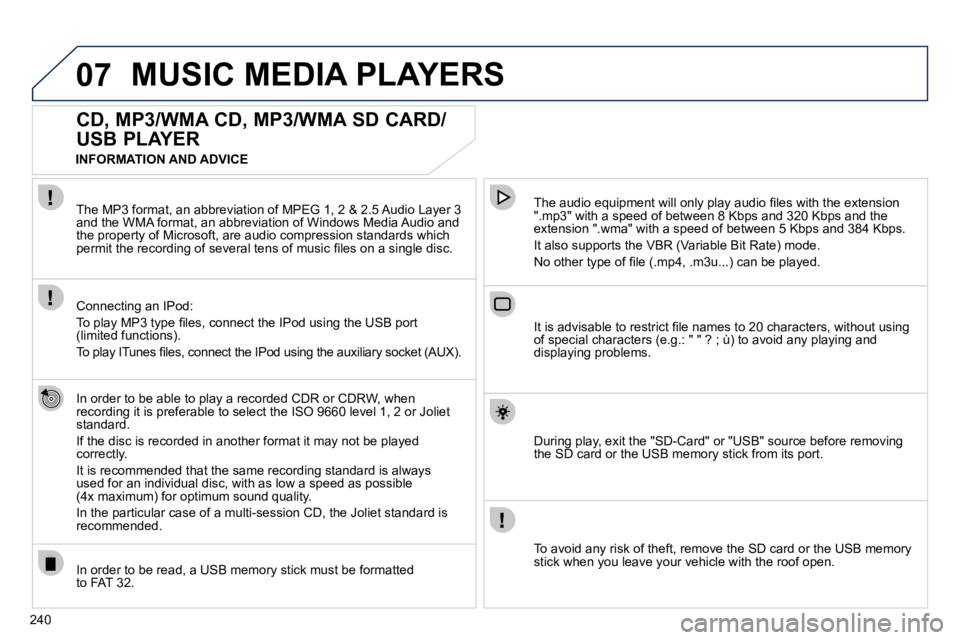
CD, MP3/WMA CD, MP3/WMA SD CARD/
USB PLAYER
In order to be able to play a recorded CDR or CDRW, when recording it is preferable to select the ISO 9660 level 1, 2 or Joliet standard.
If the disc is recorded in another format it may not be played correctly.
It is recommended that the same recording standard is always used for an individual disc, with as low a speed as possible(4x maximum) for optimum sound quality.
In the particular case of a multi-session CD, the Joliet standard is recommended.
The audio equipment will only play audio fi les with the extension ".mp3" with a speed of between 8 Kbps and 320 Kbps and the extension ".wma" with a speed of between 5 Kbps and 384 Kbps.
It also supports the VBR (Variable Bit Rate) mode.
No other type of fi le (.mp4, .m3u...) can be played.
The MP3 format, an abbreviation of MPEG 1, 2 & 2.5 Audio Layer 3 and the WMA format, an abbreviation of Windows Media Audio and the property of Microsoft, are audio compression standards which permit the recording of several tens of music fi les on a single disc.
Connecting an IPod:
To play MP3 type fi les, connect the IPod using the USB port (limited functions).
To play ITunes fi les, connect the IPod using the auxiliary socket (AUX).
In order to be read, a USB memory stick must be formattedto FAT 32.
It is advisable to restrict fi le names to 20 characters, withou t using of special characters (e.g.: " " ? ; ù) to avoid any playing and displaying problems.
During play, exit the "SD-Card" or "USB" source before removing the SD card or the USB memory stick from its port.
To avoid any risk of theft, remove the SD card or the USB memory stick when you leave your vehicle with the roof open.
INFORMATION AND ADVICE
Page 282 of 345
249
09
1
4
5
2
ABC 3
DEF
5
JKL
4
GHI 6
MNO8
TUV
7
PQRS 9
WXYZ0
* #
1
RADIO MEDIA
NAV ESC TRAFFIC
SETUP
ADDR
BOOK
3
2
ABC 3
DEF
5
JKL
4
GHI 6
MNO8
TUV
7
PQRS 9
WXYZ0
* #
1
RADIO MEDIA
NAV ESC TRAFFIC
SETUP
ADDR
BOOK
2
ABC 3
DEF
5
JKL
4
GHI 6
MNO
8
TUV
7
PQRS 9
WXYZ
0
* #
1
NAV ESC TRAFFIC
ADDR
BOOKSETUPSETUP
2
ABC 3
DEF
5
JKL
4
GHI 6
MNO8
TUV
7
PQRS 9
WXYZ0
* #
1
RADIO MEDIA
NAV ESC TRAFFIC
SETUP
ADDR
BOOK
26
2
ABC 3
DEF
5
JKL
4
GHI 6
MNO8
TUV
7
PQRS 9
WXYZ0
* #
1
RADIO MEDIA
NAV ESC TRAFFIC
SETUP
ADDR
BOOK
2
ABC 3
DEF
5
JKL
4
GHI 6
MNO8
TUV
7
PQRS 9
WXYZ0
* #
1
RADIO MEDIA
NAV ESC TRAFFIC
SETUP
ADDR
BOOK
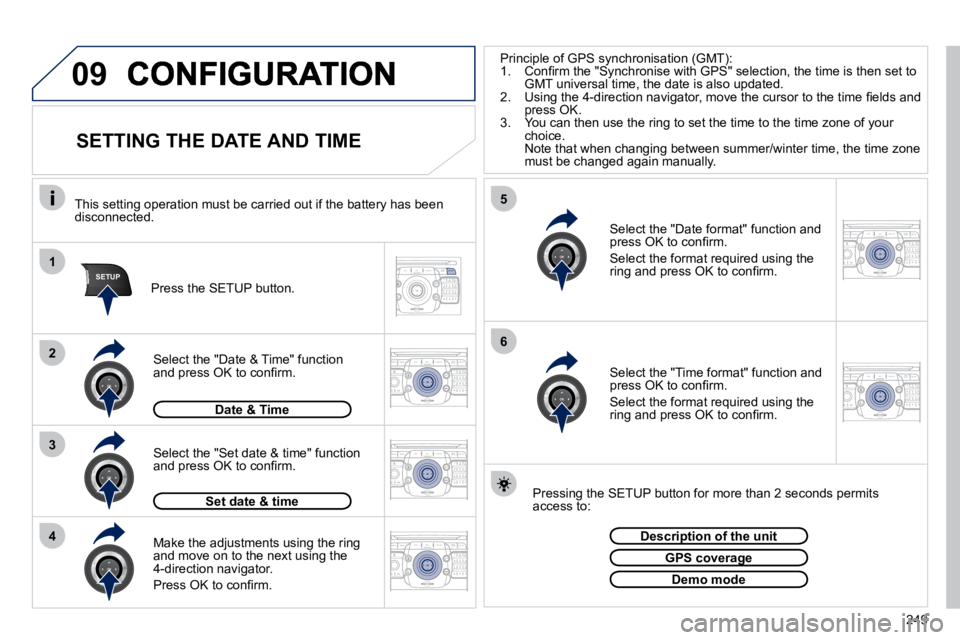
SETTING THE DATE AND TIME
Make the adjustments using the ring and move on to the next using the 4-direction navigator.
Press OK to confi rm.
Select the "Date format" function and press OK to confi rm.
Select the format required using the ring and press OK to confi rm.
Select the "Set date & time" function and press OK to confi rm.
Pressing the SETUP button for more than 2 seconds permits access to:
This setting operation must be carried out if the battery h
as been disconnected.
Press the SETUP button.
Select the "Time format" function and press OK to confi rm.
Select the format required using the ring and press OK to confi rm.
Set date & time
Select the "Date & Time" function and press OK to confi rm.
Description of the unitDescription of the unit
GPS coverageGPS coverage
Demo mode
Date & Time
Principle of GPS synchronisation (GMT): 1. Confi rm the "Synchronise with GPS" selection, the time is t hen set to GMT universal time, the date is also updated. 2. Using the 4-direction navigator, move the cursor to the time fi elds and press OK. 3. You can then use the ring to set the time to the time zone of your choice. Note that when changing between summer/winter time, the t ime zone must be changed again manually.
Page 288 of 345
255
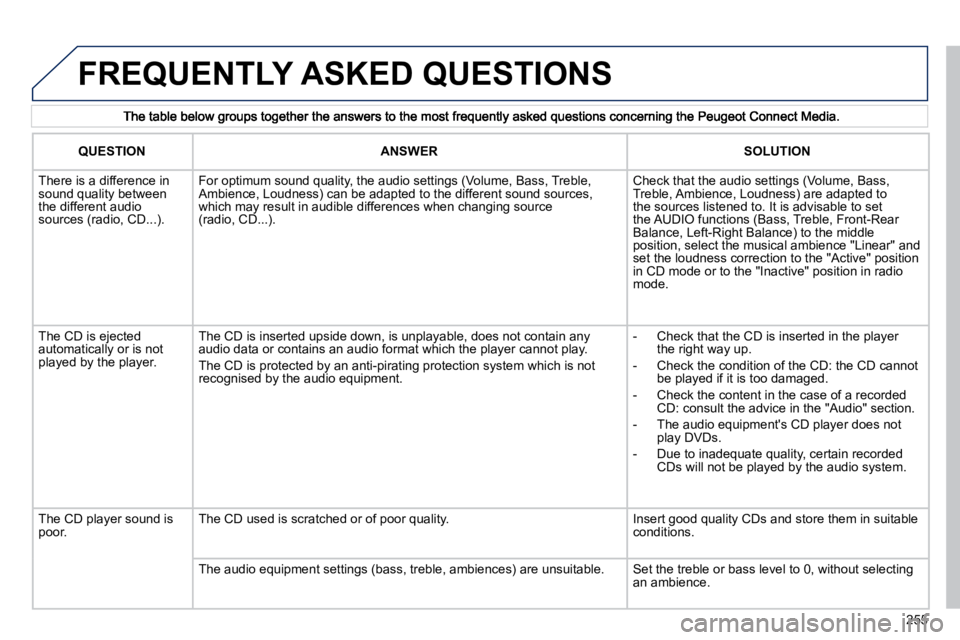
FREQUENTLY ASKED QUESTIONS
QUESTIONANSWERSOLUTION
There is a difference in sound quality between the different audio sources (radio, CD...).
For optimum sound quality, the audio settings (Volume, Bass, Treble, Ambience, Loudness) can be adapted to the different sound sou rces, which may result in audible differences when changing source(radio, CD...).
Check that the audio settings (Volume, Bass, Treble, Ambience, Loudness) are adapted to the sources listened to. It is advisable to set the AUDIO functions (Bass, Treble, Front-Rear Balance, Left-Right Balance) to the middle position, select the musical ambience "Linear" and set the loudness correction to the "Active" position in CD mode or to the "Inactive" position in radio mode.
The CD is ejected automatically or is not played by the player.
The CD is inserted upside down, is unplayable, does not contain any audio data or contains an audio format which the player cann ot play.
The CD is protected by an anti-pirating protection system which is not recognised by the audio equipment.
- Check that the CD is inserted in the playerthe right way up.
- Check the condition of the CD: the CD cannot be played if it is too damaged.
- Check the content in the case of a recorded CD: consult the advice in the "Audio" section.
- The audio equipment's CD player does not play DVDs.
- Due to inadequate quality, certain recorded CDs will not be played by the audio system.
The CD player sound is poor. The CD used is scratched or of poor quality. Insert good quality CDs and store them in suitable conditions.
The audio equipment settings (bass, treble, ambiences) are unsu itable. Set the treble or bass level to 0, without selecting an ambience.
Page 289 of 345
256
QUESTION ANSWER SOLUTION
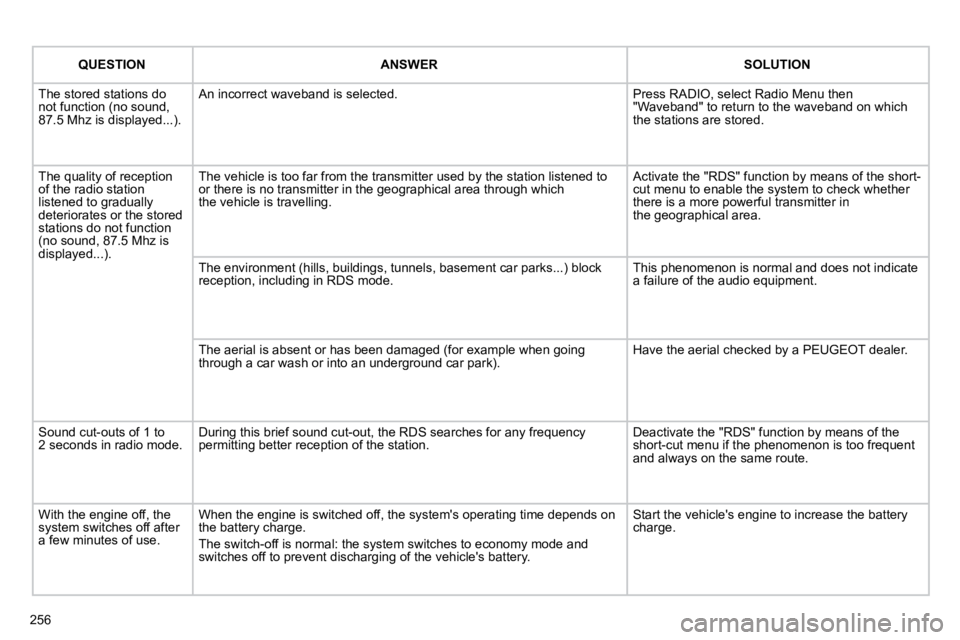
The stored stations do not function (no sound, 87.5 Mhz is displayed...).
An incorrect waveband is selected. Press RADIO, select Radio Menu then "Waveband" to return to the waveband on which the stations are stored.
The quality of reception of the radio station listened to gradually deteriorates or the stored stations do not function (no sound, 87.5 Mhz is displayed...).
The vehicle is too far from the transmitter used by the station listened to or there is no transmitter in the geographical area through wh ichthe vehicle is travelling.
Activate the "RDS" function by means of the short-cut menu to enable the system to check whether there is a more powerful transmitter inthe geographical area.
The environment (hills, buildings, tunnels, basement car parks.. .) block reception, including in RDS mode. This phenomenon is normal and does not indicate a failure of the audio equipment.
The aerial is absent or has been damaged (for example when g oing through a car wash or into an underground car park). Have the aerial checked by a PEUGEOT dealer.
Sound cut-outs of 1 to 2 seconds in radio mode. During this brief sound cut-out, the RDS searches for any freque ncy permitting better reception of the station. Deactivate the "RDS" function by means of the short-cut menu if the phenomenon is too frequent and always on the same route.
With the engine off, the system switches off after a few minutes of use.
When the engine is switched off, the system's operating time depends on the battery charge.
The switch-off is normal: the system switches to economy mode and switches off to prevent discharging of the vehicle's battery.
Start the vehicle's engine to increase the battery charge.
Page 291 of 345
258
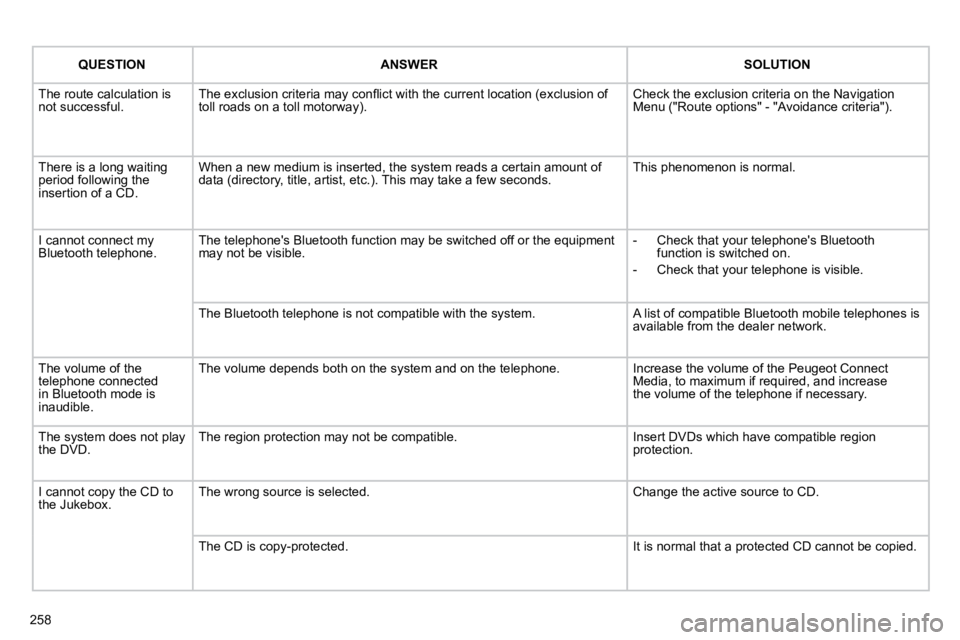
QUESTIONANSWERSOLUTION
The route calculation is not successful. The exclusion criteria may confl ict with the current location (exclusion of toll roads on a toll motorway). Check the exclusion criteria on the Navigation Menu ("Route options" - "Avoidance criteria").
There is a long waiting period following the insertion of a CD.
When a new medium is inserted, the system reads a certain amount of data (directory, title, artist, etc.). This may take a few seconds. This phenomenon is normal.
I cannot connect my Bluetooth telephone. The telephone's Bluetooth function may be switched off or the equipment may not be visible. - Check that your telephone's Bluetooth function is switched on.
- Check that your telephone is visible.
The Bluetooth telephone is not compatible with the system. A list of compatible Bluetooth mobile telephones is available from the dealer network.
The volume of the telephone connected in Bluetooth mode is inaudible.
The volume depends both on the system and on the telephon e. Increase the volume of the Peugeot Connect Media, to maximum if required, and increasethe volume of the telephone if necessary.
The system does not play the DVD. The region protection may not be compatible. Insert DVDs which have compatible region protection.
I cannot copy the CD to the Jukebox. The wrong source is selected. Change the active source to CD.
The CD is copy-protected. It is normal that a protected CD cannot be copied.
Page 293 of 345
261
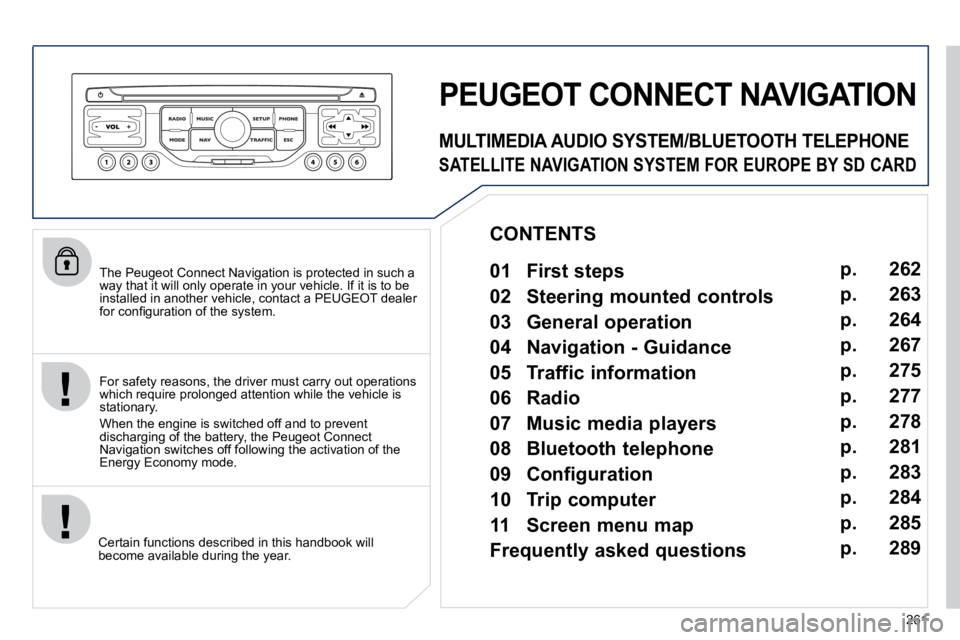
The Peugeot Connect Navigation is protected in such a way that it will only operate in your vehicle. If it is to be installed in another vehicle, contact a PEUGEOT dealer for confi guration of the system.
Certain functions described in this handbook will become available during the year.
PEUGEOT CONNECT NAVIGATION
For safety reasons, the driver must carry out operations which require prolonged attention while the vehicle is stationary.
When the engine is switched off and to prevent discharging of the battery, the Peugeot Connect Navigation switches off following the activation of the Energy Economy mode.
MULTIMEDIA AUDIO SYSTEM/BLUETOOTH TELEPHONE
SATELLITE NAVIGATION SYSTEM FOR EUROPE BY SD CARD
01 First steps
CONTENTS
02 Steering mounted controls
03 General operation
04 Navigation - Guidance
05 Traffic information
06 Radio
07 Music media players
08 Bluetooth telephone
09 Configuration
10 Trip computer p.
p.
p.
p.
p.
p.
p.
p.
p.
p.
11 Screen menu map
Frequently asked questions p.
p. 262
263
264
267
275
277
278
281
283
284
285
289
Page 296 of 345
03
264
GENERAL OPERATION
For a detailed global view of the menus available, refer to the "Screen menu map" section.
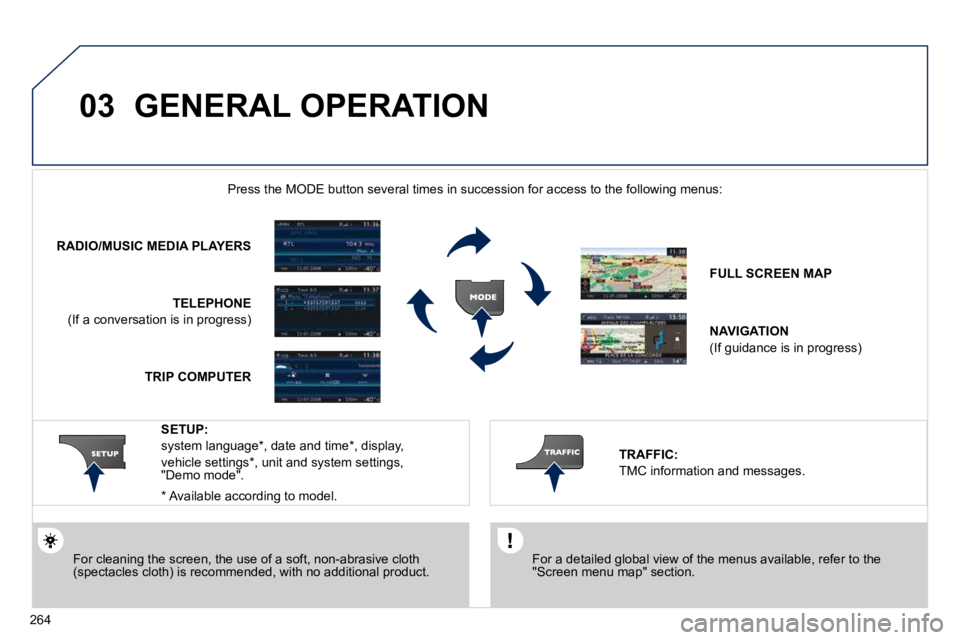
Press the MODE button several times in succession for access to the foll owing menus:
For cleaning the screen, the use of a soft, non-abrasive cloth (spectacles cloth) is recommended, with no additional product.
RADIO/MUSIC MEDIA PLAYERS
TELEPHONE
(If a conversation is in progress)
FULL SCREEN MAP
NAVIGATION
(If guidance is in progress)
SETUP:
system language * , date and time * , display,
vehicle settings * , unit and system settings, "Demo mode".
TRAFFIC:
TMC information and messages.
* Available according to model.
TRIP COMPUTER
Page 300 of 345
04
7
8
9
268
To clear a destination; from steps 1 to 3, select "Choose from last destinations".
A long press on one of the destinations displays a list of actions from which you can select:
Delete entry
Delete list
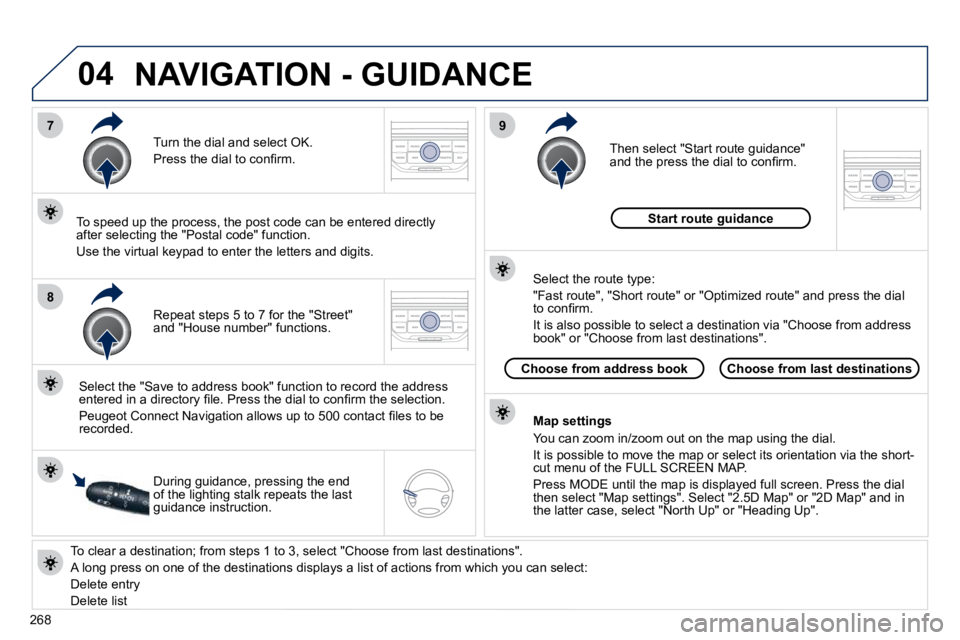
Repeat steps 5 to 7 for the "Street" and "House number" functions.
Turn the dial and select OK.
Press the dial to confi rm.
Select the "Save to address book" function to record the address entered in a directory fi le. Press the dial to confi rm the select ion.
Peugeot Connect Navigation allows up to 500 contact fi les to be recorded.
To speed up the process, the post code can be entered direct ly after selecting the "Postal code" function.
Use the virtual keypad to enter the letters and digits.
Then select "Start route guidance" and the press the dial to confi rm.
During guidance, pressing the end of the lighting stalk repeats the last guidance instruction.
Map settings
You can zoom in/zoom out on the map using the dial.
It is possible to move the map or select its orientation via the short-cut menu of the FULL SCREEN MAP.
Press MODE until the map is displayed full screen. Press the dial then select "Map settings". Select "2.5D Map" or "2D Map" and in the latter case, select "North Up" or "Heading Up".
Select the route type:
"Fast route", "Short route" or "Optimized route" and press the dial to confi rm.
It is also possible to select a destination via "Choose from a ddress book" or "Choose from last destinations".
Choose from last destinationsChoose from address book
Start route guidance
NAVIGATION - GUIDANCE
Page 309 of 345
06
3
2
1
1
277
SELECTING A STATION
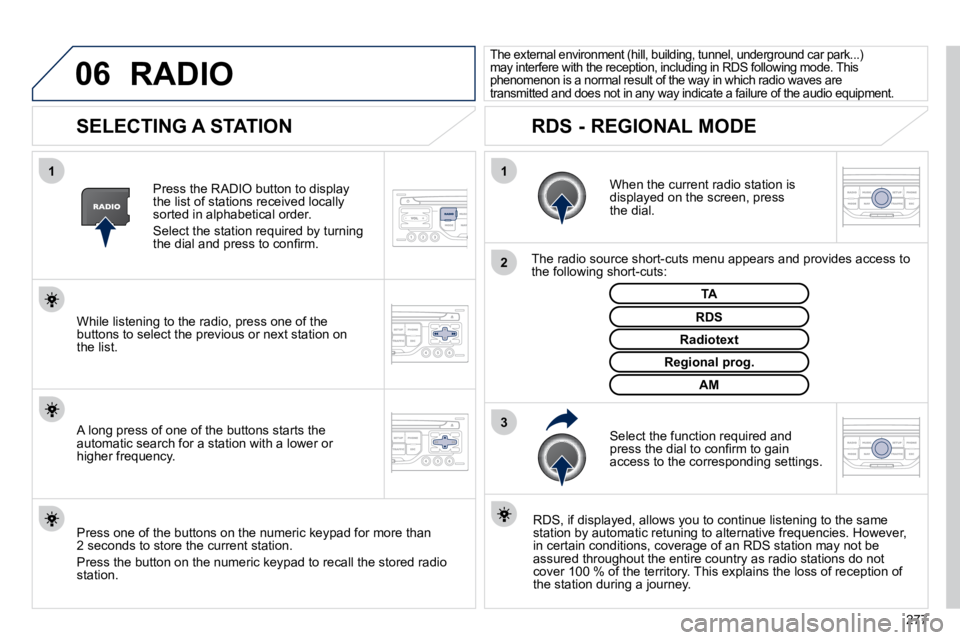
When the current radio station is displayed on the screen, press the dial.
The radio source short-cuts menu appears and provides access to the following short-cuts:
Select the function required and press the dial to confi rm to gain access to the corresponding settings.
TA
RDS, if displayed, allows you to continue listening to t he same station by automatic retuning to alternative frequencies. How ever, in certain conditions, coverage of an RDS station may not be assured throughout the entire country as radio stations do not cover 100 % of the territory. This explains the loss of receptio n of the station during a journey.
The external environment (hill, building, tunnel, underground car park...) may interfere with the reception, including in RDS following mode. This phenomenon is a normal result of the way in which r adio waves are transmitted and does not in any way indicate a failure of the audio equipment.
RDS - REGIONAL MODE
Press the RADIO button to display the list of stations received locally sorted in alphabetical order.
Select the station required by turning the dial and press to confi rm.
Regional prog.
Radiotext
RDS While listening to the radio, press one of the buttons to select the previous or next station on the list.
Press one of the buttons on the numeric keypad for more than 2 seconds to store the current station.
Press the button on the numeric keypad to recall the stored radi o station.
AM
A long press of one of the buttons starts the automatic search for a station with a lower or higher frequency.
RADIO
Page 310 of 345
07
278
MUSIC MEDIA PLAYERS
CD, MP3/WMA CD
INFORMATION AND ADVICE
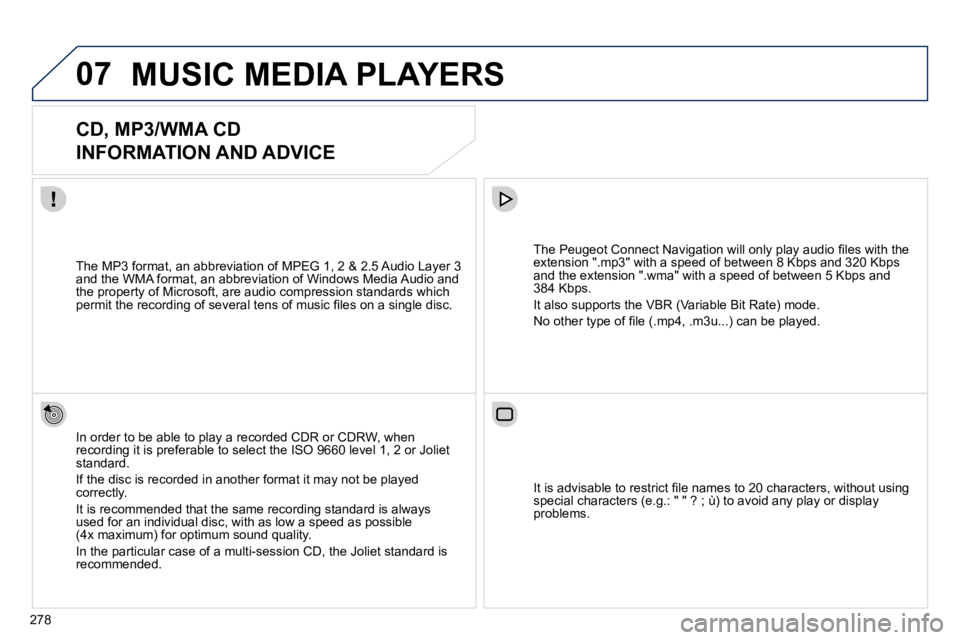
In order to be able to play a recorded CDR or CDRW, when recording it is preferable to select the ISO 9660 level 1, 2 or Joliet standard.
If the disc is recorded in another format it may not be played correctly.
It is recommended that the same recording standard is always used for an individual disc, with as low a speed as possible (4x maximum) for optimum sound quality.
In the particular case of a multi-session CD, the Joliet standard is recommended.
The Peugeot Connect Navigation will only play audio fi les with the extension ".mp3" with a speed of between 8 Kbps and 320 Kbps and the extension ".wma" with a speed of between 5 Kbps and 384 Kbps.
It also supports the VBR (Variable Bit Rate) mode.
No other type of fi le (.mp4, .m3u...) can be played.
The MP3 format, an abbreviation of MPEG 1, 2 & 2.5 Audio Laye r 3 and the WMA format, an abbreviation of Windows Media Audio and the property of Microsoft, are audio compression standards which permit the recording of several tens of music fi les on a single disc.
It is advisable to restrict fi le names to 20 characters, without using special characters (e.g.: " " ? ; ù) to avoid any play or display problems.