06
3
2
1
1
277
SELECTING A STATION
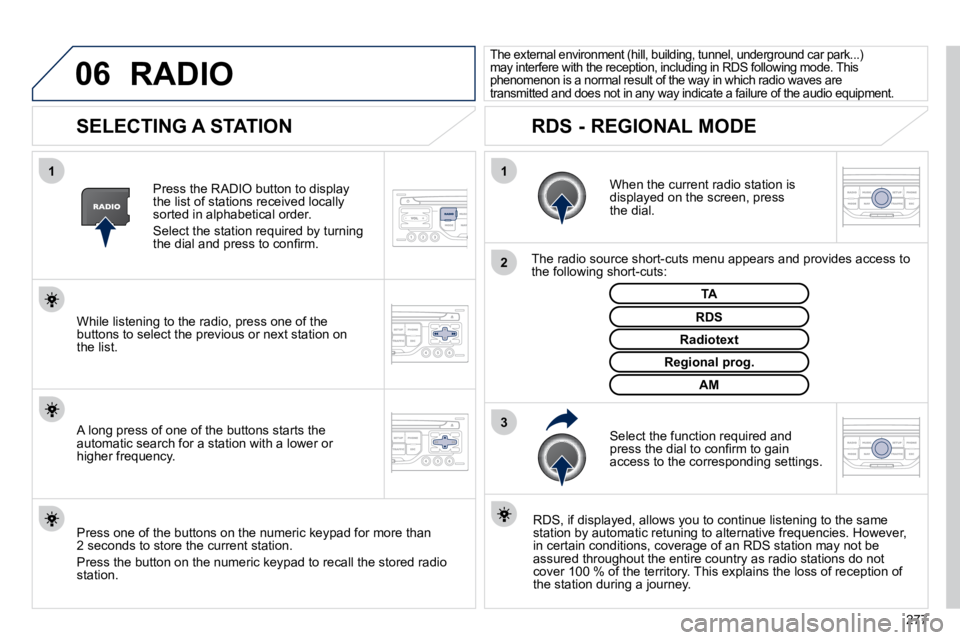
When the current radio station is displayed on the screen, press the dial.
The radio source short-cuts menu appears and provides access to the following short-cuts:
Select the function required and press the dial to confi rm to gain access to the corresponding settings.
TA
RDS, if displayed, allows you to continue listening to t he same station by automatic retuning to alternative frequencies. How ever, in certain conditions, coverage of an RDS station may not be assured throughout the entire country as radio stations do not cover 100 % of the territory. This explains the loss of receptio n of the station during a journey.
The external environment (hill, building, tunnel, underground car park...) may interfere with the reception, including in RDS following mode. This phenomenon is a normal result of the way in which r adio waves are transmitted and does not in any way indicate a failure of the audio equipment.
RDS - REGIONAL MODE
Press the RADIO button to display the list of stations received locally sorted in alphabetical order.
Select the station required by turning the dial and press to confi rm.
Regional prog.
Radiotext
RDS While listening to the radio, press one of the buttons to select the previous or next station on the list.
Press one of the buttons on the numeric keypad for more than 2 seconds to store the current station.
Press the button on the numeric keypad to recall the stored radi o station.
AM
A long press of one of the buttons starts the automatic search for a station with a lower or higher frequency.
RADIO
287
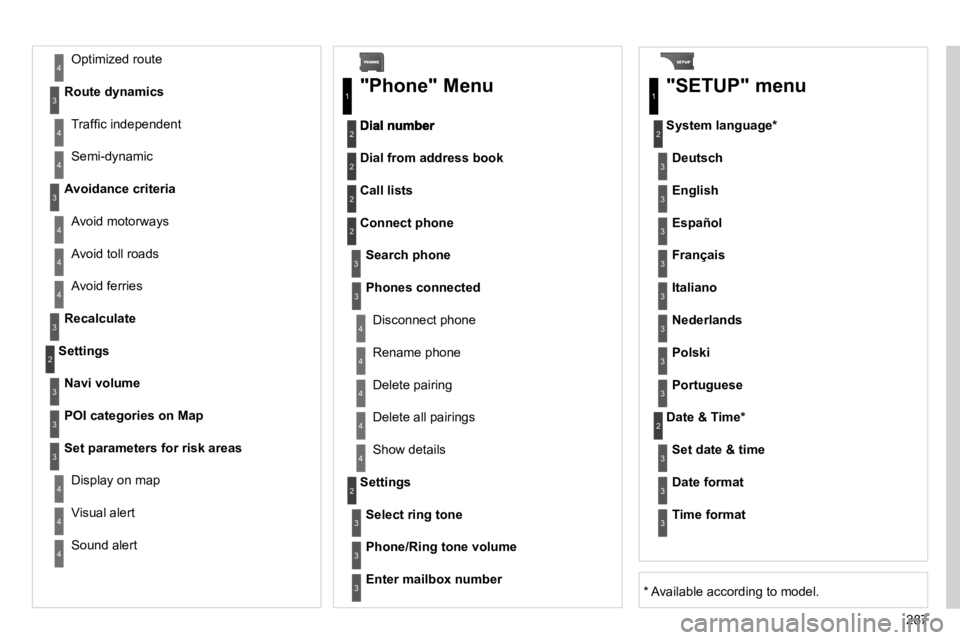
Avoid ferries
Recalculate
Settings
Navi volume
POI categories on Map
Set parameters for risk areas
Display on map
Visual alert
Sound alert
3
2
4
3
3
3
4
4
4
Dial from address book
"Phone" Menu
Search phone
Call lists
Connect phone
Select ring tone
Phone/Ring tone volume
Phones connected
Enter mailbox number
Settings
Disconnect phone
Rename phone
Delete pairing
Delete all pairings
Show details
"SETUP" menu
System language *
English
Español
Deutsch
Italiano
Français
Nederlands
Polski
Portuguese
Date & Time *
Set date & time
Date format
Time format
1
2
2
2
2
3
3
4
4
4
4
4
2
3
3
3
1
2
3
3
3
3
3
3
3
3
3
3
3
2
Avoid motorways
Route dynamics
Traffi c independent
Semi-dynamic
Avoidance criteria
Avoid toll roads
Optimized route
3
3
4
4
4
4
4
* Available according to model.