seat adjustment PEUGEOT 5008 2017 User Guide
[x] Cancel search | Manufacturer: PEUGEOT, Model Year: 2017, Model line: 5008, Model: PEUGEOT 5008 2017Pages: 404, PDF Size: 15.31 MB
Page 90 of 404
88
Access to third row seatsThird row seats
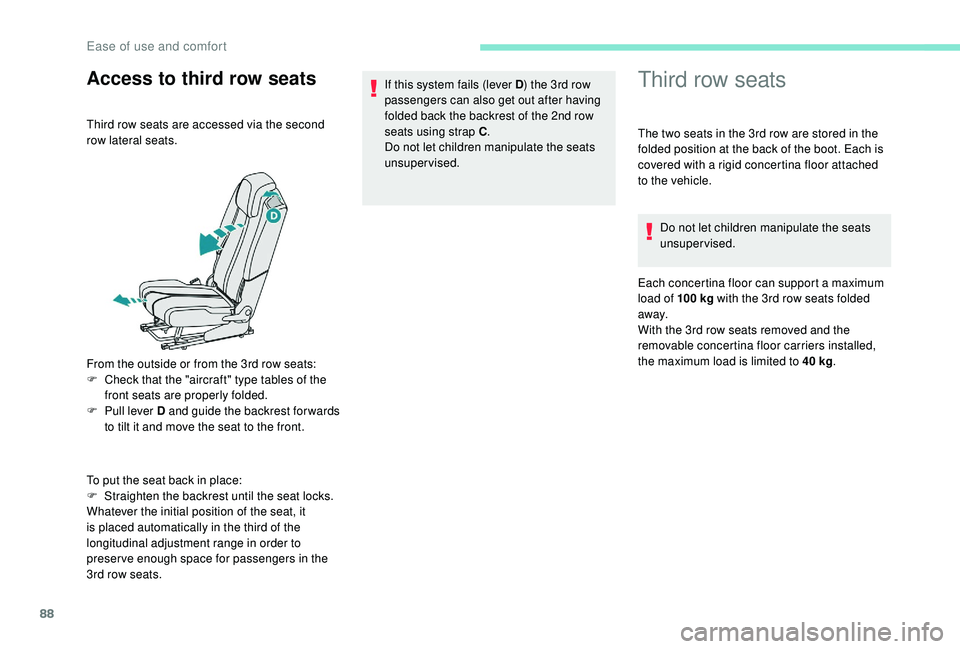
Third row seats are accessed via the second
row lateral seats.
From the outside or from the 3rd row seats:
F
C
heck that the "aircraft" type tables of the
front seats are properly folded.
F
P
ull lever D and guide the backrest for wards
to tilt it and move the seat to the front.
To put the seat back in place:
F
S
traighten the backrest until the seat locks.
Whatever the initial position of the seat, it
is placed automatically in the third of the
longitudinal adjustment range in order to
preserve enough space for passengers in the
3rd row seats. If this system fails (lever D
) the 3rd row
passengers can also get out after having
folded back the backrest of the 2nd row
seats using strap C .
Do not let children manipulate the seats
unsupervised. The two seats in the 3rd row are stored in the
folded position at the back of the boot. Each is
covered with a rigid concertina floor attached
to the vehicle.
Do not let children manipulate the seats
unsupervised.
Each concertina floor can support a maximum
load of 100
kg with the 3rd row seats folded
away.
With the 3rd row seats removed and the
removable concertina floor carriers installed,
the maximum load is limited to 40
kg.
Ease of use and comfort
Page 95 of 404
93
i-Cockpit Amplify function
This function allows the driving ambiences to
be managed.
Specific system settings are offered for each
ambience.
These ambiences can be personalised in the
touch screen.
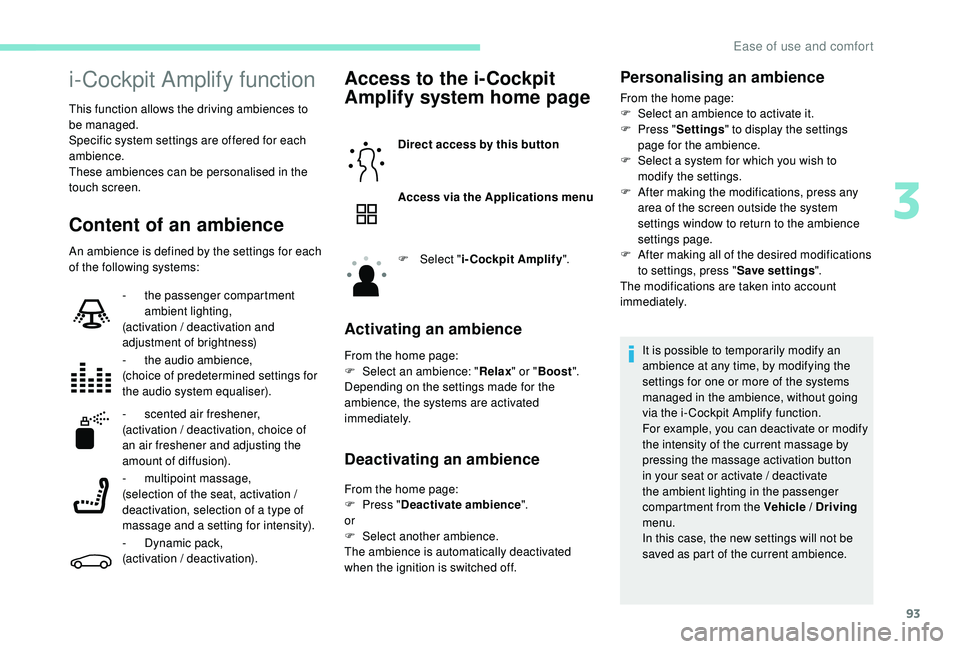
Content of an ambience
An ambience is defined by the settings for each
of the following systems:
Access to the i-Cockpit
Amplify system home page
Direct access by this button
Access via the Applications menu
F
Sel
ect "i-Cockpit Amplify ".
Activating an ambience
From the home page:
F
Sel ect an ambience: " Relax" or "Boost ".
Depending on the settings made for the
ambience, the systems are activated
immediately.
Deactivating an ambience
From the home page:
F P ress " Deactivate ambience ".
or
F
Sel
ect another ambience.
The ambience is automatically deactivated
when the ignition is switched off.
-
t
he passenger compartment
ambient lighting,
(activation / deactivation and
adjustment of brightness)
-
t
he audio ambience,
(choice of predetermined settings for
the audio system equaliser).
-
s
cented air freshener,
(activation / deactivation, choice of
an air freshener and adjusting the
amount of diffusion).
- m
ultipoint massage,
(selection of the seat, activation /
deactivation, selection of a type of
massage and a setting for intensity).
-
D
ynamic pack,
(activation / deactivation).
Personalising an ambience
From the home page:
F S elect an ambience to activate it.
F
P
ress " Settings " to display the settings
page for the ambience.
F
S
elect a system for which you wish to
modify the settings.
F
A
fter making the modifications, press any
area of the screen outside the system
settings window to return to the ambience
settings page.
F
A
fter making all of the desired modifications
to settings, press " Save settings".
The modifications are taken into account
immediately.
It is possible to temporarily modify an
ambience at any time, by modifying the
settings for one or more of the systems
managed in the ambience, without going
via the i- Cockpit Amplify function.
For example, you can deactivate or modify
the intensity of the current massage by
pressing the massage activation button
in your seat or activate / deactivate
the ambient lighting in the passenger
compartment from the Vehicle / Driving
menu.
In this case, the new settings will not be
saved as part of the current ambience.
3
Ease of use and comfort
Page 102 of 404
100
$872
)$67
$872
1250$/
62)7
$872
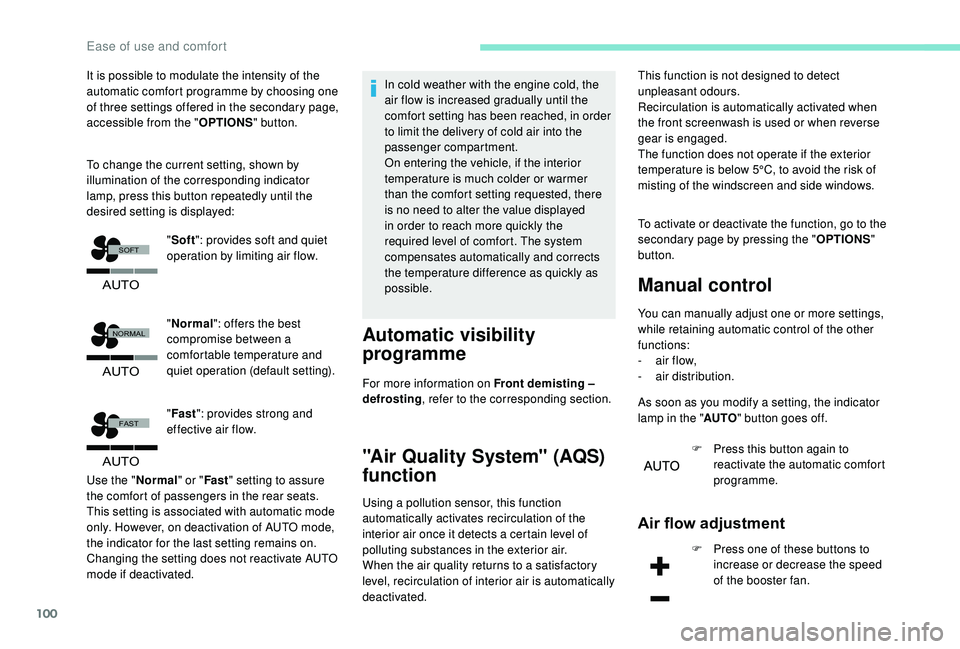
It is possible to modulate the intensity of the
automatic comfort programme by choosing one
of three settings offered in the secondary page,
accessible from the "OPTIONS" button.
To change the current setting, shown by
illumination of the corresponding indicator
lamp, press this button repeatedly until the
desired setting is displayed:
"Normal ": offers the best
compromise between a
comfortable temperature and
quiet operation (default setting).
" Fast ": provides strong and
effective air flow.
Use the " Normal" or "Fast" setting to assure
the comfort of passengers in the rear seats.
This setting is associated with automatic mode
only. However, on deactivation of AUTO mode,
the indicator for the last setting remains on.
Changing the setting does not reactivate AUTO
mode if deactivated. In cold weather with the engine cold, the
air flow is increased gradually until the
comfort setting has been reached, in order
to limit the delivery of cold air into the
passenger compartment.
On entering the vehicle, if the interior
temperature is much colder or warmer
than the comfort setting requested, there
is no need to alter the value displayed
in order to reach more quickly the
required level of comfort. The system
compensates automatically and corrects
the temperature difference as quickly as
possible.
Automatic visibility
programme
For more information on Front demisting –
defrosting
, refer to the corresponding section.
"Air Quality System" (AQS)
function
Using a pollution sensor, this function
automatically activates recirculation of the
interior air once it detects a certain level of
polluting substances in the exterior air.
When the air quality returns to a satisfactory
level, recirculation of interior air is automatically
deactivated. To activate or deactivate the function, go to the
secondary page by pressing the "
OPTIONS"
button.
Manual control
You can manually adjust one or more settings,
while retaining automatic control of the other
functions:
-
a
ir flow,
-
a
ir distribution.
As soon as you modify a setting, the indicator
lamp in the " AUTO" button goes off.
F
P
ress this button again to
reactivate the automatic comfort
programme.
Air flow adjustment
F Press one of these buttons to increase or decrease the speed
of the booster fan.
"
Soft ": provides soft and quiet
operation by limiting air flow. This function is not designed to detect
unpleasant odours.
Recirculation is automatically activated when
the front screenwash is used or when reverse
gear is engaged.
The function does not operate if the exterior
temperature is below 5°C, to avoid the risk of
misting of the windscreen and side windows.
Ease of use and comfort
Page 151 of 404
149
Locking
F Pull the strap then insert the tongue in the buckle.
F
C
heck that the seat belt is fastened
correctly by pulling the strap.
Unlocking
F Press the red button on the buckle.
F G uide the seat belt as it is reeled in.
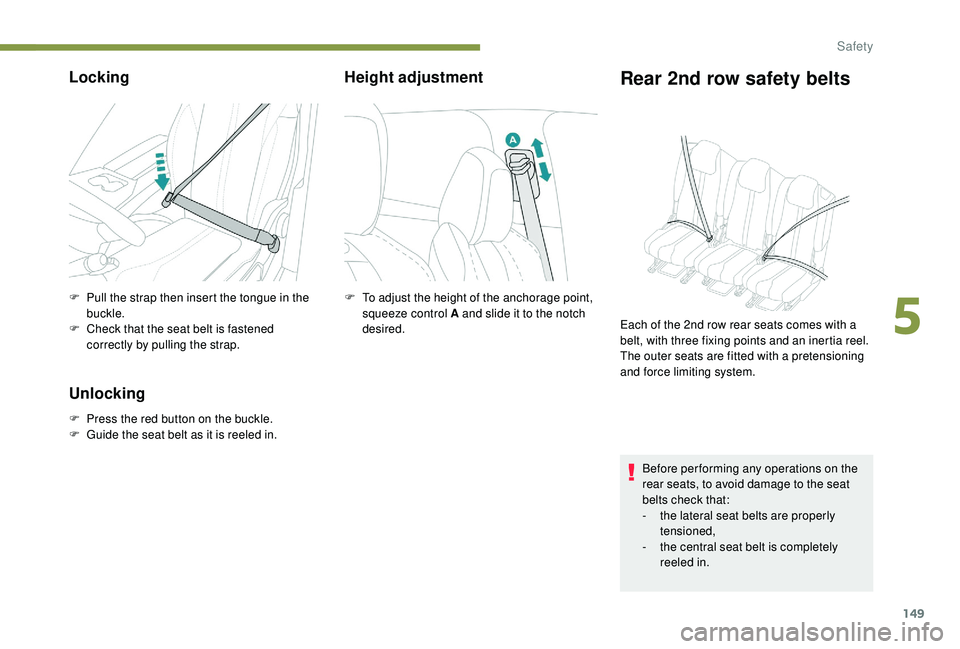
Height adjustmentRear 2nd row safety belts
F To adjust the height of the anchorage point, squeeze control A and slide it to the notch
desired.
Before per forming any operations on the
rear seats, to avoid damage to the seat
belts check that:
-
t
he lateral seat belts are properly
tensioned,
-
t
he central seat belt is completely
reeled in.
Each of the 2nd row rear seats comes with a
belt, with three fixing points and an inertia reel.
The outer seats are fitted with a pretensioning
and force limiting system.
5
Safety
Page 154 of 404
152
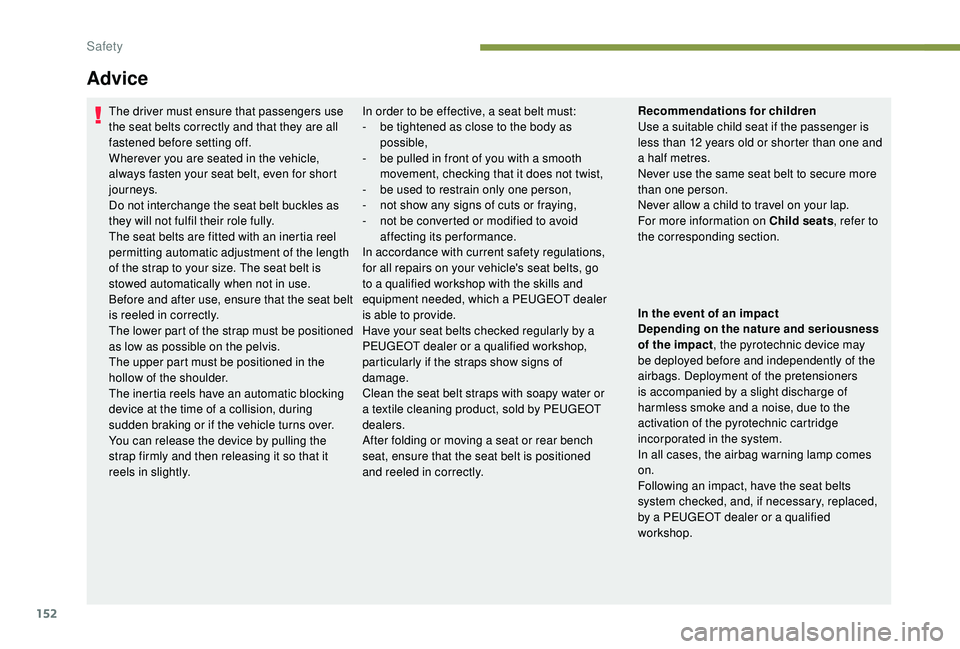
Advice
The driver must ensure that passengers use
the seat belts correctly and that they are all
fastened before setting off.
Wherever you are seated in the vehicle,
always fasten your seat belt, even for short
journeys.
Do not interchange the seat belt buckles as
they will not fulfil their role fully.
The seat belts are fitted with an inertia reel
permitting automatic adjustment of the length
of the strap to your size. The seat belt is
stowed automatically when not in use.
Before and after use, ensure that the seat belt
is reeled in correctly.
The lower part of the strap must be positioned
as low as possible on the pelvis.
The upper part must be positioned in the
hollow of the shoulder.
The inertia reels have an automatic blocking
device at the time of a collision, during
sudden braking or if the vehicle turns over.
You can release the device by pulling the
strap firmly and then releasing it so that it
reels in slightly.In order to be effective, a seat belt must:
-
b e tightened as close to the body as
possible,
-
b
e pulled in front of you with a smooth
movement, checking that it does not twist,
-
b
e used to restrain only one person,
-
n
ot show any signs of cuts or fraying,
-
n
ot be converted or modified to avoid
affecting its performance.
In accordance with current safety regulations,
for all repairs on your vehicle's seat belts, go
to a qualified workshop with the skills and
equipment needed, which a PEUGEOT dealer
is able to provide.
Have your seat belts checked regularly by a
PEUGEOT dealer or a qualified workshop,
particularly if the straps show signs of
damage.
Clean the seat belt straps with soapy water or
a textile cleaning product, sold by PEUGEOT
dealers.
After folding or moving a seat or rear bench
seat, ensure that the seat belt is positioned
and reeled in correctly. Recommendations for children
Use a suitable child seat if the passenger is
less than 12
years old or shorter than one and
a half metres.
Never use the same seat belt to secure more
than one person.
Never allow a child to travel on your lap.
For more information on Child seats , refer to
the corresponding section.
In the event of an impact
Depending on the nature and seriousness
of the impact , the pyrotechnic device may
be deployed before and independently of the
airbags. Deployment of the pretensioners
is accompanied by a slight discharge of
harmless smoke and a noise, due to the
activation of the pyrotechnic cartridge
incorporated in the system.
In all cases, the airbag warning lamp comes
on.
Following an impact, have the seat belts
system checked, and, if necessary, replaced,
by a PEUGEOT dealer or a qualified
workshop.
Safety
Page 166 of 404
164
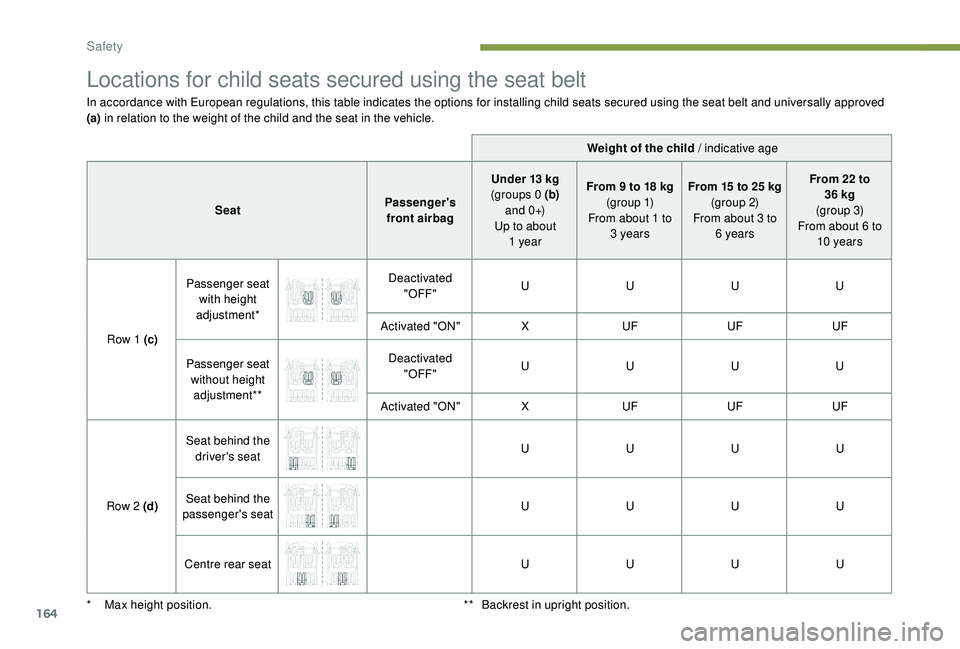
Locations for child seats secured using the seat belt
In accordance with European regulations, this table indicates the options for installing child seats secured using the seat belt and universally approved
(a) in relation to the weight of the child and the seat in the vehicle.
Weight of the child / indicative age
Seat Passenger's
front airbag Under 13
kg
(groups 0
(b)
a n d 0 +)
Up to about 1
yearFrom 9
to 18 kg
(g r o u p 1)
From about 1
to
3
yearsFrom 15
to 25 kg
(group 2)
From about 3
to
6
yearsFrom 22
to
36
kg
(group 3)
From about 6
to
10
years
Row 1
(c)Passenger seat
with height
adjustment* Deactivated
"OFF" U
UUU
Activated "ON" XUF UFUF
Passenger seat without height adjustment** Deactivated
"OFF" U
UUU
Activated "ON" XUF UFUF
Row 2
(d)Seat behind the
driver's seat U
UUU
Seat behind the
passenger's seat U
UUU
Centre rear seat UUUU
*
M
ax height position. **
B
ackrest in upright position.
Safety
Page 170 of 404
168
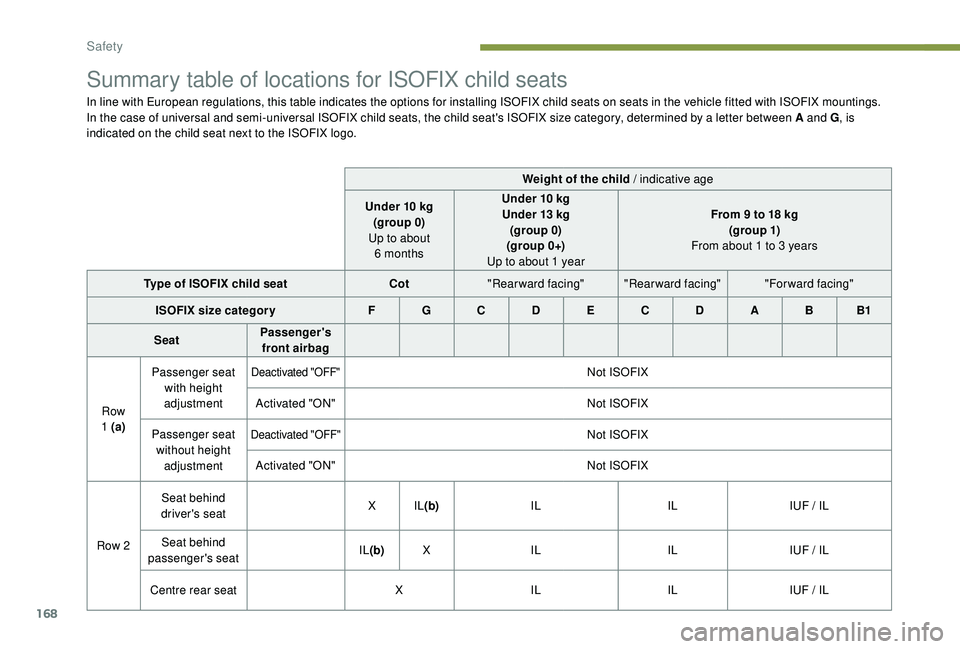
Summary table of locations for ISOFIX child seats
In line with European regulations, this table indicates the options for installing ISOFIX child seats on seats in the vehicle fitted with ISOFIX mountings.
In the case of universal and semi-universal ISOFIX child seats, the child seat's ISOFIX size category, determined by a letter between A and G, is
indicated on the child seat next to the ISOFIX logo.
Weight of the child / indicative age
Under 10
kg
(group 0)
Up to about 6
monthsUnder 10
kg
Under 13
kg
(group 0)
(group 0+)
Up to about 1
yearFrom 9
to 18 kg
(g ro up 1)
From about 1
to 3 years
Type of ISOFIX child seat Cot"Rearward facing" "Rearward facing" "Forward facing"
ISOFIX size categor y F G C D E C D A B B1
Seat Passenger's
front airbag
Row
1
(a) Passenger seat
with height
adjustment
Deactivated "OFF"Not ISOFIX
Activated "ON" Not ISOFIX
Passenger seat without height adjustment
Deactivated "OFF"Not ISOFIX
Activated "ON" Not ISOFIX
Row 2 Seat behind
driver's seat X
IL(b) IL ILIUF / IL
Seat behind
passenger's seat IL
(b) X IL ILIUF / IL
Centre rear seat XIL ILIUF / IL
Safety
Page 195 of 404
193
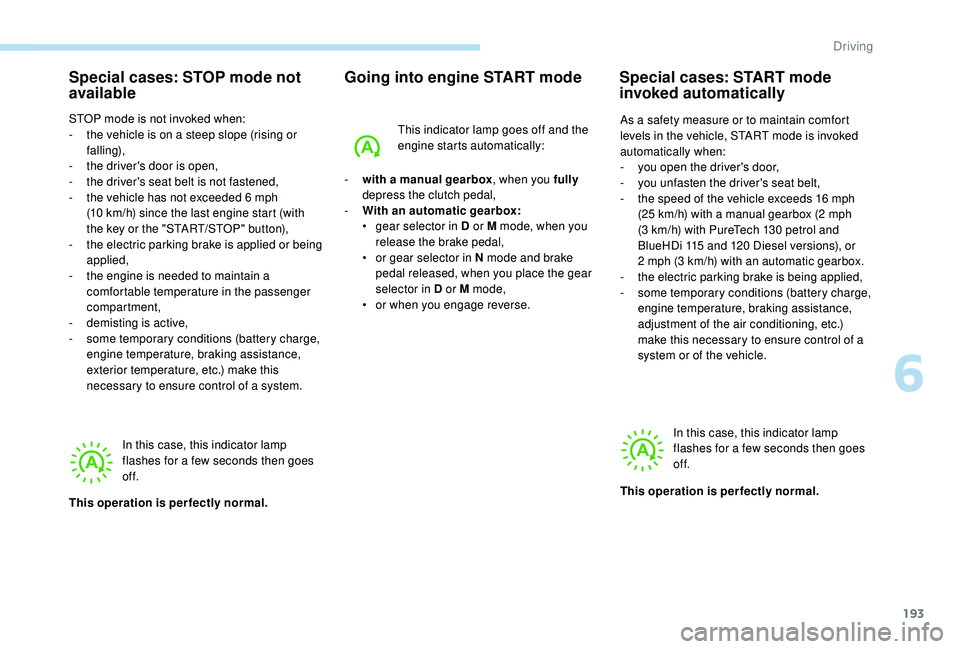
Special cases: STOP mode not
available
STOP mode is not invoked when:
- t he vehicle is on a steep slope (rising or
falling),
-
t
he driver's door is open,
-
t
he driver's seat belt is not fastened,
-
t
he vehicle has not exceeded 6 mph
(10
km/h) since the last engine start (with
the key or the "START/STOP" button),
-
t
he electric parking brake is applied or being
applied,
-
t
he engine is needed to maintain a
comfortable temperature in the passenger
compartment,
-
d
emisting is active,
-
s
ome temporary conditions (battery charge,
engine temperature, braking assistance,
exterior temperature, etc.) make this
necessary to ensure control of a system.
Going into engine START mode
In this case, this indicator lamp
flashes for a few seconds then goes
of f.
This operation is perfectly normal. -
w
ith a manual gearbox
, when you fully
depress the clutch pedal,
-
W
ith an automatic gearbox:
•
g
ear selector in D or M mode, when you
release the brake pedal,
•
o
r gear selector in N mode and brake
pedal released, when you place the gear
selector in D or M mode,
•
o
r when you engage reverse.This indicator lamp goes off and the
engine starts automatically:
Special cases: START mode
invoked automatically
As a safety measure or to maintain comfort
levels in the vehicle, START mode is invoked
automatically when:
-
y
ou open the driver's door,
-
y
ou unfasten the driver's seat belt,
-
t
he speed of the vehicle exceeds 16 mph
(25
km/h) with a manual gearbox (2 mph
(3
km/h) with PureTech 130 petrol and
BlueHDi 115
and 120 Diesel versions), or
2
mph (3 km/h) with an automatic gearbox.
-
t
he electric parking brake is being applied,
-
s
ome temporary conditions (battery charge,
engine temperature, braking assistance,
adjustment of the air conditioning, etc.)
make this necessary to ensure control of a
system or of the vehicle.
In this case, this indicator lamp
flashes for a few seconds then goes
of f.
This operation is perfectly normal.
6
Driving
Page 396 of 404
298
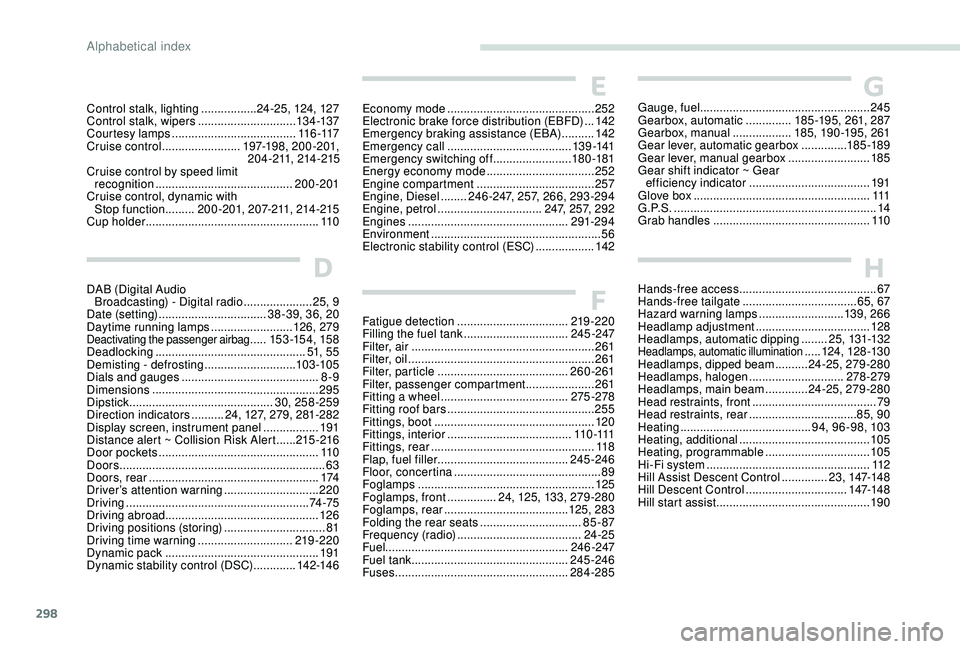
HHands-free access .......................................... 67
Hands-free tailgate ................................... 65, 67
Hazard warning lamps
..........................13 9, 266
Headlamp adjustment
...................................128
Headlamps, automatic dipping
........25, 131-132
Headlamps, automatic illumination ..... 124, 128 -13 0
Headlamps, dipped beam
.......... 24-25, 279-280
Headlamps, halogen
............................. 278-279
Headlamps, main beam
............. 24-25, 279-280
Head restraints, front
...................................... 79
Head restraints, rear
................................. 85, 90
Heating
........................................ 9
4, 96-98, 103
Heating, additional
........................................ 105
Heating, programmable
................................ 105
Hi-Fi system
.................................................. 11
2
Hill Assist Descent Control
.............. 23, 147-148
Hill Descent Control
............................... 147-148
Hill start assist
............................................... 19 0
GGauge, fuel.................................................... 245
Gearbox, automatic ..............18 5 -19 5, 261, 287
Gearbox, manual
..................185, 19 0 -195, 261
Gear lever, automatic gearbox
..............185 -189
Gear lever, manual gearbox
.........................185
Gear shift indicator ~ Gear efficiency indicator
..................................... 191
Glove box
...................................................... 111
G . P. S .
.............................................................. 14
Grab handles
................................................ 11 0
Control stalk, lighting
................. 24-25, 124, 127
Control stalk, wipers
.............................. 13
4 -137
Courtesy lamps
...................................... 11 6 -117
Cruise control
........................ 197-198, 200-201,
2 0 4 - 2 11, 214 -215
Cruise control by speed limit recognition
...............................
........... 200-201
Cruise control, dynamic with Stop function
......... 200-201, 2 0 7- 2 11, 214 -215
Cup holder
..................................................... 11 0
Fatigue detection
.................................. 219 -220
Filling the fuel tank
................................ 245 -247
Filter, air
........................................................ 261
Filter, oil
................
......................................... 261
Filter, particle
........................................ 260-261
Filter, passenger compartment
..................... 261
Fitting a wheel
....................................... 275 -278
Fitting roof bars
............................................. 255
Fittings, boot
................................................. 120
Fittings, interior
...................................... 11
0 -111
Fittings, rear
.................................................. 11 8
Flap, fuel filler
........................................ 245 -246
Floor, concertina
............................................. 89
Foglamps
...................................................... 125
Foglamps, front
............... 24, 125, 13 3, 279-280
Foglamps, rear
...................................... 12
5, 283
Folding the rear seats
............................... 85 - 87
Frequency (radio)
...................................... 24-25
Fuel ........................................................ 246 -247
Fuel tank ................................................ 245 -246
Fuses
..................................................... 28
4-285
F
D
DAB (Digital Audio Broadcasting) - Digital radio ..................... 25
, 9
Date (setting)
................................. 38-39, 36, 20
Daytime running lamps
.........................126, 279
Deactivating the passenger airbag .....153 -15 4, 15 8
Deadlocking
.............................................. 51, 55
Demisting - defrosting
............................ 10
3 -105
Dials and gauges
...............................
........... 8-9
Dimensions
..............................
..................... 295
Dipstick
................
............................ 30, 258-259
Direction indicators
.......... 24, 1 2 7, 279, 281-282
Display screen, instrument panel
................. 191
Distance alert ~ Collision Risk Alert
......215 -216
Door pockets
...............................
.................. 11 0
Doors
............................................................... 63
Doors, rear
.................................................... 174
Driver’s attention warning
............................. 220
Driving
........................................................ 74 -75
Driving abroad ............................................... 126
Driving positions (storing)
............................... 81
Driving time warning
............................. 219 -220
Dynamic pack
............................................... 19
1
Dynamic stability control (DSC)
............. 142-14 6
E
Economy mode ............................................. 2 52
Electronic brake force distribution (EBFD) ...142
Emergency braking assistance (EBA)
..........142
Emergency call
...................................... 13 9 -141
Emergency switching off
........................18 0 -181
Energy economy mode
................................. 2
52
Engine compartment
.................................... 2
57
Engine, Diesel
........246 -247, 2 5 7, 266, 293-294
Engine, petrol
...............................
.2 4 7, 2 5 7, 292
Engines
................................................. 291-294
Environment
.................................................... 56
Electronic stability control (ESC)
..................14
2
Alphabetical index
Page 398 of 404
300
S
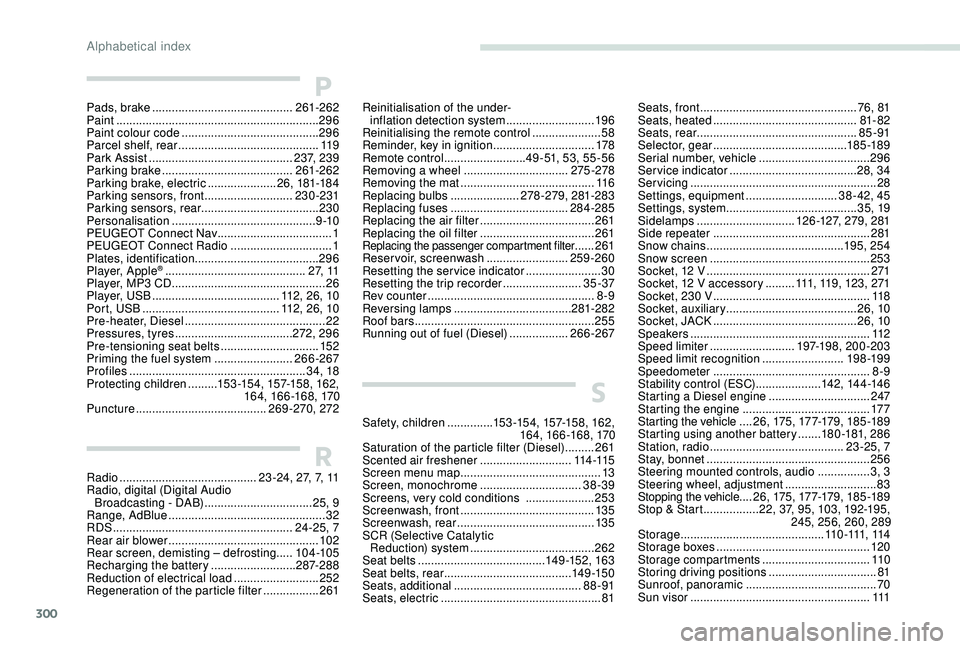
Safety, children ..............15 3 -15 4, 157-15 8, 162,
16 4, 166 -168, 170
Saturation of the particle filter (Diesel)
.........261
Scented air freshener
............................114 -115
Screen menu map
........................................... 13
Screen, monochrome
...............................38-39
Screens, very cold conditions
.....................25
3
Screenwash, front
......................................... 13 5
Screenwash, rear
.......................................... 13 5
SCR (Selective Catalytic Reduction) system
...................................... 262
Seat belts
....................................... 14 9 -152, 163
Seat belts, rear
....................................... 14 9 -15 0
Seats, additional
....................................... 8
8 -91
Seats, electric
................................................. 81
RRadio .......................................... 23 -24, 2 7, 7, 11
Radio, digital (Digital Audio Broadcasting - DAB)
.................................25
, 9
Range, AdBlue
................................................ 32
RDS
................
....................................... 24-25, 7
Rear air blower
...............................
...............102
Rear screen, demisting – defrosting .....104 -105
Recharging the battery
..........................287-288
Reduction of electrical load
..........................252
Regeneration of the particle filter
.................261
Pads, brake
...........................................
261-262
Paint
..............................................................
296
Paint colour code ..........................................
296
Parcel shelf, rear
...........................................
11 9
Park Assist
...............................
.............
2 3 7, 239
Parking brake
........................................
261-262
Parking brake, electric
..................... 2
6,
181-18 4
Parking sensors, front
...........................
230-231
Parking sensors, rear .................................... 230
Personalisation
............................................
9 -10
PEUGEOT Connect Nav ...................................
1
PEUGEOT Connect Radio
...............................
1
P
lates, identification
...................................... 296
Player, Apple
® ........................................... 2 7, 11
Player, MP3 CD ............................... ................26
Player, USB
....................................... 112 , 26, 10
Port, USB
.......................................... 112 , 26, 10
Pre-heater, Diesel
........................................... 22
Pressures, tyres
.................................... 272, 296
Pre-tensioning seat belts
.............................. 152
Priming the fuel system
........................ 266-267
Profiles
...................................................... 34, 18
Protecting children
......... 15 3 -15 4, 157-15 8, 162,
16 4, 166 -168, 170
Puncture
........................................ 269-270, 272
PReinitialisation of the under-
inflation detection system ...........................19 6
Reinitialising the remote control
..................... 58
R
eminder, key in ignition
...............................17
8
Remote control
.........................4 9 - 51, 53, 55-56
Removing a wheel
................................ 275 -278
Removing the mat
......................................... 11 6
Replacing bulbs
..................... 2
78-279, 281-283
Replacing fuses
.................................... 284-285
Replacing the air filter
................................... 2
61
Replacing the oil filter
................................... 2
61
Replacing the passenger compartment filter ......261
Reservoir, screenwash
......................... 259-260
Resetting the service indicator
....................... 30
Resetting the trip recorder
........................ 35 -37
Rev counter
................................................... 8-9
Reversing lamps
..............................
......281-282
Roof bars
....................................................... 255
Running out of fuel (Diesel)
.................. 266-267 Seats, front
...............................
.................
76, 81
Seats, heated
............................................
81- 82
Seats, rear
.................................................
85 -91
Selector, gear
.........................................
185 -189
Serial number, vehicle
..................................
296
Service indicator
.......................................
28, 34
Servicing
......................................................... 28
S
ettings, equipment
............................
38 - 42, 45
Settings, system
........................................
35, 19
Sidelamps
.............................. 12
6 -127,
279, 281
Side repeater ................................................
281
Snow chains .......................................... 195, 254
Snow screen
................................................. 253
Socket, 12 V
.................................................. 271
Socket, 12 V accessory
.........111, 11 9 , 123, 271
Socket, 230 V
...............................
.................11 8
Socket, auxiliary
........................................ 2
6, 10
Socket, JACK
............................................ 26, 10
Speakers
....................................................... 112
Speed limiter
.......................... 19
7-198, 200-203
Speed limit recognition
......................... 19
8 -19 9
Speedometer
................................................ 8-9
Stability control (ESC).................... 142, 14 4 -14 6
Starting a Diesel engine
............................... 2
47
Starting the engine
....................................... 17
7
Starting the vehicle
....26, 175 , 17 7-179, 185 -189
Starting using another battery
.......18 0 -181, 286
Station, radio
...............................
..........23-25, 7
Stay, bonnet
.................................................. 256
Steering mounted controls, audio
................ 3,
3
Steering wheel, adjustment
............................ 83
S
topping the vehicle
....26, 175 , 17 7-179, 185 -189
Stop & Start
.................22, 3 7, 95, 103, 192-195,
245, 256, 260, 289
Storage
............................................ 11 0 -111, 114
Storage boxes
............................................... 120
Storage compartments
.................................11 0
Storing driving positions
................................. 81
S
unroof, panoramic
........................................ 70
S
un visor
...............................
........................111
Alphabetical index