wheel Peugeot 508 2012 Owner's Manual
[x] Cancel search | Manufacturer: PEUGEOT, Model Year: 2012, Model line: 508, Model: Peugeot 508 2012Pages: 340, PDF Size: 11.11 MB
Page 4 of 340
.
Contents
Instrument panel 22
Indicator and warning lamps 23
Gauges and indicators 33
Tr ip computer 38
Instruments and controlsFamiliarisation
Remote control key 41
Alarm 50
Electric windows 52
Boot 54
Motorised tailgate (SW) 55
Sunroof 58
Panoramic sunroof (SW) 60
Fuel tank 61
Diesel misfuel prevention 62
Access
Front seats 64
Rear seats 69
Mirrors 71
Steering wheel adjustment 73
Interior fi ttings 74
Boot fi ttin
gs (Saloon) 77
Boot fi ttings (SW) 78
Heating and Ventilation 83
Manual air conditioning 85
Dual-zone digital air conditioning 87
Quad-zone digital air conditioning 90
Rear screen demist - defrost 95
Programmable Heating/Ventilation 96
Comfort
Starting-switching off the engine 97
Electric parking brake 99
Manual parking brake 106
Manual gearbox 107
Gear shift indicator 108
Automatic gearbox 109
6-speed electronic gear control gearbox 113
Stop & Star t 117
Hill start assist 120
Head-up display 121
Speed limiter 124
Cruise control 126
Parking sensors 128
Parking space sensors 130
Driving
Lighting controls 132
Automatic illumination of headlamps 137
Headlamp adjustment 140
Directional lighting 141
Wiper controls 143
Automatic rain sensitive wipers 145
Cour tesy lamps 147
Interior mood lighting 148
Visibility
Eco-driving 20
Page 5 of 340
.
.
Contents
Child seats 149
ISOFIX child seats 156
Child lock 160
Child safety
Direction indicators 161
Emergency or assistance call 162
Horn 162
Tyre under-infl ation detection 163
ESC system 164
Seat belts 167
Airbags 170
Safety
Te m p o r a ry puncture repair kit 174
Changing a wheel 180
Changing a bulb 187
Changing a fuse 196
12 V battery 200
Energy economy mode 203
Changing a wiper blade 204
To w i ng the vehicle 205
To w i ng a trailer 207
Fitting roof bars 209
Accessories 210
Practical information
Opening the bonnet 213
Running out of fuel (Diesel) 214
Petrol engines 215
Diesel engines 216
Checking levels 218
Checks 221
Checks
Petrol engines 223
Petrol weights 224
Diesel en
gines 226
Diesel weights 229
Dimensions 232
Identifi cation markings 233
Technical data
Emergency or assistance 235
JBL equipment 237
Peugeot Connect Navigation (RT6) 239
Audio system 293
Audio equipment and telematics
Alphabetical index
Visual search
Page 12 of 340
10
Familiarisation
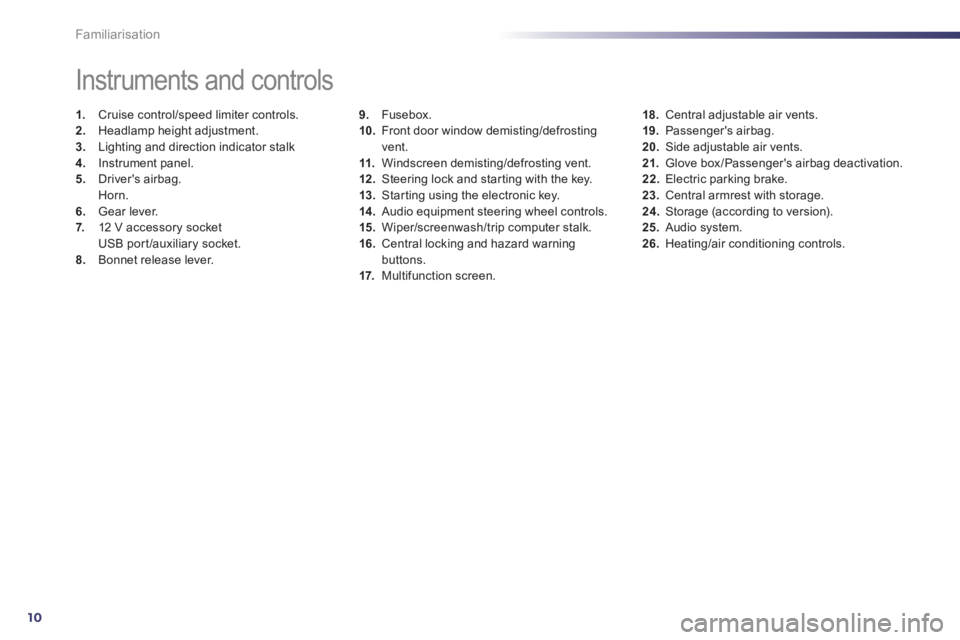
9.Fusebox.
10. Front door window demisting/defrostingvent.
11.Windscreen demisting/defrosting vent. 12 .Steering lock and star ting with the key.
13. Starting using the electronic key. 14 .
Audio equipment steering wheel controls.
15. Wiper/screenwash/trip computer stalk.
16.Central locking and hazard warningbuttons.
17. Multifunction screen.
Instruments and controls
1.
Cruise control/speed limiter controls. 2.
Headlamp height adjustment. 3.
Lighting and direction indicator stalk
4.
Instrument panel. 5.
Driver's airbag.Horn.
6.Gear lever.
7. 12 V accessory socket
USB por t/auxiliary socket.8.Bonnet release lever.
18.Central adjustable air vents.19. Passenger's airbag.20.
Side adjustable air vents.
21.Glove box/Passenger's airbag deactivation. 22.
Electric parking brake. 23.
Central armrest with storage. 24.
Storage (according to version).25.Audio system. 26.Heating/air conditioning controls.
Page 14 of 340
12
!
Familiarisation
Sitting comfortably
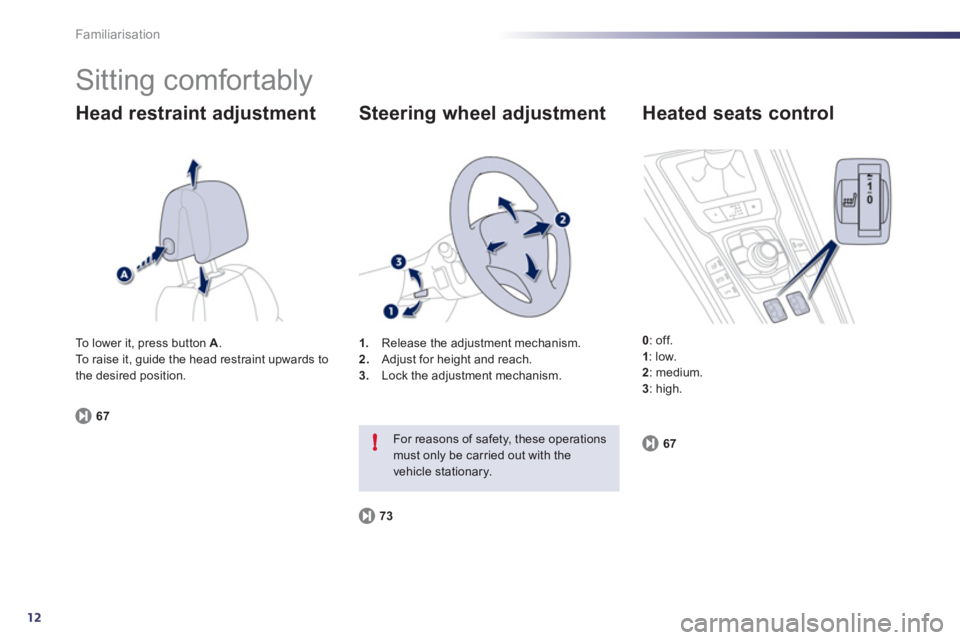
Head restraint adjustment
671
.Release the adjustment mechanism.
2. Adjust for height and reach. 3.
Lock the adjustment mechanism.
Steering wheel adjustment
73
For reasons of safety, these operations must only be carried out with thevehicle stationary.
Heated seats control
0
: off.1: low.2
: medium. 3
: high. To lower it, press button
A.
To raise it, guide the head restraint upwards to
the desired position.
67
Page 23 of 340
.
21
Limit the causes of excess
consumption
Spread loads throughout the vehicle; placethe heaviest items in the bottom of the boot,as close as possible to the rear seats.Limit the loads carried in the vehicle and reduce wind resistance (roof bars, roof rack, bicycle carrier, trailer...). Use a roof box inpreference.Remove roof bars and roof racks after use.
At the end of winter, remove snow tyres and refit your summer tyres.
Observe the recommendations
on maintenance
Check the tyre pressures regularly, when cold, referring to the label in the door aper ture, driver's side.Carry out this check in par ticular:- before a long journey,- at each change of season,- after a long period out of use. Don't forget the spare wheel and the tyres onany trailer or caravan.
Have your vehicle ser viced regularly (engine oil, oil filter, air filter...) and obser ve the schedule of operations recommended by the
manufacturer.
When refuelling, do not continue after the3 rdcut-off of the nozzle to avoid any over flow.
At the wheel of your new vehicle, it is only after the first 1 800 miles (3 000 kilometres) that you will see the fuel consumption settledown to a consistent average.
Page 25 of 340
1
23
!
Instruments and controls
Indicator and warning
lamps
Visual indicators informing the driver that
a system is in operation, switched off or hasa fault.
When the ignition is switched on
Certain warning lamps come on for a few seconds in the instrument panel and/or
instrument panel screen when the vehicle's
ignition is switched on.
When the engine is started, these same
warning lamps should go off.
If they remain on, before moving off, refer to
the information on the warning lamp concerned.
Associated warnings
The switching on of cer tain warning lamps
may be accompanied by an audible signal and
a message in the instrument panel screen.
The warning lamps may come on continuously(fixed) or flash.
Certain warning lamps may come on inone of two modes. Only by relating thetype of lighting to the operating status
of the vehicle can it be ascertainedwhether the situation is normal or whether a fault has occurred.
1
2
2
2
3
3
3
2
3
3
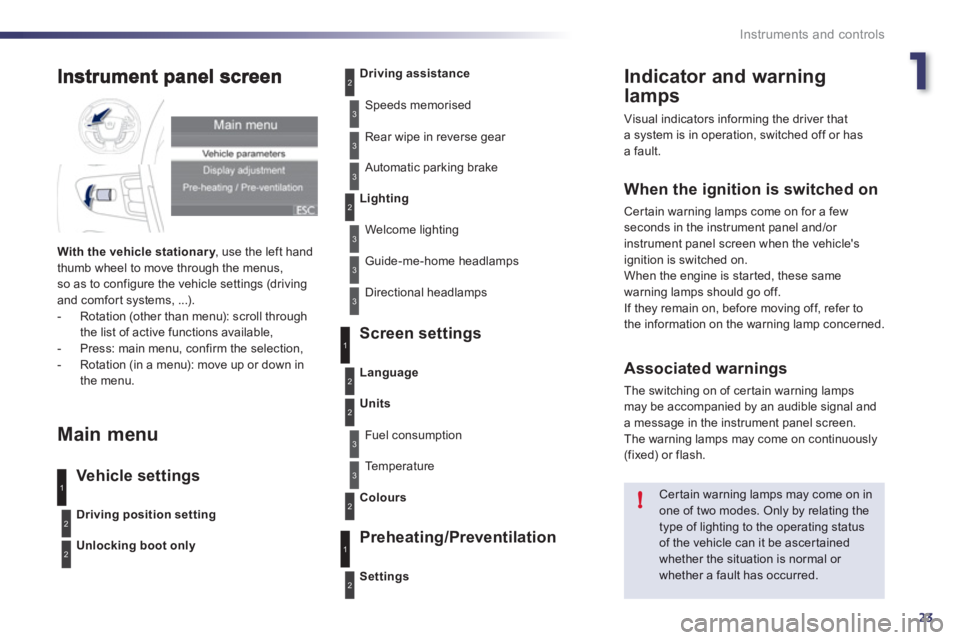
With the vehicle stationar y, use the left handythumb wheel to move through the menus,so as to configure the vehicle settings (driving
and comfor t systems, ...).
- Rotation (other than menu): scroll through
the list of active functions available,
- Press: main menu, confirm the selection,
- Rotation (in a menu): move up or down in
the menu.
Main menu
Vehicle settings Screen settin
gs
Preheatin
g/Preventilation
Driving position setting
Unlocking boot only
Driving assistance
Speeds memorised
Rear wipe in reverse
gear
Automatic parking brake
Lighting
Welcome lighting
Guide-me-home headlamps
Directional headlamps
Settin
gs
Language
Units
Fuel consumption
Te m p e r a t u r e
Colour
s
3
1
2
2
3
2
3
1
2
Page 30 of 340
28
Instruments and controls
Warning lamps
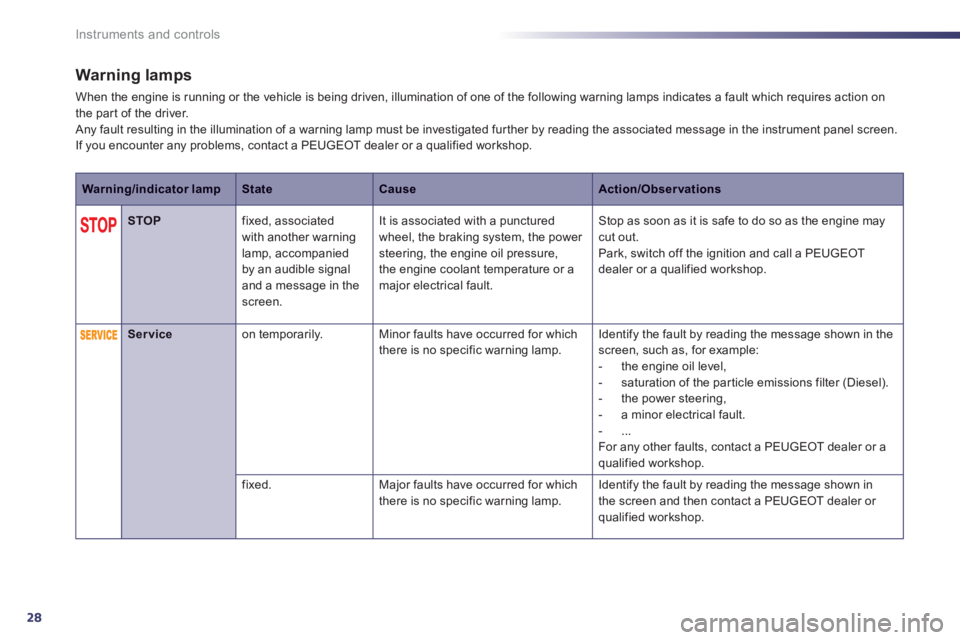
When the engine is running or the vehicle is being driven, illumination of one of the following warning lamps indicates a fault which requires action on
the par t of the driver.
Any fault resulting in the illumination of a warning lamp must be investigated fur ther by reading the associated message in the instrument panel screen.
If you encounter any problems, contact a PEUGEOT dealer or a qualified workshop.
Warning/indicator lampStateCauseAction/Observations
STOPfixed, associated
with another warning
lamp, accompanied
b
y an audible signaland a message in the screen. It is associated with a
punctured
wheel, the braking system, the power steering, the engine oil pressure,
the engine coolant temperature or a major electrical fault.
Stop as soon as it is safe to do so as the engine may cut out.
Park, switch off the ignition and call a PEUGEOT
dealer or a qualified workshop.
Serviceon temporarily.Minor faults have occurred for which
there is no specific warning lamp. Identify the fault by reading the message shown in the screen, such as, for example:
- the engine oil level,
- saturation o
f the par ticle emissions filter (Diesel).
- the power steering,
- a minor electrical fault.
-
...
For any other faults, contact a PEUGEOT dealer or a
qualified workshop.
fix
ed.Major faults have occurred for which
there is no specific warning lamp. Identify the fault by reading the message shown in
the screen and then contact a PEUGEOT dealer or
qualified workshop.
Page 41 of 340
1
39
i
i
i
Instruments and controls
Tr ip reset
If dashes are displayed continuously while driving in place of the digits,contact a PEUGEOT dealer or aqualified workshop.
This function is only displayed from20 mph (30 km/h).
This value may vary following a change in the style of driving or the relief, resulting in a significant change in the current fuel consumption.
A few definitions…
Range
(miles or km)
This indicates the distance whichcan still be travelled with the fuel
remaining in the tank in relation
to the average fuel consumptionover the last few miles (kilometres) travelled.
When the ran
ge falls below 20 miles (30 km),
dashes are displayed. After filling with at least 5 litres of fuel, the range is recalculated and is
displayed when it exceeds 60 miles (10 0 km).
Current fuel consumption
(mpg or l/100 km or km/l)This is the average fuel consumption
during the last few seconds.
Average fuel consumption
(mpg or l/100 km or km/l)
This is the average fuelconsumption since the last tripcomputer zero reset.
Average speed
(mph or km/h)
This is the average speed calculated
since the last trip computer zero reset
(ignition on).
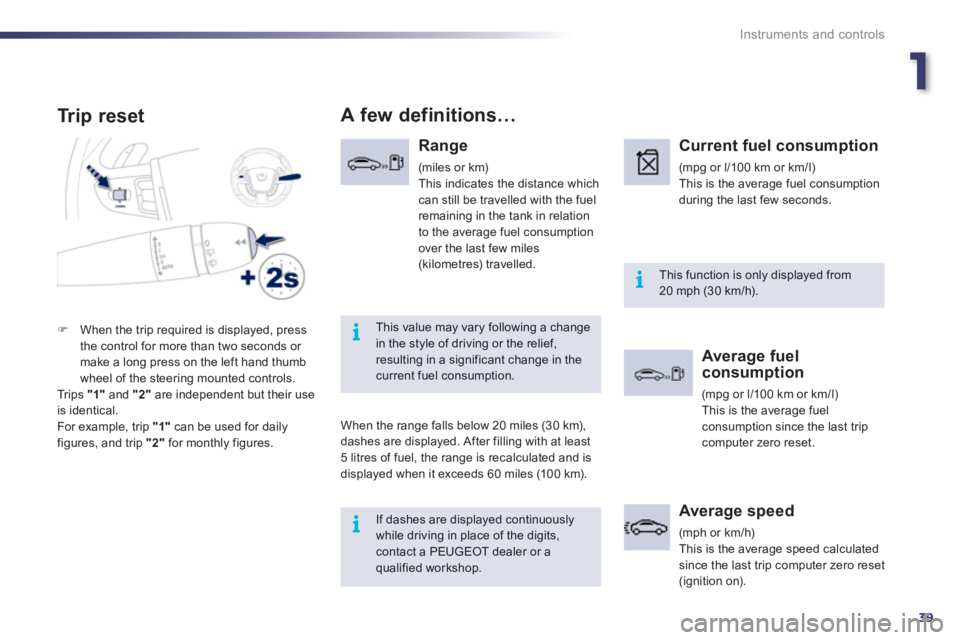
)When the trip required is displayed, press
the control for more than two seconds or make a long press on the left hand thumb
wheel of the steering mounted controls.
Trips "1"
and "2"are independent but their useis identical.
For example, trip "1"
can be used for daily figures, and trip "2"
for monthly figures.
Page 53 of 340
2
51
Access
Locking the vehicle
w
ith exterior perimeter
monitoring only
Deactivate the interior volumetric and anti-liftmonitoring to avoid unwanted triggering of the alarm in certain cases such as:
- leaving a window par tially open,
- washing your vehicle,
- changing a wheel,
- having your vehicle towed,
- transportation by sea.
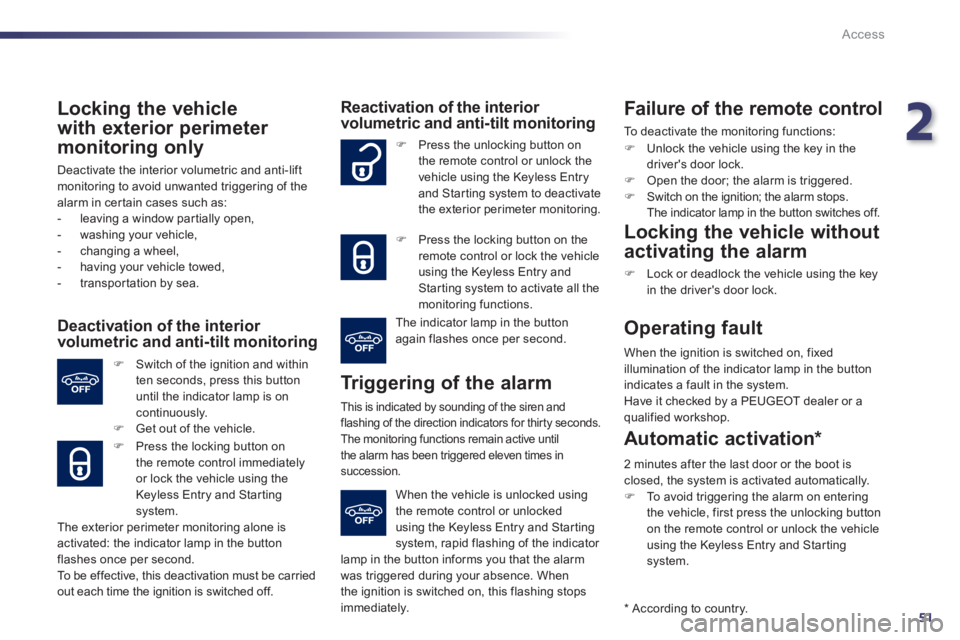
Deactivation of the interior volumetric and anti-tilt monitoring
)
Switch of the ignition and within
ten seconds, press this button
until the indicator lamp is on
continuously.) Get out of the vehicle.
)
Press the locking button on
the remote control immediatelyor lock the vehicle using the
Keyless Entry and Starting system.
The exterior perimeter monitorin
g alone is
activated: the indicator lamp in the button
flashes once per second.
To b e effective, this deactivation must be carried
out each time the ignition is switched off.
Reactivation of the interior volumetric and anti-tilt monitoring
Tr iggering of the alarm
This is indicated by sounding of the siren andflashing of the direction indicators for thirty seconds.
The monitoring functions remain active until
the alarm has been triggered eleven times insuccession.
) Press the unlocking button on
the remote control or unlock thevehicle using the Keyless Entry
and Star ting system to deactivate
the exterior perimeter monitoring.
) Press the locking button on the
remote control or lock the vehicleusing the Keyless Entry and Starting system to activate all the monitoring functions.
The indicator lamp in the button
again flashes once per second.
When the vehicle is unlocked usingthe remote control or unlocked
using the Keyless Entry and Starting
system, rapid flashing of the indicator lamp in the button informs you that the alarmwas triggered during your absence. When
the ignition is switched on, this flashing stopsimmediately.
Failure of the remote control
To deactivate the monitoring functions:
)
Unlock the vehicle using the key in thedriver's door lock. )
Open the door; the alarm is triggered. )
Switch on the ignition; the alarm stops.
The indicator lamp in the button switches off.
Locking the vehicle without
activating the alarm
)
Lock or deadlock the vehicle using the key
in the driver's door lock.
Operating fault
When the ignition is switched on, fixed
illumination of the indicator lamp in the button
indicates a fault in the system.
Have it checked by a PEUGEOT dealer or a qualified workshop.
* Accordin
g to country.
Automatic activation *
2 minutes after the last door or the boot is closed, the system is activated automatically. )
To avoid triggering the alarm on enteringthe vehicle, first press the unlocking button on the remote control or unlock the vehicleusing the Keyless Entry and Star ting system.
Page 75 of 340
3
73
!
i!
Comfort
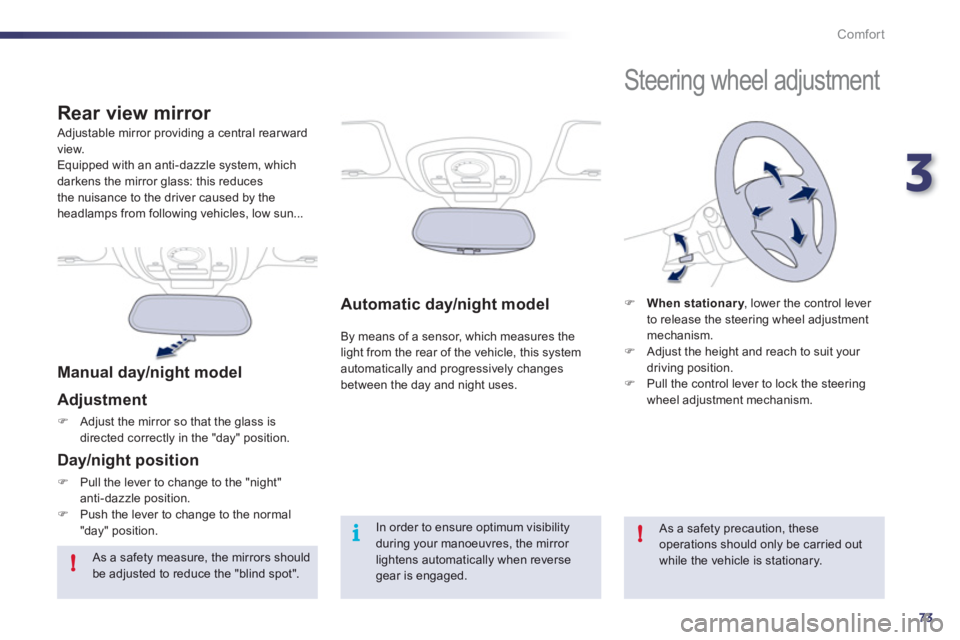
Automatic day/night model
By means of a sensor, which measures the light from the rear of the vehicle, this system automatically and progressively changes
between the day and night uses.
Adjustable mirror providing a central rear ward
view.
Equipped with an anti-dazzle system, which
darkens the mirror glass: this reduces
the nuisance to the driver caused by the headlamps from following vehicles, low sun...
Rear view mirror
Manual day/night model
Ad
justment
)Adjust the mirror so that the glass is
directed correctl
y in the "day" position.
Day/night position
)Pull the lever to change to the "night"anti-dazzle position. )Push the lever to change to the normal"day" position.In order to ensure optimum visibility during your manoeuvres, the mirror lightens automatically when reverse gear is engaged.
Steering wheel adjustment
)When stationary, lower the control lever yto release the steering wheel adjustment mechanism. )
Adjust the height and reach to suit your
driving position.) Pull the control lever to lock the steering
wheel adjustment mechanism.
As a safety precaution, these operations should only be carried out while the vehicle is stationary.
As a safety measure, the mirrors should be adjusted to reduce the "blind spot".