mirror Peugeot 508 2016 User Guide
[x] Cancel search | Manufacturer: PEUGEOT, Model Year: 2016, Model line: 508, Model: Peugeot 508 2016Pages: 371, PDF Size: 12.12 MB
Page 61 of 371
59
508_en_Chap02_ouvertures_ed01-2016
If one of the doors or the boot is still
open or if the key for Keyless en try and
Starting system has been left inside
the vehicle or if the ignition is on, the
central locking does not take place.
When the vehicle is locked, if it is
unlocked inadvertently, it will lock itself
again automatically after about thirty
seconds unless a door is opened.
If the alarm was previously activated,
it will not be reactivated automatically.
th
e folding and unfolding of the door
mirrors by the remote control can be
deactivated by a P
e
uge
Ot
dealer or a
qualified workshop. As a safety measure (children on
board), never leave the vehicle without
taking the key for the Keyless
e
n
try and
Starting system, even for a short period.
gu
ard against theft when the key for the
Keyless
e
n
try and Starting system is
in the recognition zone with the vehicle
unlocked.
In order to preserve the charge of the
cell battery in the remote control, the
"hands-free" functions go into extended
stand-by after 21 days of non-use.
t
o
r
estore these functions, press one of
the remote control buttons or start the
engine with the electronic key in the
reader.
2
Access
Page 66 of 371
64
508_en_Chap02_ouvertures_ed01-2016
Locking/ unlocking from the inside
Driving with the doors locked may make
access to the passenger compartment
by the emergency services more
difficult in an emergency.
If the vehicle is deadlocked or locked
with the remote control or the door
handles, the button is not active. In this
case, use the key or the remote control
to unlock.
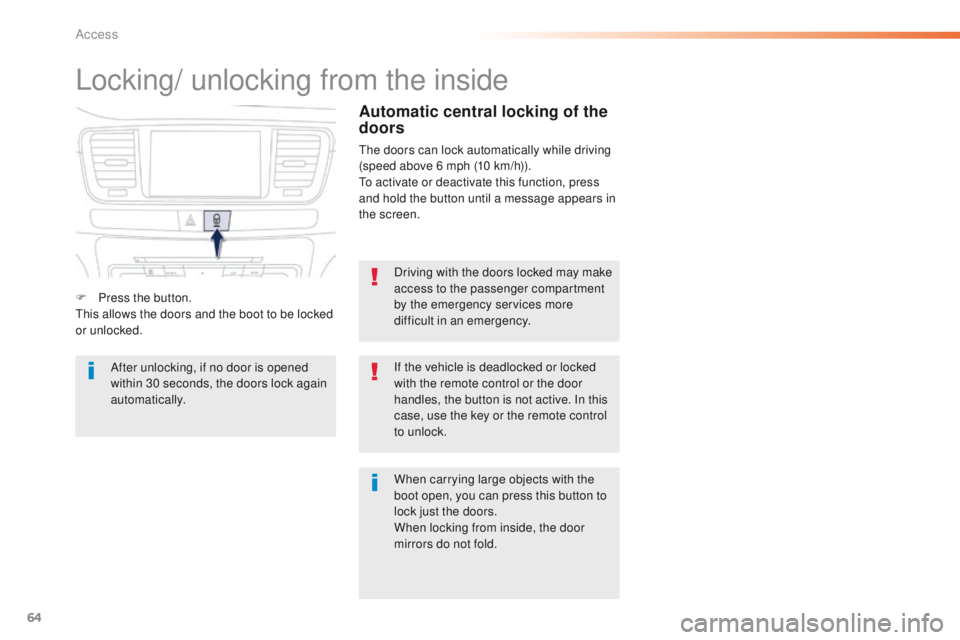
F
P
ress the button.
th
is allows the doors and the boot to be locked
or unlocked.
When carrying large objects with the
boot open, you can press this button to
lock just the doors.
When locking from inside, the door
mirrors do not fold.
Automatic central locking of the
doors
the doors can lock automatically while driving
(speed above 6 mph (10 km/h)).
to a
ctivate or deactivate this function, press
and hold the button until a message appears in
the screen.
After unlocking, if no door is opened
within 30 seconds, the doors lock again
automatically.
Access
Page 79 of 371
77
508_en_Chap03_ergonomie-et-confort_ed01-2016
Storing driving positions
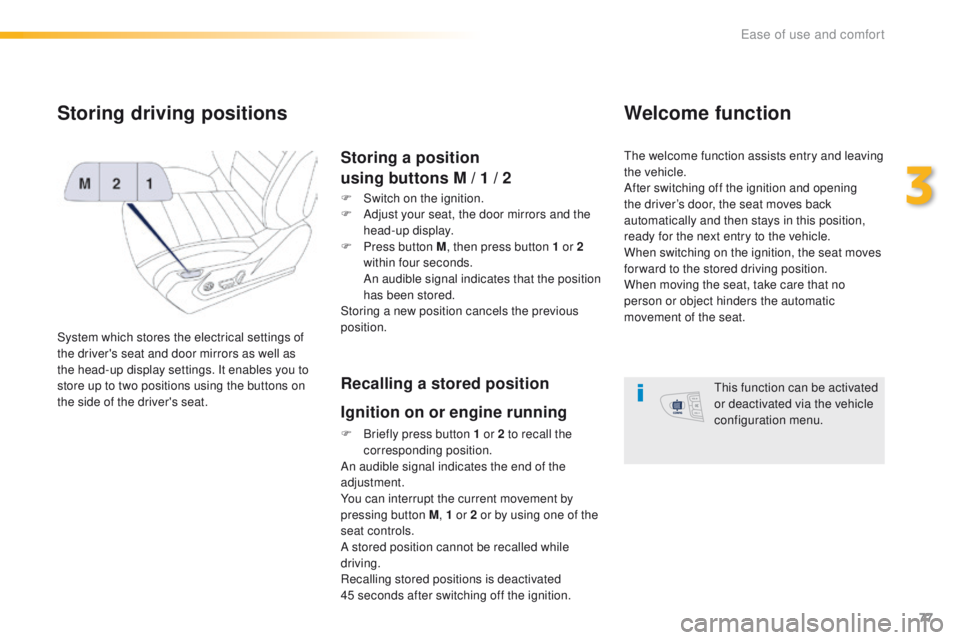
System which stores the electrical settings of
the driver's seat and door mirrors as well as
the head-up display settings. It enables you to
store up to two positions using the buttons on
the side of the driver's seat.
Storing a position
using buttons M / 1 / 2
F Switch on the ignition.
F
A djust your seat, the door mirrors and the
head-up display.
F
P
ress button M , then press button 1 or 2
within four seconds.
A
n audible signal indicates that the position
has been stored.
Storing a new position cancels the previous
position.
Recalling a stored position
Ignition on or engine running
F Briefly press button 1 or 2 to recall the corresponding position.
An audible signal indicates the end of the
adjustment.
You can interrupt the current movement by
pressing button M , 1 or 2 or by using one of the
seat controls.
A stored position cannot be recalled while
driving.
Recalling stored positions is deactivated
45
seconds after switching off the ignition.
Welcome function
the welcome function assists entry and leaving
the vehicle.
After switching off the ignition and opening
the driver’s door, the seat moves back
automatically and then stays in this position,
ready for the next entry to the vehicle.
When switching on the ignition, the seat moves
for ward to the stored driving position.
When moving the seat, take care that no
person or object hinders the automatic
movement of the seat.
th
is function can be activated
or deactivated via the vehicle
configuration menu.
3
ease of use and comfort
Page 82 of 371
80
508_en_Chap03_ergonomie-et-confort_ed01-2016
Mirrors
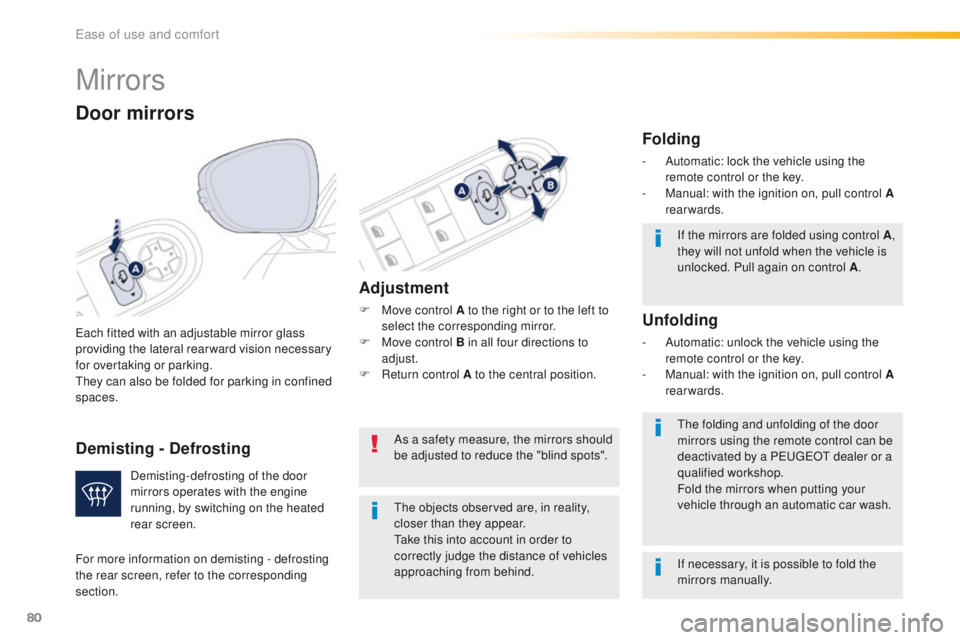
each fitted with an adjustable mirror glass
providing the lateral rear ward vision necessary
for overtaking or parking.
th
ey can also be folded for parking in confined
spaces.
Door mirrors
If the mirrors are folded using control A ,
they will not unfold when the vehicle is
unlocked. Pull again on control A .
th
e folding and unfolding of the door
mirrors using the remote control can be
deactivated by a P
e
uge
Ot
dealer or a
qualified workshop.
Fold the mirrors when putting your
vehicle through an automatic car wash.
th
e objects observed are, in reality,
closer than they appear.
ta
ke this into account in order to
correctly judge the distance of vehicles
approaching from behind.
Demisting-defrosting of the door
mirrors operates with the engine
running, by switching on the heated
rear screen.
Adjustment
F Move control A to the right or to the left to
select the corresponding mirror.
F
M
ove control B in all four directions to
adjust.
F
R
eturn control A to the central position.
Folding
- Automatic: lock the vehicle using the remote control or the key.
-
M
anual: with the ignition on, pull control A
rearwards.
Unfolding
- Automatic: unlock the vehicle using the remote control or the key.
-
M
anual: with the ignition on, pull control A
rearwards.
As a safety measure, the mirrors should
be adjusted to reduce the "blind spots".
If necessary, it is possible to fold the
mirrors manually.
For more information on demisting - defrosting
the rear screen, refer to the corresponding
section.
Demisting - Defrosting
ease of use and comfort
Page 83 of 371
81
508_en_Chap03_ergonomie-et-confort_ed01-2016
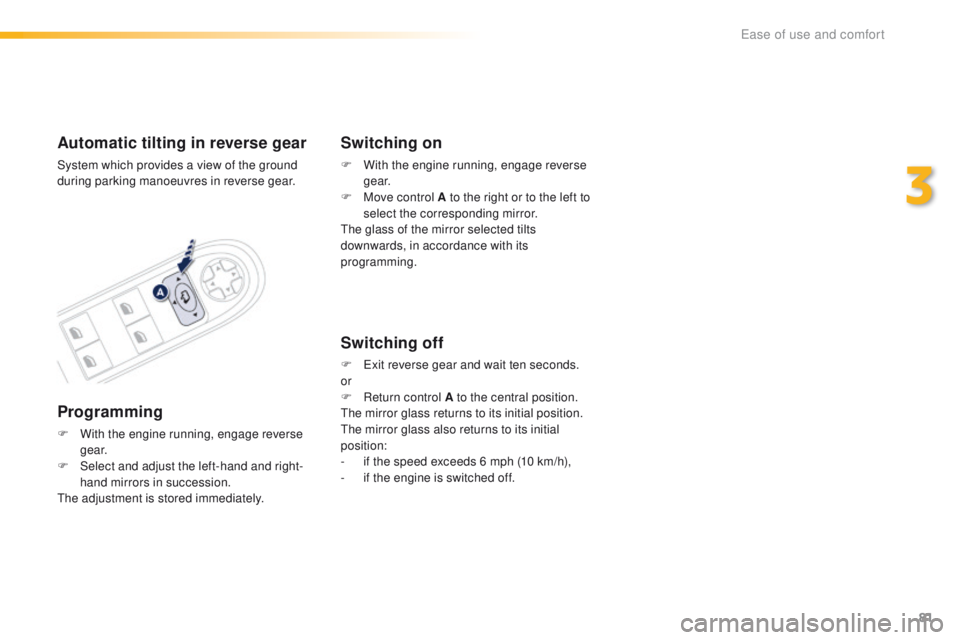
Automatic tilting in reverse gear
System which provides a view of the ground
during parking manoeuvres in reverse gear.
Programming
F With the engine running, engage reverse g e a r.
F
S
elect and adjust the left-hand and right-
hand mirrors in succession.
th
e adjustment is stored immediately.
Switching on
F With the engine running, engage reverse g e a r.
F
M
ove control A to the right or to the left to
select the corresponding mirror.
th
e glass of the mirror selected tilts
downwards, in accordance with its
programming.
Switching off
F exit reverse gear and wait ten seconds.
or
F
R
eturn control A to the central position.
th
e mirror glass returns to its initial position.
th
e mirror glass also returns to its initial
position:
-
i
f the speed exceeds 6 mph (10 km/h),
-
i
f the engine is switched off.
3
ease of use and comfort
Page 84 of 371
82
508_en_Chap03_ergonomie-et-confort_ed01-2016
Automatic "electrochrome"
model
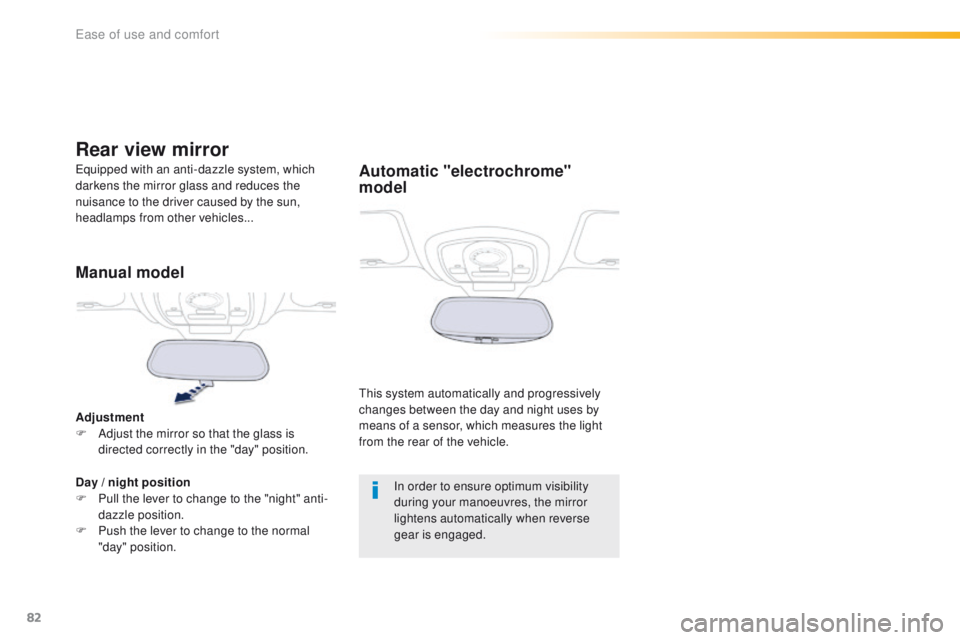
this system automatically and progressively
changes between the day and night uses by
means of a sensor, which measures the light
from the rear of the vehicle.
eq
uipped with an anti-dazzle system, which
darkens the mirror glass and reduces the
nuisance to the driver caused by the sun,
headlamps from other vehicles...
Rear view mirror
Manual model
Adjustment
F A djust the mirror so that the glass is
directed correctly in the "day" position.
Day
/ night position
F
P
ull the lever to change to the "night" anti-
dazzle position.
F
P
ush the lever to change to the normal
"day" position. In order to ensure optimum visibility
during your manoeuvres, the mirror
lightens automatically when reverse
gear is engaged.
ease of use and comfort
Page 98 of 371
96
508_en_Chap03_ergonomie-et-confort_ed01-2016
F Switch off the demist /defrost of the rear screen and door mirrors as
soon as it is no longer needed as
lower current consumption results
in reduced fuel consumption.
Front demist -
defrost Rear screen demist
-
defrost
the control button is located on the
air conditioning system control panel.
With manual air
conditioning
F Select this programme to demist
or defrost the windscreen and
side windows as quickly as
possible.
With dual-zone and quad-
zone digital air conditioning
Automatic visibility programme
Switching on
F Press this button to demist /defrost the rear screen and, depending on version, the door
mirrors.
t
h
e indicator lamp associated with
the button comes on.
With Stop & Start, when demisting has
been activated, the S
tO
P mode is not
available.
Switching off
the demist /defrost switches off automatically to
prevent an excessive consumption of current.
F
I
t is possible to stop the demist /defrost
operation before it is switched off
automatically by pressing the button again.
th
e indicator lamp associated with the
button goes off.
th
e system automatically manages the air
conditioning, air flow and air intake, and
provides optimum distribution towards the
windscreen and side windows.
Adjust the temperature control to quickly
demist
/defrost the windows.to s
witch it off, press the "visibility" button
again, the warning lamp in the button goes off
and the system reverts to the previous settings. F
S
elect this programme to demist
or defrost the windscreen and
side windows as quickly as
possible.
th
e system automatically manages the air
conditioning, air flow and air intake, and
provides optimum distribution towards the
windscreen and side windows.
With the quad-zone digital air conditioning,
pressing this button deactivates and locks the
rear air conditioning.
F
t
o s
top the programme, press either the
"visibility" button again or "AUTO" , the
warning lamp on the button goes off and
the warning lamp in the "AUTO" button
comes on.
the
system reverts to the previous settings.
th
e rear screen demist - defrost can only
operate when the engine is running.
ease of use and comfort
Page 103 of 371
101
508_en_Chap03_ergonomie-et-confort_ed01-2016
Sun visor
the sun visors have a vanity mirror with flap
and a map holder (or ticket holder) for the
driver.
F
W
ith the ignition on, raise the concealing
flap; the mirror is illuminated automatically.
Illuminated glove box 12 V accessory socket
Observe the maximum power rating to
avoid damaging your accessory.
th
e connection of an electrical device
not approved by P
e
uge
Ot, s
uch as a
uS
B charger, may adversely affect the
operation of vehicle electrical systems,
causing faults such as poor telephone
reception or inter ference with displays
in the screens.
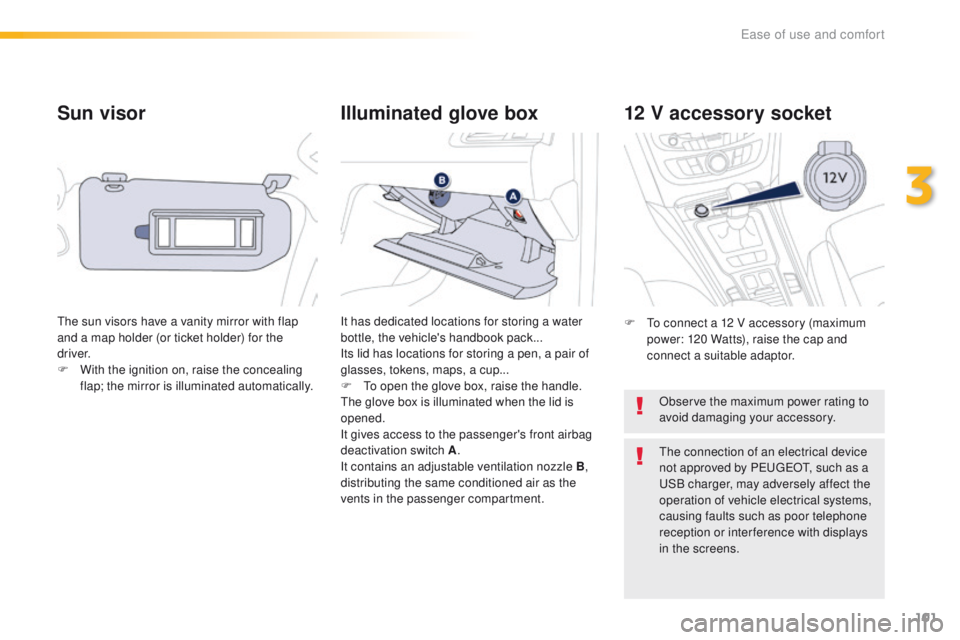
It has dedicated locations for storing a water
bottle, the vehicle's handbook pack...
Its lid has locations for storing a pen, a pair of
glasses, tokens, maps, a cup...
F
to o
pen the glove box, raise the handle.th
e glove box is illuminated when the lid is
opened.
It gives access to the passenger's front airbag
deactivation switch A .
It contains an adjustable ventilation nozzle B ,
distributing the same conditioned air as the
vents in the passenger compartment. F
t
o c
onnect a 12 V accessory (maximum
power: 120 Watts), raise the cap and
connect a suitable adaptor.
3
ease of use and comfort
Page 123 of 371
121
508_en_Chap04_eclairage-et-visibilite_ed01-2016
In fog or snow, the sunshine sensor
may detect sufficient light. In this
case, the lighting will not come on
automatically.
Do not cover the sunshine sensor,
coupled with the rain sensor and
located in the centre of the windscreen
behind the rear view mirror; the
associated functions would no longer
be controlled.
the sidelamps and dipped beam headlamps are
switched on automatically, without any action on
the part of the driver, when a low level of external
light is detected or in certain cases of activation
of the windscreen wipers.
As soon as the brightness returns to a sufficient
level or after the windscreen wipers are switched
off, the lamps are switched off automatically.
Automatic illumination of headlamps
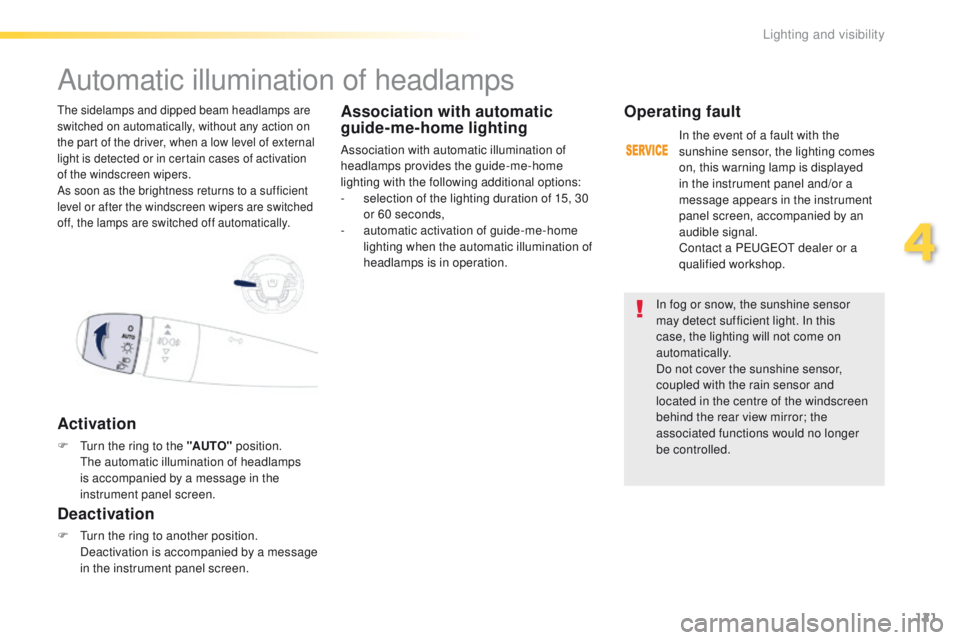
Activation
F turn the ring to the "AUTO" position. th
e automatic illumination of headlamps
is accompanied by a message in the
instrument panel screen.
Deactivation
F turn the ring to another position. Deactivation is accompanied by a message
in the instrument panel screen.
Association with automatic
guide-me-home lighting
Association with automatic illumination of
headlamps provides the guide-me-home
lighting with the following additional options:
-
s
election of the lighting duration of 15, 30
or 60 seconds,
-
a
utomatic activation of guide-me-home
lighting when the automatic illumination of
headlamps is in operation.
Operating fault
In the event of a fault with the
sunshine sensor, the lighting comes
on, this warning lamp is displayed
in the instrument panel and/or a
message appears in the instrument
panel screen, accompanied by an
audible signal.
Contact a P
e
uge
Ot
dealer or a
qualified workshop.
4
Lighting and visibility
Page 127 of 371
125
508_en_Chap04_eclairage-et-visibilite_ed01-2016
Exterior welcome lighting
Remote switching on of the lighting makes your
approach to the vehicle easier in poor light. th e
lighting comes on or not depending on the the
level of ambient light detected by the sunshine
sensor.
Switching off
the exterior welcome lighting
switches off automatically after a set
time, when the ignition is switched on
or on locking the vehicle.
Door mirror spotlamps
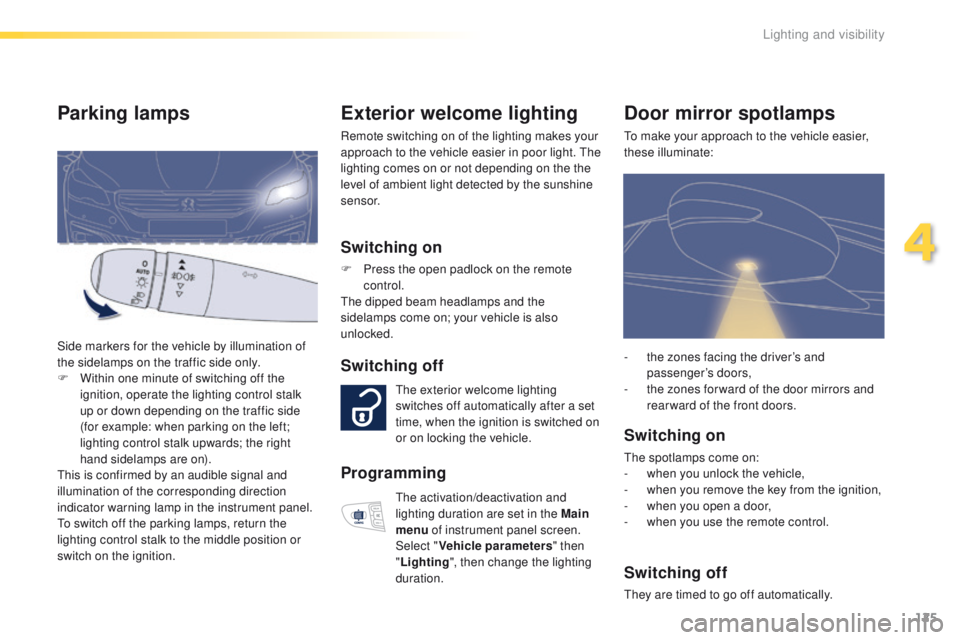
to make your approach to the vehicle easier,
these illuminate:
Switching on
the spotlamps come on:
- w hen you unlock the vehicle,
-
w
hen you remove the key from the ignition,
-
w
hen you open a door,
-
w
hen you use the remote control.
Switching off
they are timed to go off automatically. -
t
he zones facing the driver’s and
passenger’s doors,
-
t
he zones for ward of the door mirrors and
rear ward of the front doors.
Switching on
F Press the open padlock on the remote control.
th
e dipped beam headlamps and the
sidelamps come on; your vehicle is also
unlocked.
Parking lamps
Side markers for the vehicle by illumination of
the sidelamps on the traffic side only.
F
W
ithin one minute of switching off the
ignition, operate the lighting control stalk
up or down depending on the traffic side
(for example: when parking on the left;
lighting control stalk upwards; the right
hand sidelamps are on).
th
is is confirmed by an audible signal and
illumination of the corresponding direction
indicator warning lamp in the instrument panel.
to s
witch off the parking lamps, return the
lighting control stalk to the middle position or
switch on the ignition.
Programming
the activation/deactivation and
lighting duration are set in the Main
menu of instrument panel screen.
Select " Vehicle parameters " then
" Lighting ", then change the lighting
duration.
4
Lighting and visibility