audio Peugeot 508 2019 User Guide
[x] Cancel search | Manufacturer: PEUGEOT, Model Year: 2019, Model line: 508, Model: Peugeot 508 2019Pages: 320, PDF Size: 10.09 MB
Page 235 of 320
233
12 V battery
Procedure for starting the engine using another
battery or charging a discharged battery.
General points
Lead-acid starter batteries
Batteries contain harmful substances
such as sulphuric acid and lead.
They must be disposed of in accordance
with regulations and must not, in any
circumstances, be discarded with
household waste.
Take used remote control batteries and
vehicle batteries to a special collection
point.
Protect your eyes and face before
handling the battery.
All operations on the battery must be
carried out in a well ventilated area and
away from naked flames and sources of
sparks, so as to avoid the risk of explosion
or fire.
Wash your hands afterwards.
Access to the battery
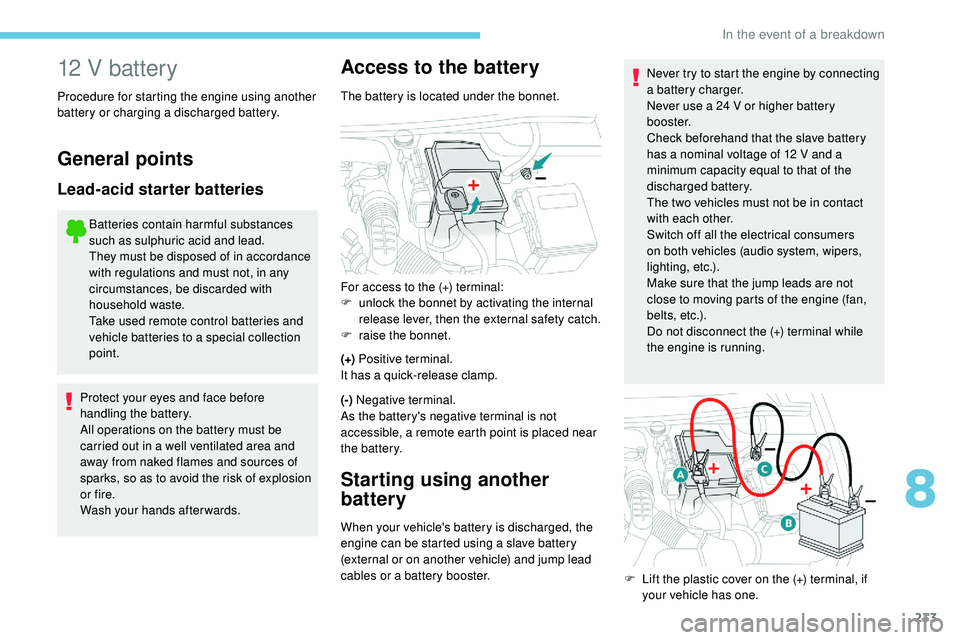
The battery is located under the bonnet.
(+) Positive terminal.
It has a quick-release clamp.
(-) Negative terminal.
As the battery's negative terminal is not
accessible, a remote earth point is placed near
the battery.
Starting using another
battery
When your vehicle's battery is discharged, the
engine can be started using a slave battery
(external or on another vehicle) and jump lead
cables or a battery booster. Never try to start the engine by connecting
a battery charger.
Never use a 24 V or higher battery
b o o s t e r.
Check beforehand that the slave battery
has a nominal voltage of 12 V and a
minimum capacity equal to that of the
discharged battery.
The two vehicles must not be in contact
with each other.
Switch off all the electrical consumers
on both vehicles (audio system, wipers,
lighting, etc.).
Make sure that the jump leads are not
close to moving parts of the engine (fan,
belts, etc.).
Do not disconnect the (+) terminal while
the engine is running.
For access to the (+) terminal:
F
u
nlock the bonnet by activating the internal
release lever, then the external safety catch.
F
r
aise the bonnet.
F
L
ift the plastic cover on the (+) terminal, if
your vehicle has one.
8
In the event of a breakdown
Page 236 of 320
234
F Start the engine of the vehicle with the good battery and leave it running for a few
minutes.
F
O
perate the starter on the broken down
vehicle and let the engine run.
If the engine does not start straight away,
switch off the ignition and wait a few moments
before trying again.
F
W
ait for it to return to idle.
F
D
isconnect the jump lead cables in reverse
order .
F
R
efit the plastic cover to the (+) terminal,
if
your vehicle has one.
F
A
llow the engine to run for at least
30
minutes, by driving or with the vehicle
stationary, so that the battery reaches an
adequate state of charge.
If your vehicle has an automatic gearbox,
never try to start the engine by pushing
the vehicle.
Charging the battery using
a battery charger
For optimum ser vice life of the battery, it is
essential to maintain an adequate state of
charge.
In some circumstances it may be necessary to
charge the battery:
-
i
f you only use your vehicle for short
journeys,
-
i
f the vehicle is to be taken off the road for
several weeks.
Contact a PEUGEOT dealer or a qualified
workshop.
If you wish to charge your vehicle's battery
yourself, use only a charger compatible
with lead-acid batteries with a nominal
voltage of 12 V.
Follow the instructions provided by the
manufacturer of the charger.
Never reverse polarities.
It is not necessary to disconnect the
battery.
F
S
witch off the ignition.
F
S
witch off all electrical consumers (audio
system, lighting, wipers, etc.).
F
C
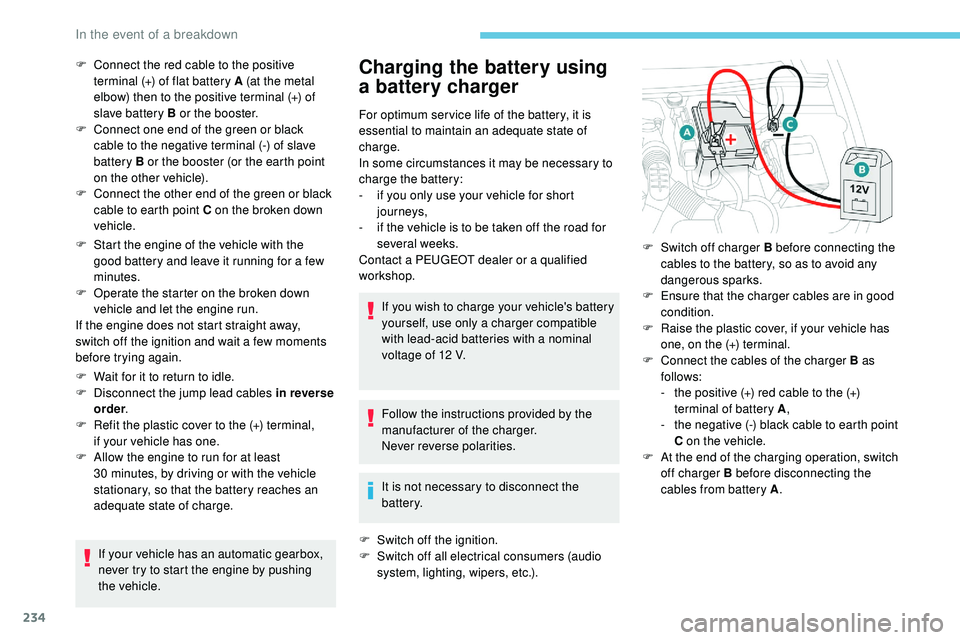
onnect the red cable to the positive
terminal (+) of flat battery A (at the metal
elbow) then to the positive terminal (+) of
slave battery B or the booster.
F
C
onnect one end of the green or black
cable to the negative terminal (-) of slave
battery B or the booster (or the earth point
on the other vehicle).
F
C
onnect the other end of the green or black
cable to earth point C on the broken down
vehicle.
F
S
witch off charger B before connecting the
cables to the battery, so as to avoid any
dangerous sparks.
F
E
nsure that the charger cables are in good
condition.
F
R
aise the plastic cover, if your vehicle has
one, on the (+) terminal.
F
C
onnect the cables of the charger B as
follows:
-
t
he positive (+) red cable to the (+)
terminal of battery A ,
-
t
he negative (-) black cable to earth point
C on the vehicle.
F
A
t the end of the charging operation, switch
off charger B before disconnecting the
cables from battery A .
In the event of a breakdown
Page 237 of 320
235
Never try to charge a frozen battery – risk
of explosion!
If the battery has frozen, have it checked
by a PEUGEOT dealer or by a qualified
workshop who will check that the internal
components have not been damaged and
that the container has not cracked, which
would mean a risk of toxic and corrosive
acid leaking.
Some functions, including Stop & Start,
are not available if the battery is not
sufficiently charged.
Disconnecting the battery
In order to maintain an adequate state of charge
for starting the engine, it is recommended that
the battery be disconnected if the vehicle is
taken out of ser vice for a long period.
Quick-release terminal clamp
Disconnecting the (+) terminalReconnecting the (+) terminal
Do not force the lever as locking will not
be possible if the clamp is not positioned
correctly; start the procedure again.
Following reconnection
After reconnecting the battery, turn on the
ignition and wait 1 minute before starting
the engine, in order to enable the electronic
systems to initialise.
If this label is present, it is essential to
use only a 12 V charger to avoid causing
irreversible damage to the electrical
components related to the Stop & Start
system.
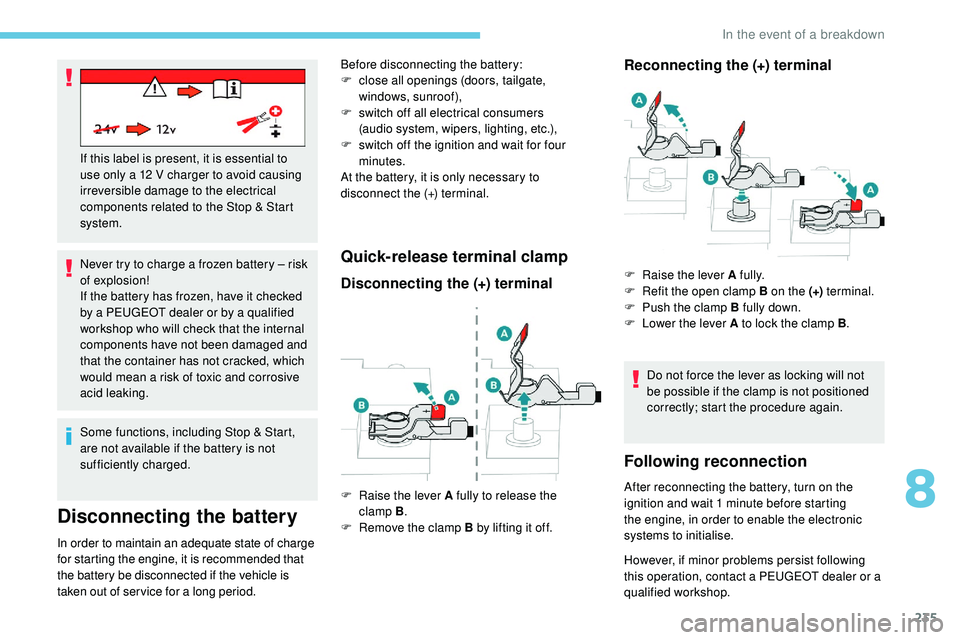
F
Ra
ise the lever A fully to release the
clamp
B .
F
R
emove the clamp B by lifting it off.
Before disconnecting the battery:
F
c
lose all openings (doors, tailgate,
windows,
sunroof),
F
s
witch off all electrical consumers
(audio
system, wipers, lighting, etc.),
F
s
witch off the ignition and wait for four
minutes.
At the battery, it is only necessary to
disconnect the (+) terminal.
F
Ra
ise the lever A fully.
F
R
efit the open clamp B on the (+)
terminal.
F
P
ush the clamp B fully down.
F
L
ower the lever A to lock the clamp B
.
However, if minor problems persist following
this operation, contact a PEUGEOT dealer or a
qualified workshop.
8
In the event of a breakdown
Page 247 of 320
1
PEUGEOT Connect Radio
Multimedia audio system –
Applications – Bluetooth®
telephone
Contents
First steps
2
S
teering mounted controls
3
M
enus
4
A
pplications
5
R
adio
6
D
AB (Digital Audio Broadcasting) radio
8
M
edia
9
T
elephone
1
0
Settings
1
6
Frequently asked questions
1
8The different functions and settings
described vary according to the version
and configuration of your vehicle.
As a safety measure and because it
requires sustained attention by the
driver, the pairing of a Bluetooth mobile
telephone with the Bluetooth hands-free
system of your audio system must be
done with the vehicle stationary
and the
ignition on.
The system is protected in such a way
that it will only operate in your vehicle.
The display of the message Energy
Economy Mode signals that a change
to standby is imminent.
The link below gives access to OSS (Open
Source Software) codes for the system.
https://www.groupe-psa.com/fr/oss/
https://www.groupe-psa.com/en/oss/
.
PEUGEOT Connect Radio
Page 248 of 320
2
First steps
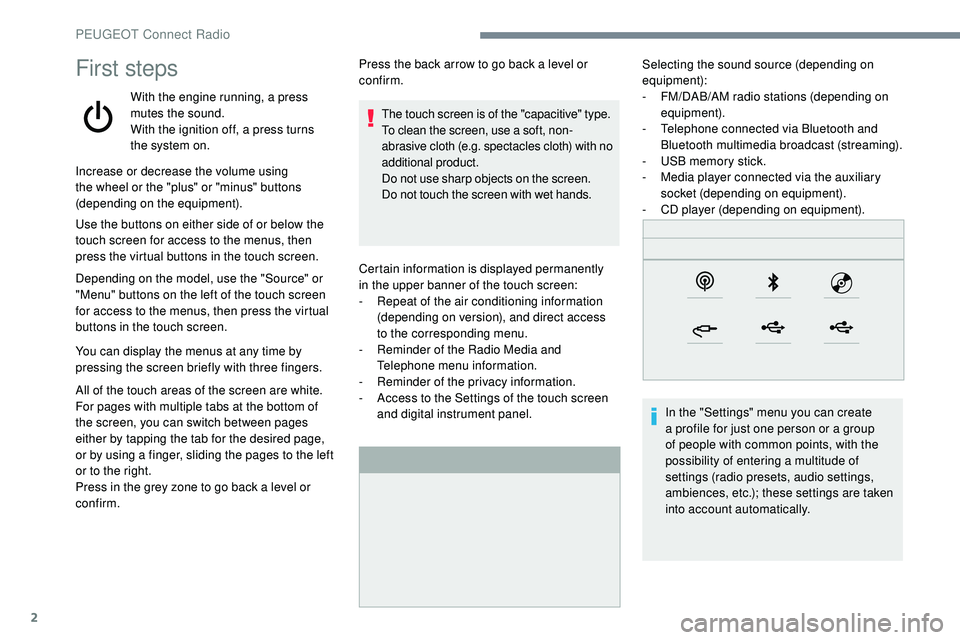
With the engine running, a press
mutes the sound.
With the ignition off, a press turns
the system on.Certain information is displayed permanently
in
the upper banner of the touch screen:
-
R
epeat of the air conditioning information
(depending on version), and direct access
to
the corresponding menu.
-
R
eminder of the Radio Media and
Telephone menu information.
-
R
eminder of the privacy information.
-
A
ccess to the Settings of the touch screen
and digital instrument panel. Selecting the sound source (depending on
equipment):
-
F M/DAB/AM radio stations (depending on
equipment).
-
T
elephone connected via Bluetooth and
Bluetooth multimedia broadcast (streaming).
-
U
SB memory stick.
-
M
edia player connected via the auxiliary
socket (depending on equipment).
-
C
D player (depending on equipment).
In the "Settings" menu you can create
a profile for just one person or a group
of people with common points, with the
possibility of entering a multitude of
settings (radio presets, audio settings,
ambiences, etc.); these settings are taken
into account automatically.
Increase or decrease the volume using
the wheel or the "plus" or "minus" buttons
(depending on the equipment).
Use the buttons on either side of or below the
touch screen for access to the menus, then
press the virtual buttons in the touch screen.
Depending on the model, use the "Source" or
"Menu" buttons on the left of the touch screen
for access to the menus, then press the virtual
buttons in the touch screen.
You can display the menus at any time by
pressing the screen briefly with three fingers.
All of the touch areas of the screen are white.
For pages with multiple tabs at the bottom of
the screen, you can switch between pages
either by tapping the tab for the desired page,
or by using a finger, sliding the pages to the left
or to the right.
Press in the grey zone to go back a level or
confirm. Press the back arrow to go back a level or
confirm.
The touch screen is of the "capacitive" type.
To clean the screen, use a soft, non-
abrasive cloth (e.g. spectacles cloth) with no
additional product.
Do not use sharp objects on the screen.
Do not touch the screen with wet hands.
PEUGEOT Connect Radio
Page 249 of 320
3
In very hot conditions, the volume may
be limited to protect the system. It may go
into standby (screen and sound off) for at
least 5 minutes.
The return to normal takes place when
the temperature in the passenger
compartment has dropped.
Steering mounted controls
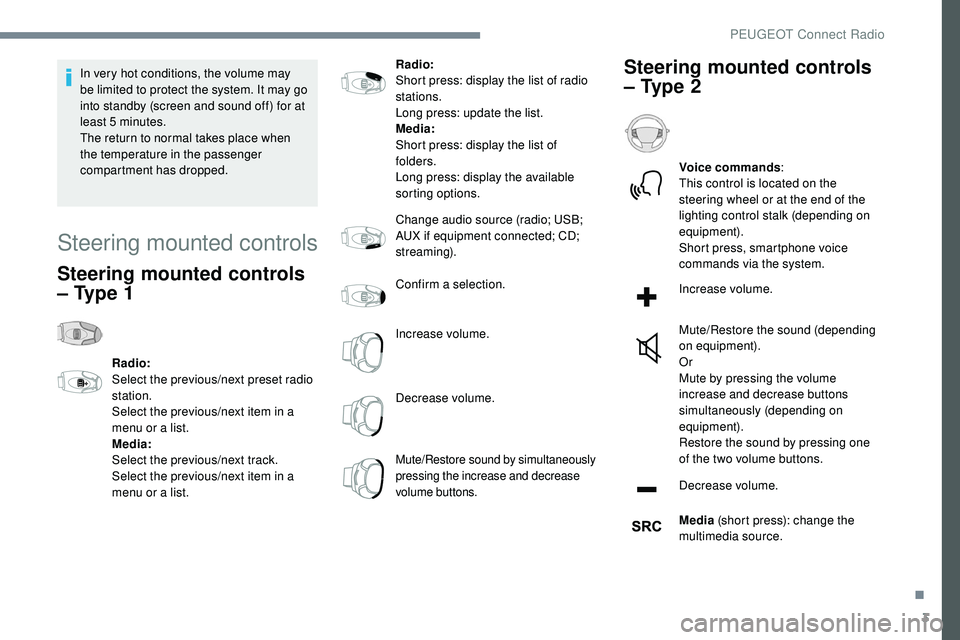
Steering mounted controls
– Type 1
Radio:
Select the previous/next preset radio
station.
Select the previous/next item in a
menu or a list.
Media:
Select the previous/next track.
Select the previous/next item in a
menu or a list.Radio:
Short press: display the list of radio
stations.
Long press: update the list.
Media:
Short press: display the list of
folders.
Long press: display the available
sorting options.
Change audio source (radio; USB;
AUX if equipment connected; CD;
streaming).
Confirm a selection.
Increase volume.
Decrease volume.
Mute/Restore sound by simultaneously
pressing the increase and decrease
volume buttons.
Steering mounted controls
– Type 2
Voice commands
:
This control is located on the
steering wheel or at the end of the
lighting control stalk (depending on
equipment).
Short press, smartphone voice
commands via the system.
Increase volume.
Mute/Restore the sound (depending
on equipment).
Or
Mute by pressing the volume
increase and decrease buttons
simultaneously (depending on
equipment).
Restore the sound by pressing one
of the two volume buttons.
Decrease volume.
Media (short press): change the
multimedia source.
.
PEUGEOT Connect Radio
Page 250 of 320
4
Telephone (short press): start
telephone call.
Call in progress (short press):
access telephone menu.
Telephone (long press): reject an
incoming call, end call; when no call
is in progress, access telephone
menu.
Radio (rotate): automatic search for
the previous/next station.
Media (rotate): previous/next track,
move in a list.
Short press : confirm a selection; if
nothing selected, access to presets.
Radio : display the list of stations.
Media : display the list of tracks.
Radio (press and hold): update the
list of stations received.Menus
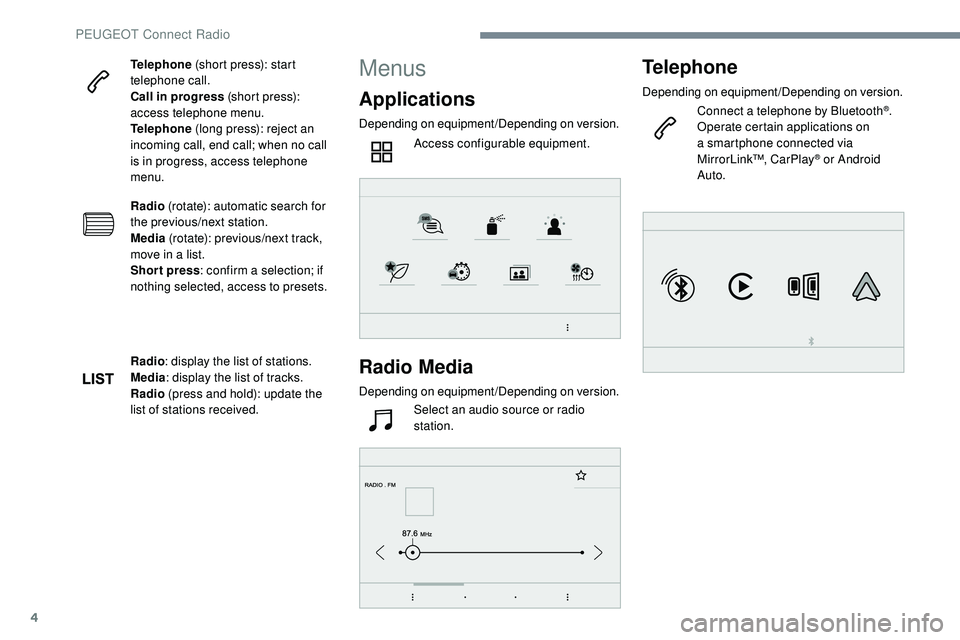
Applications
Depending on equipment/Depending on version.
Access configurable equipment.
Radio Media
Depending on equipment/Depending on version.Select an audio source or radio
station.
Telephone
Depending on equipment/Depending on version.
Connect a telephone by Bluetooth®.
Operate certain applications on
a smartphone connected via
MirrorLink™, CarPlay
® or Android
Auto.
PEUGEOT Connect Radio
Page 252 of 320
6
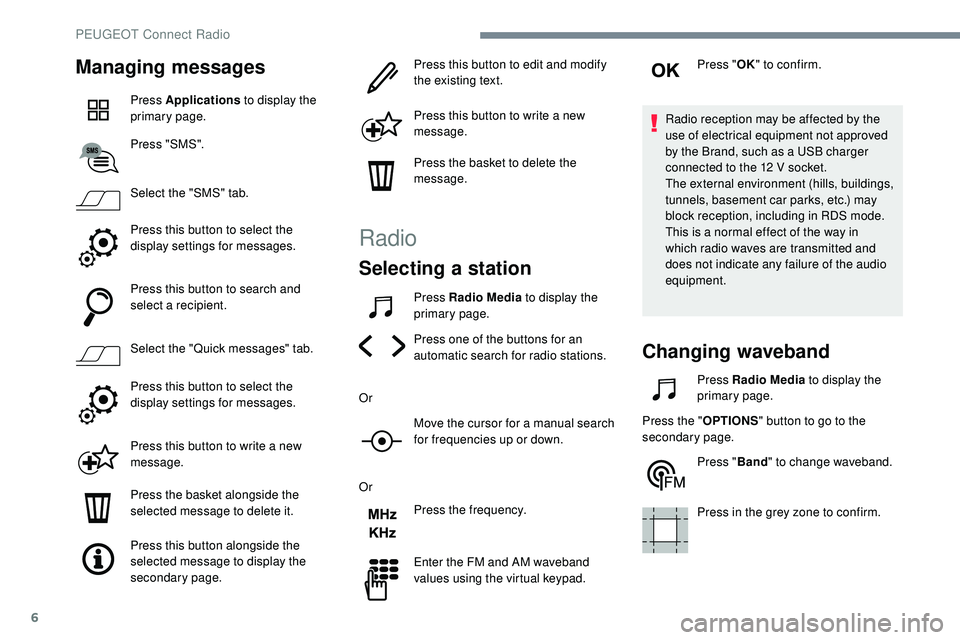
Managing messages
Press Applications to display the
primary page.
Press "SMS".
Select the "SMS" tab.
Press this button to select the
display settings for messages.
Press this button to search and
select a recipient.
Select the "Quick messages" tab.
Press this button to select the
display settings for messages.
Press this button to write a new
message.
Press the basket alongside the
selected message to delete it.
Press this button alongside the
selected message to display the
secondary page. Press this button to edit and modify
the existing text.
Press this button to write a new
message.
Press the basket to delete the
message.
Radio
Selecting a station
Press Radio Media
to display the
primary page.
Press one of the buttons for an
automatic search for radio stations.
Or Move the cursor for a manual search
for frequencies up or down.
Or Press the frequency.
Enter the FM and AM waveband
values using the virtual keypad. Press "
OK" to confirm.
Radio reception may be affected by the
use of electrical equipment not approved
by the Brand, such as a USB charger
connected to the 12 V socket.
The external environment (hills, buildings,
tunnels, basement car parks, etc.) may
block reception, including in RDS mode.
This is a normal effect of the way in
which radio waves are transmitted and
does not indicate any failure of the audio
equipment.
Changing waveband
Press Radio Media to display the
primary page.
Press the " OPTIONS" button to go to the
secondary page.
Press "Band" to change waveband.
Press in the grey zone to confirm.
PEUGEOT Connect Radio
Page 253 of 320
7
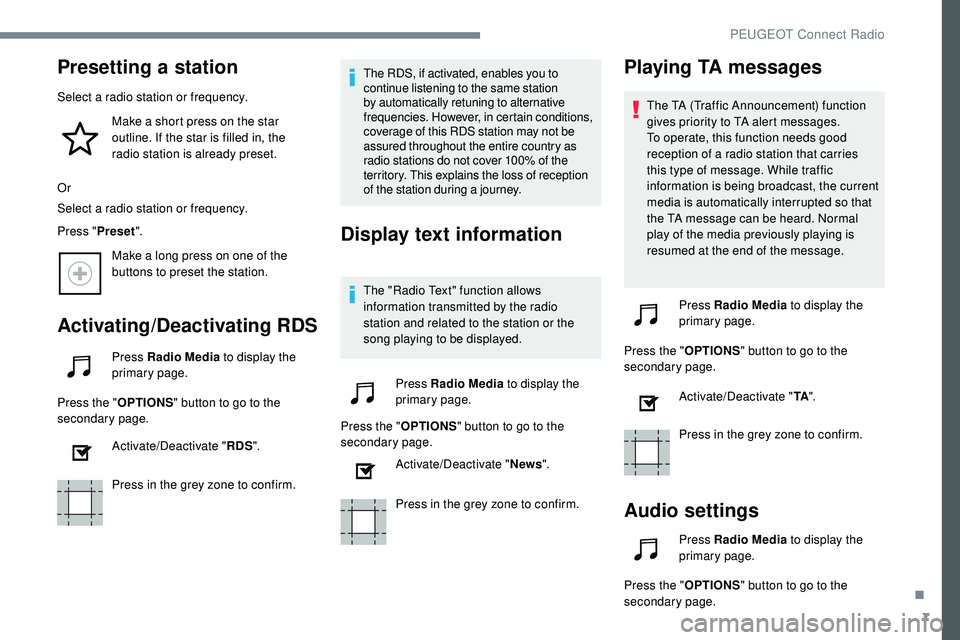
Presetting a station
Select a radio station or frequency.Make a short press on the star
outline. If the star is filled in, the
radio station is already preset.
Or
Select a radio station or frequency.
Press " Preset".
Make a long press on one of the
buttons to preset the station.
Activating/Deactivating RDS
Press Radio Media to display the
primary page.
Press the " OPTIONS" button to go to the
secondary page.
Activate/Deactivate " RDS".
Press in the grey zone to confirm. The RDS, if activated, enables you to
continue listening to the same station
by automatically retuning to alternative
frequencies. However, in certain conditions,
coverage of this RDS station may not be
assured throughout the entire country as
radio stations do not cover 100% of the
territory. This explains the loss of reception
of the station during a journey.
Display text information
The "Radio Text" function allows
information transmitted by the radio
station and related to the station or the
song playing to be displayed.
Press Radio Media to display the
primary page.
Press the " OPTIONS" button to go to the
secondary page.
Activate/Deactivate " News".
Press in the grey zone to confirm.
Playing TA messages
The TA (Traffic Announcement) function
gives priority to TA alert messages.
To operate, this function needs good
reception of a radio station that carries
this type of message. While traffic
information is being broadcast, the current
media is automatically interrupted so that
the TA message can be heard. Normal
play of the media previously playing is
resumed at the end of the message.
Press Radio Media to display the
primary page.
Press the " OPTIONS" button to go to the
secondary page.
Activate/Deactivate " TA".
Press in the grey zone to confirm.
Audio settings
Press Radio Media to display the
primary page.
Press the " OPTIONS" button to go to the
secondary page.
.
PEUGEOT Connect Radio
Page 254 of 320
8
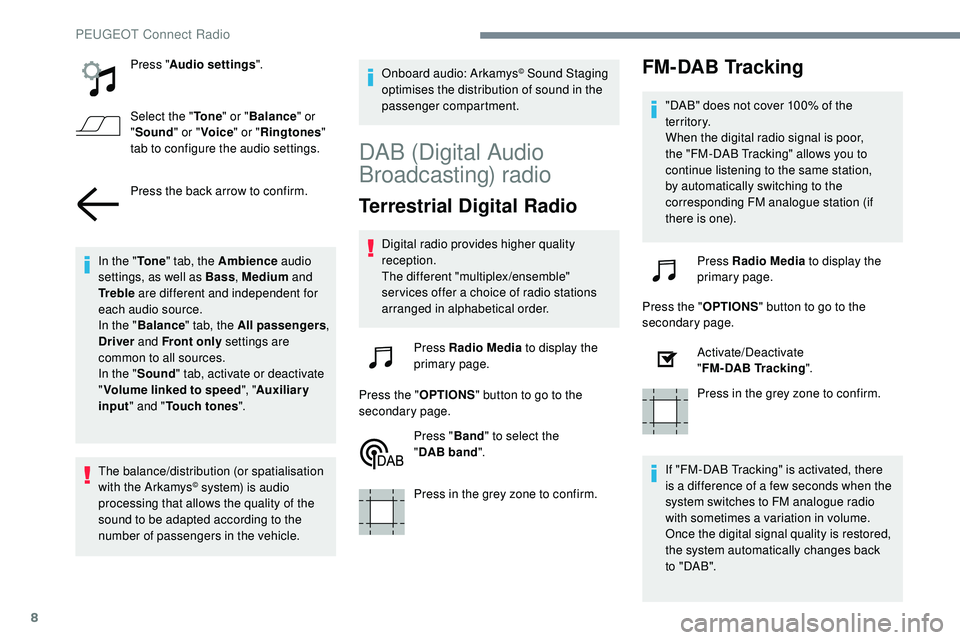
Press "Audio settings ".
Select the " To n e" or "Balance " or
" Sound " or "Voice " or "Ringtones "
tab to configure the audio settings.
Press the back arrow to confirm.
In the " To n e" tab, the Ambience audio
settings, as well as Bass , Medium and
Tr e b l e are different and independent for
each audio source.
In the " Balance " tab, the All passengers ,
Driver and Front only settings are
common to all sources.
In the " Sound" tab, activate or deactivate
" Volume linked to speed ", "Auxiliary
input " and " Touch tones ".
The balance/distribution (or spatialisation
with the Arkamys
© system) is audio
processing that allows the quality of the
sound to be adapted according to the
number of passengers in the vehicle. Onboard audio: Arkamys
© Sound Staging
optimises the distribution of sound in the
passenger compartment.
DAB (Digital Audio
Broadcasting) radio
Terrestrial Digital Radio
Digital radio provides higher quality
reception.
The different "multiplex/ensemble"
ser vices offer a choice of radio stations
arranged in alphabetical order.
Press Radio Media to display the
primary page.
Press the " OPTIONS" button to go to the
secondary page.
Press "Band" to select the
" DAB
band".
Press in the grey zone to confirm.
FM-DAB Tracking
"DAB" does not cover 100% of the
te r r i to r y.
When the digital radio signal is poor,
the "FM-DAB Tracking" allows you to
continue listening to the same station,
by automatically switching to the
corresponding FM analogue station (if
there is one).
Press Radio Media to display the
primary page.
Press the " OPTIONS" button to go to the
secondary page.
Activate/Deactivate
"FM-DAB
Tracking".
Press in the grey zone to confirm.
If "FM-DAB Tracking" is activated, there
is a difference of a few seconds when the
system switches to FM analogue radio
with sometimes a variation in volume.
Once the digital signal quality is restored,
the system automatically changes back
to " DA B ".
PEUGEOT Connect Radio