parking sensors Peugeot 508 2019 Owner's Manual
[x] Cancel search | Manufacturer: PEUGEOT, Model Year: 2019, Model line: 508, Model: Peugeot 508 2019Pages: 320, PDF Size: 10.09 MB
Page 5 of 320
3
.
bit.ly/helpPSA
.
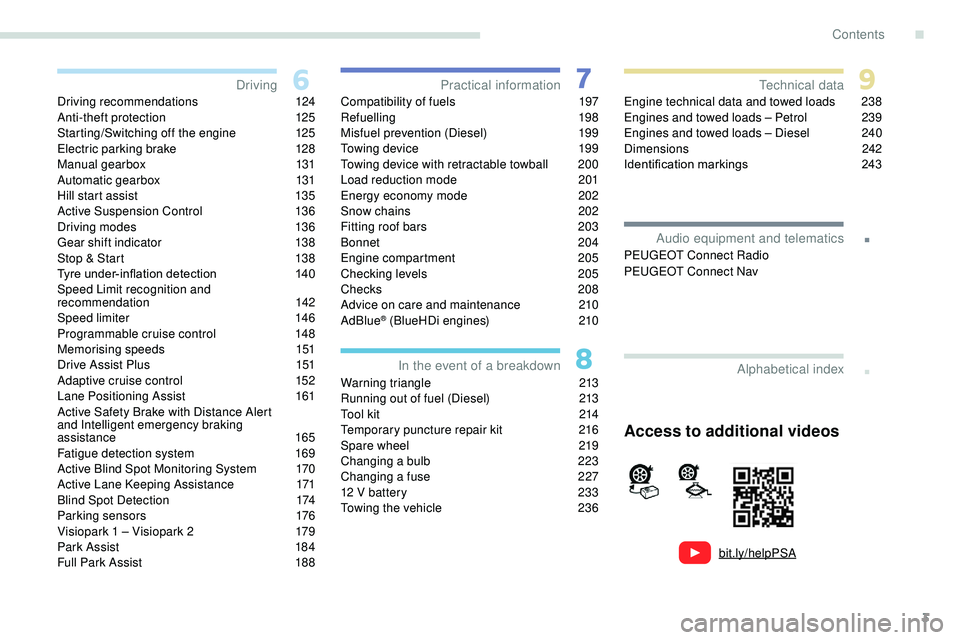
Driving recommendations 124
Anti-theft protection 1 25
Starting/Switching off the engine
1
25
Electric parking brake
1
28
Manual gearbox
1
31
Automatic gearbox
1
31
Hill start assist
1
35
Active Suspension Control
1
36
Driving modes
1
36
Gear shift indicator
1
38
Stop & Start
1
38
Tyre under-inflation detection
1
40
Speed Limit recognition and
recommendation
1
42
Speed limiter
1
46
Programmable cruise control
1
48
Memorising speeds
1
51
Drive Assist Plus
1
51
Adaptive cruise control
1
52
Lane Positioning Assist
1
61
Active Safety Brake with Distance Alert
and Intelligent emergency braking
assistance
165
Fatigue detection system
1
69
Active Blind Spot Monitoring System
1
70
Active Lane Keeping Assistance
1
71
Blind Spot Detection
1
74
Parking sensors
1
76
Visiopark 1 – Visiopark 2
1
79
Park Assist
1
84
Full Park Assist
1
88Compatibility of fuels
1 97
Refuelling 1 98
Misfuel prevention (Diesel)
1
99
Towing device
1
99
Towing device with retractable towball
2
00
Load reduction mode
2
01
Energy economy mode
202
S
now chains
2
02
Fitting roof bars
2
03
Bonnet
204
Engine compartment
2
05
Checking levels
20
5
Checks
20
8
Advice on care and maintenance
2
10
AdBlue
® (BlueHDi engines) 2 10
Warning triangle
2
13
Running out of fuel (Diesel)
2
13
Tool kit
2
14
Temporary puncture repair kit
2
16
Spare wheel
2
19
Changing a bulb
2
23
Changing a fuse
2
27
12 V battery
2
33
Towing the vehicle
2
36Engine technical data and towed loads
2
38
Engines and towed loads – Petrol
2
39
Engines and towed loads – Diesel
2
40
Dimensions
2
42
Identification markings
2
43
Driving
Practical information
In the event of a breakdown Technical data
Alphabetical index
Access to additional videos
Audio equipment and telematics
PEUGEOT Connect Radio
PEUGEOT Connect Nav
.
Contents
Page 22 of 320
20
Under-inflationFixed. The pressure in one or more tyres is
too low. Check the pressure of the tyres as soon as possible.
Reinitialise the detection system after adjusting the
pressure.
+ Under-inflation
warning lamp flashing
then fixed and Ser vice
warning lamp fixed.The tyre pressure monitoring system
is faulty.
Under-inflation detection is no longer assured.
As soon as possible, check the pressure of the tyres
and carry out (3).
Warning/indicator lamp
StateCause Actions/Observations
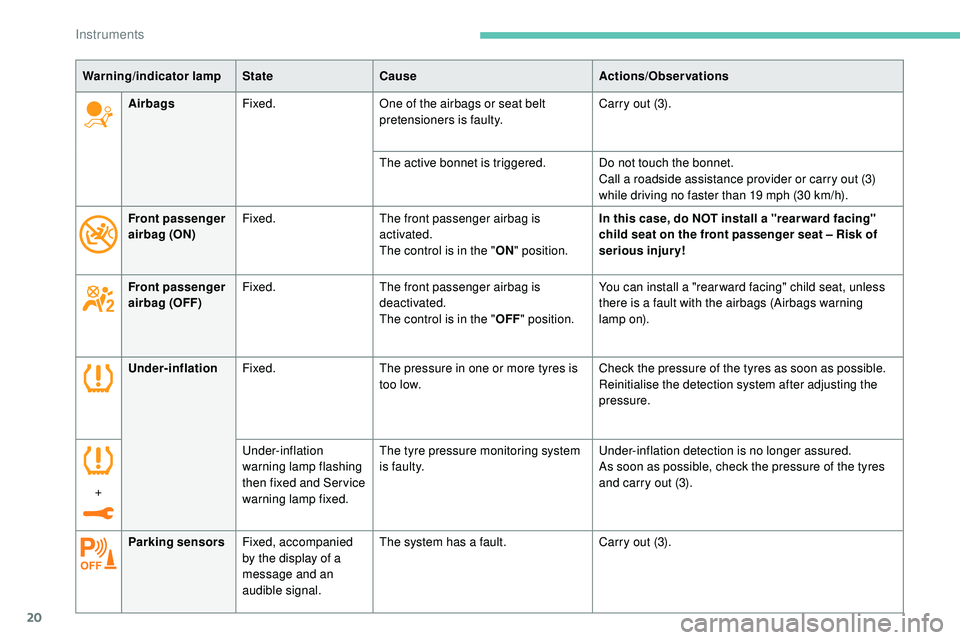
Parking sensors Fixed, accompanied
by the display of a
message and an
audible signal. The system has a fault.
Carry out (3).
Airbags
Fixed. One of the airbags or seat belt
pretensioners is faulty. Carry out (3).
The active bonnet is triggered. Do not touch the bonnet. Call a roadside assistance provider or carry out (3)
while driving no faster than 19 mph (30 km/h).
Front passenger
airbag (ON) Fixed.
The front passenger airbag is
activated.
The control is in the "ON" position. In this case, do NOT install a "rear ward facing"
child seat on the front passenger seat – Risk of
serious injury!
Front passenger
airbag (OFF) Fixed.
The front passenger airbag is
deactivated.
The control is in the "OFF" position. You can install a "rear ward facing" child seat, unless
there is a fault with the airbags (Airbags warning
lamp
on).
Instruments
Page 33 of 320
31
Driving/Vehicle menu
"Driving functions" tab
FunctionComments
"Park Assist" Activation of the Park Assist function.
"Automatic headlamp dipping" Activation/deactivation of the function.
"Visual parking assistance" Activation of the Visiopark 2 function.
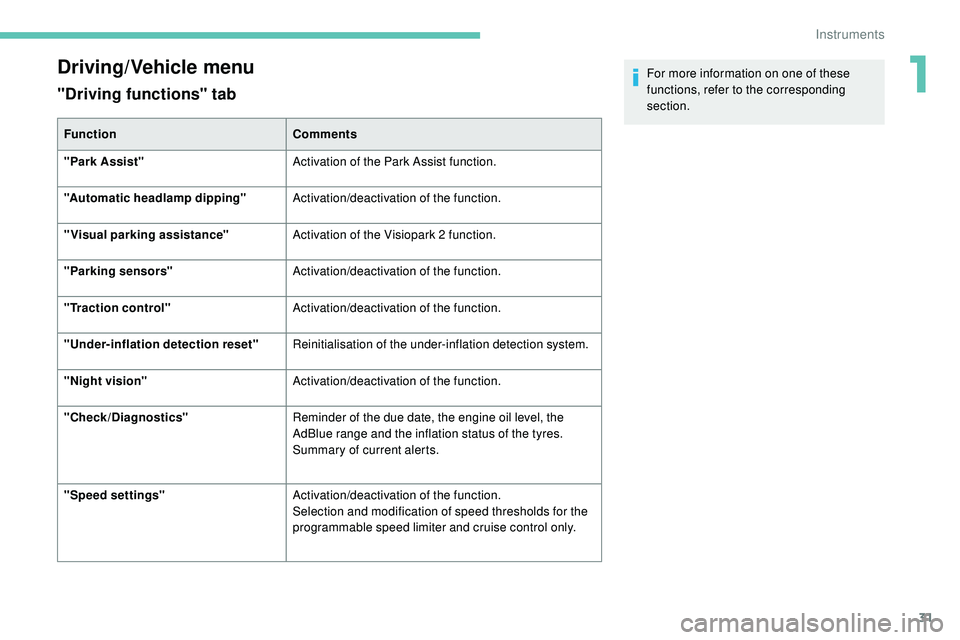
"Parking sensors" Activation/deactivation of the function.
"Traction control" Activation/deactivation of the function.
"Under-inflation detection reset" Reinitialisation of the under-inflation detection system.
"Night vision" Activation/deactivation of the function.
"Check/Diagnostics" Reminder of the due date, the engine oil level, the
AdBlue range and the inflation status of the tyres.
Summary of current alerts.
"Speed settings" Activation/deactivation of the function.
Selection and modification of speed thresholds for the
programmable speed limiter and cruise control only. For more information on one of these
functions, refer to the corresponding
section.
1
Instruments
Page 34 of 320
32
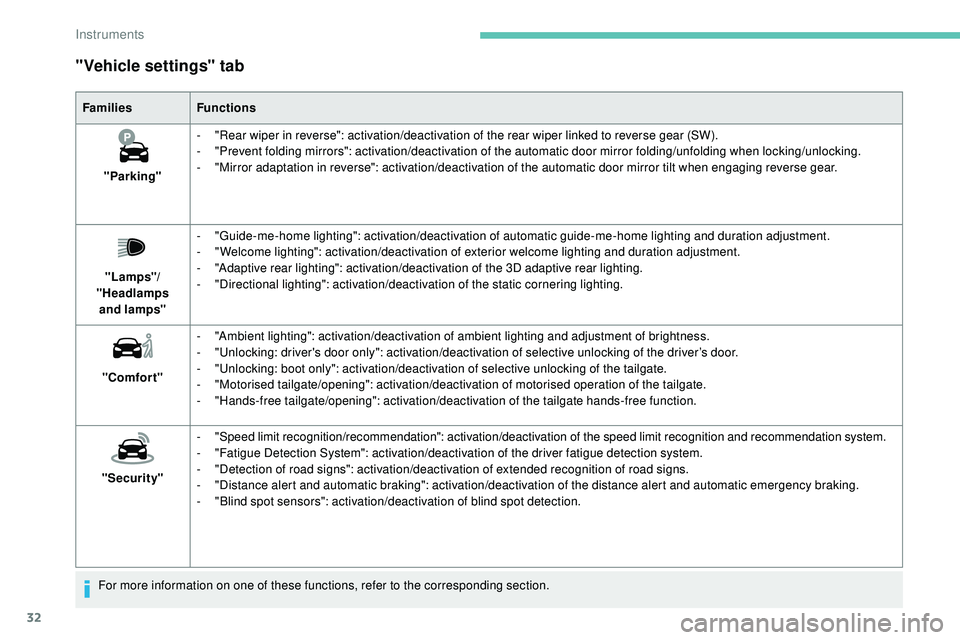
"Vehicle settings" tab
FamiliesFunctions
"Parking" -
"
Rear wiper in reverse": activation/deactivation of the rear wiper linked to reverse gear (SW).
-
"
Prevent folding mirrors": activation/deactivation of the automatic door mirror folding/unfolding when locking/unlocking.
-
"
Mirror adaptation in reverse": activation/deactivation of the automatic door mirror tilt when engaging reverse gear.
"Lamps"/
"Headlamps and
lamps" -
"
Guide-me-home lighting": activation/deactivation of automatic guide-me-home lighting and duration adjustment.
-
"
Welcome lighting": activation/deactivation of exterior welcome lighting and duration adjustment.
-
"
Adaptive rear lighting": activation/deactivation of the 3D adaptive rear lighting.
-
"
Directional lighting": activation/deactivation of the static cornering lighting.
"Comfort" -
"
Ambient lighting": activation/deactivation of ambient lighting and adjustment of brightness.
-
"
Unlocking: driver's door only": activation/deactivation of selective unlocking of the driver’s door.
-
"
Unlocking: boot only": activation/deactivation of selective unlocking of the tailgate.
-
"
Motorised tailgate/opening": activation/deactivation of motorised operation of the tailgate.
-
"
Hands-free tailgate/opening": activation/deactivation of the tailgate hands-free function.
"Security" -
"
Speed limit recognition/recommendation": activation/deactivation of the speed limit recognition and recommendation system.
-
"
Fatigue Detection System": activation/deactivation of the driver fatigue detection system.
-
"
Detection of road signs": activation/deactivation of extended recognition of road signs.
-
"
Distance alert and automatic braking": activation/deactivation of the distance alert and automatic emergency braking.
-
"
Blind spot sensors": activation/deactivation of blind spot detection.
For more information on one of these functions, refer to the corresponding section.
Instruments
Page 138 of 320
136
Do not leave the vehicle while it is being
held temporarily by hill start assist.
If you need to leave the vehicle with the
engine running, apply the parking brake
manually then ensure that the parking
brake warning lamp and the indicator
lamp P in the control lever of the electric
parking brake are on fixed.
The hill start assist function cannot be
deactivated. However, use of the parking
brake to immobilise the vehicle interrupts
its operation.
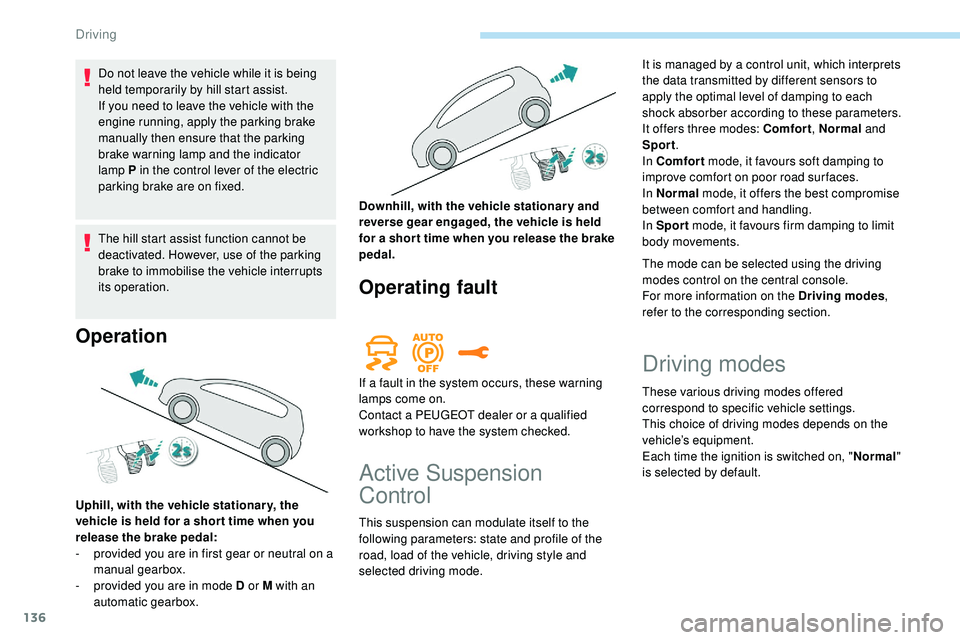
Operation
Uphill, with the vehicle stationar y, the
vehicle is held for a shor t time when you
release the brake pedal:
-
p
rovided you are in first gear or neutral on a
manual gearbox.
-
p
rovided you are in mode D or M with an
automatic gearbox. Downhill, with the vehicle stationary and
reverse gear engaged, the vehicle is held
for a shor t time when you release the brake
pedal.
Operating fault
If a fault in the system occurs, these warning
lamps come on.
Contact a PEUGEOT dealer or a qualified
workshop to have the system checked.
Active Suspension
Control
This suspension can modulate itself to the
following parameters: state and profile of the
road, load of the vehicle, driving style and
selected driving mode.
The mode can be selected using the driving
modes control on the central console.
For more information on the Driving modes
,
refer to the corresponding section. It is managed by a control unit, which interprets
the data transmitted by different sensors to
apply the optimal level of damping to each
shock absorber according to these parameters.
It offers three modes: Comfort , Normal and
Sport .
In Comfort mode, it favours soft damping to
improve comfort on poor road sur faces.
In Normal mode, it offers the best compromise
between comfort and handling.
In Sport mode, it favours firm damping to limit
body movements.
Driving modes
These various driving modes offered
correspond to specific vehicle settings.
This choice of driving modes depends on the
vehicle’s equipment.
Each time the ignition is switched on, " Normal"
is selected by default.
Driving
Page 178 of 320
176
Malfunction
- with vehicles moving in the opposite direction,
-
d
riving on a winding road or a sharp corner,
-
w
hen overtaking or being overtaken by a
very long vehicle (lorry, bus, etc.) which is
both in the rear blind spot and present in the
driver’s front field of vision,
-
w
hen overtaking quickly,
-
i
n very heavy traffic: vehicles detected in
front and behind are confused with a lorry or
a stationary object,
-
i
f the Park Assist or Full Park Assist function
is activated.
If a fault occurs, this warning lamp comes on
in the instrument panel, accompanied by a
message.
Contact a PEUGEOT dealer or a qualified
workshop to have the system checked. The system may suffer temporary
interference in certain weather conditions
(rain, hail, etc.).
In particular, driving on a wet sur face
or moving from a dry area to a wet area
can cause false alerts (for example, the
presence of a fog of water droplets in
the blind spot angle is interpreted as a
vehicle).
In bad or wintry weather, ensure that the
sensors are not covered by mud, ice or
snow.
Take care not to cover the warning zone in
the door mirrors or the detection zones on
the front and rear bumpers with adhesive
labels or other objects; they may hamper
the correct operation of the system.
The system is automatically deactivated
when towing with a towing device
approved by PEUGEOT.
High-pressure washing
When washing your vehicle, keep the lance
at least 12 inches (30 cm) away from the
sensors.Parking sensors
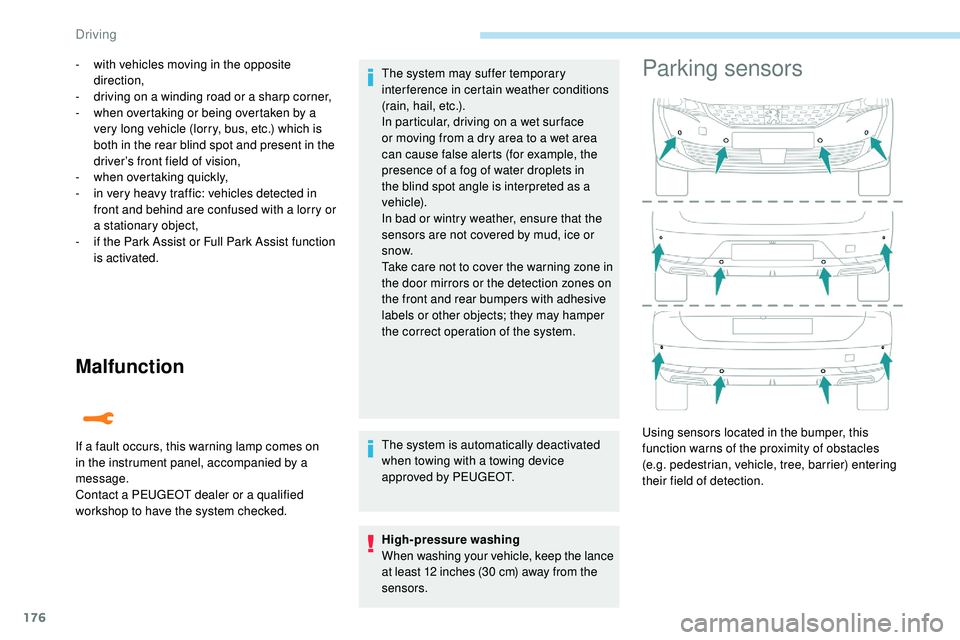
Using sensors located in the bumper, this
function warns of the proximity of obstacles
(e.g. pedestrian, vehicle, tree, barrier) entering
their field of detection.
Driving
Page 179 of 320
177
This function is a manoeuvring aid which
cannot, in any circumstances, replace the
need for vigilance on the part of the driver.
The driver must remain attentive and stay
in control of their vehicle.
They must always check the vehicle’s
surroundings before undertaking a
manoeuvre.
During the entire manoeuvre, the driver
must ensure that the space remains clear.
Rear parking sensors
The system is switched on by engaging reverse
g e a r.
This is confirmed by an audible signal.
The system is switched off when you come out
of reverse gear.
Audible assistance
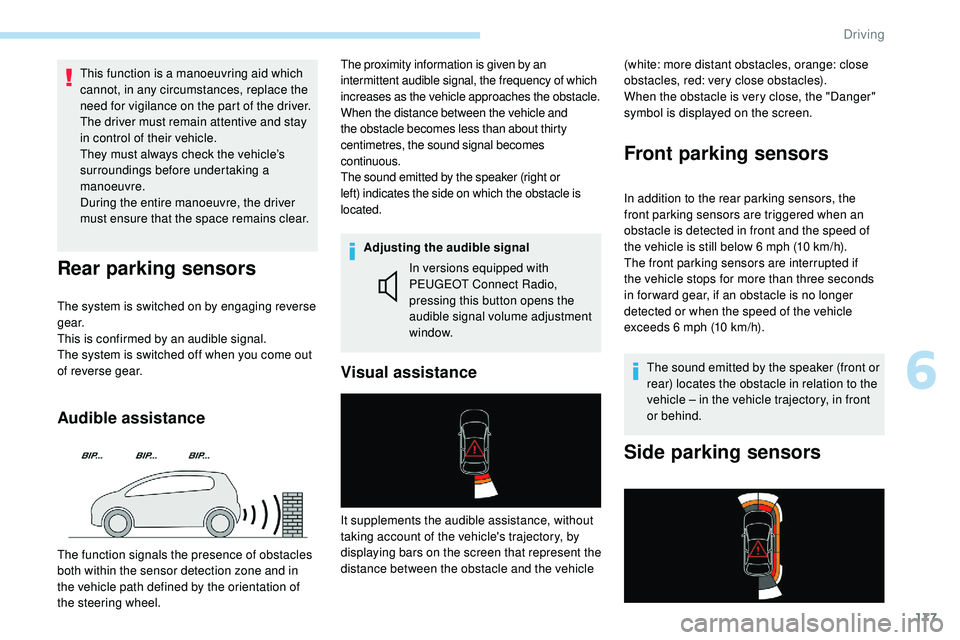
The proximity information is given by an
intermittent audible signal, the frequency of which
increases as the vehicle approaches the obstacle.
When the distance between the vehicle and
the obstacle becomes less than about thirty
centimetres, the sound signal becomes
continuous.
The sound emitted by the speaker (right or
left) indicates the side on which the obstacle is
located.
Adjusting the audible signalIn versions equipped with
PEUGEOT Connect Radio,
pressing this button opens the
audible signal volume adjustment
window. (white: more distant obstacles, orange: close
obstacles, red: very close obstacles).
When the obstacle is very close, the "Danger"
symbol is displayed on the screen.
Front parking sensors
In addition to the rear parking sensors, the
front parking sensors are triggered when an
obstacle is detected in front and the speed of
the vehicle is still below 6 mph (10 km/h).
The front parking sensors are interrupted if
the vehicle stops for more than three seconds
in for ward gear, if an obstacle is no longer
detected or when the speed of the vehicle
exceeds 6 mph (10 km/h).
The sound emitted by the speaker (front or
rear) locates the obstacle in relation to the
vehicle – in the vehicle trajectory, in front
or behind.
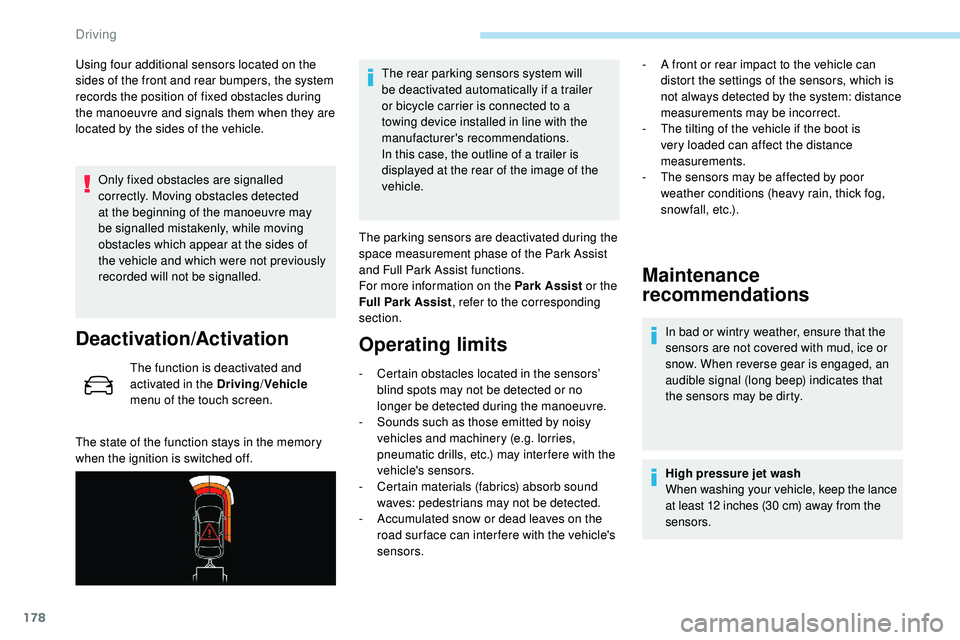
Side parking sensors
Visual assistance
The function signals the presence of obstacles
both within the sensor detection zone and in
the vehicle path defined by the orientation of
the steering wheel. It supplements the audible assistance, without
taking account of the vehicle's trajectory, by
displaying bars on the screen that represent the
distance between the obstacle and the vehicle
6
Driving
Page 180 of 320
178
Using four additional sensors located on the
sides of the front and rear bumpers, the system
records the position of fixed obstacles during
the manoeuvre and signals them when they are
located by the sides of the vehicle.Only fixed obstacles are signalled
correctly. Moving obstacles detected
at the beginning of the manoeuvre may
be signalled mistakenly, while moving
obstacles which appear at the sides of
the vehicle and which were not previously
recorded will not be signalled.
Deactivation/Activation
The function is deactivated and
activated in the Driving /Vehicle
menu of the touch screen.
The state of the function stays in the memory
when the ignition is switched off. The rear parking sensors system will
be deactivated automatically if a trailer
or bicycle carrier is connected to a
towing device installed in line with the
manufacturer's recommendations.
In this case, the outline of a trailer is
displayed at the rear of the image of the
vehicle.
The parking sensors are deactivated during the
space measurement phase of the Park Assist
and Full Park Assist functions.
For more information on the Park Assist or the
Full Park Assist , refer to the corresponding
section.
Operating limits
- Certain obstacles located in the sensors’ blind spots may not be detected or no
longer be detected during the manoeuvre.
-
S
ounds such as those emitted by noisy
vehicles and machinery (e.g. lorries,
pneumatic drills, etc.) may inter fere with the
vehicle's sensors.
-
C
ertain materials (fabrics) absorb sound
waves: pedestrians may not be detected.
-
A
ccumulated snow or dead leaves on the
road sur face can inter fere with the vehicle's
sensors.
Maintenance
recommendations
In bad or wintry weather, ensure that the
sensors are not covered with mud, ice or
snow. When reverse gear is engaged, an
audible signal (long beep) indicates that
the sensors may be dirty.
High pressure jet wash
When washing your vehicle, keep the lance
at least 12 inches (30 cm) away from the
sensors.
-
A f
ront or rear impact to the vehicle can
distort the settings of the sensors, which is
not always detected by the system: distance
measurements may be incorrect.
-
T
he tilting of the vehicle if the boot is
very loaded can affect the distance
measurements.
-
T
he sensors may be affected by poor
weather conditions (heavy rain, thick fog,
snowfall, etc.).
Driving
Page 181 of 320
179
Operating fault
If a fault occurs when shifting
to reverse, this warning lamp
comes on in the instrument panel,
accompanied by a message and an
audible signal (short beep).
Contact a PEUGEOT dealer or a qualified
workshop to have the system checked.
Visiopark 1 – Visiopark 2
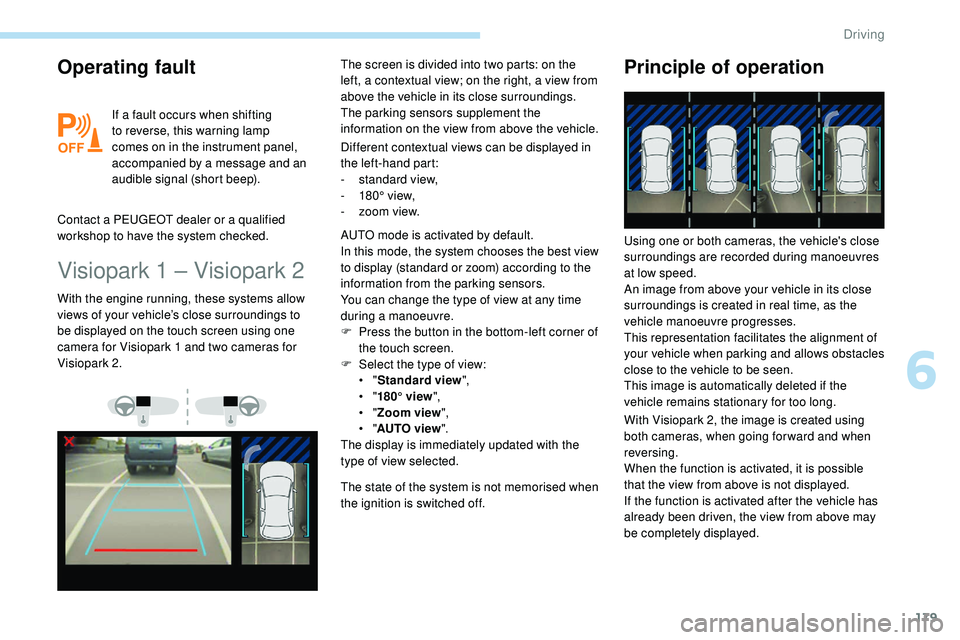
Different contextual views can be displayed in
the left-hand part:
-
s
tandard view,
-
1
80° view,
-
z
oom view.
With the engine running, these systems allow
views of your vehicle’s close surroundings to
be displayed on the touch screen using one
camera for Visiopark 1 and two cameras for
Visiopark 2. The screen is divided into two parts: on the
left, a contextual view; on the right, a view from
above the vehicle in its close surroundings.
The parking sensors supplement the
information on the view from above the vehicle.
AUTO mode is activated by default.
In this mode, the system chooses the best view
to display (standard or zoom) according to the
information from the parking sensors.
You can change the type of view at any time
during a manoeuvre.
F
P
ress the button in the bottom-left corner of
the touch screen.
F
Sel
ect the type of view:
•
"Standard view ",
•
"180° view ",
•
"Zoom view ",
•
"AUTO view ".
The display is immediately updated with the
type of view selected.
The state of the system is not memorised when
the ignition is switched off.
Principle of operation
With Visiopark 2, the image is created using
both cameras, when going for ward and when
reversing.
When the function is activated, it is possible
that the view from above is not displayed.
If
the function is activated after the vehicle has
already been driven, the view from above may
be completely displayed. Using one or both cameras, the vehicle's close
surroundings are recorded during manoeuvres
at low speed.
An image from above your vehicle in its close
surroundings is created in real time, as the
vehicle manoeuvre progresses.
This representation facilitates the alignment of
your vehicle when parking and allows obstacles
close to the vehicle to be seen.
This image is automatically deleted if the
vehicle remains stationary for too long.
6
Driving
Page 182 of 320
180
This system is a visual aid that cannot in
any circumstances replace the need for
vigilance on the part of the driver.
The images provided by the camera(s)
may be distorted by the relief.
In the presence of areas in shade, or in
conditions of bright sunlight or inadequate
lighting, the image may be darkened and
with lower contrast.
Recommendations on care
In bad or wintry weather, ensure that the
sensors and camera lenses are not covered
with mud, ice or snow.
Check the cleanliness of the camera lenses
regularly.
If necessary, clean the cameras with a soft,
dry cloth.
When washing your vehicle at high pressure,
direct the lance at least 30 cm away from the
cameras and parking aid sensors.
Visiopark 1
Rear vision
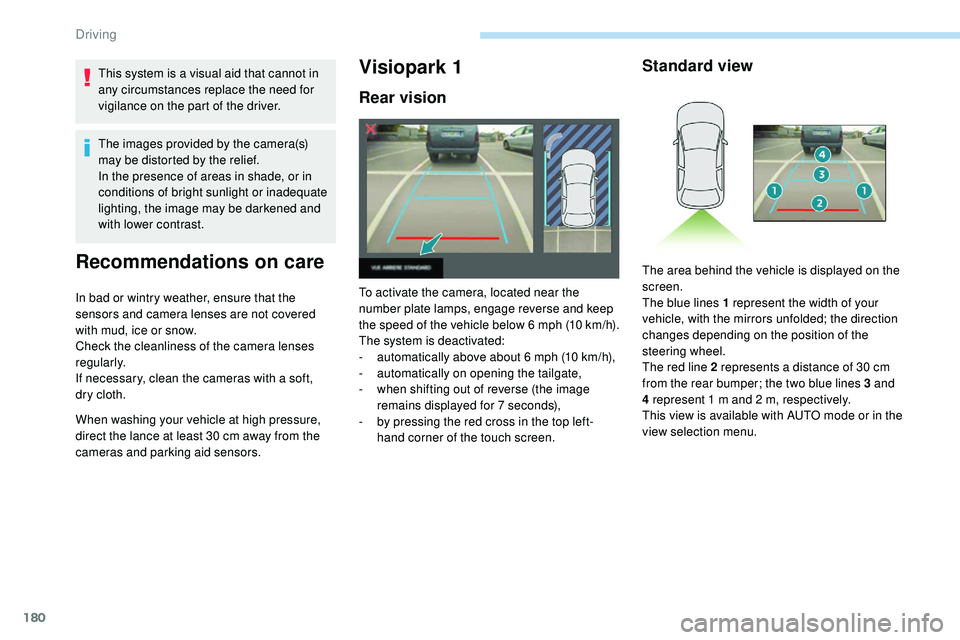
To activate the camera, located near the
number plate lamps, engage reverse and keep
the speed of the vehicle below 6 mph (10
k
m/h).
The system is deactivated:
-
a
utomatically above about 6 mph (10 km/h),
-
a
utomatically on opening the tailgate,
-
w
hen shifting out of reverse (the image
remains displayed for 7 seconds),
-
b
y pressing the red cross in the top left-
hand corner of the touch screen.
Standard view
The area behind the vehicle is displayed on the
screen.
The blue lines 1 represent the width of your
vehicle, with the mirrors unfolded; the direction
changes depending on the position of the
steering wheel.
The red line 2 represents a distance of 30 cm
from the rear bumper; the two blue lines 3 and
4 represent 1 m and 2 m, respectively.
This view is available with AUTO mode or in the
view selection menu.
Driving