lock PEUGEOT 807 2008.5 Owner's Guide
[x] Cancel search | Manufacturer: PEUGEOT, Model Year: 2008.5, Model line: 807, Model: PEUGEOT 807 2008.5Pages: 252, PDF Size: 10.67 MB
Page 178 of 252
180
Child safety
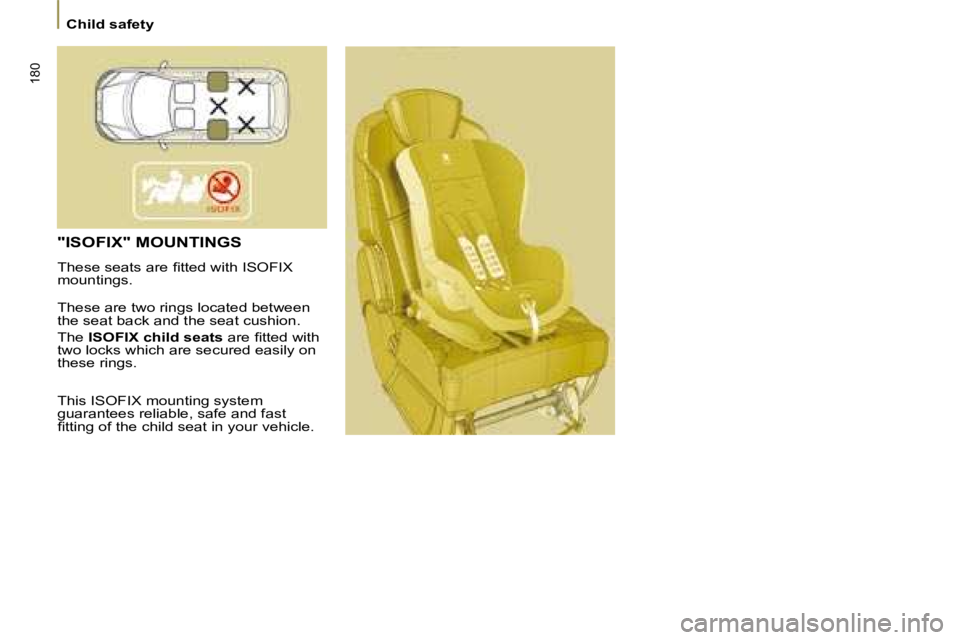
"ISOFIX" MOUNTINGS
These seats are fi tted with ISOFIX
mountings.
These are two rings located between
the seat back and the seat cushion .
The ISOFIX child seats are fi tted with
two locks which are secured easily on
these rings.
This ISOFIX mounting system
guarantees reliable, safe and fast
fi tting of the child seat in your vehicle.
Page 183 of 252
184
Child safety
ADVICE ON CHILD SEATS
Otherwise, the child would risk being
seriously injured or killed if the air bag
were to infl ate.
The incorrect installation of a child seat
in a vehicle compromises the child’s
protection in the event of an accident.
Remember to fasten the seat belts or
the child seat harnesses
keeping the
slack in relation to the child’s body to
a minimum , even for short journeys.
To protect young children from the
rays of the sun, fi t side blinds to
the rear windows.
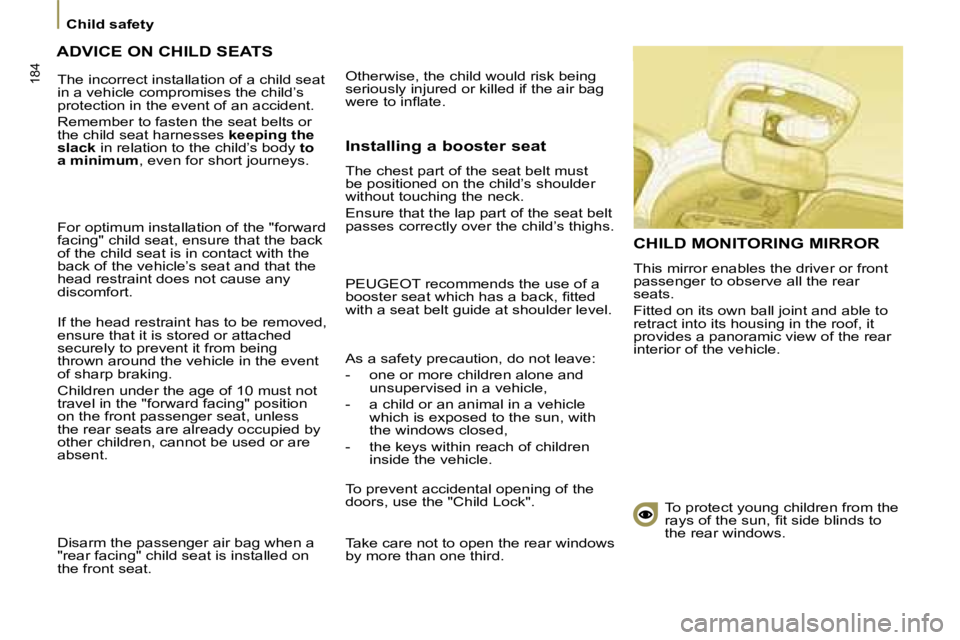
CHILD MONITORING MIRROR
This mirror enables the driver or front
passenger to observe all the rear
seats.
Fitted on its own ball joint and able to
retract into its housing in the roof, it
provides a panoramic view of the rear
interior of the vehicle.
For optimum installation of the "forward
facing" child seat, ensure that the back
of the child seat is in contact with the
back of the vehicle’s seat and that the
head restraint does not cause any
discomfort.
If the head restraint has to be removed,
ensure that it is stored or attached
securely to prevent it from being
thrown around the vehicle in the event
of sharp braking.
Children under the age of 10 must not
travel in the "forward facing" position
on the front passenger seat, unless
the rear seats are already occupied by
other children, cannot be used or are
absent.
Disarm the passenger air bag when a
"rear facing" child seat is installed on
the front seat. Installing a booster seat
The chest part of the seat belt must
be positioned on the child’s shoulder
without touching the neck.
Ensure that the lap part of the seat belt
passes correctly over the child’s thighs.
PEUGEOT recommends the use of a
booster seat which has a back, fi tted
with a seat belt guide at shoulder level.
As a safety precaution, do not leave:
- one or more children alone and
unsupervised in a vehicle,
- a child or an animal in a vehicle which is exposed to the sun, with
the windows closed,
- the keys within reach of children inside the vehicle.
To prevent accidental opening of the
doors, use the "Child Lock".
Take care not to open the rear windows
by more than one third.
Page 184 of 252
184
Child safety
ADVICE ON CHILD SEATS
Otherwise, the child would risk being
seriously injured or killed if the air bag
were to infl ate.
The incorrect installation of a child seat
in a vehicle compromises the child’s
protection in the event of an accident.
Remember to fasten the seat belts or
the child seat harnesses
keeping the
slack in relation to the child’s body to
a minimum , even for short journeys.
To protect young children from the
rays of the sun, fi t side blinds to
the rear windows.
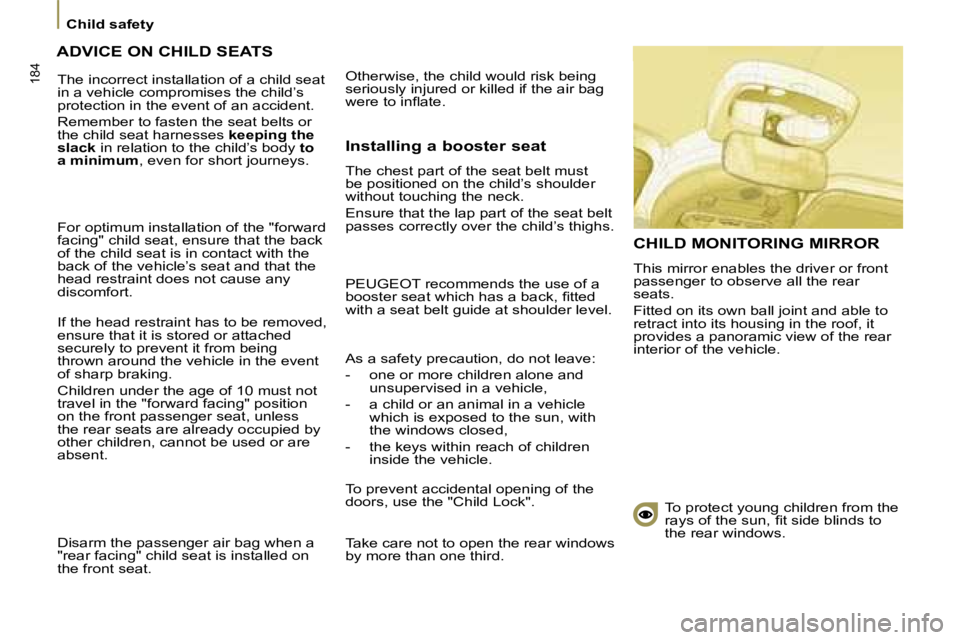
CHILD MONITORING MIRROR
This mirror enables the driver or front
passenger to observe all the rear
seats.
Fitted on its own ball joint and able to
retract into its housing in the roof, it
provides a panoramic view of the rear
interior of the vehicle.
For optimum installation of the "forward
facing" child seat, ensure that the back
of the child seat is in contact with the
back of the vehicle’s seat and that the
head restraint does not cause any
discomfort.
If the head restraint has to be removed,
ensure that it is stored or attached
securely to prevent it from being
thrown around the vehicle in the event
of sharp braking.
Children under the age of 10 must not
travel in the "forward facing" position
on the front passenger seat, unless
the rear seats are already occupied by
other children, cannot be used or are
absent.
Disarm the passenger air bag when a
"rear facing" child seat is installed on
the front seat. Installing a booster seat
The chest part of the seat belt must
be positioned on the child’s shoulder
without touching the neck.
Ensure that the lap part of the seat belt
passes correctly over the child’s thighs.
PEUGEOT recommends the use of a
booster seat which has a back, fi tted
with a seat belt guide at shoulder level.
As a safety precaution, do not leave:
- one or more children alone and
unsupervised in a vehicle,
- a child or an animal in a vehicle which is exposed to the sun, with
the windows closed,
- the keys within reach of children inside the vehicle.
To prevent accidental opening of the
doors, use the "Child Lock".
Take care not to open the rear windows
by more than one third.
Page 187 of 252
187
Roof bars
ACCESSORIES
6
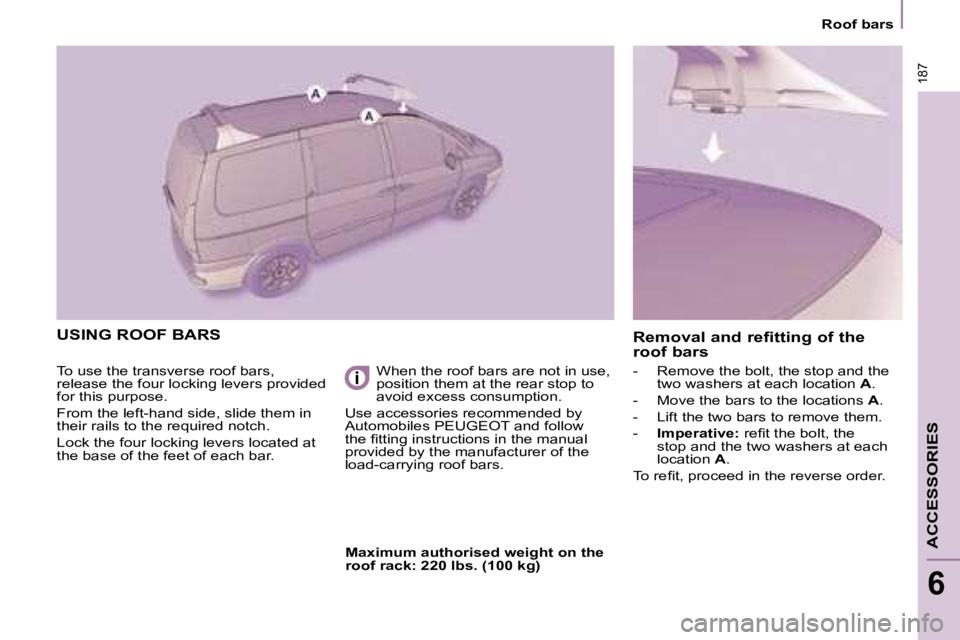
USING ROOF BARS
To use the transverse roof bars,
release the four locking levers provided
for this purpose.
From the left-hand side, slide them in
their rails to the required notch.
Lock the four locking levers located at
the base of the feet of each bar. When the roof bars are not in use,
position them at the rear stop to
avoid excess consumption.
Use accessories recommended by
Automobiles PEUGEOT and follow
the fi tting instructions in the manual
provided by the manufacturer of the
load-carrying roof bars. - Remove the bolt, the stop and the
two washers at each location A .
- Move the bars to the locations A .
- Lift the two bars to remove them.
- Imperative: refi t the bolt, the
stop and the two washers at each
location A .
To refi t, proceed in the reverse order.
Removal and refitting of the
roof bars
Maximum authorised weight on the
roof rack: 220 lbs. (100 kg)
Page 191 of 252
193
CHECKS
7
Opening the bonnet
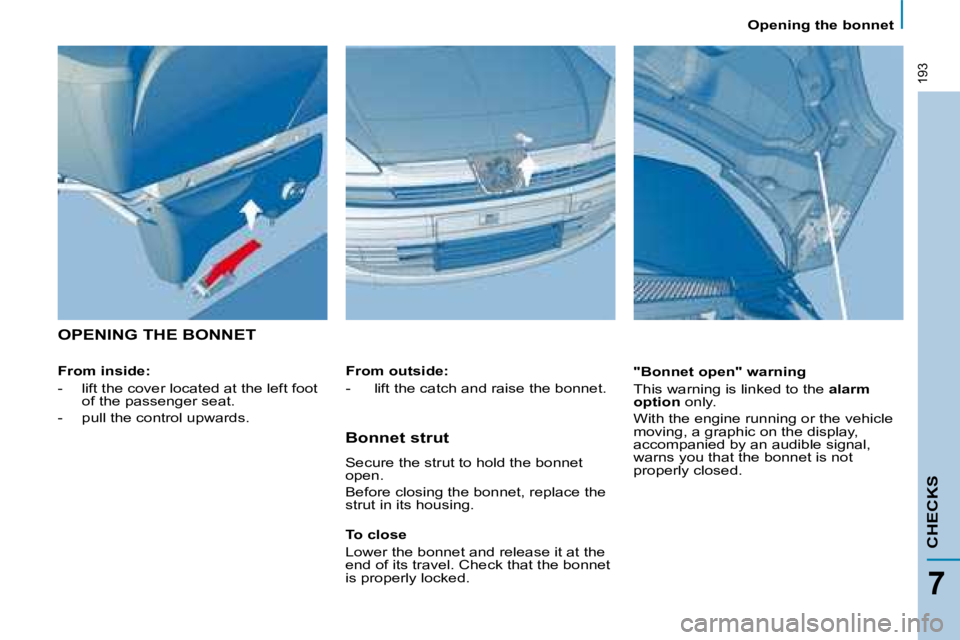
OPENING THE BONNET
From inside:
- lift the cover located at the left foot of the passenger seat.
- pull the control upwards. "Bonnet open" warning
This warning is linked to the
alarm
option only.
With the engine running or the vehicle
moving, a graphic on the display,
accompanied by an audible signal,
warns you that the bonnet is not
properly closed.
From outside:
- lift the catch and raise the bonnet.
Bonnet strut
Secure the strut to hold the bonnet
open.
Before closing the bonnet, replace the
strut in its housing.
To close
Lower the bonnet and release it at the
end of its travel. Check that the bonnet
is properly locked.
Page 208 of 252
208
Changing a fuse
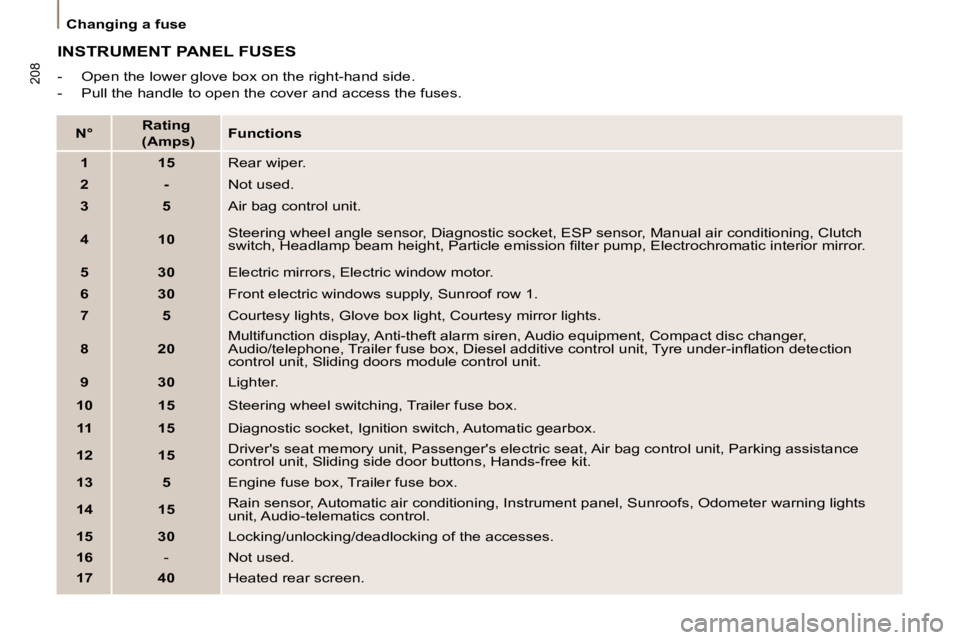
INSTRUMENT PANEL FUSES
- Open the lower glove box on the right-hand side.
- Pull the handle to open the cover and access the fuses.
N°
Rating
(Amps)
Functions
1 15 Rear wiper.
2 - Not used.
3 5 Air bag control unit.
4 10 Steering wheel angle sensor, Diagnostic socket, ESP sensor, Manu
al air conditioning, Clutch
switch, Headlamp beam height, Particle emission fi lter pump, Ele ctrochromatic interior mirror.
5 30 Electric mirrors, Electric window motor.
6 30 Front electric windows supply, Sunroof row 1.
7 5 Courtesy lights, Glove box light, Courtesy mirror lights.
8 20 Multifunction display, Anti-theft alarm siren, Audio equipmen
t, Compact disc changer,
Audio/telephone, Trailer fuse box, Diesel additive control u nit, Tyre under-infl ation detection
control unit, Sliding doors module control unit.
9 30 Lighter.
10 15 Steering wheel switching, Trailer fuse box.
11 15 Diagnostic socket, Ignition switch, Automatic gearbox.
12 15 Driver's seat memory unit, Passenger's electric seat, Air bag control un
it, Parking assistance
control unit, Sliding side door buttons, Hands-free kit.
13 5 Engine fuse box, Trailer fuse box.
14 15 Rain sensor, Automatic air conditioning, Instrument panel, Su
nroofs, Odometer warning lights
unit, Audio-telematics control.
15 30 Locking/unlocking/deadlocking of the accesses.
16 - Not used.
17 40 Heated rear screen.
Page 214 of 252
214
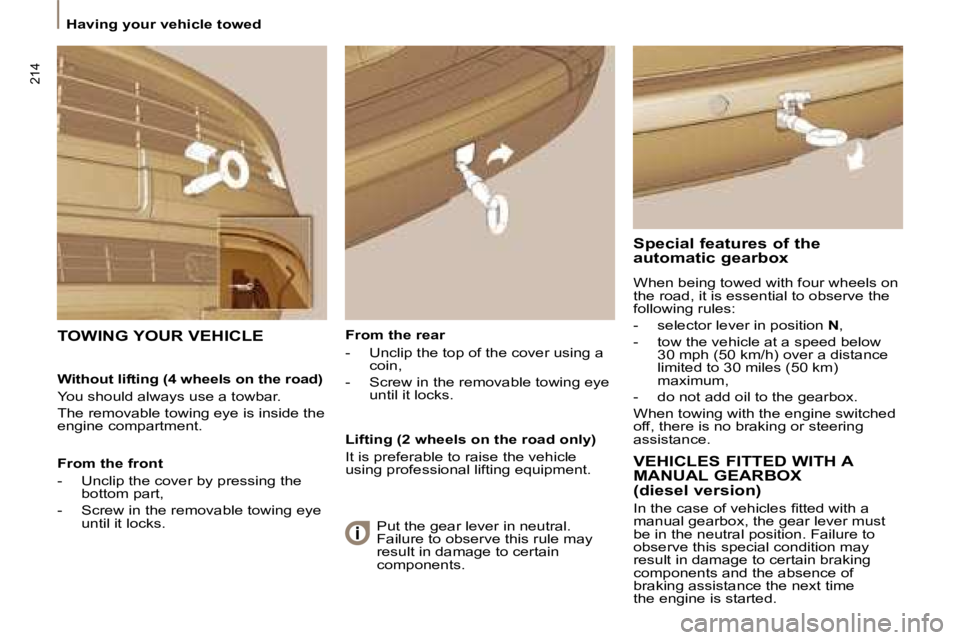
Having your vehicle towed From the rear
- Unclip the top of the cover using a coin,
- Screw in the removable towing eye until it locks.
TOWING YOUR VEHICLE
Special features of the
automatic gearbox
When being towed with four wheels on
the road, it is essential to observe the
following rules:
- selector lever in position N ,
- tow the vehicle at a speed below 30 mph (50 km/h) over a distance
limited to 30 miles (50 km)
maximum,
- do not add oil to the gearbox.
When towing with the engine switched
off, there is no braking or steering
assistance.
Without lifting (4 wheels on the road)
You should always use a towbar.
The removable towing eye is inside the
engine compartment.
From the front
- Unclip the cover by pressing the
bottom part,
- Screw in the removable towing eye until it locks. Lifting (2 wheels on the road only)
It is preferable to raise the vehicle
using professional lifting equipment.
VEHICLES FITTED WITH A
MANUAL GEARBOX
(diesel version)
In the case of vehicles fi tted with a
manual gearbox, the gear lever must
be in the neutral position. Failure to
observe this special condition may
result in damage to certain braking
components and the absence of
braking assistance the next time
the engine is started.
Put the gear lever in neutral.
Failure to observe this rule may
result in damage to certain
components.
Page 232 of 252
4
SUB-T
SMARTPOWER
DISP
REPEAT
ANGLE
SETUP
MODE
VOL+
SEL
VOL-
AUDIOENTER
TITLE
MENU
123
456
789
0
ZOOM
01
SUB-T
SMART
DISP
REPEATSETUP
MODE
VOL+
SEL
VOL-
AUDIO
ENTER
TITLE
MENU
ZOOM
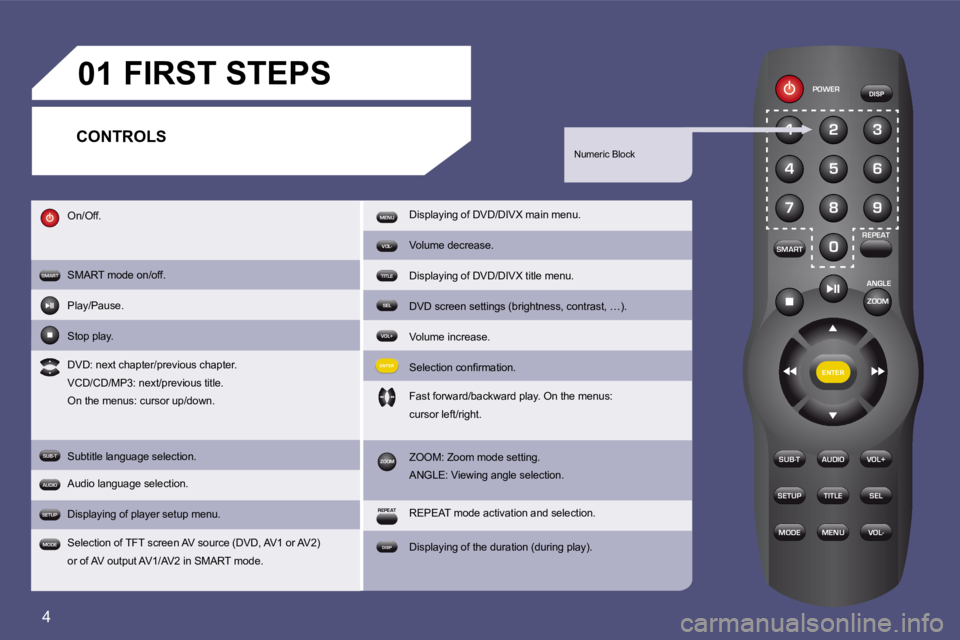
On/Off.
SMART mode on/off.
Play/Pause.
Stop play.
DVD: next chapter/previous chapter.
VCD/CD/MP3: next/previous title.
On the menus: cursor up/down.
Subtitle language selection.
Audio language selection.
Displaying of player setup menu.
Selection of TFT screen AV source (DVD, AV1 or AV2)
or of AV output AV1/AV2 in SMART mode. Displaying of DVD/DIVX main menu.
Volume decrease.
Displaying of DVD/DIVX title menu.
DVD screen settings (brightness, contrast, …).
Volume increase.
Selection conirmation.
Fast forward/backward play. On the menus:
cursor left/right.
ZOOM: Zoom mode setting.
ANGLE: Viewing angle selection.
REPEAT mode activation and selection.
Displaying of the duration (during play).
Numeric Block
CONTROLS FIRST STEPS