ESP Peugeot Boxer 2003 Owner's Guide
[x] Cancel search | Manufacturer: PEUGEOT, Model Year: 2003, Model line: Boxer, Model: Peugeot Boxer 2003Pages: 180, PDF Size: 2.71 MB
Page 65 of 180
05-05-2003
YOUR BOXER IN DETAIL67
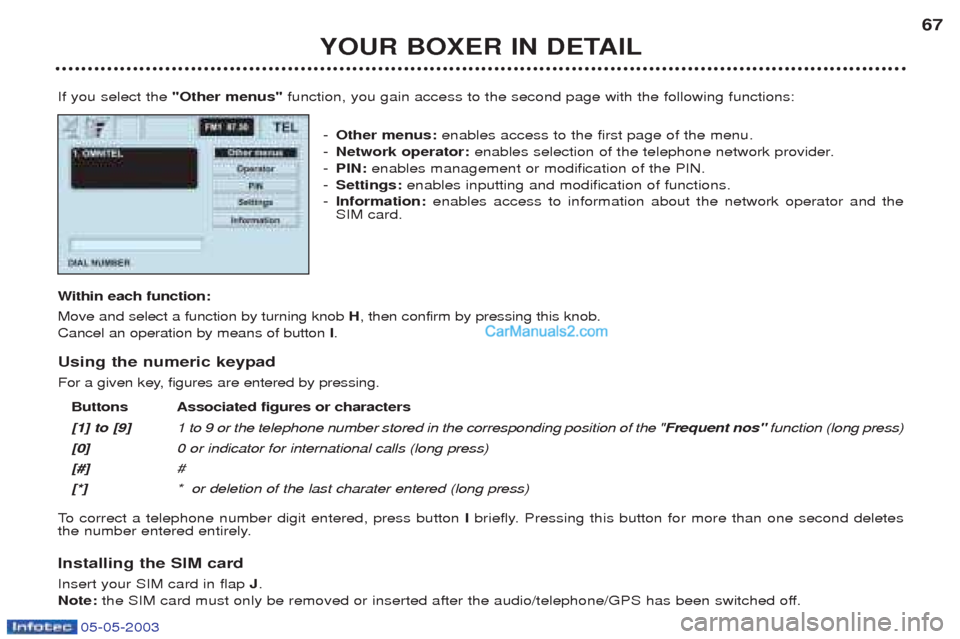
If you select the "Other menus" function, you gain access to the second page with the following functions:
- Other menus: enables access to the first page of the menu.
- Network operator: enables selection of the telephone network provider.
- PIN: enables management or modification of the PIN.
- Settings: enables inputting and modification of functions.
- Information: enables access to information about the network operator and the
SIM card.
W ithin each function:
Move and select a function by turning knob H, then confirm by pressing this knob.
Cancel an operation by means of button I.
Using the numeric keypad
For a given key, figures are entered by pressing. Buttons Associated figures or characters [1] to [9] 1 to 9 or the telephone number stored in the corresponding position of the " Frequent nos"function (long press)
[0] 0 or indicator for international calls (long press)
[#] #
[*] * or deletion of the last charater entered (long press)
To correct a telephone number digit entered, press button Ibriefly. Pressing this button for more than one second deletes
the number entered entirely.
Installing the SIM card Insert your SIM card in flap J.
Note: the SIM card must only be removed or inserted after the audio/telephone/GPS has been switched off.
Page 81 of 180
05-05-2003
YOUR BOXER IN DETAIL83
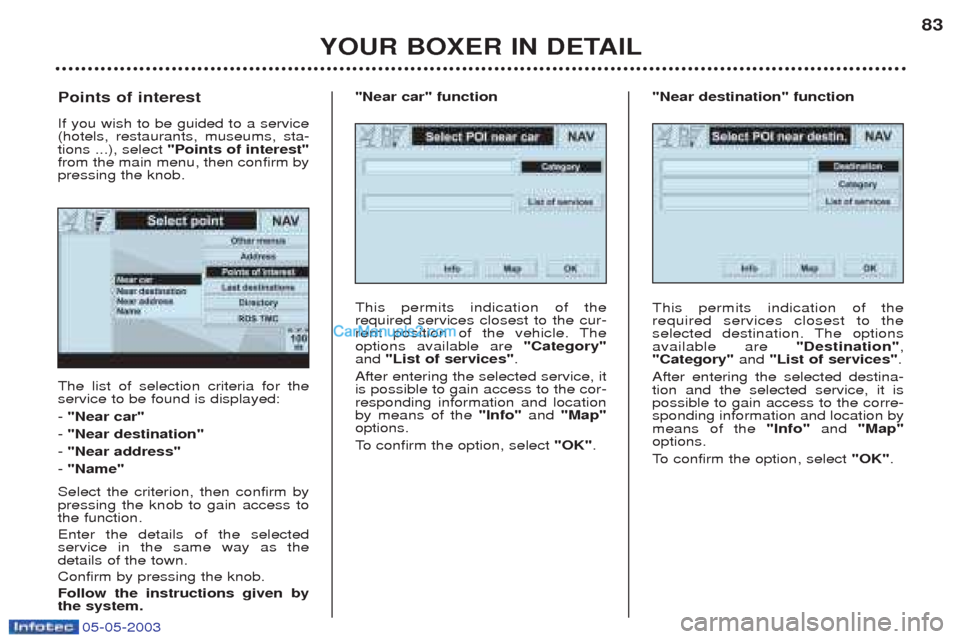
The list of selection criteria for the service to be found is displayed: -
"Near car"
- "Near destination"
- "Near address"
- "Name"
Select the criterion, then confirm by pressing the knob to gain access tothe function. Enter the details of the selected service in the same way as thedetails of the town. Confirm by pressing the knob.Follow the instructions given by the system.
Points of interest If you wish to be guided to a service (hotels, restaurants, museums, sta-tions ...), select
"Points of interest"
from the main menu, then confirm bypressing the knob.
This permits indication of therequired services closest to the cur-
rent position of the vehicle. Theoptions available are "Category"
and "List of services" .
After entering the selected service, itis possible to gain access to the cor-responding information and locationby means of the "Info"and "Map"
options.
To confirm the option, select "OK".
"Near car" function
This permits indication of the required services closest to the
selected destination. The optionsavailable are "Destination",
"Category" and "List of services" .
After entering the selected destina-tion and the selected service, it ispossible to gain access to the corre-sponding information and location bymeans of the "Info"and "Map"
options.
To confirm the option, select "OK".
"Near destination" function
Page 82 of 180
05-05-2003
YOUR BOXER IN DETAIL
84
This enables you to enter a known
service. The options available are"Category"
, "Town" and "Service
name" .
After entering the selected service, itis possible to gain access to the cor-responding information and locationby means of the "Info"and "Map"
options.
To confirm the option, select "OK".
"Name" function
This permits locating of the required services closest to the defined
address. The options available are"Category" , "City" , "Street" ,
"Number" and "List of services" .
After entering the selected service, itis possible to gain access to the cor-responding information and locationby means of the "Info"and "Map"
options.
To confirm the option, select "OK".
"Near address" function
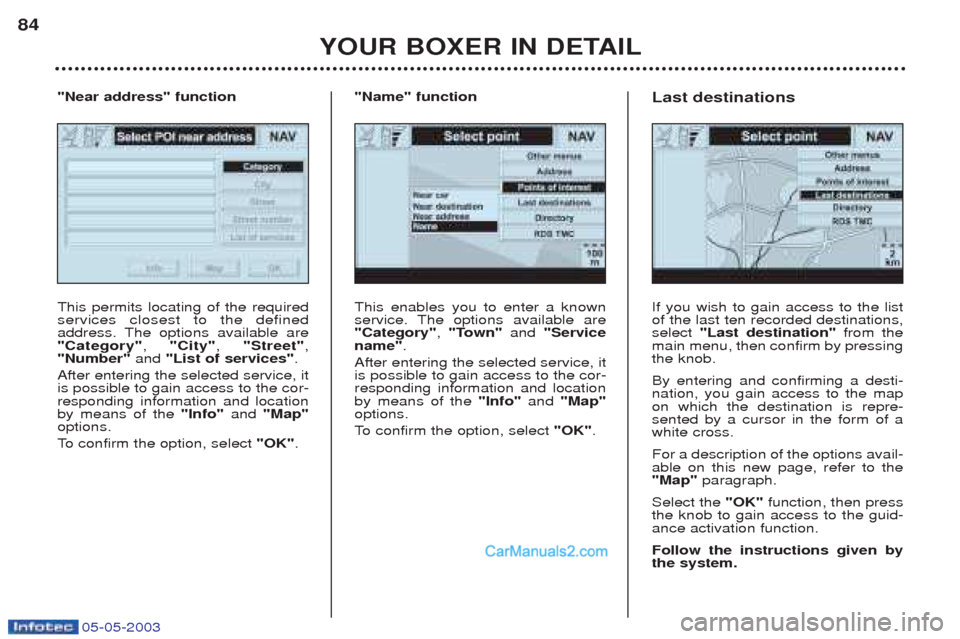
If you wish to gain access to the list of the last ten recorded destinations,select "Last destination" from the
main menu, then confirm by pressingthe knob. By entering and confirming a desti- nation, you gain access to the mapon which the destination is repre-sented by a cursor in the form of awhite cross. For a description of the options avail- able on this new page, refer to the"Map" paragraph.
Select the "OK"function, then press
the knob to gain access to the guid-ance activation function. Follow the instructions given by the system.
Last destinations
Page 84 of 180
05-05-2003
YOUR BOXER IN DETAIL
86
This permits locating of the required events closest to the defined
address. The options available are"Category"
, "City" , "Street" ,
"Number" and "List of events" .
After confirming the chosen events, itis possible to gain access to the cor-responding information and locationby means of the "Info"and "Map"
options.
To confirm the option, select "OK".
"Near address" function
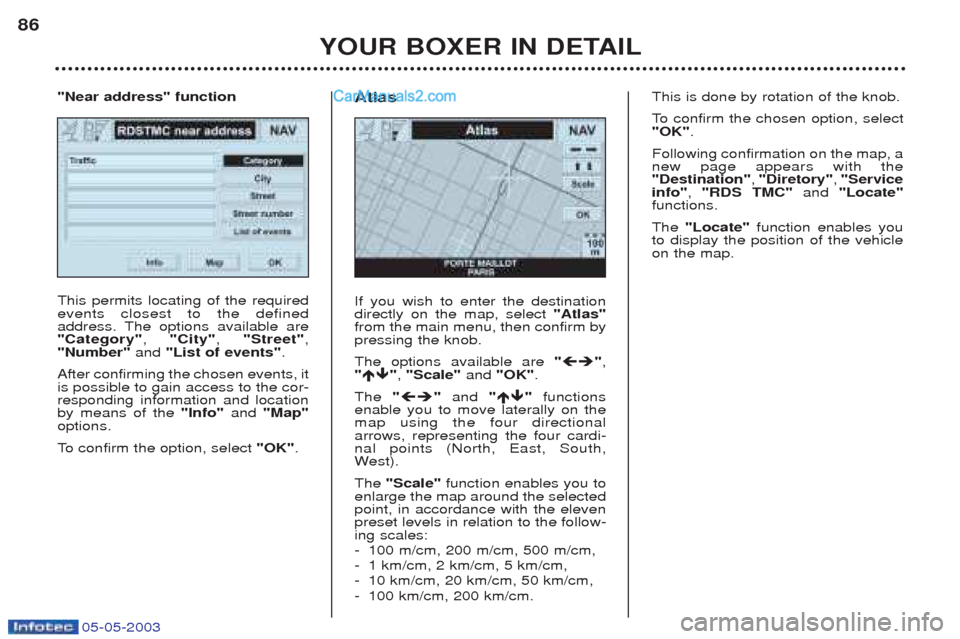
If you wish to enter the destination directly on the map, select "Atlas"
from the main menu, then confirm bypressing the knob. The options available are " ",
" ", "Scale" and "OK" .
The " "and " "functions
enable you to move laterally on the map using the four directionalarrows, representing the four cardi-nal points (North, East, South,W est).
The "Scale" function enables you to
enlarge the map around the selectedpoint, in accordance with the elevenpreset levels in relation to the follow-ing scales: - 100 m/cm, 200 m/cm, 500 m/cm,
-1 km/cm, 2 km/cm, 5 km/cm,
- 10 km/cm, 20 km/cm, 50 km/cm,
- 100 km/cm, 200 km/cm.
Atlas
This is done by rotation of the knob.
To
confirm the chosen option, select
"OK" .
Following confirmation on the map, a new page appears with the"Destination" , "Diretory" , "Service
info" , "RDS TMC" and "Locate"
functions. The "Locate" function enables you
to display the position of the vehicle on the map.
Page 120 of 180
05-05-2003
YOUR BOXER IN DETAIL117
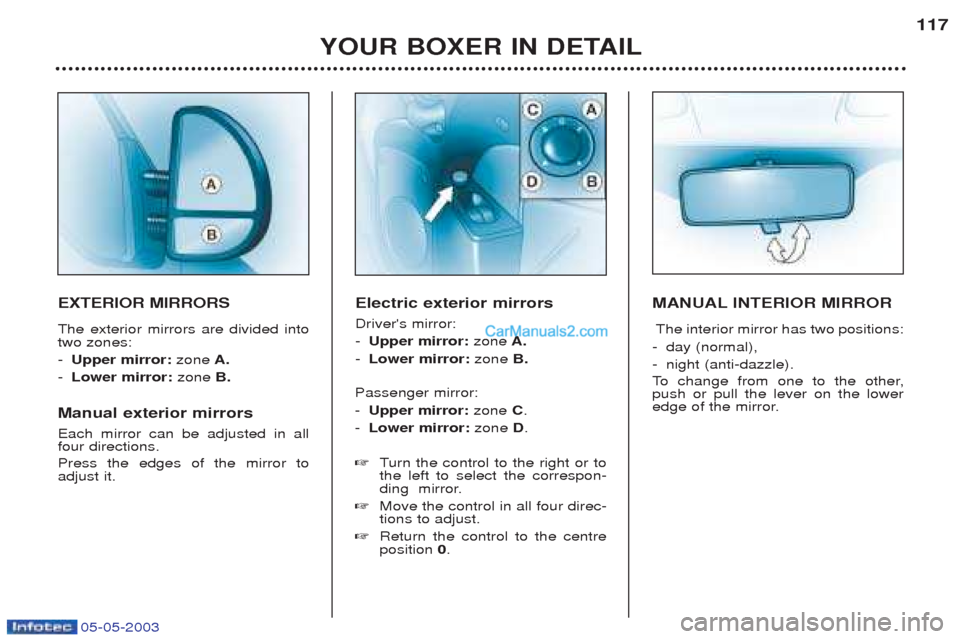
EXTERIOR MIRRORS The exterior mirrors are divided into two zones: -
Upper mirror: zoneA.
- Lower mirror: zoneB.
Manual exterior mirrors Each mirror can be adjusted in all four directions. Press the edges of the mirror to adjust it. Electric exterior mirrors Driver's mirror: -
Upper mirror: zoneA.
- Lower mirror: zoneB.
Passenger mirror:- Upper mirror: zone C.
- Lower mirror: zone D.
☞ Turn the control to the right or to
the left to select the correspon-
ding mirror.
☞ Move the control in all four direc-tions to adjust.
☞ Return the control to the centreposition 0. MANUAL INTERIOR MIRROR
The interior mirror has two positions:
- day (normal), - night (anti-dazzle).
To change from one to the other,
push or pull the lever on the lower
edge of the mirror.
Page 122 of 180
05-05-2003
YOUR BOXER IN DETAIL119
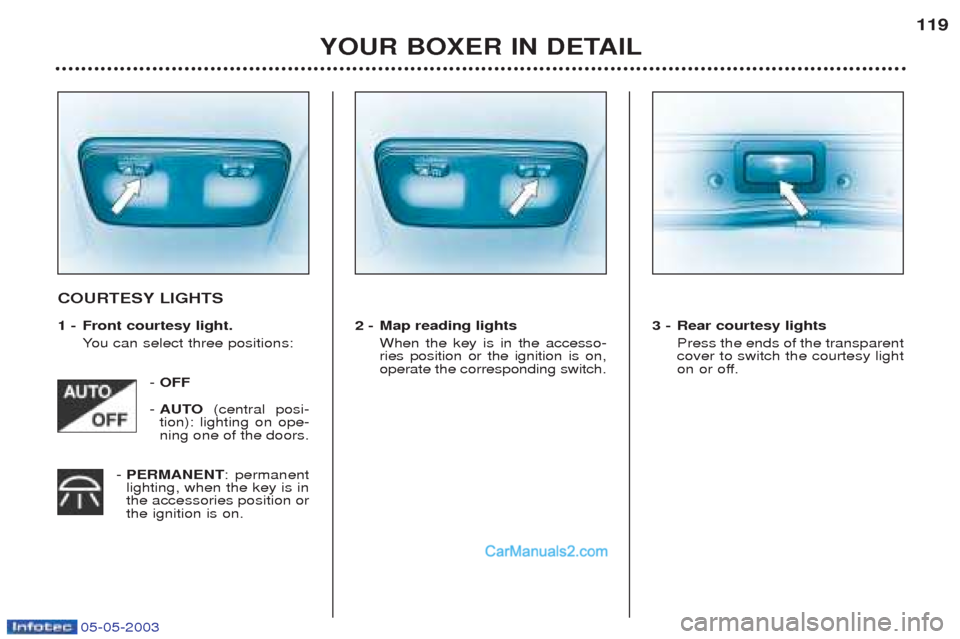
COURTESY LIGHTS
1 - Front courtesy light.
You can select three positions:
- OFF
- AUTO (central posi-
tion): lighting on ope- ning one of the doors.
- PERMANENT : permanent
lighting, when the key is inthe accessories position orthe ignition is on. 2 - Map reading lights
When the key is in the accesso-ries position or the ignition is on,operate the corresponding switch. 3 - Rear courtesy lights
Press the ends of the transparentcover to switch the courtesy light
on or off.
Page 125 of 180
05-05-2003
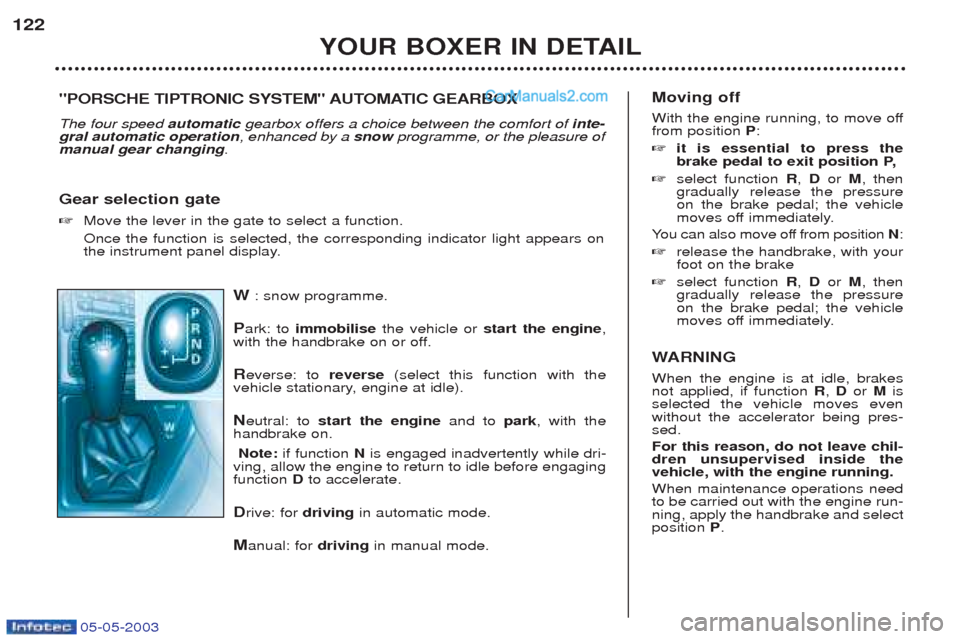
W: snow programme.
P ark: to immobilise the vehicle or start the engine ,
with the handbrake on or off.
R everse: to reverse(select this function with the
vehicle stationary, engine at idle). N eutral: to start the engine and to park, with the
handbrake on.
Note: if function N is engaged inadvertently while dri-
ving, allow the engine to return to idle before engaging function Dto accelerate.
D rive: for drivingin automatic mode.
M anual: for drivingin manual mode.
YOUR BOXER IN DETAIL
122
Moving off
With the engine running, to move off from position P:
☞ it is essential to press the
brake pedal to exit position P,
☞ select function R, D or M, then
gradually release the pressureon the brake pedal; the vehicle
moves off immediately.
Y ou can also move off from position N:
☞ release the handbrake, with yourfoot on the brake
☞ select function R, D or M, then
gradually release the pressureon the brake pedal; the vehicle
moves off immediately.
W ARNING
When the engine is at idle, brakesnot applied, if function R, D or Mis
selected the vehicle moves evenwithout the accelerator being pres-sed. For this reason, do not leave chil- dren unsupervised inside thevehicle, with the engine running. When maintenance operations need to be carried out with the engine run-ning, apply the handbrake and selectposition P.
"PORSCHE TIPTRONIC SYSTEM" AUTOMATIC GEARBOX The four speed automaticgearbox offers a choice between the comfort of inte-
gral automatic operation , enhanced by a snowprogramme, or the pleasure of
manual gear changing .
Gear selection gate ☞ Move the lever in the gate to select a function. Once the function is selected, the corresponding indicator light appears on
the instrument panel display.
Page 143 of 180
05-05-2003
Only use products recom-
mended by PEUGEOT.
To ensure best perfor-
mance from components as important as the power
steering and the braking system,PEUGEOT selects and offers quitespecific products.
CHECKS Battery
At the start of winter, have your bat-
tery checked by a PEUGEOT dealer. Air filter and passenger compartment filter Have the filter elements replaced
regularly. If you drive in dusty
conditions, change them twice asoften. Brake pads Brake pad wear depends on the style of driving, in particular forvehicles which are used in town,over short distances. It may be necessary to check the thickness of the pads, even betweenservices. Handbrake Where the handbrake travel is too great or there is a reduction in theperformance of the system, thehandbrake should be adjusted, evenbetween services. Have the system checked by a
PEUGEOT dealer. Manual gearbox This does not need an oil change. Check the level, according to themanufacturer's servicing schedule. Automatic gearbox This does not need an oil change. Have the level checked by a
PEUGEOT dealer, according to themanufacturer's servicing schedule. Oil filter
Change the filter regularly, in accor- dance with the servicing schedule.
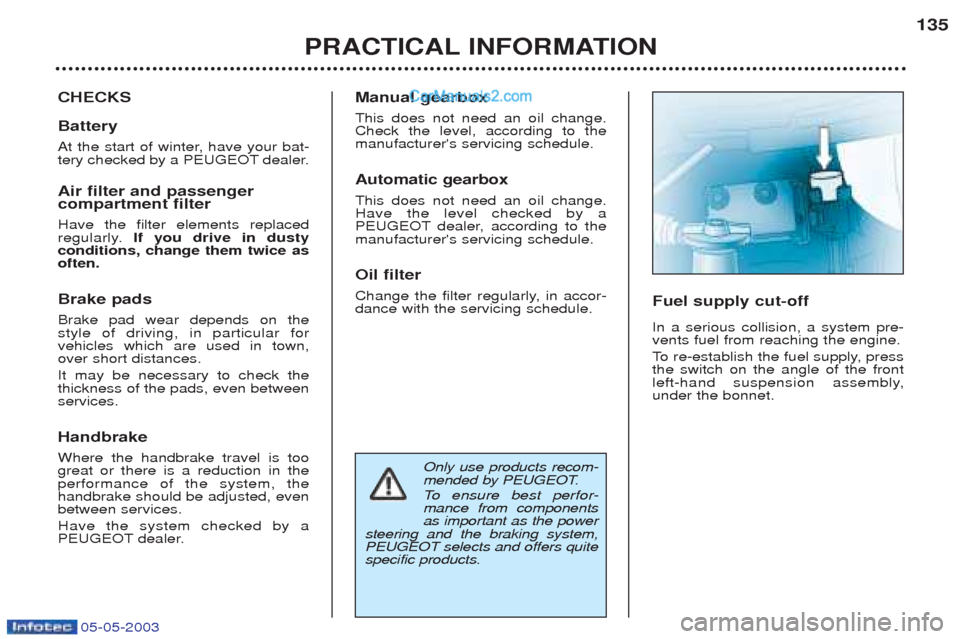
Fuel supply cut-off In a serious collision, a system pre- vents fuel from reaching the engine.
To
re-establish the fuel supply, press
the switch on the angle of the front
left-hand suspension assembly,under the bonnet.
PRACTICAL INFORMATION 135
Page 150 of 180
05-05-2003
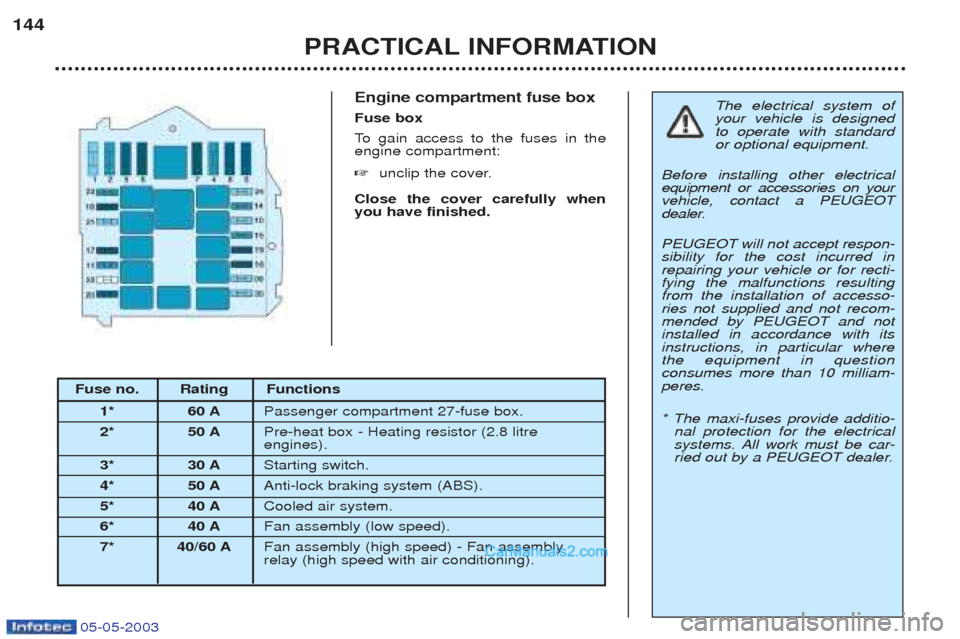
Engine compartment fuse box Fuse box
To gain access to the fuses in the
engine compartment: ☞ unclip the cover.
Close the cover carefully when you have finished.
PRACTICAL INFORMATION
144
The electrical system of your vehicle is designedto operate with standardor optional equipment.
Before installing other electricalequipment or accessories on yourvehicle, contact a PEUGEOT
dealer. PEUGEOT will not accept respon- sibility for the cost incurred inrepairing your vehicle or for recti-fying the malfunctions resultingfrom the installation of accesso-ries not supplied and not recom-mended by PEUGEOT and notinstalled in accordance with itsinstructions, in particular wherethe equipment in questionconsumes more than 10 milliam-peres. * The maxi-fuses provide additio- nal protection for the electrical
systems. All work must be car-
ried out by a PEUGEOT dealer.
Fuse no. Rating Functions
1* 60 A Passenger compartment 27-fuse box.
2* 50 A Pre-heat box - Heating resistor (2.8 litre engines).
3* 30 A Starting switch.
4* 50 A Anti-lock braking system (ABS).
5* 40 A Cooled air system.
6* 40 A Fan assembly (low speed).
7* 40/60 A Fan assembly (high speed) - Fan assemblyrelay (high speed with air conditioning).