brake Peugeot Boxer 2014 User Guide
[x] Cancel search | Manufacturer: PEUGEOT, Model Year: 2014, Model line: Boxer, Model: Peugeot Boxer 2014Pages: 240, PDF Size: 8.98 MB
Page 41 of 240
Starting and stopping
39
2
READY TO SET OFF
HILL START ASSIST
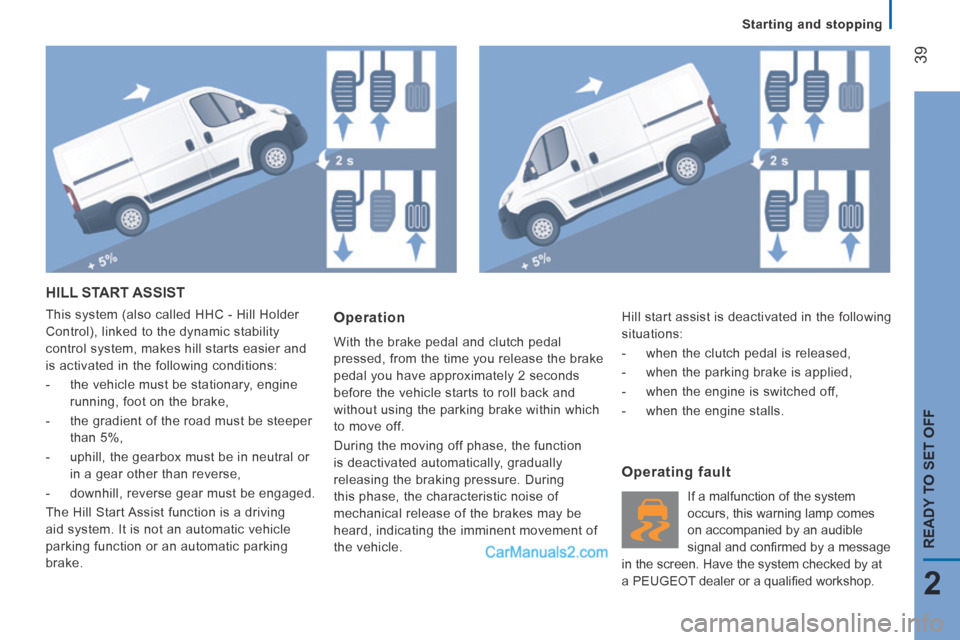
This system (also called HHC - Hill Holder
Control), linked to the dynamic stability
control system, makes hill starts easier and
is activated in the following conditions:
- the vehicle must be stationary, engine running, foot on the brake,
- the gradient of the road must be steeper than 5%,
- uphill, the gearbox must be in neutral or in a gear other than reverse,
- downhill, reverse gear must be engaged.
The Hill Start Assist function is a driving
aid system. It is not an automatic vehicle
parking function or an automatic parking
brake. Operation
With the brake pedal and clutch pedal
pressed, from the time you release the brake
pedal you have approximately 2 seconds
before the vehicle starts to roll back and
without using the parking brake within which
to move off.
During the moving off phase, the function
is deactivated automatically, gradually
releasing the braking pressure. During
this phase, the characteristic noise of
mechanical release of the brakes may be
heard, indicating the imminent movement of
the vehicle.
Operating fault
If a malfunction of the system
occurs, this warning lamp comes
on accompanied by an audible
signal and confi rmed by a message
in the screen. Have the system checked by at
a PEUGEOT dealer or a qualifi ed workshop. Hill start assist is deactivated in the following
situations:
- when the clutch pedal is released,
- when the parking brake is applied,
- when the engine is switched off,
- when the engine stalls.
Page 51 of 240
49
3
EASE OF USE and COMFORT
Steering mounted controls
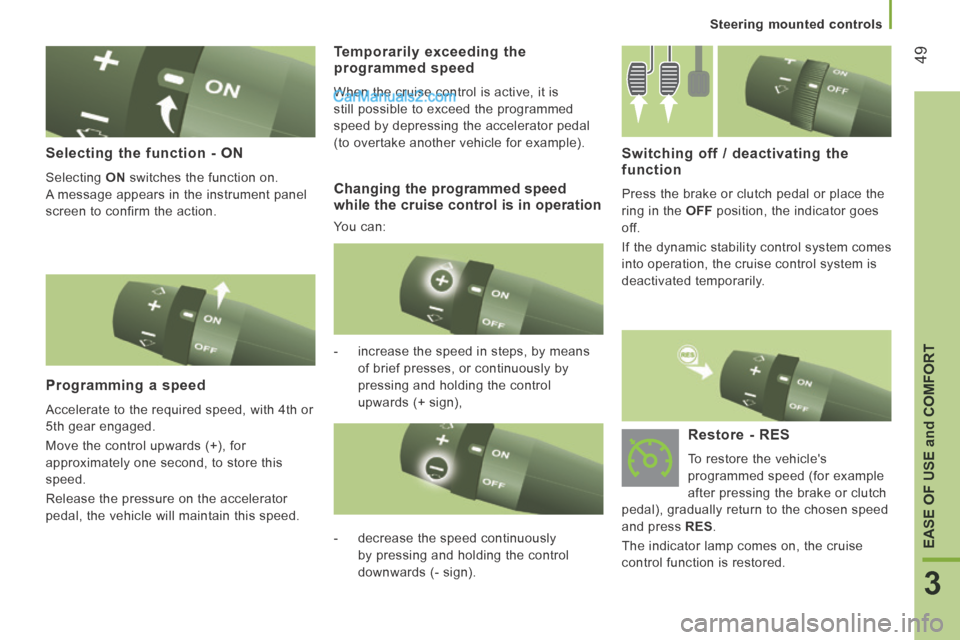
Selecting the function - ON
Selecting ON switches the function on.
A message appears in the instrument panel
screen to confirm the action.
Programming a speed
Accelerate to the required speed, with 4th or
5th gear engaged.
Move the control upwards (+), for
approximately one second, to store this
speed.
Release the pressure on the accelerator
pedal, the vehicle will maintain this speed.
Switching off / deactivating the function
Press the brake or clutch pedal or place the
ring in the OFF position, the indicator goes
off.
If the dynamic stability control system comes
into operation, the cruise control system is
deactivated temporarily.
- increase the speed in steps, by means of brief presses, or continuously by
pressing and holding the control
upwards (+ sign),
Temporarily exceeding the programmed speed
When the cruise control is active, it is
still possible to exceed the programmed
speed by depressing the accelerator pedal
(to overtake another vehicle for example).
- decrease the speed continuously by pressing and holding the control
downwards (- sign).
Restore - RES
To restore the vehicle's
programmed speed (for example
after pressing the brake or clutch
pedal), gradually return to the chosen speed
and press RES .
The indicator lamp comes on, the cruise
control function is restored.
Changing the programmed speed while the cruise control is in operation
You can:
Page 54 of 240
52
Steering mounted controls
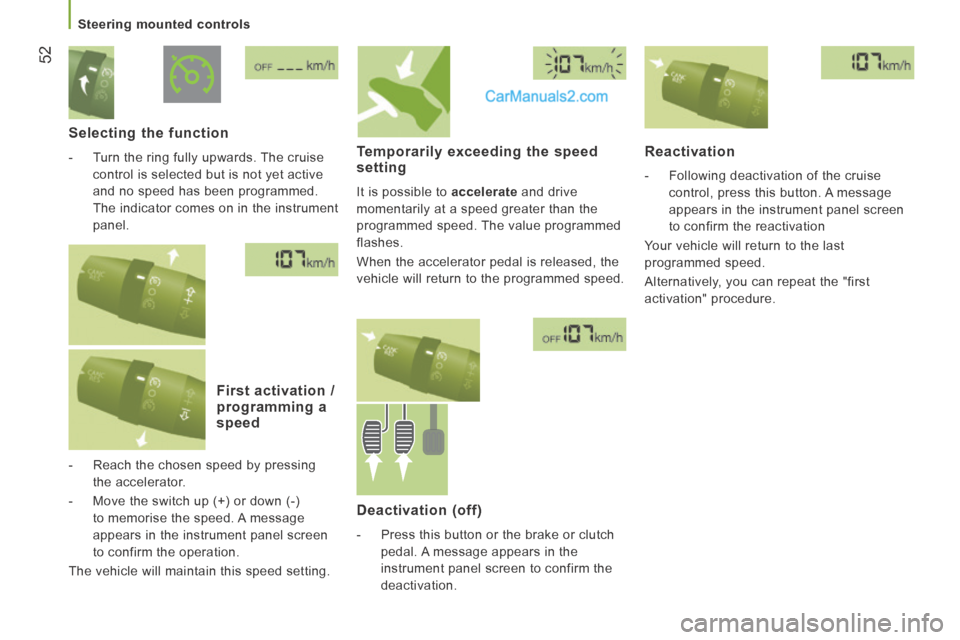
Selecting the function
- Turn the ring fully upwards. The cruise control is selected but is not yet active
and no speed has been programmed.
The indicator comes on in the instrument
panel .
First activation / programming a speed
- Reach the chosen speed by pressing the accelerator.
- Move the switch up (+) or down (-) to memorise the speed. A message
appears in the instrument panel screen
to confirm the operation.
The vehicle will maintain this speed setting.
Temporarily exceeding the speed setting
It is possible to accelerate and drive
momentarily at a speed greater than the
programmed speed. The value programmed
flashes.
When the accelerator pedal is released, the
vehicle will return to the programmed speed.
Reactivation
- Following deactivation of the cruise control, press this button. A message
appears in the instrument panel screen
to confirm the reactivation
Your vehicle will return to the last
programmed speed.
Alternatively, you can repeat the "first
activation" procedure.
Deactivation (off)
- Press this button or the brake or clutch pedal. A message appears in the
instrument panel screen to confirm the
deactivation.
Page 94 of 240
Parking sensors
92
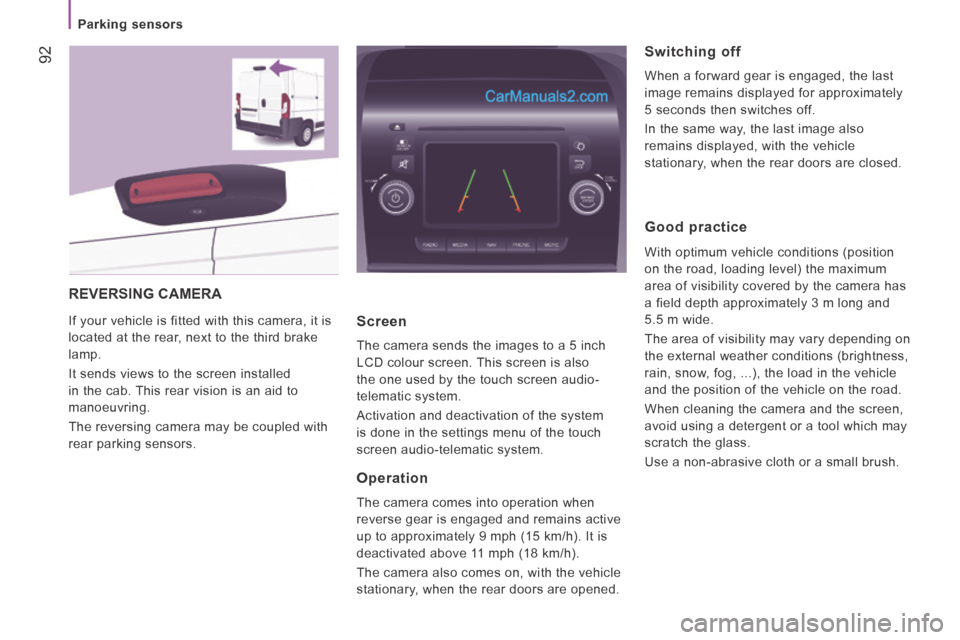
REVERSING CAMERA
If your vehicle is fitted with this camera, it is
located at the rear, next to the third brake
lamp.
It sends views to the screen installed
in the cab. This rear vision is an aid to
manoeuvring.
The reversing camera may be coupled with
rear parking sensors. Screen
The camera sends the images to a 5 inch
LCD colour screen. This screen is also
the one used by the touch screen audio-
telematic system.
Activation and deactivation of the system
is done in the settings menu of the touch
screen audio-telematic system.
Operation
The camera comes into operation when
reverse gear is engaged and remains active
up to approximately 9 mph (15 km/h). It is
deactivated above 11 mph (18 km/h).
The camera also comes on, with the vehicle
stationary, when the rear doors are opened.
Switching off
When a forward gear is engaged, the last
image remains displayed for approximately
5 seconds then switches off.
In the same way, the last image also
remains displayed, with the vehicle
stationary, when the rear doors are closed.
Good practice
With optimum vehicle conditions (position
on the road, loading level) the maximum
area of visibility covered by the camera has
a field depth approximately 3 m long and
5.5 m wide.
The area of visibility may vary depending on
the external weather conditions (brightness,
rain, snow, fog, ...), the load in the vehicle
and the position of the vehicle on the road.
When cleaning the camera and the screen,
avoid using a detergent or a tool which may
scratch the glass.
Use a non-abrasive cloth or a small brush.
Page 97 of 240
95
5
Driving safely
SAFETY
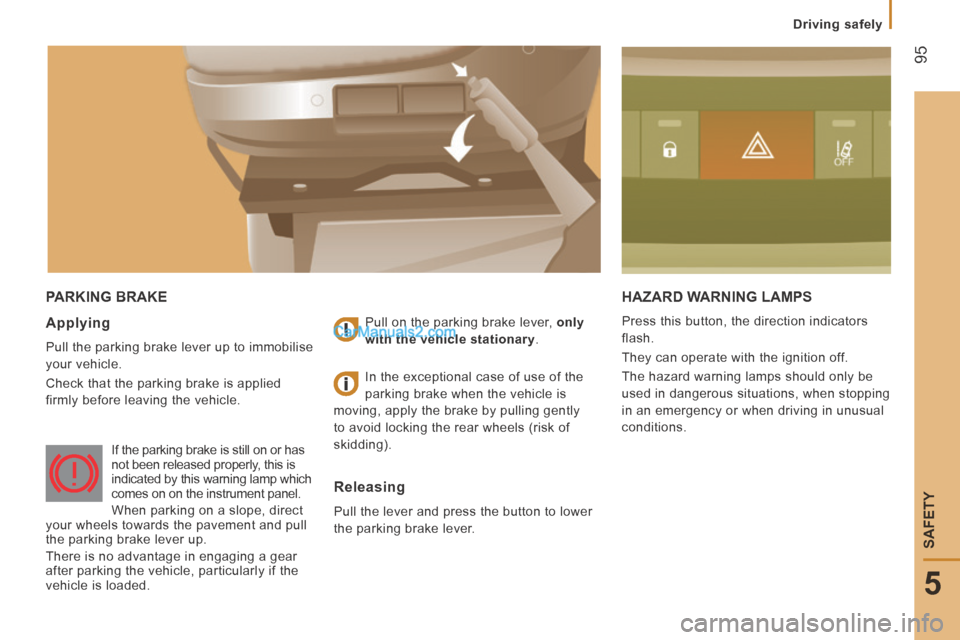
PARKING BRAKE HAZARD WARNING LAMPS
Press this button, the direction indicators
flash.
They can operate with the ignition off.
The hazard warning lamps should only be
used in dangerous situations, when stopping
in an emergency or when driving in unusual
conditions. Applying
Pull the parking brake lever up to immobilise
your vehicle.
Check that the parking brake is applied
firmly before leaving the vehicle. Pull on the parking brake lever,
only
with the vehicle stationary .
Releasing
Pull the lever and press the button to lower
the parking brake lever. In the exceptional case of use of the
parking brake when the vehicle is
moving, apply the brake by pulling gently
to avoid locking the rear wheels (risk of
skidding).
If the parking brake is still on or has
not been released properly, this is
indicated by this warning lamp which
comes on on the instrument panel.
When parking on a slope, direct
your wheels towards the pavement and pull
the parking brake lever up.
There is no advantage in engaging a gear
after parking the vehicle, particularly if the
vehicle is loaded.
Page 98 of 240
96
Driving safely
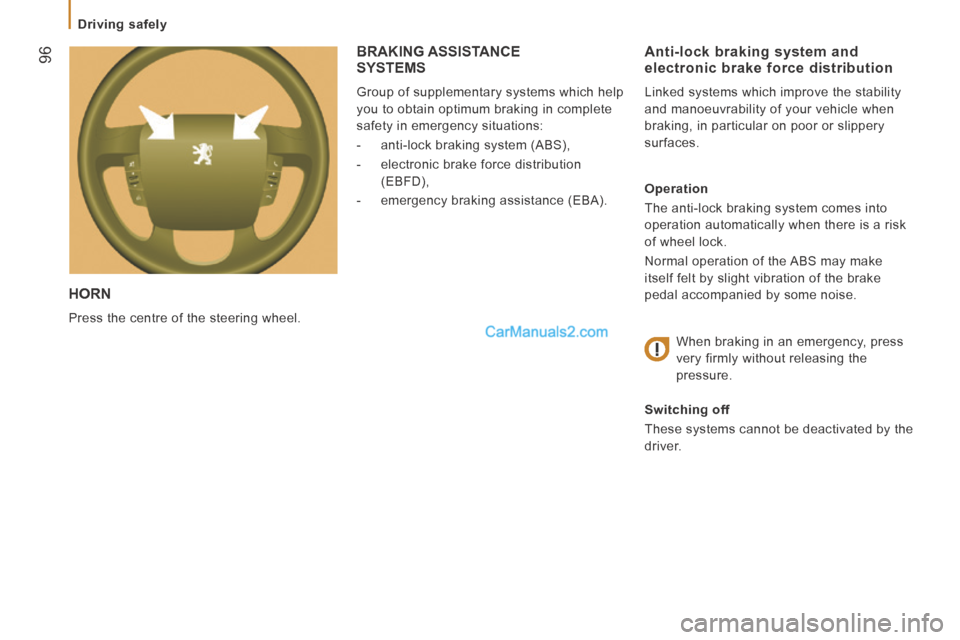
HORN
Press the centre of the steering wheel.
Anti-lock braking system and electronic brake force distribution
Linked systems which improve the stability
and manoeuvrability of your vehicle when
braking, in particular on poor or slippery
surfaces.
Operation
The anti-lock braking system comes into
operation automatically when there is a risk
of wheel lock.
Normal operation of the ABS may make
itself felt by slight vibration of the brake
pedal accompanied by some noise.
When braking in an emergency, press
very firmly without releasing the
pressure.
Switching off
These systems cannot be deactivated by the
driver.
BRAKING ASSISTANCE SYSTEMS
Group of supplementary systems which help
you to obtain optimum braking in complete
safety in emergency situations:
- anti-lock braking system (ABS),
- electronic brake force distribution (EBFD),
- emergency braking assistance (EBA).
Page 99 of 240
97
5
Driving safely
SAFETY
Good practice
The ABS system does not provide shorter
braking distances. On very slippery surfaces
(black ice, oil...) the ABS can extend braking
distances. For emergency braking, press the
brake pedal hard and do not release it, even
on a slipper surface; you will then be able to
steer the vehicle and avoid an obstacle.
When replacing wheels (tyres and
rims), ensure that they conform to the
manufacturer's recommendations. Emergency braking assistance
System which, in an emergency, enables
you to obtain the optimum braking pressure
more quickly, thus reducing the stopping
distance.
Operation
It is triggered by the speed at which the
brake pedal is pressed.
The effect of this is a reduction in the
resistance of the pedal and an increase in
braking efficiency.
Switching off
This system cannot be deactivated by the
driver.
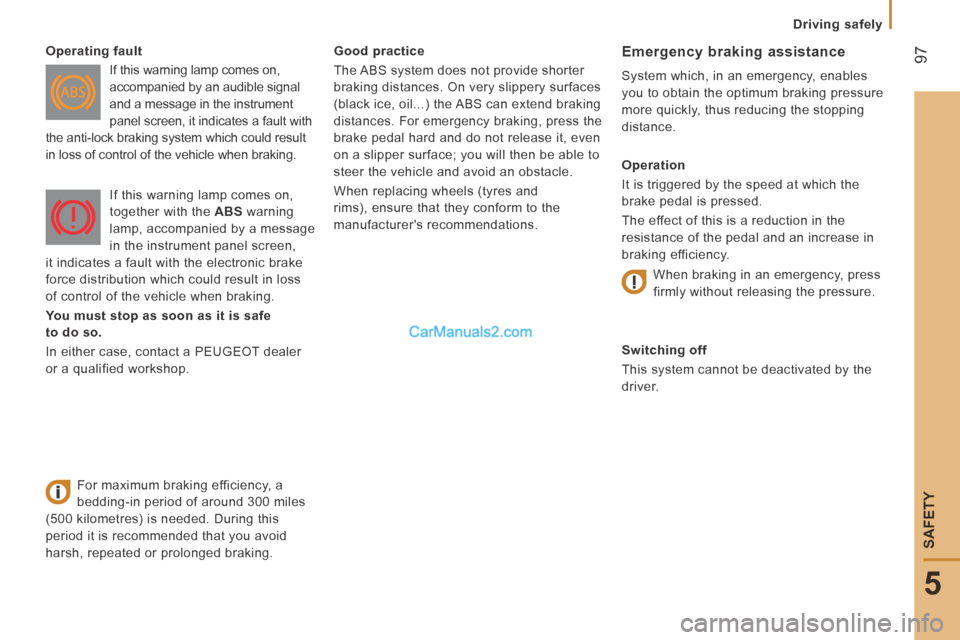
Operating fault
If this warning lamp comes on,
accompanied by an audible signal
and a message in the instrument
panel screen, it indicates a fault with
the anti-lock braking system which could result
in loss of control of the vehicle when braking.
For maximum braking efficiency, a
bedding-in period of around 300 miles
(500 kilometres) is needed. During this
period it is recommended that you avoid
harsh, repeated or prolonged braking. If this warning lamp comes on,
together with the
ABS warning
lamp, accompanied by a message
in the instrument panel screen,
it indicates a fault with the electronic brake
force distribution which could result in loss
of control of the vehicle when braking.
You must stop as soon as it is safe
to do so.
In either case, contact a PEUGEOT dealer
or a qualified workshop. When braking in an emergency, press
firmly without releasing the pressure.
Page 100 of 240
98
Driving safely
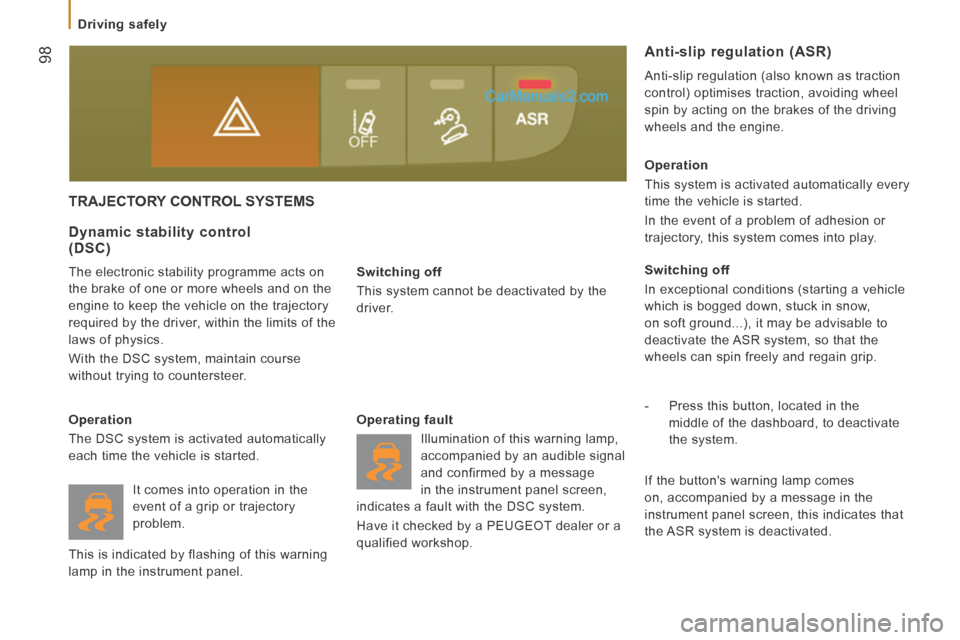
TRAJECTORY CONTROL SYSTEMS
Switching off
This system cannot be deactivated by the
driver.
Dynamic stability control (DSC)
The electronic stability programme acts on
the brake of one or more wheels and on the
engine to keep the vehicle on the trajectory
required by the driver, within the limits of the
laws of physics.
With the DSC system, maintain course
without trying to countersteer.
Operation
The DSC system is activated automatically
each time the vehicle is started. Operating fault
Illumination of this warning lamp,
accompanied by an audible signal
and confirmed by a message
in the instrument panel screen,
indicates a fault with the DSC system.
Have it checked by a PEUGEOT dealer or a
qualified workshop. Operation
This system is activated automatically every
time the vehicle is started.
In the event of a problem of adhesion or
trajectory, this system comes into play.
Switching off
In exceptional conditions (starting a vehicle
which is bogged down, stuck in snow,
on soft ground...), it may be advisable to
deactivate the ASR system, so that the
wheels can spin freely and regain grip.
- Press this button, located in the
middle of the dashboard, to deactivate
the system.
Anti-slip regulation (ASR)
Anti-slip regulation (also known as traction
control) optimises traction, avoiding wheel
spin by acting on the brakes of the driving
wheels and the engine.
If the button's warning lamp comes
on, accompanied by a message in the
instrument panel screen, this indicates that
the ASR system is deactivated.
It comes into operation in the
event of a grip or trajectory
problem.
This is indicated by flashing of this warning
lamp in the instrument panel.
Page 118 of 240
11 6
Transport solutions
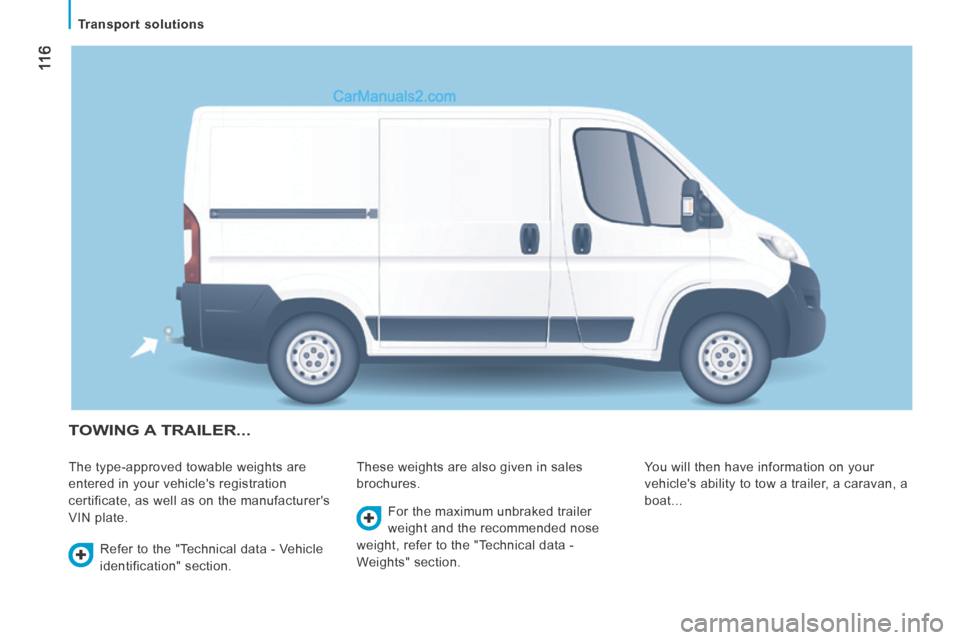
TOWING A TRAILER...
The type-approved towable weights are
entered in your vehicle's registration
certificate, as well as on the manufacturer's
VIN plate. These weights are also given in sales
brochures.
You will then have information on your
vehicle's ability to tow a trailer, a caravan, a
boat...
Refer to the "Technical data - Vehicle
identification" section. For the maximum unbraked trailer
weight and the recommended nose
weight, refer to the "Technical data -
Weights" section.
Page 119 of 240
11 7
6
ACCESSORIES
Transport solutions
Distribution of loads: distribute the load in
the trailer so that the heaviest objects are as
close as possible to the axle and the nose
weight is close to the maximum authorised
without, however, exceeding it.
Driving advice
A towed vehicle must free wheel: gearbox in
neutral.
Cooling: towing a trailer on a slope
increases the coolant temperature.
As the fan is electrically controlled, its
cooling capacity is not dependent on the
engine speed.
On the contrary, use a high gear to lower the
engine speed and reduce your speed.
In all cases, pay attention to the coolant
temperature. Tyres: check the tyre pressures of the
towing vehicle and of the trailer, observing
the recommended pressures.
Fitting a towbar
We recommend the use of genuine
PEUGEOT towbars and their harnesses,
which have been tested and approved from
the design stage of your vehicle and that
the fitting of this equipment is entrusted to a
PEUGEOT dealer.
These genuine towbars are compatible with
the operation of the rear parking sensors
and the reversing camera, if fitted to your
vehicle.
If this equipment is not fitted by a PEUGEOT
dealer, it must be fitted in line with the
manufacturer's instructions.
Good practice
In certain cases of particularly arduous
use (towing the maximum load up a steep
slope in high temperatures), the engine
automatically limits its power. In this
case, the automatic cutting off of the air
conditioning allows the engine power to be
recovered.
If the coolant temperature
warning lamp comes on, stop the
vehicle and switch off the engine
as soon as possible.
Refer to the "Checks - Levels and
checks" section.
Brakes: towing increases the braking
distance. Drive at a moderate speed,
change down early and brake gradually. Side wind: sensitivity to side wind is
increased. Drive smoothly and at a
moderate speed.
ABS: the system only controls the vehicle,
not the trailer.
Rear parking sensors: the system does not
operate while the vehicle is towing.
Refer to the "Technical data -
Identification markings" section.