01
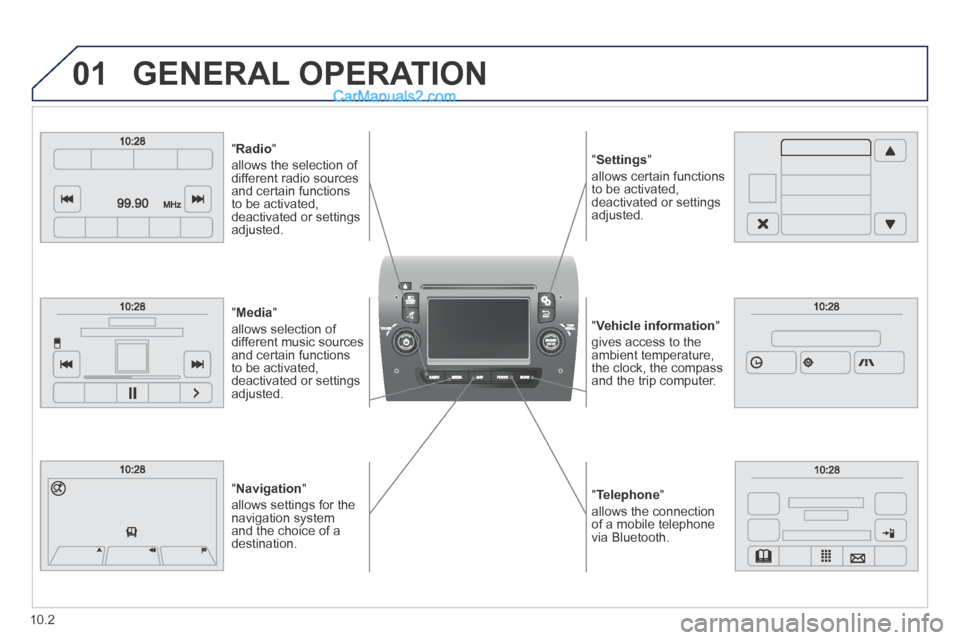
" Telephone "
allows the connection of a mobile telephone via Bluetooth.
" Vehicle information "
gives access to the ambient temperature, the clock, the compass and the trip computer.
" Settings "
allows certain functions to be activated, deactivated or settings adjusted.
" Radio "
allows the selection of different radio sources and certain functions to be activated, deactivated or settings adjusted.
" Navigation "
allows settings for the navigation system and the choice of a destination.
" Media "
allows selection of different music sources and certain functions to be activated, deactivated or settings adjusted.
GENERAL OPERATION
10.2
10.31
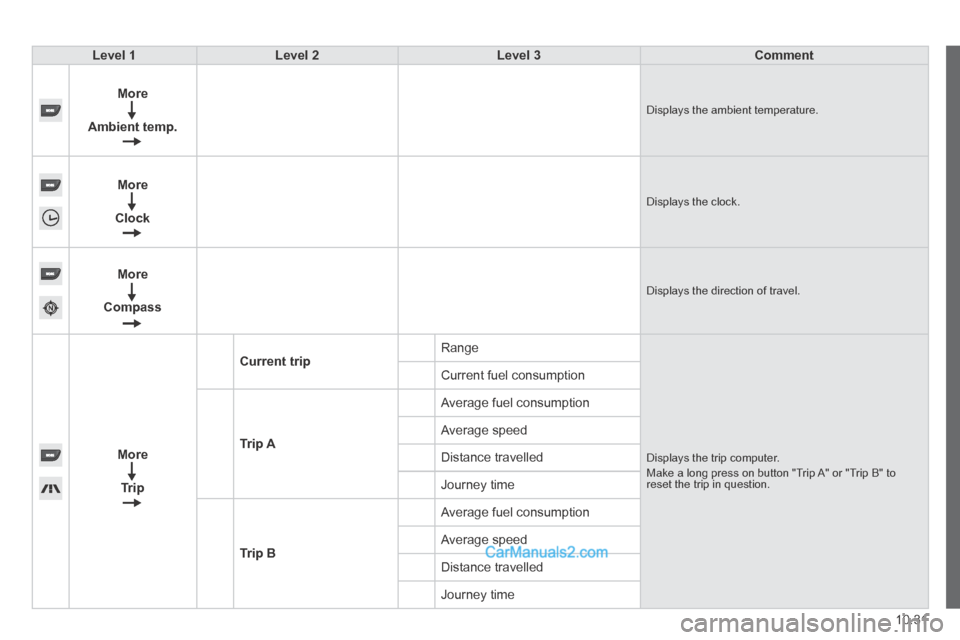
Level 1Level 2Level 3Comment
More
Ambient temp. Displays the ambient temperature.
More
Clock Displays the clock.
More
Compass Displays the direction of travel.
More
Trip
Current trip Range
Displays the trip computer. Make a long press on button "Trip A" or "Trip B" to reset the trip in question.
Current fuel consumption
Trip A
Average fuel consumption
Average speed
Distance travelled
Journey time
Trip B
Average fuel consumption
Average speed
Distance travelled
Journey time
10.35
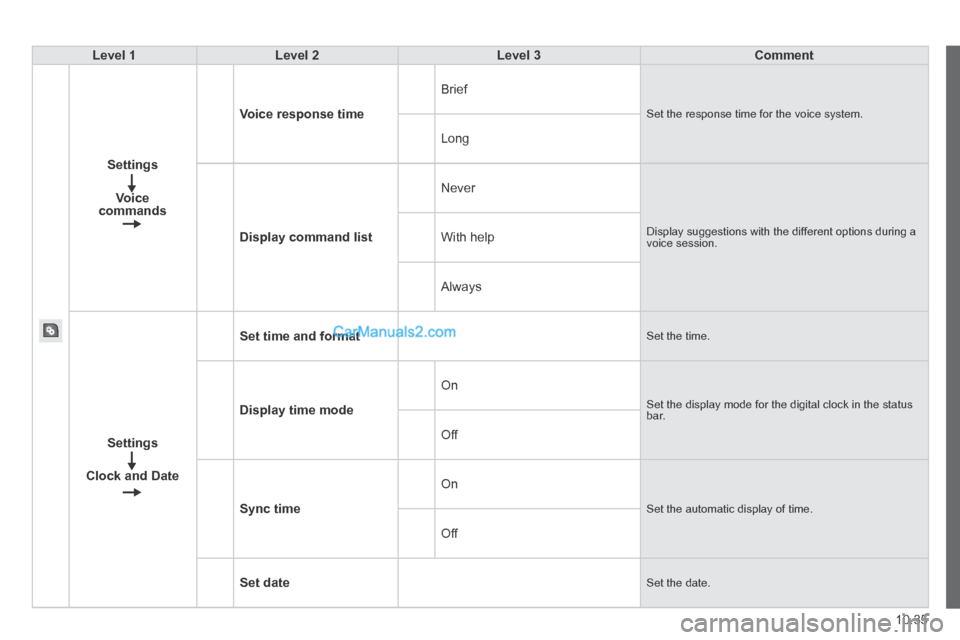
Level 1Level 2Level 3Comment
Settings
Voice commands
Voice response time
Brief
Set the response time for the voice system.
Long
Display command list
Never
Display suggestions with the different options during a voice session. With help
Always
Settings
Clock and Date
Set time and format Set the time.
Display time mode
On
Set the display mode for the digital clock in the status bar.
Off
Sync time
On
Set the automatic display of time.
Off
Set date Set the date.
10.41
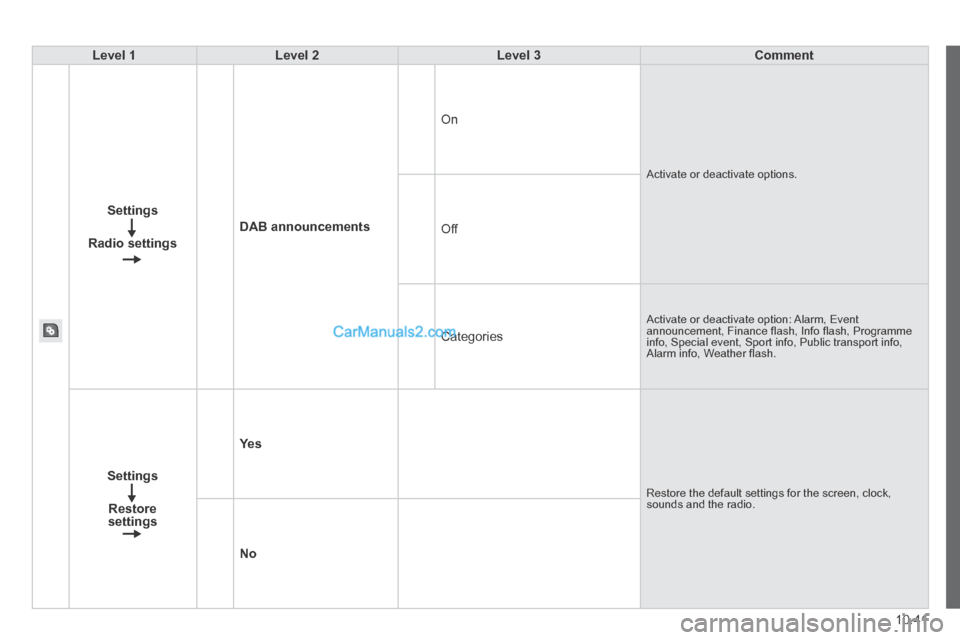
Level 1Level 2Level 3Comment
Settings
Radio settings
DAB announcements
On
Activate or deactivate options.
Off
Categories
Activate or deactivate option: Alarm, Event announcement, Finance fl ash, Info fl ash, Programme info, Special event, Sport info, Public transport info, Alarm info, Weather fl ash.
Settings
Restore settings
Ye s
Restore the default settings for the screen, clock, sounds and the radio.
No