key Peugeot Boxer 2014 Owner's Guide
[x] Cancel search | Manufacturer: PEUGEOT, Model Year: 2014, Model line: Boxer, Model: Peugeot Boxer 2014Pages: 240, PDF Size: 8.98 MB
Page 127 of 240
Levels and checks
125
7
CHECKS
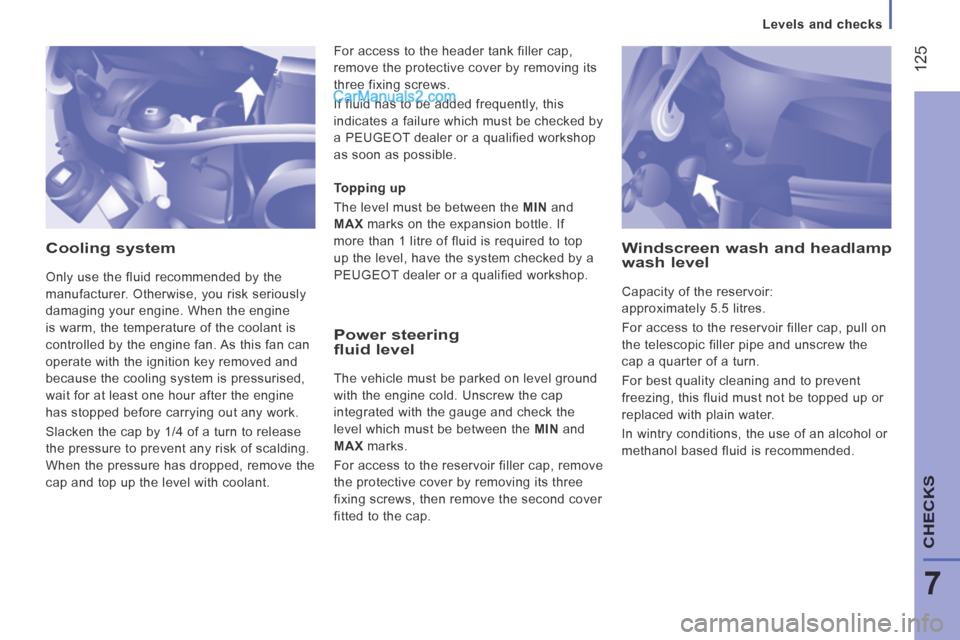
Cooling system
Only use the fluid recommended by the
manufacturer. Otherwise, you risk seriously
damaging your engine. When the engine
is warm, the temperature of the coolant is
controlled by the engine fan. As this fan can
operate with the ignition key removed and
because the cooling system is pressurised,
wait for at least one hour after the engine
has stopped before carrying out any work.
Slacken the cap by 1/4 of a turn to release
the pressure to prevent any risk of scalding.
When the pressure has dropped, remove the
cap and top up the level with coolant.
Power steering fluid level
The vehicle must be parked on level ground
with the engine cold. Unscrew the cap
integrated with the gauge and check the
level which must be between the MIN and
MAX marks.
For access to the reservoir filler cap, remove
the protective cover by removing its three
fixing screws, then remove the second cover
fitted to the cap. Topping up
The level must be between the MIN and
MAX marks on the expansion bottle. If
more than 1 litre of fluid is required to top
up the level, have the system checked by a
PEUGEOT dealer or a qualified workshop.
Windscreen wash and headlamp wash level
Capacity of the reservoir:
approximately 5.5 litres.
For access to the reservoir filler cap, pull on
the telescopic filler pipe and unscrew the
cap a quarter of a turn.
For best quality cleaning and to prevent
freezing, this fluid must not be topped up or
replaced with plain water.
In wintry conditions, the use of an alcohol or
methanol based fluid is recommended.
For access to the header tank filler cap,
remove the protective cover by removing its
three fixing screws.
If fluid has to be added frequently, this
indicates a failure which must be checked by
a PEUGEOT dealer or a qualified workshop
as soon as possible.
Page 131 of 240
Fuel
129
7
CHECKS
Low fuel level
When the fuel tank level E
(Empty) is reached, this warning
lamp comes on. At this moment,
you have around 10 to 12 litres
in the reserve, depending on the capacity
of the tank, the engine type, the driving
conditions and the profile of the road. Refuel
without delay to avoid running out of fuel.
The capacity of the fuel tank is
approximately 90 litres.
Fuel tanks of different capacities, 60 and
125 litres, may be fitted.
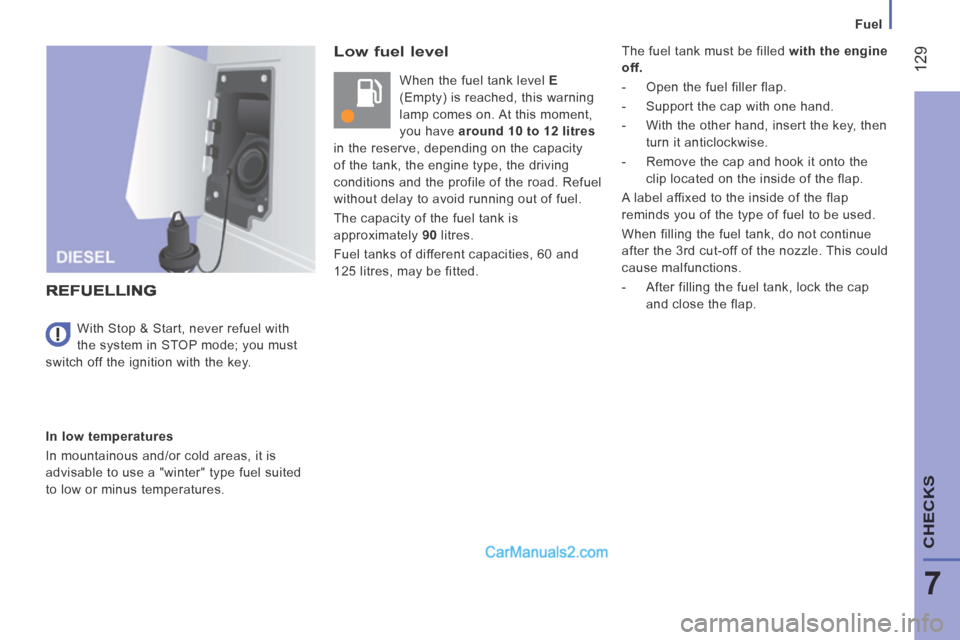
REFUELLING
In low temperatures
In mountainous and/or cold areas, it is
advisable to use a "winter" type fuel suited
to low or minus temperatures. With Stop & Start, never refuel with
the system in STOP mode; you must
switch off the ignition with the key. The fuel tank must be filled
with the engine
off.
- Open the fuel filler flap.
- Support the cap with one hand.
- With the other hand, insert the key, then turn it anticlockwise.
- Remove the cap and hook it onto the clip located on the inside of the flap.
A label affixed to the inside of the flap
reminds you of the type of fuel to be used.
When filling the fuel tank, do not continue
after the 3rd cut-off of the nozzle. This could
cause malfunctions.
- After filling the fuel tank, lock the cap and close the flap.
Page 173 of 240
10.7
Level 1Level 2Level 3Comment
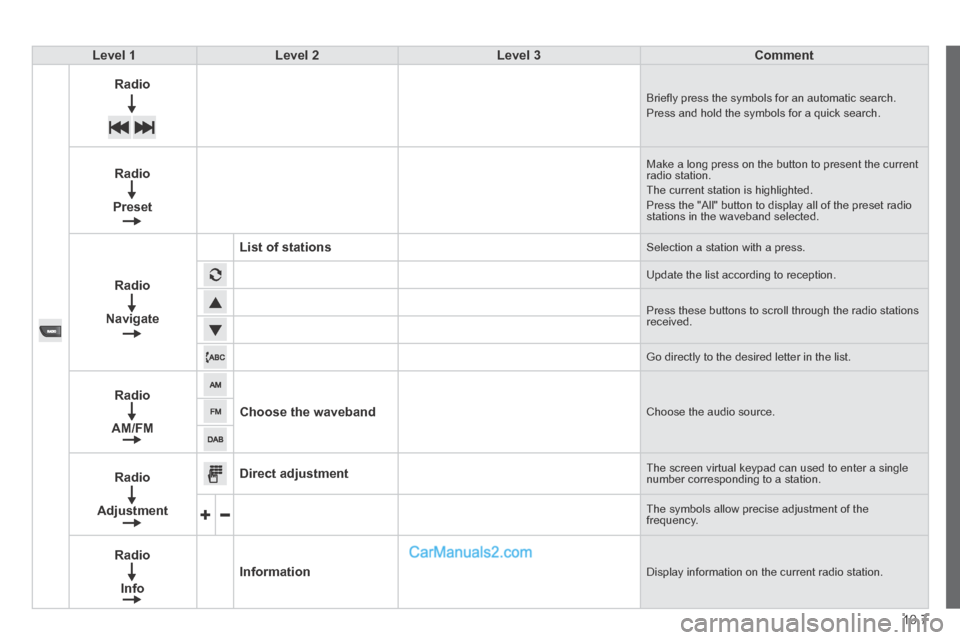
Radio Briefl y press the symbols for an automatic search. Press and hold the symbols for a quick search.
Radio
Preset
Make a long press on the button to present the current radio station. The current station is highlighted. Press the "All" button to display all of the preset radio stations in the waveband selected.
Radio
Navigate
List of stations Selection a station with a press.
Update the list according to reception.
Press these buttons to scroll through the radio stations received.
Go directly to the desired letter in the list.
Radio
AM/FM
Choose the waveband Choose the audio source.
Radio
Adjustment
Direct adjustment The screen virtual keypad can used to enter a single number corresponding to a station.
The symbols allow precise adjustment of the frequency.
Radio
Info
Information Display information on the current radio station.
Page 187 of 240
10.21
Level 1Level 2Level 3Comment
Phone
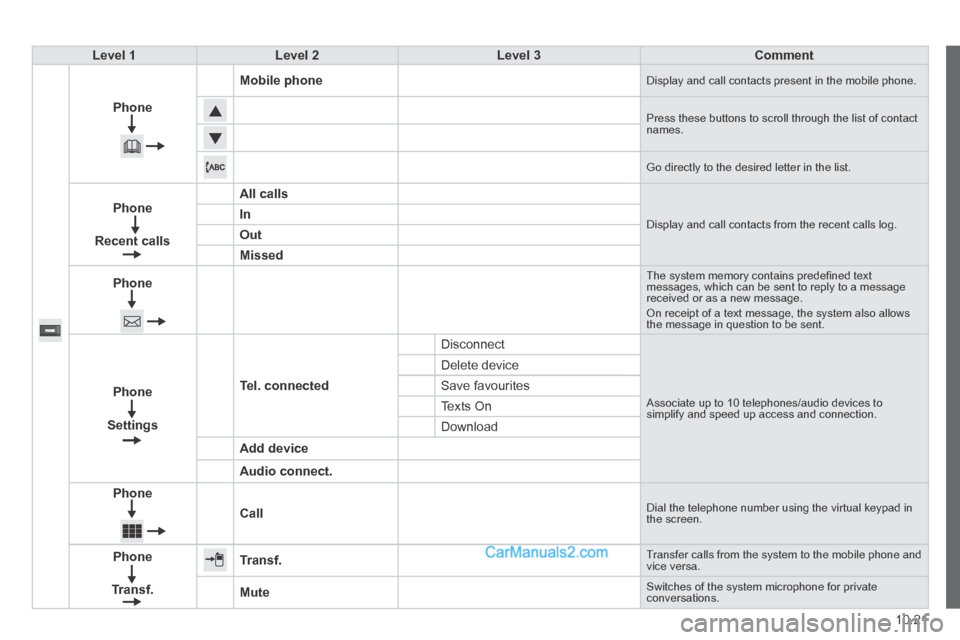
Mobile phone Display and call contacts present in the mobile phone.
Press these buttons to scroll through the list of contact names.
Go directly to the desired letter in the list.
Phone
Recent calls
All calls
Display and call contacts from the recent calls log. In
Out
Missed
Phone
The system memory contains predefi ned text messages, which can be sent to reply to a message received or as a new message. On receipt of a text message, the system also allows the message in question to be sent.
Phone
Settings
Tel. connected
Disconnect
Associate up to 10 telephones/audio devices to simplify and speed up access and connection.
Delete device
Save favourites
Texts On
Download
Add device
Audio connect.
Phone
Call Dial the telephone number using the virtual keypad in the screen.
Phone
Transf.
Transf. Transfer calls from the system to the mobile phone and vice versa.
Mute Switches of the system microphone for private conversations.
Page 188 of 240
06
10.22
Pairing a Bluetooth telephone
First connection
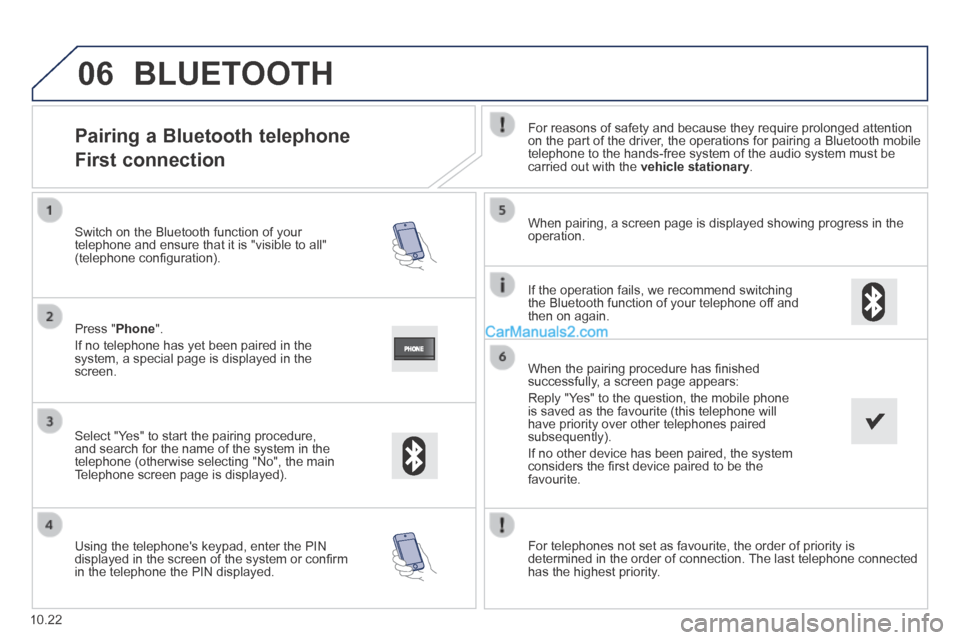
For reasons of safety and because they require prolonged attention on the part of the driver, the operations for pairing a Bluetooth mobile telephone to the hands-free system of the audio system must be carried out with the vehicle stationary .
Select " Yes " to start the pairing procedure, and search for the name of the system in the telephone (otherwise selecting "No", the main Telephone screen page is displayed).
When pairing, a screen page is displayed showing progress in the operation.
Using the telephone's keypad, enter the PIN displayed in the screen of the system or confi rm in the telephone the PIN displayed.
Press " Phone ".
If no telephone has yet been paired in the system, a special page is displayed in the screen.
Switch on the Bluetooth function of your telephone and ensure that it is "visible to all" (telephone confi guration).
BLUETOOTH
If the operation fails, we recommend switching the Bluetooth function of your telephone off and then on again.
When the pairing procedure has fi nished successfully, a screen page appears:
Reply "Yes" to the question, the mobile phone is saved as the favourite (this telephone will have priority over other telephones paired subsequently).
If no other device has been paired, the system considers the fi rst device paired to be the favourite.
For telephones not set as favourite, the order of priority is determined in the order of connection. The last telephone connected has the highest priority.
Page 191 of 240
06
10.25
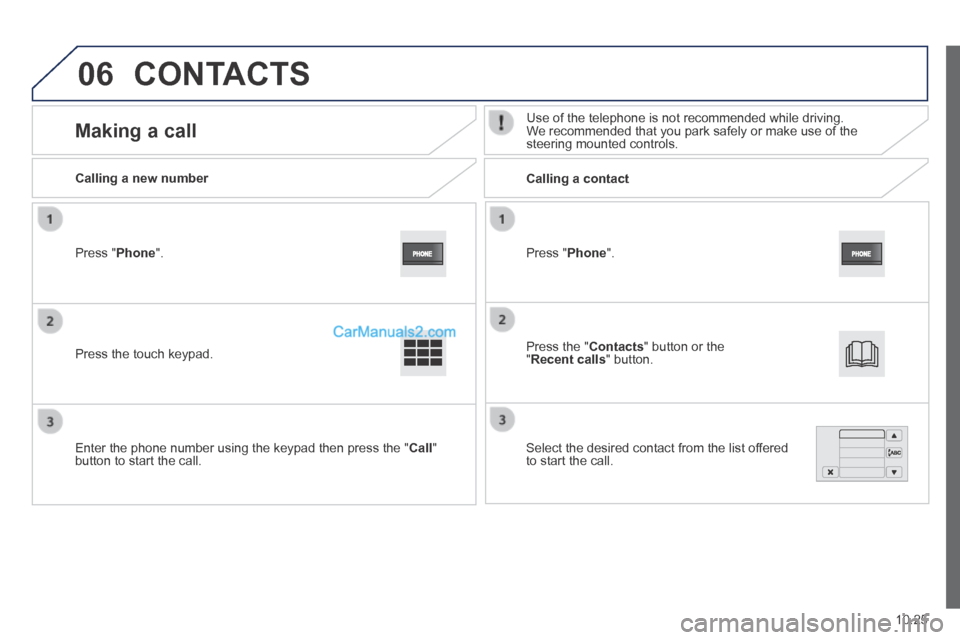
Press " Phone ".
Calling a new number Calling a contact
Making a call Use of the telephone is not recommended while driving. We recommended that you park safely or make use of the steering mounted controls.
Press the touch keypad.
Enter the phone number using the keypad then press the " Call " button to start the call.
Press " Phone ".
Press the " Contacts " button or the " Recent calls " button.
Select the desired contact from the list offered to start the call.
CONTACTS
Page 224 of 240
05
10.58
TELEPHONE
Pairing a Bluetooth telephone
First connection
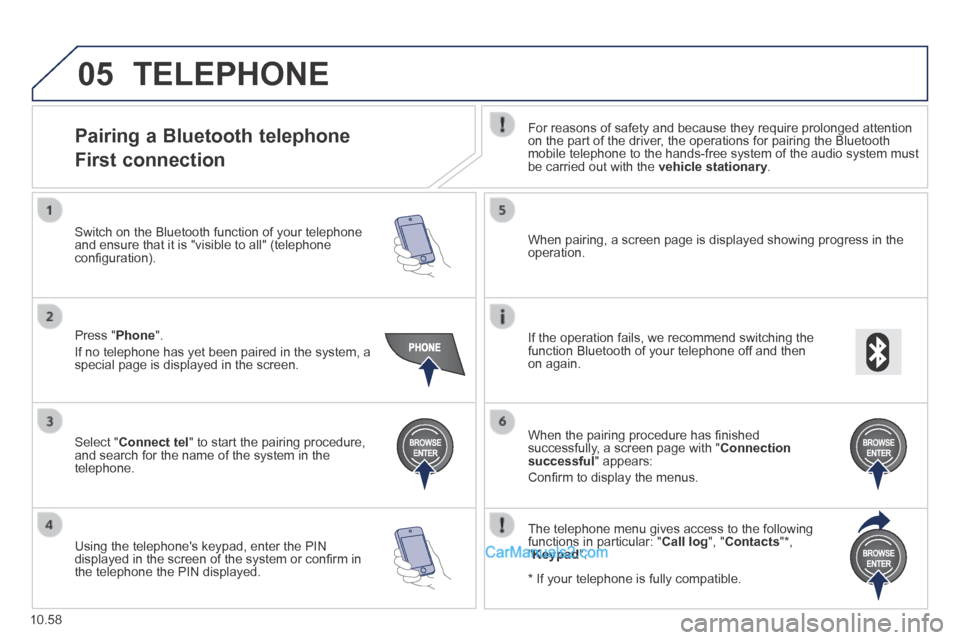
For reasons of safety and because they require prolonged attention on the part of the driver, the operations for pairing the Bluetooth mobile telephone to the hands-free system of the audio system must be carried out with the vehicle stationary .
Select " Connect tel " to start the pairing procedure, and search for the name of the system in the telephone.
When pairing, a screen page is displayed showing progress in the operation.
Using the telephone's keypad, enter the PIN displayed in the screen of the system or confi rm in the telephone the PIN displayed.
Press " Phone ".
If no telephone has yet been paired in the system, a special page is displayed in the screen.
Switch on the Bluetooth function of your telephone and ensure that it is "visible to all" (telephone confi guration).
If the operation fails, we recommend switching the function Bluetooth of your telephone off and then on again.
When the pairing procedure has fi nished successfully, a screen page with " Connection successful " appears:
Confi rm to display the menus.
The telephone menu gives access to the following functions in particular: " Call log ", " Contacts " * , " Keypad ".
* If your telephone is fully compatible.
Page 225 of 240
05
10.59
Receiving a call
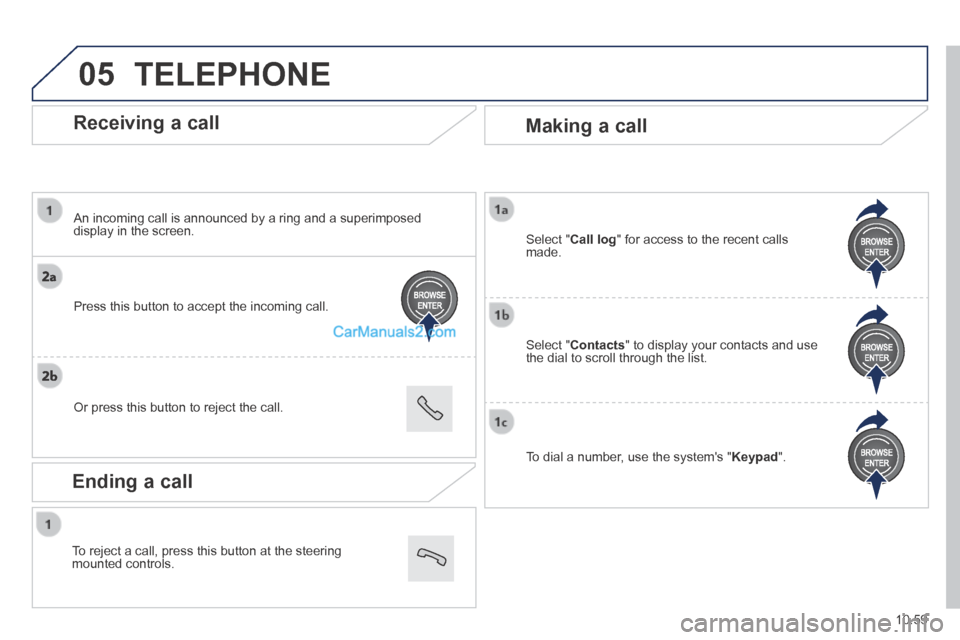
An incoming call is announced by a ring and a superimposed display in the screen.
Press this button to accept the incoming call.
Or press this button to reject the call.
Making a call
Select " Contacts " to display your contacts and use the dial to scroll through the list.
Select " Call log " for access to the recent calls made.
To dial a number, use the system's " Keypad ".
TELEPHONE
Ending a call
To reject a call, press this button at the steering mounted controls.