audio PEUGEOT BOXER 2015 Service Manual
[x] Cancel search | Manufacturer: PEUGEOT, Model Year: 2015, Model line: BOXER, Model: PEUGEOT BOXER 2015Pages: 276, PDF Size: 8.99 MB
Page 215 of 276
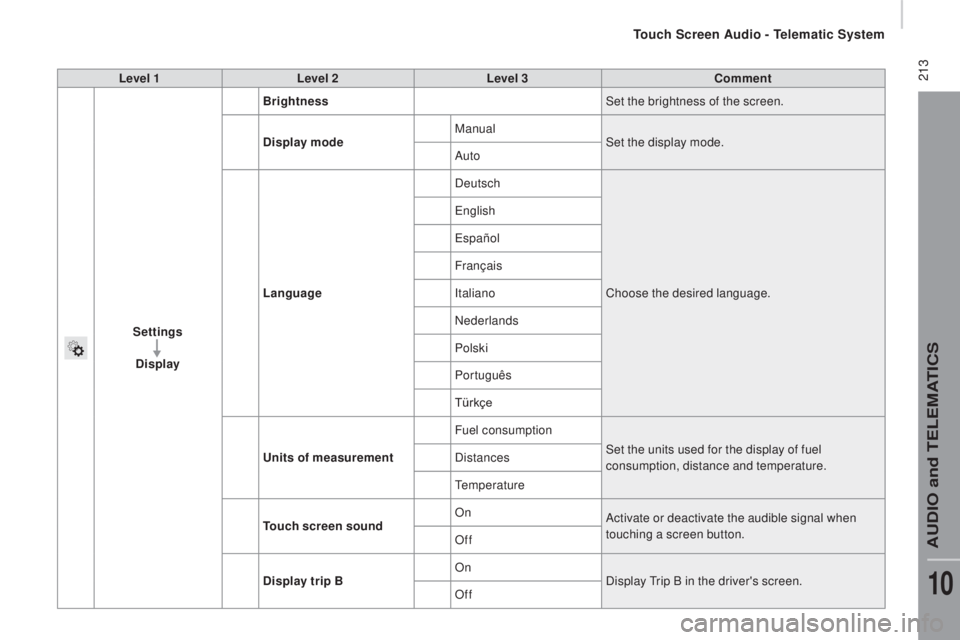
213Level 1Level 2 Level 3com ment
Settings
di
splay Brightness
Set the brightness of the screen.
di
splay mode Manual
Set the display mode.
Auto
Language Deutsch
Choose the desired language.
engl
ish
españo
l
Français
Italiano
Nederlands
Polski
Português
Türkçe
uni
ts of measurement Fuel consumption
Set the units used for the display of fuel
consumption, distance and temperature.
Distances
temp
erature
touch
screen soundOn
Activate or deactivate the audible signal when
touching a screen button.
Off
dis
play trip B On
Display
tri
p B in the driver's screen.
Off
touch Screen Audio - telematic System
AuDIO and teLeMAtICS
10
Page 216 of 276
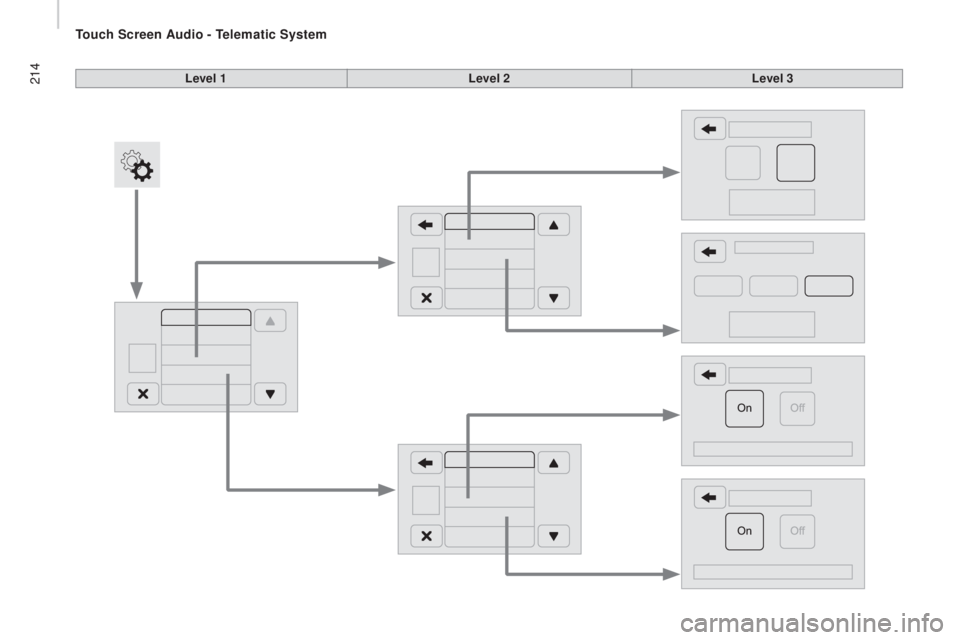
214Level 1Level 2Level 3
touch Screen Audio - telematic System
Page 217 of 276
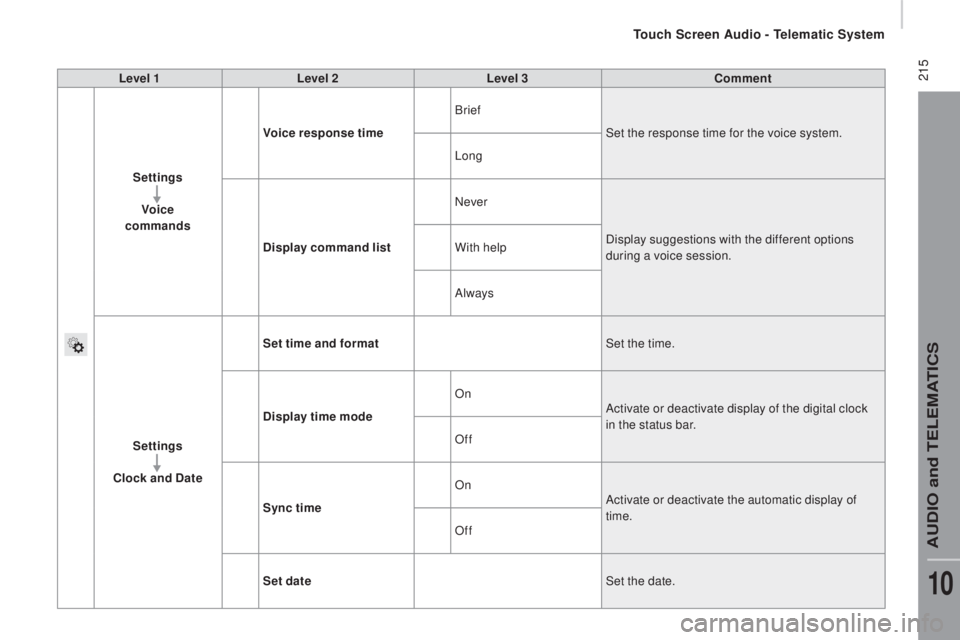
215Level 1Level 2 Level 3com ment
Settings Voice
commands Voice response time
Brief
Set the response time for the voice system.
Long
di
splay command list Never
Display suggestions with the different options
during a voice session.
With help
Always
Settings
cloc
k and
date S
et time and format Set the time.
di
splay time mode On
Activate or deactivate display of the digital clock
in the status bar.
Off
Sync time On
Activate or deactivate the automatic display of
time.
Off
Set date Set the date.
touch Screen Audio - telematic System
AuDIO and teLeMAtICS
10
Page 218 of 276
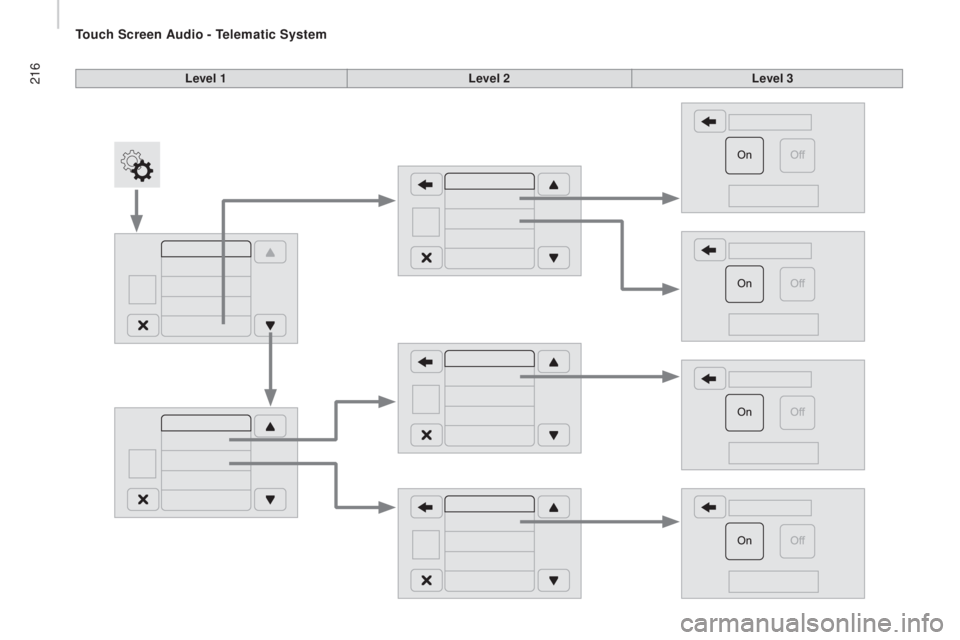
216Level 1Level 2Level 3
touch Screen Audio - telematic System
Page 219 of 276
217Level 1Level 2 Level 3com ment
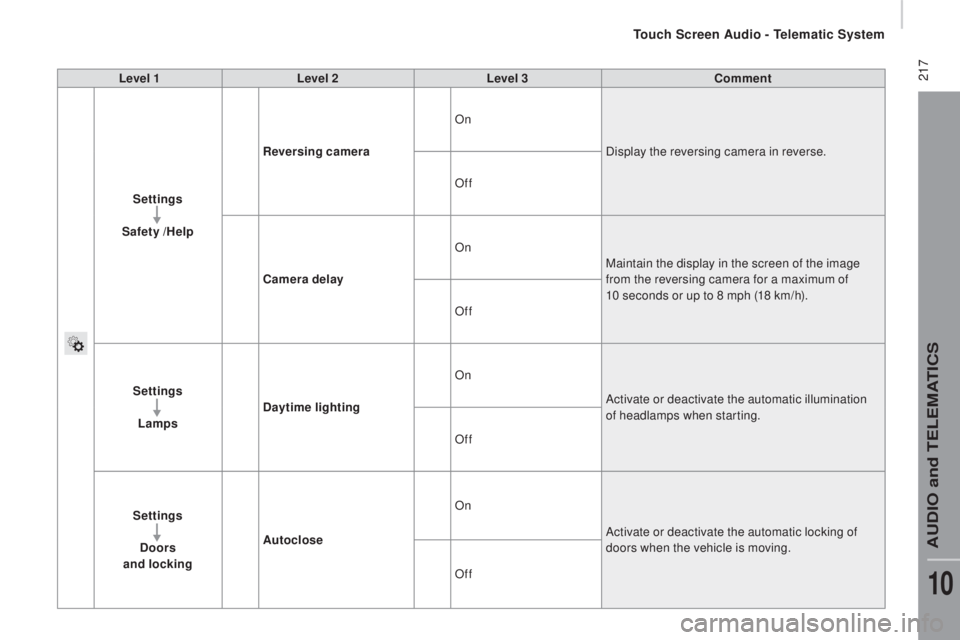
Settings
Safety /Help
rev
ersing camera On
Display the reversing camera in reverse.
Off
cam
era delayOn
Maintain the display in the screen of the image
from the reversing camera for a maximum of
10 seconds or up to 8 mph (18 km/h).
Off
Settings Lamps
day
time lighting On
Activate or deactivate the automatic illumination
of headlamps when starting.
Off
Settings
doo
rs
and locking Autoclose On
Activate or deactivate the automatic locking of
doors when the vehicle is moving.
Off
touch Screen Audio - telematic System
AuDIO and teLeMAtICS
10
Page 220 of 276
218Level 1Level 2Level 3
touch Screen Audio - telematic System
Page 221 of 276
219Level 1Level 2 Level 3com ment
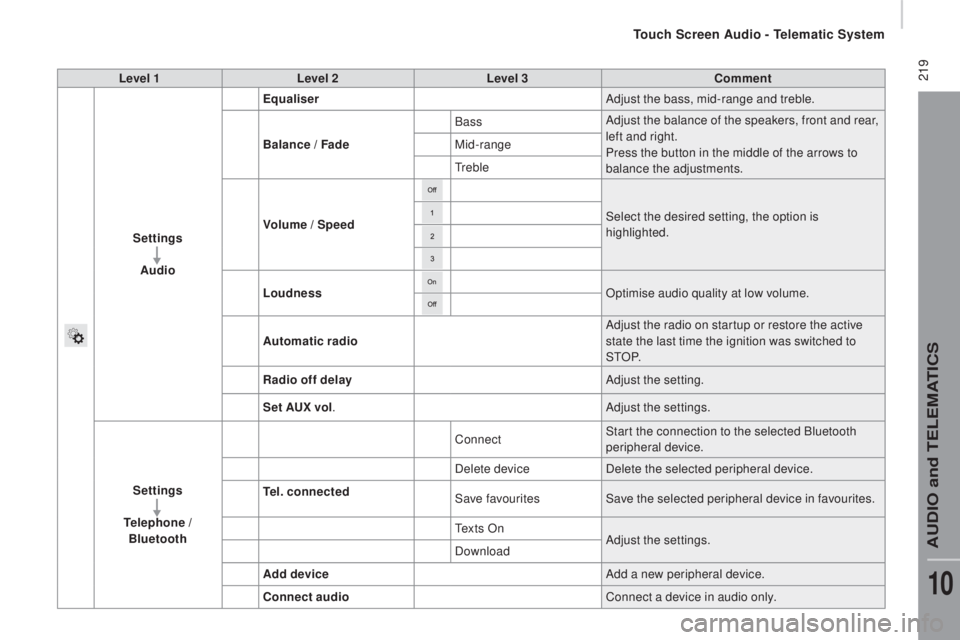
Settings Audio Equaliser
Adjust the bass, mid-range and treble.
Balance / Fade Bass
Adjust the balance of the speakers, front and rear,
left and right.
Press the button in the middle of the arrows to
balance the adjustments.
Mid-range
tre
ble
Volume / Speed Select the desired setting, the option is
highlighted.
Loudness Optimise audio quality at low volume.
Automatic radio Adjust the radio on startup or restore the active
state the last time the ignition was switched to
S
tO P.
rad
io off delay Adjust the setting.
Set A
ux v
ol. Adjust the settings.
Settings
tel
ephone /
Bluetooth
tel.
connected Connect
Start the connection to the selected Bluetooth
peripheral device.
Delete device Delete the selected peripheral device.
Save favourites Save the selected peripheral device in favourites.
te
x t s O nAdjust the settings.
Download
Add device Add a new peripheral device.
con
nect audio Connect a device in audio only.
touch Screen Audio - telematic System
AuDIO and teLeMAtICS
10
Page 222 of 276
220Level 1Level 2Level 3
touch Screen Audio - telematic System
Page 223 of 276
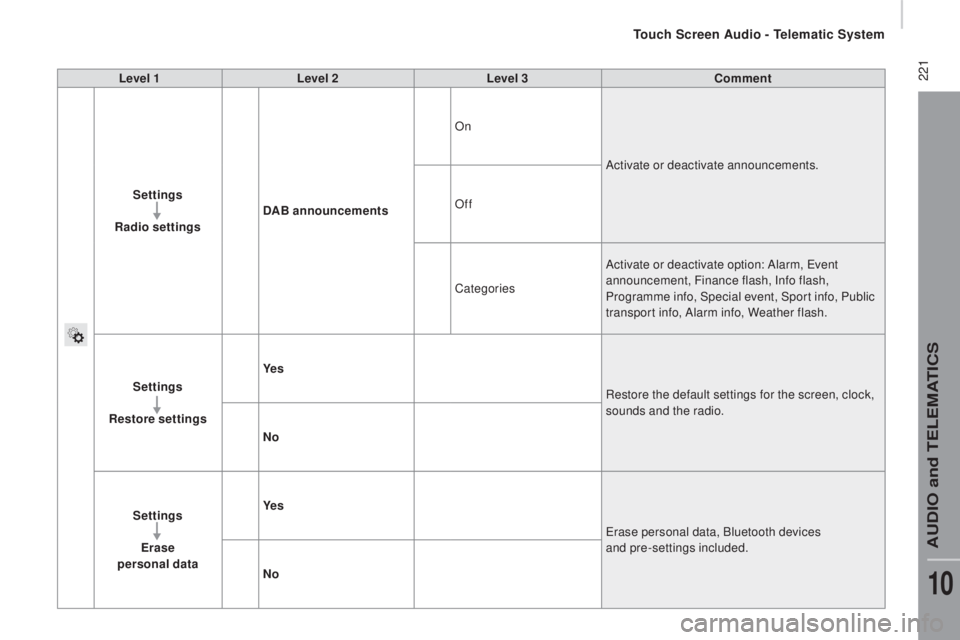
221Level 1Level 2 Level 3com ment
Settings
ra
dio settings
dAB
announcementsOn
Activate or deactivate announcements.
Off
Categories Activate or deactivate option: Alarm,
eve
nt
announcement, Finance flash, Info flash,
Programme info, Special event, Sport info, Public
transport info, Alarm info, Weather flash.
Settings
resto
re settings Ye s
Restore the default settings for the screen, clock,
sounds and the radio.
no
S
ettings
Erase
personal data Ye s
era
se personal data, Bluetooth devices
and pre-settings included.
no
touch Screen Audio - telematic System
AuDIO and teLeMAtICS
10
Page 224 of 276
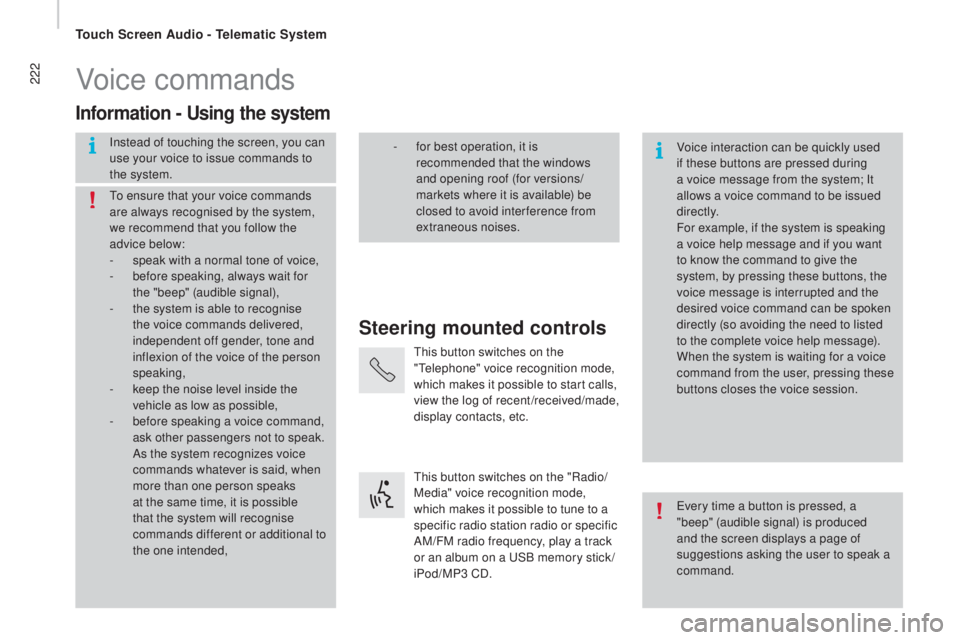
222Voice commands
Steering mounted controls
Information - using the system
Instead of touching the screen, you can
use your voice to issue commands to
the system. Voice interaction can be quickly used
if these buttons are pressed during
a voice message from the system; It
allows a voice command to be issued
di r e c t l y.
For example, if the system is speaking
a voice help message and if you want
to know the command to give the
system, by pressing these buttons, the
voice message is interrupted and the
desired voice command can be spoken
directly (so avoiding the need to listed
to the complete voice help message).
When the system is waiting for a voice
command from the user, pressing these
buttons closes the voice session.
to en
sure that your voice commands
are always recognised by the system,
we recommend that you follow the
advice below:
-
sp
eak with a normal tone of voice,
-
be
fore speaking, always wait for
the "beep" (audible signal),
-
th
e system is able to recognise
the voice commands delivered,
independent off gender, tone and
inflexion of the voice of the person
speaking,
-
ke
ep the noise level inside the
vehicle as low as possible,
-
be
fore speaking a voice command,
ask other passengers not to speak.
As the system recognizes voice
commands whatever is said, when
more than one person speaks
at the same time, it is possible
that the system will recognise
commands different or additional to
the one intended,
eve
ry time a button is pressed, a
"beep" (audible signal) is produced
and the screen displays a page of
suggestions asking the user to speak a
command.
- fo
r best operation, it is
recommended that the windows
and opening roof (for versions/
markets where it is available) be
closed to avoid inter ference from
extraneous noises.
thi
s button switches on the
"
tele
phone" voice recognition mode,
which makes it possible to start calls,
view the log of recent /received/made,
display contacts, etc.
thi
s button switches on the "Radio/
Media" voice recognition mode,
which makes it possible to tune to a
specific radio station radio or specific
AM/FM radio frequency, play a track
or an album on a
uSB m
emory stick /
iPod/MP3 CD.
touch Screen Audio - telematic System