RANGE Peugeot Boxer 2018 User Guide
[x] Cancel search | Manufacturer: PEUGEOT, Model Year: 2018, Model line: Boxer, Model: Peugeot Boxer 2018Pages: 232, PDF Size: 9.09 MB
Page 69 of 232
67
General safety
recommendations
Labels are affixed in different locations on
your vehicle. They include safety warnings
and vehicle identification information. Do
not remove them: they are an integral part
of your vehicle.
For any work on your vehicle, use
a qualified workshop that has the technical
information, skills and equipment required,
all of which a
PEUGEOT dealer is able to
provide. We draw your attention to the following
points:
-
T
he fitting of electrical equipment
or accessories not approved by
PEUGEOT may cause excessive
current consumption and faults and
failures with the electrical system of
your vehicle. Contact a
PEUGEOT
dealer for information on the range of
recommended accessories.
-
A
s a safety measure, access to
the diagnostic socket, used for the
vehicle's electronic systems, is
reser ved strictly for PEUGEOT dealers
or qualified workshops, equipped
with the special tools required (risk
of malfunctions of the vehicle's
electronic systems that could cause
breakdowns or serious accidents).
The Manufacturer cannot be held
responsible if this advice is not
followed.
-
A
ny modification or adaptation not
intended or authorised by PEUGEOT
or carried out without meeting the
technical requirements defined by
the Manufacturer will result in the
suspension of the legal and contractual
warranties. Installation of accessory radio
communication transmitters
Before installing a
radio communication
transmitter with external aerial, you
must contact a PEUGEOT dealer for the
specification of transmitters which can
be fitted (frequency, maximum power,
aerial position, specific installation
requirements), in line with the Vehicle
Electromagnetic Compatibility Directive
(2004/104/EC).
Depending on country regulations, some
safety equipment may be compulsory:
high visibility safety vests, warning
triangles, breathalysers, spare bulbs,
spare fuses, fire extinguisher, first aid kit,
mud flaps at the rear of the vehicle, etc.
5
5
Safety
Page 78 of 232
76
Advice
For the airbags to be fully effective,
observe the safety recommendations
below.
Adopt a normal and upright sitting position.
Fasten your seat belt, ensuring it is positioned
c o r r e c t l y.
Do not leave anything between the occupants
and the airbags (a child, pet, object, etc.), nor
fix or attach anything close to the inflation
trajectory of the airbags; this could cause
injuries during their deployment.
Never modify the original definition of your
vehicle, particularly in the area directly
around the airbags.
After an accident or if the vehicle has been
stolen or broken into, have the airbag systems
checked.
All work on the airbag system must be carried
out by a
PEUGEOT dealer or a qualified
workshop.
Even if all of the precautions mentioned
are obser ved, a risk of injury or of minor
burns to the head, chest or arms when an
airbag is deployed cannot be ruled out. The
bag inflates almost instantly (within a
few
milliseconds) then deflates within the same
time discharging the hot gas via openings
provided for this purpose. Front airbags
Do not drive holding the steering wheel by its
spokes or resting your hands on the centre
part of the wheel.
Passengers must not place their feet on the
dashboard.
Do not smoke as deployment of the airbags
can cause burns or the risk of injury from
a
cigarette or pipe.
Never remove or pierce the steering wheel or
hit it violently.
Do not fit or attach anything to the steering
wheel or dashboard, this could cause injuries
with deployment of the airbags.
Lateral airbags
Use only approved covers on the seats,
compatible with the deployment the lateral
airbags. For information on the range of seat
covers suitable for your vehicle, you can
contact a
PEUGEOT dealer.
Do not attach anything to or hang anything
from the seat backrests (clothes, etc.) as
this could cause injuries to the thorax or arm
when the lateral airbag is deployed.
Do not sit with the upper part of the body any
nearer to the door than necessary. Curtain airbags
Do not attach anything to or hang anything
from the roof, as this could cause head
injuries when the curtain airbag is deployed.
If fitted on your vehicle, do not remove the
grab handles installed on the roof, they play
a
part in securing the curtain airbags.
Safety
Page 134 of 232
132
Freezing of the AdBlue®
AdBlue® freezes at temperatures below
around -11°C.
The SCR system includes a
heater for the
AdBlue
® tank, allowing you to continue
driving in very cold conditions.
Topping up with AdBlue®
Before topping up, please read the
following warnings carefully.
Precautions for use
AdBlue® is a urea-based solution. This fluid
is
non-flammable, colourless and odourless
(stored in a
cool place).
In the event of contact with the skin, wash the
affected area with soap and running water. In
the event of contact with the eyes, immediately
rinse the eyes with large amounts of water
or with an eye wash solution for at least
15
minutes. If a burning sensation or irritation
persists, get medical attention.
If swallowed, immediately wash out the mouth
with clean water and then drink plenty of water.
In certain conditions (high exterior temperature,
for example), the risk of ammonia being
released cannot be excluded: do not inhale
the vapours. Ammonia has an irritant effect on
mucous membranes (eyes, nose and throat).
AdBlue® (BlueHDi engines)
To respect the environment and ensure
compliance with the Euro 6 standard, without
adversely affecting the per formance or fuel
consumption of Diesel engines, PEUGEOT
has taken the decision to equip its vehicles
with a
system that associates SCR (Selective
Catalytic Reduction) with a
Diesel particle filter
(DPF) for the treatment of exhaust gases.
SCR system
Using a liquid called AdBlue® containing urea, a
catalytic converter turns up to 85% of nitrogen
oxides (NOx) into nitrogen and water, which are
harmless to health and the environment.
The AdBlue
® is contained in a special tank with
a
capacity of approximately 14 litres.
It has an exterior filler located behind the fuel
filler flap below the fuel filler cap and closed
with a
blue filler cap .
An alarm system is triggered once the
remaining range is 1,500
miles (2,400 km), in
other words once the reser ve level is reached. Once the AdBlue
® tank is empty, a
regulatory device prevents the engine
from being restarted.
If the SCR system is faulty, the level of
emissions from your vehicle no longer
meet the Euro 6
regulations: your vehicle
becomes polluting.
In the event of a
confirmed fault with the
SCR system, you must go to a
PEUGEOT
dealer or a
qualified workshop as soon
as possible: having travelled 250 miles
(400 km), a device will be triggered
automatically to prevent the engine from
starting.
Practical information
Page 183 of 232
181
Characteristics
EquipmentDetails
Tipper Tipper base made of 2
strips of 2.5 mm thick zinc-coated high tensile
steel, joined by central and longitudinal laser welding.
Tipper body painted vehicle body colour.
Tipper structure 2
main longerons in galvanised high tensile steel.
1
tubular steel ram head cross member.
Cross members in galvanised high tensile steel. Protected against
corrosion by application of a
powder coating.
Sub-frame 2 "C" section longerons made of 2.5
mm thick high tensile steel, interior
strengthening by enlarged lower wings.
Fixing to the base vehicle by high tensile steel brackets.
1
machine-welded tubular steel ram foot cross member, hot galvanised.
1
rear articulation cross member in galvanised steel.
Stop brackets at the ends of the longerons.
Rear lamp protection grille.
Cycle guard and wing supports in galvanised steel.
Body sides Body sides in high tensile steel, 15/10
thickness, cold formed, assembled
by continuous laser welding.
Anti-corrosion protection assured by a
powder coating paint finish.
Catches with reinforced zinc protection integrated into the form of the
sides.
Ladder carrier Galvanised steel uprights. Panels and cross members in painted steel
with clinched bolts.
Electro-pump unit 12
Volts/2 kW.
Operating temperature range: -20
to +70°C.
Hydraulic ram Expansion type, nitride ram, 3 -section, dia.: 107
mm
Maximum pressure: 20
bar.
Hydraulic fluid Mineral type ISO HV 46
or equivalent.
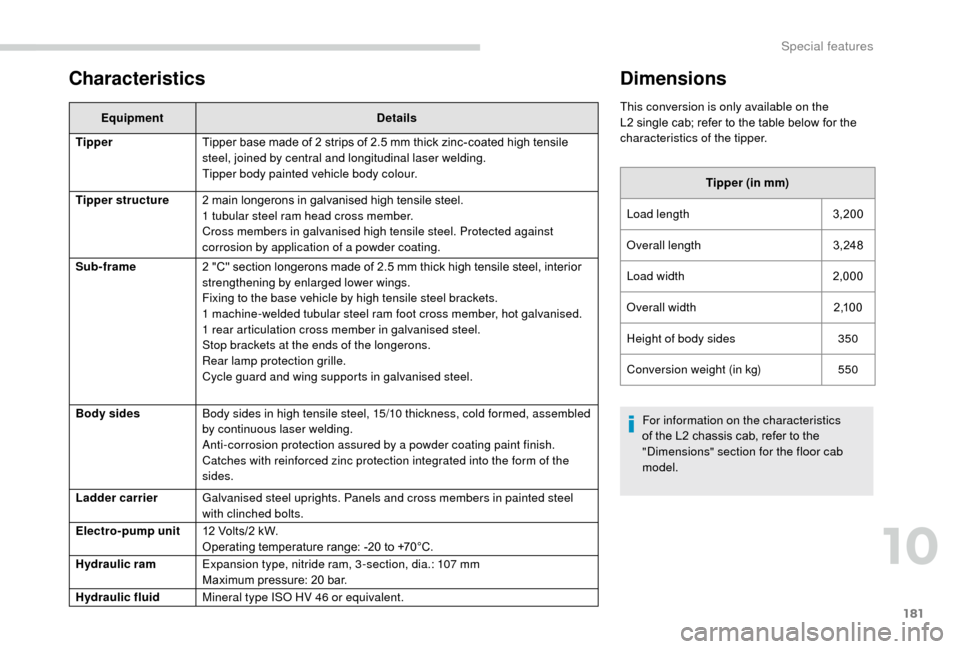
Dimensions
This conversion is only available on the
L2 single cab; refer to the table below for the
characteristics of the tipper.
Tipper (in mm)
Load length 3,200
Overall length 3,248
Load width 2,000
Overall width 2 ,1 0 0
Height of body sides 350
Conversion weight (in kg) 550
For information on the characteristics
of the L2
chassis cab, refer to the
"Dimensions" section for the floor cab
model.
10
Special features
Page 187 of 232
1
Touch screen Audio-Telematic system
Multimedia audio system –
Bluetooth® telephone – GPS
navigation
Contents
First steps
1
G
lossary
2
S
teering wheel mounted controls
3
M
enus
3
R
adio
4
D
AB radio (Digital Audio Broadcasting)
5
M
edia
6
N
avigation
9
T
elephone
1
2
Vehicle information
1
4
Settings
1
4
Voice commands
1
6The system is protected in such a
way that
it will only operate in your vehicle.
For safety reasons, the vehicle must
always be stationary for the driver to
perform operations that require close
attention.
When the engine is switched off and to
prevent discharging of the battery, the
system switches off after activation of
energy economy mode.
First steps
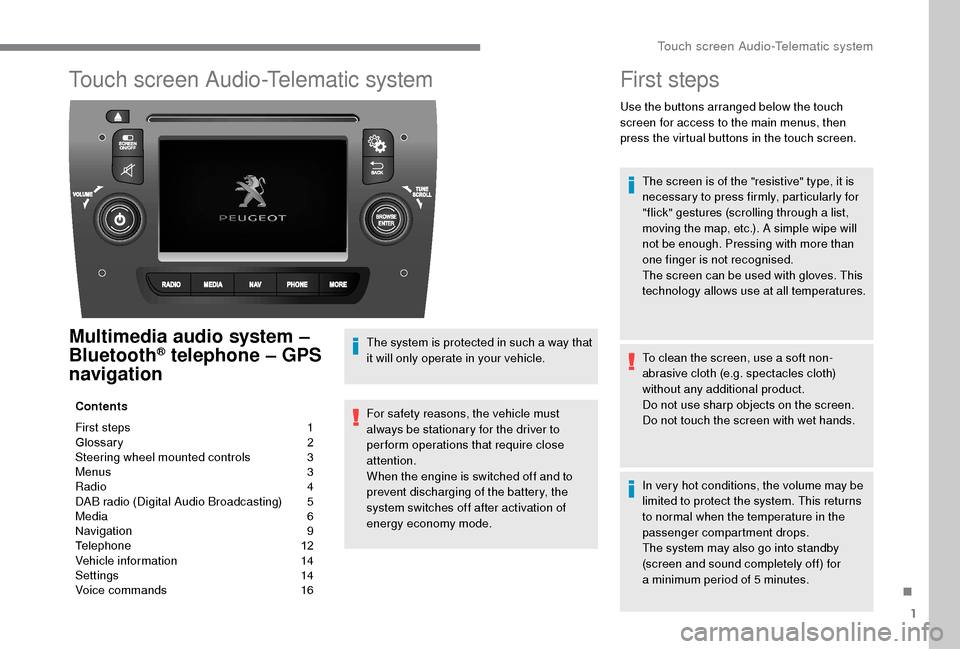
Use the buttons arranged below the touch
screen for access to the main menus, then
press the virtual buttons in the touch screen.
The screen is of the "resistive" type, it is
necessary to press firmly, particularly for
"flick" gestures (scrolling through a
list,
moving the map, etc.). A simple wipe will
not be enough. Pressing with more than
one finger is not recognised.
The screen can be used with gloves. This
technology allows use at all temperatures.
To clean the screen, use a
soft non-
abrasive cloth (e.g. spectacles cloth)
without any additional product.
Do not use sharp objects on the screen.
Do not touch the screen with wet hands.
In very hot conditions, the volume may be
limited to protect the system. This returns
to normal when the temperature in the
passenger compartment drops.
The system may also go into standby
(screen and sound completely off) for
a
minimum period of 5 minutes.
.
Touch screen Audio-Telematic system
Page 191 of 232
5
Adjustment
- D irect adjustment .
The screen virtual keypad can be used to
enter a
single number corresponding to
a
station.
-
T
he "more" or "less" graphic symbols allow
precise adjustment of the frequency.
Info
-
I
nformation .
Display information on the current radio
station.
Audio
-
E
qualiser .
Adjust the bass, mid-range and treble.
-
B
alance/Fade .
Adjust the balance of the speakers, front
and rear, left and right.
Press the button in the middle of the arrows
to balance the adjustments.
-
V
olume/Speed .
Select the desired setting, the option is
highlighted.
-
L
oudness .
Optimise audio quality at low volume.
-
A
utomatic radio .
Adjust the radio on startup or restore the
active state the last time the ignition was
switched to STOP.
-
R
adio off delay .
Adjust the setting.
-
A
UX vol. adjustment .
Adjust the settings.DAB (Digital Audio
Broadcasting) radio
Digital Radio
Digital radio provides higher quality
reception and also the graphical display
of current information on the radio station
being listened to.
The different "multiplex/ensembles" offer
a
choice of radio stations in alphabetical
o r d e r.
Press repeatedly on " RADIO" to
display the "DAB Radio".
Select the " Navigate" tab.
Select a
list from the filters
proposed: " All", "Genres ",
" Ensembles " and then select
a
radio station.
Press the " Update" button to update
the list of "DAB Radio" stations
received.
DAB/FM tracking
"DAB" does not cover 100% of the
te r r i to r y.
When the digital radio signal is weak,
the " AF" (alternative frequencies) option
allows you to continue listening to the
same station, by automatically switching to
the corresponding "FM" analogue station
(if there is one).
When the system switches to analogue
radio, there is a
difference of a few
seconds with sometimes a
change in
volume.
When the digital signal is restored, the
system automatically changes back to
" DA B ".
If the "DAB" station being listened to is
not available, the sound will cut out while
the digital signal is too weak and the
alternative "AF" frequency will be greyed
out.
.
Touch screen Audio-Telematic system
Page 192 of 232
6
Media
Press "MEDIA" to display the media
menus:
Press the 9
or: buttons to play the previous/
next track.
Press and hold the buttons for fast for ward or
rewind in the track selected.
Navigate
-
N
avigate by: Playing currently, Ar tists,
Albums, Genres, Tracks, Playlists, Audio
books, Podcasts .
Navigate and select tracks on the active
device.
The selection options depend on the device
connected or type of CD inserted.
Source
-
C
D, AUX, USB .
Select the desired audio source from those
available or insert a
device intended for
this purpose; the system starts playing the
source automatically.
-
Bl
uetooth
®.
Pair a
Bluetooth® audio device.
Info
-
I
nformation .
Display information on the track playing. Random
Press the button to play tracks on the CD, USB,
iPod or Bluetooth
® device in random order.
Repeat
Press the button to activate this function.
Audio
-
E
qualiser .
Adjust the bass, mid-range and treble.
-
B
alance/Fade .
Adjust the balance of the speakers, front
and rear, left and right.
Press the button in the middle of the arrows
to balance the adjustments.
-
V
olume/Speed .
Select the desired setting, the option is
highlighted.
-
L
oudness .
Optimise audio quality at low volume.
-
A
utomatic radio .
Adjust the radio on startup or restore the
active state the last time the ignition was
switched to STOP.
-
R
adio off delay .
Adjust the setting.
-
A
UX vol. adjustment .
Adjust the settings.
USB port
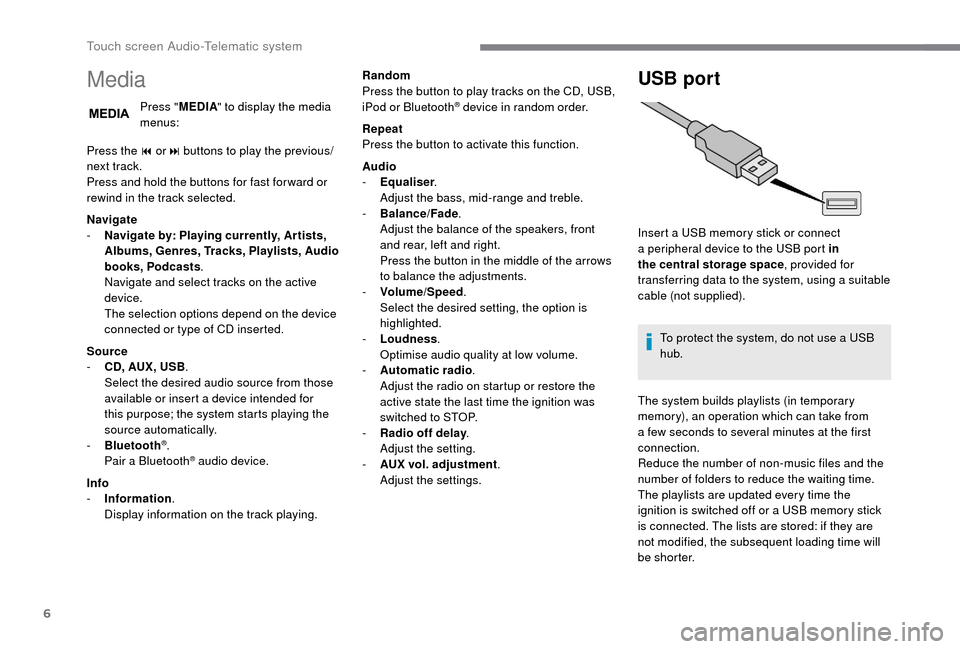
Insert a USB memory stick or connect
a peripheral device to the USB port in
the central storage space , provided for
transferring data to the system, using a
suitable
cable (not supplied).
To protect the system, do not use a
USB
hub.
The system builds playlists (in temporary
memory), an operation which can take from
a
few seconds to several minutes at the first
connection.
Reduce the number of non-music files and the
number of folders to reduce the waiting time.
The playlists are updated every time the
ignition is switched off or a
USB memory stick
is connected. The lists are stored: if they are
not modified, the subsequent loading time will
b e s h o r t e r.
Touch screen Audio-Telematic system
Page 201 of 232
15
- Unit of measurement.
Set the units used for the display of fuel
consumption, distance and temperature.
-
T
ouch screen beep .
Activate or deactivate the audible signal
when touching a
screen button.
-
D
isplay Trip B .
Display Trip B in the driver's screen.
Voice commands
-
V
oice response time .
Set the response time for the voice system.
-
D
isplay command list .
Display suggestions with the different
options during a
voice session.
Clock and Date
-
S
et time and format .
Set the time.
-
Di
splay time mode .
Activate or deactivate display of the digital
clock in the status bar.
-
S
ync time .
Activate or deactivate the automatic display
of time.
-
S
et date .
Set the date. Safety/Help
-
R eversing camera.
Display the reversing camera.
-
C
amera delay.
Maintain the display in the screen of the
image from the reversing camera for
a
maximum of ten seconds or up to 11 mph
(18
km/h).
Lamps
-
D
aytime running lamps.
Activate or deactivate the automatic
illumination of headlamps when starting.
Doors and locking
-
A
utoclose.
Activate or deactivate the automatic locking
of doors when the vehicle is moving. -
A utomatic radio
.
Adjust the radio on startup or restore the
active state the last time the ignition was
switched to STOP.
-
R
adio off delay.
Adjust the setting.
-
A
UX vol. adjustment.
Adjust the settings.
Telephone/Bluetooth
®
- Tel. connected .
Start the Bluetooth® connection of the
device selected.
Delete the selected device.
Save the selected device in favourites.
Adjust the settings.
-
A
dd device .
Add a
new peripheral device.
-
A
udio connect .
Connect a
device in audio only.
Audio
-
E
qualiser .
Adjust the bass, mid-range and treble.
-
B
alance/Fade .
Adjust the balance of the speakers, front
and rear, left and right.
Press the button in the middle of the arrows
to balance the adjustments.
-
V
olume/Speed .
Select the desired setting, the option is
highlighted.
-
L
oudness .
Optimise audio quality at low volume. Radio settings
-
D
AB announcements .
Activate or deactivate announcements.
Activate or deactivate the options: Alarm,
Event announc., Stock market flash, News
flash, Programme info, Special event,
Sports info, Public transp. info, Alarm
announcement, Weather flash.
.
Touch screen Audio-Telematic system
Page 216 of 232
6
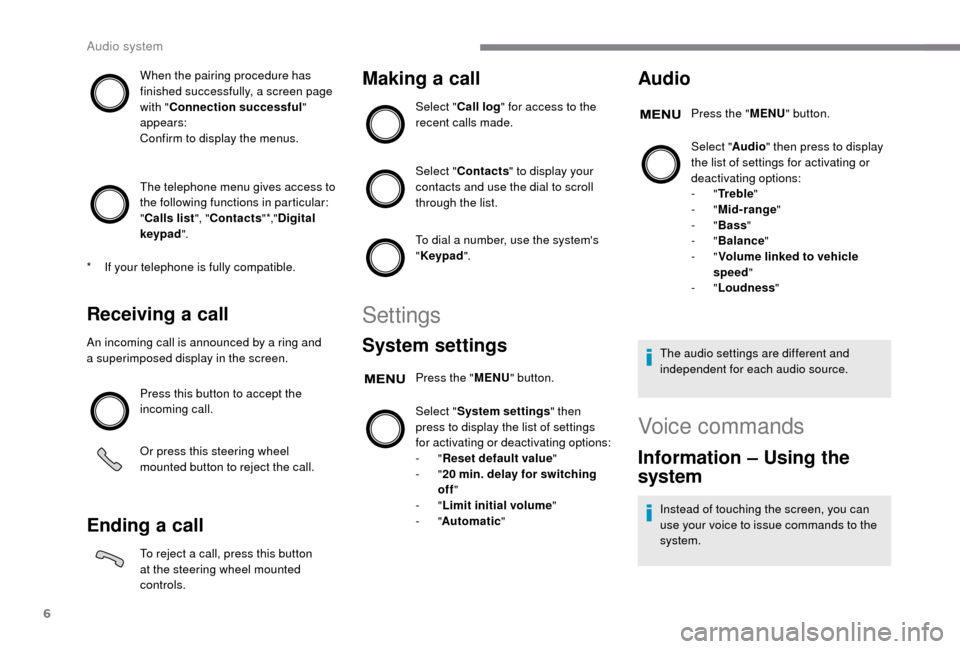
When the pairing procedure has
finished successfully, a screen page
with "Connection successful"
appears:
Confirm to display the menus.
The telephone menu gives access to
the following functions in particular:
" Calls list ", "Contacts " *,"Digital
keypad ".
Receiving a call
An incoming call is announced by a ring and
a superimposed display in the screen.
Press this button to accept the
incoming call.
Or press this steering wheel
mounted button to reject the call.
Ending a call
To reject a call, press this button
a t the steering wheel mounted
controls.
Making a call
Select "Call log " for access to the
recent calls made.
Select " Contacts " to display your
contacts and use the dial to scroll
through the list.
To dial a
number, use the system's
" Keypad ".
Settings
System settings
Press the " MENU" button.
Select " System settings " then
press to display the list of settings
for activating or deactivating options:
-
"Reset default value "
-
"20
min. delay for switching
off "
-
"Limit initial volume "
-
"Automatic "
Audio
Press the "MENU" button.
Select " Audio" then press to display
the list of settings for activating or
deactivating options:
-
"Tr e b l e "
-
"Mid-range "
-
"Bass "
-
"Balance "
-
"Volume linked to vehicle
speed "
-
"Loudness "
The audio settings are different and
independent for each audio source.
*
I
f your telephone is fully compatible.
Voice commands
Information – Using the
system
Instead of touching the screen, you can
use your voice to issue commands to the
system.
Audio system
Page 226 of 232
186
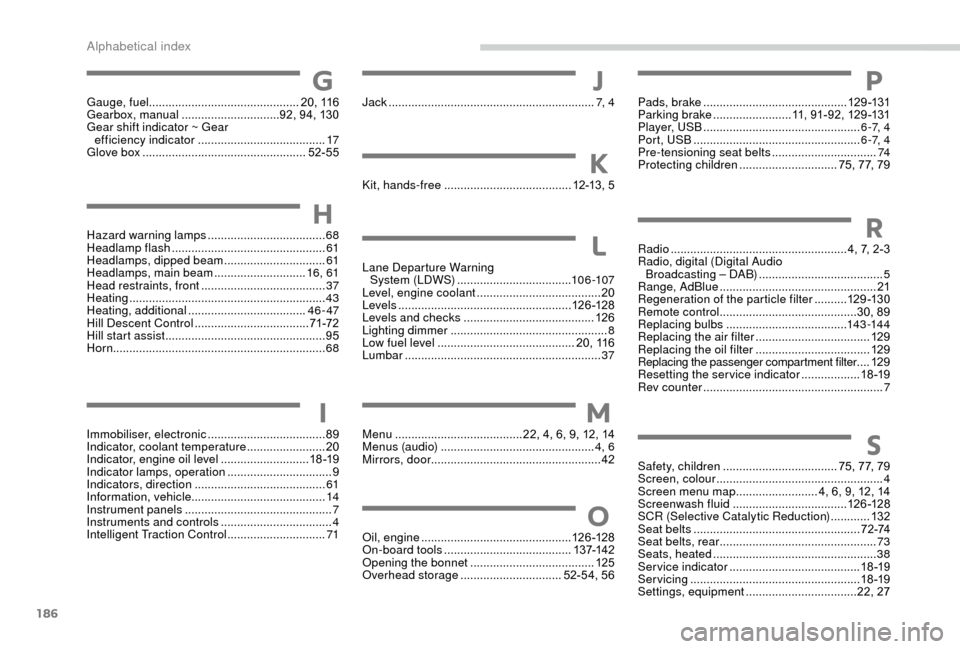
Hazard warning lamps ....................................68
Headlamp flash ............................................... 61
Headlamps, dipped beam
...............................61
Headlamps, main beam
............................16, 61
Head restraints, front
...................................... 37
Heating
............................................................ 43
H
eating, additional
.................................... 46 - 47
Hill Descent Control
................................... 71-72
Hill start assist
................................................. 95
Horn ................................................................. 68
Immobiliser, electronic
....................................89
Indicator, coolant temperature
........................20
Indicator, engine oil level
...........................18 -19
Indicator lamps, operation
................................ 9
I
ndicators, direction
........................................ 61
Information, vehicle ......................................... 14
Instrument panels
............................................. 7
Instruments and controls
..................................4
Intelligent Traction Control
..............................71Kit, hands-free
.......................................
1
2-13, 5
Jack
...............................
................................
7, 4Pads, brake
............................................
12 9 -131
Parking brake
........................
11, 91-92, 129 -131
Player, USB ................................................
6 - 7, 4
Port, USB ...................................................
6 - 7, 4
Pre-tensioning seat belts
................................
74
Protecting children
..............................
75, 77, 79
Radio ......................................................4, 7, 2-3
Radio, digital (Digital Audio Broadcasting – DAB)
......................................5
Range, AdBlue
................................................21
Regeneration of the particle filter
..........12 9 -13 0
Remote control
..........................................30, 89
Replacing bulbs
..................................... 14
3 -14 4
Replacing the air filter
................................... 12
9
Replacing the oil filter
................................... 12
9
Replacing the passenger compartment filter
....12 9
Resetting the service indicator
..................18 -19
Rev counter
.......................................................7
Safety, children
...................................75, 77, 79
Screen, colour
................................................... 4
S
creen menu map
.........................4, 6, 9, 12, 14
Screenwash fluid
...................................126 -128
SCR (Selective Catalytic Reduction)
............132
Seat belts
...................................................7 2 -74
Seat belts, rear
................................................73
Seats, heated
..................................................38
Service indicator
........................................18 -19
Servicing
.................................................... 1
8 -19
Settings, equipment
..................................22, 27
Oil, engine
..............................................126 -128
On-board tools
.......................................137-142
Opening the bonnet
......................................125
Overhead storage
............................... 5
2-54, 56
Menu
.......................................22, 4, 6, 9, 12, 14
Menus (audio)
...............................................4, 6
Mirrors, door .................................................... 42
Lane Departure Warning
System (LDWS)
...................................10 6 -107
Level, engine coolant
......................................20
Levels
.....................................................126 -128
Levels and checks
..............................
..........126
Lighting dimmer
................................................8
Low fuel level
..........................................2
0, 116
Lumbar
............................................................37H
I
K
JP
R
S
O
M
L
Gauge, fuel.............................................. 20, 116
Gearbox, manual .............................. 92, 94, 130
Gear shift indicator ~ Gear efficiency indicator
....................................... 17
Glove box
.................................................. 52-55G
Alphabetical index