audio Peugeot Boxer 2018 User Guide
[x] Cancel search | Manufacturer: PEUGEOT, Model Year: 2018, Model line: Boxer, Model: Peugeot Boxer 2018Pages: 232, PDF Size: 9.09 MB
Page 188 of 232
2
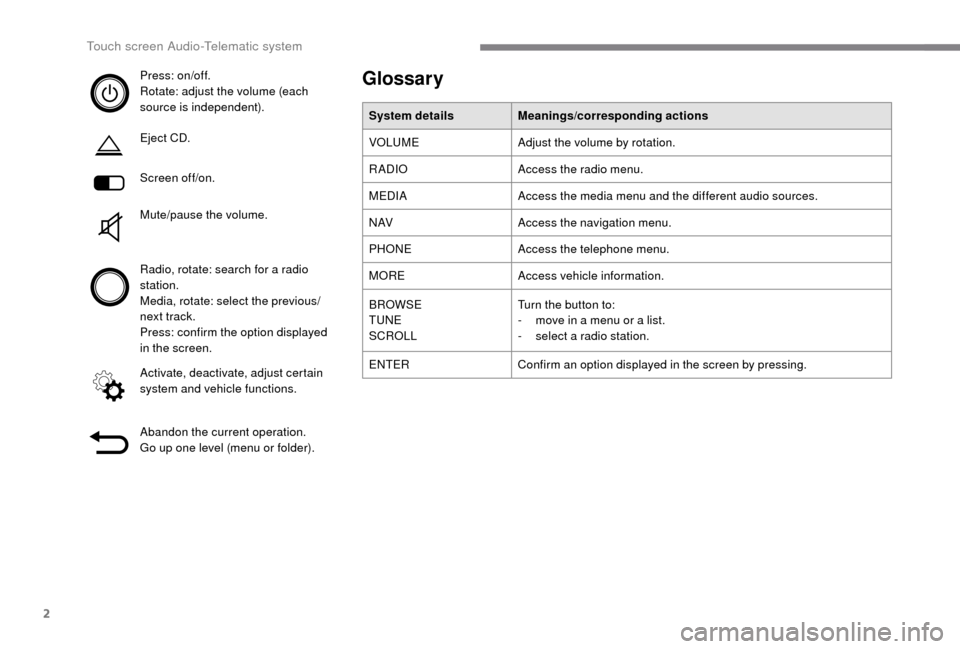
Press: on/off.
Rotate: adjust the volume (each
source is independent).
Eject CD.
Screen off/on.
Mute/pause the volume.
Radio, rotate: search for a radio
station.
Media, rotate: select the previous/
next track.
Press: confirm the option displayed
in the screen.
Activate, deactivate, adjust certain
system and vehicle functions.
Abandon the current operation.
Go up one level (menu or folder).Glossary
System details Meanings/corresponding actions
VOLUME Adjust the volume by rotation.
RADIO Access the radio menu.
MEDIA Access the media menu and the different audio sources.
N AV Access the navigation menu.
PHONE Access the telephone menu.
MORE Access vehicle information.
BROWSE
TUNE
SCROLL Turn the button to:
-
m
ove in a menu or a list.
-
s
elect a radio station.
ENTER Confirm an option displayed in the screen by pressing.
Touch screen Audio-Telematic system
Page 189 of 232
3
Steering wheel mounted controls
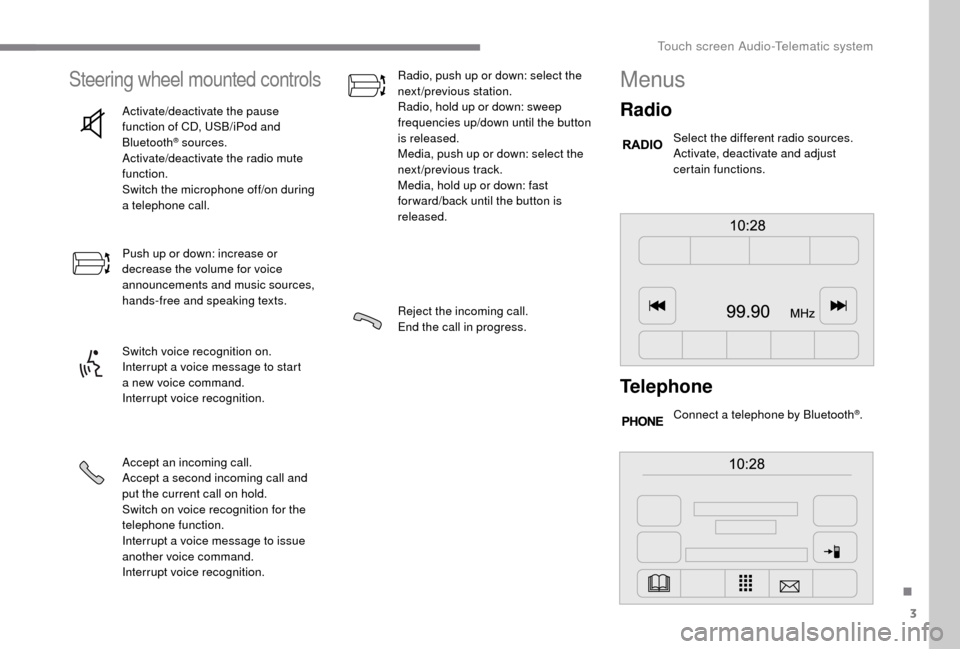
Activate/deactivate the pause
function of CD, USB/iPod and
Bluetooth
® sources.
Activate/deactivate the radio mute
function.
Switch the microphone off/on during
a
telephone call.
Push up or down: increase or
decrease the volume for voice
announcements and music sources,
hands-free and speaking texts.
Switch voice recognition on.
Interrupt a
voice message to start
a
new voice command.
Interrupt voice recognition.
Accept an incoming call.
Accept a
second incoming call and
put the current call on hold.
Switch on voice recognition for the
telephone function.
Interrupt a
voice message to issue
another voice command.
Interrupt voice recognition. Radio, push up or down: select the
next/previous station.
Radio, hold up or down: sweep
frequencies up/down until the button
is released.
Media, push up or down: select the
next/previous track.
Media, hold up or down: fast
for ward/back until the button is
released.
Reject the incoming call.
End the call in progress.
Menus
Radio
Select the different radio sources.
Activate, deactivate and adjust
certain functions.
Telephone
Connect a telephone by Bluetooth®.
.
Touch screen Audio-Telematic system
Page 190 of 232
4
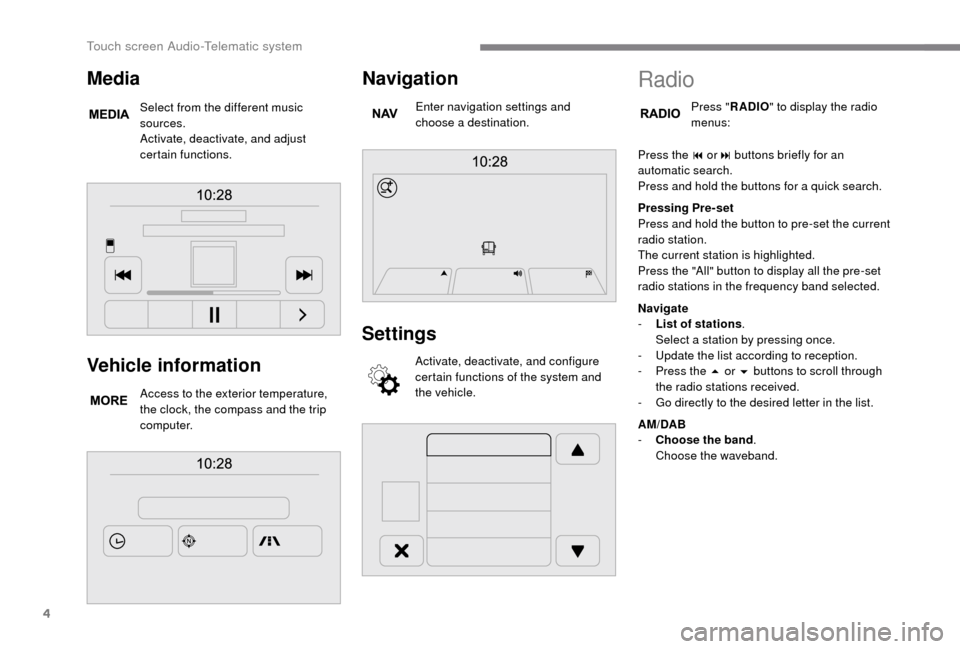
Vehicle information
Access to the exterior temperature,
the clock, the compass and the trip
computer.
Navigation
Enter navigation settings and
choose a destination.
Settings
Activate, deactivate, and configure
certain functions of the system and
the vehicle.
Media
Select from the different music
sources.
Activate, deactivate, and adjust
certain functions.
Radio
Press "RADIO " to display the radio
menus:
Press the 9
or: buttons briefly for an
automatic search.
Press and hold the buttons for a
quick search.
Pressing Pre-set
Press and hold the button to pre-set the current
radio station.
The current station is highlighted.
Press the "All" button to display all the pre-set
radio stations in the frequency band selected.
Navigate
-
L
ist of stations .
Select a
station by pressing once.
-
U
pdate the list according to reception.
-
P
ress the 5 or 6 buttons to scroll through
the radio stations received.
-
G
o directly to the desired letter in the list.
AM/DAB
-
C
hoose the band .
Choose the waveband.
Touch screen Audio-Telematic system
Page 191 of 232
5
Adjustment
- D irect adjustment .
The screen virtual keypad can be used to
enter a
single number corresponding to
a
station.
-
T
he "more" or "less" graphic symbols allow
precise adjustment of the frequency.
Info
-
I
nformation .
Display information on the current radio
station.
Audio
-
E
qualiser .
Adjust the bass, mid-range and treble.
-
B
alance/Fade .
Adjust the balance of the speakers, front
and rear, left and right.
Press the button in the middle of the arrows
to balance the adjustments.
-
V
olume/Speed .
Select the desired setting, the option is
highlighted.
-
L
oudness .
Optimise audio quality at low volume.
-
A
utomatic radio .
Adjust the radio on startup or restore the
active state the last time the ignition was
switched to STOP.
-
R
adio off delay .
Adjust the setting.
-
A
UX vol. adjustment .
Adjust the settings.DAB (Digital Audio
Broadcasting) radio
Digital Radio
Digital radio provides higher quality
reception and also the graphical display
of current information on the radio station
being listened to.
The different "multiplex/ensembles" offer
a
choice of radio stations in alphabetical
o r d e r.
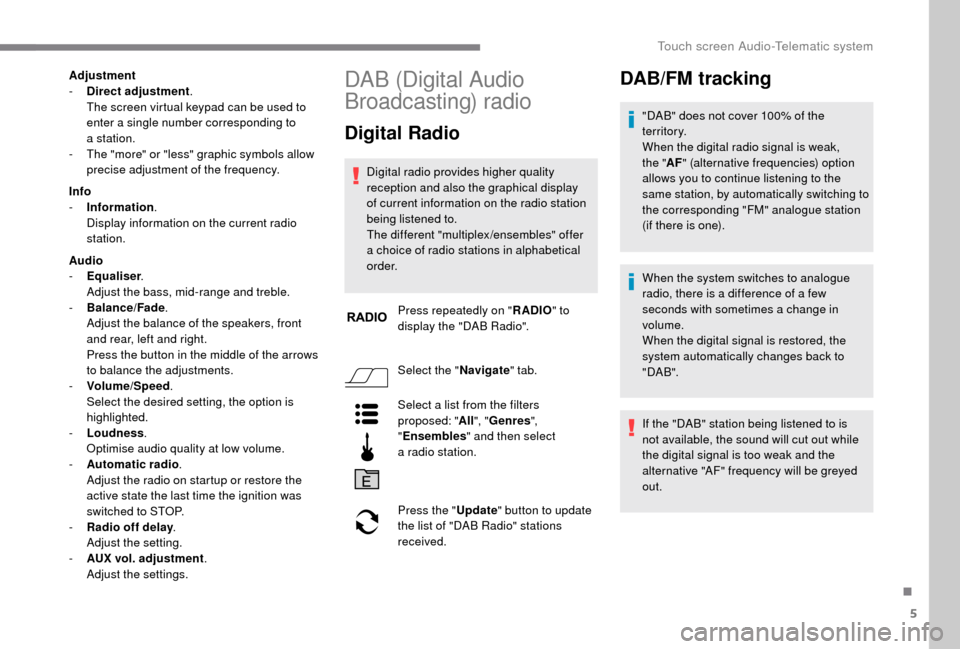
Press repeatedly on " RADIO" to
display the "DAB Radio".
Select the " Navigate" tab.
Select a
list from the filters
proposed: " All", "Genres ",
" Ensembles " and then select
a
radio station.
Press the " Update" button to update
the list of "DAB Radio" stations
received.
DAB/FM tracking
"DAB" does not cover 100% of the
te r r i to r y.
When the digital radio signal is weak,
the " AF" (alternative frequencies) option
allows you to continue listening to the
same station, by automatically switching to
the corresponding "FM" analogue station
(if there is one).
When the system switches to analogue
radio, there is a
difference of a few
seconds with sometimes a
change in
volume.
When the digital signal is restored, the
system automatically changes back to
" DA B ".
If the "DAB" station being listened to is
not available, the sound will cut out while
the digital signal is too weak and the
alternative "AF" frequency will be greyed
out.
.
Touch screen Audio-Telematic system
Page 192 of 232
6
Media
Press "MEDIA" to display the media
menus:
Press the 9
or: buttons to play the previous/
next track.
Press and hold the buttons for fast for ward or
rewind in the track selected.
Navigate
-
N
avigate by: Playing currently, Ar tists,
Albums, Genres, Tracks, Playlists, Audio
books, Podcasts .
Navigate and select tracks on the active
device.
The selection options depend on the device
connected or type of CD inserted.
Source
-
C
D, AUX, USB .
Select the desired audio source from those
available or insert a
device intended for
this purpose; the system starts playing the
source automatically.
-
Bl
uetooth
®.
Pair a
Bluetooth® audio device.
Info
-
I
nformation .
Display information on the track playing. Random
Press the button to play tracks on the CD, USB,
iPod or Bluetooth
® device in random order.
Repeat
Press the button to activate this function.
Audio
-
E
qualiser .
Adjust the bass, mid-range and treble.
-
B
alance/Fade .
Adjust the balance of the speakers, front
and rear, left and right.
Press the button in the middle of the arrows
to balance the adjustments.
-
V
olume/Speed .
Select the desired setting, the option is
highlighted.
-
L
oudness .
Optimise audio quality at low volume.
-
A
utomatic radio .
Adjust the radio on startup or restore the
active state the last time the ignition was
switched to STOP.
-
R
adio off delay .
Adjust the setting.
-
A
UX vol. adjustment .
Adjust the settings.
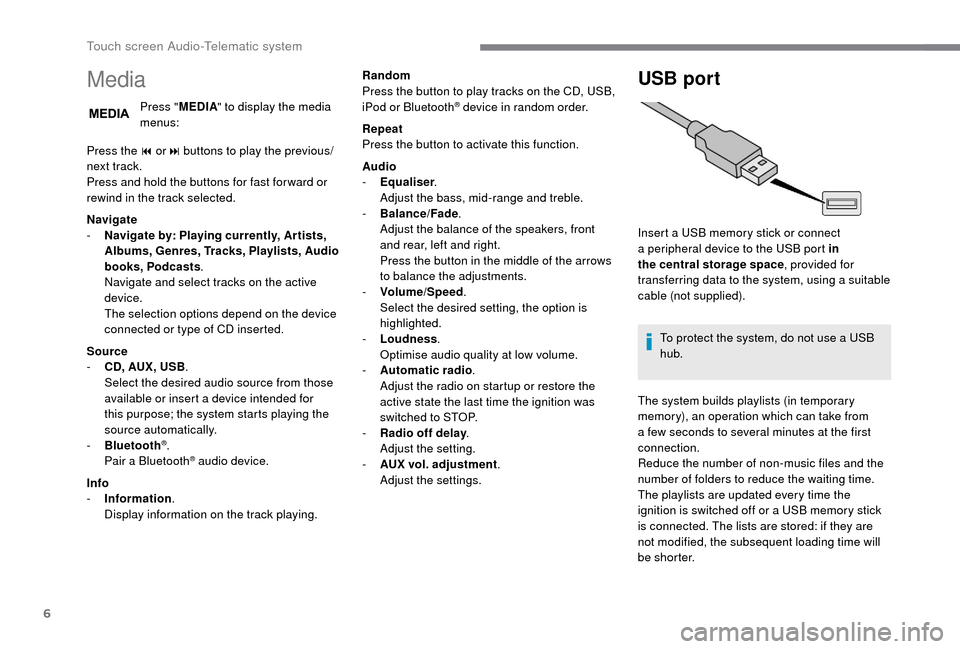
USB port
Insert a USB memory stick or connect
a peripheral device to the USB port in
the central storage space , provided for
transferring data to the system, using a
suitable
cable (not supplied).
To protect the system, do not use a
USB
hub.
The system builds playlists (in temporary
memory), an operation which can take from
a
few seconds to several minutes at the first
connection.
Reduce the number of non-music files and the
number of folders to reduce the waiting time.
The playlists are updated every time the
ignition is switched off or a
USB memory stick
is connected. The lists are stored: if they are
not modified, the subsequent loading time will
b e s h o r t e r.
Touch screen Audio-Telematic system
Page 193 of 232
7
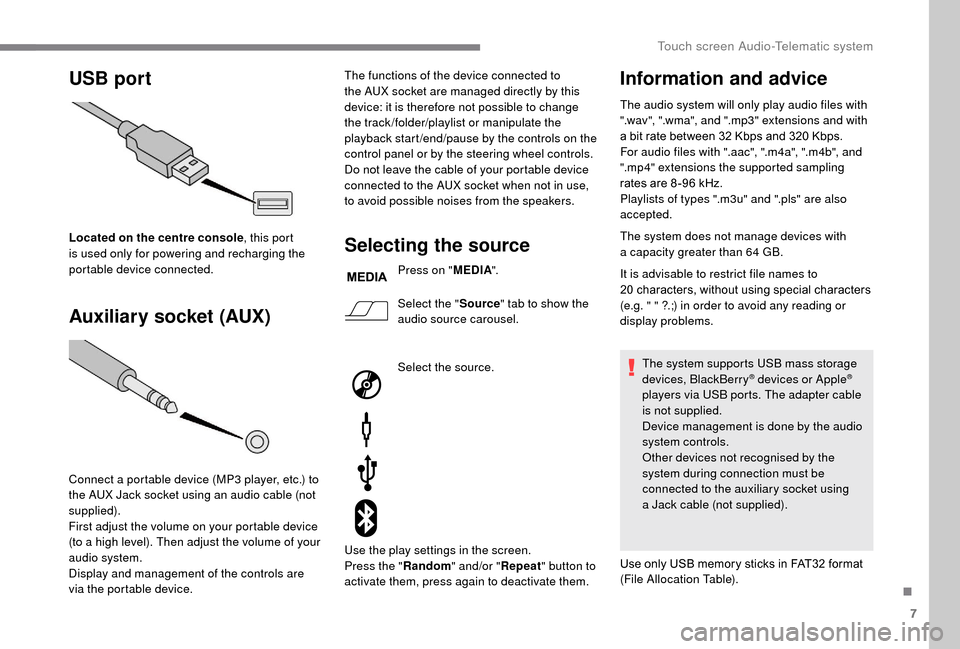
USB port
Auxiliary socket (AUX)
Located on the centre console , this port
is used only for powering and recharging the
portable device connected.
Connect a
portable device (MP3 player, etc.) to
the AUX Jack socket using an audio cable (not
supplied).
First adjust the volume on your portable device
(to a
high level). Then adjust the volume of your
audio system.
Display and management of the controls are
via the portable device. The functions of the device connected to
the AUX socket are managed directly by this
device: it is therefore not possible to change
the track /folder/playlist or manipulate the
playback start /end/pause by the controls on the
control panel or by the steering wheel controls.
Do not leave the cable of your portable device
connected to the AUX socket when not in use,
to avoid possible noises from the speakers.Selecting the source
Press on "
MEDIA".
Select the " Source" tab to show the
audio source carousel.
Select the source.
Use the play settings in the screen.
Press the " Random" and/or " Repeat" button to
activate them, press again to deactivate them.
Information and advice
The audio system will only play audio files with
".wav", ".wma", and ".mp3" extensions and with
a
bit rate between 32 Kbps and 320 Kbps.
For audio files with ".aac", ".m4a", ".m4b", and
".mp4" extensions the supported sampling
rates are 8 -96
kHz.
Playlists of types ".m3u" and ".pls" are also
accepted.
The system does not manage devices with
a
capacity greater than 64
GB.
It is advisable to restrict file names to
20
characters, without using special characters
(e.g. " " ?.;) in order to avoid any reading or
display problems.
The system supports USB mass storage
devices, BlackBerry
® devices or Apple®
players via USB ports. The adapter cable
is not supplied.
Device management is done by the audio
system controls.
Other devices not recognised by the
system during connection must be
connected to the auxiliary socket using
a
Jack cable (not supplied).
Use only USB memory sticks in FAT32
format
(File Allocation Table).
.
Touch screen Audio-Telematic system
Page 194 of 232
8
To protect the system, do not use a USB
hub .
The system does not support the simultaneous
connection of two identical devices (two
memory sticks or two Apple
® players) but it is
possible to connect one memory stick and one
Apple
® player at the same time.
It is recommended that you use genuine
Apple® USB cables for correct operation.
Bluetooth® audio streaming
Streaming allows you to listen to audio files on
your smartphone using the vehicle's speakers.
On the peripheral device, activate the
Bluetooth
® function.
Press " MEDIA".
In case of active media source,
press the " Source" button.
Select the " Bluetooth
®" media
source then press the " Add device"
button. If no peripheral device has yet been paired with
the system, a special page is displayed in the
screen.
Select "Yes" to start the pairing procedure, and
therefore to search for the name of the system
in the device.
Select the name of the system on the device
and, when requested by the audio system,
enter the PIN number displayed in the screen
of the system or confirm in the device the PIN
displayed.
During pairing, a screen page is displayed
showing the operation progress.
In case of an error, deactivate Bluetooth
® on
your device and then activate it again.
Once the pairing procedure is complete, a
screen page appears:
-
b
y replying "Yes" to the question, the
Bluetooth
® audio device will be saved as
favourite (the device will have priority over
other devices paired later).
-
b
y replying "No", the priority will be
determined by the order of connection.
The last connected device has the highest
priority. Some Bluetooth
® devices do not allow
scanning of tracks and other information
on the telephone against the categories
present in the system.
Connecting Apple® players
Control is via the audio system. Connect the Apple
® player to the USB port
using a
suitable cable (not supplied).
Play starts automatically.
Touch screen Audio-Telematic system
Page 195 of 232
9
The classifications available are those of
the portable device connected (artists/
albums/genres/tracks/playlists/audio
books/podcasts).
The default classification used is by
artists. To modify the classification used,
return to the first level of the menu then
select the desired classification (playlists,
for example) and confirm to go down
through the menu to the desired track.
The version of software in the audio
system may not be compatible with the
generation of your Apple
® p l aye r.
Navigation
Press N AV then in the centre or at
the bottom of the screen to display
the settings and navigation menus:
Go to…
Select "Go to", to define the destination in many
ways and not just by entering an address.
Display map
Display the map for the route for a
preview
using the map navigator. Plan a
route
Use the navigation system to plan a route
in advance, selecting the start point and the
destination.
Services
Use the traffic information to minimise the
impact on your journey from traffic delays.
Settings
Modify the appearance and operation of the
navigation system.
Most of the system settings are accessible by
pressing "Settings" in the main menu.
Help
Access information on assistance ser vices or
other specialised services.
End
Confirm the settings.
Limit
Speed limit (if known).
To see the difference between the desired time
of arrival and estimated time of arrival.
Switch between 3D and 2D maps.
Go to…, Display map, Plan a
route,
Services, Settings, Help, End.
When the navigation system starts for the
first time, the "Driving mode" and detailed
information on the current position are
displayed. Details
The route over view gives a
preview of the
route, the remaining distance to the destination
and an estimate of the remaining travelling
time.
With RDS-TMC data, the route over view also
shows traffic information related to delays on
the route.
Modify route
The navigation system helps you to reach
your destination in the fastest possible time by
displaying an alternative route when available.
End
Confirm the settings.
Instructions
Navigation instructions for the next section
of the route and the distance until the next
instruction. If the second instruction is less
than 150 metres from the first, it is displayed
immediately instead of the distance.
Touch this part of the status bar to repeat the
last voice instruction. Touch the middle of the screen to open the
main menu.
.
Touch screen Audio-Telematic system
Page 196 of 232
10
Map update
Proceed as follows to update a map:
- L atest Map Guarantee: if a new map
becomes available within ninety days
of using the system for the first time,
you can download it once free of
charge.
-
M
ap updating: you can purchase a new
version of the map in your system.
Follow these four steps to install an updated
map in your system:
-
P
repare a USB device.
-
Install To m To m H O M E and create
a
M yTo mTo m account.
-
D
ownload the map.
-
I
nstall the new map. Use a
USB device, not a mass storage
device (telephone or media player).
To protect the system, do not use a
USB
hub.
Prepare a USB device
The USB device must be prepared with
the engine running and the vehicle
stationary.
You must have a
USB device meeting the
conditions below to update the map:
-
T
he USB device must be empty.
-
T
he USB device has 16 Gb of space
available.
-
U
se only USB devices in FAT32 format (File
Allocation Table).
-
D
o not lock the USB device and check that
it can save files.
Proceed as follows to prepare the USB device:
F
M
ake sure that the map you wish to update
is active in your navigation system.
If the navigation system has several maps
and you wish to update a
map that is not
currently activated, start by activating it.
F
Sel
ect " Change map " in the "Settings "
menu of the navigation application.
F
Sel
ect " Navigation updates " in the
" Settings " menu.
F
Y
ou should indicate whether you wish to
prepare a
USB device to download updates. The system starts to prepare the USB device.
-
I
f the system continues to ask you to
insert a
USB device, make sure that
your USB device meets the conditions
above and try again.
-
I
f you connect several USB devices,
the system asks you to remove the
devices so that only the device being
prepared is connected.
-
I
f there is not enough space on the
USB device, the system asks you to
use another USB device.
-
I
f you connect a USB device already
containing files, the system warns you
that these files may be deleted.
The following message appears when the USB
device is ready:
" Navigation updates "
The USB device is now prepared and
you can safely remove it. F
Sel
ect "
Ye s".
F
I
nsert the USB device into the USB port in
the central storage space , provided for
transferring data.
Touch screen Audio-Telematic system
Page 197 of 232
11
F Remove the USB device. You can now download the new map onto your USB
device.
I n s t a l l To mTo m H O M E
Proceed as follows to install "Tom Tom HOME"
and create a "MyTomTom" account.
F
D
ownload and install the To mTo m H O M E
application on your computer using this link:
tomtom.com/getstarted.
F
Sel
ect and download To mTo m H O M E and
then follow the instructions on the screen.
Use a
secure WiFi network rather than
a
3G/4G network to download the
application onto your computer.
F
C
onnect the USB device to your computer;
"TomTom HOME" starts automatically.
F
Sel
ect "Connect " in the top right corner of
" To mTo m H O M E ".
F
Sel
ect "Create an account " and then
enter your details to create a "MyTomTom"
account.
You must have a "MyTomTom" account to
receive map updates. Once the account has been created, you have
to indicate whether you wish to link your system
to your account. The prepared USB represents
your system.
F
Sel
ect "
Link device " and then "Close".
You are now ready to download a map onto
your USB device.
Download a map
Connect your USB device to your computer.
Select a
map to download
-
T
o check whether you can download a free
map using the Latest Map Guarantee, select
" Tools " and then " Latest Map Guarantee "
i n " To mTo m H O M E ".
-
Sel
ect "Purchase maps " in "TomTom
HOME" to purchase a
map update.
-
I
f you have already purchased an update,
select " Update my device" in TomTom
HOME.
Download a
map
If a
map update is available for your system,
this is shown as an available update. No update is proposed if your system
already has the most recent map.
F
S
elect the map to download, then
select " Update and install"; the map is
downloaded and installed on your USB
device.
F
Sel
ect "
Ended " once the process has
finished.
Install the map
The new map must be downloaded with
the engine running and the vehicle
stationary.
You can install the map on your system once
you have downloaded it onto your USB device.
F
I
nsert the USB device containing the new
map into the USB port in the central
storage space , provided for transferring
data to the system.
The system detects a
new map found on the
USB device. It may also contain an update for
the navigation software if this is required for the
new map.
F
Y
ou should indicate whether you wish to
update the system.
F
Sel
ect " Start ".
.
Touch screen Audio-Telematic system