steering wheel Peugeot Boxer 2018 User Guide
[x] Cancel search | Manufacturer: PEUGEOT, Model Year: 2018, Model line: Boxer, Model: Peugeot Boxer 2018Pages: 232, PDF Size: 9.09 MB
Page 77 of 232
75
AirbagsThe airbags do not operate when the
engine is not running.
This equipment will only deploy once. If
a second impact occurs (during the same
or a
subsequent accident), the airbag will
not be deployed again.
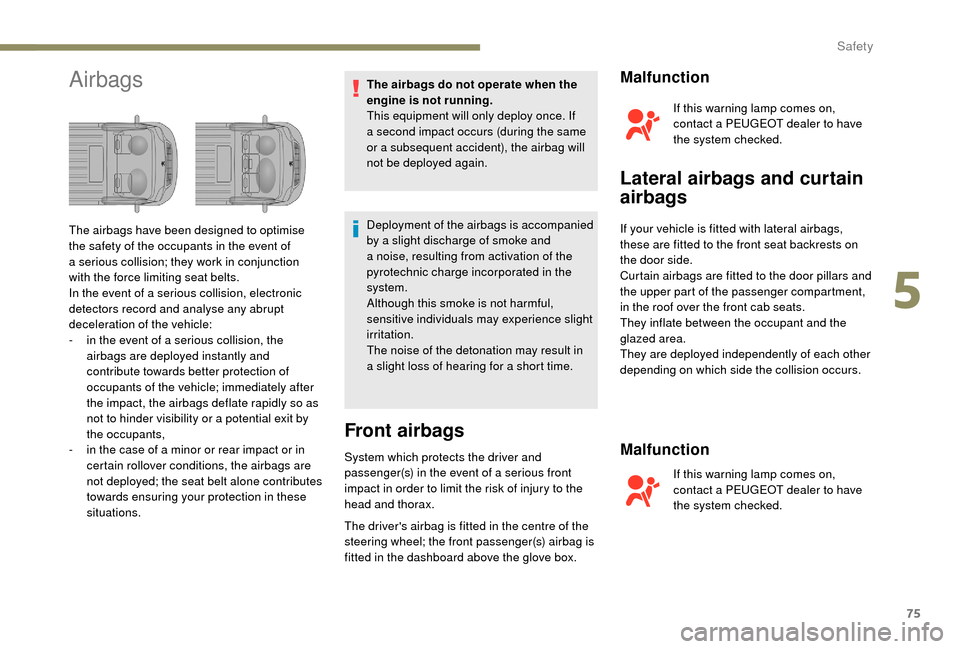
The airbags have been designed to optimise
the safety of the occupants in the event of
a
serious collision; they work in conjunction
with the force limiting seat belts.
In the event of a
serious collision, electronic
detectors record and analyse any abrupt
deceleration of the vehicle:
-
i
n the event of a
serious collision, the
airbags are deployed instantly and
contribute towards better protection of
occupants of the vehicle; immediately after
the impact, the airbags deflate rapidly so as
not to hinder visibility or a
potential exit by
the occupants,
-
i
n the case of a
minor or rear impact or in
certain rollover conditions, the airbags are
not deployed; the seat belt alone contributes
towards ensuring your protection in these
situations. Deployment of the airbags is accompanied
by a
slight discharge of smoke and
a
noise, resulting from activation of the
pyrotechnic charge incorporated in the
system.
Although this smoke is not harmful,
sensitive individuals may experience slight
irritation.
The noise of the detonation may result in
a
slight loss of hearing for a short time.
Front airbags
System which protects the driver and
passenger(s) in the event of a serious front
impact in order to limit the risk of injury to the
head and thorax.
The driver's airbag is fitted in the centre of the
steering wheel; the front passenger(s) airbag is
fitted in the dashboard above the glove box.
Malfunction
If this warning lamp comes on,
contact a PEUGEOT dealer to have
the system checked.
Lateral airbags and curtain
airbags
If your vehicle is fitted with lateral airbags,
these are fitted to the front seat backrests on
the door side.
Curtain airbags are fitted to the door pillars and
the upper part of the passenger compartment,
in the roof over the front cab seats.
They inflate between the occupant and the
glazed area.
They are deployed independently of each other
depending on which side the collision occurs.
Malfunction
If this warning lamp comes on,
contact a PEUGEOT dealer to have
the system checked.
5
5
Safety
Page 78 of 232
76
Advice
For the airbags to be fully effective,
observe the safety recommendations
below.
Adopt a normal and upright sitting position.
Fasten your seat belt, ensuring it is positioned
c o r r e c t l y.
Do not leave anything between the occupants
and the airbags (a child, pet, object, etc.), nor
fix or attach anything close to the inflation
trajectory of the airbags; this could cause
injuries during their deployment.
Never modify the original definition of your
vehicle, particularly in the area directly
around the airbags.
After an accident or if the vehicle has been
stolen or broken into, have the airbag systems
checked.
All work on the airbag system must be carried
out by a
PEUGEOT dealer or a qualified
workshop.
Even if all of the precautions mentioned
are obser ved, a risk of injury or of minor
burns to the head, chest or arms when an
airbag is deployed cannot be ruled out. The
bag inflates almost instantly (within a
few
milliseconds) then deflates within the same
time discharging the hot gas via openings
provided for this purpose. Front airbags
Do not drive holding the steering wheel by its
spokes or resting your hands on the centre
part of the wheel.
Passengers must not place their feet on the
dashboard.
Do not smoke as deployment of the airbags
can cause burns or the risk of injury from
a
cigarette or pipe.
Never remove or pierce the steering wheel or
hit it violently.
Do not fit or attach anything to the steering
wheel or dashboard, this could cause injuries
with deployment of the airbags.
Lateral airbags
Use only approved covers on the seats,
compatible with the deployment the lateral
airbags. For information on the range of seat
covers suitable for your vehicle, you can
contact a
PEUGEOT dealer.
Do not attach anything to or hang anything
from the seat backrests (clothes, etc.) as
this could cause injuries to the thorax or arm
when the lateral airbag is deployed.
Do not sit with the upper part of the body any
nearer to the door than necessary. Curtain airbags
Do not attach anything to or hang anything
from the roof, as this could cause head
injuries when the curtain airbag is deployed.
If fitted on your vehicle, do not remove the
grab handles installed on the roof, they play
a
part in securing the curtain airbags.
Safety
Page 112 of 232
110
Under-inflation detection
The tyre under-inflation detection system
is a driving aid which does not replace the
need for vigilance on the part of the driver.This system does not relieve you of
the monthly check of the tyre inflation
pressures (including the spare) and before
a
long journey.
Driving with under-inflated tyres impairs
handling, extends braking distances and
causes premature tyre wear, particularly
in adverse conditions (heavy loads, high
speeds, long journeys).
Driving with under-inflated tyres
increases fuel consumption. The tyre pressure measurement unit can be
configured with the MODE
button: in the "Tyre
pressure measurement" menu, select "psi/bar/
k Pa".
For more information on Vehicle
configuration , refer to the corresponding
section.
Under-inflation warning
This warning is indicated by
continuous illumination of this lamp,
an audible signal and, depending on
the equipment installed, a message
displayed on the screen.
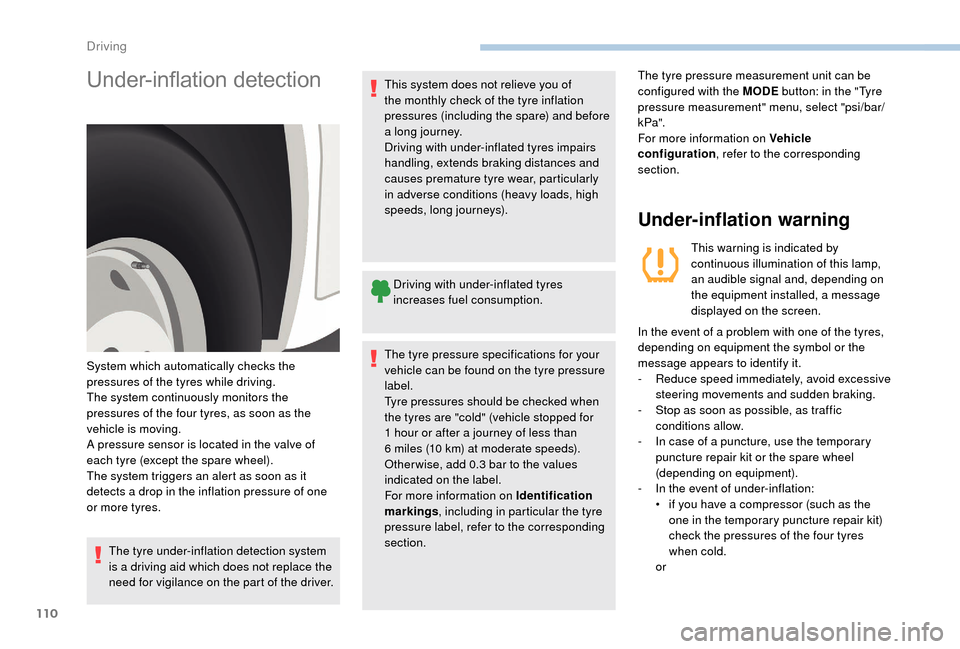
System which automatically checks the
pressures of the tyres while driving.
The system continuously monitors the
pressures of the four tyres, as soon as the
vehicle is moving.
A pressure sensor is located in the valve of
each tyre (except the spare wheel).
The system triggers an alert as soon as it
detects a
drop in the inflation pressure of one
or more tyres. In the event of a
problem with one of the tyres,
depending on equipment the symbol or the
message appears to identify it.
-
R
educe speed immediately, avoid excessive
steering movements and sudden braking.
-
S
top as soon as possible, as traffic
conditions allow.
-
I
n case of a puncture, use the temporary
puncture repair kit or the spare wheel
(depending on equipment).
-
I
n the event of under-inflation:
•
i
f you have a compressor (such as the
one in the temporary puncture repair kit)
check the pressures of the four tyres
when cold.
or
The tyre pressure specifications for your
vehicle can be found on the tyre pressure
label.
Tyre pressures should be checked when
the tyres are "cold" (vehicle stopped for
1
hour or after a
journey of less than
6
miles (10
km) at moderate speeds).
Other wise, add 0.3
bar to the values
indicated on the label.
For more information on Identification
markings , including in particular the tyre
pressure label, refer to the corresponding
section.
Driving
Page 139 of 232
137
Special feature with pneumatic
suspension
If the vehicle is fitted with this system, you must
activate vehicle lifting mode before lifting the
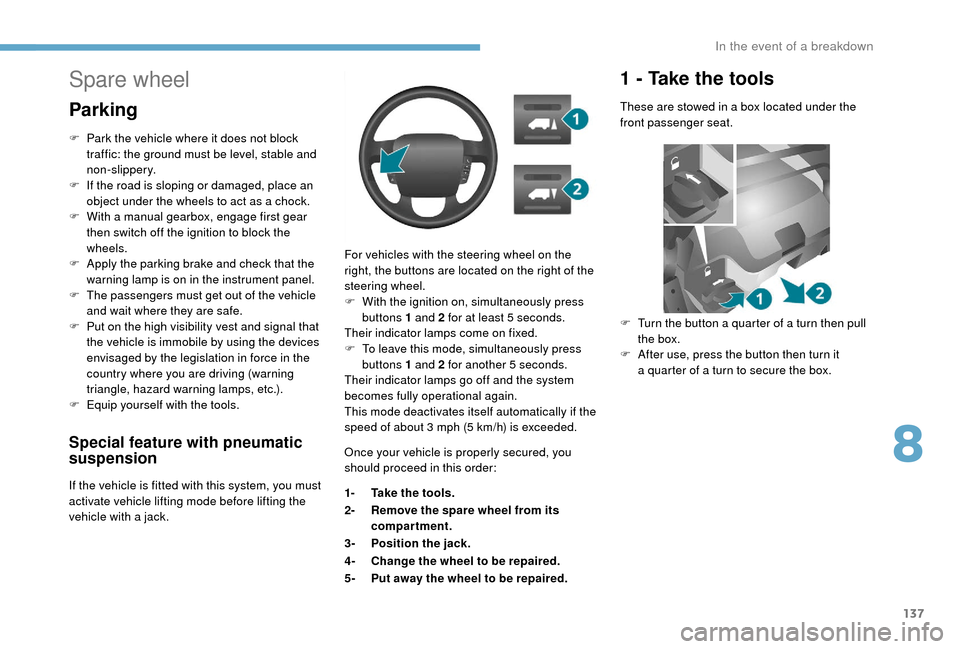
vehicle with a jack. For vehicles with the steering wheel on the
right, the buttons are located on the right of the
steering wheel.
F
W
ith the ignition on, simultaneously press
buttons 1 and 2 for at least 5 seconds.
Their indicator lamps come on fixed.
F
T
o leave this mode, simultaneously press
buttons 1 and 2 for another 5
seconds.
Their indicator lamps go off and the system
becomes fully operational again.
This mode deactivates itself automatically if the
speed of about 3 mph (5 km/h) is exceeded.
Spare wheel
Parking
F Park the vehicle where it does not block
traffic: the ground must be level, stable and
non-slippery.
F
I
f the road is sloping or damaged, place an
object under the wheels to act as a
chock.
F
W
ith a
manual gearbox, engage first gear
then switch off the ignition to block the
wheels.
F
A
pply the parking brake and check that the
warning lamp is on in the instrument panel.
F
T
he passengers must get out of the vehicle
and wait where they are safe.
F
P
ut on the high visibility vest and signal that
the vehicle is immobile by using the devices
envisaged by the legislation in force in the
country where you are driving (warning
triangle, hazard warning lamps, etc.).
F
E
quip yourself with the tools. Once your vehicle is properly secured, you
should proceed in this order:
1-Take the tools.
2- Remove the spare wheel from its
compartment.
3- Position the jack.
4- Change the wheel to be repaired.
5- Put away the wheel to be repaired.
1 - Take the tools
These are stowed in a box located under the
f ront passenger seat.
F
T
urn the button a quarter of a turn then pull
the box.
F
A
fter use, press the button then turn it
a
quarter of a turn to secure the box.
8
In the event of a breakdown
Page 148 of 232
146
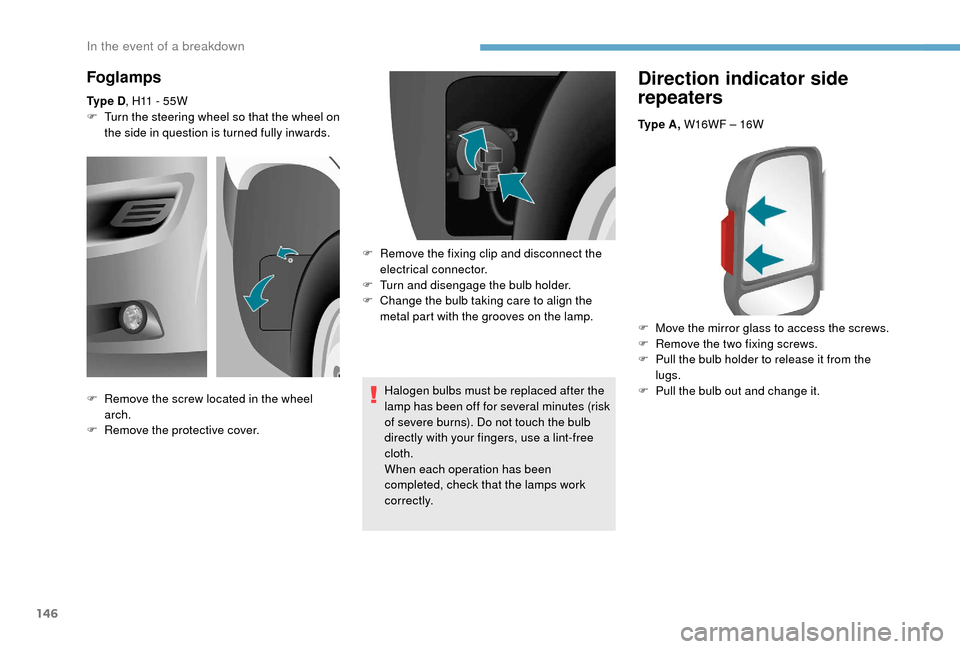
Direction indicator side
repeaters
Ty p e A , W16WF – 16W
F
M
ove the mirror glass to access the screws.
F
R
emove the two fixing screws.
F
P
ull the bulb holder to release it from the
lugs.
F
P
ull the bulb out and change it.
Foglamps
Ty p e D , H11 - 55W
F T urn the steering wheel so that the wheel on
the side in question is turned fully inwards.
Halogen bulbs must be replaced after the
lamp has been off for several minutes (risk
of severe burns). Do not touch the bulb
directly with your fingers, use a
lint-free
cloth.
When each operation has been
completed, check that the lamps work
c o r r e c t l y.
F
R
emove the screw located in the wheel
arch.
F
R
emove the protective cover. F
R
emove the fixing clip and disconnect the
electrical connector.
F
T
urn and disengage the bulb holder.
F
C
hange the bulb taking care to align the
metal part with the grooves on the lamp.
In the event of a breakdown
Page 152 of 232
150
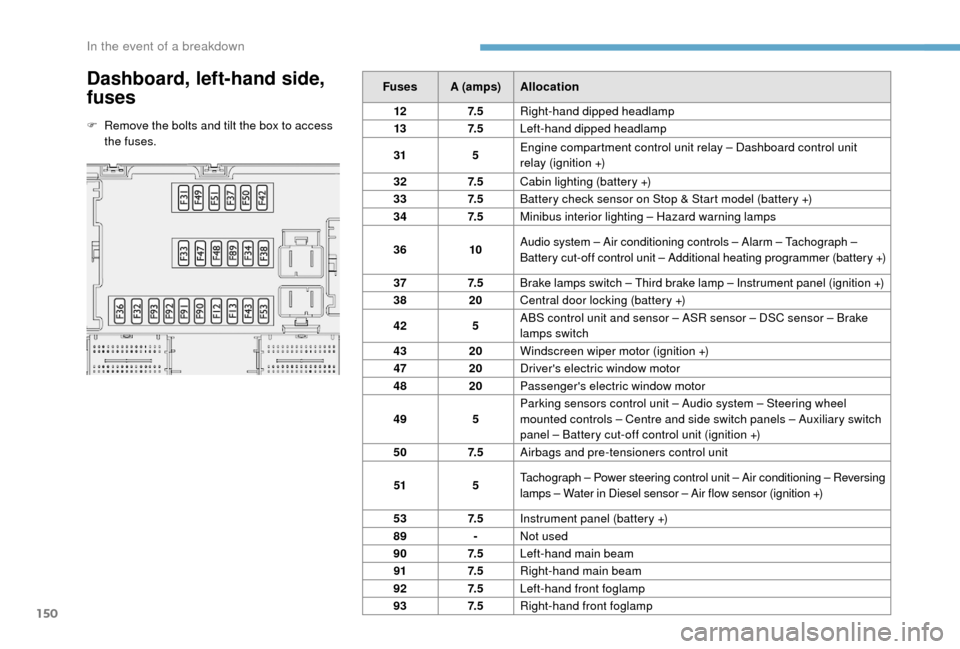
Dashboard, left-hand side,
fuses
F Remove the bolts and tilt the box to access the fuses. Fuses A (amps)
Allocation
12 7. 5Right-hand dipped headlamp
13 7. 5Left-hand dipped headlamp
31 5Engine compartment control unit relay – Dashboard control unit
relay (ignition +)
32 7. 5Cabin lighting (battery +)
33 7. 5Battery check sensor on Stop & Start model (battery +)
34 7. 5Minibus interior lighting – Hazard warning lamps
36 10Audio system – Air conditioning controls – Alarm – Tachograph –
Battery cut-off control unit – Additional heating programmer (battery +)
37 7. 5
Brake lamps switch – Third brake lamp – Instrument panel (ignition +)
38 20Central door locking (battery +)
42 5ABS control unit and sensor – ASR sensor – DSC sensor – Brake
lamps switch
43 20Windscreen wiper motor (ignition +)
47 20Driver's electric window motor
48 20Passenger's electric window motor
49 5Parking sensors control unit – Audio system – Steering wheel
mounted controls – Centre and side switch panels – Auxiliary switch
panel – Battery cut-off control unit (ignition +)
50 7. 5Airbags and pre-tensioners control unit
51 5Tachograph – Power steering control unit – Air conditioning – Reversing
lamps – Water in Diesel sensor – Air flow sensor (ignition +)
53 7. 5Instrument panel (battery +)
89 -Not used
90 7. 5Left-hand main beam
91 7. 5Right-hand main beam
92 7. 5Left-hand front foglamp
93 7. 5Right-hand front foglamp
In the event of a breakdown
Page 157 of 232
155
To w i n g
General recommendations
Obser ve the legislation in force in your
c o u nt r y.
Ensure that the weight of the towing
vehicle is higher than that of the towed
vehicle.
The driver must remain at the wheel of
the towed vehicle and must have a valid
driving licence.
When towing a
vehicle with all four wheels
on the ground, always use an approved
towbar; rope and straps are prohibited.
The towing vehicle must move off gently.
When the vehicle is towed with its engine
off, there is no longer braking and steering
assistance.
In the following cases, you must always
call on a
professional recovery ser vice:
-
v
ehicle broken down on a motor way or
main road,
-
f
our-wheel drive vehicle,
-
w
hen it is not possible to put the
gearbox into neutral, unlock the
steering, or release the parking brake,
-
t
owing with only two wheels on the
ground,
-
w
here there is no approved towbar
available.
The charging operation must be carried
out in a
ventilated area away from naked
flames or any possible sources of sparks
to eliminate the risk of explosion and fire.
Do not try to charge a
frozen battery: it
must first be thawed out to avoid the risk
of explosion. If the battery has frozen,
before charging it have it checked by
a
specialist who will verify that the internal
components have not been damaged and
that the case is not cracked, which could
mean that there is a
risk of a
leak of toxic
and corrosive acid.
Proceed with a
slow charge at low current
for a
maximum of about 24
hours to avoid
damaging the battery.
Charging the battery using
a battery charger
F Go to the battery located in the front left
f l o o r.
F
D
isconnect the battery.
F
F
ollow the instructions for use provided by
the manufacturer of the charger.
F
R
econnect starting with the negative (-)
terminal.
F
C
heck the condition of the terminals and
clamps. If they are covered with sulphate
(whitish or greenish deposits), disconnect
them and clean them all.
After refitting of the battery by
a
PEUGEOT dealer or a qualified
workshop, the Stop & Start system will
only be active after a
continuous period
of immobilisation of the vehicle, a period
which depends on the climatic conditions
and the state of charge of the battery (up
to about 8
hours).
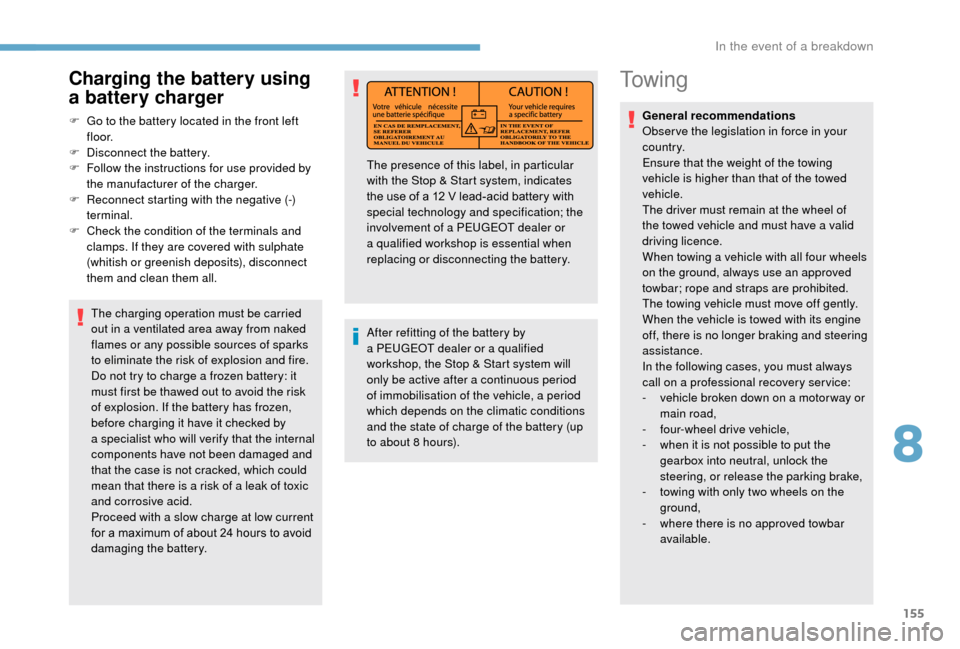
The presence of this label, in particular
with the Stop & Start system, indicates
the use of a
12 V lead-acid battery with
special technology and specification; the
involvement of a
PEUGEOT dealer or
a
qualified workshop is essential when
replacing or disconnecting the battery.
8
In the event of a breakdown
Page 189 of 232
3
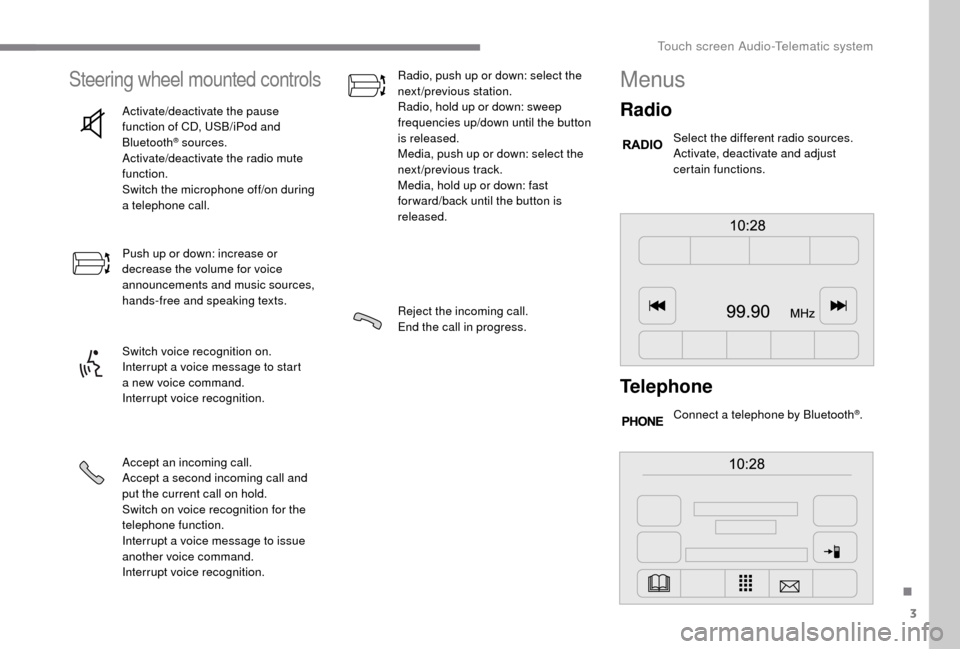
Steering wheel mounted controls
Activate/deactivate the pause
function of CD, USB/iPod and
Bluetooth
® sources.
Activate/deactivate the radio mute
function.
Switch the microphone off/on during
a
telephone call.
Push up or down: increase or
decrease the volume for voice
announcements and music sources,
hands-free and speaking texts.
Switch voice recognition on.
Interrupt a
voice message to start
a
new voice command.
Interrupt voice recognition.
Accept an incoming call.
Accept a
second incoming call and
put the current call on hold.
Switch on voice recognition for the
telephone function.
Interrupt a
voice message to issue
another voice command.
Interrupt voice recognition. Radio, push up or down: select the
next/previous station.
Radio, hold up or down: sweep
frequencies up/down until the button
is released.
Media, push up or down: select the
next/previous track.
Media, hold up or down: fast
for ward/back until the button is
released.
Reject the incoming call.
End the call in progress.
Menus
Radio
Select the different radio sources.
Activate, deactivate and adjust
certain functions.
Telephone
Connect a telephone by Bluetooth®.
.
Touch screen Audio-Telematic system
Page 193 of 232
7
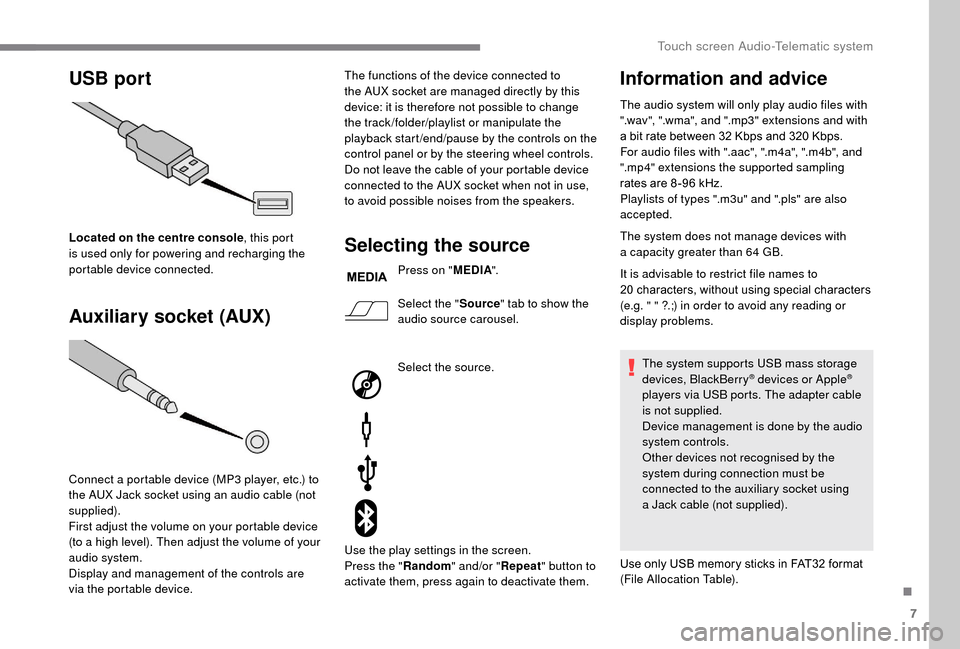
USB port
Auxiliary socket (AUX)
Located on the centre console , this port
is used only for powering and recharging the
portable device connected.
Connect a
portable device (MP3 player, etc.) to
the AUX Jack socket using an audio cable (not
supplied).
First adjust the volume on your portable device
(to a
high level). Then adjust the volume of your
audio system.
Display and management of the controls are
via the portable device. The functions of the device connected to
the AUX socket are managed directly by this
device: it is therefore not possible to change
the track /folder/playlist or manipulate the
playback start /end/pause by the controls on the
control panel or by the steering wheel controls.
Do not leave the cable of your portable device
connected to the AUX socket when not in use,
to avoid possible noises from the speakers.Selecting the source
Press on "
MEDIA".
Select the " Source" tab to show the
audio source carousel.
Select the source.
Use the play settings in the screen.
Press the " Random" and/or " Repeat" button to
activate them, press again to deactivate them.
Information and advice
The audio system will only play audio files with
".wav", ".wma", and ".mp3" extensions and with
a
bit rate between 32 Kbps and 320 Kbps.
For audio files with ".aac", ".m4a", ".m4b", and
".mp4" extensions the supported sampling
rates are 8 -96
kHz.
Playlists of types ".m3u" and ".pls" are also
accepted.
The system does not manage devices with
a
capacity greater than 64
GB.
It is advisable to restrict file names to
20
characters, without using special characters
(e.g. " " ?.;) in order to avoid any reading or
display problems.
The system supports USB mass storage
devices, BlackBerry
® devices or Apple®
players via USB ports. The adapter cable
is not supplied.
Device management is done by the audio
system controls.
Other devices not recognised by the
system during connection must be
connected to the auxiliary socket using
a
Jack cable (not supplied).
Use only USB memory sticks in FAT32
format
(File Allocation Table).
.
Touch screen Audio-Telematic system
Page 200 of 232
14
Select "Connected " or "Disconnected ",
" Delete device " or "Add device", " Save
Favourites ", "Text messages on ",
" Download " in the list of options offered.
Receiving a call
An incoming call is announced by a ring and
a superimposed display in the screen.
Press this steering wheel mounted
button briefly to accept an incoming
call.
or
Press the " Answer" button displayed in the
screen.
If there are two calls in progress (one in
progress and one on hold), it is possible to
change from one to the other by pressing the
" Switch calls " button or to combine both calls
in a
conference call by pressing the " Co nf e r."
button.
Ending a call
To reject a call, press this button
a t the steering wheel mounted
controls.
or
Press the " Ignore" button displayed in the
screen.
Making a call
Calling a new number
Using the telephone while driving is not
advised. We recommend that you park
safely or make use of the steering wheel
mounted controls.
Press " PHONE ".
Press the keypad button.
Enter the phone number using the keypad then
press the " Call" button to start the call.
Calling a contact
Press "PHONE ".
Press the " Contacts" button or the
" Recent calls " button.
Select the desired contact from the list offered
to start the call.
Vehicle information
Press " MORE" to display vehicle
information menus:
Exterior temp.
Displays the exterior temperature.
Clock
Displays the clock.
Compass
Displays the direction taken.
Tr i p
-
I
nstant info., Trip A, Trip B .
Displays the trip computer.
Press and hold the "Trip A" or "Trip B"
buttons to reset the trip in question.
Settings
Press this button to display the
Settings menus:
Display
-
B
rightness .
S
et the brightness of the screen.
-
Di
splay mode .
Set the display mode.
-
L
anguage .
Choose the desired language.
Touch screen Audio-Telematic system