instrument panel Peugeot Boxer 2020 User Guide
[x] Cancel search | Manufacturer: PEUGEOT, Model Year: 2020, Model line: Boxer, Model: Peugeot Boxer 2020Pages: 196, PDF Size: 5.1 MB
Page 20 of 196
18
Instruments
Touch screen audio and telematics system
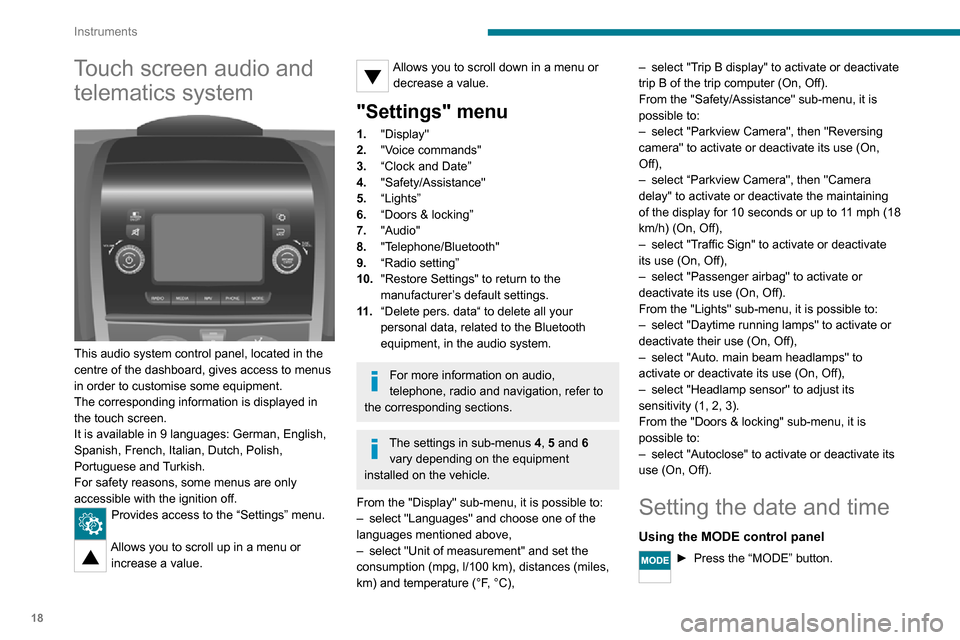
This audio system control panel, located in the
centre of the dashboard, gives access to menus
in order to customise some equipment.
The corresponding information is displayed in
the touch screen.
It is available in 9 languages: German, English,
Spanish, French, Italian, Dutch, Polish,
Portuguese and Turkish.
For safety reasons, some menus are only
accessible with the ignition off.
Provides access to the “Settings” menu.
Allows you to scroll up in a menu or
increase a value.
Allows you to scroll down in a menu or decrease a value.
"Settings" menu
1. "Display"
2. "Voice commands"
3. “Clock and Date”
4. "Safety/Assistance"
5. “Lights”
6. “Doors & locking”
7. "Audio"
8. "Telephone/Bluetooth"
9. “Radio setting”
10. "Restore Settings" to return to the
manufacturer’s default settings.
11 . “Delete pers. data“ to delete all your
personal data, related to the Bluetooth
equipment, in the audio system.
For more information on audio,
telephone, radio and navigation, refer to
the corresponding sections.
The settings in sub-menus 4, 5 and 6
vary depending on the equipment
installed on the vehicle.
From the "Display" sub-menu, it is possible to:
– select "Languages" and choose one of the languages mentioned above,– select "Unit of measurement" and set the consumption (mpg, l/100 km), distances (miles,
km) and temperature (°F, °C),
– select "Trip B display" to activate or deactivate trip B of the trip computer (On, Off).
From the "Safety/Assistance" sub-menu, it is
possible to:
– select "Parkview Camera", then "Reversing camera" to activate or deactivate its use (On,
Off),
– select “Parkview Camera", then "Camera delay" to activate or deactivate the maintaining
of the display for 10 seconds or up to 11 mph (18
km/h) (On, Off),
– select "Traffic Sign" to activate or deactivate its use (On, Off),– select "Passenger airbag" to activate or deactivate its use (On, Off).
From the "Lights" sub-menu, it is possible to:
– select "Daytime running lamps" to activate or deactivate their use (On, Off),– select "Auto. main beam headlamps" to activate or deactivate its use (On, Off),– select "Headlamp sensor" to adjust its sensitivity (1, 2, 3).
From the "Doors & locking" sub-menu, it is
possible to:
– select "Autoclose" to activate or deactivate its use (On, Off).
Setting the date and time
Using the MODE control panel
► Press the “MODE” button.
Page 50 of 196
48
Lighting and visibility
Once the function is activated, the system
operates as follows:
If the brightness is sufficient and/or if the traffic
conditions do not allow illumination of the main
beam headlamps:
– The dipped beam headlamps will remain on: this indicator lamp lights up on
the instrument panel.
If the brightness is very low and the traffic conditions allow:– The main beam headla mps come on automatically: these
indicator lamps light up on the instrument panel.
If the situation requires a change of headlamp
beam, the driver can take over at any time.
Flashing the headlamps again pauses the
function and the lighting system changes to
"automatic illumination of headlamps" mode.
At a speed lower than approximately 9 mph (15
km/h), the function deactivates automatically.
If the main beam headlamps are still needed,
flash the headlamps again; the main beam
headlamps then remain on fixed until the vehicle
reaches a speed of approximately 25 mph (40
km/h).
Above 25 mph (40 km/h), the function is
reactivated automatically (provided that you have
not flashed the headlamps again to turn off the
main beam headlamps during this interval).
Deactivation
► Turn the lighting control stalk ring to the "Dipped beam" position.
The system may suffer interference or not work correctly:
– under conditions of poor visibility (falling snow, heavy rain or thick fog, etc.),– if the windscreen in front of the camera is dirty, misted or obscured (by a sticker, etc.),– if the vehicle is facing highly reflective signs.
The system is not able to detect:– road users that do not have their own lighting, such as pedestrians,– vehicles whose lighting is obscured, such as when running behind a safety barrier on a
motorway, for example,
– vehicles at the top or bottom of a steep slope, on twisty roads, on crossroads.
Parking lamps
This system allows you to leave the lamps on
when parked; with the ignition off, and the key in
the STOP position or removed.
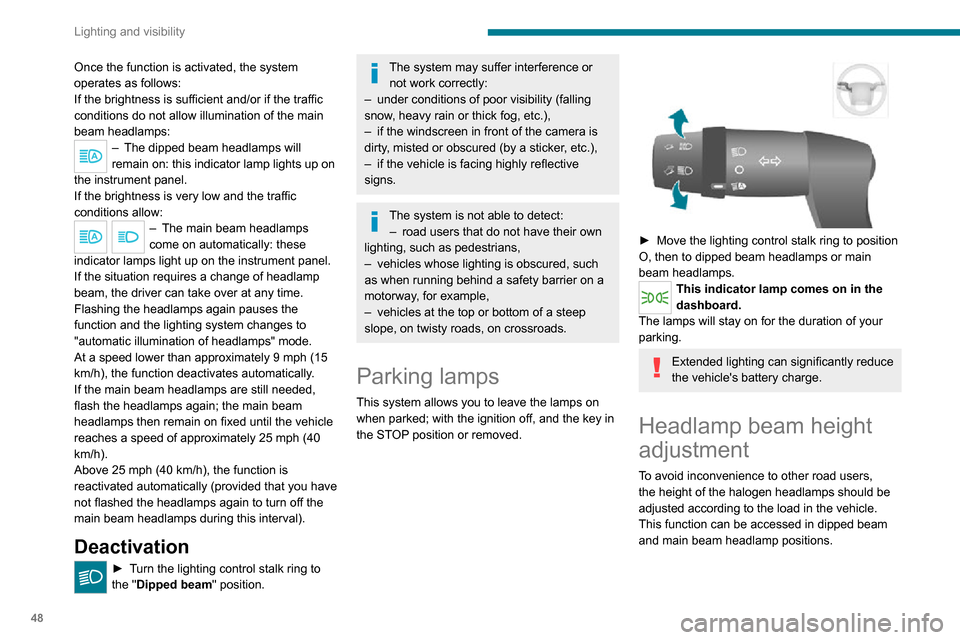
► Move the lighting control stalk ring to position O, then to dipped beam headlamps or main
beam headlamps.
This indicator lamp comes on in the
dashboard.
The lamps will stay on for the duration of your
parking.
Extended lighting can significantly reduce
the vehicle's battery charge.
Headlamp beam height
adjustment
To avoid inconvenience to other road users,
the height of the halogen headlamps should be
adjusted according to the load in the vehicle.
This function can be accessed in dipped beam
and main beam headlamp positions.
Successive presses on these controls adjust the headlamps.
An indicator lamp on the display indicates the
selected setting position (0, 1, 2, 3).
Wiper control stalk
Windscreen wipers
The wiping is active only when the ignition key is
in the ON position.
The control stalk can have 5 different positions:– Wipers off.– Intermittent wiping: 1 notch down. In this
position, by turning the ring, it is possible to
select 4 frequency levels (very slow, slow,
normal, fast).
Page 54 of 196
52
Safety
Dynamic stability control
(DSC)
Switching on
The DSC system is activated automatically every
time the vehicle is started.
It comes into operation in the event of a grip or
trajectory problem.
This is indicated by the flashing of this warning lamp on the instrument panel.
Deactivation
This system cannot be deactivated by the driver.
Malfunction
The lighting of this warning lamp, accompanied by an audible signal and
confirmed by a message on the instrument panel
display, indicates a malfunction of the DSC
system.
Have the system checked by a PEUGEOT
dealer or a qualified workshop.
Anti-slip regulation (ASR)
Deactivation / Reactivation
The ASR system is activated automatically every
time the vehicle is started.
In exceptional conditions (starting a vehicle
which is bogged down, stuck in snow, on soft
ground, etc.), it may be advisable to deactivate
Electronic stability control
(ESC)
Electronic stability control (ESC: Electronic
Stability Control) integrating the following
systems:
– anti-lock braking system (ABS) and electronic brake force distribution (EBFD),– emergency braking assistance (EBA),– wheel anti-slip regulation (ASR) or traction control,– dynamic stability control (DSC).
Definitions
Anti-lock braking system (ABS) and Electronic brake force distribution
(EBFD)
This system improves the stability and handling
of your vehicle when braking and contributes
towards improved control on bends, in particular
on poor or slippery road surfaces.
ABS prevents wheel locking in the event of
emergency braking.
EBFD manages the braking pressure wheel by
wheel.
Emergency braking assistance (EBA)
In an emergency, this system enables you
to reach the optimum braking pressure more
quickly and therefore reduce the stopping
distance. It is triggered in relation to the speed at which
the brake pedal is depressed. The effect of this
is a reduction in the resistance of the pedal and
an increase in braking efficiency.
Anti-slip regulation (ASR)
The ASR system (also known as Traction
Control) optimises traction in order to limit
wheel slip, by acting on the brakes of the driving
wheels and on the engine. It also improves the
directional stability of the vehicle on acceleration.
Dynamic stability control (DSC)
If there is a difference between the path followed
by the vehicle and that required by the driver, the
DSC monitors each wheel and automatically acts
on the brake of one or more wheels and on the
engine to return the vehicle to the required path,
within the limits of the laws of physics.
Anti-lock braking system
(ABS) and electronic brake
force distribution (EBD)
If this warning lamp comes on,
accompanied by an audible signal and a
message in an instrument panel screen, it
indicates a fault with the anti-lock braking system
(ABS) which could result in loss of control of the
vehicle when braking.
If these warning lamps come on,
accompanied by a message in the
instrument panel screen, it indicates a fault with
the electronic brake force distribution (EBFD)
system which could result in loss of control of the
vehicle when braking.
You must stop as soon as it is safe to do so.
In both cases, contact a PEUGEOT dealer or a
qualified workshop.
For maximum braking efficiency, a
bedding-in period of around 300 miles
(500 kilometres) is needed. During this
period, it is advisable to avoid any sudden,
repeated and prolonged braking.
The ABS does not provide shorter braking distances. On very slippery
surfaces (ice, oil, etc.) the ABS may extend
braking distances.
When changing wheels (tyres and rims),
ensure that these are approved for your
vehicle.
For emergency braking, press the
brake pedal very hard and do not
release it, even on a slipper surface; you
will then be able to continue steering the
vehicle to avoid an obstacle.
After an impact, have these systems checked by a PEUGEOT dealer or a
qualified workshop.
Page 55 of 196
53
Safety
5Dynamic stability control
(DSC)
Switching on
The DSC system is activated automatically every
time the vehicle is started.
It comes into operation in the event of a grip or
trajectory problem.
This is indicated by the flashing of this warning lamp on the instrument panel.
Deactivation
This system cannot be deactivated by the driver.
Malfunction
The lighting of this warning lamp, accompanied by an audible signal and
confirmed by a message on the instrument panel
display, indicates a malfunction of the DSC
system.
Have the system checked by a PEUGEOT
dealer or a qualified workshop.
Anti-slip regulation (ASR)
Deactivation / Reactivation
The ASR system is activated automatically every
time the vehicle is started.
In exceptional conditions (starting a vehicle
which is bogged down, stuck in snow, on soft
ground, etc.), it may be advisable to deactivate
the ASR system, so that the wheels can turn
freely and regain grip.
Reactivate the system as soon as the level of
grip permits.
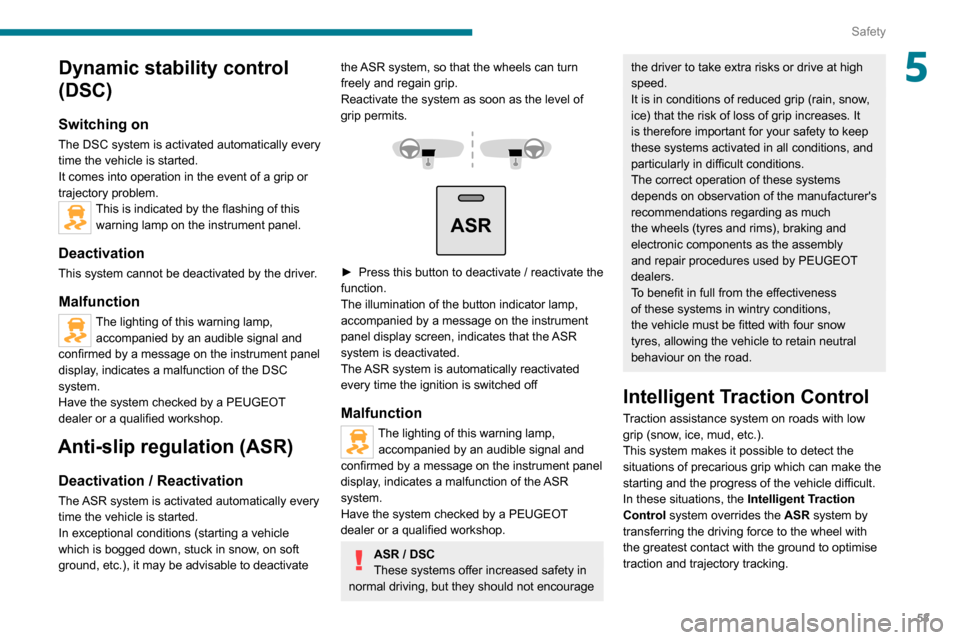
ASR
► Press this button to deactivate / reactivate the function.
The illumination of the button indicator lamp,
accompanied by a message on the instrument
panel display screen, indicates that the ASR
system is deactivated.
The ASR system is automatically reactivated
every time the ignition is switched off
Malfunction
The lighting of this warning lamp, accompanied by an audible signal and
confirmed by a message on the instrument panel
display, indicates a malfunction of the ASR
system.
Have the system checked by a PEUGEOT
dealer or a qualified workshop.
ASR / DSC
These systems offer increased safety in
normal driving, but they should not encourage
the driver to take extra risks or drive at high
speed.
It is in conditions of reduced grip (rain, snow,
ice) that the risk of loss of grip increases. It
is therefore important for your safety to keep
these systems activated in all conditions, and
particularly in difficult conditions.
The correct operation of these systems
depends on observation of the manufacturer's
recommendations regarding as much
the wheels (tyres and rims), braking and
electronic components as the assembly
and repair procedures used by PEUGEOT
dealers.
To benefit in full from the effectiveness
of these systems in wintry conditions,
the vehicle must be fitted with four snow
tyres, allowing the vehicle to retain neutral
behaviour on the road.
Intelligent Traction Control
Traction assistance system on roads with low
grip (snow, ice, mud, etc.).
This system makes it possible to detect the
situations of precarious grip which can make the
starting and the progress of the vehicle difficult.
In these situations, the Intelligent Traction
Control system overrides the ASR system by
transferring the driving force to the wheel with
the greatest contact with the ground to optimise
traction and trajectory tracking.
Page 70 of 196
68
Driving
When the battery is in standby mode,
access to the vehicle is only possible by
unlocking the mechanical lock on the driver's
side door.
After a battery standby, the information (time, date, radio stations, etc.) is
memorised.
To remove the battery from standby mode:
► Turn the key to the MAR - ON position.► Start the vehicle normally (AV V position).
Parking brake
Application
► Apply the parking brake to immobilise the vehicle.► Check that the parking brake is correctly applied before leaving the vehicle.
Apply the parking brake only when the
vehicle is stationary.
When parking on a slope, turn your
wheels towards the kerb and pull the
parking brake lever up.
There is no advantage in engaging a gear
after parking the vehicle, particularly if the
vehicle is loaded.
In the event of a failure of the
hydraulic braking system
While driving , to avoid any accidental
movement of the vehicle, use the parking
brake while depressing the brake pedal.
In this exceptional circumstance, it is
advisable to pull the parking brake up gently
so as not to block the rear wheels - risk of
skidding!
Release
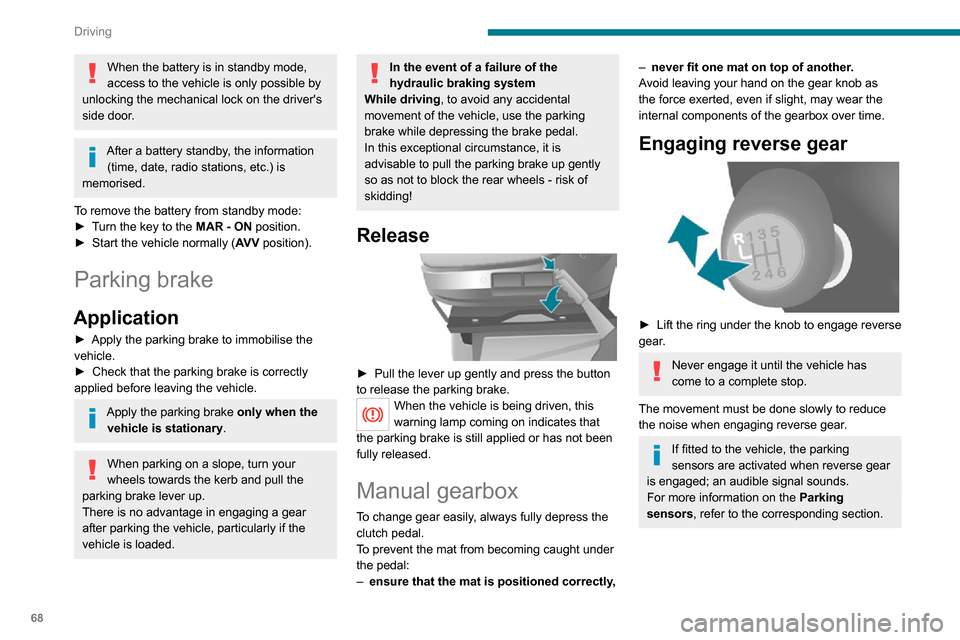
► Pull the lever up gently and press the button to release the parking brake.When the vehicle is being driven, this
warning lamp coming on indicates that
the parking brake is still applied or has not been
fully released.
Manual gearbox
To change gear easily, always fully depress the
clutch pedal.
To prevent the mat from becoming caught under
the pedal:
– ensure that the mat is positioned correctly,
– never fit one mat on top of another.
Avoid leaving your hand on the gear knob as
the force exerted, even if slight, may wear the
internal components of the gearbox over time.
Engaging reverse gear
► Lift the ring under the knob to engage reverse gear.
Never engage it until the vehicle has
come to a complete stop.
The movement must be done slowly to reduce
the noise when engaging reverse gear.
If fitted to the vehicle, the parking
sensors are activated when reverse gear
is engaged; an audible signal sounds.
For more information on the Parking
sensors, refer to the corresponding section.
Gear shift indicator
Depending on version or engine, this system
reduces fuel consumption by recommending a
higher gear change.
Gear shift recommendations should not be
considered compulsory. In fact, the road layout,
the traffic density and safety remain the deciding
factors when choosing the best gear. The driver
therefore remains responsible for deciding
whether or not to follow the indications issued by
the system.
The system cannot be deactivated.
Operation
The information appears in the instrument panel screen in the form of the SHIFT
indicator, accompanied by an upward arrow to
signal to the driver that they can change up.
The system adapts its gear shift recommendation according to the driving
conditions (slope, load, etc.) and the driver’s
requirements (power, acceleration, braking,
etc.).
The system never recommends engaging first
gear or reverse, or changing down.
Stop & Start
The Stop & Start function puts the engine temporarily into standby - STOP mode - during
phases when the vehicle is stopped (red lights,
Page 71 of 196
69
Driving
6Gear shift indicator
Depending on version or engine, this system
reduces fuel consumption by recommending a
higher gear change.
Gear shift recommendations should not be
considered compulsory. In fact, the road layout,
the traffic density and safety remain the deciding
factors when choosing the best gear. The driver
therefore remains responsible for deciding
whether or not to follow the indications issued by
the system.
The system cannot be deactivated.
Operation
The information appears in the instrument panel screen in the form of the SHIFT
indicator, accompanied by an upward arrow to
signal to the driver that they can change up.
The system adapts its gear shift recommendation according to the driving
conditions (slope, load, etc.) and the driver’s
requirements (power, acceleration, braking,
etc.).
The system never recommends engaging first
gear or reverse, or changing down.
Stop & Start
The Stop & Start function puts the engine temporarily into standby - STOP mode - during
phases when the vehicle is stopped (red lights,
queues, etc.). The engine restarts automatically
- START mode - as soon as the driver wishes to
move off again.
Primarily designed for urban use, the function
is intended to reduce fuel consumption and
exhaust emissions as well as the noise level
when stationary.
The function does not affect the functionalities of
the vehicle, in particular the braking.
Deactivation/Reactivation
The function is activated by default when the
ignition is switched on.
To deactivate/reactivate the function:
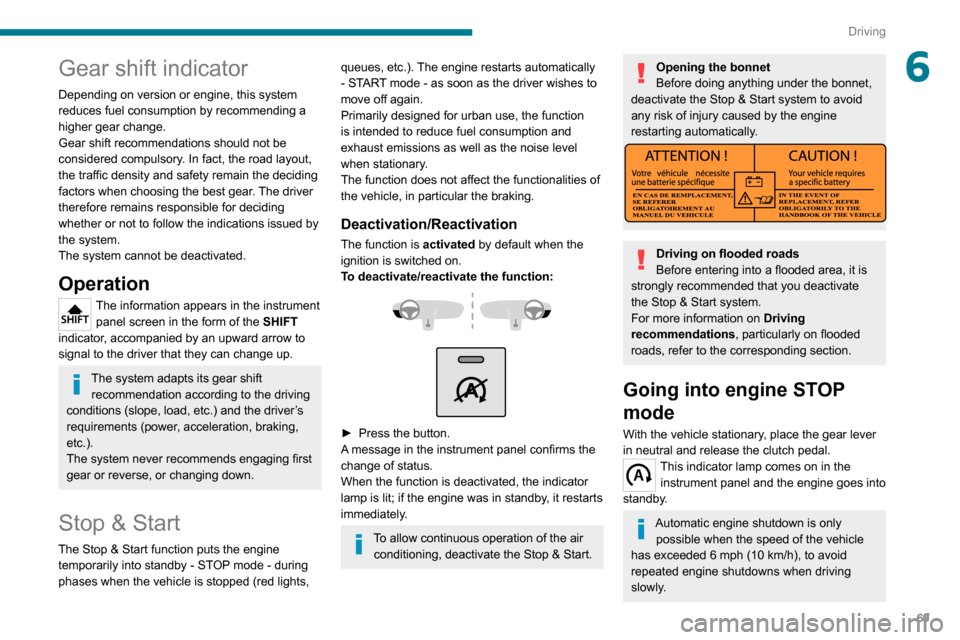
► Press the button.A message in the instrument panel confirms the
change of status.
When the function is deactivated, the indicator
lamp is lit; if the engine was in standby, it restarts
immediately.
To allow continuous operation of the air conditioning, deactivate the Stop & Start.
Opening the bonnet
Before doing anything under the bonnet,
deactivate the Stop & Start system to avoid
any risk of injury caused by the engine
restarting automatically.
Driving on flooded roads
Before entering into a flooded area, it is
strongly recommended that you deactivate
the Stop & Start system.
For more information on Driving
recommendations, particularly on flooded
roads, refer to the corresponding section.
Going into engine STOP
mode
With the vehicle stationary, place the gear lever
in neutral and release the clutch pedal.
This indicator lamp comes on in the instrument panel and the engine goes into
standby.
Automatic engine shutdown is only possible when the speed of the vehicle
has exceeded 6 mph (10 km/h), to avoid
repeated engine shutdowns when driving
slowly.
Page 72 of 196
70
Driving
Never leave the vehicle without first
switching the ignition off with the key.
Never refuel with the engine in STOP
mode; you must switch off the ignition
using the key.
Special cases: STOP mode
not available
STOP mode is not activated when:– the system is initialising,– the driver's door is open,– the driver's seat belt is not fastened,– the air conditioning is on,– the rear screen demisting is on,– the windscreen wipers are on fast wipe,– the reverse gear is engaged for the parking manoeuvre,– some special conditions (battery charge, engine temperature, particle filter regeneration,
braking assistance, exterior temperature, etc.)
where the engine is needed to assure control of
a system.
– during intensive use of Stop & Start, it may be deactivated to conserve starting ability; go
to a PEUGEOT dealer to have the function
reactivated.
This indicator lamp in the instrument panel flashes for a few seconds, then
goes off.
This operation is perfectly normal.
Going into engine START
mode
With a gear engaged, the automatic restarting of the engine is only possible by fully depressing the clutch pedal.This indicator lamp goes off and the engine restarts.
If, after an automatic restart in START mode, the
driver does not perform any action on the vehicle
within 3 minutes, the system stops the engine
permanently. The engine can only be restarted
with the ignition key.
Special cases: START mode
activated automatically
The START mode may be invoked automatically
in the following circumstances:
– the vehicle is free-wheeling on a gradient,– the windscreen wipers are on fast wipe,– the air conditioning is on,– the engine has been stopped for around 3 minutes with Stop & Start,
– some special conditions (battery charge, engine temperature, braking assistance, air
conditioning setting, etc.) where the engine is
needed for control of the system or vehicle.
In this case, a message appears in the
instrument panel screen, accompanied by
this indicator lamp, which flashes for a few
seconds, then goes off.
This operation is perfectly normal.
While in STOP mode with a manual
gearbox, if a gear is engaged without
fully depressing the clutch pedal, restarting
may not take place.
An indicator lamp and/or message is
displayed in the instrument panel asking
you to fully depress the clutch pedal to allow
restarting.
With the engine stopped in STOP mode,
if the driver unfastens their seat belt and
opens a front door, the engine can only be
restarted using the ignition key. There is an
audible signal, accompanied by flashing of this
indicator lamp, and the display of a message.
Malfunction
In the event of a malfunction, the Stop &
Start is deactivated and this warning lamp
comes on, accompanied by a message on the
instrument panel display.
Have the system checked by a PEUGEOT
dealer or a qualified workshop.
In the event of a malfunction in STOP mode, the
engine can be restarted by fully depressing the clutch pedal or putting the gear lever in neutral.
Hill start assist
This system keeps your vehicle briefly stationary
(for approximately 2 seconds) when making a hill
start, while you transfer your foot from the brake
pedal to the accelerator pedal.
This system (also called HHC - Hill Hold Control), integrated with the dynamic stability
control system, is activated in the following
conditions:
– the vehicle must be stationary, engine running, foot on the brake,– the gradient of the road must be steeper than 5%,– uphill, the gearbox must be in neutral or in a gear other than reverse,– downhill, reverse gear must be engaged.
The hill start assist system is a driving
aid. It is not an automatic vehicle parking
function or an automatic parking brake.
Operation
With the brake pedal and clutch pedal pressed,
from the time you release the brake pedal,
Page 74 of 196
72
Driving
The inflation pressures defined for the vehicle can be found on the tyre pressure
label.
Tyre pressures should be checked when the
tyres are "cold" (vehicle stopped for 1 hour or
after a journey of less than 6 miles (10 km) at
moderate speeds). Otherwise, add 0.3 bar to
the pressures shown on the label.
For more information on Identification
markings, including the tyre pressure label,
refer to the corresponding section.
The tyre pressure measurement unit can be configured with the MODE button: in
the "Tyre pressure measurement” menu, select
"psi/bar/kPa".
For more information on Vehicle configuration
(MODE), refer to the corresponding section.
Under-inflation alert
This is signalled by the fixed illumination of this warning lamp, accompanied by an
audible signal and, depending on equipment, the
display of a message.
In the event of an anomaly noted on just one of
the tyres, depending on equipment, the symbol
or the message displayed identifies it.
► Reduce speed immediately , avoid excessive steering movements and avoid sudden braking.► Stop the vehicle as soon as it is safe to do so.
The loss of pressure detected does not
always cause visible bulging of the tyre.
Do not rely on just a visual check.
► Using a compressor , such as the one in the temporary puncture repair kit, check the
pressures of the four tyres when cold.
► If it is not possible to make this check immediately, drive carefully at reduced speed.► In the event of a puncture, use the temporary puncture repair kit or the spare wheel
(depending on equipment).
The alert is kept active until the tyre/tyres concerned is/are reinflated, repaired or
replaced.
Malfunction
The flashing and then fixed illumination of this warning lamp, accompanied by the
illumination of the service warning lamp, and
depending on equipment, the display of a
message, indicates a fault with the system.
In this case, the tyre pressures are no longer
monitored.
This alert is also displayed if at least one wheel is not equipped with a sensor.
Contact a PEUGEOT dealer or a qualified
workshop to have the system checked or, following a puncture, to have the original wheel,
equipped with a sensor, refitted.
Pneumatic suspension
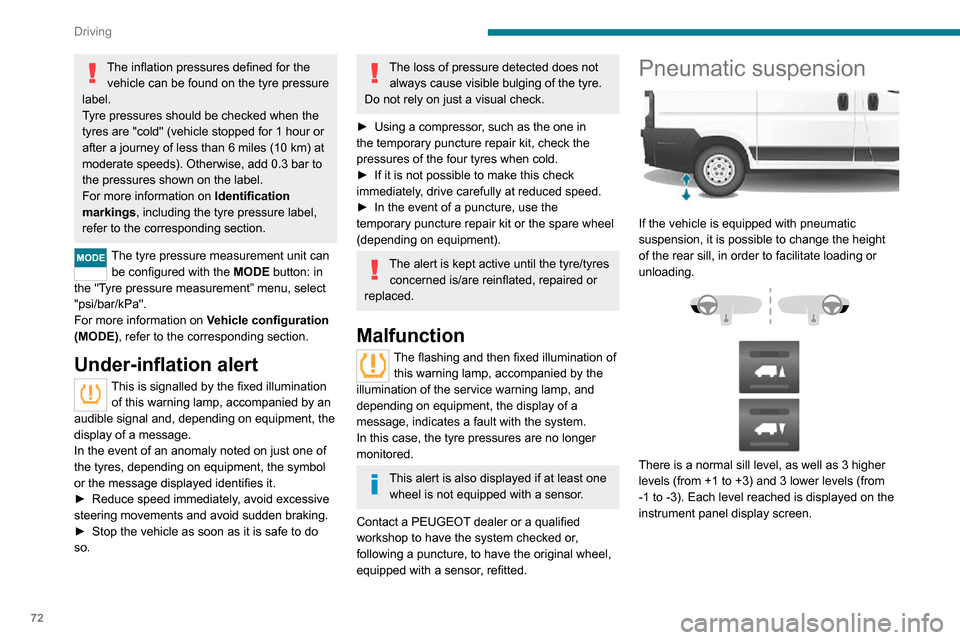
If the vehicle is equipped with pneumatic
suspension, it is possible to change the height
of the rear sill, in order to facilitate loading or
unloading.
There is a normal sill level, as well as 3 higher levels (from +1 to +3) and 3 lower levels (from -1 to -3). Each level reached is displayed on the
instrument panel display screen.
Loading sill height manual
correction
Adjusting the platform sill up or down
► A quick press on one of the controls selects the upper or lower level. Each press (diode lit)
increases or decreases by one level.
A long press on one of the controls selects the
maximum corresponding level (-3 or +3).
Returning to the normal sill height
► Press the same number of times in the opposite direction of the displayed position.
Deactivation/Reactivation
► Press and hold both controls simultaneously to deactivate/reactivate the system.
Deactivation is confirmed by the lighting of the
control LEDs.
Beyond a speed of 3 mph (5 km/h), the
system reactivates automatically.
Loading sill height
automatic correction
Beyond a speed of 12 mph (20 km/h), the
system automatically restores the rear sill height
to its normal level.
Page 76 of 196
74
Driving
the whole manoeuvre, in particular using the
mirrors.
Radar
The operation of the radar as well as the
associated functions may be impaired through
the accumulation of dirt (mud, frost, etc.), in
certain difficult weather conditions (very heavy
rain, snow) or if the bumper is damaged.
If the front bumper is to be repainted, contact
a PEUGEOT dealer or a qualified workshop;
certain types of paint could interfere with the
operation of the radar.
Driving aids camera
This camera and its associated functions
may be impaired or not work if the windscreen
area in front of the camera is dirty, misty,
frosty, covered with snow, damaged or
masked by a sticker.
In humid and cold weather, demist the
windscreen regularly.
Poor visibility (inadequate street lighting,
heavy rain, thick fog, snowfall), dazzle
(headlamps of an oncoming vehicle, low sun,
reflections on a damp road, leaving a tunnel,
alternating shade and light) can also impair
detection performance.
In the event of a windscreen replacement,
contact a PEUGEOT dealer or a qualified
workshop to recalibrate the camera;
otherwise, the operation of the associated
driving aids may be disrupted.
Other cameras
The images from the camera(s)
displayed on the touch screen or on the
instrument panel may be distorted by the
relief.
In the presence of areas in shade, or in
conditions of bright sunlight or inadequate
lighting, the image may be darkened and with
lower contrast.
Obstacles may appear further away than they
actually are.
Sensors
The operation of the sensors as well as
the associated functions may be disturbed
by sound interference such as that emitted
by noisy vehicles and machinery (e.g. lorries,
pneumatic drills), by the accumulation of
snow or dead leaves on the road or in the
event of damaged bumpers and mirrors.
When reverse gear is engaged, an audible
signal (long beep) indicates that the sensors
may be dirty.
A front or rear impact to the vehicle can
upset the sensors’ settings, which is not
always detected by the system: distance
measurements may be distorted.
The sensors do not systematically detect
obstacles that are too low (pavements, studs)
or too thin (trees, posts, wire fences).
Certain obstacles located in the sensors’ blind
spots may not be detected or may no longer
be detected during the manoeuvre.
Certain materials (fabrics) absorb sound
waves: pedestrians may not be detected.
Maintenance
Clean the bumpers and door mirrors and
the field of vision of the cameras regularly.
When washing your vehicle at high pressure,
direct the spray from at least 30 cm away from the radar, sensors and cameras.
Mats
The use of mats not approved by
PEUGEOT may interfere with the operation of
the speed limiter or cruise control.
To avoid any risk of jamming the pedals:
► ensure that the mat is secured correctly ,► never fit one mat on top of another.
Units of speed
Ensure that the units of speed displayed
on the instrument panel (mph or km/h) are
those for the country you are driving in.
If this is not the case, when the vehicle is
stationary, set the display to the required
units of speed so that it complies with what is
authorised locally.
In case of doubt, contact a PEUGEOT dealer or a qualified workshop.
Speed Limit recognition
and recommendation
Refer to the General recommendations on the
use of driving and manoeuvring aids .
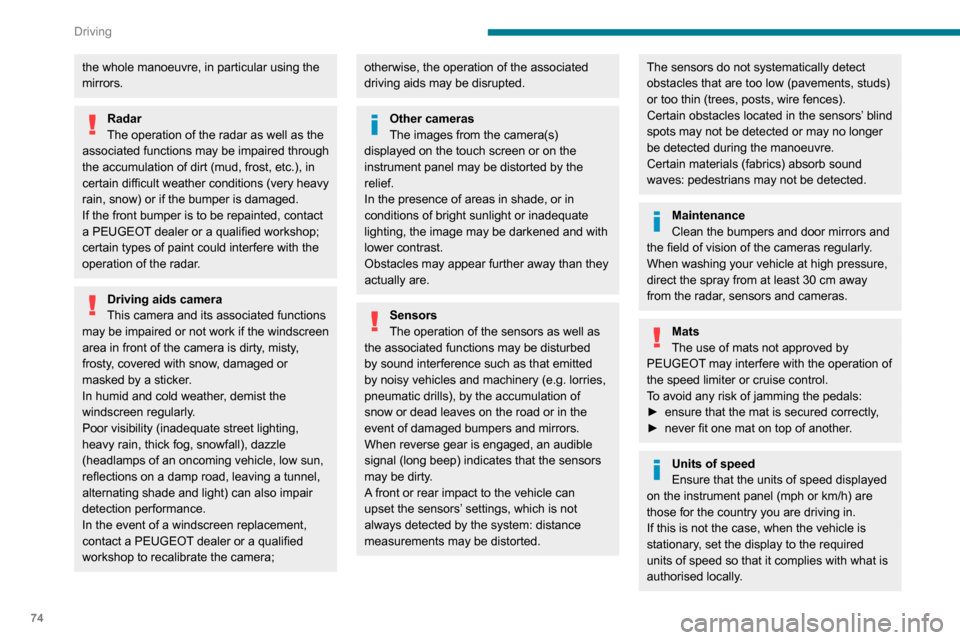
Using the camera located at the top of the
windscreen, this system detects the following
types of signs and displays the corresponding
information on the instrument panel:
– the maximum authorised speed,– no overtaking,– the end of the previous limitations / restrictions.
Page 77 of 196
75
Driving
6In case of doubt, contact a PEUGEOT dealer
or a qualified workshop.
Speed Limit recognition
and recommendation
Refer to the General recommendations on the
use of driving and manoeuvring aids.
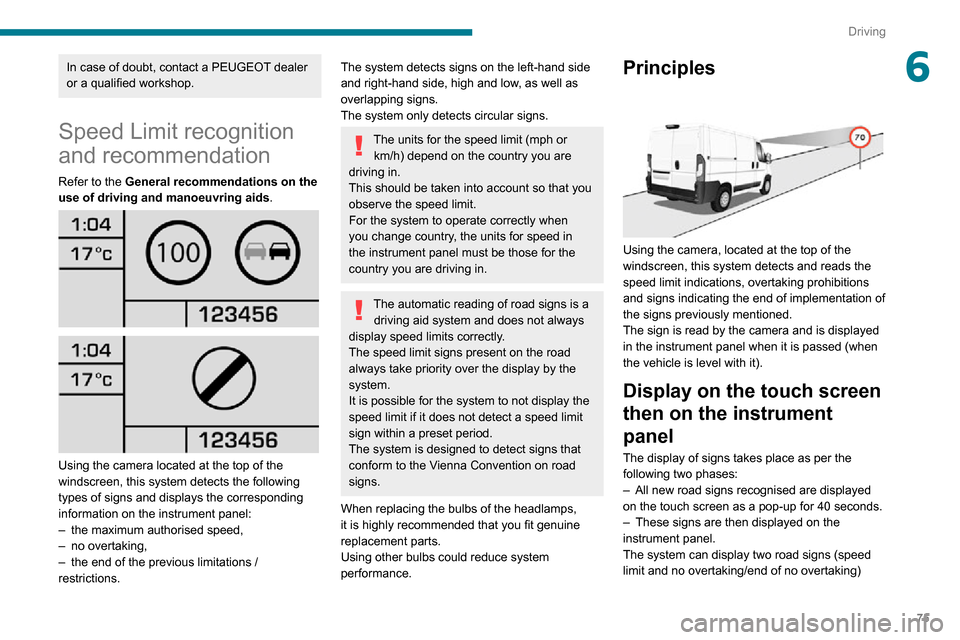
Using the camera located at the top of the
windscreen, this system detects the following
types of signs and displays the corresponding
information on the instrument panel:
– the maximum authorised speed,– no overtaking,– the end of the previous limitations / restrictions.
The system detects signs on the left-hand side
and right-hand side, high and low, as well as
overlapping signs.
The system only detects circular signs.
The units for the speed limit (mph or
km/h) depend on the country you are
driving in.
This should be taken into account so that you
observe the speed limit.
For the system to operate correctly when
you change country, the units for speed in
the instrument panel must be those for the
country you are driving in.
The automatic reading of road signs is a driving aid system and does not always
display speed limits correctly.
The speed limit signs present on the road
always take priority over the display by the
system.
It is possible for the system to not display the
speed limit if it does not detect a speed limit
sign within a preset period.
The system is designed to detect signs that
conform to the Vienna Convention on road
signs.
When replacing the bulbs of the headlamps,
it is highly recommended that you fit genuine
replacement parts.
Using other bulbs could reduce system
performance.
Principles
Using the camera, located at the top of the
windscreen, this system detects and reads the
speed limit indications, overtaking prohibitions
and signs indicating the end of implementation of
the signs previously mentioned.
The sign is read by the camera and is displayed
in the instrument panel when it is passed (when
the vehicle is level with it).
Display on the touch screen
then on the instrument
panel
The display of signs takes place as per the
following two phases:
– All new road signs recognised are displayed on the touch screen as a pop-up for 40 seconds.– These signs are then displayed on the instrument panel.
The system can display two road signs (speed
limit and no overtaking/end of no overtaking)