ESP PEUGEOT EXPERT 2018 Owners Manual
[x] Cancel search | Manufacturer: PEUGEOT, Model Year: 2018, Model line: EXPERT, Model: PEUGEOT EXPERT 2018Pages: 416, PDF Size: 14.12 MB
Page 282 of 416
280
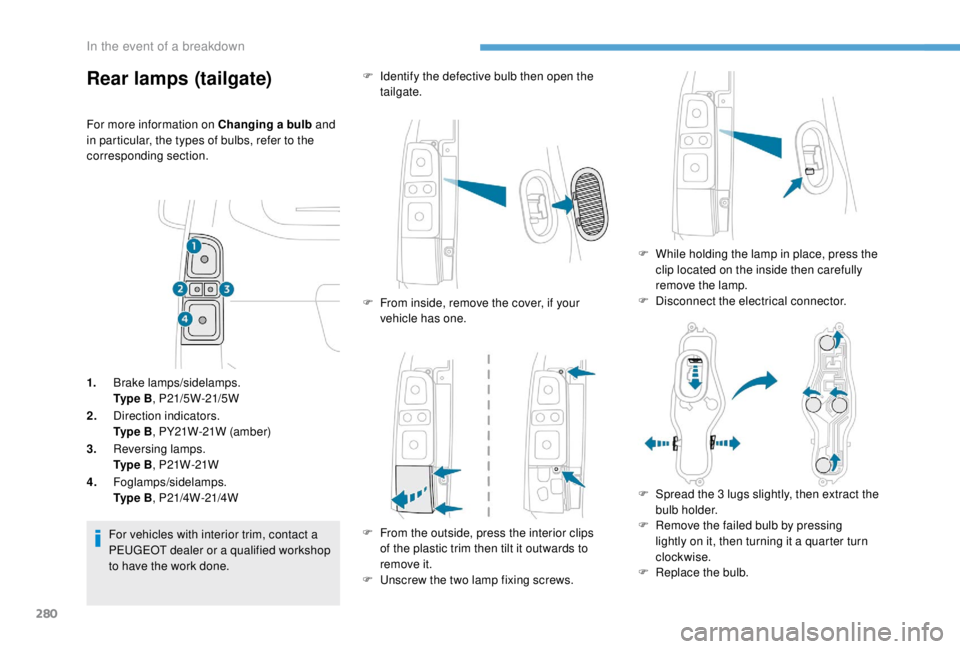
Rear lamps (tailgate)
For more information on Changing a bulb and
in particular, the types of bulbs, refer to the
corresponding section.
1. Brake lamps/sidelamps.
Ty p e B , P21/5W-21/5W
2. Direction indicators.
Ty p e B , PY21W-21W (amber)
3. Reversing lamps.
Ty p e B , P21W-21W
4. Foglamps/sidelamps.
Ty p e B , P21/4W-21/4W
For vehicles with interior trim, contact a
PEUGEOT dealer or a qualified workshop
to have the work done. F
I
dentify the defective bulb then open the
tailgate.
F
F
rom inside, remove the cover, if your
vehicle has one.
F
F
rom the outside, press the interior clips
of the plastic trim then tilt it outwards to
remove it.
F
U
nscrew the two lamp fixing screws.F
W
hile holding the lamp in place, press the
clip located on the inside then carefully
remove the lamp.
F
D
isconnect the electrical connector.
F
S
pread the 3 lugs slightly, then extract the
bulb holder.
F
R
emove the failed bulb by pressing
lightly on it, then turning it a quarter turn
clockwise.
F
R
eplace the bulb.
In the event of a breakdown
Page 284 of 416
282
For the replacement of this type of LED lamp
and light guides, contact a PEUGEOT dealer or
a qualified workshop.
A replacement kit for the LEDs is available from
PEUGEOT dealers.
Cab floor
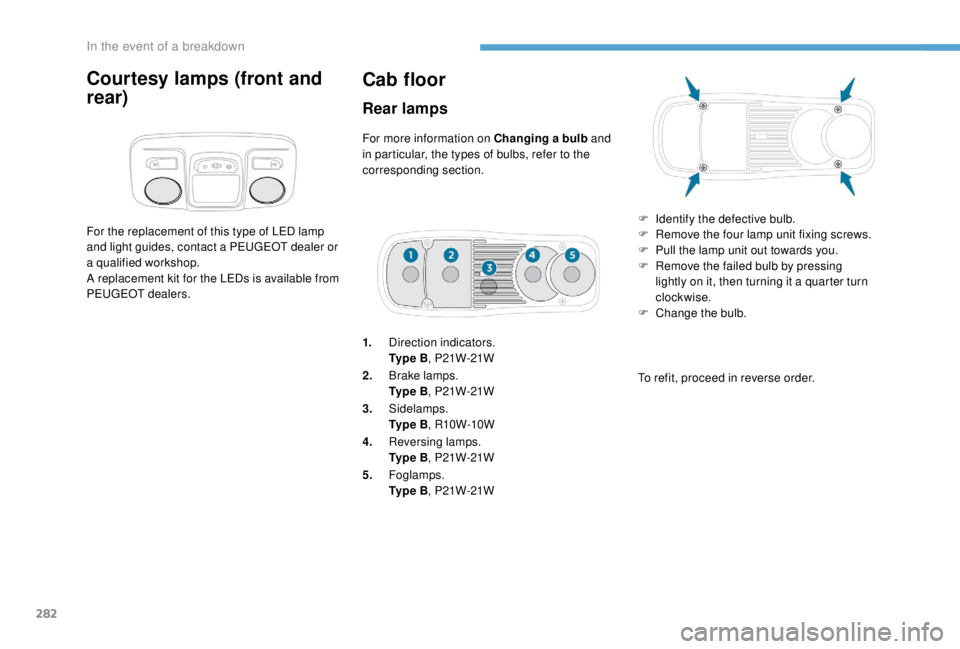
Rear lamps
For more information on Changing a bulb and
in particular, the types of bulbs, refer to the
corresponding section.
1. Direction indicators.
Ty p e B , P21W-21W
2. Brake lamps.
Ty p e B , P21W-21W
3. Sidelamps.
Ty p e B , R10W-10W
4. Reversing lamps.
Ty p e B , P21W-21W
5. Foglamps.
Ty p e B , P21W-21W F
I
dentify the defective bulb.
F
R
emove the four lamp unit fixing screws.
F
P
ull the lamp unit out towards you.
F
R
emove the failed bulb by pressing
lightly on it, then turning it a quarter turn
clockwise.
F
C
hange the bulb.
To refit, proceed in reverse order.
Courtesy lamps (front and
rear)
In the event of a breakdown
Page 286 of 416
284
Installing electrical accessories
Your vehicle's electrical system is
designed to operate with standard or
optional equipment.
Before installing other electrical
equipment or accessories on your vehicle,
contact a PEUGEOT dealer or a qualified
workshop.
PEUGEOT will not accept responsibility for
the cost incurred in repairing your vehicle
or for rectifying malfunctions resulting
from the installation of accessories
not supplied and not recommended by
PEUGEOT and not installed in accordance
with its instructions, in particular when
the combined consumption of all of the
additional equipment connected exceeds
10
milliamperes.
For more information on installing a
towbar or equipment of the TA XI type,
contact a PEUGEOT dealer.Passenger compartment
fuses
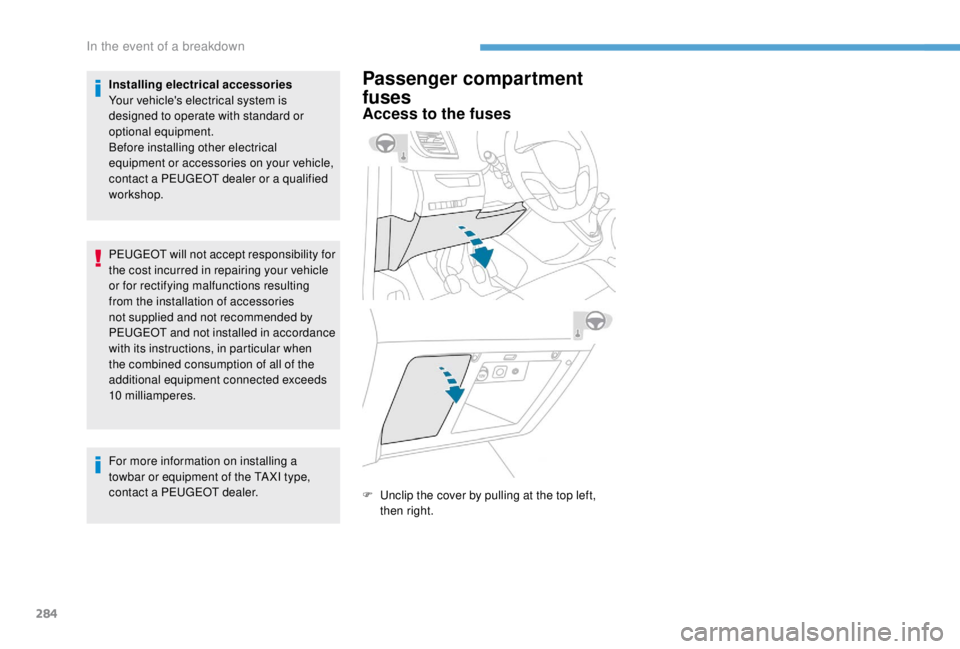
Access to the fuses
F Unclip the cover by pulling at the top left, then right.
In the event of a breakdown
Page 290 of 416
288
12 V battery
Procedure for starting the engine using another
battery or charging a discharged battery.
Lead-acid starter batteries Access to the battery
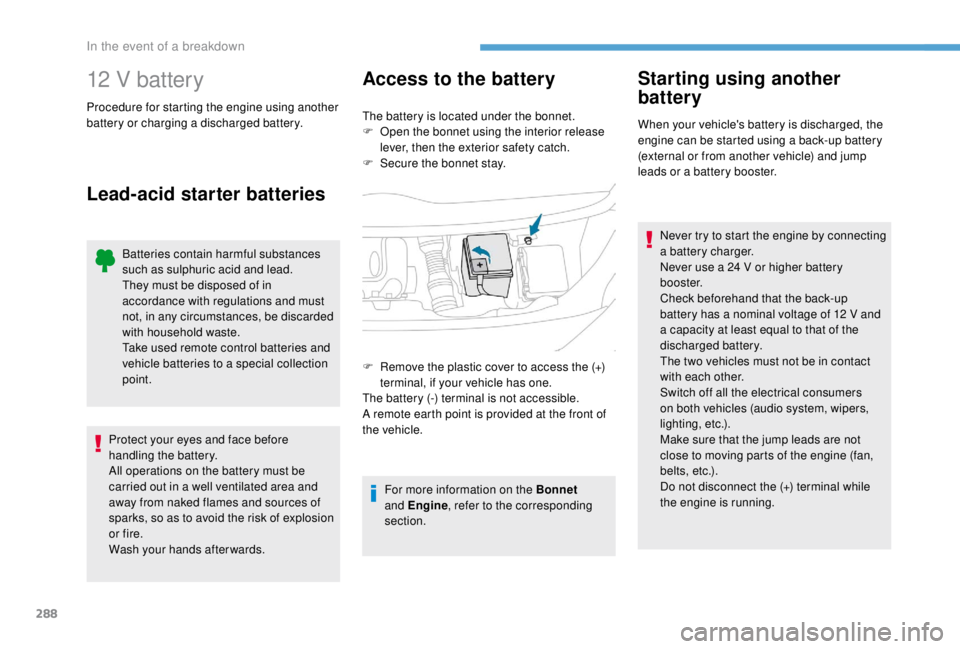
The battery is located under the bonnet.
F
O pen the bonnet using the interior release
lever, then the exterior safety catch.
F
S
ecure the bonnet stay.
For more information on the Bonnet
and Engine , refer to the corresponding
section.
Starting using another
battery
When your vehicle's battery is discharged, the
engine can be started using a back-up battery
(external or from another vehicle) and jump
leads or a battery booster.
Never try to start the engine by connecting
a battery charger.
Never use a 24
V or higher battery
b o o s t e r.
Check beforehand that the back-up
battery has a nominal voltage of 12 V and
a capacity at least equal to that of the
discharged battery.
The two vehicles must not be in contact
with each other.
Switch off all the electrical consumers
on both vehicles (audio system, wipers,
lighting, etc.).
Make sure that the jump leads are not
close to moving parts of the engine (fan,
belts, etc.).
Do not disconnect the (+) terminal while
the engine is running.
F
R
emove the plastic cover to access the (+)
terminal, if your vehicle has one.
The battery (-) terminal is not accessible.
A remote earth point is provided at the front of
the vehicle.
Batteries contain harmful substances
such as sulphuric acid and lead.
They must be disposed of in
accordance with regulations and must
not, in any circumstances, be discarded
with household waste.
Take used remote control batteries and
vehicle batteries to a special collection
point.
Protect your eyes and face before
handling the battery.
All operations on the battery must be
carried out in a well ventilated area and
away from naked flames and sources of
sparks, so as to avoid the risk of explosion
or fire.
Wash your hands afterwards.
In the event of a breakdown
Page 293 of 416
291
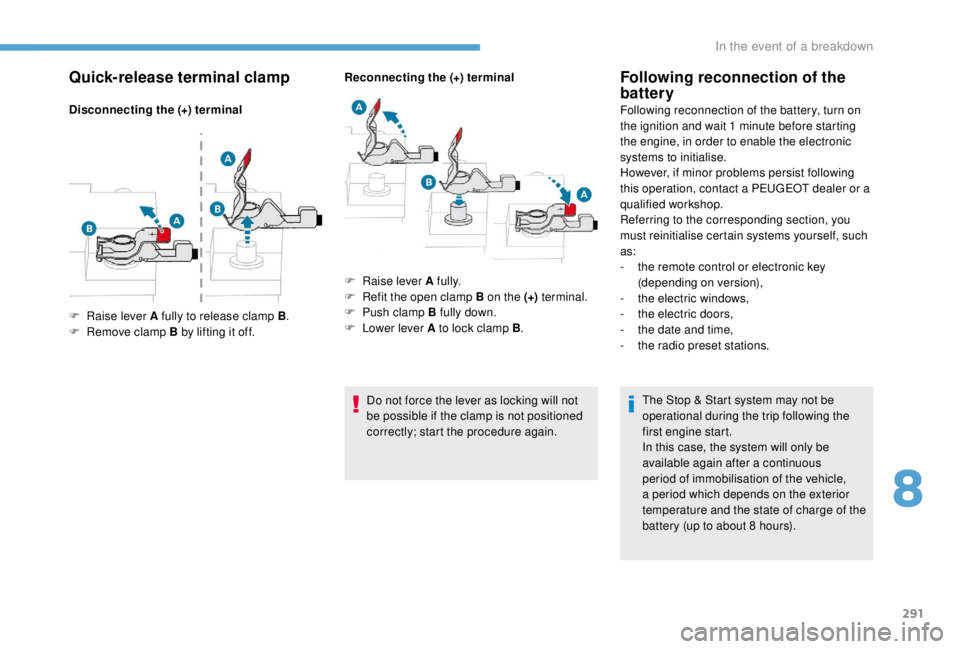
Quick-release terminal clamp
Disconnecting the (+) terminalReconnecting the (+) terminal
Do not force the lever as locking will not
be possible if the clamp is not positioned
correctly; start the procedure again.
Following reconnection of the
battery
Following reconnection of the battery, turn on
the ignition and wait 1 minute before starting
the engine, in order to enable the electronic
systems to initialise.
However, if minor problems persist following
this operation, contact a PEUGEOT dealer or a
qualified workshop.
Referring to the corresponding section, you
must reinitialise certain systems yourself, such
as:
-
t
he remote control or electronic key
(depending on version),
-
t
he electric windows,
-
t
he electric doors,
-
t
he date and time,
-
t
he radio preset stations.The Stop & Start system may not be
operational during the trip following the
first engine start.
In this case, the system will only be
available again after a continuous
period of immobilisation of the vehicle,
a period which depends on the exterior
temperature and the state of charge of the
battery (up to about 8
hours).
F
Ra
ise lever A fully to release clamp B .
F
R
emove clamp B by lifting it off. F
Ra
ise lever A fully.
F
R
efit the open clamp B on the (+) terminal.
F
P
ush clamp B fully down.
F
L
ower lever A to lock clamp B .
8
In the event of a breakdown
Page 294 of 416
292
Battery capacity
Vehicle lengthRating in Ah
(Ampere hours)
Compact 480
Standard 640
Long 720
/ 800
Always replace the battery with one of
equivalent specification.
To w i n g
Procedure for having your vehicle towed or
for towing another vehicle using a removable
towing eye.
Access to the tools
For more information on the Tool box ,
refer to the corresponding section.
With a manual gearbox, move the gear
lever into neutral.
With an automatic or electronic gearbox,
place the gear selector into position N .
Failure to adhere to this specification
may lead to damage to braking system
components and the lack of braking
assistance on restarting the engine.
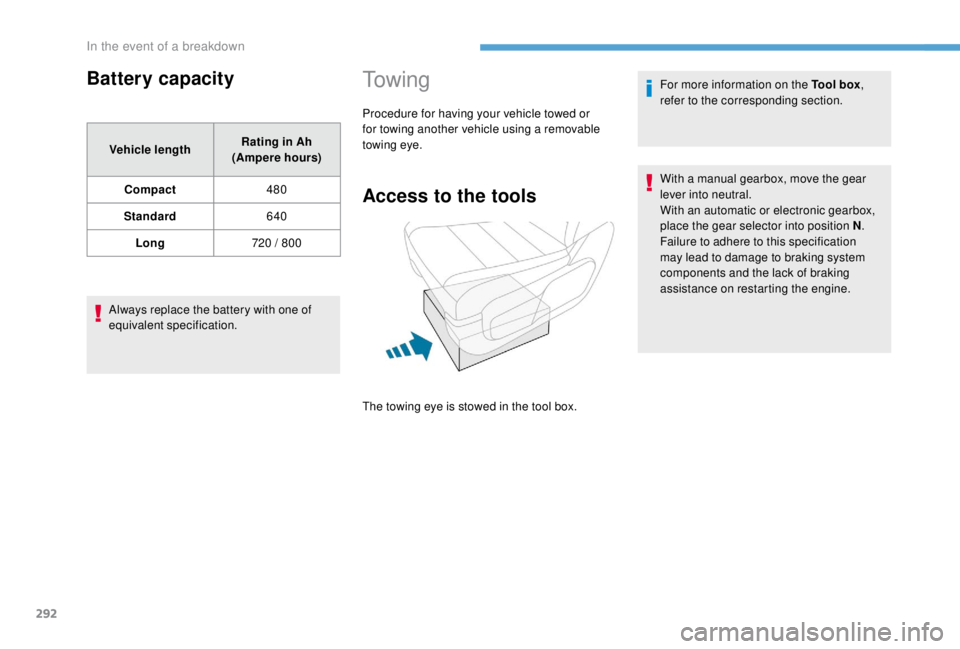
The towing eye is stowed in the tool box.
In the event of a breakdown
Page 296 of 416
294
Characteristics of the
engines and towed loads
Engines
The engine characteristics are given in the
vehicle's registration document, as well as in
sales brochures.The maximum power corresponds to the
value type-approved on a test bed, under
conditions defined in European legislation
(Directive 1999/99/EC).
For more information, contact a PEUGEOT
dealer or a qualified workshop.
Weights and towed loads
The maximum weights and towed loads for
your vehicle are given in the registration
document, as well as in sales brochures.
These values are also given on the
manufacturer's plate or label.
For more information, contact a PEUGEOT
dealer or a qualified workshop.
The GTW values and the towable loads
listed are valid for a maximum altitude of
1,000
metres. The towable load must be
reduced by steps of 10% for each additional
1,000
metres.
The recommended nose weight is the vertical
load on the towbar ball (removable, with or
without tools).
GT W: Gross train weight. High exterior temperatures may result
in a reduction in the per formance of the
vehicle to protect the engine. When the
exterior temperature is higher than 37°C,
limit the towed weight.
Towing using a lightly loaded vehicle can
adversely affect roadholding.
Braking distances are increased when
towing a trailer.
When using a vehicle to tow, never exceed
a speed of around 60
mph (100 km/h)
(obser ve the local legislation in force).
If the exterior temperature is high, it is
recommended that the engine be allowed
to idle for 1
to 2 minutes after the vehicle
comes to a stop, to facilitate its cooling.
Technical data
Page 310 of 416
2
12:13
18,5 21,5
23 °CFirst steps
With the engine running, a press
mutes the sound.
With the ignition off, a press turns
the system on.
Adjustment of the volume.
Use the buttons either side of or below the
touch screen for access to the menus, then
press the virtual buttons in the touch screen.
Depending on the model, use the "Source" or
"Menu" buttons either side of the touch screen
for access to the menus, then press the virtual
buttons in the touch screen.
You can display the menu at any time by
pressing the screen briefly with three fingers.
All of the touch areas of the screen are white.
Press the cross to go back a level.
Press "OK" to confirm. The touch screen is of the "capacitive"
type.
To clean the screen, use a soft, non-
abrasive cloth (spectacles cloth) with no
additional product.
Do not use sharp objects on the screen.
Do not touch the screen with wet hands.
*
D
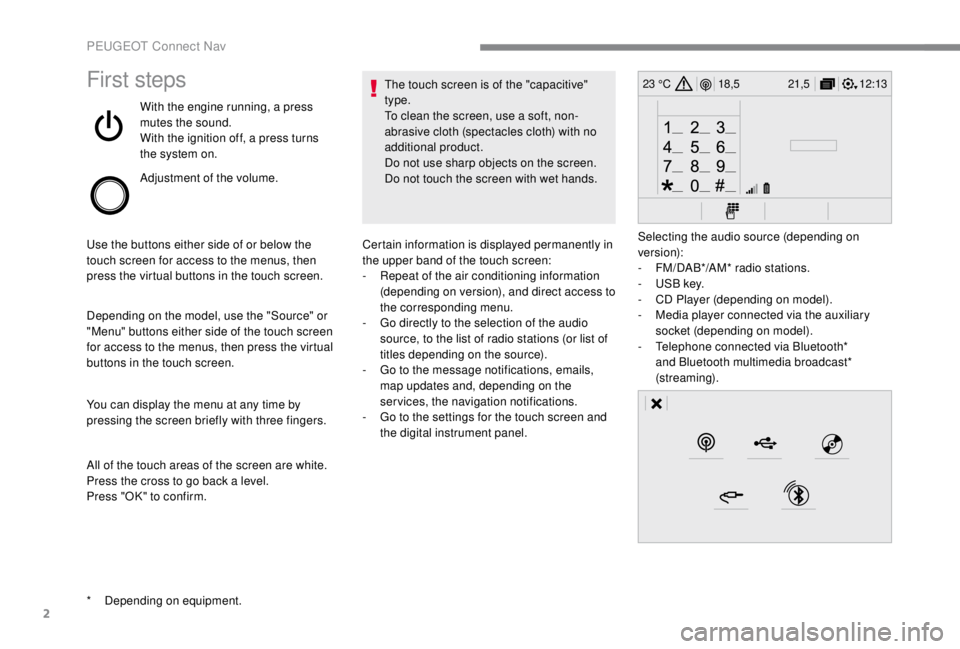
epending on equipment. Certain information is displayed permanently in
the upper band of the touch screen:
-
R
epeat of the air conditioning information
(depending on version), and direct access to
the corresponding menu.
-
G
o directly to the selection of the audio
source, to the list of radio stations (or list of
titles depending on the source).
-
G
o to the message notifications, emails,
map updates and, depending on the
services, the navigation notifications.
-
G
o to the settings for the touch screen and
the digital instrument panel. Selecting the audio source (depending on
version):
-
F
M/DAB*/AM* radio stations.
-
U
SB key.
-
C
D Player (depending on model).
-
M
edia player connected via the auxiliary
socket (depending on model).
-
T
elephone connected via Bluetooth*
and Bluetooth multimedia broadcast*
(streaming).
PEUGEOT Connect Nav
Page 332 of 416
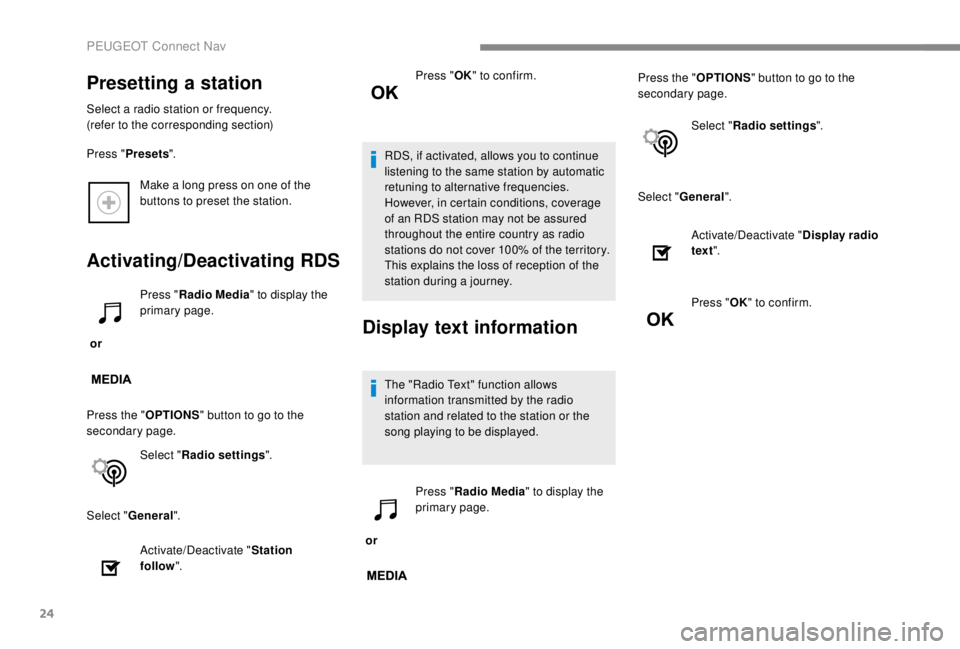
24
Make a long press on one of the
buttons to preset the station.
Activating/Deactivating RDS
or Press "
Radio Media " to display the
primary page.
Press the " OPTIONS" button to go to the
secondary page.
Select "Radio settings ".
Select " General ".
Activate/Deactivate " Station
follow ". Press "
OK" to confirm.
RDS, if activated, allows you to continue
listening to the same station by automatic
retuning to alternative frequencies.
However, in certain conditions, coverage
of an RDS station may not be assured
throughout the entire country as radio
stations do not cover 100% of the territory.
This explains the loss of reception of the
station during a journey.Display text information
The "Radio Text" function allows
information transmitted by the radio
station and related to the station or the
song playing to be displayed.
or Press "
Radio Media " to display the
primary page. Press the "
OPTIONS" button to go to the
secondary page.
Select "Radio settings ".
Select " General ".
Presetting a station
Select a radio station or frequency.
(refer to the corresponding section)
Press "Presets ".
Activate/Deactivate "Display radio
text ".
Press " OK" to confirm.
PEUGEOT Connect Nav
Page 333 of 416
25
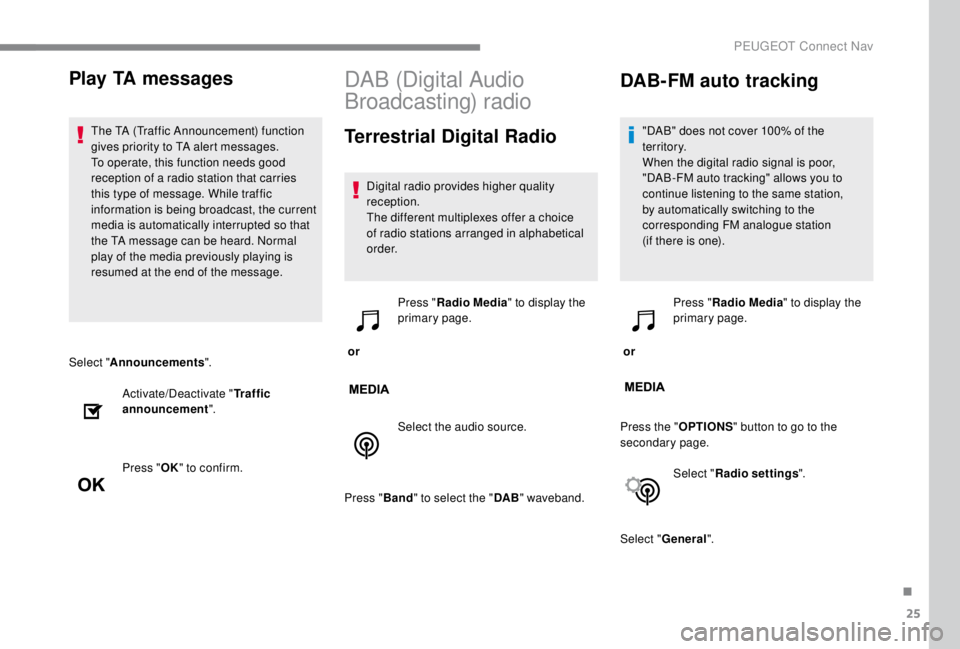
Select "Announcements ".
Activate/Deactivate " Traffic
announcement ".
Press " OK" to confirm.
DAB (Digital Audio
Broadcasting) radio
Terrestrial Digital Radio
Digital radio provides higher quality
reception.
The different multiplexes offer a choice
of radio stations arranged in alphabetical
o r d e r.
or Press "
Radio Media " to display the
primary page.
Select the audio source.
Press " Band" to select the " DAB" waveband.
DAB-FM auto tracking
"DAB" does not cover 100% of the
te r r i to r y.
When the digital radio signal is poor,
"DAB-FM auto tracking" allows you to
continue listening to the same station,
by automatically switching to the
corresponding FM analogue station
(if there is one).
or Press "
Radio Media " to display the
primary page.
Press the " OPTIONS" button to go to the
secondary page.
Select "Radio settings ".
Select " General ".
Play TA messages
The TA (Traffic Announcement) function
gives priority to TA alert messages.
To operate, this function needs good
reception of a radio station that carries
this type of message. While traffic
information is being broadcast, the current
media is automatically interrupted so that
the TA message can be heard. Normal
play of the media previously playing is
resumed at the end of the message.
.
PEUGEOT Connect Nav