service PEUGEOT EXPERT 2018 User Guide
[x] Cancel search | Manufacturer: PEUGEOT, Model Year: 2018, Model line: EXPERT, Model: PEUGEOT EXPERT 2018Pages: 416, PDF Size: 14.12 MB
Page 146 of 416
144
Geolocation
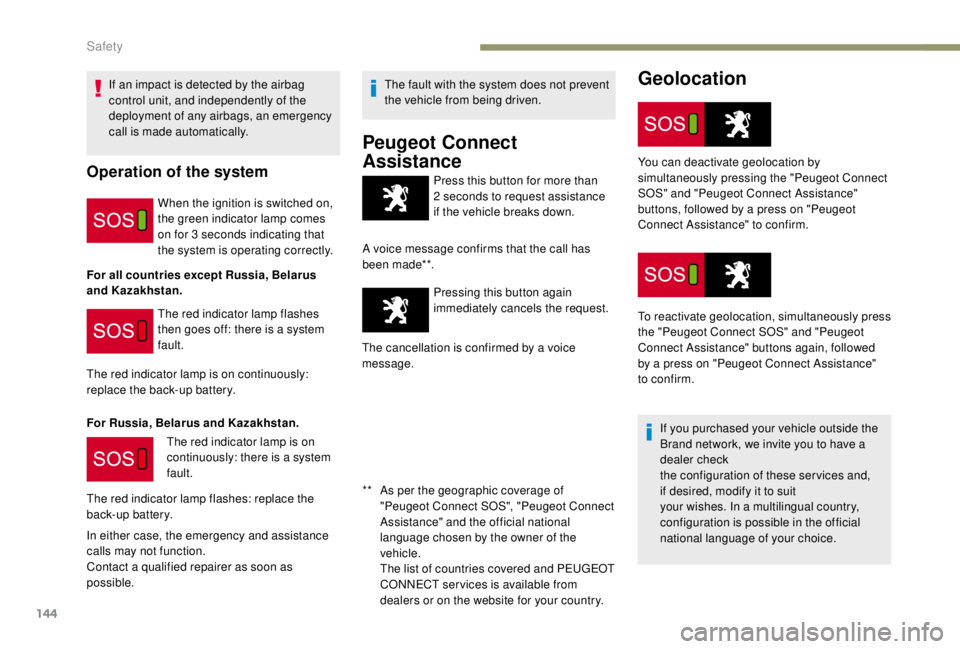
Press this button for more than
2 seconds to request assistance
if the vehicle breaks down.
A voice message confirms that the call has
been made**. Pressing this button again
immediately cancels the request.
The cancellation is confirmed by a voice
message.
If an impact is detected by the airbag
control unit, and independently of the
deployment of any airbags, an emergency
call is made automatically.Operation of the system
When the ignition is switched on,
the green indicator lamp comes
on for 3
seconds indicating that
the system is operating correctly.
For all countries except Russia, Belarus
and Kazakhstan. The red indicator lamp flashes
then goes off: there is a system
fault.
The red indicator lamp is on continuously:
replace the back-up battery.
For Russia, Belarus and Kazakhstan. The red indicator lamp is on
continuously: there is a system
fault.
The red indicator lamp flashes: replace the
back-up battery.
In either case, the emergency and assistance
calls may not function.
Contact a qualified repairer as soon as
possible. The fault with the system does not prevent
the vehicle from being driven.
Peugeot Connect
Assistance
** As per the geographic coverage of
"Peugeot Connect SOS", "Peugeot Connect
Assistance" and the official national
language chosen by the owner of the
vehicle.
T
he list of countries covered and PEUGEOT
CONNECT services is available from
dealers or on the website for your country. You can deactivate geolocation by
simultaneously pressing the "Peugeot Connect
SOS" and "Peugeot Connect Assistance"
buttons, followed by a press on "Peugeot
Connect Assistance" to confirm.
To reactivate geolocation, simultaneously press
the "Peugeot Connect SOS" and "Peugeot
Connect Assistance" buttons again, followed
by a press on "Peugeot Connect Assistance"
to confirm.
If you purchased your vehicle outside the
Brand network, we invite you to have a
dealer check
the configuration of these services and,
if desired, modify it to suit
your wishes. In a multilingual country,
configuration is possible in the official
national language of your choice.
Safety
Page 249 of 416
247
Engine
Diesel
The Diesel fuel system operates under
high pressure:
-
N
ever carry out any work on the
system yourself.
-
H
Di engines make use of advanced
technology.
Specialist knowledge is needed for any
work on the system, which can only be
assured by PEUGEOT dealers.
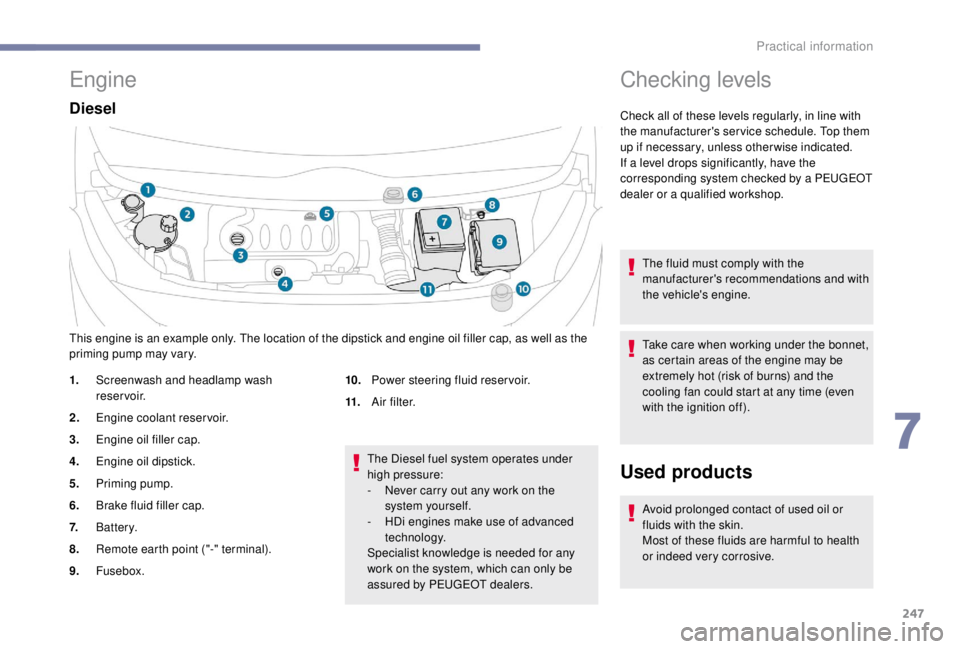
This engine is an example only. The location of the dipstick and engine oil filler cap, as well as the
priming pump may vary.
1.
Screenwash and headlamp wash
reservoir.
2. Engine coolant reservoir.
3. Engine oil filler cap.
4. Engine oil dipstick.
5. Priming pump.
6. Brake fluid filler cap.
7. Battery.
8. Remote earth point ("-" terminal).
9. Fusebox. 10.
Power steering fluid reservoir.
11. A i r f i l t e r.
Checking levels
Check all of these levels regularly, in line with
the manufacturer's service schedule. Top them
up if necessary, unless other wise indicated.
If a level drops significantly, have the
corresponding system checked by a PEUGEOT
dealer or a qualified workshop.
The fluid must comply with the
manufacturer's recommendations and with
the vehicle's engine.
Take care when working under the bonnet,
as certain areas of the engine may be
extremely hot (risk of burns) and the
cooling fan could start at any time (even
with the ignition off).
Used products
Avoid prolonged contact of used oil or
fluids with the skin.
Most of these fluids are harmful to health
or indeed very corrosive.
7
Practical information
Page 251 of 416
249
Engine oil change
Refer to the manufacturer's service schedule
for details of the inter val for this operation.
In order to maintain the reliability of the engine
and emissions control system, never use
additives in the engine oil.
Brake fluid level
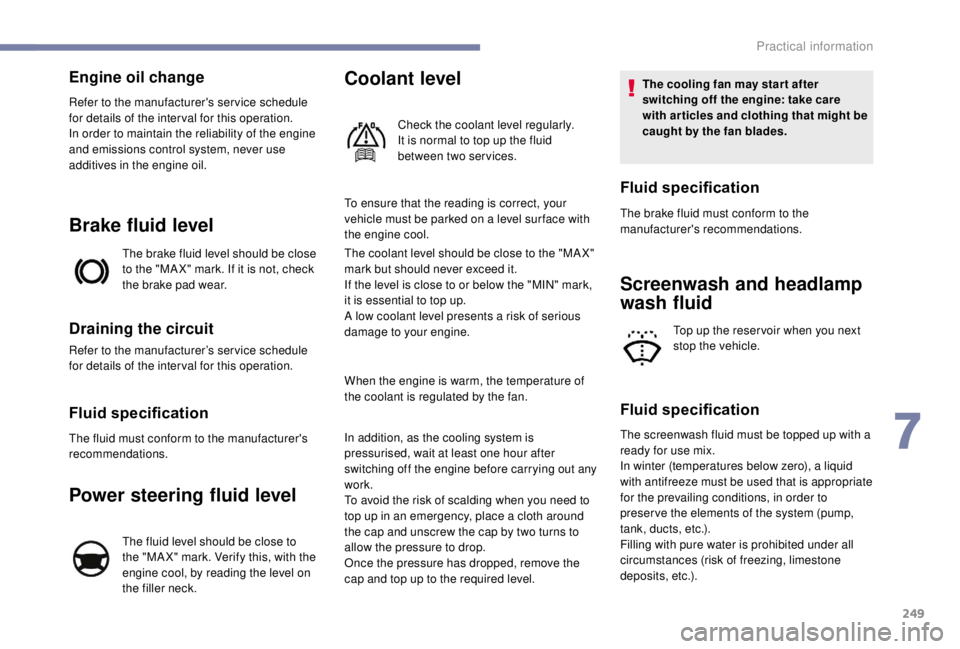
The brake fluid level should be close
to the "MA X" mark. If it is not, check
the brake pad wear.
Draining the circuit
Refer to the manufacturer’s service schedule
for details of the inter val for this operation.
Fluid specification
The fluid must conform to the manufacturer's
recommendations.
Power steering fluid level
The fluid level should be close to
the "MA X" mark. Verify this, with the
engine cool, by reading the level on
the filler neck.
Coolant level
Check the coolant level regularly.
It is normal to top up the fluid
between two services.
To ensure that the reading is correct, your
vehicle must be parked on a level sur face with
the engine cool.
The coolant level should be close to the "MA X"
mark but should never exceed it.
If the level is close to or below the "MIN" mark,
it is essential to top up.
A low coolant level presents a risk of serious
damage to your engine.
When the engine is warm, the temperature of
the coolant is regulated by the fan.
In addition, as the cooling system is
pressurised, wait at least one hour after
switching off the engine before carrying out any
work.
To avoid the risk of scalding when you need to
top up in an emergency, place a cloth around
the cap and unscrew the cap by two turns to
allow the pressure to drop.
Once the pressure has dropped, remove the
cap and top up to the required level. The cooling fan may star t after
switching off the engine: take care
with articles and clothing that might be
caught by the fan blades.
The brake fluid must conform to the
manufacturer's recommendations.
Screenwash and headlamp
wash fluid
Top up the reser voir when you next
stop the vehicle.
Fluid specification
The screenwash fluid must be topped up with a
ready for use mix.
In winter (temperatures below zero), a liquid
with antifreeze must be used that is appropriate
for the prevailing conditions, in order to
preser ve the elements of the system (pump,
tank, ducts, etc.).
Filling with pure water is prohibited under all
circumstances (risk of freezing, limestone
deposits, etc.).
Fluid specification
7
Practical information
Page 252 of 416
250
Diesel fuel additive level
(Diesel with particle filter)
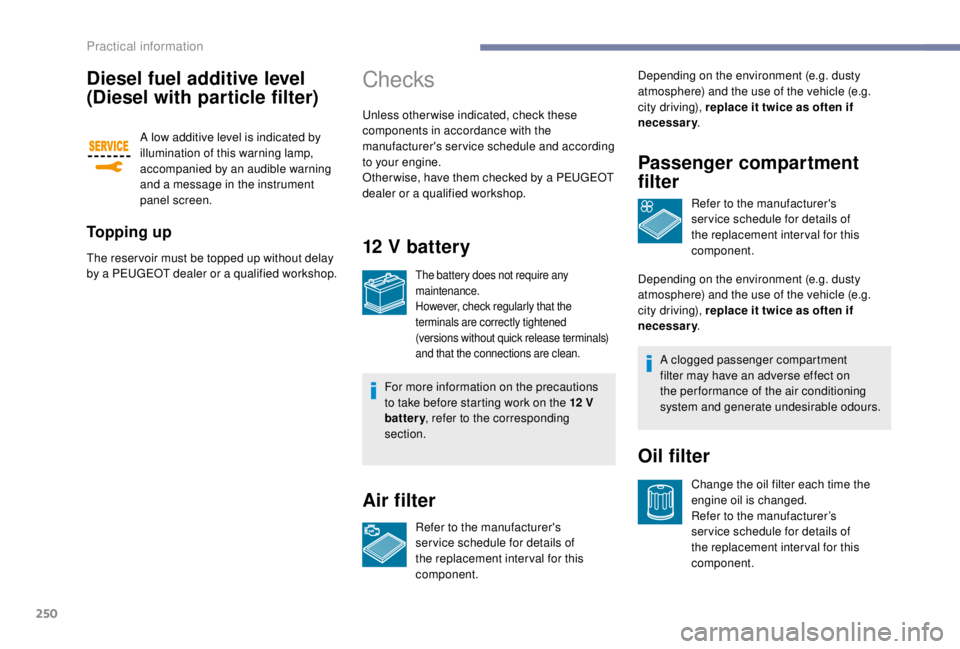
A low additive level is indicated by
illumination of this warning lamp,
accompanied by an audible warning
and a message in the instrument
panel screen.
To p p i n g u p
The reser voir must be topped up without delay
by a PEUGEOT dealer or a qualified workshop.
Checks
Unless otherwise indicated, check these
components in accordance with the
manufacturer's service schedule and according
to your engine.
Other wise, have them checked by a PEUGEOT
dealer or a qualified workshop.
12 V battery
The battery does not require any
maintenance.
However, check regularly that the
terminals are correctly tightened
(versions without quick release terminals)
and that the connections are clean.
For more information on the precautions
to take before starting work on the 12 V
battery , refer to the corresponding
section.
Air filter
Refer to the manufacturer's
ser vice schedule for details of
the replacement inter val for this
component. Depending on the environment (e.g. dusty
atmosphere) and the use of the vehicle (e.g.
city driving), replace it twice as often if
necessary
.
Passenger compartment
filter
Refer to the manufacturer's
ser vice schedule for details of
the replacement inter val for this
component.
Depending on the environment (e.g. dusty
atmosphere) and the use of the vehicle (e.g.
city driving), replace it twice as often if
necessary .
Oil filter
Change the oil filter each time the
engine oil is changed.
Refer to the manufacturer’s
ser vice schedule for details of
the replacement inter val for this
component.
A clogged passenger compartment
filter may have an adverse effect on
the per formance of the air conditioning
system and generate undesirable odours.
Practical information
Page 253 of 416
251
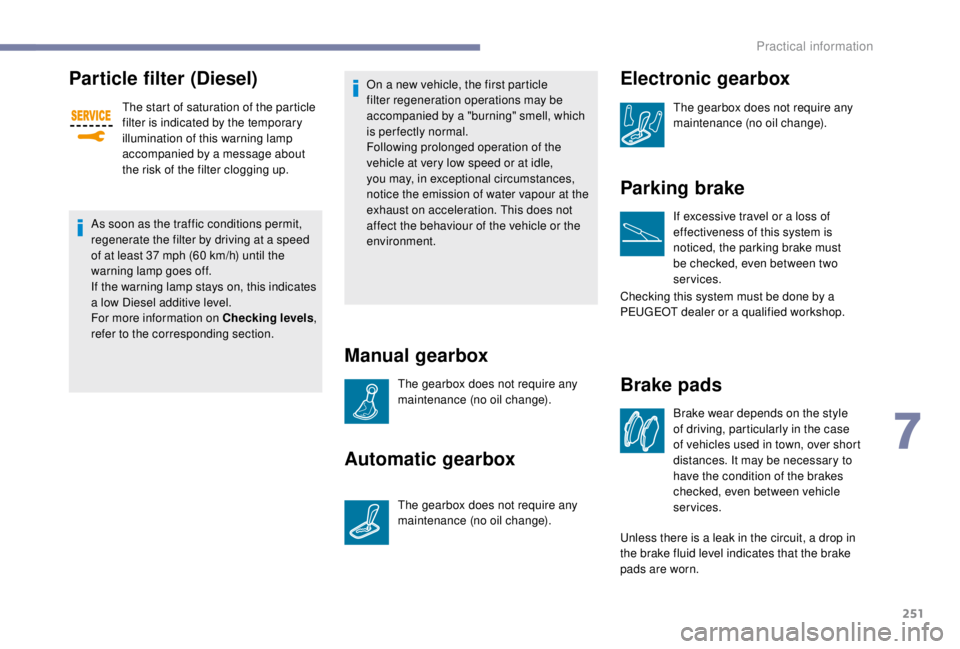
Particle filter (Diesel)
The start of saturation of the particle
filter is indicated by the temporary
illumination of this warning lamp
accompanied by a message about
the risk of the filter clogging up.
As soon as the traffic conditions permit,
regenerate the filter by driving at a speed
of at least 37
mph (60 km/h) until the
warning lamp goes off.
If the warning lamp stays on, this indicates
a low Diesel additive level.
For more information on Checking levels ,
refer to the corresponding section. On a new vehicle, the first particle
filter regeneration operations may be
accompanied by a "burning" smell, which
is per fectly normal.
Following prolonged operation of the
vehicle at very low speed or at idle,
you may, in exceptional circumstances,
notice the emission of water vapour at the
exhaust on acceleration. This does not
affect the behaviour of the vehicle or the
environment.
Manual gearbox
The gearbox does not require any
maintenance (no oil change).
Automatic gearbox
The gearbox does not require any
maintenance (no oil change).
Brake pads
Brake wear depends on the style
of driving, particularly in the case
of vehicles used in town, over short
distances. It may be necessary to
have the condition of the brakes
checked, even between vehicle
services.
Unless there is a leak in the circuit, a drop in
the brake fluid level indicates that the brake
pads are worn.
Electronic gearbox
The gearbox does not require any
maintenance (no oil change).
Parking brake
If excessive travel or a loss of
effectiveness of this system is
noticed, the parking brake must
be checked, even between two
services.
Checking this system must be done by a
PEUGEOT dealer or a qualified workshop.
7
Practical information
Page 310 of 416
2
12:13
18,5 21,5
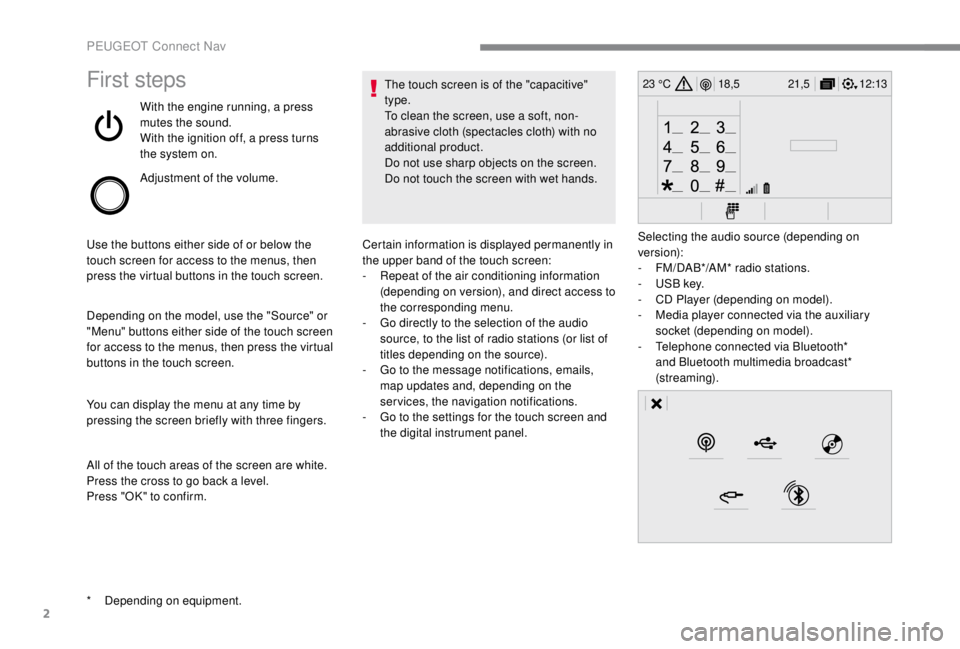
23 °CFirst steps
With the engine running, a press
mutes the sound.
With the ignition off, a press turns
the system on.
Adjustment of the volume.
Use the buttons either side of or below the
touch screen for access to the menus, then
press the virtual buttons in the touch screen.
Depending on the model, use the "Source" or
"Menu" buttons either side of the touch screen
for access to the menus, then press the virtual
buttons in the touch screen.
You can display the menu at any time by
pressing the screen briefly with three fingers.
All of the touch areas of the screen are white.
Press the cross to go back a level.
Press "OK" to confirm. The touch screen is of the "capacitive"
type.
To clean the screen, use a soft, non-
abrasive cloth (spectacles cloth) with no
additional product.
Do not use sharp objects on the screen.
Do not touch the screen with wet hands.
*
D
epending on equipment. Certain information is displayed permanently in
the upper band of the touch screen:
-
R
epeat of the air conditioning information
(depending on version), and direct access to
the corresponding menu.
-
G
o directly to the selection of the audio
source, to the list of radio stations (or list of
titles depending on the source).
-
G
o to the message notifications, emails,
map updates and, depending on the
services, the navigation notifications.
-
G
o to the settings for the touch screen and
the digital instrument panel. Selecting the audio source (depending on
version):
-
F
M/DAB*/AM* radio stations.
-
U
SB key.
-
C
D Player (depending on model).
-
M
edia player connected via the auxiliary
socket (depending on model).
-
T
elephone connected via Bluetooth*
and Bluetooth multimedia broadcast*
(streaming).
PEUGEOT Connect Nav
Page 322 of 416
14
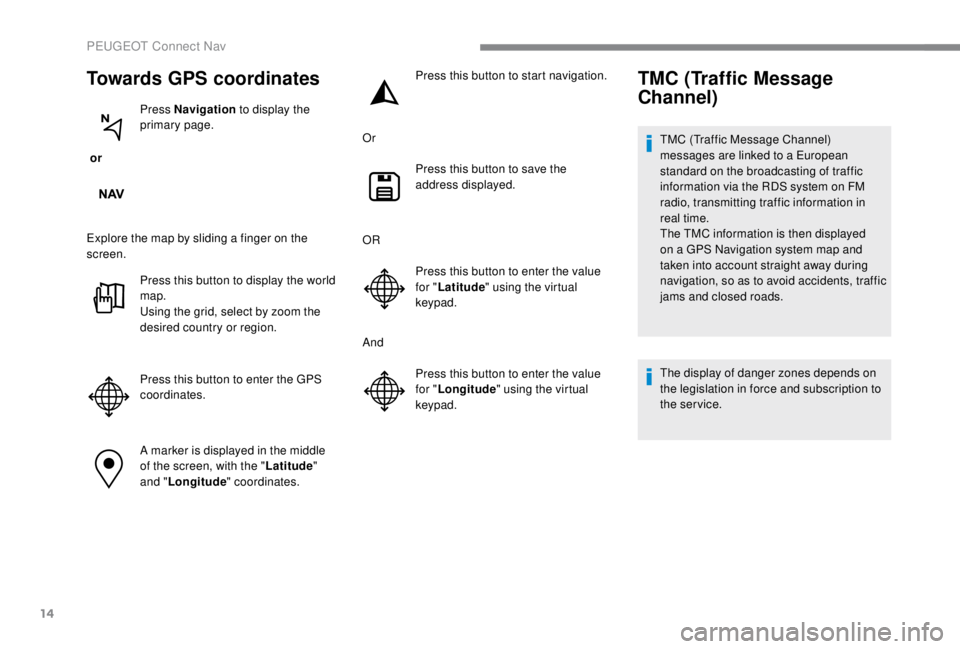
Towards GPS coordinates
or Press Navigation
to display the
primary page.
Explore the map by sliding a finger on the
screen. Press this button to display the world
map.
Using the grid, select by zoom the
desired country or region.
Press this button to enter the GPS
coordinates.
A marker is displayed in the middle
of the screen, with the " Latitude"
and " Longitude " coordinates. Press this button to start navigation.
Or Press this button to save the
address displayed.
OR Press this button to enter the value
for "Latitude " using the virtual
keypad.
And Press this button to enter the value
for "Longitude " using the virtual
keypad.
TMC (Traffic Message
Channel)
TMC (Traffic Message Channel)
messages are linked to a European
standard on the broadcasting of traffic
information via the RDS system on FM
radio, transmitting traffic information in
real time.
The TMC information is then displayed
on a GPS Navigation system map and
taken into account straight away during
navigation, so as to avoid accidents, traffic
jams and closed roads.
The display of danger zones depends on
the legislation in force and subscription to
the service.
PEUGEOT Connect Nav
Page 324 of 416
16
The ser vices offered with connected
navigation are as follows.
A Connected Services pack:
-
Weather,
-
F
illing stations,
-
C
ar park,
-
Tr a f f i c ,
-
P
OI local search.
A Danger zone pack (option).
The principles and standards
are constantly changing; for the
communication process between the
smartphone and the system to work
correctly, we recommend that you
update the operating system of the
smar tphone as well as the date and
time of the smar tphone and the
system.Settings specific to
connected navigation
In the "Settings" menu you can create
a profile for just one person or a group
of people with common points, with the
possibility of entering a multitude of
settings (radio presets, audio settings,
navigation history, contact favourites, etc.);
these settings are taken into account
automatically.
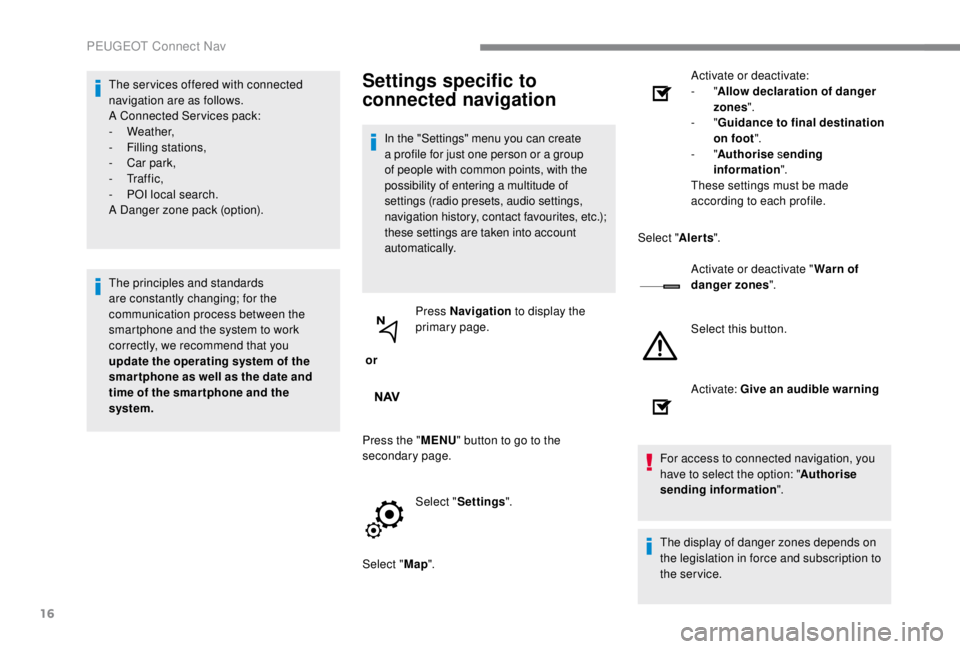
or Press Navigation
to display the
primary page.
Press the " MENU" button to go to the
secondary page.
Select "Settings ".
Select " Map". Activate or deactivate:
-
"
Allow declaration of danger
zones ".
- "
Guidance to final destination
on foot ".
- "Authorise sending
information ".
These settings must be made
according to each profile.
Select " Alerts".
Activate or deactivate " Warn of
danger zones ".
Select this button.
Activate: Give an audible warning
For access to connected navigation, you
have to select the option: " Authorise
sending information ".
The display of danger zones depends on
the legislation in force and subscription to
the service.
PEUGEOT Connect Nav
Page 325 of 416
17
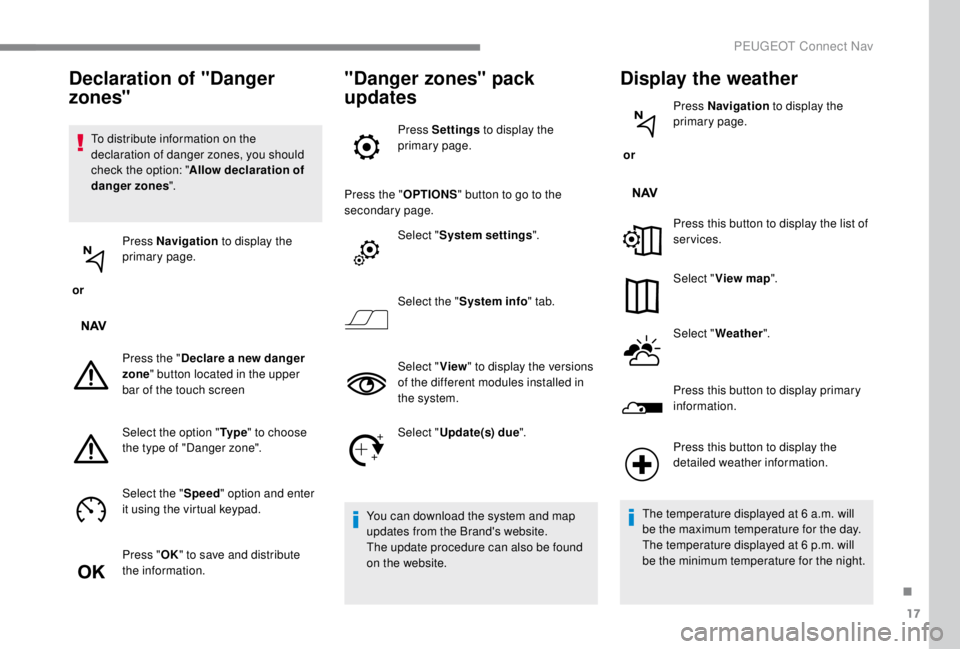
To distribute information on the
declaration of danger zones, you should
check the option: "Allow declaration of
danger zones ".
or Press Navigation
to display the
primary page.
Press the " Declare a new danger
zone " button located in the upper
bar of the touch screen
Select the option " Ty p e" to choose
the type of "Danger zone".
Select the " Speed" option and enter
it using the virtual keypad.
Press " OK" to save and distribute
the information.
"Danger zones" pack
updates
Press Settings to display the
primary page.
Press the " OPTIONS" button to go to the
secondary page.
Select "System settings ".
Select the " System info " tab.
Select " View" to display the versions
of the different modules installed in
the system.
Select " Update(s) due ".
You can download the system and map
updates from the Brand's website.
The update procedure can also be found
on the website.
Display the weather
or Press Navigation
to display the
primary page.
Press this button to display the list of
services.
Select " View map ".
Select " Weather ".
Press this button to display primary
information.
Declaration of "Danger
zones"
Press this button to display the
detailed weather information.
The temperature displayed at 6
a.m. will
be the maximum temperature for the day.
The temperature displayed at 6
p.m. will
be the minimum temperature for the night.
.
PEUGEOT Connect Nav
Page 330 of 416
22
Connection sharing
The system offers to connect the telephone
with 3 profiles:
-
"Telephone " (hands-free kit, telephone
only),
-
"Streaming " (streaming: wireless playing of
the audio files on the telephone),
-
"Mobile internet data ".
The " Mobile internet data " profile
must be activated for connected
navigation (where the vehicle does not
have "Emergency and assistance call"
services), having first activated sharing of
this connection on your smartphone.
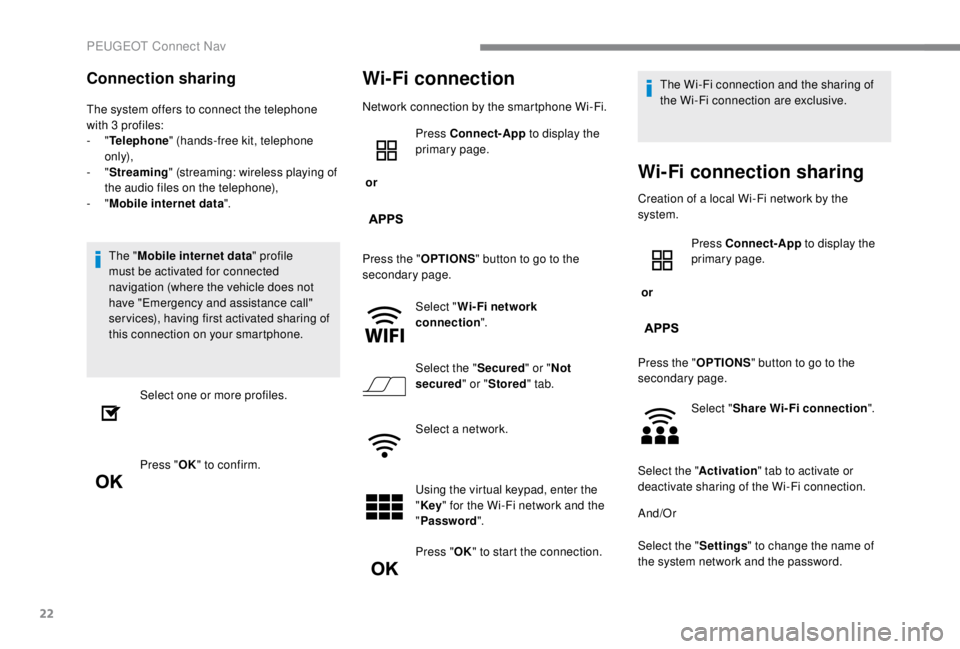
Select one or more profiles.
Press " OK" to confirm.
Wi-Fi connection
Network connection by the smartphone Wi-Fi.
or Press Connect-App
to display the
primary page.
Press the " OPTIONS" button to go to the
secondary page.
Select "Wi- Fi network
connection ".
Select the " Secured" or "Not
secured " or "Stored " tab.
Select a network.
Using the virtual keypad, enter the
" Key " for the Wi-Fi network and the
" Password ".
Press " OK" to start the connection. The Wi-Fi connection and the sharing of
the Wi-Fi connection are exclusive.
Wi-Fi connection sharing
Creation of a local Wi-Fi network by the
system.
or
Press Connect-App
to display the
primary page.
Press the " OPTIONS" button to go to the
secondary page.
Select "Share Wi-Fi connection ".
Select the " Activation" tab to activate or
deactivate sharing of the Wi-Fi connection.
And/Or
Select the " Settings" to change the name of
the system network and the password.
PEUGEOT Connect Nav