mirror PEUGEOT EXPERT 2018 Owner's Manual
[x] Cancel search | Manufacturer: PEUGEOT, Model Year: 2018, Model line: EXPERT, Model: PEUGEOT EXPERT 2018Pages: 416, PDF Size: 14.12 MB
Page 111 of 416
109
Sun visor
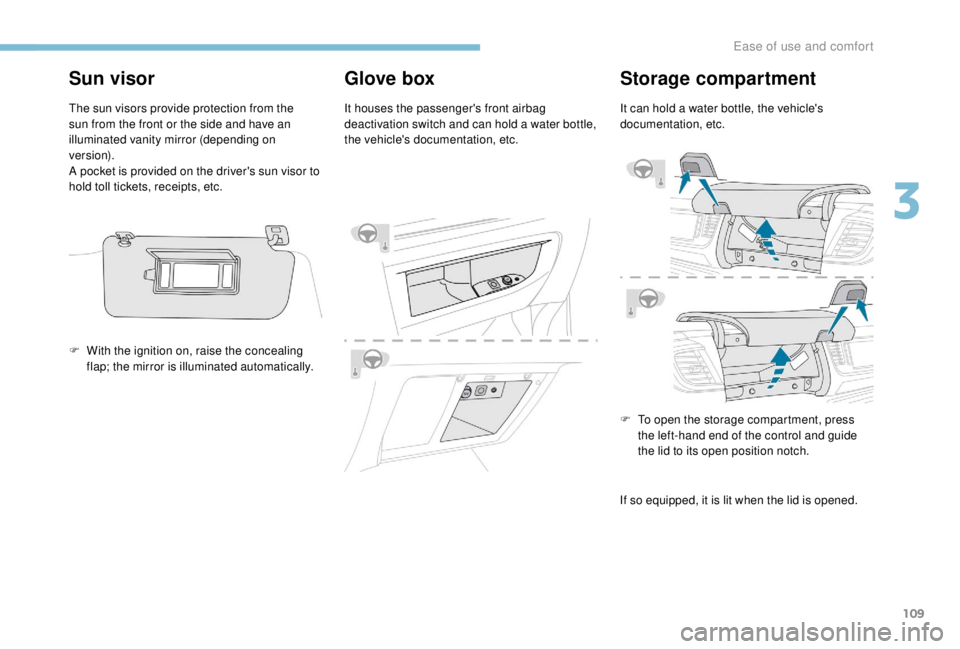
The sun visors provide protection from the
sun from the front or the side and have an
illuminated vanity mirror (depending on
ve r s i o n).
A pocket is provided on the driver's sun visor to
hold toll tickets, receipts, etc.
Glove box
It houses the passenger's front airbag
deactivation switch and can hold a water bottle,
the vehicle's documentation, etc.
Storage compartment
It can hold a water bottle, the vehicle's
documentation, etc.
F
W
ith the ignition on, raise the concealing
flap; the mirror is illuminated automatically.
F
T
o open the storage compartment, press
the left-hand end of the control and guide
the lid to its open position notch.
If so equipped, it is lit when the lid is opened.
3
Ease of use and comfort
Page 123 of 416
121
Heated windscreen and washer jets
For more information on the Wiper
control stalk and in particular the heated
windscreen and washer jets, refer to the
corresponding section.
With Stop & Start, when demisting/
defrosting has been activated, STOP
mode is not available.
Door mirrors demist –
defrost
Switching on
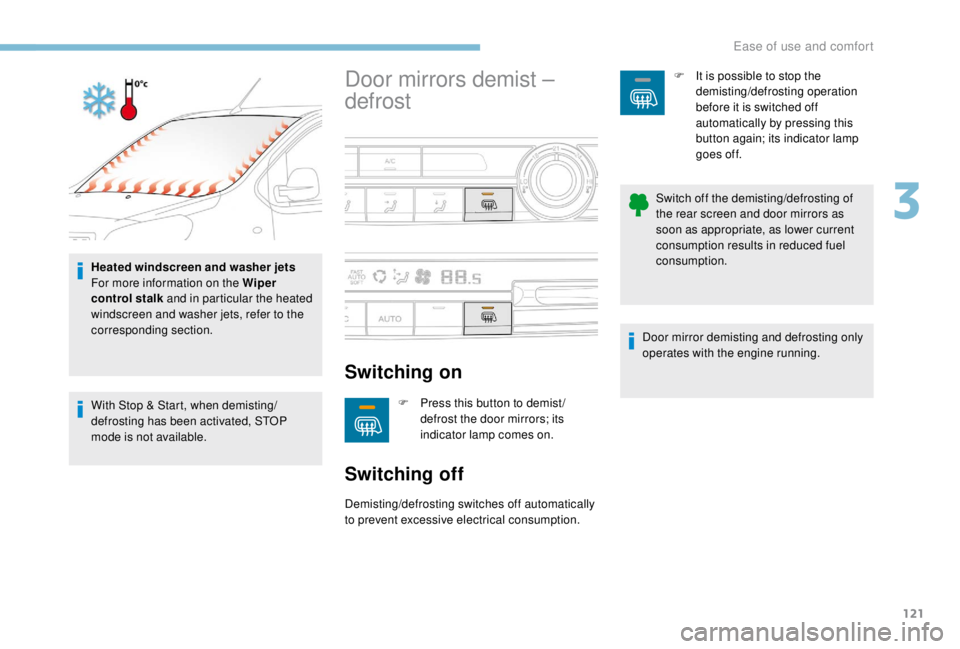
F Press this button to demist / defrost the door mirrors; its
indicator lamp comes on.
Switching off
Demisting/defrosting switches off automatically
to prevent excessive electrical consumption. F
I
t is possible to stop the
demisting/defrosting operation
before it is switched off
automatically by pressing this
button again; its indicator lamp
goes off.
Switch off the demisting/defrosting of
the rear screen and door mirrors as
soon as appropriate, as lower current
consumption results in reduced fuel
consumption.
Door mirror demisting and defrosting only
operates with the engine running.
3
Ease of use and comfort
Page 124 of 416
122
Rear screen demist –
defrost
Switching on
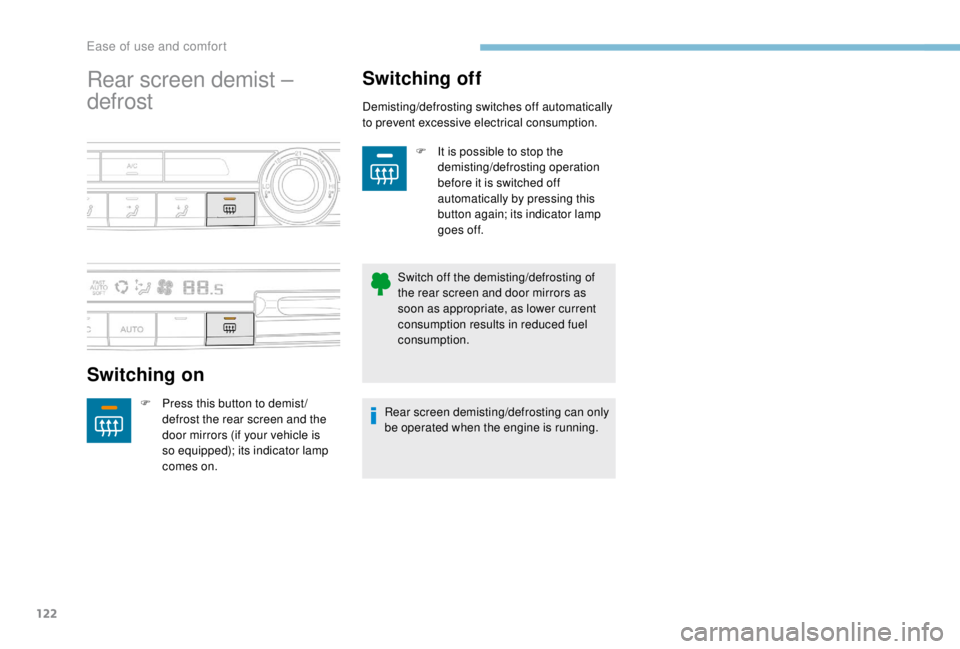
F Press this button to demist /defrost the rear screen and the
door mirrors (if your vehicle is
so equipped); its indicator lamp
comes on.
Switching off
Demisting/defrosting switches off automatically
to prevent excessive electrical consumption.
F
I
t is possible to stop the
demisting/defrosting operation
before it is switched off
automatically by pressing this
button again; its indicator lamp
goes off.
Switch off the demisting/defrosting of
the rear screen and door mirrors as
soon as appropriate, as lower current
consumption results in reduced fuel
consumption.
Rear screen demisting/defrosting can only
be operated when the engine is running.
Ease of use and comfort
Page 135 of 416

133
Switching on
F Turn the ring to the AUTO position. Activation of the function is associated with
the display of a message.
Switching off
F Turn the ring to another position. Deactivation of the function is accompanied
by the display of a message.
Malfunction
In the event of a malfunction of the
sunshine sensor, the lighting comes
on, this warning lamp is displayed
on the instrument panel, associated
with an audible signal and/or a
message.
Contact a PEUGEOT dealer or a qualified
workshop. In fog or snow, the sunshine sensor may
detect sufficient light. In this case, the
lighting will not come on automatically.
Do not cover the sunshine sensor
combined with the rain sensor and located
at the top of the windscreen behind the
rear view mirror; the associated functions
would no longer be controlled.
Manual guide-me-home
lighting
Temporarily keeping the dipped beam
headlamps on after the vehicle's ignition has
been switched off makes the driver's exit easier
when the light is poor.
Switching on
Switching off
Manual guide-me-home lighting goes off
automatically at the end of a given period of
time.
Automatic guide-me-home
lighting
F With the ignition off, "flash" the headlamps
using the lighting control stalk.
F
A f
urther "headlamp flash" switches the
function off.
When the automatic illumination of headlamps
is activated, if the ambient light level is
low, the dipped beam headlamps come on
automatically when switching off the ignition.
4
Lighting and visibility
Page 140 of 416

138
Model with manual wiping
(intermittent)
Model with AUTO wipingFront windscreen wipers
Raise or lower the control to the desired
position to change the wiping speed.
Fast wiping (heavy rain).
Normal wiping (moderate rain).
Intermittent wiping (proportional to
the speed of the vehicle).
Of f.
Single wipe (press downwards or
pull the stalk briefly towards you,
then release).
Or Automatic wiping (press down,
then release).
Single wipe (pull the stalk briefly
towards you).
Automatic windscreen
wipers
The windscreen wipers operate automatically
once rainfall is detected (sensor behind the
rear view mirror), adapting their speed to the
intensity of the rainfall without any action on the
part of the driver.
Switching on
Give a short downwards push to the
control.
A wiping cycle confirms that the
instruction has been accepted.
This warning lamp comes on in the
instrument panel and a message is
displayed.
Lighting and visibility
Page 227 of 416
225
Blind spot monitoring
system
A fixed warning lamp appears in the door mirror
on the side in question:
-
i
mmediately, when being overtaken,
-
a
fter about one second, when overtaking a
vehicle slowly. This system is designed to improve safety
when driving and is in no circumstances
a substitute for the use of the interior rear
view mirror and door mirrors. It is the
driver's responsibility to constantly check
the traffic, to assess the distances and
relative speeds of other vehicles and to
predict their movements before deciding
whether to change lane.
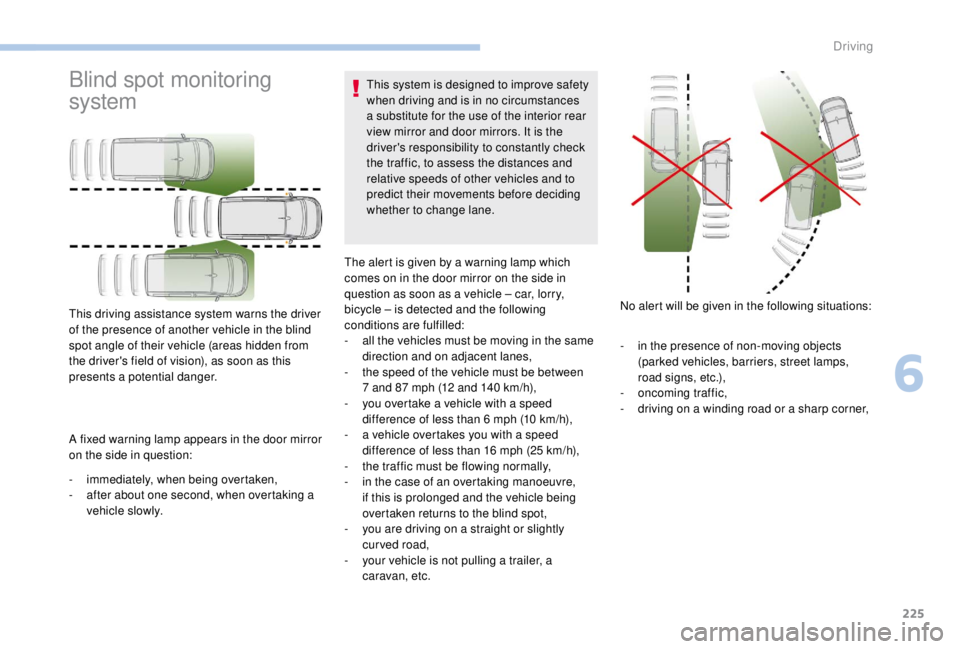
This driving assistance system warns the driver
of the presence of another vehicle in the blind
spot angle of their vehicle (areas hidden from
the driver's field of vision), as soon as this
presents a potential danger. The alert is given by a warning lamp which
comes on in the door mirror on the side in
question as soon as a vehicle – car, lorry,
bicycle – is detected and the following
conditions are fulfilled:
-
a
ll the vehicles must be moving in the same
direction and on adjacent lanes,
-
t
he speed of the vehicle must be between
7 and 87 mph (12 and 140 km/h),
-
y
ou overtake a vehicle with a speed
difference of less than 6 mph (10 km/h),
- a v ehicle overtakes you with a speed
difference of less than 16 mph (25 km/h),
-
t
he traffic must be flowing normally,
-
i
n the case of an overtaking manoeuvre,
if this is prolonged and the vehicle being
overtaken returns to the blind spot,
-
y
ou are driving on a straight or slightly
curved road,
-
y
our vehicle is not pulling a trailer, a
caravan, etc. No alert will be given in the following situations:
-
i
n the presence of non-moving objects
(parked vehicles, barriers, street lamps,
road signs, etc.),
-
on
coming traffic,
-
d
riving on a winding road or a sharp corner,
6
Driving
Page 229 of 416
227
The system may suffer temporary
interference in certain weather conditions
(rain, hail, etc.).
In particular, driving on a wet sur face
or moving from a dry area to a wet area
can cause false alerts (for example, the
presence of a fog of water droplets in
the blind spot angle is interpreted as a
vehicle).
In bad or wintry weather, ensure that the
sensors are not covered with mud, ice or
snow.
Take care not to cover the warning zone in
the door mirrors or the detection zones on
the front and rear bumpers with adhesive
labels or other objects; they may hamper
the correct operation of the system.
High pressure jet wash
When washing your vehicle, do not place
the tip of the lance within 30 cm of the
sensors as other wise there is a risk of
damaging them.Parking sensors
This system cannot in any circumstances
replace the need for vigilance on the part
of the driver.
Rear parking sensors
The system is switched on by engaging reverse
g e a r.
This is confirmed by an audible signal.
The system is switched off when you come out
of reverse gear.
Audible assistance
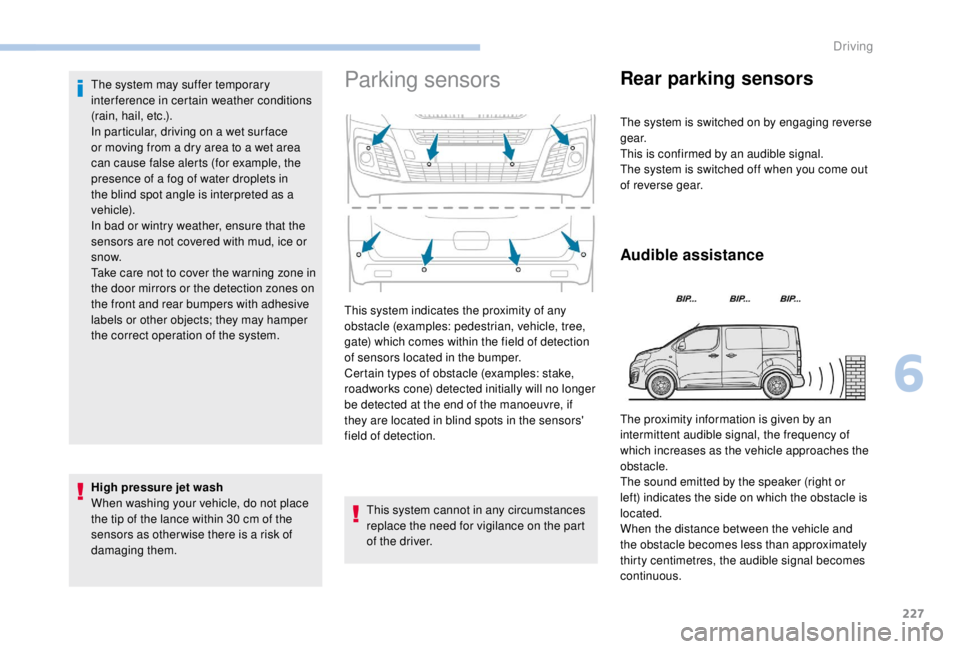
This system indicates the proximity of any
obstacle (examples: pedestrian, vehicle, tree,
gate) which comes within the field of detection
of sensors located in the bumper.
Certain types of obstacle (examples: stake,
roadworks cone) detected initially will no longer
be detected at the end of the manoeuvre, if
they are located in blind spots in the sensors'
field of detection. The proximity information is given by an
intermittent audible signal, the frequency of
which increases as the vehicle approaches the
obstacle.
The sound emitted by the speaker (right or
left) indicates the side on which the obstacle is
located.
When the distance between the vehicle and
the obstacle becomes less than approximately
thirty centimetres, the audible signal becomes
continuous.
6
Driving
Page 231 of 416
229
The system will be automatically
deactivated where a towbar or towbar-
mounted bicycle carrier is fitted
(vehicle fitted with a towbar installed as
recommended by a PEUGEOT dealer).
Operating fault
When engaging reverse and depending on the
vehicle's equipment, in the event of a fault:This warning lamp comes on and a
message appears, accompanied by
an audible signal.
Contact a PEUGEOT dealer or a qualified
workshop. When reverse gear is engaged, an audible
signal (long beep) indicates that the
sensors may be dirty.
Certain sound sources (motorcycle,
lorry, pneumatic drill, etc.) may trigger
the audible signals of the parking sensor
system.
Reversing camera with
display in the interior
mirror
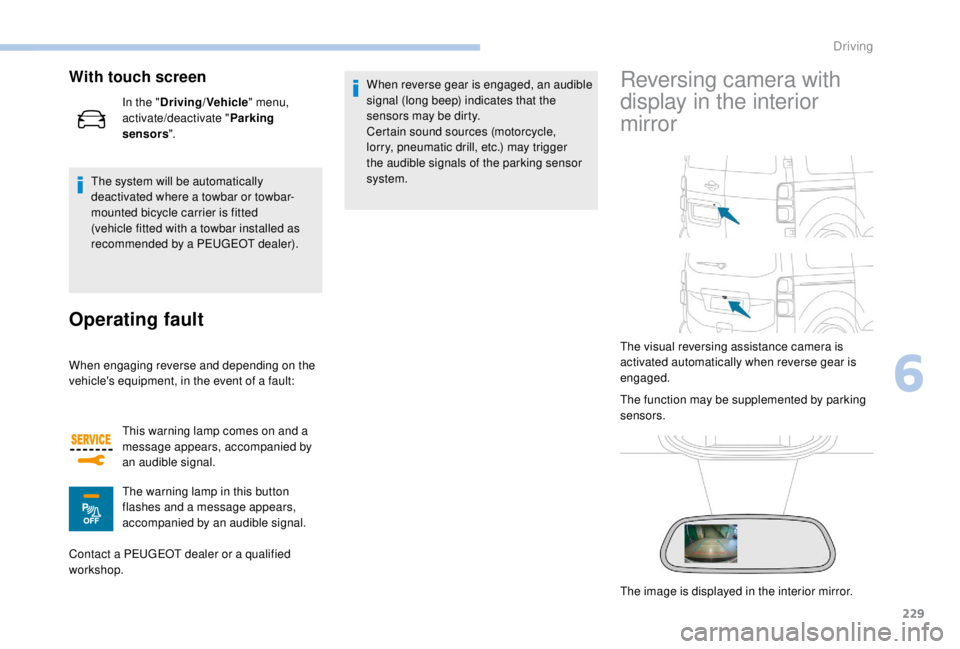
The visual reversing assistance camera is
activated automatically when reverse gear is
engaged.
The function may be supplemented by parking
sensors.
The image is displayed in the interior mirror.
With touch screen
In the "
Driving/Vehicle " menu,
activate/deactivate " Parking
sensors ".
The warning lamp in this button
flashes and a message appears,
accompanied by an audible signal.
6
Driving
Page 232 of 416
230
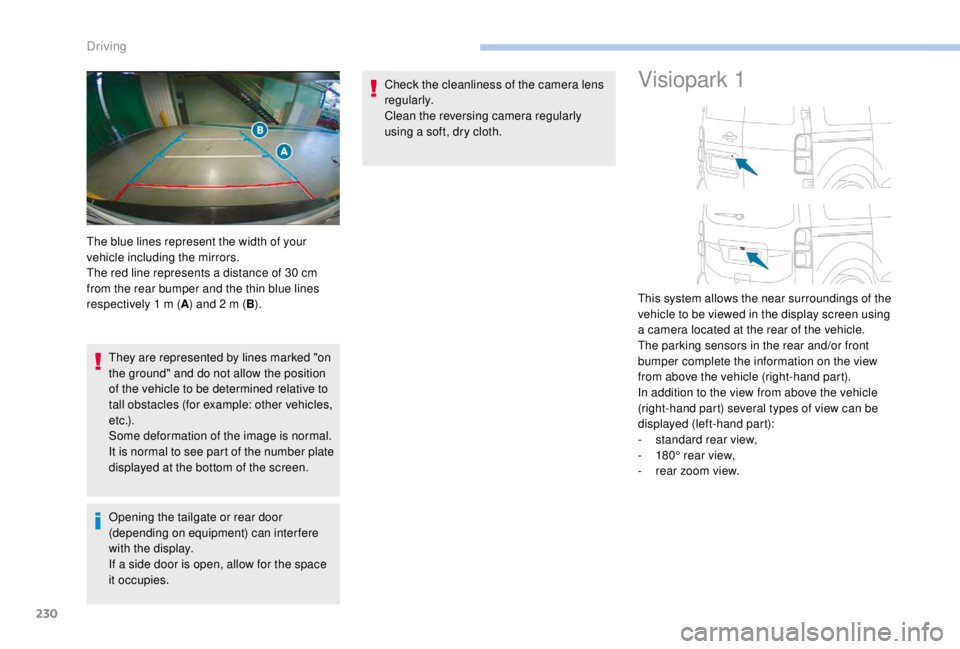
They are represented by lines marked "on
the ground" and do not allow the position
of the vehicle to be determined relative to
tall obstacles (for example: other vehicles,
e t c .) .
Some deformation of the image is normal.
It is normal to see part of the number plate
displayed at the bottom of the screen.
Opening the tailgate or rear door
(depending on equipment) can interfere
with the display.
If a side door is open, allow for the space
it occupies.Check the cleanliness of the camera lens
regularly.
Clean the reversing camera regularly
using a soft, dry cloth.
Visiopark 1
The blue lines represent the width of your
vehicle including the mirrors.
The red line represents a distance of 30
cm
from the rear bumper and the thin blue lines
respectively 1
m (A) and 2
m (B). This system allows the near surroundings of the
vehicle to be viewed in the display screen using
a camera located at the rear of the vehicle.
The parking sensors in the rear and/or front
bumper complete the information on the view
from above the vehicle (right-hand part).
In addition to the view from above the vehicle
(right-hand part) several types of view can be
displayed (left-hand part):
-
s
tandard rear view,
-
1
80° rear view,
-
r
ear zoom view.
Driving
Page 233 of 416
231
Principle of operation
The images provided by the cameras may
be distorted by the environment (external
conditions, driving mode, etc.).
The presence of areas in shadow, bright
sunlight, or poor lighting conditions may
make the image dark and reduce contrast.
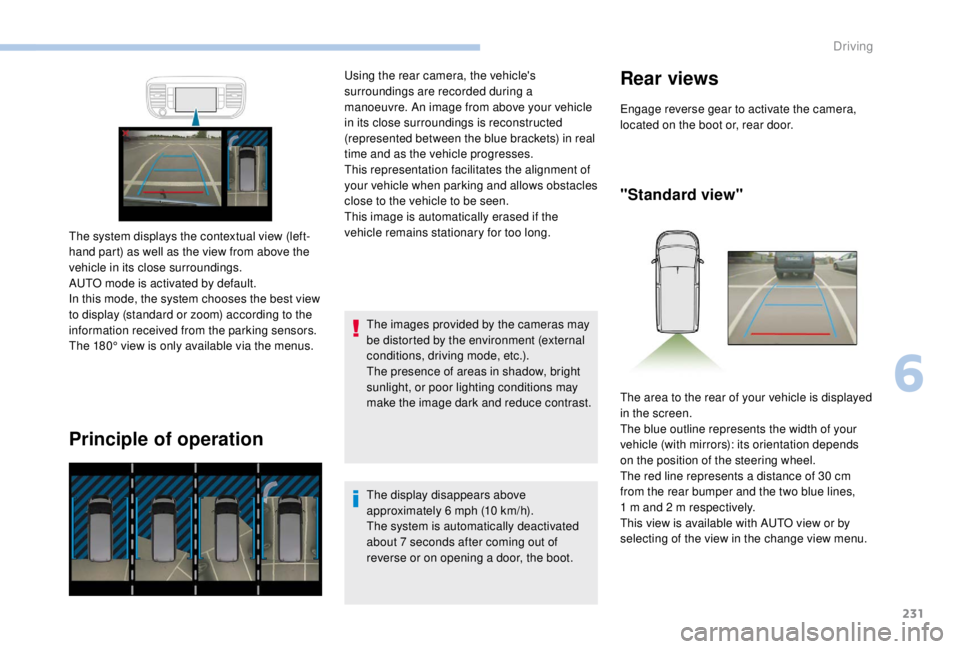
The system displays the contextual view (left-
hand part) as well as the view from above the
vehicle in its close surroundings.
AUTO mode is activated by default.
In this mode, the system chooses the best view
to display (standard or zoom) according to the
information received from the parking sensors.
The 180° view is only available via the menus. Using the rear camera, the vehicle's
surroundings are recorded during a
manoeuvre. An image from above your vehicle
in its close surroundings is reconstructed
(represented between the blue brackets) in real
time and as the vehicle progresses.
This representation facilitates the alignment of
your vehicle when parking and allows obstacles
close to the vehicle to be seen.
This image is automatically erased if the
vehicle remains stationary for too long.
The display disappears above
approximately 6 mph (10 km/h).
The system is automatically deactivated
about 7
seconds after coming out of
reverse or on opening a door, the boot.
Rear views
Engage reverse gear to activate the camera,
located on the boot or, rear door.
"Standard view"
The area to the rear of your vehicle is displayed
in the screen.
The blue outline represents the width of your
vehicle (with mirrors): its orientation depends
on the position of the steering wheel.
The red line represents a distance of 30
cm
from the rear bumper and the two blue lines,
1
m and 2 m respectively.
This view is available with AUTO view or by
selecting of the view in the change view menu.
6
Driving