display PEUGEOT EXPERT 2018 Workshop Manual
[x] Cancel search | Manufacturer: PEUGEOT, Model Year: 2018, Model line: EXPERT, Model: PEUGEOT EXPERT 2018Pages: 416, PDF Size: 14.12 MB
Page 217 of 416
215
Pause
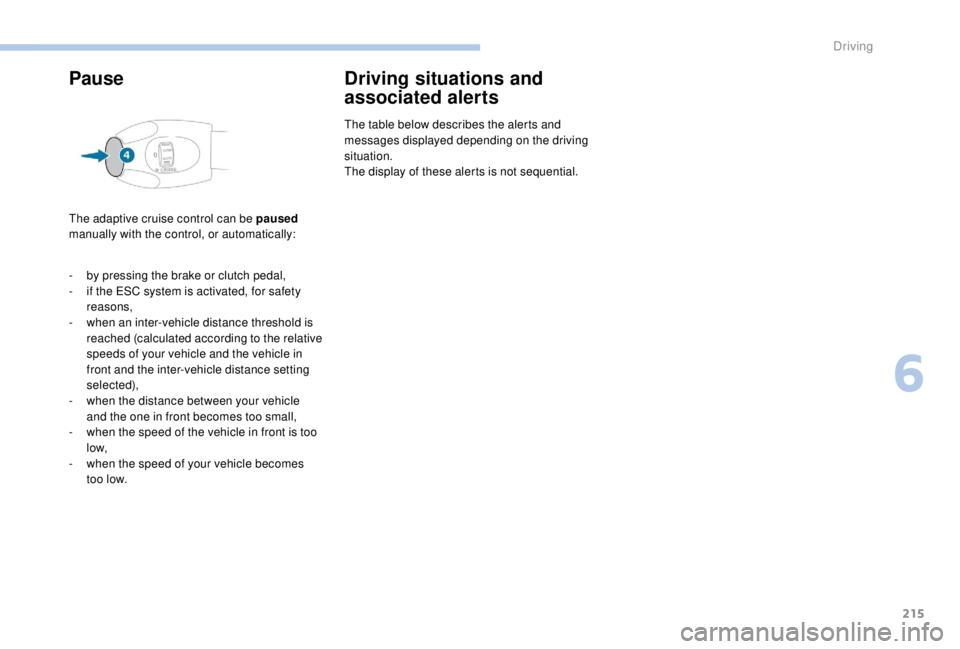
The adaptive cruise control can be paused
manually with the control, or automatically:
Driving situations and
associated alerts
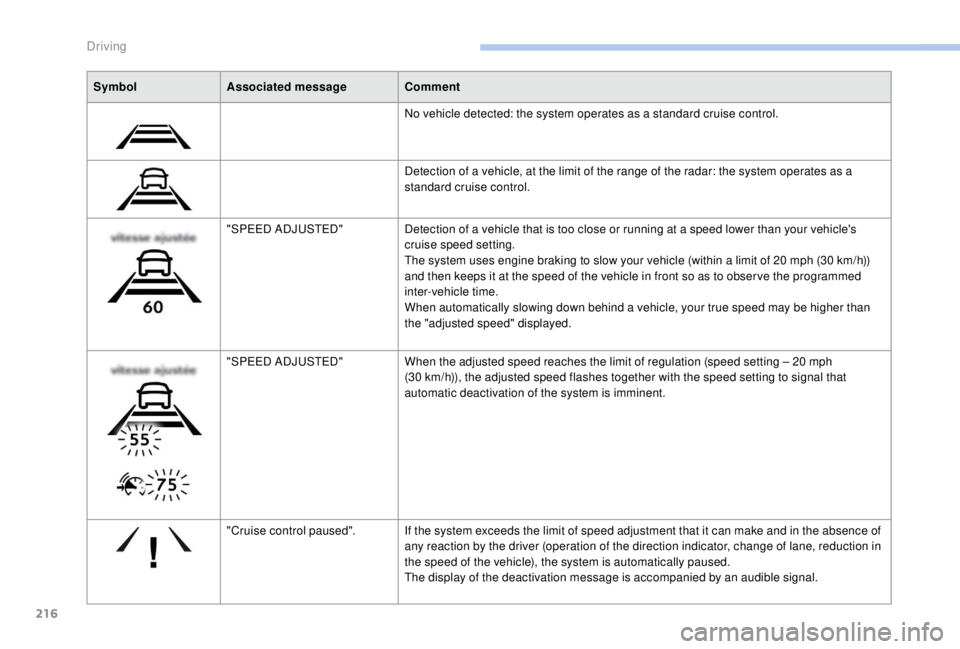
The table below describes the alerts and
messages displayed depending on the driving
situation.
The display of these alerts is not sequential.
-
b
y pressing the brake or clutch pedal,
-
i
f the ESC system is activated, for safety
reasons,
-
w
hen an inter-vehicle distance threshold is
reached (calculated according to the relative
speeds of your vehicle and the vehicle in
front and the inter-vehicle distance setting
selected),
-
w
hen the distance between your vehicle
and the one in front becomes too small,
-
w
hen the speed of the vehicle in front is too
low,
-
w
hen the speed of your vehicle becomes
too low.
6
Driving
Page 218 of 416
216
SymbolAssociated message Comment
No vehicle detected: the system operates as a standard cruise control.
Detection of a vehicle, at the limit of the range of the radar: the system operates as a
standard cruise control.
"SPEED ADJUSTED" Detection of a vehicle that is too close or running at a speed lower than your vehicle's
cruise speed setting.
The system uses engine braking to slow your vehicle (within a limit of 20
mph (30 km/h))
and then keeps it at the speed of the vehicle in front so as to obser ve the programmed
inter-vehicle time.
When automatically slowing down behind a vehicle, your true speed may be higher than
the "adjusted speed" displayed.
"SPEED ADJUSTED" When the adjusted speed reaches the limit of regulation (speed setting – 20
mph
(30
km/h)), the adjusted speed flashes together with the speed setting to signal that
automatic deactivation of the system is imminent.
"Cruise control paused". If the system exceeds the limit of speed adjustment that it can make and in the absence of
any reaction by the driver (operation of the direction indicator, change of lane, reduction in
the speed of the vehicle), the system is automatically paused.
The display of the deactivation message is accompanied by an audible signal.
Driving
Page 219 of 416
217
When the adaptive cruise control pauses
automatically, it can only be reactivated
when all of the safety conditions are met.
The message "Activation not possible,
conditions unsuitable" is displayed while
reactivation is not possible.
When the conditions allow, it is
recommended that the function be
reactivated by pressing button 2 ( S E T+)
or 3
(SET-), which will make the current
speed of your vehicle the new cruise
speed setting, rather than by pressing
button 4
(on/pause) which reactivates the
cruise control using the old cruise speed
setting, which may be very different from
the current speed of your vehicle.
Operating limits
The regulation range is limited to a
maximum difference of 20 mph (30 km/h)
between the cruise speed setting and the
speed of the vehicle in front.
Above this, the system goes into pause if the
safe distance becomes too small. -
i
f the vehicle in front slows down too much
or too suddenly, and the driver does not
brake,
-
i
f a vehicle comes between your vehicle and
the vehicle in front,
-
i
f the system does not slow the vehicle
enough to continue to maintain a safe
distance, for example when descending a
steep hill.
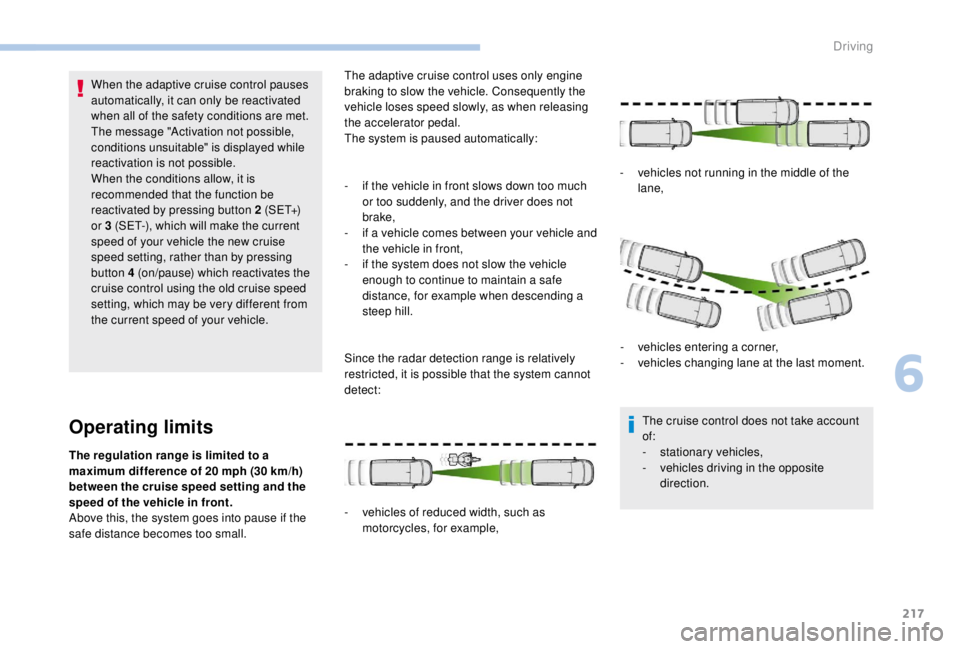
Since the radar detection range is relatively
restricted, it is possible that the system cannot
detect:
-
v
ehicles of reduced width, such as
motorcycles, for example, -
v
ehicles not running in the middle of the
lane,
-
v
ehicles entering a corner,
-
v
ehicles changing lane at the last moment.
The cruise control does not take account
of:
- s tationary vehicles,
- v ehicles driving in the opposite
direction.
The adaptive cruise control uses only engine
braking to slow the vehicle. Consequently the
vehicle loses speed slowly, as when releasing
the accelerator pedal.
The system is paused automatically:
6
Driving
Page 220 of 416
218
The system does not act on the braking
system, but works only with engine
braking.
The regulation range is limited: there will
no longer be any adjustment of speed if
the difference between the programmed
speed setting and the speed of the vehicle
in front becomes too high.
If the difference between the programmed
speed setting and the speed of the
vehicle in front is too great, the speed
cannot be adjusted: the cruise control is
automatically deactivated.
Collision Risk Alert and
Active Safety BrakeConditions for operation
The Collision Risk Alert system only
operates:
-
w
ith a vehicle pointing in the same direction,
moving or stationary,
-
w
ith pedestrians,
-
a
bove 4 mph (7 km/h) (and deactivates at
3
mph (5 km/h)).
The Active Safety Brake system only
operates:
-
b
etween 3 and 87 mph (5 and 140 km/h), in
the case of a moving vehicle,
-
a
t a speed below 50 mph (80 km/h), in the
case of a stationary vehicle,
-
a
t a speed below 37 mph (60 km/h), in the
case of a pedestrian,
-
i
f the passenger seat belts are fastened,
-
i
f the vehicle is not accelerating sharply,
-
i
f the vehicle is not in a tight corner.
The Active Safety Brake system does not
operate:
-
i
f the front bumper is damaged,
-
i
f the system has been triggered in the last
10
seconds,
-
i
f the electronic stability control system has
a fault.
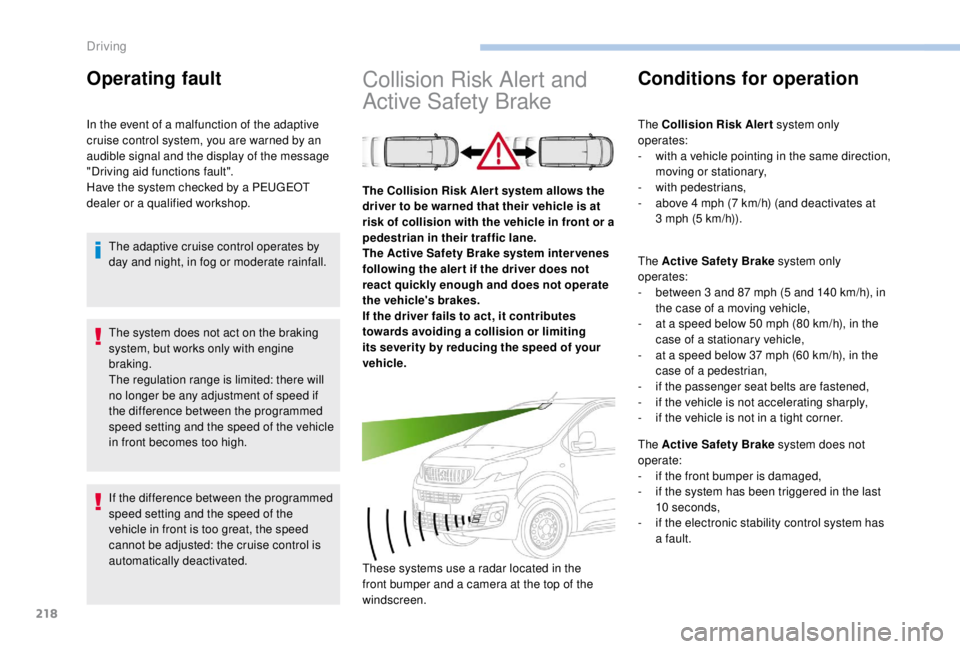
The Collision Risk Aler t system allows the
driver to be warned that their vehicle is at
risk of collision with the vehicle in front or a
pedestrian in their traffic lane.
The Active Safety Brake system inter venes
following the aler t if the driver does not
react quickly enough and does not operate
the vehicle's brakes.
If the driver fails to act, it contributes
towards avoiding a collision or limiting
its severity by reducing the speed of your
vehicle.
These systems use a radar located in the
front bumper and a camera at the top of the
windscreen.
Operating fault
In the event of a malfunction of the adaptive
cruise control system, you are warned by an
audible signal and the display of the message
"Driving aid functions fault".
Have the system checked by a PEUGEOT
dealer or a qualified workshop.
The adaptive cruise control operates by
day and night, in fog or moderate rainfall.
Driving
Page 221 of 416
219
After an impact, the function automatically
stops operating. Consult a PEUGEOT
dealer or a qualified workshop to have the
system checked.
Operating limits
In the following cases, deactivating the
system via the vehicle's configuration menu is
recommended:
-
w
hen towing a trailer or caravan,
-
w
hen a load on the roof rack extends
beyond the windscreen (for example: long
objects),
-
w
hen the vehicle is being towed, with the
engine running,
-
w
hen a "space-saver" type spare wheel is
fitted (if your vehicle has one),
-
w
hen on a rolling stand for a ser vice in a
workshop,
-
w
hen in an automatic car wash,
-
i
f the brake lamps are not working. Because of limits in the operation of the
system, it is possible that warnings are
not given, are given too late or seem
unjustified. Consequently, always stay
alert and be prepared to react at any time
to avoid an accident.
Collision Risk Alert
Depending on the degree of risk of collision
detected by the system and the alert threshold
chosen, different levels of alert can be
triggered and displayed in the instrument panel
or the head-up display.
This information also appears in the
head-up display. For more information
on the Head-up display, refer to the
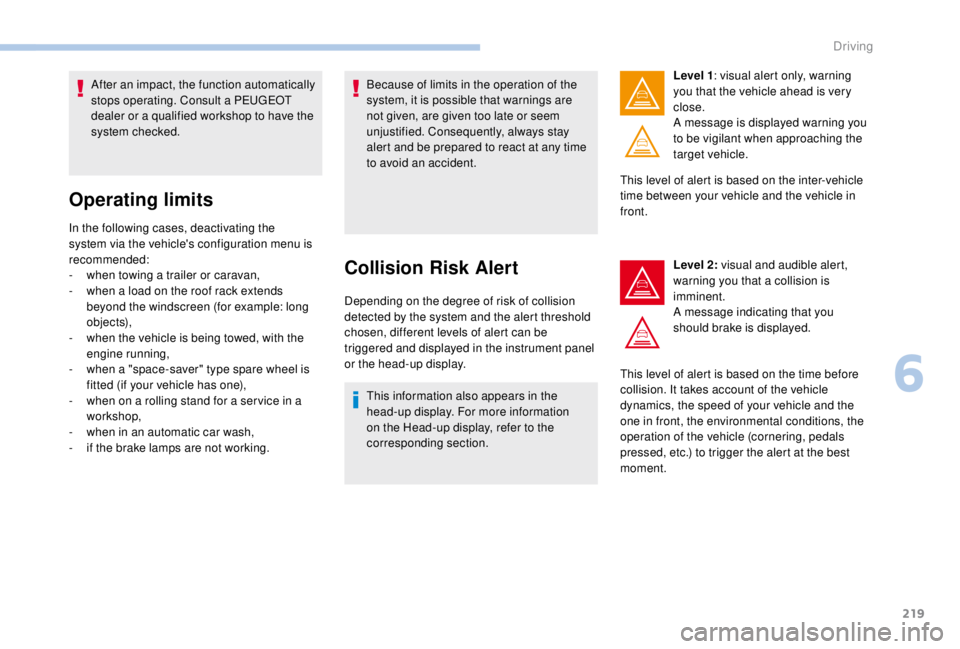
corresponding section. Level 1
: visual alert only, warning
you that the vehicle ahead is very
close.
A message is displayed warning you
to be vigilant when approaching the
target vehicle.
This level of alert is based on the inter-vehicle
time between your vehicle and the vehicle in
front.
Level 2: visual and audible alert,
warning you that a collision is
imminent.
A message indicating that you
should brake is displayed.
This level of alert is based on the time before
collision. It takes account of the vehicle
dynamics, the speed of your vehicle and the
one in front, the environmental conditions, the
operation of the vehicle (cornering, pedals
pressed, etc.) to trigger the alert at the best
moment.
6
Driving
Page 222 of 416
220
Where the speed of your vehicle is too
high approaching another vehicle, the first
level of alert may not be displayed: the
level 2 alert may be displayed directly.
Furthermore, the level 1
alert is never
displayed with the " Close" threshold.
Programming the alert
thresholds
The thresholds for triggering an alert determine
how you wish to be warned of the presence of a
vehicle moving or stationary ahead of you, or a
pedestrian in your traffic lane.
You can select one of three thresholds:
-
"Distant ", to be warned early (cautious
driving).
-
"Normal ".
-
"Close ", to be warned later.
With audio system
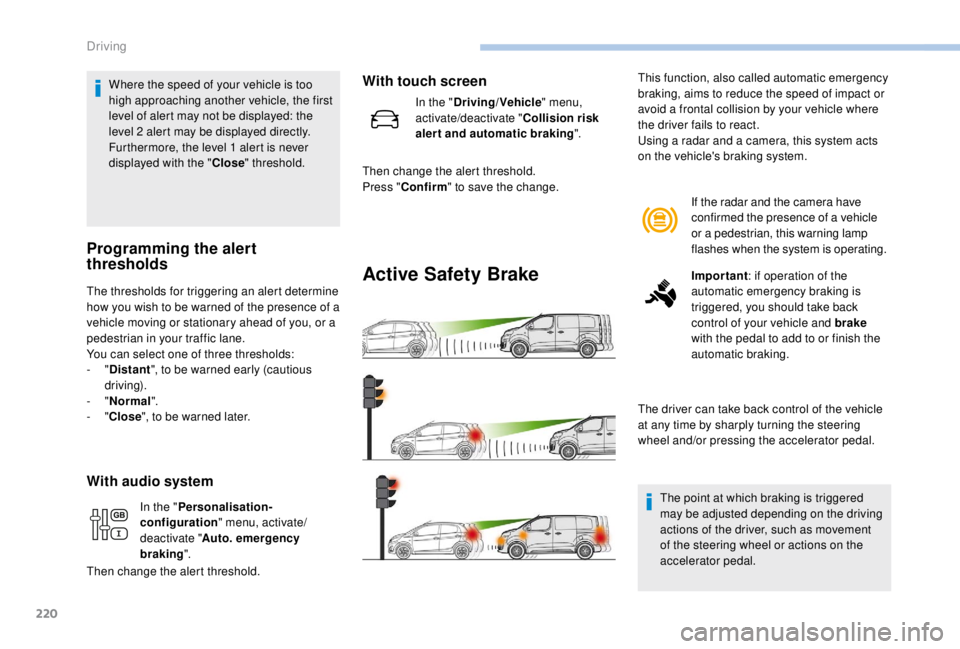
Active Safety Brake
If the radar and the camera have
confirmed the presence of a vehicle
or a pedestrian, this warning lamp
flashes when the system is operating.
Important : if operation of the
automatic emergency braking is
triggered, you should take back
control of your vehicle and brake
with the pedal to add to or finish the
automatic braking.
The driver can take back control of the vehicle
at any time by sharply turning the steering
wheel and/or pressing the accelerator pedal.
The point at which braking is triggered
may be adjusted depending on the driving
actions of the driver, such as movement
of the steering wheel or actions on the
accelerator pedal.
This function, also called automatic emergency
braking, aims to reduce the speed of impact or
avoid a frontal collision by your vehicle where
the driver fails to react.
Using a radar and a camera, this system acts
on the vehicle's braking system.
In the " Personalisation-
configuration " menu, activate/
deactivate " Auto. emergency
braking ".
Then change the alert threshold.
With touch screen
In the " Driving/Vehicle " menu,
activate/deactivate " Collision risk
alert and automatic braking ".
Then change the alert threshold.
Press " Confirm " to save the change.
Driving
Page 223 of 416
221
Operation of the system may be felt by
slight vibration in the brake pedal.
If the vehicle comes to a complete stop,
the automatic braking is maintained for
1 to 2 seconds.
With a manual gearbox, in the event of
automatic emergency braking until the
vehicle comes to a complete stop, the
vehicle may stall.
With an automatic gearbox, in the event
of automatic emergency braking until the
vehicle comes to a complete stop, keep
the brake pedal pressed down to prevent
the vehicle from starting off again.
If automatic emergency braking is not
activated, you are alerted by the fixed
display of the warning lamp accompanied
by a message.
Intelligent emergency braking
assistance
If the driver does not brake sufficiently
to avoid an accident, this system will
complete the braking.
This emergency braking system will not
act if you press the brake pedal.
Deactivation/Activation of the
alert and the braking
By default, the function is automatically
activated at every engine start.
The deactivation or activation of the function is
done in the vehicle configuration menu.
With audio system
Operating fault
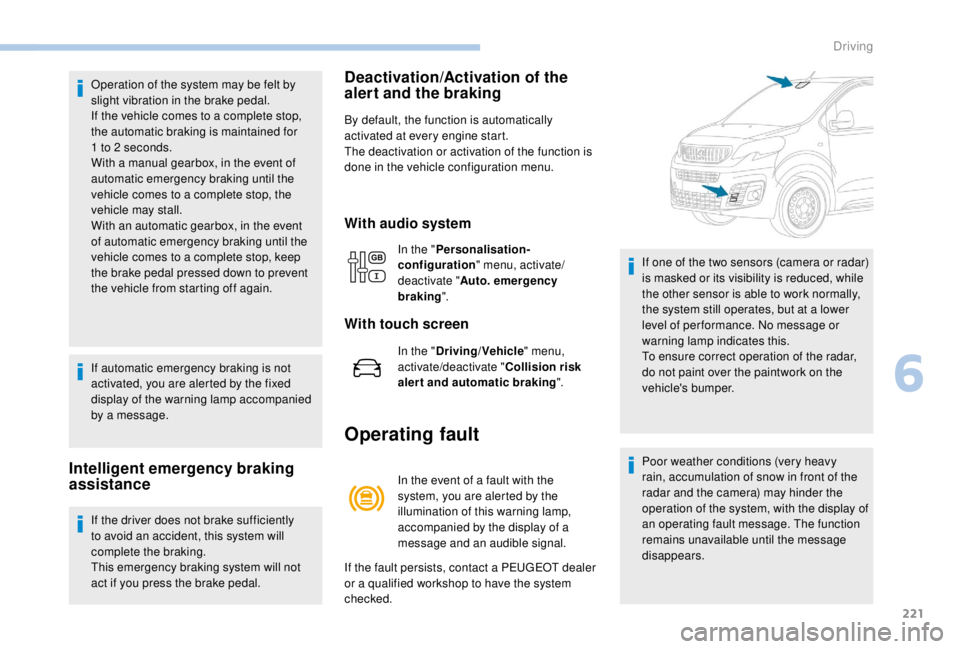
In the event of a fault with the
system, you are alerted by the
illumination of this warning lamp,
accompanied by the display of a
message and an audible signal.
If the fault persists, contact a PEUGEOT dealer
or a qualified workshop to have the system
checked. If one of the two sensors (camera or radar)
is masked or its visibility is reduced, while
the other sensor is able to work normally,
the system still operates, but at a lower
level of per formance. No message or
warning lamp indicates this.
To ensure correct operation of the radar,
do not paint over the paintwork on the
vehicle's bumper.
Poor weather conditions (very heavy
rain, accumulation of snow in front of the
radar and the camera) may hinder the
operation of the system, with the display of
an operating fault message. The function
remains unavailable until the message
disappears.
In the "
Personalisation-
configuration " menu, activate/
deactivate " Auto. emergency
braking ".
With touch screen
In the "Driving/Vehicle " menu,
activate/deactivate " Collision risk
alert and automatic braking ".
6
Driving
Page 225 of 416
223
Fatigue detection system
It is recommended that you take a break as
soon as you feel tired or at least every two
hours.The system cannot in any circumstances
replace the need for vigilance on the part
of the driver.
Do not take the wheel if you are tired.
Driving time warning
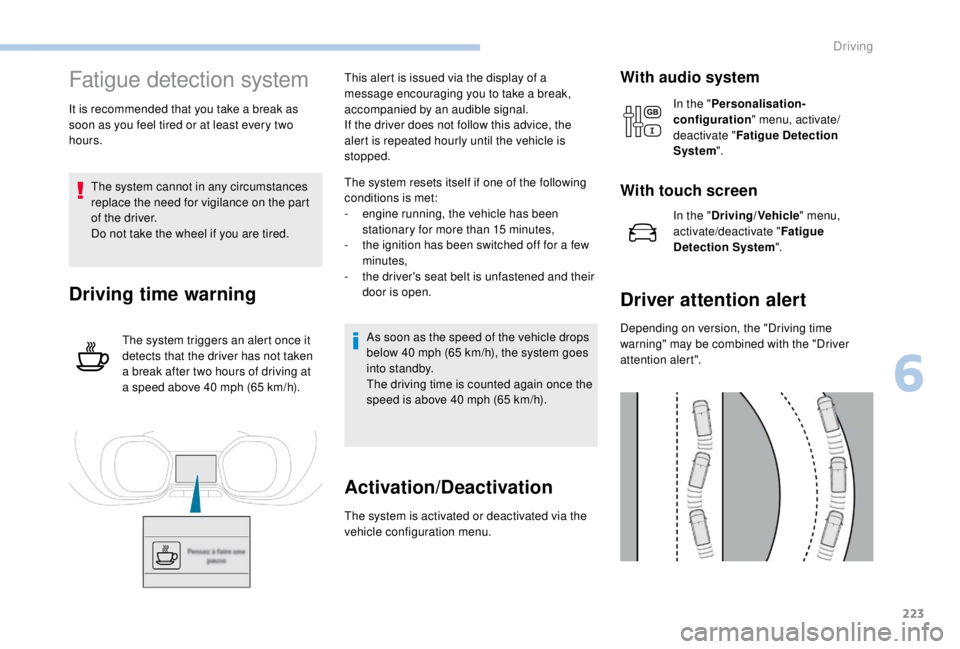
The system triggers an alert once it
detects that the driver has not taken
a break after two hours of driving at
a speed above 40
mph (65 km/h).This alert is issued via the display of a
message encouraging you to take a break,
accompanied by an audible signal.
If the driver does not follow this advice, the
alert is repeated hourly until the vehicle is
stopped.
The system resets itself if one of the following
conditions is met:
-
e
ngine running, the vehicle has been
stationary for more than 15
minutes,
-
t
he ignition has been switched off for a few
minutes,
-
t
he driver's seat belt is unfastened and their
door is open.
As soon as the speed of the vehicle drops
below 40 mph (65 km/h), the system goes
into standby.
The driving time is counted again once the
speed is above 40
mph (65 km/h).
Activation/Deactivation
The system is activated or deactivated via the
vehicle configuration menu.
With audio system
In the "Personalisation-
configuration " menu, activate/
deactivate " Fatigue Detection
System ".
With touch screen
In the "Driving/Vehicle " menu,
activate/deactivate " Fatigue
Detection System ".
Driver attention alert
Depending on version, the "Driving time
warning" may be combined with the "Driver
attention alert".
6
Driving
Page 230 of 416
228
Visual assistanceFront parking sensors
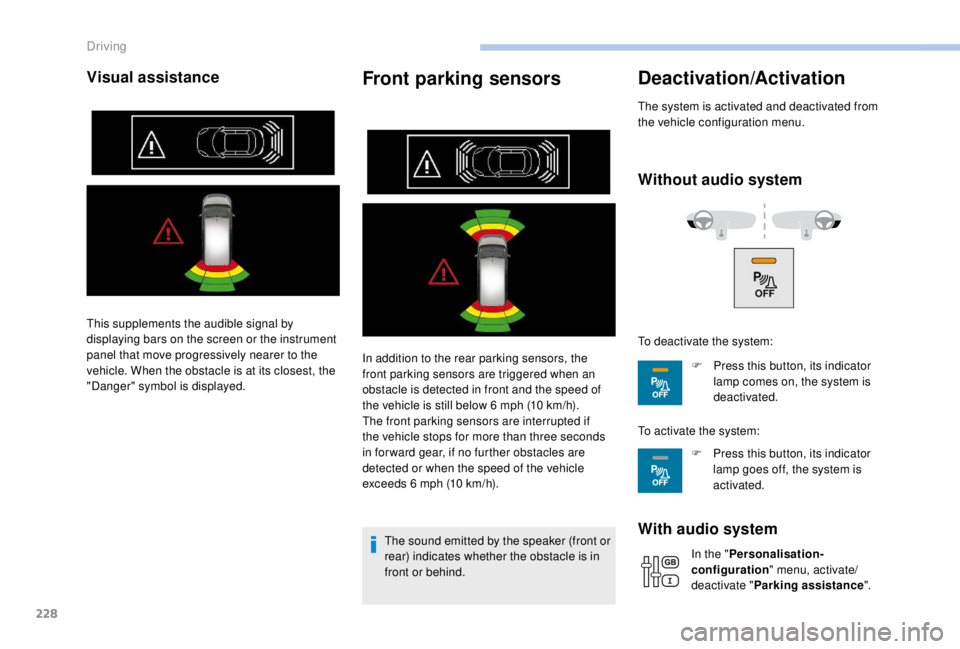
In addition to the rear parking sensors, the
front parking sensors are triggered when an
obstacle is detected in front and the speed of
the vehicle is still below 6 mph (10 km/h).
The front parking sensors are interrupted if
the vehicle stops for more than three seconds
in for ward gear, if no further obstacles are
detected or when the speed of the vehicle
exceeds 6
mph (10 km/h).
The sound emitted by the speaker (front or
rear) indicates whether the obstacle is in
front or behind.
Deactivation/Activation
The system is activated and deactivated from
the vehicle configuration menu.
Without audio system
With audio system
In the " Personalisation-
configuration " menu, activate/
deactivate " Parking assistance ".
This supplements the audible signal by
displaying bars on the screen or the instrument
panel that move progressively nearer to the
vehicle. When the obstacle is at its closest, the
"Danger" symbol is displayed.
To deactivate the system:
F
P
ress this button, its indicator
lamp comes on, the system is
deactivated.
To activate the system: F
P
ress this button, its indicator
lamp goes off, the system is
activated.
Driving
Page 231 of 416
229
The system will be automatically
deactivated where a towbar or towbar-
mounted bicycle carrier is fitted
(vehicle fitted with a towbar installed as
recommended by a PEUGEOT dealer).
Operating fault
When engaging reverse and depending on the
vehicle's equipment, in the event of a fault:This warning lamp comes on and a
message appears, accompanied by
an audible signal.
Contact a PEUGEOT dealer or a qualified
workshop. When reverse gear is engaged, an audible
signal (long beep) indicates that the
sensors may be dirty.
Certain sound sources (motorcycle,
lorry, pneumatic drill, etc.) may trigger
the audible signals of the parking sensor
system.
Reversing camera with
display in the interior
mirror
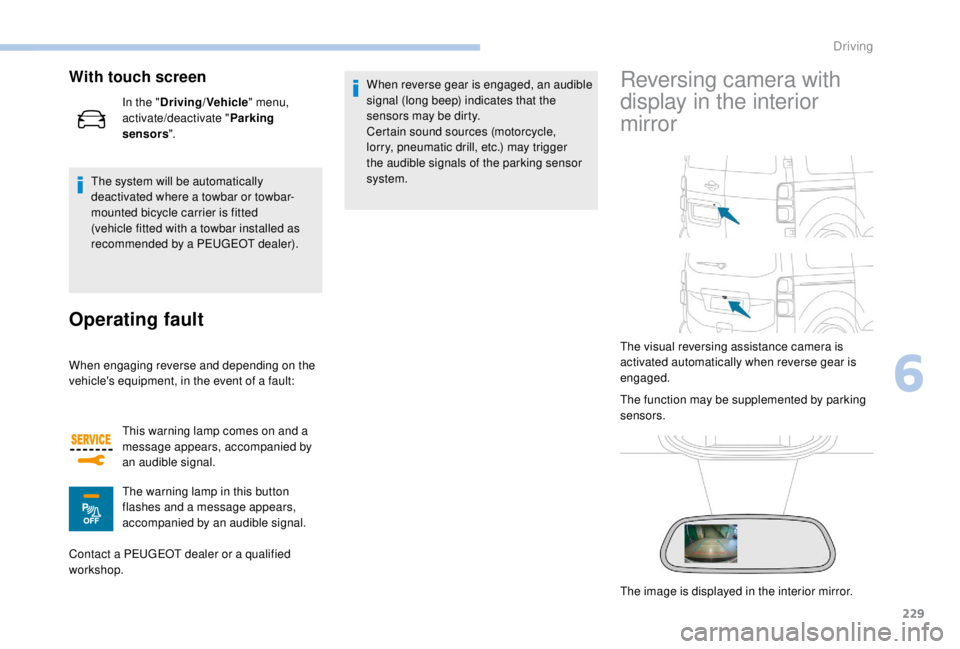
The visual reversing assistance camera is
activated automatically when reverse gear is
engaged.
The function may be supplemented by parking
sensors.
The image is displayed in the interior mirror.
With touch screen
In the "
Driving/Vehicle " menu,
activate/deactivate " Parking
sensors ".
The warning lamp in this button
flashes and a message appears,
accompanied by an audible signal.
6
Driving