carplay PEUGEOT EXPERT 2018 Owners Manual
[x] Cancel search | Manufacturer: PEUGEOT, Model Year: 2018, Model line: EXPERT, Model: PEUGEOT EXPERT 2018Pages: 416, PDF Size: 14.12 MB
Page 312 of 416
4
FM/87.5 MHz
87.5MHz
12:13
18,5 21,5
23 °C
12:13
18,5 21,5
23 °C
12:13
18,5 21,5
23 °C
21,518,5
12:1323 °C
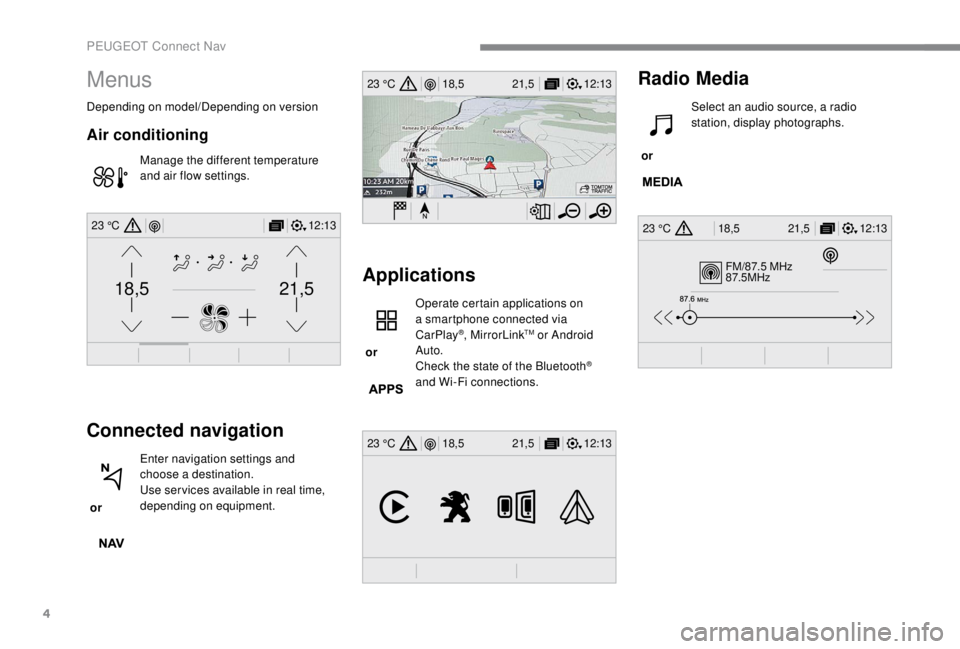
Menus
Depending on model/Depending on version
Air conditioning
Manage the different temperature
and air flow settings.
Connected navigation
or Enter navigation settings and
choose a destination.
Use ser vices available in real time,
depending on equipment.
Applications
or Operate certain applications on
a smartphone connected via
CarPlay
®, MirrorLinkTM or Android
Auto.
Check the state of the Bluetooth
®
and Wi-Fi connections.
Radio Media
or Select an audio source, a radio
station, display photographs.
PEUGEOT Connect Nav
Page 323 of 416
15
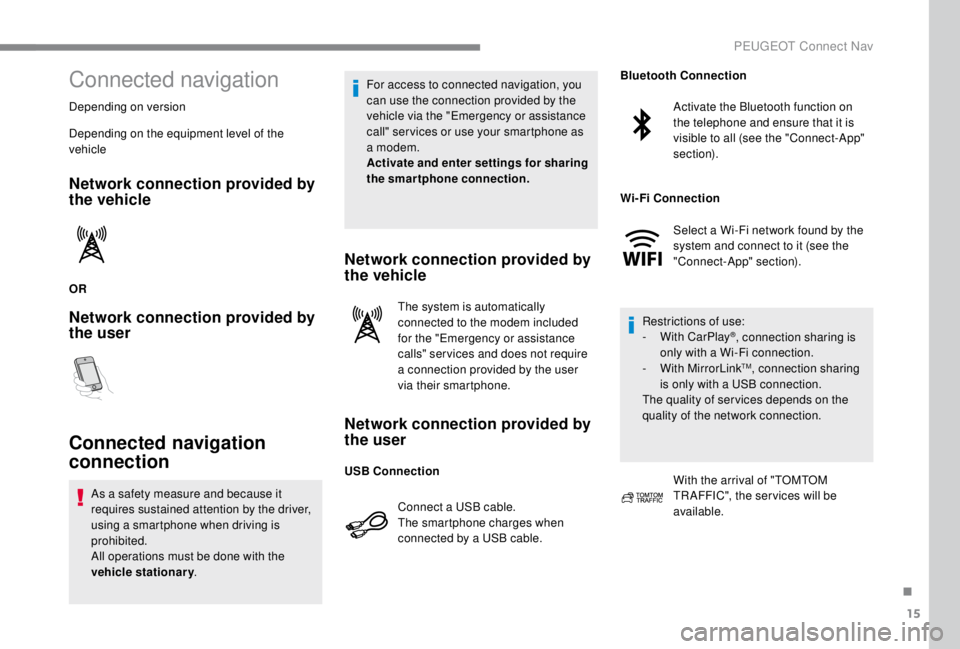
Connected navigation
Depending on version
Depending on the equipment level of the
vehicle
Network connection provided by
the vehicle
OR
Network connection provided by
the user
Connected navigation
connection
As a safety measure and because it
requires sustained attention by the driver,
using a smartphone when driving is
prohibited.
All operations must be done with the
vehicle stationary. For access to connected navigation, you
can use the connection provided by the
vehicle via the "Emergency or assistance
call" ser vices or use your smartphone as
a modem.
Activate and enter settings for sharing
the smartphone connection.
Network connection provided by
the vehicle
The system is automatically
connected to the modem included
for the "Emergency or assistance
calls" ser vices and does not require
a connection provided by the user
via their smartphone.
Network connection provided by
the user
Connect a USB cable.
The smartphone charges when
connected by a USB cable.
Activate the Bluetooth function on
the telephone and ensure that it is
visible to all (see the "Connect-App"
section).
Select a Wi-Fi network found by the
system and connect to it (see the
"Connect-App" section).
Restrictions of use:
-
W
ith CarPlay
®, connection sharing is
only with a Wi-Fi connection.
-
W
ith MirrorLink
TM, connection sharing
is only with a USB connection.
The quality of ser vices depends on the
quality of the network connection.
With the arrival of "TOMTOM
TR AFFIC", the ser vices will be
available.
USB Connection Bluetooth Connection
Wi-Fi Connection
.
PEUGEOT Connect Nav
Page 326 of 416
18
Applications
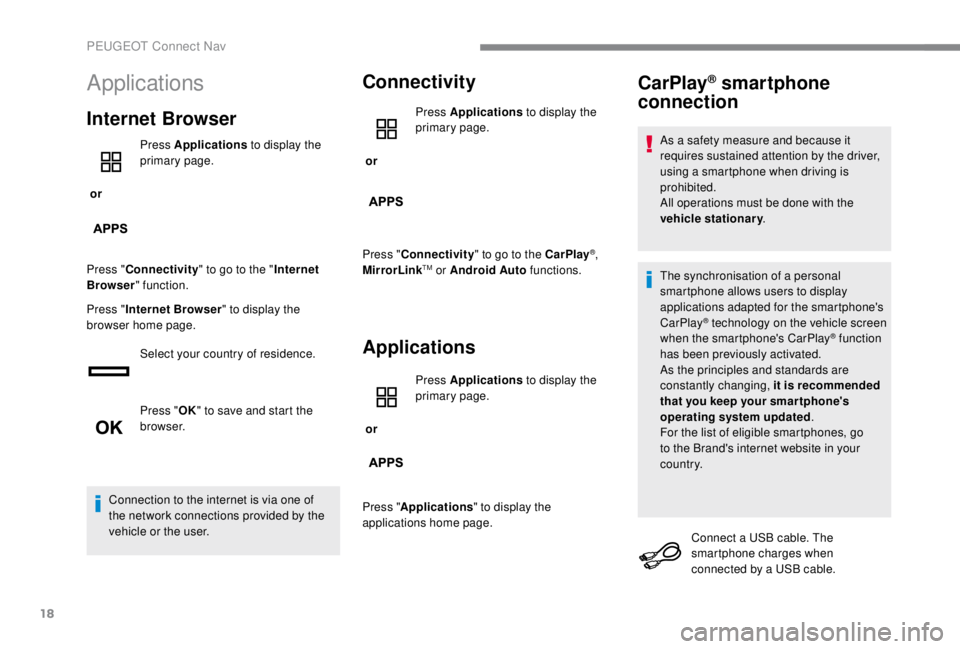
Internet Browser
or Press Applications
to display the
primary page.
Press " Connectivity " to go to the " Internet
Browser " function.
Press " Internet Browser " to display the
browser home page.
Select your country of residence.
Press "OK" to save and start the
browser.
Connection to the internet is via one of
the network connections provided by the
vehicle or the user.
Connectivity
or Press Applications
to display the
primary page.
Press " Connectivity " to go to the CarPlay
®,
MirrorLinkTM or Android Auto functions.
Applications
or Press Applications
to display the
primary page.
Press " Applications " to display the
applications home page.
CarPlay® smartphone
connection
As a safety measure and because it
requires sustained attention by the driver,
using a smartphone when driving is
prohibited.
All operations must be done with the
vehicle stationary .
The synchronisation of a personal
smartphone allows users to display
applications adapted for the smartphone's
CarPlay
® technology on the vehicle screen
when the smartphone's CarPlay® function
has been previously activated.
As the principles and standards are
constantly changing, it is recommended
that you keep your smar tphone's
operating system updated .
For the list of eligible smartphones, go
to the Brand's internet website in your
c o u nt r y.
Connect a USB cable. The
smartphone charges when
connected by a USB cable.
PEUGEOT Connect Nav
Page 327 of 416
19
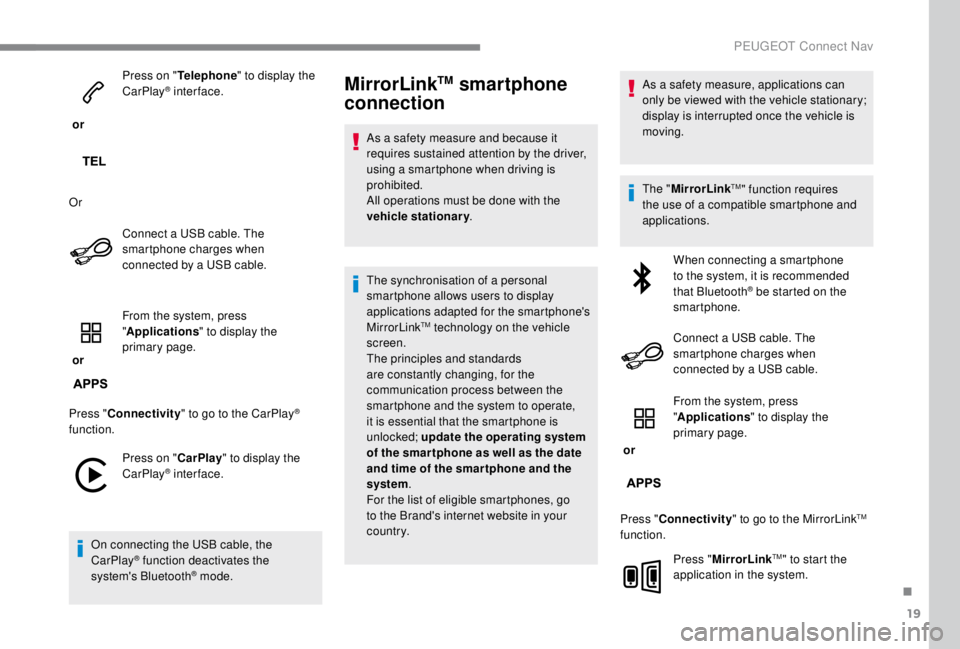
or Press on "
Telephone " to display the
CarPlay
® inter face.
Or Connect a USB cable. The
smartphone charges when
connected by a USB cable.
or From the system, press
"
Applications " to display the
primary page.
Press " Connectivity " to go to the CarPlay
®
function.
Press on " CarPlay" to display the
CarPlay
® inter face.
On connecting the USB cable, the
CarPlay
® function deactivates the
system's Bluetooth® mode.
MirrorLinkTM smartphone
connection
As a safety measure and because it
requires sustained attention by the driver,
using a smartphone when driving is
prohibited.
All operations must be done with the
vehicle stationary .
The synchronisation of a personal
smartphone allows users to display
applications adapted for the smartphone's
MirrorLink
TM technology on the vehicle
screen.
The principles and standards
are constantly changing, for the
communication process between the
smartphone and the system to operate,
it is essential that the smartphone is
unlocked; update the operating system
of the smar tphone as well as the date
and time of the smar tphone and the
system .
For the list of eligible smartphones, go
to the Brand's internet website in your
c o u nt r y. As a safety measure, applications can
only be viewed with the vehicle stationary;
display is interrupted once the vehicle is
moving.
The "
MirrorLink
TM" function requires
the use of a compatible smartphone and
applications.
When connecting a smartphone
to the system, it is recommended
that Bluetooth
® be started on the
smartphone.
Connect a USB cable. The
smartphone charges when
connected by a USB cable.
or From the system, press
"
Applications " to display the
primary page.
Press " Connectivity " to go to the MirrorLink
TM
function.
Press "MirrorLink
TM" to start the
application in the system.
.
PEUGEOT Connect Nav
Page 359 of 416
5
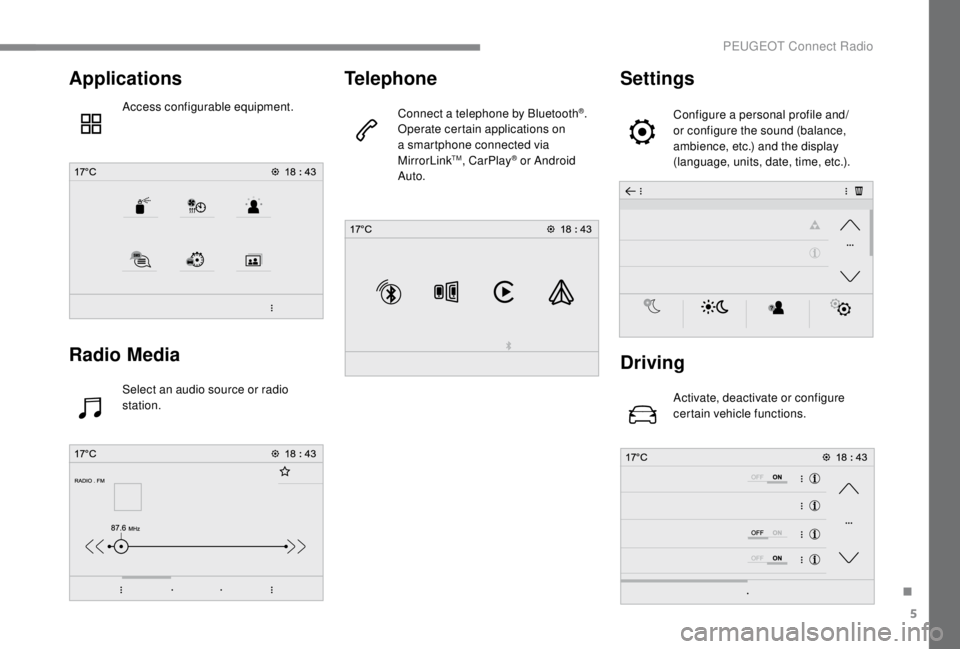
Applications
Access configurable equipment.
Radio Media
Select an audio source or radio
station.
Telephone
Connect a telephone by Bluetooth®.
Operate certain applications on
a smartphone connected via
MirrorLink
TM, CarPlay® or Android
Auto.
Settings
Configure a personal profile and/
or configure the sound (balance,
ambience, etc.) and the display
(language, units, date, time, etc.).
Driving
Activate, deactivate or configure
certain vehicle functions.
.
PEUGEOT Connect Radio
Page 360 of 416
6
Applications
Viewing photos
Insert a USB memory stick in the USB port.To protect the system, do not use a USB
hub.
The system can read folders and image files in
the formats: .tiff; .gif; .jpg/jpeg; .bmp; .png. Press Applications to display the
primary page.
Press " Photos ".
Select a folder.
Select an image to view.
Press this button to display the
details of the photo. Press the back arrow to go back a
level.Managing messages
Press Applications
to display the
primary page.
Press "SMS".
Select the "SMS" tab.
Press this button to select the
display settings for messages.
Press this button to search for a
contact.
Select the "Quick messages" tab.
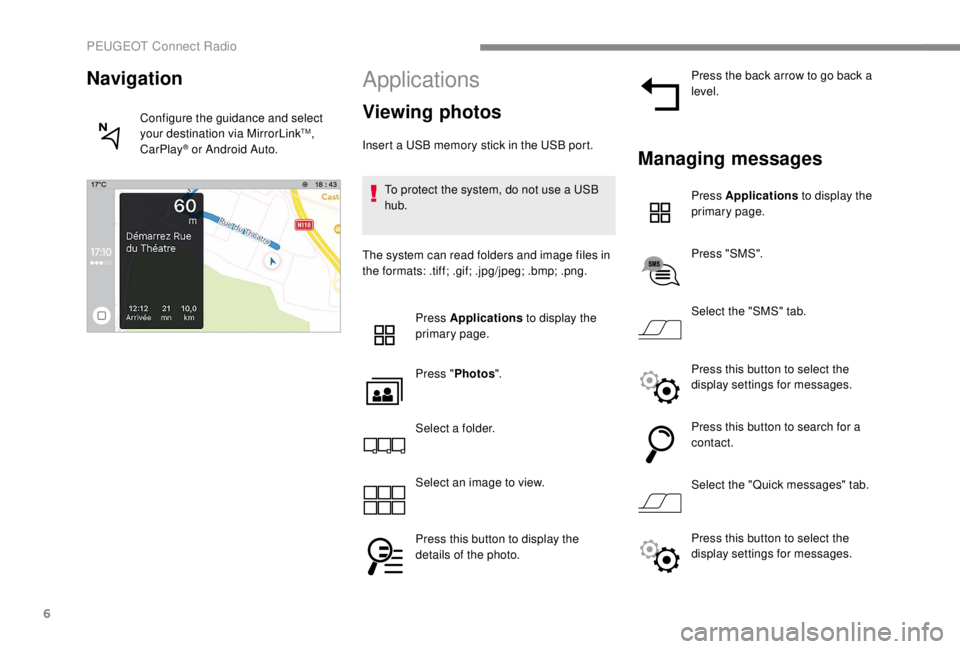
Navigation
Configure the guidance and select
your destination via MirrorLinkTM,
CarPlay® or Android Auto.
Press this button to select the
display settings for messages.
PEUGEOT Connect Radio
Page 367 of 416
13
During the procedure, several
screen pages relating to certain
functions are displayed.
Accept to start and complete the
connection.
When connecting a smartphone
to the system, it is recommended
that Bluetooth
® be started on the
smartphone.
Telephone connected by
Bluetooth®
From the system, press
" Telephone " to display the primary
page.
Press the " PHONE" button to display the
secondary page.
Press "MirrorLink
TM" to start the
application in the system.
Once the connection is established, a page
is displayed with the applications already
downloaded to your smartphone and adapted
to MirrorLink
TM technology. Access to the different audio sources remains
accessible in the margin of the MirrorLink
TM
display, using touch buttons in the upper bar.
Access to the menus for the system is possible
at any time using the dedicated buttons.
There may be a wait for the availability of
applications, depending on the quality of
your network.
CarPlay® smartphone
connection
As a safety measure and because it
requires sustained attention by the driver,
using a smartphone when driving is
prohibited.
All operations must be done with the
vehicle stationary . The synchronisation of a personal
smartphone allows users to display
applications adapted for the smartphone's
CarPlay
® technology on the vehicle screen
when the smartphone's CarPlay® function
has been previously activated.
As the principles and standards are
constantly changing, it is recommended
that you keep your smar tphone's
operating system updated .
For the list of eligible smartphones, go
to the Brand's internet website in your
c o u nt r y.
Connect a USB cable. The
smartphone charges when
connected by a USB cable.
From the system, press
"Telephone " to display the CarPlay
®
inter face.
Or If the smartphone is already
connected by Bluetooth
®.
.
PEUGEOT Connect Radio
Page 368 of 416
14
Connect a USB cable. The
smartphone charges when
connected by a USB cable.
From the system, press
"Telephone " to display the primary
page.
Press the " PHONE" button to go to the
secondary page.
Press on " CarPlay" to display the
CarPlay
® inter face.
On connecting the USB cable, the
CarPlay
® function deactivates the
system's Bluetooth® mode.
You can go to the CarPlay
®
navigation at any time by pressing
the system's Navigation button.
Android Auto smartphone
connection
As a safety measure and because it
requires sustained attention by the driver,
using a smartphone when driving is
prohibited.
All operations must be done with the
vehicle stationary.
On your smartphone, download the
Android Auto application.
The synchronisation of a personal
smartphone allows users to display
applications adapted for the smartphone's
Android Auto technology on the vehicle
screen.
The principles and standards
are constantly changing, for the
communication process between the
smartphone and the system to operate,
it is essential that the smartphone is
unlocked; update the operating system
of the smar tphone as well as the date
and time of the smar tphone and the
system.
For the list of eligible smartphones, go
to the Brand's internet website in your
c o u nt r y. As a safety measure, applications can
only be viewed with the vehicle stationary;
display is interrupted once the vehicle is
moving.
The "Android Auto" function requires the
use of a compatible smartphone and
applications.
Telephone not connected by
Bluetooth®
Connect a USB cable. The
smartphone charges when
connected by a USB cable.
From the system, press
"
Telephone " to display the primary
page.
Press " Android Auto " to start the
application in the system.
Depending on the smartphone, it may be
necessary to activate the " Android Auto"
function.
PEUGEOT Connect Radio
Page 405 of 416

307
180° rear vision .....................................23 0-233
Access, AdBlue tank
..................................... 254
Accessories
.......................................... 142, 18 3
Access to the 3rd row
.............................99, 102
Access to the spare wheel
....................267-268
Active Safety Brake......................... 19, 218 -220
AdBlue
® ..................................... 2 2, 31, 252-255
Additive, AdBlue ............................................ 255
Additive, Diesel
..................................... 250-251
Adjusting headlamp beam height
................. 13
7
Adjusting headlamps
.................................... 137
Adjusting head restraints
..........................91, 93
Adjusting seats
.................................... 87, 89 -90
Adjusting the air distribution
...................117-11 8
Adjusting the air flow
............................... 11
7-11 8
Adjusting the date
......................... 37-38, 36, 20
Adjusting the height and reach of the steering wheel
.................................... 85
Adjusting the lumbar support
.......................... 88
A
djusting the seat angle
........................... 88, 90
Adjusting the seat belt height
....................... 1
51
Adjusting the temperature
......................117-11 8
Adjusting the time
......................... 37-38, 36, 20
Advice on driving
................................... 176 -178
Airbags
...............................
.............20, 15 4, 159
Airbags, curtain
...................................... 15 5 -15 6
Airbags, front ................................. 15 4, 15 6, 16 0
Airbags, lateral
....................................... 15 5 -15 6
Air conditioning
...................... 118, 124, 124 -125
Air conditioning, automatic
...........................120
Air conditioning, dual-zone automatic
....117-11 8
Air conditioning, manual ..... 115 -116, 120, 123 -124
Air intake
......................................... 117-11 8 , 12 0
Alarm
......................................................... 81- 83
Alarm, volumetric
............................................ 81
Anti-lock braking system (ABS)
.......19, 145 -14 6
Anti-theft
................................................. 4 4, 185Area, loading
...............................
........
39 - 40, 62
Armrest
................
..........................................
108
Armrest, front ..................................................
91
Anti-slip regulation (ASR)
................
21, 145 -14 6
Assistance call
...............................
........
143 -14 4
Assistance, emergency braking
...
145 -14 6, 2 21
Audio streaming (Bluetooth)
................
27, 11, 10
Auxiliary
..........................................
26-27, 10-11
A
B
C
Battery ............. 15, 242-243, 250, 288, 290 -292
Battery capacity ............................................ 292
Battery, charging
................................... 289-290
Battery, remote control
.........45 - 46, 59 - 60, 127
Bench seat, one-piece, fixed
................... 9
9 -101
Blind spot monitoring system
................225-226
Blind spot sensors
.......................................... 25
BlueHDi
............................................. 23, 31, 252
Bluetooth (hands-free)
........ 2
8 -2 9, 15 -16 , 11-12
Bluetooth (telephone)
..................... 2
8 - 3 0, 15 -17
Bonnet
........................................................... 246
Boot
................................................................. 80
Brake discs
............................................. 251-252
Brake lamps
...............................
...........278-282
Brakes
........................................ 14, 19, 251-252
Braking, automatic emergency
........19, 218 -221
Brightness
....................................................... 19
Bulbs (changing)
...................272-273, 278, 280
Bulbs (changing, type)
..........................272-273
Cable, audio
.............................................. 26, 10
Cable, jack
................................................ 26, 10
Capacity, fuel tank
................................. 237-238Cap, fuel filler
...............................
..........
237-238
CarPlay connection ................................... 18, 13
CD
....................................................
26 -27, 11, 9
CD, MP3
......................................
26 -27, 11, 9 -10
Central locking
.................................... 50
, 54-55
Changing a bulb
..................... 2
72-273, 278-282
Changing a bulb (tailgate)
.............................
280
Changing a bulb (side-hinged doors)
........... 2
78
Changing a fuse
.................................... 28
3-287
Changing a wheel
......................................... 26
6
Changing a wiper blade
........................ 1
41, 2 4 5
Changing the remote control battery
.........................................
45 - 46, 59 - 60
Checking the engine oil level ..........................
30
Checking the levels ...............................247, 249
Checking tyre pressures (using the kit)
......................................260-265
Checks
...........................................247, 250-252
Checks, routine
.....................................250-252
Child lock
................................................174 -175
Child lock, electric
.........................................174
Child lock on rear windows
...........................175
Children
..................................16 4, 16 8 -170, 172
Children (safety)
............................................174
Child seats
.............15
3, 157-159, 163 -16 6, 173
Child seats, conventional
......................163 -166
Child seats, ISOFIX
.......................16 8 -170, 172
Closing the boot
..............................................80
Closing the doors
...................50, 54-55, 63 - 66,
69 -70, 77-79
Collision risk alert
............19, 218 -219, 218 -220
Compressor, tyre inflation
............................260
Connection, Bluetooth
...21-22, 28 -30, 15 -17, 12
Connection, MirrorLink
........................19, 12-14
Connection, Wi-Fi network
.............................22
Control, emergency boot release
...................80
Control, emergency door
............... 4
4 - 4 5 , 57- 5 9
Control, heated seats
................................91-92
Control stalk, lighting
..............................26, 13 0
Control stalk, wipers
..............................13
7-13 9
Courtesy lamp
...............................................279
.
Alphabetical index