buttons Peugeot Expert 2019 User Guide
[x] Cancel search | Manufacturer: PEUGEOT, Model Year: 2019, Model line: Expert, Model: Peugeot Expert 2019Pages: 324, PDF Size: 13.07 MB
Page 92 of 324
90
When the air conditioning is in operation, to
cool the air more quickly, you can use interior
air recirculation for a few moments by pressing
button 4. Then return to the intake of exterior
a i r.
The air conditioning does not operate
when the air flow adjustment is set to off.
Switching the system off may result in
some discomfort (humidity, misting).
Air distribution
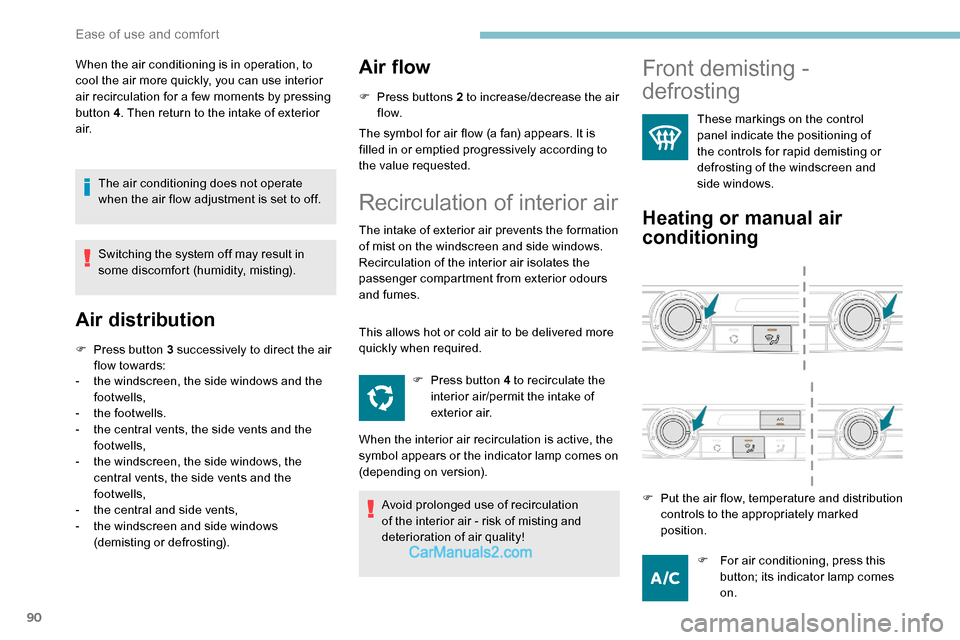
F Press button 3 successively to direct the air flow towards:
-
t
he windscreen, the side windows and the
footwells,
-
t
he footwells.
-
t
he central vents, the side vents and the
footwells,
-
t
he windscreen, the side windows, the
central vents, the side vents and the
footwells,
-
t
he central and side vents,
-
t
he windscreen and side windows
(demisting or defrosting).
Air flow
F Press buttons 2 to increase/decrease the air f low.
The symbol for air flow (a fan) appears. It is
filled in or emptied progressively according to
the value requested.
Recirculation of interior air
The intake of exterior air prevents the formation
of mist on the windscreen and side windows.
Recirculation of the interior air isolates the
passenger compartment from exterior odours
and fumes.
This allows hot or cold air to be delivered more
quickly when required.
Avoid prolonged use of recirculation
of the interior air - risk of misting and
deterioration of air quality! F
P
ress button 4 to recirculate the
interior air/permit the intake of
exterior air.
When the interior air recirculation is active, the
symbol appears or the indicator lamp comes on
(depending on version).
Front demisting -
defrosting
These markings on the control
panel indicate the positioning of
the controls for rapid demisting or
defrosting of the windscreen and
side windows.
Heating or manual air
conditioning
F For air conditioning, press this button; its indicator lamp comes
on.
F
P
ut the air flow, temperature and distribution
controls to the appropriately marked
position.
Ease of use and comfort
Page 111 of 324
109
Peugeot Connect
Assistance
** According to the geographic coverage of ‘Peugeot Connect SOS’, ‘Peugeot Connect
Assistance’ and the official national
language chosen by the owner of the vehicle.
The list of countries covered and of the
telematic services is available from dealers
or on the website for your country.
If the vehicle breaks down, press button 2 for
more than 2 seconds to request assistance
(confirmed by a voice message**).
Pressing again immediately cancels the
request.
Geolocation
Deactivate/reactivate geolocation by
simultaneously pressing buttons 1 and 2 and
then a single press of button 2 to confirm.
If you purchased your vehicle outside the
PEUGEOT dealer network, we invite you
to have a dealer check the configuration
of these ser vices and, if desired, modify
them to suit your wishes. In a multilingual
country, configuration is possible in the
official national language of your choice. For technical reasons, in particular to
improve the quality of telematic ser vices
for customers, the Manufacturer reserves
the right to carry out updates to the
vehicle's on-board telematic system at
any time.
If you benefit from the Peugeot Connect
Packs offer with the SOS and assistance
pack included, there are additional
ser vices available to you in your personal
space, via the website for your country.
Audible warning
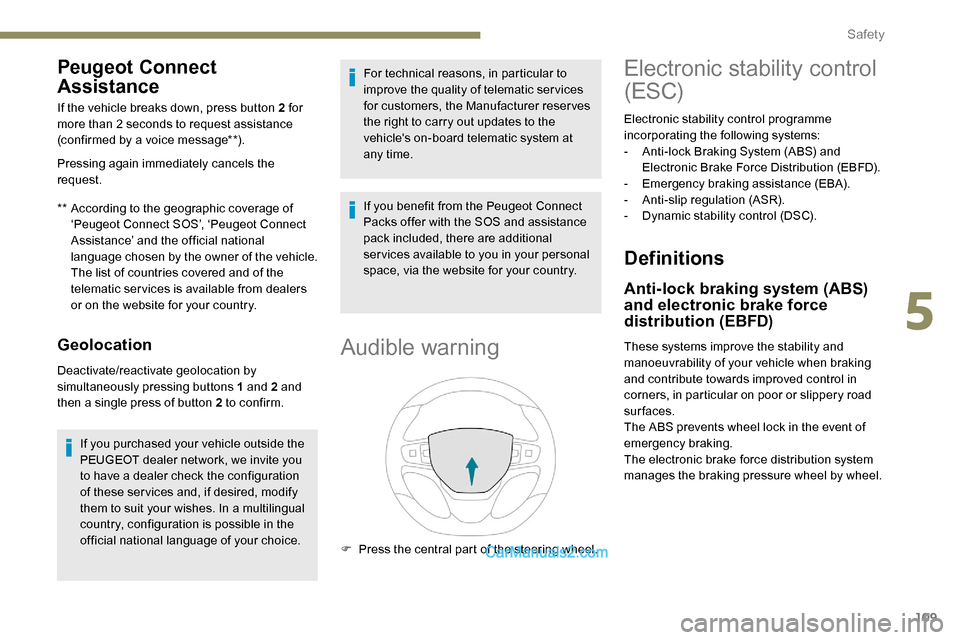
F Press the central part of the steering wheel.
Electronic stability control
(ESC)
Electronic stability control programme
incorporating the following systems:
-
A
nti-lock Braking System (ABS) and
Electronic Brake Force Distribution (EBFD).
-
E
mergency braking assistance (EBA).
-
A
nti-slip regulation (ASR).
-
D
ynamic stability control (DSC).
Definitions
Anti-lock braking system (ABS)
and electronic brake force
distribution (EBFD)
These systems improve the stability and
manoeuvrability of your vehicle when braking
and contribute towards improved control in
corners, in particular on poor or slippery road
surfaces.
The ABS prevents wheel lock in the event of
emergency braking.
The electronic brake force distribution system
manages the braking pressure wheel by wheel.
5
Safety
Page 160 of 324
158
Maintenance
Clean the bumpers and door mirrors and
the field of vision of the cameras regularly.
When washing your vehicle at high
pressure, direct the spray from at least
30 cm away from the radar, sensors and
cameras.
Mats
The use of mats not approved by
PEUGEOT may inter fere with the
operation of the speed limiter or cruise
control.
To avoid any risk of jamming the pedals:
F
e
nsure that the mat is secured
c o r r e c t l y,
F
n
ever fit one mat on top of another.
Units of speed
Ensure that the units of speed displayed
on the instrument panel (mph or km/h) are
those for the country you are driving in.
If this is not the case, when the vehicle is
stationary, set the display to the required
units of speed so that it complies with
what is authorised locally.
In case of doubt, contact a PEUGEOT
dealer or a qualified workshop.Head-up display
System which projects various information onto
a smoked blade in the driver's field of vision so
that they do not have to take their eyes off the
road.
Displays during operation
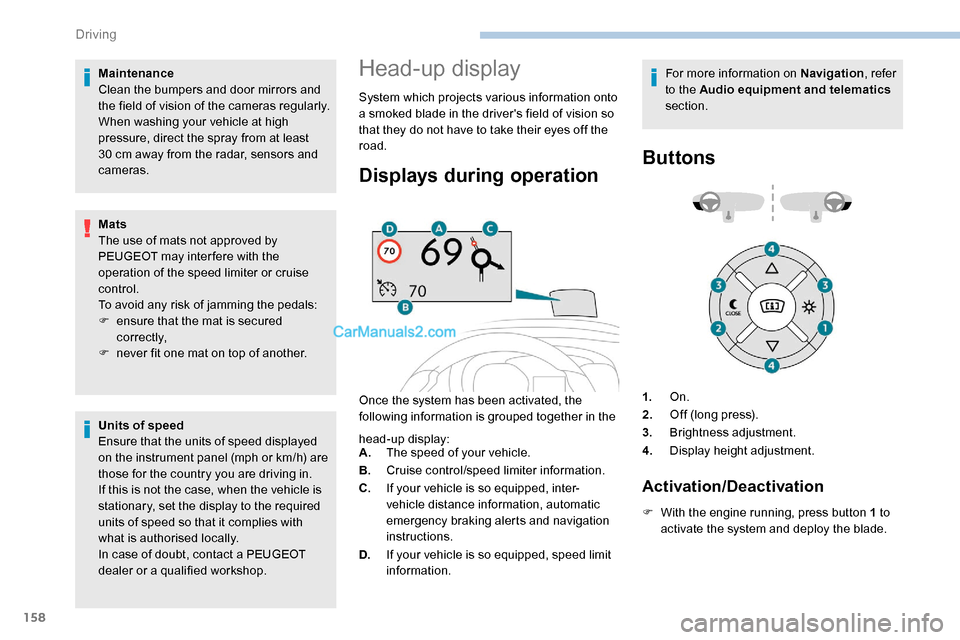
Once the system has been activated, the
following information is grouped together in the For more information on Navigation
, refer
to the Audio equipment and telematics
section.
Buttons
head-up display:
A. The speed of your vehicle.
B. Cruise control/speed limiter information.
C. If your vehicle is so equipped, inter-
vehicle distance information, automatic
emergency braking alerts and navigation
instructions.
D. If your vehicle is so equipped, speed limit
information. 1.
On.
2. Off (long press).
3. Brightness adjustment.
4. Display height adjustment.
Activation/Deactivation
F With the engine running, press button 1 to
activate the system and deploy the blade.
Driving
Page 161 of 324
159
Height adjustment
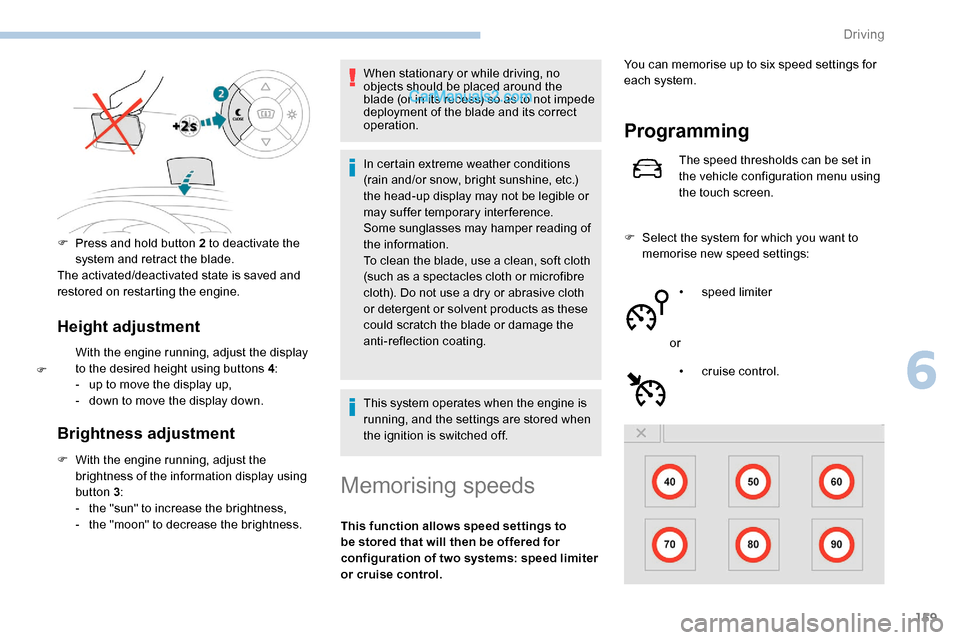
With the engine running, adjust the display
to the desired height using buttons 4:
-
u
p to move the display up,
-
d
own to move the display down.
Brightness adjustment
F With the engine running, adjust the brightness of the information display using
button 3 :
-
t
he "sun" to increase the brightness,
-
t
he "moon" to decrease the brightness. When stationary or while driving, no
objects should be placed around the
blade (or in its recess) so as to not impede
deployment of the blade and its correct
operation.
In certain extreme weather conditions
(rain and/or snow, bright sunshine, etc.)
the head-up display may not be legible or
may suffer temporary interference.
Some sunglasses may hamper reading of
the information.
To clean the blade, use a clean, soft cloth
(such as a spectacles cloth or microfibre
cloth). Do not use a dry or abrasive cloth
or detergent or solvent products as these
could scratch the blade or damage the
anti-reflection coating.
This system operates when the engine is
running, and the settings are stored when
the ignition is switched off.
Memorising speeds
This function allows speed settings to
be stored that will then be offered for
configuration of two systems: speed limiter
or cruise control.
Programming
The speed thresholds can be set in
the vehicle configuration menu using
the touch screen.
F
S
elect the system for which you want to
memorise new speed settings:
•
sp
eed limiter
or •
c
ruise control.
F
P
ress and hold button 2 to deactivate the
system and retract the blade.
The activated/deactivated state is saved and
restored on restarting the engine.
F
Y
ou can memorise up to six speed settings for
each system.
6
Driving
Page 166 of 324
164
Temporarily exceeding the
programmed speed
F To temporarily exceed the programmed speed threshold, fully depress the
accelerator pedal.
The speed limiter is deactivated temporarily
and the displayed programmed speed flashes.
If it is exceeded for a prolonged period of time,
an audible warning is triggered.
Simply release the accelerator pedal to return
to below the programmed speed. When the limit speed is exceeded but this is not
due to action by the driver (in case of a steep
slope, for example), an audible signal triggers
immediately.
Once the speed of the vehicle returns to
the programmed setting, the speed limiter
functions again: the display of the programmed
speed setting becomes fixed again.
Switching off
F Turn the thumbwheel 1 to the " 0" position:
the display of information on the speed
limiter disappears.
Malfunction
To modify the limit speed setting from the
speed suggested by the vehicle Speed Limit
recognition and recommendation:
F
t
he speed suggested is displayed in the
instrument panel,
F
m
ake a first press on button 5 ; a message
is displayed to confirm the memorisation
request,
F
p
ress button 5 again to save the suggested
speed.
The speed displays immediately in the
instrument panel as the new speed setting.
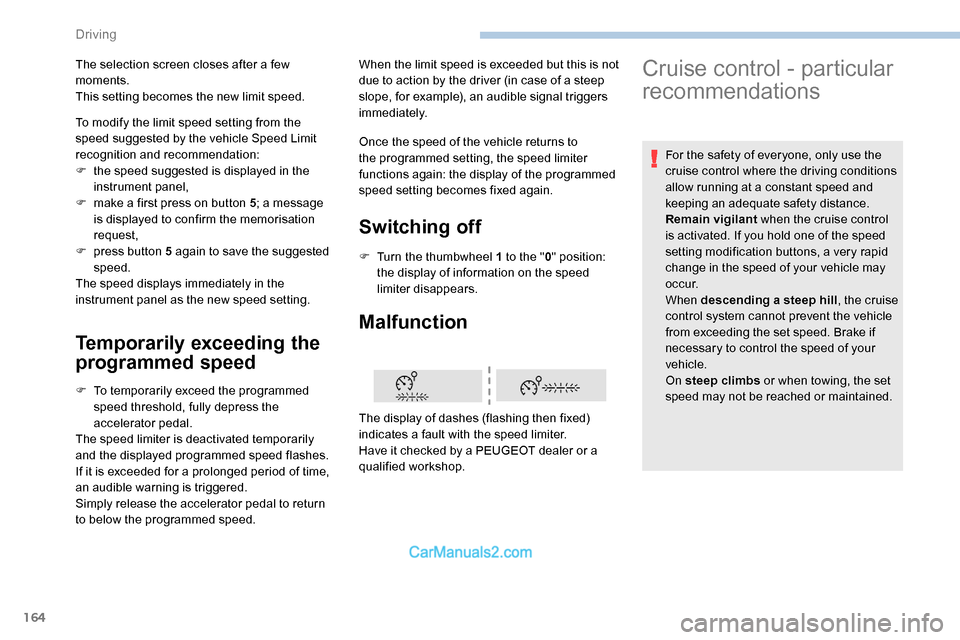
The display of dashes (flashing then fixed)
indicates a fault with the speed limiter.
Have it checked by a PEUGEOT dealer or a
qualified workshop.
The selection screen closes after a few
moments.
This setting becomes the new limit speed.
Cruise control - particular
recommendations
For the safety of everyone, only use the
cruise control where the driving conditions
allow running at a constant speed and
keeping an adequate safety distance.
Remain vigilant
when the cruise control
is activated. If you hold one of the speed
setting modification buttons, a very rapid
change in the speed of your vehicle may
o c c u r.
When descending a steep hill , the cruise
control system cannot prevent the vehicle
from exceeding the set speed. Brake if
necessary to control the speed of your
vehicle.
On steep climbs or when towing, the set
speed may not be reached or maintained.
Driving
Page 236 of 324
2
First steps
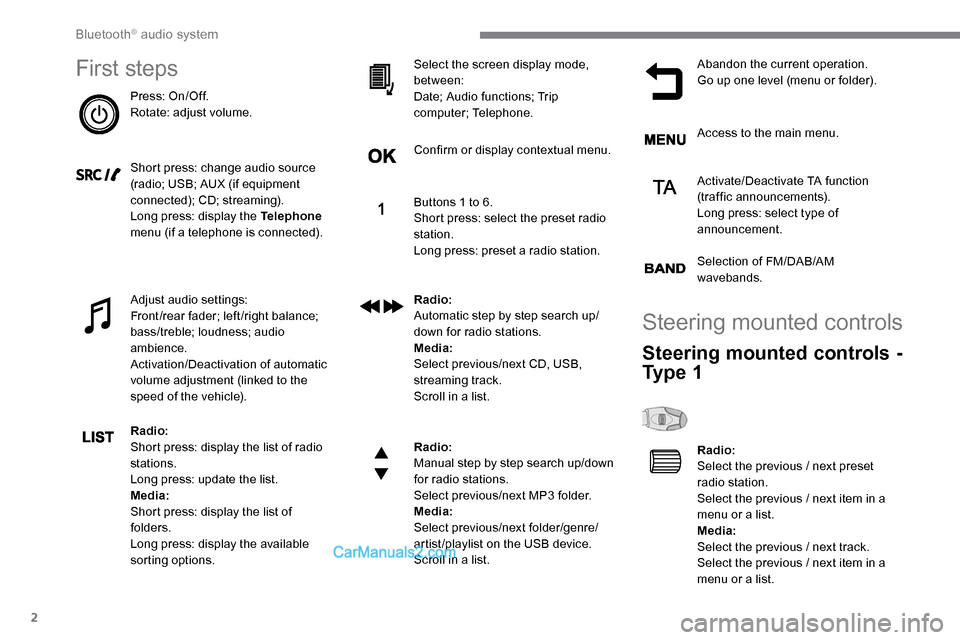
Press: On/Off.
Rotate: adjust volume.
Short press: change audio source
(radio; USB; AUX (if equipment
connected); CD; streaming).
Long press: display the Telephone
menu (if a telephone is connected).
Adjust audio settings:
Front/rear fader; left/right balance;
bass/treble; loudness; audio
ambience.
Activation/Deactivation of automatic
volume adjustment (linked to the
speed of the vehicle).
Radio:
Short press: display the list of radio
stations.
Long press: update the list.
Media:
Short press: display the list of
folders.
Long press: display the available
sorting options. Select the screen display mode,
between:
Date; Audio functions; Trip
computer; Telephone.
Confirm or display contextual menu.
Buttons 1 to 6.
Short press: select the preset radio
station.
Long press: preset a radio station.
Radio:
Automatic step by step search up/
down for radio stations.
Media:
Select previous/next CD, USB,
streaming track.
Scroll in a list.
Radio:
Manual step by step search up/down
for radio stations.
Select previous/next MP3 folder.
Media:
Select previous/next folder/genre/
artist/playlist on the USB device.
Scroll in a list.
Abandon the current operation.
Go up one level (menu or folder).
Access to the main menu.
Activate/Deactivate TA function
(traffic announcements).
Long press: select type of
announcement.
Selection of FM/DAB/AM
wavebands.
Steering mounted controls
Steering mounted controls -
Ty p e 1
Radio:
Select the previous / next preset
radio station.
Select the previous / next item in a
menu or a list.
Media:
Select the previous / next track.
Select the previous / next item in a
menu or a list.
Bluetooth® audio system
Page 237 of 324
3
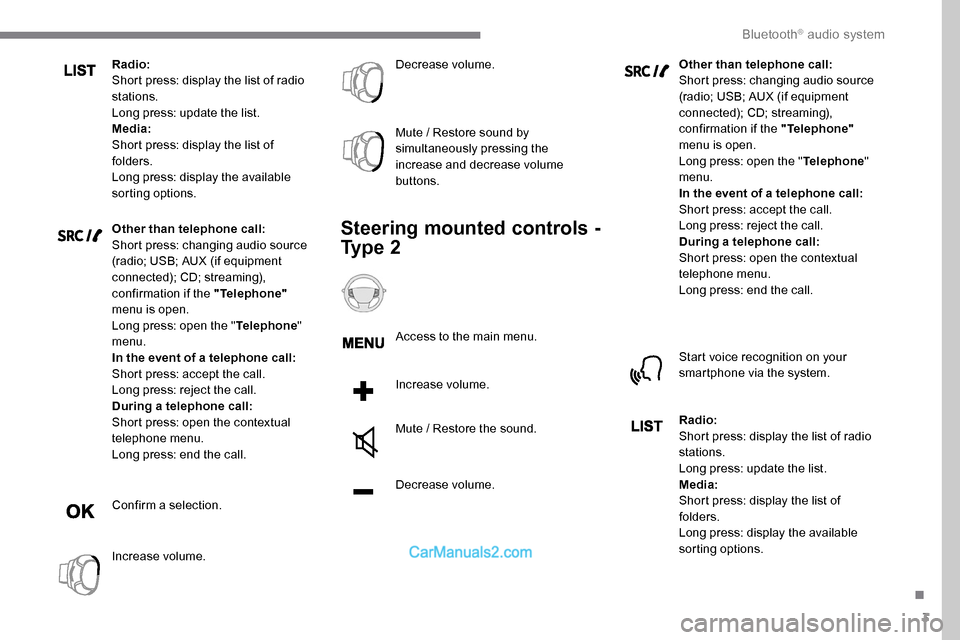
Radio:
Short press: display the list of radio
stations.
Long press: update the list.
Media:
Short press: display the list of
folders.
Long press: display the available
sorting options.
Other than telephone call:
Short press: changing audio source
(radio; USB; AUX (if equipment
connected); CD; streaming),
confirmation if the "Telephone"
menu is open.
Long press: open the " Telephone"
menu.
In the event of a telephone call:
Short press: accept the call.
Long press: reject the call.
During a telephone call:
Short press: open the contextual
telephone menu.
Long press: end the call.
Confirm a selection.
Increase volume. Decrease volume.
Mute / Restore sound by
simultaneously pressing the
increase and decrease volume
buttons.
Steering mounted controls -
Ty p e 2
Access to the main menu.
Increase volume.
Mute / Restore the sound.
Decrease volume. Other than telephone call:
Short press: changing audio source
(radio; USB; AUX (if equipment
connected); CD; streaming),
confirmation if the "Telephone"
menu is open.
Long press: open the " Telephone"
menu.
In the event of a telephone call:
Short press: accept the call.
Long press: reject the call.
During a telephone call:
Short press: open the contextual
telephone menu.
Long press: end the call.
Start voice recognition on your
smartphone via the system.
Radio:
Short press: display the list of radio
stations.
Long press: update the list.
Media:
Short press: display the list of
folders.
Long press: display the available
sorting options.
.
Bluetooth® audio system
Page 238 of 324
4
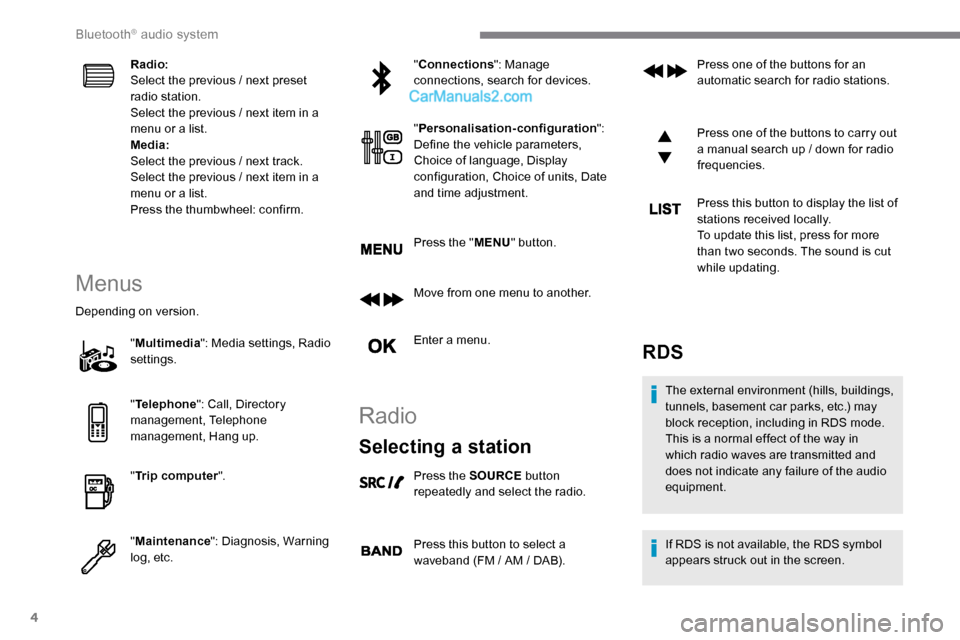
Radio:
Select the previous / next preset
radio station.
Select the previous / next item in a
menu or a list.
Media:
Select the previous / next track.
Select the previous / next item in a
menu or a list.
Press the thumbwheel: confirm.
Menus
Depending on version."Multimedia ": Media settings, Radio
settings.
" Telephone ": Call, Directory
management, Telephone
management, Hang up.
" Trip computer ".
" Maintenance ": Diagnosis, Warning
log, etc. "
Connections ": Manage
connections, search for devices.
" Personalisation-configuration ":
Define the vehicle parameters,
Choice of language, Display
configuration, Choice of units, Date
and time adjustment.
Press the " MENU" button.
Move from one menu to another.
Enter a menu.
Radio
Selecting a station
Press the SOURCE button
repeatedly and select the radio.
Press this button to select a
waveband (FM / AM / DAB). Press one of the buttons for an
automatic search for radio stations.
Press one of the buttons to carry out
a manual search up / down for radio
frequencies.
Press this button to display the list of
stations received locally.
To update this list, press for more
than two seconds. The sound is cut
while updating.
RDS
The external environment (hills, buildings,
tunnels, basement car parks, etc.) may
block reception, including in RDS mode.
This is a normal effect of the way in
which radio waves are transmitted and
does not indicate any failure of the audio
equipment.
If RDS is not available, the RDS symbol
appears struck out in the screen.
Bluetooth® audio system
Page 240 of 324
6
When the radio station is displayed
in the screen, press OK to display
the contextual menu.
Select " RadioText (TXT) display "
and confirm OK to save.
DAB (Digital Audio
Broadcasting) radio
Depending on version
If the current DAB radio station is not
available on FM, "DAB FM" is struck out. When changing region, an update of the
list of preset radio stations is advisable.
Display of the list of all radio stations
and "multiplexes".
Terrestrial digital radio
Digital radio provides a superior audio
quality and also additional categories of
traffic announcements (TA INFO).
The different "multiplex / ensemble”
ser vices offer a choice of radio stations in
alphabetical order.Change of band (FM1, FM2, DAB,
e t c .)
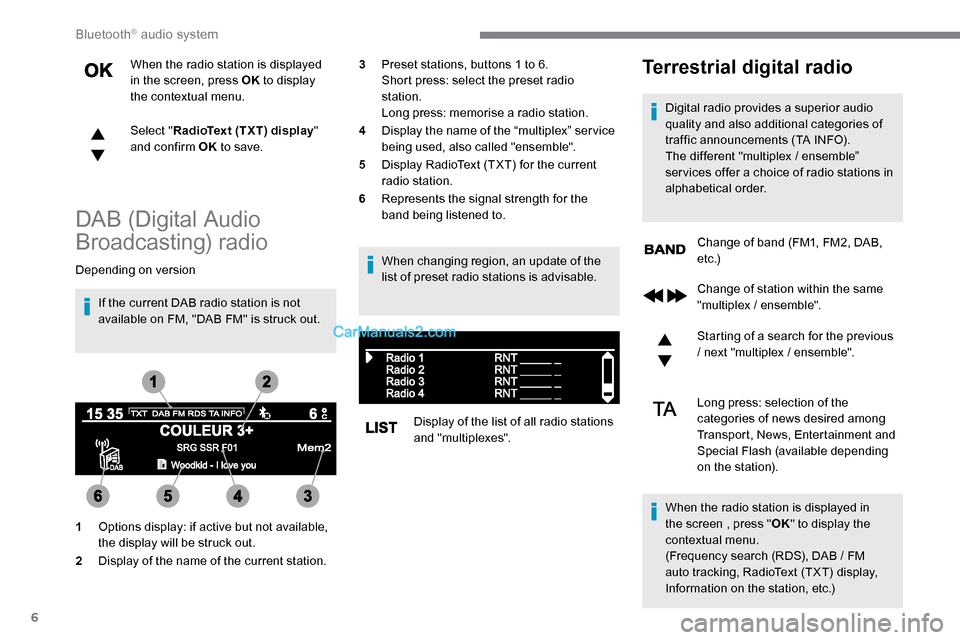
1 Options display: if active but not available,
the display will be struck out.
2 Display of the name of the current station. 3
Preset stations, buttons 1 to 6.
Short press: select the preset radio
station.
Long press: memorise a radio station.
4 Display the name of the “multiplex” ser vice
being used, also called "ensemble".
5 Display RadioText (TXT) for the current
radio station.
6 Represents the signal strength for the
band being listened to.
Change of station within the same
"multiplex / ensemble".
Starting of a search for the previous
/ next "multiplex / ensemble".
Long press: selection of the
categories of news desired among
Transport, News, Entertainment and
Special Flash (available depending
on the station).
When the radio station is displayed in
the screen , press " OK" to display the
contextual menu.
(Frequency search (RDS), DAB
/ FM
auto tracking, RadioText (TXT) display,
Information on the station, etc.)
Bluetooth® audio system
Page 242 of 324
8
- Repeat: the tracks played are only those
from the current album or folder.
Press this button to display the
contextual menu for the Media
function.
Press this button to select the
chosen play mode.
Press this button to confirm.
The choice made is displayed at the top of the
screen.
Choosing a track to play
Press one of these buttons to go to
the previous / next track.
Press one of these buttons to go to
the previous / next folder.
File classification
Make a long press on this button to
display the different classifications. Select by "
Folder" / "Artist " /
" Genre " / "Playlist ".
Depending on availability and type
of device used.
Press OK to select the desired
classification, then press OK again
to confirm.
Playing files
Make a short press on this button to
display the chosen classification.
Navigate in the list using the left /
right and up / down buttons.
Confirm the selection by pressing
OK.
Press one of these buttons to go to
the previous / next track in the list.
Press and hold one of these buttons
for fast for ward or rewind.
Press one of these buttons to go
to the previous / next " Folder" /
" Artist " / "Genre " / "Playlist "* in
the list.
Auxiliary socket (AUX)
(depending on model / depending on
equipment)
*
D
epending on availability and the type of
device used. Connect a portable device (MP3 player, etc.)
to the Jack socket using an audio cable (not
supplied).
Any additional equipment connected to
the system must conform to the standard
of the product or standard IEC 60950 -1.
Press the SOURCE button several
times in succession and select
" AUX ".
First adjust the volume on your portable device
(to a high level). Then adjust the volume of your
audio system. Display and management of the
controls are via the portable device.
Do not connect a device to both the Jack
auxiliary socket and the USB port at the
same time.
Bluetooth® audio system